Boardgames

Age of Steam

Build rail networks across a changing America, outmaneuver rivals for lucrative shipments, and finance powerful locomotives without falling into debt.

120
minutes

1 - 6
player(s)

Medium Heavy

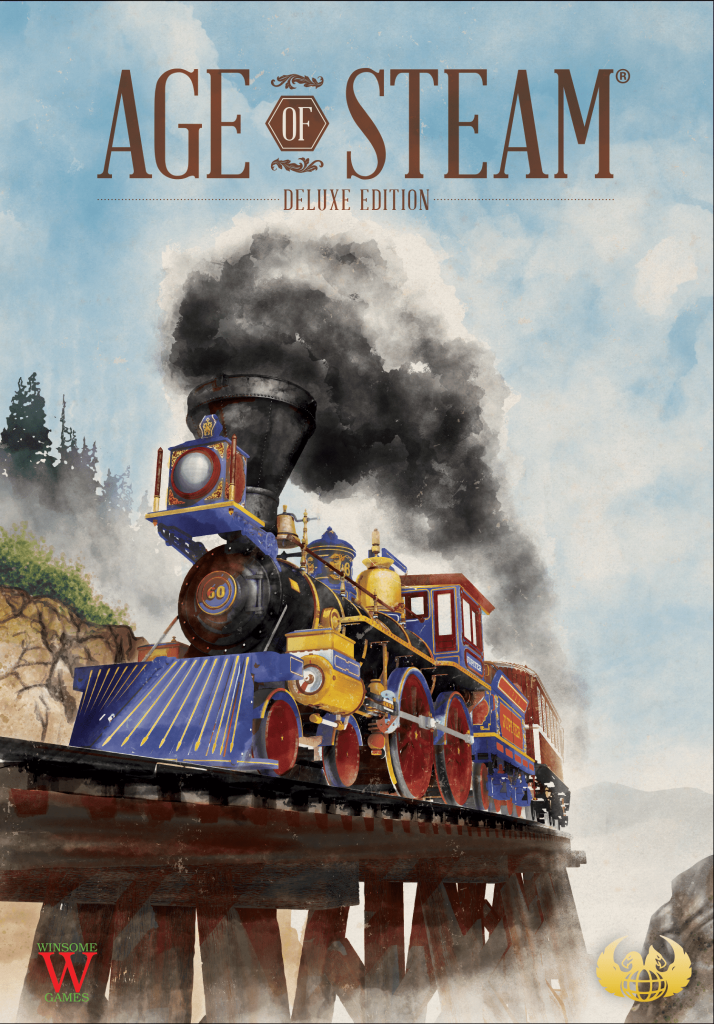
Age of Steam board game cover

About this board game

Age of Steam is a competitive railroad board game for 1–6 players, with games lasting about 120 minutes. Released in 2002, it recreates the era when pioneering U.S. railroads built tracks that transformed America’s economy.

Steam-belching iron horses roar across the wild plains as players compete around the industrial powerhouses of a growing nation, including Pittsburgh, Cincinnati, Chicago, and beyond. The central challenge is balancing ambitious expansion with the financial pressure created by aggressive creditors.

Every self-contained phase keeps players involved in important decisions and interacting with one another. Careful planning is essential as you determine which routes offer the best returns for their costs, build the most extensive track network, and pursue the most powerful locomotives.

  • Plan routes and weigh their costs against potential returns.
  • Compete for the most lucrative shipments before opponents can claim them.
  • Develop towns into cities, helping ensure that no two games are exactly the same.
  • Manage your finances well enough to pay aggressive creditors.

Competition is brutal, and the game usually goes to the player who plans most carefully. Expansion, transportation opportunities, and financial demands constantly pull players in different directions, making every decision matter.

With its changing town and city development and tightly connected phases, Age of Steam delivers a demanding contest of railroad planning and economic survival. Whether you are pursuing extensive networks, powerful locomotives, or valuable shipments, success depends on choosing the right routes and managing the consequences of every investment.

Board Game Rules for
Age of Steam

Download official rules (EN)

Game Components

game_components
game_components
  • 3 Double-Sided Game Boards
  • 3 Display Boards
  • 136 Track tiles
  • 8 New City tiles (1 red, 1 blue, 1 purple, 1 yellow, 4 black)
  • 8 Town disks (white)
  • 110 Goods cubes (20 red, 20 blue, 20 purple, 20 yellow, 16 black, 14 white)
  • 180 Track Ownership disks / Player disks (6 sets of 20 Track Ownership disks, 5 Player disks, and 5 extra disks for use with expansions, in player colors blue, green, yellow, pink, gray, orange)
  • Money (40x $1, 40x $5, 10x $25 chips)
  • 1 Turn Track marker
  • 6 dice
  • 1 Cloth Bag

General Setup

  1. Lay out the game board Setup 1. This example uses the Rust Belt map.
  2. Place the following items next to the game board:
    • Display Boards Setup 2
    • Money Setup 3
    • Track tiles Setup 4
    • 8 Town disks Setup 5
    • New City tiles Setup 6
    • Dice Setup 7
  3. Place the Turn Track marker in the “start” circle on the Turn Track Setup 8.
  4. Put all the red, blue, purple, yellow and black Goods cubes in the bag. The white Goods cubes are only used when playing with the Southern US expansion.
  5. Now randomly draw one cube at a time, placing it in the Goods display Setup 9:
    • Begin by placing the first cube in the upper left hand square, the second in the square to the right, filling out the entire first row with one randomly drawn cube in each square.
    • When the uppermost row is filled, fill the remaining rows until each square contains one cube, for a total of 52 cubes.
setup_board_and_components_overview

Map Setup

Now place the starting Goods cubes on the map.

NOTE: Setup will vary between maps. If you are not playing the Rust Belt map, check the setup rules for the map you have chosen.

  • Randomly draw three Goods cubes from the bag and place them in Pittsburgh Setup 10.
  • Randomly draw three Goods cubes from the bag and place them in Wheeling Setup 11.
  • For the remaining cities on the game board, randomly draw and place two Goods cubes from the bag in each city.

Player Setup

Players choose a color and take 25 round wooden disks in that color.
NOTE: leave 5 of each color aside as they are included for use in expansions.

  1. Each player places a disk on the Engine Track in the “1 link” square Setup 12.
  2. Each player places a disk on the Income Track in the “0” square Setup 13.
  3. Each player rolls 3 dice; the highest rolling player places a disk in the “1st” place on the Player Order Track Setup 14, the next highest placing a disk on the “2nd” place, and so on until each player has put a disk on the Player Order Track.
  4. Each player places a disk on the first box (2 shares) of the Issued Shares Track Setup 15 and receives $10.
  5. Each player places a fifth disk close to the Selected Actions display Setup 16 for use later, when the player chooses an Action.
  6. Each player keeps the remaining 20 disks in front of them. These are referred to as Track Ownership Disks Setup 17.

The game begins with the first step of the Sequence of Play, “Issue Shares”.

setup_diagram_full_table

Sequence of Play Overview

  1. Issue Shares
  2. Determine Player Order
  3. Select Actions
  4. Build Track
  5. Move Goods
  6. Collect Income
  7. Pay Expenses
  8. Income Reduction
  9. Goods Growth
  10. Advance Turn Marker

NOTE: For the purposes of rules explanations, and examples, it is presumed that players are playing the Rust Belt map. When using other maps, check the specific rules for that map, which will override these base rules.

I. Issue Shares

Players receive money in two ways: one being income received by the player’s railroad, the second being when the player’s railroad issues shares.

  • When a player’s railroad issues a share, the player immediately receives $5 and advances that railroad’s disk on the Issued Shares Track on the Income Track display.
  • More than one share may be issued in a turn. For each share issued, the player receives $5 and advances that railroad’s disk 1 space on the Issued Shares Track on the Income Track display.
  • A player may not issue more shares than the track allows in the course of the game.
  • Shares are issued in Player Order beginning with the 1st player, then the 2nd player, etc.
  • A player is not required to issue any shares beyond the two with which they start the game.

Example: At the start of a 3 player game, John (green) issues two Shares, moves his disk to ‘4 shares’ and receives $10. Dave (blue) issues one share, moves his disk to ‘3 shares’ and receives $5. Pete (yellow) issues no shares and his disk remains in the ‘2 Shares’ box.

issued_shares_track_example

II. Determine Player Order

Slide the disks on the Player Order Track upward just above the printed circles. Players now bid for the new Player Order beginning with the 1st player.

  • The 1st Player may bid $1 or more to stay in the bidding or they may drop out of the bidding by moving their disk to the last position on the track. If they have taken the Turn Order action, they may say “pass” once and remain in the bidding. $0 bids are not allowed.
  • The remaining players must either bid an amount greater than that bid by the previous player or drop out (unless they took the Turn Order action that allows them to say “pass” once to stay in the bidding for turn order).
  • Bidding continues until all but one player has dropped out of the bidding.
  • Payment:
    • The first player to drop out of the bidding moves their disk to the Last space on the Player Order Track and pays nothing, even if they had bid some amount.
    • The last two players participating in the bidding both pay the full amount they bid.
    • All other players pay half their bid rounding up.
player_order_bidding_diagram_1

Example: Pete (yellow) was the 1st player, so he starts the bidding. Pete bids $2. Dave (blue) was the 2nd player in this five player game and says “I am dropping out.” His disk is put in the Last space on the Player Order Track. He pays nothing. Vince (orange) was the 3rd player and now bids $3. Hudson (gray) was the 4th player, he says “I am dropping out” and his disk is put in the 4th position on the Player Order Track (ignoring the fifth space as there are only five players). He pays nothing as he bid nothing. John (green) was the 5th player and had chosen the Turn order action. He chooses to exercise that action now and says “Pass”.

player_order_bidding_diagram_2

III. Select Actions

Seven special Actions are listed on the Actions Display. Players select Actions in Player Order by placing their disk on the track space. Each Action may be selected by only one player.

select_actions_display
  • First Move (Implemented during the Move Goods phase): Allows this player to be the first player to move Goods in both rounds of moving Goods regardless of Player Order.
  • First Build (Implemented during the Build Track phase): Allows this player to be the first player to build track regardless of Player Order.
  • Engineer (Implemented during the Build Track phase): Allows this player to build four track tiles instead of just three track tiles.
  • Locomotive (Implemented immediately): Allows this player to immediately move their Links disk on the Engine Track up one link. The maximum number of Links is still 6.
  • Urbanization (Implemented during the Build Track phase): Allows this player to place one of the New City tiles on a Town before they build their track.
  • Production (Implemented during the Goods Growth phase): At the beginning of the Goods Growth phase, allows the player to randomly draw two Goods cubes from the bag and place them on any two empty boxes on the Goods Display – one cube per box. (Note that this action is pointless in the first turn of the game as there are no empty boxes.)
  • Turn Order (Pass) (Implemented during the Determine Player Order phase): Allows this player to say “pass” once to maintain their place in bidding without making a bid during the next Determine Player Order phase.

IV. Build Track

The Gameboard

The gameboard is a hex map. The hex shaped Track tiles are placed on this hex map to build track, constructing railroad links joining the Cities and Towns on the map. Some hexes on the map show mountains and rivers that increase the cost of placing a Track tile. The Great Lakes do not have hexes and Track tiles may not be placed on them.

The Track Tiles

The Track tiles have lines on them showing their track. The majority of Track tiles show a simple section of straight or curved track.

simple_track_tiles_illustration
complex_crossing_and_coexisting_tiles

Some Track tiles are more complex, depicting two independent sections of track, either crossing or simply coexisting on the tile.

town_track_tiles
town_track_tiles

Some Track tiles show a Town printed on them. These Dedicated Town Track tiles may only be placed on hexes with a Town, such as Milwaukee.

placing_town_counter_on_track

When simple or complex track is placed in a Town hex, a Town counter (white wooden disk) is placed on the center of the Track Tile. Towns connect all track into that Town.

new_city_tiles
new_city_tiles

8 New City tiles are also provided. A New City tile is placed by the player who has chosen the Urbanization action. A New City tile may only be placed on a hex with a Town.

Rules for Building Track

  • Track is built in Player Order. A player may place (or replace) up to 3 track tiles.
  • A player who has chosen the Engineer action may place up to four track tiles.
  • A player who has chosen the First Build action builds track before the 1st Player.
  • Building track consists of placing a track tile or replacing an existing track tile.
  • The very first Track tile every player builds at the start of the game must be adjacent to a City and one end of the track on this simple Track tile must connect to the City. While City hexes do not show any track, they are considered to have connected track from each hexside to each other hexside.
  • All future track built by a player must ultimately connect to a City through that player’s track.
  • Both simple and complex Track tiles may be placed in a Town hex. A Track tile placed on a Town must either be a dedicated Town Track tile or the Track tile must have a Town disk placed upon it.
  • Please note that a railroad is not required to have all its track connected together: separate, disconnected links and sections between Cities are possible.

Restrictions

  • A Track tile may not be built so that the track runs off the grid, either off the end of the gameboard or into one of the Great Lakes.
  • A Track tile may not be built so that the track directly connects to another player’s track.
  • A Track tile may not be built on a City hex.

Completed Railroad Links and Unfinished Track Sections

  • A group of Track tiles that connects a City or Town to another City or Town comprises a Completed Railroad Link. A group of Track tiles may not directly connect a City or Town to itself.
  • A Track tile or group of Track tiles that does not connect a City or Town to another City or Town is an Unfinished Track Section.

Track Ownership

  • Track is owned by the building player and a Track Ownership disk should be placed on the Completed Railroad Link or Unfinished Track Section built by the player to claim this ownership.
  • If an Unfinished Track Section is not extended by the player during their turn by placing a further Track tile, then their Track Ownership disk is removed and the Unfinished Track Section becomes unowned. If another player extends that unowned, Unfinished Track Section they may claim ownership of the Track by placing one of their Track Ownership disks on it. Redirection by itself is not an extension.
  • When an Unfinished Track Section is extended to a City or Town, this track becomes a Completed Railroad Link. The Track Ownership disk on the link denotes ownership.
  • Completed Railroad Links do not have to be extended to maintain a player’s ownership of the link, the ownership is permanent.
track_building_example_1_pete

Example: For his Build Track phase, Pete (yellow) places track A for $2, track B for $2 and track C for $3. Track C costs an extra dollar as it is the first track tile placed in that River terrain hex. Pete pays $7 for this Track Build.

Pete places his yellow Track Ownership disk on his track. Pete’s track between Evansville and Cincinnati is a Completed Railroad Link. Pete’s track from Cincinnati towards Lexington is an Unfinished Track Section.

track_building_example_2_dave_start

Dave (blue) builds track D for $2, builds track into and out of Indianapolis (E, using a straight track and putting a Town disk on it) for $3 and track F for $2.

track_building_example_3_dave_complete

Dave places his blue Track Ownership disk on his track. Dave’s track between the city of Evansville and town of Indianapolis is a Completed Railroad Link, as is his track between the city of Cincinnati and town of Indianapolis.

track_building_dave_ownership_result

Replacing Track

A player may replace one Track tile with another Track tile for purposes of crossing, coexisting, redirection, or entering a Town. Ignore any terrain features when replacing Track tiles, they do not increase the cost. A player may never modify existing track owned by another player, although they may replace a Track tile with another Track tile if they maintain existing track belonging to another player. The added new track must connect to the Player replacing the existing Track tile.

Crossing

A player may replace a simple Track tile with a Crossing Track tile. Crossing Track tiles have two independent sections of track crossing with a bridge. The tile must be placed so that it maintains existing track and the new track must connect to the placing player’s existing track or a City.

Coexisting

A player may replace a simple Track tile with a Coexisting Track tile. Coexisting Track tiles have two independent sections of track and have no bridge. The tile must be placed so that it maintains existing track and the new track must connect to the placing player’s existing track or a City.

Redirection

A player may redirect a Track tile at the end of an unfinished Track Section with a different Track tile if they have ownership of the track or if it is unowned. Complex Track tiles must be redirected so that existing track owned by other players is maintained. Redirection is commonly done by players who have had their track “blocked” or “made difficult” by another player. Track in a Town may not be redirected, but usually may be upgraded to allow more connections.

Entering a Town

A player may replace a Track tile in a Town with another Track tile. The tile must be placed so that it maintains existing track.

entering_town_example_john_step1

Example: John (green) builds track G for $3 (on a River terrain hex), builds crossing track H for $3 and into and out of Indianapolis (J, using a Complex Crossing Track tile and putting a Town disk on it) for $3.

entering_town_example_john_step2

John places his green Track Ownership disks on his track. John’s track between the town of Indianapolis and the city of Cincinnati is a Completed Railroad Link. John’s track out of the town of Indianapolis is an Unfinished Track Section.

Placing New City Tiles

In his Build Track phase, the player who chose the Urbanization action places one of the New City tiles on any Town hex. The placement is free and the player may still build 3 Track. Remove any Track tile previously placed on the hex, if one exists. New Cities may not be placed on other New Cities.

urbanization_new_city_example

Example: Vince (orange) chose the Urbanization action and replaces the town of Indianapolis with the New City A tile. John’s Unfinished Track Section out of Indianapolis is obviated and therefore his Track Ownership disk is removed. Vince places track K for $2, replaces track L for $3 and places track M for $3. Vince places his orange Track Ownership disks on his track.

Track Building Costs

Placing
  • Simple Track tile: $2 (River: $3, Mountain: $4)
  • Complex Coexist Track tile: $3 (River: $4, Mountain: $5)
  • Complex Crossing Track tile: $4 (River: $5, Mountain: $6)
  • Note: Additional terrain costs are only incurred when the first tile is placed on the terrain, not when that tile is replaced or redirected.
  • Track tile in a Town: $1 for the Town + $1 for every track to the Town. (Least expensive: Dedicated Town tile with one exit = $2; Most expensive: Complex track with Town disk = $5).
Replacing
  • Replacing a simple Track tile with a Complex Crossing Track tile: $3
  • Replacing a Track tile in a Town: $3 (regardless of added connections)
  • All other replacements: $2
Redirecting
  • Redirecting any track tile: $2

V. Move Goods

In Player Order, Players may each move one Goods cube, then complete a second round of moving one Goods cube each, once again in Player Order.

  • If a player has chosen the First Move action, they may move a Goods cube before the 1st player in each of the 2 rounds instead of doing so in their usual turn order.
  • The Goods must be moved along Completed Railroad Links so that the cube ends its movement at a City of the same color as the Goods and it may visit each City or Town only once.
  • As soon as it enters a City with the same color as the Goods it must stop movement.
  • Goods cannot be moved more than the number of Links allowed by that Player’s disk on the Engine Track.
  • Once the Goods have finished moving, the cube is returned to the bag of unused Goods.
  • Income increase: Each different Completed Railroad Link the Goods travel over increases the income of the Completed Railroad Link’s owner by 1 on the Income Track. This should be immediately recorded on the income track by moving the player’s disk. (Past income is carried over from prior turns. A player can use another player’s railroad, granting that owner the increase.)
  • The only way a railroad’s income decreases is either by insolvency (see Pay Expenses) or by market attrition (see Income Reduction).
  • Upgrade Locomotive Option: In one of the two opportunities to Move Goods, the player may instead opt to move their disk on the Engine Track up one link. The maximum number of links is 6.
goods_movement_diagram_round_1

Example: Pete (yellow) is the 1st player but Dave (blue) chose the First Move action so Dave moves Goods first. Instead of moving Goods, Dave instead chooses to advance his disk one link on the Engine track, from 1 link to 2 links. Pete is next and moves the blue Goods cube from Evansville over his single Completed Railroad Link to Cincinnati. His disk on the Income Track is moved up 1.

In the second round of Moving Goods, Dave moves the blue cube in Cincinnati two links, the first being from Cincinnati to the town of Indianapolis, the second link from Indianapolis to Evansville. His disk on the Income Track is moved up 2. Pete now has no Goods to move and doesn’t want to increase his disk on the Engine track so he just declines to do anything.

VI. Collect Income

Players now receive the income shown by their disk on the Income Track.

VII. Pay Expenses

Players must now pay their expenses:

  • $1 for every share they have issued (shown on the Issued Shares Track)
  • Plus $1 for every Link their locomotives can traverse (shown on the Engine Track).

Each player must pay expenses with their cash. If they still owe expenses after paying all their cash, they must reduce their income by one for every dollar they still owe (immediately recorded on the Income Track).

Insolvency: If this causes a player to have less than $0 income, they are eliminated from the game:

  • Remove all their Track Ownership disks on any Unfinished Track sections.
  • They are not paid when a player moves Goods over their Completed Railroad Links.
  • Remove all their disks from the displays.

VIII. Income Reduction

income_track_reduction_reference
  • If a player’s railroad’s income is over 49, that income is reduced by 10.
  • If a player’s railroad’s income is 41–49, that income is reduced by 8.
  • If a player’s railroad’s income is 31–40, that income is reduced by 6.
  • If a player’s railroad’s income is 21–30, that income is reduced by 4.
  • If a player’s railroad’s income is 11–20, that income is reduced by 2.

IX. Goods Growth

The Goods Growth phase takes Goods from the Goods Display and places them on Cities on the game board. The Goods Display is in two parts: the light section on the left is done first, then the dark section on the right is done last.

  1. If a player has chosen the Production action, and before the Goods Growth dice are rolled, they may randomly draw two Goods cubes from the bag and place them on any two empty boxes on the Goods Display – one cube per box.
  2. Roll dice equal to the number of players at the start of the game for Goods Growth.
  3. For each column of goods in the Goods Display, take an amount of Goods cubes equal to the number of dice results matching that column’s number, and place them, from top to bottom, on the City matching the column’s number.
  4. Goods are placed on New City tiles on the map but not on New City tiles off the map.

EXAMPLE: It is the second turn of a three player game and 3 dice are rolled: 3, 3, 4. The cubes in column ‘3’, boxes ‘1st’ and ‘2nd’ are placed in Kansas City. New City ‘A’ was placed during the Urbanization action in the Indianapolis hex, so it is on the map. The cubes in column ‘A’, boxes ‘1st’ and ‘2nd’ are placed on the New City ‘A’ tile.

The first box in the ‘4’ column, ‘1st’ box is empty due to prior Goods Growth, so the cube in the ‘2nd’ box is placed in Des Moines. New City ‘B’ is not yet on the map so no cube is moved to it. If more dice are rolled for a City than the number of Goods in that City column then they are just excess dice.

X. Advance Turn Marker

Advance the Turn Marker on the Turn Track. After the last turn (for example the 7th complete turn in a five player game), proceed to the Victory Point Computations. If it is not the last turn, return to the Issue Shares phase and begin a new Turn.


Ending the Game

The game ENDS when the last turn is completed. The number of turns played depends entirely upon the number of players and is denoted on the Turn Track. For example, a 5 player game ends at the end of the seventh turn.

turn_track_display
turn_track_display

Victory Point Computations

  • Players receive 3 Victory Points for every dollar of income shown on the Income Track.
  • They receive 1 Victory Point for each section of Track that comprises part of a Completed Railroad Link. (Sections of Track are denoted by the separations between Track tiles and between Cities and Towns.)
  • Players lose 3 Victory Points for every share they issued as shown on the Issued Shares Track.
  • Money has no value at the end of the game, it was just a tool.

The player with the most Victory Points WINS the game. Ties are possible.


WESTERN U.S.

Setup

  • Place 2 Goods cubes in every city and one in each town. If a town is Urbanized, the Good (if any) on the town is removed and placed in the Goods bag.
  • Each player begins the game with $20, with 2 shares issued. The extra $10 is from your personal fortune. You are an empire building Rail Baron in this game.

Moving Goods

  • A Good in a town may be moved to a City, just as if it were a Good in a City hex. The Good is not replenished.
  • Moving a Good from an eastern City to a western City (or vice versa) gains a bonus of $1 for one of the railroads traversed. The player moving the Good decides which railroad receives the bonus $1.
  • Eastern Cities: Duluth, Minneapolis, Des Moines, St. Louis, Memphis, Vicksburg, New Orleans. (If Kansas City is urbanized, it is considered an eastern City.)
  • Western Cities: Seattle, San Francisco, Los Angeles. (If Portland or San Diego is urbanized, it is considered a western City.)

Building Track

  • Railroads must start at one of the starting western or eastern Cities (Not Denver, Salt Lake City or newly urbanized Cities).
  • Swamps and Rivers cost $4.
  • Mountains cost $5.
  • Until at least one of the starting western Cities connects to at least one of the starting eastern Cities, all of a railroad’s track must be contiguous.
  • When one of the starting western Cities connects to one of the starting eastern Cities, a Transcontinental railroad has been realized!
    • If connected by one railroad: that railroad receives an immediate $4 increase in income.
    • If connected by two railroads: both railroads each receive an immediate $2 increase in income.
    • If connected by more than two railroads: the railroad placing the connecting track tile chooses which two of the railroads receives the immediate $2 increase in income.

Victory

Ties are not possible! If players tie, the tiebreakers are, in order: Most Cash, then Most Track, then Die Roll.

SOUTHERN U.S.

Historical Context

The Southern US was an agrarian society, with Cotton being the major bulk commodity shipped to foreign ports. Atlanta was a southern hub of manufacturing and commerce. The US Civil War occurs during Turn 4. Confederate Atlanta was captured by Union General William Tecumseh Sherman, who destroyed its industrial capability during his memorable visit to the city. The South’s railroads suffered much destruction throughout the conflict.

Setup

  • Place a white cube (representing Cotton) in every Town.
  • Place 4 Goods cubes in Atlanta.
  • Place 3 Goods cubes in Charleston, Savannah, Mobile and New Orleans.
  • Place 1 Goods cube in every other City.

Actions

When a Town with a Cotton Good is Urbanized, the existing Cotton cube is placed on the New City.

Move Goods

  • A Cotton cube must end its movement when it enters one of the 4 major ports: Charleston, Savannah, Mobile or New Orleans.
  • A Cotton cube provides an additional bonus of +1 Income. Once delivered, the Cotton cube is removed from the game.

Goods Growth

On Turns 1–4, Atlanta always receives 1 Goods cube every turn, drawn directly from the bag, in addition to any Goods from the Goods display.

Income Reduction

On Turn 4, Income Reduction is doubled.

GERMANY

Green Hexes

Green hexes are Foreign Terminals. They produce no Goods. They do not allow Goods to pass through them. They each accept one type of Good. During Setup, place one Goods cube in the white box of each green hex. This is the type of Good that the Foreign Terminal will accept.

Setup

Place 2 Goods cubes in every city, except Königsberg and Wien. Königsberg gets 3 Goods cubes, Wien gets 4 Goods cubes.

Actions

The Engineer action has changed: it now allows one track tile to be placed at half cost, round up.

Building Track

  • No uncompleted track sections may be built; only complete links may be built. Players are still limited to placing three track tiles in their turn.
  • A number in a square box is the cost to place a Simple Track tile on that hex.
  • A track link may be built directly between Köln/Düsseldorf and Essen/Dortmund: the cost is $2, place a track ownership marker disk on the white circle. This counts as one track for victory conditions, and as one track tile placement during building.

Goods Growth

In addition to normal Goods Growth, Berlin always gets one Goods cube, drawn from the Goods bag.

BARBADOS

Age of Steam: Barbados is a solo game map designed by Ted Alspach of Bézier Games. All rules are the standard Age of Steam rules unless indicated below, as is the Sequence of Play.

Setup

  • Remove the purple cubes and New Cities E, F, G, and H from the game.
  • Randomly place cubes in the top row of the (Left) light section of the Goods Display 1–6 and A, B, C, and D (if a red cube comes out for A or a blue cube comes out for B, replace them with another cube).
  • Randomly place one cube on each yellow city on the mapboard. (“Easy” variant: place two cubes on each yellow city instead.)

Phases & Rules Changes

  • Issue Shares: Only one share may be issued per turn.
  • Determine Player Order: This phase is skipped in this game.
  • Select Actions: The only actions available are Engineer, Locomotive, Urbanization, and Production. When an action is selected, place a player marker on it; that action may not be selected again until the marker is removed. When all four actions have been selected, remove the markers. One action must be selected each turn.
  • Goods Growth: Roll 2 dice each turn.
  • End Game and Scoring: After the 10th complete turn (when the turn marker is on the 3-player end space), spend your cash to buy back all of your shares at $5 each. If you can’t buy back your shares, you lose! Any money you have left over is your final score.

ST LUCIA

Age of Steam: St. Lucia is designed by Ted Alspach, Bézier Games, for two players (only). All rules are the standard Age of Steam rules unless indicated below, as is the Sequence of Play.

Setup

Randomly place 1 cube on each plain green hex and each river hex on the board.

Phases & Rules Changes

  • Determine Player Order: Happens before the Issue Shares phase. The auction is removed. Randomly determine the first player for the first turn; then turn order alternates. The player whose turn it is to go first each round must pay $5. If they cannot or choose not to, the other player may pay $5 to go first instead. If both decline, the original player goes first for free.
  • Select Actions: The Production action is not available. The Turn Order action allows the player who selected it to be considered first player in the next Determine Player Order Phase (still needing to pay $5 to keep the privilege).
  • Build Track and Move (Deliver) Cubes: As track is built, place the cube for that hex on top of the just-built track. That cube may now be delivered to a city (even if the track is not a completed railroad link). These “incomplete” links still count towards income for the track owner receiving one Bonus income. If on crossing/double track, the chosen track owner receives income.
  • Goods Growth: Skipped in this game.
  • Game End: After the 8th complete turn (when the turn marker is on the 4-player end space) the game ends.

Track Tile Manifest

track_tile_manifest_and_counts

Track Building Costs Summary

Placing Track

  • Simple: $2, $3 in River, $4 in Mountains.
  • Complex Coexist: $3, $4 in River, $5 in Mountains.
  • Complex Crossing: $4, $5 in River, $6 in Mountains.
  • Town: $1 plus $1 for each track leading to the town.

Replacing Track

  • Simple to Complex Crossing: $3
  • Town: $3
  • All others: $2

Redirecting Track

  • All: $2

Components

Game Components

game_components
game_components
  • 3 Double-Sided Game Boards
  • 3 Display Boards
  • 136 Track tiles
  • 8 New City tiles (1 red, 1 blue, 1 purple, 1 yellow, 4 black)
  • 8 Town disks (white)
  • 110 Goods cubes (20 red, 20 blue, 20 purple, 20 yellow, 16 black, 14 white)
  • 180 Track Ownership disks / Player disks (6 sets of 20 Track Ownership disks, 5 Player disks, and 5 extra disks for use with expansions, in player colors blue, green, yellow, pink, gray, orange)
  • Money (40x $1, 40x $5, 10x $25 chips)
  • 1 Turn Track marker
  • 6 dice
  • 1 Cloth Bag

Setup

General Setup

  1. Lay out the game board Setup 1. This example uses the Rust Belt map.
  2. Place the following items next to the game board:
    • Display Boards Setup 2
    • Money Setup 3
    • Track tiles Setup 4
    • 8 Town disks Setup 5
    • New City tiles Setup 6
    • Dice Setup 7
  3. Place the Turn Track marker in the “start” circle on the Turn Track Setup 8.
  4. Put all the red, blue, purple, yellow and black Goods cubes in the bag. The white Goods cubes are only used when playing with the Southern US expansion.
  5. Now randomly draw one cube at a time, placing it in the Goods display Setup 9:
    • Begin by placing the first cube in the upper left hand square, the second in the square to the right, filling out the entire first row with one randomly drawn cube in each square.
    • When the uppermost row is filled, fill the remaining rows until each square contains one cube, for a total of 52 cubes.
setup_board_and_components_overview

Map Setup

Now place the starting Goods cubes on the map.

NOTE: Setup will vary between maps. If you are not playing the Rust Belt map, check the setup rules for the map you have chosen.

  • Randomly draw three Goods cubes from the bag and place them in Pittsburgh Setup 10.
  • Randomly draw three Goods cubes from the bag and place them in Wheeling Setup 11.
  • For the remaining cities on the game board, randomly draw and place two Goods cubes from the bag in each city.

Player Setup

Players choose a color and take 25 round wooden disks in that color.
NOTE: leave 5 of each color aside as they are included for use in expansions.

  1. Each player places a disk on the Engine Track in the “1 link” square Setup 12.
  2. Each player places a disk on the Income Track in the “0” square Setup 13.
  3. Each player rolls 3 dice; the highest rolling player places a disk in the “1st” place on the Player Order Track Setup 14, the next highest placing a disk on the “2nd” place, and so on until each player has put a disk on the Player Order Track.
  4. Each player places a disk on the first box (2 shares) of the Issued Shares Track Setup 15 and receives $10.
  5. Each player places a fifth disk close to the Selected Actions display Setup 16 for use later, when the player chooses an Action.
  6. Each player keeps the remaining 20 disks in front of them. These are referred to as Track Ownership Disks Setup 17.

The game begins with the first step of the Sequence of Play, “Issue Shares”.

setup_diagram_full_table

Turn Sequence & Actions

Sequence of Play Overview

  1. Issue Shares
  2. Determine Player Order
  3. Select Actions
  4. Build Track
  5. Move Goods
  6. Collect Income
  7. Pay Expenses
  8. Income Reduction
  9. Goods Growth
  10. Advance Turn Marker

NOTE: For the purposes of rules explanations, and examples, it is presumed that players are playing the Rust Belt map. When using other maps, check the specific rules for that map, which will override these base rules.

I. Issue Shares

Players receive money in two ways: one being income received by the player’s railroad, the second being when the player’s railroad issues shares.

  • When a player’s railroad issues a share, the player immediately receives $5 and advances that railroad’s disk on the Issued Shares Track on the Income Track display.
  • More than one share may be issued in a turn. For each share issued, the player receives $5 and advances that railroad’s disk 1 space on the Issued Shares Track on the Income Track display.
  • A player may not issue more shares than the track allows in the course of the game.
  • Shares are issued in Player Order beginning with the 1st player, then the 2nd player, etc.
  • A player is not required to issue any shares beyond the two with which they start the game.

Example: At the start of a 3 player game, John (green) issues two Shares, moves his disk to ‘4 shares’ and receives $10. Dave (blue) issues one share, moves his disk to ‘3 shares’ and receives $5. Pete (yellow) issues no shares and his disk remains in the ‘2 Shares’ box.

issued_shares_track_example

II. Determine Player Order

Slide the disks on the Player Order Track upward just above the printed circles. Players now bid for the new Player Order beginning with the 1st player.

  • The 1st Player may bid $1 or more to stay in the bidding or they may drop out of the bidding by moving their disk to the last position on the track. If they have taken the Turn Order action, they may say “pass” once and remain in the bidding. $0 bids are not allowed.
  • The remaining players must either bid an amount greater than that bid by the previous player or drop out (unless they took the Turn Order action that allows them to say “pass” once to stay in the bidding for turn order).
  • Bidding continues until all but one player has dropped out of the bidding.
  • Payment:
    • The first player to drop out of the bidding moves their disk to the Last space on the Player Order Track and pays nothing, even if they had bid some amount.
    • The last two players participating in the bidding both pay the full amount they bid.
    • All other players pay half their bid rounding up.
player_order_bidding_diagram_1

Example: Pete (yellow) was the 1st player, so he starts the bidding. Pete bids $2. Dave (blue) was the 2nd player in this five player game and says “I am dropping out.” His disk is put in the Last space on the Player Order Track. He pays nothing. Vince (orange) was the 3rd player and now bids $3. Hudson (gray) was the 4th player, he says “I am dropping out” and his disk is put in the 4th position on the Player Order Track (ignoring the fifth space as there are only five players). He pays nothing as he bid nothing. John (green) was the 5th player and had chosen the Turn order action. He chooses to exercise that action now and says “Pass”.

player_order_bidding_diagram_2

III. Select Actions

Seven special Actions are listed on the Actions Display. Players select Actions in Player Order by placing their disk on the track space. Each Action may be selected by only one player.

select_actions_display
  • First Move (Implemented during the Move Goods phase): Allows this player to be the first player to move Goods in both rounds of moving Goods regardless of Player Order.
  • First Build (Implemented during the Build Track phase): Allows this player to be the first player to build track regardless of Player Order.
  • Engineer (Implemented during the Build Track phase): Allows this player to build four track tiles instead of just three track tiles.
  • Locomotive (Implemented immediately): Allows this player to immediately move their Links disk on the Engine Track up one link. The maximum number of Links is still 6.
  • Urbanization (Implemented during the Build Track phase): Allows this player to place one of the New City tiles on a Town before they build their track.
  • Production (Implemented during the Goods Growth phase): At the beginning of the Goods Growth phase, allows the player to randomly draw two Goods cubes from the bag and place them on any two empty boxes on the Goods Display – one cube per box. (Note that this action is pointless in the first turn of the game as there are no empty boxes.)
  • Turn Order (Pass) (Implemented during the Determine Player Order phase): Allows this player to say “pass” once to maintain their place in bidding without making a bid during the next Determine Player Order phase.

Track Building

IV. Build Track

The Gameboard

The gameboard is a hex map. The hex shaped Track tiles are placed on this hex map to build track, constructing railroad links joining the Cities and Towns on the map. Some hexes on the map show mountains and rivers that increase the cost of placing a Track tile. The Great Lakes do not have hexes and Track tiles may not be placed on them.

The Track Tiles

The Track tiles have lines on them showing their track. The majority of Track tiles show a simple section of straight or curved track.

simple_track_tiles_illustration
complex_crossing_and_coexisting_tiles

Some Track tiles are more complex, depicting two independent sections of track, either crossing or simply coexisting on the tile.

town_track_tiles
town_track_tiles

Some Track tiles show a Town printed on them. These Dedicated Town Track tiles may only be placed on hexes with a Town, such as Milwaukee.

placing_town_counter_on_track

When simple or complex track is placed in a Town hex, a Town counter (white wooden disk) is placed on the center of the Track Tile. Towns connect all track into that Town.

new_city_tiles
new_city_tiles

8 New City tiles are also provided. A New City tile is placed by the player who has chosen the Urbanization action. A New City tile may only be placed on a hex with a Town.

Rules for Building Track

  • Track is built in Player Order. A player may place (or replace) up to 3 track tiles.
  • A player who has chosen the Engineer action may place up to four track tiles.
  • A player who has chosen the First Build action builds track before the 1st Player.
  • Building track consists of placing a track tile or replacing an existing track tile.
  • The very first Track tile every player builds at the start of the game must be adjacent to a City and one end of the track on this simple Track tile must connect to the City. While City hexes do not show any track, they are considered to have connected track from each hexside to each other hexside.
  • All future track built by a player must ultimately connect to a City through that player’s track.
  • Both simple and complex Track tiles may be placed in a Town hex. A Track tile placed on a Town must either be a dedicated Town Track tile or the Track tile must have a Town disk placed upon it.
  • Please note that a railroad is not required to have all its track connected together: separate, disconnected links and sections between Cities are possible.

Restrictions

  • A Track tile may not be built so that the track runs off the grid, either off the end of the gameboard or into one of the Great Lakes.
  • A Track tile may not be built so that the track directly connects to another player’s track.
  • A Track tile may not be built on a City hex.

Completed Railroad Links and Unfinished Track Sections

  • A group of Track tiles that connects a City or Town to another City or Town comprises a Completed Railroad Link. A group of Track tiles may not directly connect a City or Town to itself.
  • A Track tile or group of Track tiles that does not connect a City or Town to another City or Town is an Unfinished Track Section.

Track Ownership

  • Track is owned by the building player and a Track Ownership disk should be placed on the Completed Railroad Link or Unfinished Track Section built by the player to claim this ownership.
  • If an Unfinished Track Section is not extended by the player during their turn by placing a further Track tile, then their Track Ownership disk is removed and the Unfinished Track Section becomes unowned. If another player extends that unowned, Unfinished Track Section they may claim ownership of the Track by placing one of their Track Ownership disks on it. Redirection by itself is not an extension.
  • When an Unfinished Track Section is extended to a City or Town, this track becomes a Completed Railroad Link. The Track Ownership disk on the link denotes ownership.
  • Completed Railroad Links do not have to be extended to maintain a player’s ownership of the link, the ownership is permanent.
track_building_example_1_pete

Example: For his Build Track phase, Pete (yellow) places track A for $2, track B for $2 and track C for $3. Track C costs an extra dollar as it is the first track tile placed in that River terrain hex. Pete pays $7 for this Track Build.

Pete places his yellow Track Ownership disk on his track. Pete’s track between Evansville and Cincinnati is a Completed Railroad Link. Pete’s track from Cincinnati towards Lexington is an Unfinished Track Section.

track_building_example_2_dave_start

Dave (blue) builds track D for $2, builds track into and out of Indianapolis (E, using a straight track and putting a Town disk on it) for $3 and track F for $2.

track_building_example_3_dave_complete

Dave places his blue Track Ownership disk on his track. Dave’s track between the city of Evansville and town of Indianapolis is a Completed Railroad Link, as is his track between the city of Cincinnati and town of Indianapolis.

track_building_dave_ownership_result

Replacing Track

A player may replace one Track tile with another Track tile for purposes of crossing, coexisting, redirection, or entering a Town. Ignore any terrain features when replacing Track tiles, they do not increase the cost. A player may never modify existing track owned by another player, although they may replace a Track tile with another Track tile if they maintain existing track belonging to another player. The added new track must connect to the Player replacing the existing Track tile.

Crossing

A player may replace a simple Track tile with a Crossing Track tile. Crossing Track tiles have two independent sections of track crossing with a bridge. The tile must be placed so that it maintains existing track and the new track must connect to the placing player’s existing track or a City.

Coexisting

A player may replace a simple Track tile with a Coexisting Track tile. Coexisting Track tiles have two independent sections of track and have no bridge. The tile must be placed so that it maintains existing track and the new track must connect to the placing player’s existing track or a City.

Redirection

A player may redirect a Track tile at the end of an unfinished Track Section with a different Track tile if they have ownership of the track or if it is unowned. Complex Track tiles must be redirected so that existing track owned by other players is maintained. Redirection is commonly done by players who have had their track “blocked” or “made difficult” by another player. Track in a Town may not be redirected, but usually may be upgraded to allow more connections.

Entering a Town

A player may replace a Track tile in a Town with another Track tile. The tile must be placed so that it maintains existing track.

entering_town_example_john_step1

Example: John (green) builds track G for $3 (on a River terrain hex), builds crossing track H for $3 and into and out of Indianapolis (J, using a Complex Crossing Track tile and putting a Town disk on it) for $3.

entering_town_example_john_step2

John places his green Track Ownership disks on his track. John’s track between the town of Indianapolis and the city of Cincinnati is a Completed Railroad Link. John’s track out of the town of Indianapolis is an Unfinished Track Section.

Placing New City Tiles

In his Build Track phase, the player who chose the Urbanization action places one of the New City tiles on any Town hex. The placement is free and the player may still build 3 Track. Remove any Track tile previously placed on the hex, if one exists. New Cities may not be placed on other New Cities.

urbanization_new_city_example

Example: Vince (orange) chose the Urbanization action and replaces the town of Indianapolis with the New City A tile. John’s Unfinished Track Section out of Indianapolis is obviated and therefore his Track Ownership disk is removed. Vince places track K for $2, replaces track L for $3 and places track M for $3. Vince places his orange Track Ownership disks on his track.

Track Building Costs

Placing
  • Simple Track tile: $2 (River: $3, Mountain: $4)
  • Complex Coexist Track tile: $3 (River: $4, Mountain: $5)
  • Complex Crossing Track tile: $4 (River: $5, Mountain: $6)
  • Note: Additional terrain costs are only incurred when the first tile is placed on the terrain, not when that tile is replaced or redirected.
  • Track tile in a Town: $1 for the Town + $1 for every track to the Town. (Least expensive: Dedicated Town tile with one exit = $2; Most expensive: Complex track with Town disk = $5).
Replacing
  • Replacing a simple Track tile with a Complex Crossing Track tile: $3
  • Replacing a Track tile in a Town: $3 (regardless of added connections)
  • All other replacements: $2
Redirecting
  • Redirecting any track tile: $2

Moving Goods & Economy

V. Move Goods

In Player Order, Players may each move one Goods cube, then complete a second round of moving one Goods cube each, once again in Player Order.

  • If a player has chosen the First Move action, they may move a Goods cube before the 1st player in each of the 2 rounds instead of doing so in their usual turn order.
  • The Goods must be moved along Completed Railroad Links so that the cube ends its movement at a City of the same color as the Goods and it may visit each City or Town only once.
  • As soon as it enters a City with the same color as the Goods it must stop movement.
  • Goods cannot be moved more than the number of Links allowed by that Player’s disk on the Engine Track.
  • Once the Goods have finished moving, the cube is returned to the bag of unused Goods.
  • Income increase: Each different Completed Railroad Link the Goods travel over increases the income of the Completed Railroad Link’s owner by 1 on the Income Track. This should be immediately recorded on the income track by moving the player’s disk. (Past income is carried over from prior turns. A player can use another player’s railroad, granting that owner the increase.)
  • The only way a railroad’s income decreases is either by insolvency (see Pay Expenses) or by market attrition (see Income Reduction).
  • Upgrade Locomotive Option: In one of the two opportunities to Move Goods, the player may instead opt to move their disk on the Engine Track up one link. The maximum number of links is 6.
goods_movement_diagram_round_1

Example: Pete (yellow) is the 1st player but Dave (blue) chose the First Move action so Dave moves Goods first. Instead of moving Goods, Dave instead chooses to advance his disk one link on the Engine track, from 1 link to 2 links. Pete is next and moves the blue Goods cube from Evansville over his single Completed Railroad Link to Cincinnati. His disk on the Income Track is moved up 1.

In the second round of Moving Goods, Dave moves the blue cube in Cincinnati two links, the first being from Cincinnati to the town of Indianapolis, the second link from Indianapolis to Evansville. His disk on the Income Track is moved up 2. Pete now has no Goods to move and doesn’t want to increase his disk on the Engine track so he just declines to do anything.

VI. Collect Income

Players now receive the income shown by their disk on the Income Track.

VII. Pay Expenses

Players must now pay their expenses:

  • $1 for every share they have issued (shown on the Issued Shares Track)
  • Plus $1 for every Link their locomotives can traverse (shown on the Engine Track).

Each player must pay expenses with their cash. If they still owe expenses after paying all their cash, they must reduce their income by one for every dollar they still owe (immediately recorded on the Income Track).

Insolvency: If this causes a player to have less than $0 income, they are eliminated from the game:

  • Remove all their Track Ownership disks on any Unfinished Track sections.
  • They are not paid when a player moves Goods over their Completed Railroad Links.
  • Remove all their disks from the displays.

VIII. Income Reduction

income_track_reduction_reference
  • If a player’s railroad’s income is over 49, that income is reduced by 10.
  • If a player’s railroad’s income is 41–49, that income is reduced by 8.
  • If a player’s railroad’s income is 31–40, that income is reduced by 6.
  • If a player’s railroad’s income is 21–30, that income is reduced by 4.
  • If a player’s railroad’s income is 11–20, that income is reduced by 2.

IX. Goods Growth

The Goods Growth phase takes Goods from the Goods Display and places them on Cities on the game board. The Goods Display is in two parts: the light section on the left is done first, then the dark section on the right is done last.

  1. If a player has chosen the Production action, and before the Goods Growth dice are rolled, they may randomly draw two Goods cubes from the bag and place them on any two empty boxes on the Goods Display – one cube per box.
  2. Roll dice equal to the number of players at the start of the game for Goods Growth.
  3. For each column of goods in the Goods Display, take an amount of Goods cubes equal to the number of dice results matching that column’s number, and place them, from top to bottom, on the City matching the column’s number.
  4. Goods are placed on New City tiles on the map but not on New City tiles off the map.

EXAMPLE: It is the second turn of a three player game and 3 dice are rolled: 3, 3, 4. The cubes in column ‘3’, boxes ‘1st’ and ‘2nd’ are placed in Kansas City. New City ‘A’ was placed during the Urbanization action in the Indianapolis hex, so it is on the map. The cubes in column ‘A’, boxes ‘1st’ and ‘2nd’ are placed on the New City ‘A’ tile.

The first box in the ‘4’ column, ‘1st’ box is empty due to prior Goods Growth, so the cube in the ‘2nd’ box is placed in Des Moines. New City ‘B’ is not yet on the map so no cube is moved to it. If more dice are rolled for a City than the number of Goods in that City column then they are just excess dice.

X. Advance Turn Marker

Advance the Turn Marker on the Turn Track. After the last turn (for example the 7th complete turn in a five player game), proceed to the Victory Point Computations. If it is not the last turn, return to the Issue Shares phase and begin a new Turn.


End of Game & Scoring

Ending the Game

The game ENDS when the last turn is completed. The number of turns played depends entirely upon the number of players and is denoted on the Turn Track. For example, a 5 player game ends at the end of the seventh turn.

turn_track_display
turn_track_display

Victory Point Computations

  • Players receive 3 Victory Points for every dollar of income shown on the Income Track.
  • They receive 1 Victory Point for each section of Track that comprises part of a Completed Railroad Link. (Sections of Track are denoted by the separations between Track tiles and between Cities and Towns.)
  • Players lose 3 Victory Points for every share they issued as shown on the Issued Shares Track.
  • Money has no value at the end of the game, it was just a tool.

The player with the most Victory Points WINS the game. Ties are possible.


Additional Map Rules

WESTERN U.S.

Setup

  • Place 2 Goods cubes in every city and one in each town. If a town is Urbanized, the Good (if any) on the town is removed and placed in the Goods bag.
  • Each player begins the game with $20, with 2 shares issued. The extra $10 is from your personal fortune. You are an empire building Rail Baron in this game.

Moving Goods

  • A Good in a town may be moved to a City, just as if it were a Good in a City hex. The Good is not replenished.
  • Moving a Good from an eastern City to a western City (or vice versa) gains a bonus of $1 for one of the railroads traversed. The player moving the Good decides which railroad receives the bonus $1.
  • Eastern Cities: Duluth, Minneapolis, Des Moines, St. Louis, Memphis, Vicksburg, New Orleans. (If Kansas City is urbanized, it is considered an eastern City.)
  • Western Cities: Seattle, San Francisco, Los Angeles. (If Portland or San Diego is urbanized, it is considered a western City.)

Building Track

  • Railroads must start at one of the starting western or eastern Cities (Not Denver, Salt Lake City or newly urbanized Cities).
  • Swamps and Rivers cost $4.
  • Mountains cost $5.
  • Until at least one of the starting western Cities connects to at least one of the starting eastern Cities, all of a railroad’s track must be contiguous.
  • When one of the starting western Cities connects to one of the starting eastern Cities, a Transcontinental railroad has been realized!
    • If connected by one railroad: that railroad receives an immediate $4 increase in income.
    • If connected by two railroads: both railroads each receive an immediate $2 increase in income.
    • If connected by more than two railroads: the railroad placing the connecting track tile chooses which two of the railroads receives the immediate $2 increase in income.

Victory

Ties are not possible! If players tie, the tiebreakers are, in order: Most Cash, then Most Track, then Die Roll.

SOUTHERN U.S.

Historical Context

The Southern US was an agrarian society, with Cotton being the major bulk commodity shipped to foreign ports. Atlanta was a southern hub of manufacturing and commerce. The US Civil War occurs during Turn 4. Confederate Atlanta was captured by Union General William Tecumseh Sherman, who destroyed its industrial capability during his memorable visit to the city. The South’s railroads suffered much destruction throughout the conflict.

Setup

  • Place a white cube (representing Cotton) in every Town.
  • Place 4 Goods cubes in Atlanta.
  • Place 3 Goods cubes in Charleston, Savannah, Mobile and New Orleans.
  • Place 1 Goods cube in every other City.

Actions

When a Town with a Cotton Good is Urbanized, the existing Cotton cube is placed on the New City.

Move Goods

  • A Cotton cube must end its movement when it enters one of the 4 major ports: Charleston, Savannah, Mobile or New Orleans.
  • A Cotton cube provides an additional bonus of +1 Income. Once delivered, the Cotton cube is removed from the game.

Goods Growth

On Turns 1–4, Atlanta always receives 1 Goods cube every turn, drawn directly from the bag, in addition to any Goods from the Goods display.

Income Reduction

On Turn 4, Income Reduction is doubled.

GERMANY

Green Hexes

Green hexes are Foreign Terminals. They produce no Goods. They do not allow Goods to pass through them. They each accept one type of Good. During Setup, place one Goods cube in the white box of each green hex. This is the type of Good that the Foreign Terminal will accept.

Setup

Place 2 Goods cubes in every city, except Königsberg and Wien. Königsberg gets 3 Goods cubes, Wien gets 4 Goods cubes.

Actions

The Engineer action has changed: it now allows one track tile to be placed at half cost, round up.

Building Track

  • No uncompleted track sections may be built; only complete links may be built. Players are still limited to placing three track tiles in their turn.
  • A number in a square box is the cost to place a Simple Track tile on that hex.
  • A track link may be built directly between Köln/Düsseldorf and Essen/Dortmund: the cost is $2, place a track ownership marker disk on the white circle. This counts as one track for victory conditions, and as one track tile placement during building.

Goods Growth

In addition to normal Goods Growth, Berlin always gets one Goods cube, drawn from the Goods bag.

BARBADOS

Age of Steam: Barbados is a solo game map designed by Ted Alspach of Bézier Games. All rules are the standard Age of Steam rules unless indicated below, as is the Sequence of Play.

Setup

  • Remove the purple cubes and New Cities E, F, G, and H from the game.
  • Randomly place cubes in the top row of the (Left) light section of the Goods Display 1–6 and A, B, C, and D (if a red cube comes out for A or a blue cube comes out for B, replace them with another cube).
  • Randomly place one cube on each yellow city on the mapboard. (“Easy” variant: place two cubes on each yellow city instead.)

Phases & Rules Changes

  • Issue Shares: Only one share may be issued per turn.
  • Determine Player Order: This phase is skipped in this game.
  • Select Actions: The only actions available are Engineer, Locomotive, Urbanization, and Production. When an action is selected, place a player marker on it; that action may not be selected again until the marker is removed. When all four actions have been selected, remove the markers. One action must be selected each turn.
  • Goods Growth: Roll 2 dice each turn.
  • End Game and Scoring: After the 10th complete turn (when the turn marker is on the 3-player end space), spend your cash to buy back all of your shares at $5 each. If you can’t buy back your shares, you lose! Any money you have left over is your final score.

ST LUCIA

Age of Steam: St. Lucia is designed by Ted Alspach, Bézier Games, for two players (only). All rules are the standard Age of Steam rules unless indicated below, as is the Sequence of Play.

Setup

Randomly place 1 cube on each plain green hex and each river hex on the board.

Phases & Rules Changes

  • Determine Player Order: Happens before the Issue Shares phase. The auction is removed. Randomly determine the first player for the first turn; then turn order alternates. The player whose turn it is to go first each round must pay $5. If they cannot or choose not to, the other player may pay $5 to go first instead. If both decline, the original player goes first for free.
  • Select Actions: The Production action is not available. The Turn Order action allows the player who selected it to be considered first player in the next Determine Player Order Phase (still needing to pay $5 to keep the privilege).
  • Build Track and Move (Deliver) Cubes: As track is built, place the cube for that hex on top of the just-built track. That cube may now be delivered to a city (even if the track is not a completed railroad link). These “incomplete” links still count towards income for the track owner receiving one Bonus income. If on crossing/double track, the chosen track owner receives income.
  • Goods Growth: Skipped in this game.
  • Game End: After the 8th complete turn (when the turn marker is on the 4-player end space) the game ends.

Track Tile Catalog & Reference

Track Tile Manifest

track_tile_manifest_and_counts

Track Building Costs Summary

Placing Track

  • Simple: $2, $3 in River, $4 in Mountains.
  • Complex Coexist: $3, $4 in River, $5 in Mountains.
  • Complex Crossing: $4, $5 in River, $6 in Mountains.
  • Town: $1 plus $1 for each track leading to the town.

Replacing Track

  • Simple to Complex Crossing: $3
  • Town: $3
  • All others: $2

Redirecting Track

  • All: $2

Expansions for
Age of Steam