Boardgames

Crusaders: Thy Will Be Done

Guide your knights, develop a powerful rondel, and expand your Order before King Philip brings the game to an end.

60
minutes

2 - 4
player(s)

Medium

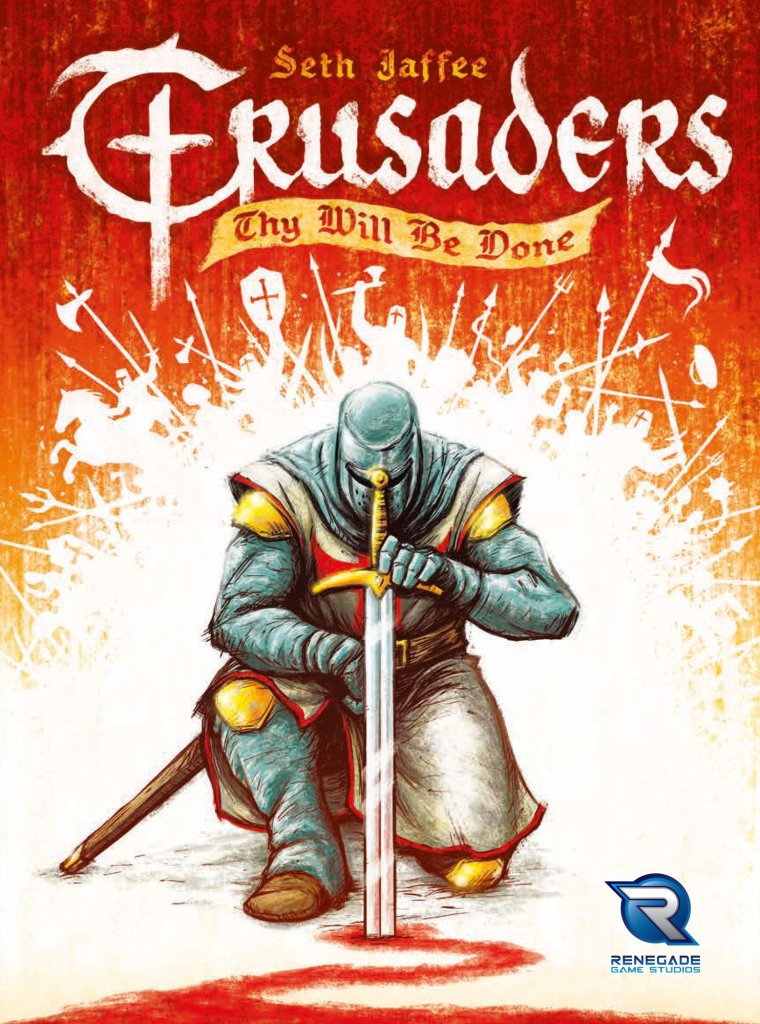
Crusaders: Thy Will Be Done board game cover

About this board game

Crusaders: Thy Will Be Done is a strategy board game for 2–4 players, played in about 60 minutes. Move your knights, construct buildings, and send crusading forces across the game as you work to spread your Order’s influence.

The game combines rondel and mancala mechanisms in a distinctive action system. Each player has a personal rondel that determines their available action choices, creating a framework for planning and adapting throughout the game.

Your rondel is not fixed. You can upgrade it over the course of play, changing how you control your actions and supporting the strategy you want to pursue. Your faction also provides a special power that affects how your rondel is controlled.

  • Move knights to extend your Order’s influence.
  • Erect buildings that help shape your strategy.
  • Use your upgraded rondel to manage your action choices.

Buildings are more than landmarks: they help you form a strategy as your Order develops. Choosing how to combine movement, construction, and crusading gives each faction a way to use its rondel and special power.

But growing too strong carries a danger. As the Orders increase in power, King Philip becomes nervous and disbands all Templar orders, bringing the game to an end. In Crusaders: Thy Will Be Done, expansion and development must be balanced against the threat of this decisive conclusion.

Board Game Rules for
Crusaders: Thy Will Be Done

Download official rules (EN)

Move your knights, erect buildings, and go crusading to spread the influence of your Order. When the Orders get too strong, King Philip will become nervous and disband all Templar orders, ending the game.

Crusaders: Thy Will Be Done uses a combination of rondel and mancala mechanisms. Each player has their own rondel, which they can upgrade over the course of the game, that controls their action choices during the game. Your faction gives you a special power to control your rondel, and the buildings you erect will help you form a strategy.


Each player should follow the player area setup instructions below individually, then the game board setup on the following page.

Player Area Setup

Each player chooses a player color and takes the following:

  1. 1 player board (4 total) – Place this directly in front of you.
  2. 6 action wedge tiles (24 total) – First, one player randomly arranges their action wedges (starting side up) on their player board to make up their action wheel. Next, all other players match that arrangement so all players have the same action wheel.
  3. 3 knight tokens (12 total) – Place 2 knight tokens of your player color in their corresponding slots in the castle row of your player board. Set the remaining knight aside, to be placed on the game board.
  4. 16 building tokens (64 total) – Place 4 castles Castle, 4 churches Church, 4 farms Farm, and 4 banks Bank of your player color in their corresponding slots and rows of your player board.
  5. 12 action tokens (48 total) – Place 2 action tokens on each wedge of your action wheel.
  6. 5 troop tokens (20 total) – Place the 5 troop tokens of your color in the slots along the top right of your player board with their yellow banner side up. Arrange them in order, left to right: I, II, III, IV, V.
  7. 1 random knight order tile (6 total) – Place the knight order tile you are dealt above your player board as shown. The knight order you are dealt may affect your individual player setup.
Player Area Setup Diagram

Game Board Setup

Each player chooses a player color and takes the following:

  1. Double-sided game board – Place the game board in the center of the table with the appropriate side up (3-4 players on the front, 2 players on the back).
  2. 32 Enemy tokens – Place 1 Prussian Prussian token and 1 Slav Slav token on the top spaces of their corresponding strength tracks, then shuffle all the remaining enemy tokens together and randomly distribute them onto the spaces indicated by the flag icons. Saracen Saracen tokens should be placed so that the building or troop icon on the token is face up. Not all of the enemy tokens will be used; return all remaining tokens to the box.
  3. 30 Building bonus tiles – Shuffle the building bonus tiles face down, then randomly distribute them face up to the empty spaces on the game board that matches their shape (there will be 1 space per tile).
  4. Knights – Choose a start player at random. In reverse turn order, each player places their remaining knight token onto one of the starting regions (indicated with a knight icon). You may not choose a starting region another player has already chosen.
  5. 6 Enemy majority award tiles – Stack the enemy award tiles into 3 separate piles so that the 1st place award tile for each enemy type is on top of the 2nd place award tile.
  6. 61 Influence tokens – Place 20 Influence worth of tokens plus 60 more per player in a supply pile near the board (140/200/260 Influence for 2/3/4 players). Set the rest aside; you may use them at the end of the game.

You are now ready to begin!

Game Board Setup Diagram

Beginning with the start player and proceeding clockwise, players alternate taking turns. On your turn, choose between these options:

  • A. Resolve an Action
  • B. Upgrade a Wedge

After you have completed your turn, the player to your left then follows the same process.

Option A: Resolve an Action

The left half of your player board contains the action wheel, which consists of six action wedges. Each action wedge begins the game displaying one of the five actions:

  • Travel
  • Muster
  • Crusade
  • Influence
  • Build
Action Icons
Action Icons

Each of the actions has a different effect, but all resolve in the same way (the actions are described in full on Pages 5-7):

  1. Count the number of action tokens on the wedge you are resolving. This number, Action token count x, is applied to the action. In general, the higher the value of Action token count x, the more powerful the action will be. Other elements of your player board, such as troops and erected buildings, may add to the value of Action token count x, depending on the action you have chosen (see Example A-1).
  2. Throughout the game, your action wedges may become upgraded. Upgraded action wedges allow you to split the action tokens in the bin as you choose between two different actions. You may assign all of the tokens in the wedge to only one of the actions, but in order to resolve an action at all, you must assign at least 1 token to that action (see Example A-2).
  3. After resolving the action, collect all the action tokens from the corresponding wedge and distribute them, one at a time, clockwise around your action wheel starting with the wedge directly following the one you are resolving (see Example A-3).
Example A-1 Diagram
Example A-1 Diagram

Example A-1: If Paula chooses to resolve her Travel action wedge, her total value for Action token count x is 4, because of the 4 action tokens present.

Example A-2 Diagram
Example A-2 Diagram

Example A-2: Greg has upgraded the highlighted action wedge, so when he resolves it, he may split the action tokens however he sees fit between the Muster and Influence actions. He may:

  • Muster 3, Influence 0
  • Muster 2, Influence 1
  • Muster 1, Influence 2
  • Muster 0, Influence 3
Example A-3 Diagram
Example A-3 Diagram

Example A-3: After Paula resolves her Travel action, she collects all 4 action tokens from the wedge and distributes them among the next 4 wedges in her action wheel.

Option B: Upgrade a Wedge

Every action wedge on your player board has a secondary action icon printed at the bottom. This icon tells you which of the five actions is added to the wedge when it is upgraded:

Upgrade Wedge Illustration

Instead of resolving an action on your turn, you may choose to upgrade one of your action wedges. To do so:

  1. Temporarily set aside any action tokens that are currently on the wedge you intend to upgrade (see Example B-1).
  2. Flip the wedge to its upgraded side (see Example B-2).
  3. Return any set-aside action tokens to their original wedge (see Example B-3).
  4. Lastly, you may choose to distribute the action tokens of any action wedge as normal. It does not have to be the same wedge you upgraded, and you may choose not to distribute any action tokens (see Example B-4).
Example B-1 Diagram
Example B-1 Diagram

Example B-1: Omar wishes to upgrade his Crusade action wedge, so he sits aside the 2 action tokens present on it.

Example B-2 Diagram
Example B-2 Diagram

Example B-2: Omar then flips the wedge to its upgraded side.

Example B-3 Diagram
Example B-3 Diagram

Example B-3: He then returns his action tokens to the wedge.

Example B-4 Diagram
Example B-4 Diagram

Example B-4: After upgrading his tile, Omar decides to distribute the action tokens from his Influence wedge.

Optional: Skip Turn & Distribute

Instead of either of the above options, you may choose to skip your turn and distribute the action tokens of any action wedge as normal.

In general, it is better to upgrade a wedge when able, but after all of your wedges have been upgraded you may find yourself in a situation where it may be beneficial to skip your turn and distribute in order to prepare for a subsequent turn.


Travel

Move your knights across the map.

Your action wheel begins with two different Travel spaces. The Travel action provides movement points that allow you to move your knights on the game board. To resolve a Travel action:

  1. Distribute Action token count x movement points (plus any Travel bonuses from your castles and churches) between your knight tokens (see Example C-1).
  2. Leaving any region (hex) costs 1 movement point. Leaving a region occupied by an enemy token costs 1 additional movement point, 2 total (see Example C-2).
Example C-1 Diagram
Example C-1 Diagram

Example C-1: Greg wants to resolve a Travel action and has 2 action tokens on his Travel wedge. His level II castle grants him a +1 bonus to Travel actions, therefore he has 3 movement points to divide between his two knights.

Example C-2 Diagram
Example C-2 Diagram

Example C-2: Greg’s top knight uses 1 movement point to leave an unoccupied region. His bottom knight is leaving a region occupied by an enemy, so it uses his remaining 2 movement points.

Muster

Recruit new troops to assist your knights.

The Muster action allows you to flip the troop tokens that line the top right of your player board. Mustered troops make your Crusade actions more powerful and gain you Influence.

Troop Token Anatomy
Troop Token Anatomy

To resolve a Muster action:

  1. Check the cost of the lowest-level face down troop token above your player board. That cost must be less than or equal to Action token count x plus any Muster bonuses from your farms in order to successfully Muster the troop (see Example D-1).
  2. Collect Influence tokens equal to the troop’s level (see Example D-2).
  3. Flip the troop token to its mustered side (see Example D-3).
Example D-1 Diagram
Example D-1 Diagram

Example D-1: Beth wants to Muster her second troop. She has 2 action tokens on her Muster wedge, and her two erected farms give her +2 total to Muster actions. Her Muster total is therefore equal to her level II troop’s cost of 4.

Example D-2: Beth collects 2 Influence tokens from the supply.

Example D-3 Diagram
Example D-3 Diagram

Example D-3: Beth flips her second troop to its mustered side.

Crusade

Eliminate your enemies to clear regions.

The Crusade action allows your knights to battle your enemies. Doing so will gain you Influence and allow you to Build buildings. To resolve a Crusade action:

  1. Choose 1 region containing one of your knight figures and an enemy token. Determine the enemy’s strength by checking the enemy strength track for the appropriate enemy type. The strength of Saracen enemies is always 6 (see Example E-1).
  2. The enemy strength must be less than or equal to Action token count x plus any Crusade bonuses from your troops or castles to successfully complete the Crusade (see Example E-2).
  3. When you complete a Crusade against Prussians Prussian or Slavs Slav, collect Influence tokens equal to their strength, then advance the marker on the corresponding enemy strength track once. Keep the defeated enemy token in your play area for end game majority points (see Example E-3).
  4. Saracens Saracen do not have a strength track. The strength of Saracen enemies is always 6. When you complete a Crusade against a Saracen enemy, note the building (or troop) pictured on the Saracen token (see below). You may place your next building of that type onto the board in the region where the Saracen token was, or collect your next troop tile as appropriate. If you do, collect Influence based on the level of the building or troop. Otherwise, simply collect 3 Influence. Keep the defeated enemy token in your play area for end game majority bonus.
Saracen Reward Icons
Example E-1 Diagram
Example E-1 Diagram

Example E-1: Paula wants to Crusade against the Prussian enemy in the region shown. She checks the Prussian strength track and sees that their strength is 5.

Example E-2 Diagram
Example E-2 Diagram

Example E-2: Paula has 4 action tokens on her Crusade wedge and her first mustered troop grants her a +1 Crusade bonus. Her total of 5 is enough to complete the crusade against the Prussian enemy.

Example E-3 Diagram
Example E-3 Diagram

Example E-3: Paula takes the defeated enemy token from her knight’s region and 5 Influence tokens (the same number as the enemy’s strength). Afterward, she raises the Prussian strength by 1 to a total of 6.

Influence

Spread the word of your order across the land.

The Influence action is the easiest and most straightforward way of gaining Influence tokens. To resolve an Influence action, simply collect Influence tokens from the supply equal to Action token count x plus any Influence bonuses from your churches, farms, or banks (see Example F-1).

Example F-1 Diagram
Example F-1 Diagram

Example F-1: Omar wants to resolve an Influence action and has 3 action tokens on his Influence wedge. His level I church grants him a +1 bonus to Influence actions, so his total is 4. He collects 4 Influence tokens from the supply.

Build

Erect structures to expand your capabilities.

The Build action allows you to erect buildings that confer Influence and benefits when resolving the various actions in the game. To resolve a Build action:

  1. Choose a type of building: castle Castle, church Church, farm Farm, or bank Bank, and check the cost of the lowest-level building of that type on your player board. That cost must be less than or equal to Action token count x plus any Build bonuses from your banks in order to successfully erect the building. Some regions and building bonus tiles on the board also depict a discount (Discount 1 or Discount 2) that subtract from the cost of the building if you erect specific building types there (see Example G-1).
  2. Place the building on the central square of a region on the board that is occupied by one of your knights. A building cannot be erected in a region with an enemy token present. Additionally, each region may only contain 1 building (see Example G-2).
  3. Collect Influence tokens equal to the level of the building you erected. Some building bonus tiles also grant additional Influence tokens if you erect specific building types there (see Example G-3).
Building Costs Table
Example G-1 Diagram
Example G-1 Diagram

Example G-1: Beth wants to erect her first church in the region shown above. She only has 1 action token on her Build wedge, but her level I bank grants her a +1 bonus to Build actions, and the building bonus tile in her region depicts a discount if a church is built there. Her total of 2 is equal to the church’s discounted cost of 2.

Example G-2 Diagram
Example G-2 Diagram

Example G-2: Beth places her newly-erected church on the central square of the region. No other buildings may be built in that region for the rest of the game.

Example G-3 Diagram
Example G-3 Diagram

Example G-3: Beth now collects Influence tokens equal to her newly-erected church’s level. Additionally, the building bonus tile in that region grants an additional Influence if a church is built there, so she collects a total of 2 Influence tokens.


Game End

When the last Influence token is taken from the supply, finish the round so that each player has had the same number of turns. Players may still collect Influence tokens after the supply runs out – keep track of this Influence using the extra Influence tokens that were set aside during setup, or with some other token if need be.

At this point, the Order of the Temple and other similar orders have become so powerful and influential that King Philip has them disbanded!

After all players have finished their turn in the round in which the Influence supply runs out, the game is over.

Scoring

Enemy Majority Awards

For each enemy type (Saracen Saracen, Prussian Prussian, and Slav Slav), award the 5 Influence enemy majority tile to the player with the most enemy tokens of that type in their play area. Also award the 2 Influence enemy majority tile to the player with the 2nd most enemy tokens of each of those types. You must have at least 1 enemy token of a type to be eligible for any bonus for that type (see Example H-1).

In case of a tie, split the points between tied players according to the back side of the corresponding majority tile (see Example H-2). In case of a tie for 1st place, 2nd place is not awarded (see Example H-3).

Example H-1 Diagram
Example H-1 Diagram

Example H-1: Paula has 3 Saracen tokens, Beth has 2, and Greg and Omar each have 1. Paula receives 5 Influence for 1st place. Beth receives 2 Influence for 2nd.

Example H-2 Diagram
Example H-2 Diagram

Example H-2: Greg has 4 Prussian tokens, Omar and Beth have 2, and Paula has 1. Greg receives 5 Influence for 1st place. Omar and Beth tie for 2nd, receiving 1 Influence each.

Example H-3 Diagram
Example H-3 Diagram

Example H-3: Paula, Omar, and Beth each have 2 Slav tokens. Greg has 1. Paula, Omar, and Beth receive 3 Influence each for 1st place. Greg receives nothing, since 2nd place is not awarded in this case.

Level IV Buildings Scoring

Finally, count the end game Influence awarded by level IV buildings:

  • Level 4 castleLevel IV Castle: Earn 4 Influence for each set of 3 different enemy tokens in your play area.
  • Level 4 churchLevel IV Church: Earn 6 Influence.
  • Level 4 farmLevel IV Farm: Earn 1 Influence for each of your knights on the game board and mustered troop above your player board.
  • Level 4 bankLevel IV Bank: Earn 4 Influence for each of your level IV buildings on the game board, including this one.

The player with the most Influence points is the winner.


Below are full descriptions of all knight order tiles for your reference during setup and gameplay.

The Knights of Calatrava

The Knights of Calatrava Tile

During setup, take only 6 action tokens. Place 1 token on each action wedge. During gameplay, add a +1 bonus when resolving any type of action.

The Order of Santiago

The Order of Santiago Tile

During setup, upgrade 1 action wedge of your choice. During gameplay, when distributing action tokens, you may begin with the original wedge, rather than the next wedge clockwise.

The Knights Hospitaller

The Knights Hospitaller Tile

During setup, take only 11 action tokens. During gameplay, you may skip 1 action wedge when distributing action tokens.

The Knights of St. Lazarus

The Knights of St. Lazarus Tile

During setup, upgrade 3 action wedges of your choice. The Knights of St. Lazarus have no other abilities.

The Knights Templar

The Knights Templar Tile

During setup, take only 10 action tokens. Choose 2 action wedges to begin with only 1 action token (the rest will have 2 each). During gameplay, (once per turn) you may place 2 action tokens onto the same action wedge while distributing action tokens.

The Knights Teutonic

The Knights Teutonic Tile

During gameplay, you may choose to distribute action tokens either clockwise or counterclockwise. The entire distribution must follow the chosen direction.


Introduction & Overview

Move your knights, erect buildings, and go crusading to spread the influence of your Order. When the Orders get too strong, King Philip will become nervous and disband all Templar orders, ending the game.

Crusaders: Thy Will Be Done uses a combination of rondel and mancala mechanisms. Each player has their own rondel, which they can upgrade over the course of the game, that controls their action choices during the game. Your faction gives you a special power to control your rondel, and the buildings you erect will help you form a strategy.


Setup

Each player should follow the player area setup instructions below individually, then the game board setup on the following page.

Player Area Setup

Each player chooses a player color and takes the following:

  1. 1 player board (4 total) – Place this directly in front of you.
  2. 6 action wedge tiles (24 total) – First, one player randomly arranges their action wedges (starting side up) on their player board to make up their action wheel. Next, all other players match that arrangement so all players have the same action wheel.
  3. 3 knight tokens (12 total) – Place 2 knight tokens of your player color in their corresponding slots in the castle row of your player board. Set the remaining knight aside, to be placed on the game board.
  4. 16 building tokens (64 total) – Place 4 castles Castle, 4 churches Church, 4 farms Farm, and 4 banks Bank of your player color in their corresponding slots and rows of your player board.
  5. 12 action tokens (48 total) – Place 2 action tokens on each wedge of your action wheel.
  6. 5 troop tokens (20 total) – Place the 5 troop tokens of your color in the slots along the top right of your player board with their yellow banner side up. Arrange them in order, left to right: I, II, III, IV, V.
  7. 1 random knight order tile (6 total) – Place the knight order tile you are dealt above your player board as shown. The knight order you are dealt may affect your individual player setup.
Player Area Setup Diagram

Game Board Setup

Each player chooses a player color and takes the following:

  1. Double-sided game board – Place the game board in the center of the table with the appropriate side up (3-4 players on the front, 2 players on the back).
  2. 32 Enemy tokens – Place 1 Prussian Prussian token and 1 Slav Slav token on the top spaces of their corresponding strength tracks, then shuffle all the remaining enemy tokens together and randomly distribute them onto the spaces indicated by the flag icons. Saracen Saracen tokens should be placed so that the building or troop icon on the token is face up. Not all of the enemy tokens will be used; return all remaining tokens to the box.
  3. 30 Building bonus tiles – Shuffle the building bonus tiles face down, then randomly distribute them face up to the empty spaces on the game board that matches their shape (there will be 1 space per tile).
  4. Knights – Choose a start player at random. In reverse turn order, each player places their remaining knight token onto one of the starting regions (indicated with a knight icon). You may not choose a starting region another player has already chosen.
  5. 6 Enemy majority award tiles – Stack the enemy award tiles into 3 separate piles so that the 1st place award tile for each enemy type is on top of the 2nd place award tile.
  6. 61 Influence tokens – Place 20 Influence worth of tokens plus 60 more per player in a supply pile near the board (140/200/260 Influence for 2/3/4 players). Set the rest aside; you may use them at the end of the game.

You are now ready to begin!

Game Board Setup Diagram

Turn Sequence & Core Mechanics

Beginning with the start player and proceeding clockwise, players alternate taking turns. On your turn, choose between these options:

  • A. Resolve an Action
  • B. Upgrade a Wedge

After you have completed your turn, the player to your left then follows the same process.

Option A: Resolve an Action

The left half of your player board contains the action wheel, which consists of six action wedges. Each action wedge begins the game displaying one of the five actions:

  • Travel
  • Muster
  • Crusade
  • Influence
  • Build
Action Icons
Action Icons

Each of the actions has a different effect, but all resolve in the same way (the actions are described in full on Pages 5-7):

  1. Count the number of action tokens on the wedge you are resolving. This number, Action token count x, is applied to the action. In general, the higher the value of Action token count x, the more powerful the action will be. Other elements of your player board, such as troops and erected buildings, may add to the value of Action token count x, depending on the action you have chosen (see Example A-1).
  2. Throughout the game, your action wedges may become upgraded. Upgraded action wedges allow you to split the action tokens in the bin as you choose between two different actions. You may assign all of the tokens in the wedge to only one of the actions, but in order to resolve an action at all, you must assign at least 1 token to that action (see Example A-2).
  3. After resolving the action, collect all the action tokens from the corresponding wedge and distribute them, one at a time, clockwise around your action wheel starting with the wedge directly following the one you are resolving (see Example A-3).
Example A-1 Diagram
Example A-1 Diagram

Example A-1: If Paula chooses to resolve her Travel action wedge, her total value for Action token count x is 4, because of the 4 action tokens present.

Example A-2 Diagram
Example A-2 Diagram

Example A-2: Greg has upgraded the highlighted action wedge, so when he resolves it, he may split the action tokens however he sees fit between the Muster and Influence actions. He may:

  • Muster 3, Influence 0
  • Muster 2, Influence 1
  • Muster 1, Influence 2
  • Muster 0, Influence 3
Example A-3 Diagram
Example A-3 Diagram

Example A-3: After Paula resolves her Travel action, she collects all 4 action tokens from the wedge and distributes them among the next 4 wedges in her action wheel.

Option B: Upgrade a Wedge

Every action wedge on your player board has a secondary action icon printed at the bottom. This icon tells you which of the five actions is added to the wedge when it is upgraded:

Upgrade Wedge Illustration

Instead of resolving an action on your turn, you may choose to upgrade one of your action wedges. To do so:

  1. Temporarily set aside any action tokens that are currently on the wedge you intend to upgrade (see Example B-1).
  2. Flip the wedge to its upgraded side (see Example B-2).
  3. Return any set-aside action tokens to their original wedge (see Example B-3).
  4. Lastly, you may choose to distribute the action tokens of any action wedge as normal. It does not have to be the same wedge you upgraded, and you may choose not to distribute any action tokens (see Example B-4).
Example B-1 Diagram
Example B-1 Diagram

Example B-1: Omar wishes to upgrade his Crusade action wedge, so he sits aside the 2 action tokens present on it.

Example B-2 Diagram
Example B-2 Diagram

Example B-2: Omar then flips the wedge to its upgraded side.

Example B-3 Diagram
Example B-3 Diagram

Example B-3: He then returns his action tokens to the wedge.

Example B-4 Diagram
Example B-4 Diagram

Example B-4: After upgrading his tile, Omar decides to distribute the action tokens from his Influence wedge.

Optional: Skip Turn & Distribute

Instead of either of the above options, you may choose to skip your turn and distribute the action tokens of any action wedge as normal.

In general, it is better to upgrade a wedge when able, but after all of your wedges have been upgraded you may find yourself in a situation where it may be beneficial to skip your turn and distribute in order to prepare for a subsequent turn.


Actions in Detail

Travel

Move your knights across the map.

Your action wheel begins with two different Travel spaces. The Travel action provides movement points that allow you to move your knights on the game board. To resolve a Travel action:

  1. Distribute Action token count x movement points (plus any Travel bonuses from your castles and churches) between your knight tokens (see Example C-1).
  2. Leaving any region (hex) costs 1 movement point. Leaving a region occupied by an enemy token costs 1 additional movement point, 2 total (see Example C-2).
Example C-1 Diagram
Example C-1 Diagram

Example C-1: Greg wants to resolve a Travel action and has 2 action tokens on his Travel wedge. His level II castle grants him a +1 bonus to Travel actions, therefore he has 3 movement points to divide between his two knights.

Example C-2 Diagram
Example C-2 Diagram

Example C-2: Greg’s top knight uses 1 movement point to leave an unoccupied region. His bottom knight is leaving a region occupied by an enemy, so it uses his remaining 2 movement points.

Muster

Recruit new troops to assist your knights.

The Muster action allows you to flip the troop tokens that line the top right of your player board. Mustered troops make your Crusade actions more powerful and gain you Influence.

Troop Token Anatomy
Troop Token Anatomy

To resolve a Muster action:

  1. Check the cost of the lowest-level face down troop token above your player board. That cost must be less than or equal to Action token count x plus any Muster bonuses from your farms in order to successfully Muster the troop (see Example D-1).
  2. Collect Influence tokens equal to the troop’s level (see Example D-2).
  3. Flip the troop token to its mustered side (see Example D-3).
Example D-1 Diagram
Example D-1 Diagram

Example D-1: Beth wants to Muster her second troop. She has 2 action tokens on her Muster wedge, and her two erected farms give her +2 total to Muster actions. Her Muster total is therefore equal to her level II troop’s cost of 4.

Example D-2: Beth collects 2 Influence tokens from the supply.

Example D-3 Diagram
Example D-3 Diagram

Example D-3: Beth flips her second troop to its mustered side.

Crusade

Eliminate your enemies to clear regions.

The Crusade action allows your knights to battle your enemies. Doing so will gain you Influence and allow you to Build buildings. To resolve a Crusade action:

  1. Choose 1 region containing one of your knight figures and an enemy token. Determine the enemy’s strength by checking the enemy strength track for the appropriate enemy type. The strength of Saracen enemies is always 6 (see Example E-1).
  2. The enemy strength must be less than or equal to Action token count x plus any Crusade bonuses from your troops or castles to successfully complete the Crusade (see Example E-2).
  3. When you complete a Crusade against Prussians Prussian or Slavs Slav, collect Influence tokens equal to their strength, then advance the marker on the corresponding enemy strength track once. Keep the defeated enemy token in your play area for end game majority points (see Example E-3).
  4. Saracens Saracen do not have a strength track. The strength of Saracen enemies is always 6. When you complete a Crusade against a Saracen enemy, note the building (or troop) pictured on the Saracen token (see below). You may place your next building of that type onto the board in the region where the Saracen token was, or collect your next troop tile as appropriate. If you do, collect Influence based on the level of the building or troop. Otherwise, simply collect 3 Influence. Keep the defeated enemy token in your play area for end game majority bonus.
Saracen Reward Icons
Example E-1 Diagram
Example E-1 Diagram

Example E-1: Paula wants to Crusade against the Prussian enemy in the region shown. She checks the Prussian strength track and sees that their strength is 5.

Example E-2 Diagram
Example E-2 Diagram

Example E-2: Paula has 4 action tokens on her Crusade wedge and her first mustered troop grants her a +1 Crusade bonus. Her total of 5 is enough to complete the crusade against the Prussian enemy.

Example E-3 Diagram
Example E-3 Diagram

Example E-3: Paula takes the defeated enemy token from her knight’s region and 5 Influence tokens (the same number as the enemy’s strength). Afterward, she raises the Prussian strength by 1 to a total of 6.

Influence

Spread the word of your order across the land.

The Influence action is the easiest and most straightforward way of gaining Influence tokens. To resolve an Influence action, simply collect Influence tokens from the supply equal to Action token count x plus any Influence bonuses from your churches, farms, or banks (see Example F-1).

Example F-1 Diagram
Example F-1 Diagram

Example F-1: Omar wants to resolve an Influence action and has 3 action tokens on his Influence wedge. His level I church grants him a +1 bonus to Influence actions, so his total is 4. He collects 4 Influence tokens from the supply.

Build

Erect structures to expand your capabilities.

The Build action allows you to erect buildings that confer Influence and benefits when resolving the various actions in the game. To resolve a Build action:

  1. Choose a type of building: castle Castle, church Church, farm Farm, or bank Bank, and check the cost of the lowest-level building of that type on your player board. That cost must be less than or equal to Action token count x plus any Build bonuses from your banks in order to successfully erect the building. Some regions and building bonus tiles on the board also depict a discount (Discount 1 or Discount 2) that subtract from the cost of the building if you erect specific building types there (see Example G-1).
  2. Place the building on the central square of a region on the board that is occupied by one of your knights. A building cannot be erected in a region with an enemy token present. Additionally, each region may only contain 1 building (see Example G-2).
  3. Collect Influence tokens equal to the level of the building you erected. Some building bonus tiles also grant additional Influence tokens if you erect specific building types there (see Example G-3).
Building Costs Table
Example G-1 Diagram
Example G-1 Diagram

Example G-1: Beth wants to erect her first church in the region shown above. She only has 1 action token on her Build wedge, but her level I bank grants her a +1 bonus to Build actions, and the building bonus tile in her region depicts a discount if a church is built there. Her total of 2 is equal to the church’s discounted cost of 2.

Example G-2 Diagram
Example G-2 Diagram

Example G-2: Beth places her newly-erected church on the central square of the region. No other buildings may be built in that region for the rest of the game.

Example G-3 Diagram
Example G-3 Diagram

Example G-3: Beth now collects Influence tokens equal to her newly-erected church’s level. Additionally, the building bonus tile in that region grants an additional Influence if a church is built there, so she collects a total of 2 Influence tokens.


End of Game & Scoring

Game End

When the last Influence token is taken from the supply, finish the round so that each player has had the same number of turns. Players may still collect Influence tokens after the supply runs out – keep track of this Influence using the extra Influence tokens that were set aside during setup, or with some other token if need be.

At this point, the Order of the Temple and other similar orders have become so powerful and influential that King Philip has them disbanded!

After all players have finished their turn in the round in which the Influence supply runs out, the game is over.

Scoring

Enemy Majority Awards

For each enemy type (Saracen Saracen, Prussian Prussian, and Slav Slav), award the 5 Influence enemy majority tile to the player with the most enemy tokens of that type in their play area. Also award the 2 Influence enemy majority tile to the player with the 2nd most enemy tokens of each of those types. You must have at least 1 enemy token of a type to be eligible for any bonus for that type (see Example H-1).

In case of a tie, split the points between tied players according to the back side of the corresponding majority tile (see Example H-2). In case of a tie for 1st place, 2nd place is not awarded (see Example H-3).

Example H-1 Diagram
Example H-1 Diagram

Example H-1: Paula has 3 Saracen tokens, Beth has 2, and Greg and Omar each have 1. Paula receives 5 Influence for 1st place. Beth receives 2 Influence for 2nd.

Example H-2 Diagram
Example H-2 Diagram

Example H-2: Greg has 4 Prussian tokens, Omar and Beth have 2, and Paula has 1. Greg receives 5 Influence for 1st place. Omar and Beth tie for 2nd, receiving 1 Influence each.

Example H-3 Diagram
Example H-3 Diagram

Example H-3: Paula, Omar, and Beth each have 2 Slav tokens. Greg has 1. Paula, Omar, and Beth receive 3 Influence each for 1st place. Greg receives nothing, since 2nd place is not awarded in this case.

Level IV Buildings Scoring

Finally, count the end game Influence awarded by level IV buildings:

  • Level 4 castleLevel IV Castle: Earn 4 Influence for each set of 3 different enemy tokens in your play area.
  • Level 4 churchLevel IV Church: Earn 6 Influence.
  • Level 4 farmLevel IV Farm: Earn 1 Influence for each of your knights on the game board and mustered troop above your player board.
  • Level 4 bankLevel IV Bank: Earn 4 Influence for each of your level IV buildings on the game board, including this one.

The player with the most Influence points is the winner.


Knight Orders Reference

Below are full descriptions of all knight order tiles for your reference during setup and gameplay.

The Knights of Calatrava

The Knights of Calatrava Tile

During setup, take only 6 action tokens. Place 1 token on each action wedge. During gameplay, add a +1 bonus when resolving any type of action.

The Order of Santiago

The Order of Santiago Tile

During setup, upgrade 1 action wedge of your choice. During gameplay, when distributing action tokens, you may begin with the original wedge, rather than the next wedge clockwise.

The Knights Hospitaller

The Knights Hospitaller Tile

During setup, take only 11 action tokens. During gameplay, you may skip 1 action wedge when distributing action tokens.

The Knights of St. Lazarus

The Knights of St. Lazarus Tile

During setup, upgrade 3 action wedges of your choice. The Knights of St. Lazarus have no other abilities.

The Knights Templar

The Knights Templar Tile

During setup, take only 10 action tokens. Choose 2 action wedges to begin with only 1 action token (the rest will have 2 each). During gameplay, (once per turn) you may place 2 action tokens onto the same action wedge while distributing action tokens.

The Knights Teutonic

The Knights Teutonic Tile

During gameplay, you may choose to distribute action tokens either clockwise or counterclockwise. The entire distribution must follow the chosen direction.