Boardgames

Dinosaur Island: Rawr ‘n Write

A roll-and-write game of dice drafting, worker placement, and polyomino park building for 1–4 players.

45
minutes

1 - 4
player(s)

Medium

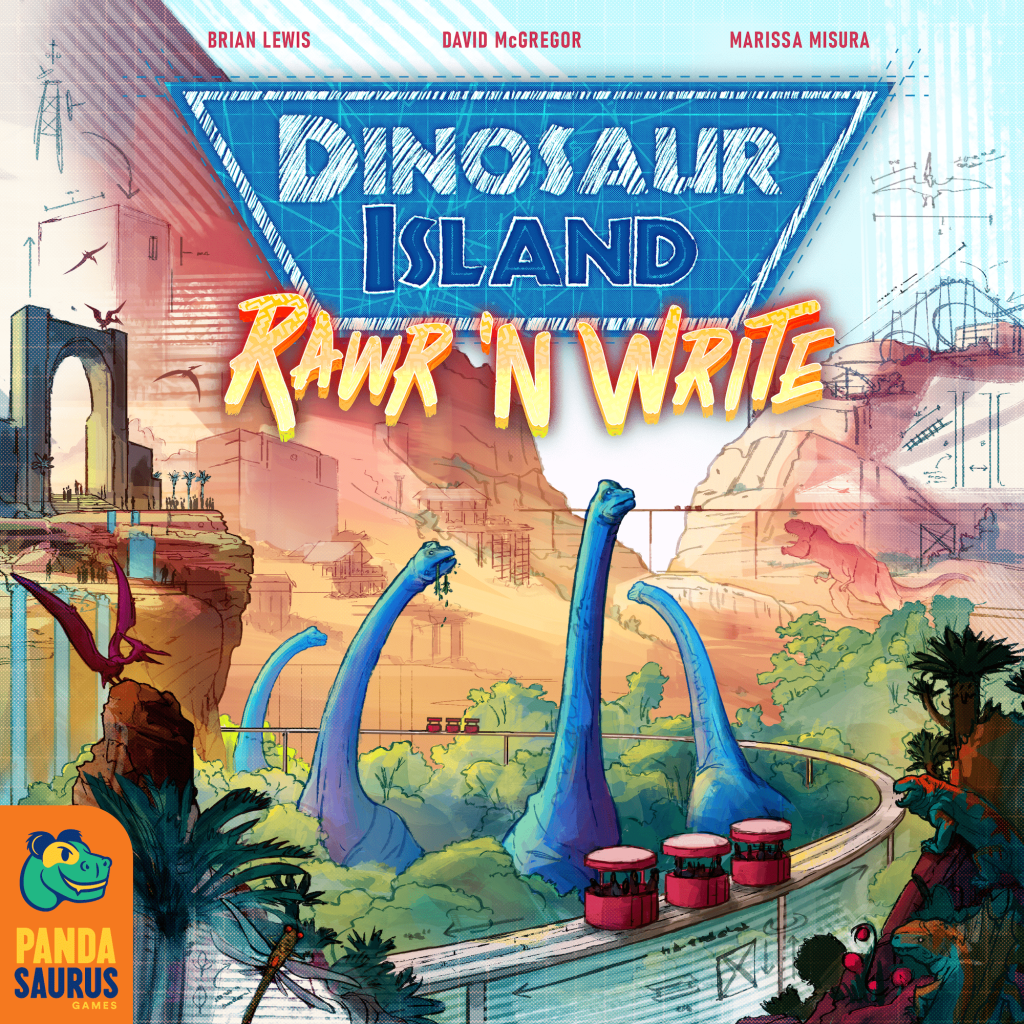
Dinosaur Island: Rawr ‘n Write board game cover

About this board game

Dinosaur Island: Rawr ’n Write is a roll-and-write board game for 1–4 players, with games lasting about 45 minutes. It is a roll-and-write adaptation of the critically acclaimed Dinosaur Island.

Players begin by drafting dice, then use the dice they selected as workers during a worker placement phase. These choices shape how each player develops their park and prepares for the challenge of fitting its attractions and dinosaurs into a limited space.

A distinctive polyomino puzzle follows the worker placement stage. Players work to arrange their attractions and dinosaurs in their parks while also building roads and routes to the exits. Creating these connections can provide bonus points and adds another consideration to the park-building challenge.

  • Draft dice and use them as workers.
  • Develop your park through worker placement.
  • Fit attractions and dinosaurs into a polyomino puzzle.
  • Build roads and routes to exits for bonus points.

The game combines selection, placement, and spatial planning in a compact dinosaur-park experience. Every decision contributes to the final shape of your park, from the dice you draft to the way you arrange its attractions and dinosaurs.

At the end of the game, players compare their victory points. The player with more victory points wins, making Dinosaur Island: Rawr ’n Write a competitive test of drafting, worker placement, and efficient park construction.

Board Game Rules for
Dinosaur Island: Rawr ‘n Write

Download official rules (EN)

Components

  • Game board
  • Dice bag
  • 1 Season marker
  • 1 First Player Marker
  • 10 dice
  • 2 Park sheet pads
  • 20 Specialist cards
  • 20 Building cards
  • 10 Solo AI cards
Game board setup diagram

Game Board Setup

  1. Place the game board in the middle of the table.
    • If playing with 2 or 3 players, use the side with the 2 3 players icon in the top left corner.
    • If playing with 4 players, use the side with the 4 players icon in top left corner.
  2. Prepare the Building Building card and Specialist Specialist cards:
    • If anyone hasn’t played before, remove all Building and Specialist cards marked with an Expert icon Expert mode.
    • Shuffle the Building Building deck deck. Draw 3 cards and place them faceup in the A, B, and C slots on the left side of the board. Return the rest to the box.
    • Shuffle the Specialist Specialist deck deck. Draw 3 cards and place them faceup in the A, B, and C slots on the right side of the board. Return the rest to the box.
  3. Place the Season marker on the first space of the Season Track.
  4. Put all 10 dice in the dice bag.

Park Sheet Setup

Each player does the following:

  1. Take one of each Park sheet and a pen. Write a name for your park.
  2. In your DNA Storage area, draw a circle in the 1st box on each basic DNA track (Yellow basic dna + Red basic dna + Blue basic dna).
  3. In your Building cards Building card area, fill in Coin boxes from the end of the A, B, and C tracks, until the number of empty boxes on each track matches the cost of the Building card in corresponding game board slot.
  4. Do the same for the A, B, and C tracks in your Specialists Specialist area, so they match the costs of the corresponding Specialist cards.
  5. The first player to come up with a punny dino joke takes the first player marker. (If this turns out to be harder than expected, choose a first player randomly.)
  6. Going in clockwise order from the first player, each other player gains additional starting DNA. (Note: If you have no 3rd or 4th player, ignore the related steps.)
    • The 2nd player draws a circle in the 1st box on their Yellow basic dna track.
    • The 3rd player draws circles in the 1st box on their Yellow basic dna AND Red basic dna tracks.
    • The 4th player draws circles in the the 1st box on their Yellow basic dna, Red basic dna, AND Blue basic dna tracks.
  7. You’re now ready to play!
Park sheet setup guide and examples

Game Overview

In Dinosaur Island: Rawr ‘N Write, your goal is to build the best dang Dinosaur theme park you can! You do this by collecting DNA to make Dinosaurs, hiring Specialists to use their unique abilities, and building Attractions and special Buildings to enhance your visitor experience.

However, Dinosaurs are dangerous, and if you don’t put some effort into keeping your park secure, you might just “lose track” of some of your visitors…

All of your progress (and missteps!) will be marked on your Park sheets, where you draw the layout of your park, store and spend resources, and record your progress. At the end of the game, you each score your performance, and whoever has the highest score wins!

Seasons

The game is played over 3 Seasons. At the end of the 3rd Season, players count up their total Victory Points Victory point and determine the winner.

Each Season is made up of the following phases:

  1. 1st ACTION PHASE: Players draft 2 dice each and take turns placing them on the game board to take actions.
  2. 2nd ACTION PHASE: Players repeat the Action Phase, drafting another 2 dice each and placing them.
  3. RUN PARK PHASE: All players open their parks to visitors and simultaneously run through the steps to gain income, use Specialists, and check that their park is secure.
Resource Types chart

Collecting Resources

Throughout the game, you will gain resources by drafting dice, taking actions, and earning income from running your park.

Each resource is represented by a distinct icon. Whenever you earn a resource, you mark it in the appropriate area on your Park sheets (as detailed in the following sections).

DNA

DNA is used to make Dinosaurs! It comes in 2 varieties:

  • Basic DNA: Common, needed to make Herbivores Herbivore and Small Carnivores Small carnivore.
  • Advanced DNA: Rare, needed to make Small Carnivores Small carnivore and Large Carnivores Large carnivore.

Whenever you gain DNA, draw a circle in 1 box on the corresponding DNA track in your Storage area. The icons Basic dna of any type and Advanced dna of any type mean you may choose the type of basic or advanced DNA that you gain.

(For rules on spending DNA, see Making Dinosaurs on pg. 13.)

Marking DNA on the storage track

Too Much DNA?

If you completely fill up a DNA track, each excess DNA that you gain of that type is immediately sold for 1 Coin Coin each (which you may spend as normal; see next page).

Excess DNA converted to coins

Coins

Coins are used to hire Specialists Specialist and construct special Buildings Building card in your park.

Whenever you gain Coins from dice, actions, or income, you get to spend them immediately by marking an equal number of Coin boxes on Specialist or Building tracks on your Park sheet. (You may split your Coins between different tracks.)

If you’ve crossed off all boxes on a Specialist or Building track, check off the circle next to it to show that you’ve completed that item. You immediately gain that item, along with its instant bonus Instant bonus (see Specialists on pg. 19 and Building Cards on page 20).

If you want to save your Coins for later, you can place them in your Storage area instead of spending them (see sidebar).

Marking coin boxes and completing a Specialist
Startup costs on building cards

Startup Costs

To complete an item, you don’t need to cross off any boxes that were filled in at setup to reflect its cost.

Storing Coins & Roads

Whenever you gain a Coin Coin or a Road Road, you can choose to place it in your Storage area instead of spending it. To do so, draw a circle in the next empty box on the appropriate Storage track. You may cross off a stored Coin or Road at any time to use it (as if you had just gained that resource).

Storing and spending stored coins and roads

However, once you’ve used a Storage slot, you never get it back – which means you can store a maximum of 5 Coins and 5 Roads over the course of the game. Once you run out of Storage space, you can’t store new Coins or Roads!

Storage track completely full

Buying Other Resources

Instead of spending your Coins on Specialists or Buildings, you can use them to buy any amount of advanced DNA Advanced dna of any type, Roads Road, or Security Security, for 2 Coins Coin each.

You do not need to mark Coins spent this way on your sheet (unless you are spending them from Storage). Simply mark the resources you purchased in the appropriate area.

Buying resources reminder panel

Excitement

Your Excitement track tells you how excited visitors are about your park. You can increase your Excitement by making Dinosaurs (see pg. 13), running your Dino Tour (see pg. 15), and taking other actions. The more Excitement you have, the more resource income you earn when you run your park at the end of each Season (see pg. 14).

Whenever you gain Excitement Excitement, draw circles in that many boxes on your Excitement track. If you circle any resource icons, DO NOT gain these immediately! These resources are income that you will gain every time you run your park (see pg. 16).

Excitement track example

Too Much Excitement?

If you completely fill up your Excitement track, record any excess Excitement you gain in the “61+” box on the right. At the end of the game, each excess Excitement is worth 1 VP Victory point!

Excess excitement over 60

Security and Threat

  • Security: Used to protect your visitors from Dinosaurs and other dangers in your park. When you gain 1 or more Security, draw circles in that many boxes on your Security track.
  • Threat: Represents danger to your park’s visitors from Dinosaurs, lack of maintenance, and competitors’ shenanigans. Threat is also marked on your Security track. When you gain 1 or more Threat, draw dots in that many boxes on your Security track.
Security track marking circles and dots
Adding threat dots on security track

Each dot (Threat Threat) on your track that has a circle (Security Security) around it is secured, and will not cause you any problems. However, if you have any unsecured Threat at the end of the Run Park Phase, your visitors are in trouble! (see Death Toll on pg. 16.)


Your Park Map overview

Your Park Map Overview

Your Park Map shows the layout of your park. Whenever you construct Roads or Buildings, you draw them on your map.

Building Types

During the game, you can construct the following kinds of Buildings:

  • Paddocks: Where Dinosaurs are kept (pg. 13)
  • Building cards: Purchased with Coins Coin. Provide instant bonuses Instant bonus and end-game VP Victory point (pg. 19)
  • Attractions: Generate extra income when you run your park (pg. 14)
  • Your HQ: Where you start Dino Tours (pg. 15). Already on your map at start of game.

Placing Buildings

Each Building has a specific shape (shown on your sheet or on Building cards). Whenever you make a new Building, draw its shape somewhere on your Park Map, following these rules:

  • You MAY place Buildings anywhere there is enough space. (Buildings do not need to be near your HQ or connected to a Road.)
  • You MAY rotate or mirror a Building’s shape when you place it.
  • You MAY NOT place Buildings touching other Buildings, even at the corners. (This includes your HQ.)
  • You MAY place Buildings touching the walls at the edge of the map and Park Exits (see next page).
  • You MAY place Buildings next to or touching Roads and destroyed areas (but not on top of them).
Legal and illegal building placement examples

Roads & Connections

Roads are a resource you can earn from dice, actions, and bonuses. They are drawn on your Park Map and are used to connect Buildings to each other.

Each Road takes up 1 square on your map, and connects any 2 edges of the square:

Legal roads diagram
Legal roads diagram

Any time you gain 1 or more Roads, you may immediately draw that many 1-square Roads in your park. You may draw each Road in any square in your park (that is not occupied by a Building or other Road), and in any of the configurations above.

Placing a Road next to another Road extends it, creating one continuous Road that is multiple squares long. However, each Road can only ever connect 2 edges of its square; you cannot make 3- or 4-way junctions, or “cross over” Roads you’ve already drawn.

Road drawing rules: extending vs crossing over

If you don’t want to build a Road immediately, you can place it in your Storage area (see previous page).

Connecting Buildings

Connecting Buildings and Park Exits helps you establish Dino Tour Routes through your park. A more exciting Tour Route earns you bonuses when you run your park at the end of each Season (see Dino Tour on pg. 15).

Two Buildings are connected Connected to each other if they have a continuous Road (of any length) between them.

Example of connected buildings

Connecting to Park Exits

Park Exits are points on your Park Map where visitors can enter or leave the island.

A Park Exit is connected to a Building if there is a continuous Road between them, or if the Building is directly adjacent to the Exit.

Connecting to Park Exits examples
Unconnected buildings example

Unconnected Buildings

Can’t reach a Building? Don’t worry! Even Buildings that aren’t connected to your Road network still give you FULL resources and end-game VP Victory point.

You won’t get to visit unconnected Buildings on your Dino Tour (see pg. 15), but otherwise they are fully functional!

Attractions

Attractions are Buildings that give you additional resource income when you run your park at the end of each Season.

There are 3 types of Attractions you can build: Merch Booths Merch booth, Rides Ride, and Food Stands Food stand. The Attractions area of your sheet shows you the unique Building shape of each Attraction and the resource income it gives you when you run your park (see pg. 14).

Attraction Types

  • Merch Booth: 1×3 shape, gives dice income Dice income
  • Ride: L-shape (4 squares), gives Excitement income Excitement
  • Food Stand: 2×2 shape, gives Coin income Coin

Whenever you gain an Attraction – either by drafting a die, taking the Build action, or acquiring certain Specialists and Buildings – you get to build that Attraction in your park immediately. A Attraction of any type icon means you can build an Attraction of your choice.

To build an Attraction, first draw its shape on your Park Map, obeying all rules for placing Buildings on pg. 7. Then check off one of the circles next to that Attraction in your Attractions area (this serves as a reminder of how many Attractions you’ve built each time you gain income; see pg. 14).

Note that you do not gain any resources immediately when you build an Attraction.

Attractions example and max 4 rule

Max 4 of Each Attraction

You can build up to 4 Attractions of each type in your park. If you already have 4 of a given type, or you have no legal space to place a new Attraction, you can’t build that Attraction anymore (drafting a die with that Attraction has no effect).

Rides maxed out diagram

Action Phase Overview

Each Season, you will resolve 2 Action Phases in a row before running your park.

  1. Draft Dice
    1. Prepare Dice Pool
    2. Draft Dice
    3. Gain Resources
    4. Gain Leftover Die
  2. Take Actions
  3. Cleanup

1. Draft Dice

A. Prepare Dice Pool

To prepare the draft, first make sure all 10 dice are in the dice bag. The first player shakes the bag well to randomize the dice, then draws a pool of random dice. The number of dice in the pool is based on player count:

  • 2 players: 5 dice
  • 3 players: 7 dice
  • 4 players: 9 dice

Once the first player has drawn, they roll all dice in the pool and place them next to the game board, where everyone can easily see them.

Dice pool preparation and dice roll example

What You See Is What You Get: Once the first player has rolled, all die faces are set until they are returned to the bag at the end of the Action Phase.

B. Draft Dice

Starting with the first player and going clockwise, each player chooses 1 die in the pool and places it near their sheet (without changing its face).

Once everyone has drafted their 1st die, the last player chooses a 2nd die, followed by each other player in counterclockwise order.

When the draft returns to the first player, there should be 2 dice remaining in the pool. The first player chooses 1 die to take, then places the leftover die near the game board.

Snake drafting dice diagram

C. Gain Resources

Once everyone has finished drafting, each player gains the resources on the dice they drafted. (Ignore the Threat Threat icons on your own dice.)

  • If you gain DNA Basic dna of any type / Advanced dna of any type or Security Security, mark them on the appropriate tracks on your sheet.
  • If you gain Coins Coin, spend them immediately by marking Specialist and/or Building tracks (or store them).
  • If you gain Attractions Attraction of any type or Roads Road, build them immediately in your park (or store your Roads).

(see Collecting Resources on pg. 4 for more detail)

Player gains resources from drafted dice
Die with options slash diagram

Dice With Options: If you drafted a die with a slash, you must choose one option on either side of the slash. In all other cases, you gain all resources on the die.

D. Gain Leftover Die

After gaining your own dice, everyone gains the resources AND the Threat Threat on the leftover die.

Mark the resources you gain as above, and mark the Threat on your Security track (see Security and Threat on pg. 6).

Don’t Take Threat From Your Own Dice! Remember that during the draft, you only take Threat Threat from the leftover die.

Resolving leftover die for all players
Ignoring threat on own dice diagram

2. Take Actions

Starting with the first player and going in clockwise order, each player chooses one of their dice, places it on an action space, and immediately takes the associated action.

This continues clockwise until all players have taken 2 actions (and placed both their dice).

Placing a die on the board to take an action
Available Actions board overlay

Available Actions

  • Make Dinos: Spend DNA to make up to 4 Dinosaurs (see next page).
  • Raise Funds: Gain 2 Coins Coin to spend immediately, or gain 2 Security Security.
  • Extract DNA: Gain any 2 basic DNA Basic dna of any type, or gain any 1 advanced DNA Advanced dna of any type.
  • Duplicate: Gain 2 copies of the resources on the die you’ve placed here (as if you just drafted it). All other players gain 1 copy of the die face. You may not copy any Attractions Attraction of any type (placing Attractions here has no effect).
  • Build: Build 3 Roads Road or 1 Attraction Attraction of any type of your choice in your park.

Stacking Dice

If there is a die occupying the space you want to use, you can place your die on top of it to take the action. However, you must gain the Threat Threat on the occupying die.

If you place on top of a stack of multiple dice on a space, you only take Threat Threat that is visible on the top die in the stack (you can ignore all dice that have been covered up).

Stacking dice threat examples

Double Spaces

In a 4-player game, some actions have 2 spaces. You may place a die on either space to take the action. You only gain Threat Threat if there is an occupying die in the space you chose.

Double action spaces in 4-player game

3. Cleanup

After all players have taken 2 actions, take the following cleanup steps:

  1. Return all dice from the board to the bag (including the leftover die).
  2. Pass the first player token to the next player in turn order.
  3. Move the Season marker one space forward on the track. If the next space has a Die Die icon, resolve another Action Phase. If it has a Run Run icon, resolve a Run Park Phase.
Season marker moving on the track

How to Make Dinosaurs

So you want to make Dinosaurs? Easy! Just take the Make Dinos action and follow these steps:

  1. Mark new Dinos: Decide which Dinosaurs you want to make (and make sure you have the correct DNA to make them). You can make up to 4 Dinos of any species (they do not all have to be the same species). For each individual Dino you make, make 1 check mark next to that species on your sheet.
Dinosaur recipe cards and marking checks
  1. Mark spent DNA: Cross off all DNA you are spending to make your Dinos. The DNA cost for each Dino is shown under its species on your sheet.
Crossing off spent DNA
  1. Build new Paddocks: Draw a Paddock Paddock in your park for each species you are making for the first time. (Follow all rules for placing Buildings on pg. 7.) The size of each Paddock depends on the type of Dinosaur (see right). Mark each Paddock with the highlighted letter for its species.
Paddock sizes reference
Drawing new paddocks on the map
  1. Increase Threat: Gain Threat Threat from each individual Dino you made. The Threat each Dino gives is shown under its species on your sheet.
  2. Gain Excitement: Gain Excitement Excitement from each individual Dino you made. The Excitement each Dino gives is shown under its species on your sheet.
Increasing threat and gaining excitement from dinosaurs

Restrictions

Max 4 Dinos Per Species: You can make a max of 4 individual Dinos of each species throughout the game. Once you’ve checked off all 4 circles next to a species, you can’t make more Dinos of that species.

One Paddock Per Species: You only build a Paddock Paddock for a species the first time you make Dinos of that species. If you make more individuals of that species, they are added to the existing Paddock. (Exception: You may build a new Paddock for a species if the first was destroyed; see pg. 17.)

Max 4 dinos and one paddock checkmarks

Run Park Phase

During the Run Park Phase, all players simultaneously run their parks, activating each step in order down their righthand Park sheet.

You must fully resolve each step before moving on to the next one, but you do not need to wait for other players to finish a step before moving on.

  1. Attractions
  2. Specialists
  3. Dino Tour
  4. Excitement
  5. Death Toll

“Run” Effects: A Run effect icon indicates an effect that resolves every time you run your park, such as resource income or Specialist abilities.

Security chief and tour guide run phase card illustrations

1. Attractions

Gain resource income from each Attraction in your park, in any order. Each type of Attraction provides a different resource:

  • Merch Booth: For each Merch booth in your park, take 1 random die Die from the bag, roll it, and gain the resources you roll (as if you had drafted the die). Do not gain any Threat Threat.
  • Ride: For each Ride in your park, gain Excitement on your Excitement track.
  • Food Stand: For each Food stand in your park, gain Coin to spend immediately (or place in Storage).

If you build a new Attraction during this step (for example by rolling an Attraction on a Merch die), you gain its income immediately.

Attractions income resolution example

2. Specialists

Once you’ve run your Attractions, you may use the Run Park ability Run effect on each Specialist Specialist you’ve hired, in any order. This includes both the “always available” Specialists on your sheet and those on Specialist cards.

If you hire a new Specialist during this step (using Coins Coin gained from previously hired Specialists), you may use their Run effect ability immediately. You may always choose not to use a Specialist’s ability.

Running specialists abilities example

3. Dino Tour

After you use your Specialists, you run a Dino Tour to generate extra Excitement Excitement and earn VP Victory point.

Start by planning a tour route that follows these rules:

  • Your tour MUST start at your HQ.
  • Your tour MAY end at any Building or at any Park Exit that is not circled.
  • Your tour MAY ONLY travel through connecting Roads and Buildings (of any type). It may not travel through empty squares on your map.
  • Your tour MAY NEVER backtrack (travel through the same Building or Road more than once on a single tour) or cross over itself.

To mark your route on your map, do not actually draw it! Instead, draw a small X in a corner of each Building on your tour that does not already have an X in it from a previous Run Park Phase (see sidebar). If your tour ends at a Park Exit Park exit, draw a circle around it.

Planning Dino Tour route diagram
Marking X on buildings and circling exit

Once you’ve ended your tour, gain 1 Excitement Excitement for each Building that you marked with an X (of any type).

If you circled a Park Exit Park exit, you score its VP Victory point at the end of the game (see Final Scoring on pg. 18).

Tour rewards summary
Revisiting Buildings

Once a Building has been marked with an X on a Dino Tour, you can still send future tours through it, but you will not gain Excitement from it when you do.

Revisiting buildings in Season 2 example
Circling Park Exits

When sending a tour to a Park Exit, bear in mind the following rules:

  • You must END your tour at a Park Exit to circle it. (You can’t circle an Exit and then continue your tour.)
  • You can circle only 1 Exit on each tour (a max of 3 per game).
  • You can never circle a single Exit more than once.
Circling park exit diagram

4. Excitement

Once your Dino Tour is complete, you gain resource income from your Excitement track. Gain 1 resource for every circled resource icon (Security/Coin/Basic dna of any type/Advanced dna of any type) on your track. Coins you gain can be spent immediately (or stored).

Excitement track income calculation

If you gain new Excitement during this step (for example from the instant bonus Instant bonus on a Specialist Specialist or Building Building card), you immediately gain resources from any additional icons you circle.

Building Up Excitement: Each time you run your park, you earn every circled resource on your Excitement track – not just resources you circled that Season!

Timing of Income and Effects

It’s possible to increase your income or gain new Run effect abilities during the Run Park Phase (for example by building a new Attraction Attraction of any type or completing a Specialist Specialist). However, if you’ve already completed the step where you would gain the income or use the ability, you have to wait until the next time you run your park to use it.

  • For example, if you spend Coins Coin gained during your Excitement step to complete a new Specialist, you don’t get to use the Specialist’s Run effect ability until the next time you run your park (because you’ve already ended the Specialists step).
  • However, if you use Coins Coin gained from Attractions or other Specialists to purchase the same Specialist, you do get to use their Run effect ability (because this happens before the end of the Specialists step).
Paramedic timing example

5. Death Toll

Once you’ve gained Excitement income, you must count your Death Toll and potentially suffer Disasters in your park! For each unsecured Threat Threat on your Security track (see pg. 6), mark 1 box on your Death track Death.

For each Disaster Disaster box you mark on your Death track, you must check off and resolve a Disaster of your choice from the table on the right (see next page).

Marking death track and suffering disasters
Choosing and resolving a disaster example
Too Many Deaths?

If you completely fill up your Death track, record excess Deaths you take in the “21+” box on the right. You won’t suffer any more Disasters, but it will cost you extra VP!

Excess deaths box
Excess deaths box

Disasters

When you suffer a Disaster, you must choose one that you are able to fully resolve, if possible (for example, you must have at least 4 stored DNA to choose “lose 4 stored DNA”).

Once you’ve checked off a given Disaster twice, you can’t choose it again.

  • Destroy Paddock: Destroy any 1 Paddock in your park and scribble over its Dino check marks in your Dinosaurs area.
  • Destroy 3 Roads: Destroy any 3 Roads in your park or in Storage.
  • Destroy Attraction: Destroy any 1 Attraction in your park and scribble over its check mark in your Attractions area.
  • Lose 4 Stored DNA: Cross off any 4 stored DNA.
  • Lose Specialist: Cross out any hired Specialist.

When a Building or Road in your park is destroyed, the rubble remains in your park and prevents you from building there again.

When you destroy any Building or Road, fill in all the spaces it occupied (do not erase it!) The filled in area is considered a destroyed area.

Destroying a food stand example

Destroyed Areas

Note the following rules for destroyed areas:

  • You MAY NOT build new Buildings or Roads in destroyed areas (but you may build adjacent to them, including at the corners; see pg. 7).
  • You MAY NOT run your Dino Tour through destroyed areas (but you do not lose Excitement Excitement gained on previous tours).

Disconnected Park Exits

In order to score a circled Park Exit Park exit, there must be a legal tour route from your HQ to that Exit at the end of the game.

If a circled Exit is disconnected because a Building or Road was destroyed, and you are unable to reconnect it before the end of the game, it is worth 0 VP (see Final Scoring on pg. 18).

Disconnected park exit diagram

Losing Dinos

If a Paddock Paddock is destroyed, you lose all Dinos in that Paddock. You do not lose the Threat Threat or Excitement Excitement you gained when making them, but you do not score their end-game VP Victory point.

If a species’ Paddock has been destroyed, you can still make Dinos of that species. The next time you do, build a new Paddock for them. However, note that the Dinos you lost count towards your limit of 4 of that species.

Losing dinos checkmarks example

Losing Attractions

If an Attraction Attraction of any type is destroyed, you no longer gain income from it. Destroyed Attractions still count towards your limit of 4 of each type.

Destroyed Attraction checkmark

Losing Specialists

If you lose a Specialist Specialist, you do not lose the instant bonus Instant bonus you gained when you hired them, but you can no longer use their Run Park ability Run effect, and do not score their end-game VP Victory point. Specialists you have lost can’t be re-hired.

Crossing out a lost specialist

Run Park Cleanup

After all players have finished running their parks, take the following cleanup steps:

  1. Return all dice to the bag.
  2. Move the Season marker one space forward on the track, and begin a new Action Phase. If you are at the end of the track, the game is over; proceed to Final Scoring.

Final Scoring

At the end of the 3rd Season, each player fills in the Final Scoring area of their sheet and totals up their Victory Points Victory point for the game.

The player with the highest total VP is the winner! If there is a tie, the player who made the most individual Dinos wins. If there is still a tie, the victory is shared!

Final Scoring sheet breakdown and calculation example

Scoring Categories

  • Herbivores: Score 2 VP per individual Herbivore Herbivore in your park.
  • Small Carnivores: Score 3 VP per individual Small Carnivore Small carnivore in your park.
  • Large Carnivores: Score 5 VP per individual Large Carnivore Large carnivore in your park.
  • Specialists: Score 3 VP per Specialist Specialist you’ve hired (including Specialists on your sheet and on cards).
  • Building Cards: Score all Building cards Building card you completed. (You can write individual Building scores next to their Coin tracks.)
  • Park Exits: Score all Park Exits you circled. Circled Exits that can’t be reached from your HQ by a legal tour route are worth 0.
  • Excitement: Score the VP at the end of the bottom-most row on your Excitement track where you’ve drawn at least 1 circle.
  • Excess Excitement: Score 1 VP per Excitement in excess of 60.
  • Stored DNA: Score 1 VP per 2 stored DNA (any type), rounded down.
  • Death Toll: Lose 1 VP per Death recorded on your Death track.
  • Excess Deaths: Lose 2 VP per Death in excess of 20.

Specialists Reference

When you fill a Specialist’s Coin track, check off the circle next to it to show you’ve hired them. You immediately receive their instant bonus Instant bonus.

During the Specialists step of the Run Park Phase, you can use the Run Park ability Run effect of every Specialist you’ve hired.

Park Sheet Specialists

  • Security Chief: Instant: Gain 2 Security Security. Run Park: Gain 1 Security Security.
  • Tour Guide: Instant: Gain Excitement Excitement. Run Park: Build 2 Roads Road in your park (or Storage).
  • Jr. Scientist: Instant: Gain 2 Basic DNA Basic dna of any type. Run Park: Spend DNA to make up to 2 Dinosaurs of any type. Follow all rules for making Dinosaurs on pg. 13.

Specialist Cards

  • DNA Mixologist: Instant: Use this Specialist’s Run Park ability immediately. Run Park: Add 1 free Dinosaur to any Paddock you have already built in your park. This does not cost DNA, but increases Excitement and Threat as normal.
  • Herbivore Researcher: Instant: Gain 2 Coins Coin. Run Park: Gain 1 Coin Coin per Herbivore Paddock in your park.
  • Jack of All Trades: Instant: Choose 2 Coins Coin, 2 Security Security, or 2 Roads Road. Run Park: Choose 1 Coin Coin, 1 Security Security, or 1 Road Road.
  • Lg. Carnivore Handler: Instant: Gain 1 Security Security and Excitement Excitement. Run Park: Gain 1 Coin Coin per Lg. Carnivore Paddock in your park.
  • Mascot: Instant: Gain Excitement Excitement. Run Park: Gain Excitement Excitement per Merch Booth in your park.
  • Master Chef: Instant: Gain Excitement Excitement. Run Park: Gain 1 Coin Coin per Food Stand in your park.
  • Ride Operator: Instant: Gain Excitement Excitement. Run Park: Gain Excitement Excitement per Ride in your park.
  • Senior Scientist: Instant: Gain 2 Basic DNA Basic dna of any type and 2 Advanced DNA Advanced dna of any type. Run Park: Spend DNA to make up to 4 Dinosaurs of any type. Follow all rules for making Dinosaurs on pg. 13.
  • Sm. Carnivore Trainer: Instant: Gain Excitement Excitement. Run Park: Gain Excitement Excitement per Sm. Carnivore Paddock in your park.
  • Social Media Manager: Instant: Gain Excitement Excitement. Run Park: Gain 1 Coin Coin for every 5 Threat on your Security track (rounded down).
  • Architect: Instant: Build 2 Roads Road. Run Park: You may destroy 1 Attraction of any type in your park to gain 2 Coins Coin on every Building card track. Follow all rules for destroying Attractions on pg. 17.
  • Chaos Theorist: Instant: Gain 1 Advanced DNA Advanced dna of any type. Run Park: Draw 1 random die from the bag, roll it, and gain the resources on it. All other players gain the resources AND the Threat on the die (at the start of their Specialists step).
  • Cloning Expert: Instant: Copy the instant bonus of another Specialist you’ve hired. Run Park: Copy the Run Park ability of another Specialist you’ve hired.
  • Insider: Instant: Choose 2 Coins Coin or 2 Security Security. Run Park: You gain 1 Security Security. All other players gain 1 Coin Coin (at the start of their Specialists step).
  • Lawyer: Instant: As long as you have the Lawyer, the first 10 Threat you mark on your Death Toll Track do not cause Disasters in your park. Run Park: During your Specialists step, gain 1 Coin Coin for every 2 Threat on your Death Toll Track (rounded down).
  • Mad Scientist: Instant: Use this Specialist’s ability immediately. Run Park: Make up to 4 Compies (Compsognathus). Each Compy you make costs 1 basic DNA of any type and produces 1 Threat and Excitement. The first time you make Compies, draw a 1×3 Paddock, which counts as a Sm. Carnivore Paddock for abilities and scoring. You may make an unlimited number of Compies. Do not mark Compies you’ve made. Compies are worth 0 VP and do not count as individual Dinos during scoring (including for Building cards). Compies can only be made by the Mad Scientist.
  • Paramedic: Instant: Gain 1 Security Security. Run Park: Draw 2 random dice from the bag and roll them. Gain 1 Security Security for each Threat showing on the die that has more Threat. (Do not gain the resources on the die.)
  • PR Guy: Instant: Gain Excitement Excitement. Run Park: Gain 1 Coin Coin for every Paddock in your park.
  • Rent-A-Cop: Instant: Build 2 Roads Road. Run Park: Gain 1 Security Security for each other Specialist you’ve hired.
  • Union Boss: Instant: Build 1 Attraction of your choice. Run Park: Gain 1 Coin Coin for every 2 Attractions in your park (rounded down).

Building Cards Reference

When you fill a Building card’s Coin track, check off the circle next to it to show you’ve built it, then draw it in your park, obeying the rules for placing Buildings on pg. 7. You immediately receive its instant bonus Instant bonus.

At the end of the game, each Building card you’ve completed scores VP Victory point according to its scoring bonus.

Attached Buildings

Some Building cards (like the Goat Pen) must be attached to another Building. This means you place them touching the Building, in the location shown on the card (but may be rotated or mirrored).

  • You MAY ONLY place an Attachment adjacent to one other Building of the indicated type.
  • During a Dino Tour, visiting a Building with an Attachment gives you 2 Excitement Excitement (1 for the Building and 1 for the Attachment).
Attached buildings diagram

Scoring Connected Buildings

For scoring purposes, Buildings are only considered connected Connected if there is an uninterrupted Road between them (see pg. 8). If the path from A to B passes through another Building, then A and B are not connected.

Scoring connected buildings legal vs illegal connections

No More Room? If you complete a Building card but you have no legal space to put it, you gain its instant bonus Instant bonus, but you do not score it at the end of the game.

Building Cards List

  • Carnivore Colosseum: Instant: Gain 2 Security Security. End-Game VP: Score 2 VP per individual Large Carnivore in your park.
  • Casino: Instant: Build 1 Merch Booth. End-Game VP: Score 1 VP per circled Coin icon on your Excitement track.
  • Deluxe Break Room: Instant: Build 1 Merch Booth. End-Game VP: Score 2 VP per Attraction of any type that is connected to this Building.
  • Hot Spring Mud Spa: Instant: Build 1 Merch Booth. End-Game VP: Score 3 VP per set of 3 different Attractions (Merch + Ride + Food) in your park.
  • Prehistoric Garden: Instant: Gain 3 Advanced DNA Advanced dna of any type. End-Game VP: Score 2 VP per individual Herbivore in your park.
  • Pterivaki Grill: Instant: Gain Excitement Excitement. End-Game VP: Score 2 VP per individual Small Carnivore in your park.
  • Pterosaur Aviary: Instant: Gain Excitement Excitement and 2 Security Security. End-Game VP: Score 7 VP.
  • Security Hub: Instant: Gain 3 Security Security. End-Game VP: Score 1 VP per 2 Security on your Security track (rounded down).
  • T-Rex Jet Ski Park: Instant: Gain Excitement Excitement and 3 Security Security. End-Game VP: Score 7 VP.
  • Welcome Center: Instant: Gain 1 Coin Coin, 1 Security Security, and 1 Road Road. End-Game VP: Score 1 VP per Paddock of any type in your park.
  • Camp Compy: Instant: Spend up to 6 Basic DNA of any type(s). For each you spend, gain Excitement Excitement. End-Game VP: Score 3 VP per set of 3 different basic DNA you’ve collected throughout the game. Count both spent AND leftover DNA.
  • Clone Zone: Instant: Use any 1 Specialist’s ability immediately. You may choose a Specialist you have not hired. End-Game VP: Score 2 VP per Specialist you’ve hired.
  • DNA Archive: Instant: Spend up to 3 Advanced DNA of any type(s). For each you spend, gain 1 Coin Coin. End-Game VP: Score 1 VP per advanced DNA you’ve collected throughout the game. Count both spent AND leftover DNA.
  • First Aid Hut: Instant: Gain 2 Coins Coin. End-Game VP: Score 2 VP, AND +2 VP if you have 5 or fewer Threat on your Death track, AND +3 VP if you have no Threat on your Death track.
  • Goat Pen: Must be attached to a single Lg. Carnivore Paddock. Instant: Gain Excitement Excitement per individual Large Carnivore in the attached Paddock. End-Game VP: Score 3 VP.
  • Main Gate: Must be attached to a Park Exit. Instant: Gain 2 Roads Road. End-Game VP: Score 3 VP, AND +2 VP if this Building is connected Connected to 2 (or more) Paddocks of any type, AND +2 VP if this Building is connected Connected to 2 (or more) Attractions of any type.
  • Monorail Station: Instant: Gain 3 Roads Road. End-Game VP: At the end of the game, plan a new tour route from your HQ to the Monorail Station. Score 1 VP per Building (Paddock, Attraction, and Building card) this route passes through, including the Monorail Station itself. (Buildings visited on previous tours are counted.)
  • Petting Zoo: Instant: Choose 2 Coins Coin or 2 Excitement Excitement. End-Game VP: Score 1 VP, AND +2 VP if you do not have the highest Threat, AND +3 VP if at least 2 other players have more Threat than you. (In a 2-player game, this Building scores a max of 3 VP.)
  • Triceratops Ring Toss: Must be attached to a single Herbivore Paddock. Instant: Gain Excitement Excitement per individual Herbivore in the attached Paddock. End-Game VP: Score 3 VP.
  • Velociraptor Culinary Experience: Must be attached to a single Sm. Carnivore Paddock. Instant: Gain Excitement Excitement per individual Small Carnivore in the attached Paddock. End-Game VP: Score 3 VP.

Action Phase Reminders

  • Drafting is done in “snake” order, but actions are done in clockwise order. (pg. 10)
  • During the draft, you gain the Threat and resources from the leftover die. (pg. 10)
  • When you place on a dice stack, you only gain the Threat on the top die in the stack. (pg. 12)
  • If you place a die with a slash on the Duplicate space, you may choose either option, each time you duplicate the die. (pg. 12)
  • You may never duplicate Attractions (you may place a die with an Attraction on the Duplicate space, but it has no effect). You may place a die that has an Attraction and a slash in order to duplicate the other resource. (pg. 12)

Run Park Phase Reminders

  • Your Dino Tour can pass through Buildings you have marked with an X on previous tours, but you don’t earn Excitement for them. (pg. 15)
  • Your Dino Tour cannot pass through destroyed areas. (pg. 17)
  • In order to circle a Park Exit, your Dino Tour must end there. (pg. 15)
  • If you build a new Attraction or Specialist during the associated step of the Run Park Phase, you can use the new item’s Run ability immediately. If you circle a new icon on your Excitement track during the Excitement step, you gain the resource immediately. (pg. 16)

Resources Reminders

  • You can spend Coins immediately when you earn them, no matter what phase of the game you are in. If you fill a Specialist’s or Building’s Coin track, you gain its bonus immediately (before you do anything else). (pg. 5)
  • Coins or Roads in Storage can be spent at any time. (pg. 5)
  • If a DNA track is full, any additional DNA of that type you gain is converted into Coins. (pg. 4)
  • At any time, you can spend 2 Coins to gain 1 advanced DNA, 1 Road, or 1 Security. You may do this any number of times. (pg. 5)

Park Map Reminders

  • You can only have 1 Paddock for each species. When you make Dinos of a species you already have a Paddock for, don’t draw a new Paddock. If a Paddock for a species has been destroyed, you can build a new one the next time you make that species. (pg. 13 and pg. 17)
  • Attractions, Paddocks, and Building cards are all considered Buildings. Roads and Park Exits are not. (pg. 7)
  • You only score circled Park Exits that you have a legal tour route to at the end of the game. (pg. 17 and pg. 18)

Game Variants

Once you’re comfortable with the standard game, try these variants for more competitive and challenging play!

Dice Blocking

For a more competitive game, players can choose to use dice blocking. In this variant, you may only place on an occupied action space if your die has MORE Threat Threat than the occupying die.

Dice blocking legal and illegal placement examples

With dice blocking, anticipating your opponents’ moves becomes more of a priority. It also increases the value of high-Threat dice in the draft, since they can both block opponents and prevent being blocked yourself.

Unusable Spaces: Since there are no die faces with more than 3 Threat, placing a die with 3 Threat on an space guarantees that no one can use that space for the rest of the current Action Phase.

Specialist & Building Draft

More experienced players can choose to draft Specialist and Building cards individually, instead of drawing a set of public cards at setup. (Note: To play this variant, you must include all Expert Expert mode Specialist and Building cards.)

Setup Changes

Do not place any Specialist or Building cards next to the game board. Instead do the following:

  1. Each player draws 4 Specialist Specialist cards and 4 Building Building card cards.
  2. Simultaneously, all players choose 1 card from their hand and place it facedown in front of them. Then all players pass their remaining cards clockwise to the next player. Players continue drafting cards this way until each player has 8 cards facedown in front of them.
  3. Each player reveals their cards, then discards cards of their choice until they have 3 Specialists Specialist and 3 Buildings Building card. Each player places their chosen Buildings in a faceup column down the left side of their player sheet (corresponding to their 3 Building tracks) and their Specialists on the right side.
  4. Each player marks the costs of the cards they drafted on the corresponding Coin tracks (as in Park Sheet Setup steps 1c and 1d; see pg. 3).

Draft Restrictions: You MUST draft at least 3 of each card type (Specialists and Buildings), and MAY NOT draft more than 5 of one type. (For example, if you have 5 Specialists in front of you, you may only draft Buildings.)

Gameplay Changes

During the game, you may only buy the cards you drafted next to your sheet. (You are not required to buy any of your cards.)


Solo Mode Overview

In this game mode, you can play against a simulated opponent and see how high you score!

Setup Changes

  1. Remove the Petting Zoo from the Building deck and the Insider and Chaos Theorist from the Specialist deck.
  2. Set up the game normally, using the 2-player side of the game board and treating yourself as the first player. Set up only 1 Park sheet.
  3. Shuffle the 10 Solo cards. Draw 5 and rotate them so you can read the Objective side.
  4. Choose 3 Objective cards to keep, and shuffle the others back into the deck. Place your chosen Objective cards near your Park Sheet, and the rest of the Solo deck near the game board.
Solo Objective cards example

Objective Cards: To complete an Objective card and earn its end-game VP Victory point, you must acquire all items shown on the card. You can complete Objective cards at any time (flip completed cards facedown).

Gameplay Changes

The game follows the same structure as the standard game, except that during each Action Phase, before you draft dice, you draw a Solo card with instructions on how your AI “opponent” drafts and places their dice.

You also have Objective cards that you can score for additional points.

The Action Phase

At the start of each Action Phase, draw 6 dice to create the dice pool. Roll the dice and arrange them in a row, in a random order.

Then, before taking any dice, reveal the top card of the Solo deck and rotate it so the AI instructions are readable. Immediately resolve both instructions on the card.

AI Instructions

Each AI instruction tells you to place a specific die from the row on an action space. The instruction selects a die based on its numbered position in the row (counting from left to right).

AI instructions card and action placement example

AI “Actions”: The AI does not fill out a Park sheet, and does not actually use any action spaces – it just makes it more difficult for you to use them!

Dice Draft & Actions

Once the AI has chosen and placed its 2 dice, there should be 4 dice left in the pool for you to draft from. Choose 2 dice for yourself and gain the resources shown on them.

From the 2 leftover dice, choose 1 die to gain resources from, and gain the Threat Threat on the other die. Then return both dice to the bag.

Next, place your drafted dice on any 2 action spaces to take actions. If you place a die on either of the spaces occupied by an AI die, you must take the Threat Threat on it (as in the standard game).

Solo player drafting and leftover dice

Solo Final Scoring

At the end of the game, count up your final score as normal. Then add the VP Victory point on all Objectives you completed to your total.

Score Range Rank
0-49 Let’s try this again.
50-69 Not bad.
70-79 You’re getting the hang of this.
80-89 Promoted to supervisor.
90-99 Management material!
100-109 You’re ready for your own franchise!
110-119 Franchisee of the year!
119-129 PARK of the year!
130+ Lifetime achievement award!

Icon Reference

Icon reference chart
  • Basic dna Basic DNA
  • Basic dna of any type Basic DNA of Any Type
  • Advanced dna Advanced DNA
  • Advanced dna of any type Advanced DNA of Any Type
  • Coin Coin
  • Road Road
  • Excitement Excitement
  • Security Security
  • Victory point Victory Point
  • Threat Threat
  • Attraction Attraction
  • Attraction of any type Attraction of Any Type
  • Dinosaur Dinosaur
  • Dinosaur of any type Dinosaur of Any Type
  • Paddock Paddock
  • Paddock of any type Paddock of Any Type
  • Specialist Specialist
  • Building card Building Card
  • Park exit Park Exit
  • Death Death

Credits

  • Game Design: Brian Lewis, David McGregor, Marissa Misura
  • Illustration: Kwanchai Moriya, Andrew Thompson
  • Graphic Design: Stevo Torres, Jeff Fraser, David Bock
  • Development: Jeff Fraser
  • Rules Editing: Jeff Fraser, Eric Slauson

Special Thanks: Sara Perry, Nicole Cutler, Danni Loe, Christian Torres, David and Susan Misura, Daniel, Niko, Rebecca, and Alana Misura, Lisa and Brent Bachelder, Tom Jones, Lauren Quigley, Jeff White, Tracy McGregor, Chad McGregor, Joe Langston, Kyle Finley, Jon Gilmour, Ian Moss, Natalie Little, Team Panda, Ben Pinchback, Matt Riddle, Roger Lewis, Josh Storckman, Stephanie Metcalfe, Toronto Board Game Design Crew, all our amazing playtesters


Components & Setup

Components

  • Game board
  • Dice bag
  • 1 Season marker
  • 1 First Player Marker
  • 10 dice
  • 2 Park sheet pads
  • 20 Specialist cards
  • 20 Building cards
  • 10 Solo AI cards
Game board setup diagram

Game Board Setup

  1. Place the game board in the middle of the table.
    • If playing with 2 or 3 players, use the side with the 2 3 players icon in the top left corner.
    • If playing with 4 players, use the side with the 4 players icon in top left corner.
  2. Prepare the Building Building card and Specialist Specialist cards:
    • If anyone hasn’t played before, remove all Building and Specialist cards marked with an Expert icon Expert mode.
    • Shuffle the Building Building deck deck. Draw 3 cards and place them faceup in the A, B, and C slots on the left side of the board. Return the rest to the box.
    • Shuffle the Specialist Specialist deck deck. Draw 3 cards and place them faceup in the A, B, and C slots on the right side of the board. Return the rest to the box.
  3. Place the Season marker on the first space of the Season Track.
  4. Put all 10 dice in the dice bag.

Park Sheet Setup

Each player does the following:

  1. Take one of each Park sheet and a pen. Write a name for your park.
  2. In your DNA Storage area, draw a circle in the 1st box on each basic DNA track (Yellow basic dna + Red basic dna + Blue basic dna).
  3. In your Building cards Building card area, fill in Coin boxes from the end of the A, B, and C tracks, until the number of empty boxes on each track matches the cost of the Building card in corresponding game board slot.
  4. Do the same for the A, B, and C tracks in your Specialists Specialist area, so they match the costs of the corresponding Specialist cards.
  5. The first player to come up with a punny dino joke takes the first player marker. (If this turns out to be harder than expected, choose a first player randomly.)
  6. Going in clockwise order from the first player, each other player gains additional starting DNA. (Note: If you have no 3rd or 4th player, ignore the related steps.)
    • The 2nd player draws a circle in the 1st box on their Yellow basic dna track.
    • The 3rd player draws circles in the 1st box on their Yellow basic dna AND Red basic dna tracks.
    • The 4th player draws circles in the the 1st box on their Yellow basic dna, Red basic dna, AND Blue basic dna tracks.
  7. You’re now ready to play!
Park sheet setup guide and examples

Game Overview & Key Concepts

Game Overview

In Dinosaur Island: Rawr ‘N Write, your goal is to build the best dang Dinosaur theme park you can! You do this by collecting DNA to make Dinosaurs, hiring Specialists to use their unique abilities, and building Attractions and special Buildings to enhance your visitor experience.

However, Dinosaurs are dangerous, and if you don’t put some effort into keeping your park secure, you might just “lose track” of some of your visitors…

All of your progress (and missteps!) will be marked on your Park sheets, where you draw the layout of your park, store and spend resources, and record your progress. At the end of the game, you each score your performance, and whoever has the highest score wins!

Seasons

The game is played over 3 Seasons. At the end of the 3rd Season, players count up their total Victory Points Victory point and determine the winner.

Each Season is made up of the following phases:

  1. 1st ACTION PHASE: Players draft 2 dice each and take turns placing them on the game board to take actions.
  2. 2nd ACTION PHASE: Players repeat the Action Phase, drafting another 2 dice each and placing them.
  3. RUN PARK PHASE: All players open their parks to visitors and simultaneously run through the steps to gain income, use Specialists, and check that their park is secure.
Resource Types chart

Collecting Resources

Throughout the game, you will gain resources by drafting dice, taking actions, and earning income from running your park.

Each resource is represented by a distinct icon. Whenever you earn a resource, you mark it in the appropriate area on your Park sheets (as detailed in the following sections).

DNA

DNA is used to make Dinosaurs! It comes in 2 varieties:

  • Basic DNA: Common, needed to make Herbivores Herbivore and Small Carnivores Small carnivore.
  • Advanced DNA: Rare, needed to make Small Carnivores Small carnivore and Large Carnivores Large carnivore.

Whenever you gain DNA, draw a circle in 1 box on the corresponding DNA track in your Storage area. The icons Basic dna of any type and Advanced dna of any type mean you may choose the type of basic or advanced DNA that you gain.

(For rules on spending DNA, see Making Dinosaurs on pg. 13.)

Marking DNA on the storage track

Too Much DNA?

If you completely fill up a DNA track, each excess DNA that you gain of that type is immediately sold for 1 Coin Coin each (which you may spend as normal; see next page).

Excess DNA converted to coins

Coins

Coins are used to hire Specialists Specialist and construct special Buildings Building card in your park.

Whenever you gain Coins from dice, actions, or income, you get to spend them immediately by marking an equal number of Coin boxes on Specialist or Building tracks on your Park sheet. (You may split your Coins between different tracks.)

If you’ve crossed off all boxes on a Specialist or Building track, check off the circle next to it to show that you’ve completed that item. You immediately gain that item, along with its instant bonus Instant bonus (see Specialists on pg. 19 and Building Cards on page 20).

If you want to save your Coins for later, you can place them in your Storage area instead of spending them (see sidebar).

Marking coin boxes and completing a Specialist
Startup costs on building cards

Startup Costs

To complete an item, you don’t need to cross off any boxes that were filled in at setup to reflect its cost.

Storing Coins & Roads

Whenever you gain a Coin Coin or a Road Road, you can choose to place it in your Storage area instead of spending it. To do so, draw a circle in the next empty box on the appropriate Storage track. You may cross off a stored Coin or Road at any time to use it (as if you had just gained that resource).

Storing and spending stored coins and roads

However, once you’ve used a Storage slot, you never get it back – which means you can store a maximum of 5 Coins and 5 Roads over the course of the game. Once you run out of Storage space, you can’t store new Coins or Roads!

Storage track completely full

Buying Other Resources

Instead of spending your Coins on Specialists or Buildings, you can use them to buy any amount of advanced DNA Advanced dna of any type, Roads Road, or Security Security, for 2 Coins Coin each.

You do not need to mark Coins spent this way on your sheet (unless you are spending them from Storage). Simply mark the resources you purchased in the appropriate area.

Buying resources reminder panel

Excitement

Your Excitement track tells you how excited visitors are about your park. You can increase your Excitement by making Dinosaurs (see pg. 13), running your Dino Tour (see pg. 15), and taking other actions. The more Excitement you have, the more resource income you earn when you run your park at the end of each Season (see pg. 14).

Whenever you gain Excitement Excitement, draw circles in that many boxes on your Excitement track. If you circle any resource icons, DO NOT gain these immediately! These resources are income that you will gain every time you run your park (see pg. 16).

Excitement track example

Too Much Excitement?

If you completely fill up your Excitement track, record any excess Excitement you gain in the “61+” box on the right. At the end of the game, each excess Excitement is worth 1 VP Victory point!

Excess excitement over 60

Security and Threat

  • Security: Used to protect your visitors from Dinosaurs and other dangers in your park. When you gain 1 or more Security, draw circles in that many boxes on your Security track.
  • Threat: Represents danger to your park’s visitors from Dinosaurs, lack of maintenance, and competitors’ shenanigans. Threat is also marked on your Security track. When you gain 1 or more Threat, draw dots in that many boxes on your Security track.
Security track marking circles and dots
Adding threat dots on security track

Each dot (Threat Threat) on your track that has a circle (Security Security) around it is secured, and will not cause you any problems. However, if you have any unsecured Threat at the end of the Run Park Phase, your visitors are in trouble! (see Death Toll on pg. 16.)


Your Park Map & Building Rules

Your Park Map overview

Your Park Map Overview

Your Park Map shows the layout of your park. Whenever you construct Roads or Buildings, you draw them on your map.

Building Types

During the game, you can construct the following kinds of Buildings:

  • Paddocks: Where Dinosaurs are kept (pg. 13)
  • Building cards: Purchased with Coins Coin. Provide instant bonuses Instant bonus and end-game VP Victory point (pg. 19)
  • Attractions: Generate extra income when you run your park (pg. 14)
  • Your HQ: Where you start Dino Tours (pg. 15). Already on your map at start of game.

Placing Buildings

Each Building has a specific shape (shown on your sheet or on Building cards). Whenever you make a new Building, draw its shape somewhere on your Park Map, following these rules:

  • You MAY place Buildings anywhere there is enough space. (Buildings do not need to be near your HQ or connected to a Road.)
  • You MAY rotate or mirror a Building’s shape when you place it.
  • You MAY NOT place Buildings touching other Buildings, even at the corners. (This includes your HQ.)
  • You MAY place Buildings touching the walls at the edge of the map and Park Exits (see next page).
  • You MAY place Buildings next to or touching Roads and destroyed areas (but not on top of them).
Legal and illegal building placement examples

Roads & Connections

Roads are a resource you can earn from dice, actions, and bonuses. They are drawn on your Park Map and are used to connect Buildings to each other.

Each Road takes up 1 square on your map, and connects any 2 edges of the square:

Legal roads diagram
Legal roads diagram

Any time you gain 1 or more Roads, you may immediately draw that many 1-square Roads in your park. You may draw each Road in any square in your park (that is not occupied by a Building or other Road), and in any of the configurations above.

Placing a Road next to another Road extends it, creating one continuous Road that is multiple squares long. However, each Road can only ever connect 2 edges of its square; you cannot make 3- or 4-way junctions, or “cross over” Roads you’ve already drawn.

Road drawing rules: extending vs crossing over

If you don’t want to build a Road immediately, you can place it in your Storage area (see previous page).

Connecting Buildings

Connecting Buildings and Park Exits helps you establish Dino Tour Routes through your park. A more exciting Tour Route earns you bonuses when you run your park at the end of each Season (see Dino Tour on pg. 15).

Two Buildings are connected Connected to each other if they have a continuous Road (of any length) between them.

Example of connected buildings

Connecting to Park Exits

Park Exits are points on your Park Map where visitors can enter or leave the island.

A Park Exit is connected to a Building if there is a continuous Road between them, or if the Building is directly adjacent to the Exit.

Connecting to Park Exits examples
Unconnected buildings example

Unconnected Buildings

Can’t reach a Building? Don’t worry! Even Buildings that aren’t connected to your Road network still give you FULL resources and end-game VP Victory point.

You won’t get to visit unconnected Buildings on your Dino Tour (see pg. 15), but otherwise they are fully functional!

Attractions

Attractions are Buildings that give you additional resource income when you run your park at the end of each Season.

There are 3 types of Attractions you can build: Merch Booths Merch booth, Rides Ride, and Food Stands Food stand. The Attractions area of your sheet shows you the unique Building shape of each Attraction and the resource income it gives you when you run your park (see pg. 14).

Attraction Types

  • Merch Booth: 1×3 shape, gives dice income Dice income
  • Ride: L-shape (4 squares), gives Excitement income Excitement
  • Food Stand: 2×2 shape, gives Coin income Coin

Whenever you gain an Attraction – either by drafting a die, taking the Build action, or acquiring certain Specialists and Buildings – you get to build that Attraction in your park immediately. A Attraction of any type icon means you can build an Attraction of your choice.

To build an Attraction, first draw its shape on your Park Map, obeying all rules for placing Buildings on pg. 7. Then check off one of the circles next to that Attraction in your Attractions area (this serves as a reminder of how many Attractions you’ve built each time you gain income; see pg. 14).

Note that you do not gain any resources immediately when you build an Attraction.

Attractions example and max 4 rule

Max 4 of Each Attraction

You can build up to 4 Attractions of each type in your park. If you already have 4 of a given type, or you have no legal space to place a new Attraction, you can’t build that Attraction anymore (drafting a die with that Attraction has no effect).

Rides maxed out diagram

Action Phase

Action Phase Overview

Each Season, you will resolve 2 Action Phases in a row before running your park.

  1. Draft Dice
    1. Prepare Dice Pool
    2. Draft Dice
    3. Gain Resources
    4. Gain Leftover Die
  2. Take Actions
  3. Cleanup

1. Draft Dice

A. Prepare Dice Pool

To prepare the draft, first make sure all 10 dice are in the dice bag. The first player shakes the bag well to randomize the dice, then draws a pool of random dice. The number of dice in the pool is based on player count:

  • 2 players: 5 dice
  • 3 players: 7 dice
  • 4 players: 9 dice

Once the first player has drawn, they roll all dice in the pool and place them next to the game board, where everyone can easily see them.

Dice pool preparation and dice roll example

What You See Is What You Get: Once the first player has rolled, all die faces are set until they are returned to the bag at the end of the Action Phase.

B. Draft Dice

Starting with the first player and going clockwise, each player chooses 1 die in the pool and places it near their sheet (without changing its face).

Once everyone has drafted their 1st die, the last player chooses a 2nd die, followed by each other player in counterclockwise order.

When the draft returns to the first player, there should be 2 dice remaining in the pool. The first player chooses 1 die to take, then places the leftover die near the game board.

Snake drafting dice diagram

C. Gain Resources

Once everyone has finished drafting, each player gains the resources on the dice they drafted. (Ignore the Threat Threat icons on your own dice.)

  • If you gain DNA Basic dna of any type / Advanced dna of any type or Security Security, mark them on the appropriate tracks on your sheet.
  • If you gain Coins Coin, spend them immediately by marking Specialist and/or Building tracks (or store them).
  • If you gain Attractions Attraction of any type or Roads Road, build them immediately in your park (or store your Roads).

(see Collecting Resources on pg. 4 for more detail)

Player gains resources from drafted dice
Die with options slash diagram

Dice With Options: If you drafted a die with a slash, you must choose one option on either side of the slash. In all other cases, you gain all resources on the die.

D. Gain Leftover Die

After gaining your own dice, everyone gains the resources AND the Threat Threat on the leftover die.

Mark the resources you gain as above, and mark the Threat on your Security track (see Security and Threat on pg. 6).

Don’t Take Threat From Your Own Dice! Remember that during the draft, you only take Threat Threat from the leftover die.

Resolving leftover die for all players
Ignoring threat on own dice diagram

2. Take Actions

Starting with the first player and going in clockwise order, each player chooses one of their dice, places it on an action space, and immediately takes the associated action.

This continues clockwise until all players have taken 2 actions (and placed both their dice).

Placing a die on the board to take an action
Available Actions board overlay

Available Actions

  • Make Dinos: Spend DNA to make up to 4 Dinosaurs (see next page).
  • Raise Funds: Gain 2 Coins Coin to spend immediately, or gain 2 Security Security.
  • Extract DNA: Gain any 2 basic DNA Basic dna of any type, or gain any 1 advanced DNA Advanced dna of any type.
  • Duplicate: Gain 2 copies of the resources on the die you’ve placed here (as if you just drafted it). All other players gain 1 copy of the die face. You may not copy any Attractions Attraction of any type (placing Attractions here has no effect).
  • Build: Build 3 Roads Road or 1 Attraction Attraction of any type of your choice in your park.

Stacking Dice

If there is a die occupying the space you want to use, you can place your die on top of it to take the action. However, you must gain the Threat Threat on the occupying die.

If you place on top of a stack of multiple dice on a space, you only take Threat Threat that is visible on the top die in the stack (you can ignore all dice that have been covered up).

Stacking dice threat examples

Double Spaces

In a 4-player game, some actions have 2 spaces. You may place a die on either space to take the action. You only gain Threat Threat if there is an occupying die in the space you chose.

Double action spaces in 4-player game

3. Cleanup

After all players have taken 2 actions, take the following cleanup steps:

  1. Return all dice from the board to the bag (including the leftover die).
  2. Pass the first player token to the next player in turn order.
  3. Move the Season marker one space forward on the track. If the next space has a Die Die icon, resolve another Action Phase. If it has a Run Run icon, resolve a Run Park Phase.
Season marker moving on the track

Making Dinosaurs

How to Make Dinosaurs

So you want to make Dinosaurs? Easy! Just take the Make Dinos action and follow these steps:

  1. Mark new Dinos: Decide which Dinosaurs you want to make (and make sure you have the correct DNA to make them). You can make up to 4 Dinos of any species (they do not all have to be the same species). For each individual Dino you make, make 1 check mark next to that species on your sheet.
Dinosaur recipe cards and marking checks
  1. Mark spent DNA: Cross off all DNA you are spending to make your Dinos. The DNA cost for each Dino is shown under its species on your sheet.
Crossing off spent DNA
  1. Build new Paddocks: Draw a Paddock Paddock in your park for each species you are making for the first time. (Follow all rules for placing Buildings on pg. 7.) The size of each Paddock depends on the type of Dinosaur (see right). Mark each Paddock with the highlighted letter for its species.
Paddock sizes reference
Drawing new paddocks on the map
  1. Increase Threat: Gain Threat Threat from each individual Dino you made. The Threat each Dino gives is shown under its species on your sheet.
  2. Gain Excitement: Gain Excitement Excitement from each individual Dino you made. The Excitement each Dino gives is shown under its species on your sheet.
Increasing threat and gaining excitement from dinosaurs

Restrictions

Max 4 Dinos Per Species: You can make a max of 4 individual Dinos of each species throughout the game. Once you’ve checked off all 4 circles next to a species, you can’t make more Dinos of that species.

One Paddock Per Species: You only build a Paddock Paddock for a species the first time you make Dinos of that species. If you make more individuals of that species, they are added to the existing Paddock. (Exception: You may build a new Paddock for a species if the first was destroyed; see pg. 17.)

Max 4 dinos and one paddock checkmarks

Run Park Phase & Disasters

Run Park Phase

During the Run Park Phase, all players simultaneously run their parks, activating each step in order down their righthand Park sheet.

You must fully resolve each step before moving on to the next one, but you do not need to wait for other players to finish a step before moving on.

  1. Attractions
  2. Specialists
  3. Dino Tour
  4. Excitement
  5. Death Toll

“Run” Effects: A Run effect icon indicates an effect that resolves every time you run your park, such as resource income or Specialist abilities.

Security chief and tour guide run phase card illustrations

1. Attractions

Gain resource income from each Attraction in your park, in any order. Each type of Attraction provides a different resource:

  • Merch Booth: For each Merch booth in your park, take 1 random die Die from the bag, roll it, and gain the resources you roll (as if you had drafted the die). Do not gain any Threat Threat.
  • Ride: For each Ride in your park, gain Excitement on your Excitement track.
  • Food Stand: For each Food stand in your park, gain Coin to spend immediately (or place in Storage).

If you build a new Attraction during this step (for example by rolling an Attraction on a Merch die), you gain its income immediately.

Attractions income resolution example

2. Specialists

Once you’ve run your Attractions, you may use the Run Park ability Run effect on each Specialist Specialist you’ve hired, in any order. This includes both the “always available” Specialists on your sheet and those on Specialist cards.

If you hire a new Specialist during this step (using Coins Coin gained from previously hired Specialists), you may use their Run effect ability immediately. You may always choose not to use a Specialist’s ability.

Running specialists abilities example

3. Dino Tour

After you use your Specialists, you run a Dino Tour to generate extra Excitement Excitement and earn VP Victory point.

Start by planning a tour route that follows these rules:

  • Your tour MUST start at your HQ.
  • Your tour MAY end at any Building or at any Park Exit that is not circled.
  • Your tour MAY ONLY travel through connecting Roads and Buildings (of any type). It may not travel through empty squares on your map.
  • Your tour MAY NEVER backtrack (travel through the same Building or Road more than once on a single tour) or cross over itself.

To mark your route on your map, do not actually draw it! Instead, draw a small X in a corner of each Building on your tour that does not already have an X in it from a previous Run Park Phase (see sidebar). If your tour ends at a Park Exit Park exit, draw a circle around it.

Planning Dino Tour route diagram
Marking X on buildings and circling exit

Once you’ve ended your tour, gain 1 Excitement Excitement for each Building that you marked with an X (of any type).

If you circled a Park Exit Park exit, you score its VP Victory point at the end of the game (see Final Scoring on pg. 18).

Tour rewards summary
Revisiting Buildings

Once a Building has been marked with an X on a Dino Tour, you can still send future tours through it, but you will not gain Excitement from it when you do.

Revisiting buildings in Season 2 example
Circling Park Exits

When sending a tour to a Park Exit, bear in mind the following rules:

  • You must END your tour at a Park Exit to circle it. (You can’t circle an Exit and then continue your tour.)
  • You can circle only 1 Exit on each tour (a max of 3 per game).
  • You can never circle a single Exit more than once.
Circling park exit diagram

4. Excitement

Once your Dino Tour is complete, you gain resource income from your Excitement track. Gain 1 resource for every circled resource icon (Security/Coin/Basic dna of any type/Advanced dna of any type) on your track. Coins you gain can be spent immediately (or stored).

Excitement track income calculation

If you gain new Excitement during this step (for example from the instant bonus Instant bonus on a Specialist Specialist or Building Building card), you immediately gain resources from any additional icons you circle.

Building Up Excitement: Each time you run your park, you earn every circled resource on your Excitement track – not just resources you circled that Season!

Timing of Income and Effects

It’s possible to increase your income or gain new Run effect abilities during the Run Park Phase (for example by building a new Attraction Attraction of any type or completing a Specialist Specialist). However, if you’ve already completed the step where you would gain the income or use the ability, you have to wait until the next time you run your park to use it.

  • For example, if you spend Coins Coin gained during your Excitement step to complete a new Specialist, you don’t get to use the Specialist’s Run effect ability until the next time you run your park (because you’ve already ended the Specialists step).
  • However, if you use Coins Coin gained from Attractions or other Specialists to purchase the same Specialist, you do get to use their Run effect ability (because this happens before the end of the Specialists step).
Paramedic timing example

5. Death Toll

Once you’ve gained Excitement income, you must count your Death Toll and potentially suffer Disasters in your park! For each unsecured Threat Threat on your Security track (see pg. 6), mark 1 box on your Death track Death.

For each Disaster Disaster box you mark on your Death track, you must check off and resolve a Disaster of your choice from the table on the right (see next page).

Marking death track and suffering disasters
Choosing and resolving a disaster example
Too Many Deaths?

If you completely fill up your Death track, record excess Deaths you take in the “21+” box on the right. You won’t suffer any more Disasters, but it will cost you extra VP!

Excess deaths box
Excess deaths box

Disasters

When you suffer a Disaster, you must choose one that you are able to fully resolve, if possible (for example, you must have at least 4 stored DNA to choose “lose 4 stored DNA”).

Once you’ve checked off a given Disaster twice, you can’t choose it again.

  • Destroy Paddock: Destroy any 1 Paddock in your park and scribble over its Dino check marks in your Dinosaurs area.
  • Destroy 3 Roads: Destroy any 3 Roads in your park or in Storage.
  • Destroy Attraction: Destroy any 1 Attraction in your park and scribble over its check mark in your Attractions area.
  • Lose 4 Stored DNA: Cross off any 4 stored DNA.
  • Lose Specialist: Cross out any hired Specialist.

When a Building or Road in your park is destroyed, the rubble remains in your park and prevents you from building there again.

When you destroy any Building or Road, fill in all the spaces it occupied (do not erase it!) The filled in area is considered a destroyed area.

Destroying a food stand example

Destroyed Areas

Note the following rules for destroyed areas:

  • You MAY NOT build new Buildings or Roads in destroyed areas (but you may build adjacent to them, including at the corners; see pg. 7).
  • You MAY NOT run your Dino Tour through destroyed areas (but you do not lose Excitement Excitement gained on previous tours).

Disconnected Park Exits

In order to score a circled Park Exit Park exit, there must be a legal tour route from your HQ to that Exit at the end of the game.

If a circled Exit is disconnected because a Building or Road was destroyed, and you are unable to reconnect it before the end of the game, it is worth 0 VP (see Final Scoring on pg. 18).

Disconnected park exit diagram

Losing Dinos

If a Paddock Paddock is destroyed, you lose all Dinos in that Paddock. You do not lose the Threat Threat or Excitement Excitement you gained when making them, but you do not score their end-game VP Victory point.

If a species’ Paddock has been destroyed, you can still make Dinos of that species. The next time you do, build a new Paddock for them. However, note that the Dinos you lost count towards your limit of 4 of that species.

Losing dinos checkmarks example

Losing Attractions

If an Attraction Attraction of any type is destroyed, you no longer gain income from it. Destroyed Attractions still count towards your limit of 4 of each type.

Destroyed Attraction checkmark

Losing Specialists

If you lose a Specialist Specialist, you do not lose the instant bonus Instant bonus you gained when you hired them, but you can no longer use their Run Park ability Run effect, and do not score their end-game VP Victory point. Specialists you have lost can’t be re-hired.

Crossing out a lost specialist

Run Park Cleanup

After all players have finished running their parks, take the following cleanup steps:

  1. Return all dice to the bag.
  2. Move the Season marker one space forward on the track, and begin a new Action Phase. If you are at the end of the track, the game is over; proceed to Final Scoring.

End of Game & Final Scoring

Final Scoring

At the end of the 3rd Season, each player fills in the Final Scoring area of their sheet and totals up their Victory Points Victory point for the game.

The player with the highest total VP is the winner! If there is a tie, the player who made the most individual Dinos wins. If there is still a tie, the victory is shared!

Final Scoring sheet breakdown and calculation example

Scoring Categories

  • Herbivores: Score 2 VP per individual Herbivore Herbivore in your park.
  • Small Carnivores: Score 3 VP per individual Small Carnivore Small carnivore in your park.
  • Large Carnivores: Score 5 VP per individual Large Carnivore Large carnivore in your park.
  • Specialists: Score 3 VP per Specialist Specialist you’ve hired (including Specialists on your sheet and on cards).
  • Building Cards: Score all Building cards Building card you completed. (You can write individual Building scores next to their Coin tracks.)
  • Park Exits: Score all Park Exits you circled. Circled Exits that can’t be reached from your HQ by a legal tour route are worth 0.
  • Excitement: Score the VP at the end of the bottom-most row on your Excitement track where you’ve drawn at least 1 circle.
  • Excess Excitement: Score 1 VP per Excitement in excess of 60.
  • Stored DNA: Score 1 VP per 2 stored DNA (any type), rounded down.
  • Death Toll: Lose 1 VP per Death recorded on your Death track.
  • Excess Deaths: Lose 2 VP per Death in excess of 20.

Card References

Specialists Reference

When you fill a Specialist’s Coin track, check off the circle next to it to show you’ve hired them. You immediately receive their instant bonus Instant bonus.

During the Specialists step of the Run Park Phase, you can use the Run Park ability Run effect of every Specialist you’ve hired.

Park Sheet Specialists

  • Security Chief: Instant: Gain 2 Security Security. Run Park: Gain 1 Security Security.
  • Tour Guide: Instant: Gain Excitement Excitement. Run Park: Build 2 Roads Road in your park (or Storage).
  • Jr. Scientist: Instant: Gain 2 Basic DNA Basic dna of any type. Run Park: Spend DNA to make up to 2 Dinosaurs of any type. Follow all rules for making Dinosaurs on pg. 13.

Specialist Cards

  • DNA Mixologist: Instant: Use this Specialist’s Run Park ability immediately. Run Park: Add 1 free Dinosaur to any Paddock you have already built in your park. This does not cost DNA, but increases Excitement and Threat as normal.
  • Herbivore Researcher: Instant: Gain 2 Coins Coin. Run Park: Gain 1 Coin Coin per Herbivore Paddock in your park.
  • Jack of All Trades: Instant: Choose 2 Coins Coin, 2 Security Security, or 2 Roads Road. Run Park: Choose 1 Coin Coin, 1 Security Security, or 1 Road Road.
  • Lg. Carnivore Handler: Instant: Gain 1 Security Security and Excitement Excitement. Run Park: Gain 1 Coin Coin per Lg. Carnivore Paddock in your park.
  • Mascot: Instant: Gain Excitement Excitement. Run Park: Gain Excitement Excitement per Merch Booth in your park.
  • Master Chef: Instant: Gain Excitement Excitement. Run Park: Gain 1 Coin Coin per Food Stand in your park.
  • Ride Operator: Instant: Gain Excitement Excitement. Run Park: Gain Excitement Excitement per Ride in your park.
  • Senior Scientist: Instant: Gain 2 Basic DNA Basic dna of any type and 2 Advanced DNA Advanced dna of any type. Run Park: Spend DNA to make up to 4 Dinosaurs of any type. Follow all rules for making Dinosaurs on pg. 13.
  • Sm. Carnivore Trainer: Instant: Gain Excitement Excitement. Run Park: Gain Excitement Excitement per Sm. Carnivore Paddock in your park.
  • Social Media Manager: Instant: Gain Excitement Excitement. Run Park: Gain 1 Coin Coin for every 5 Threat on your Security track (rounded down).
  • Architect: Instant: Build 2 Roads Road. Run Park: You may destroy 1 Attraction of any type in your park to gain 2 Coins Coin on every Building card track. Follow all rules for destroying Attractions on pg. 17.
  • Chaos Theorist: Instant: Gain 1 Advanced DNA Advanced dna of any type. Run Park: Draw 1 random die from the bag, roll it, and gain the resources on it. All other players gain the resources AND the Threat on the die (at the start of their Specialists step).
  • Cloning Expert: Instant: Copy the instant bonus of another Specialist you’ve hired. Run Park: Copy the Run Park ability of another Specialist you’ve hired.
  • Insider: Instant: Choose 2 Coins Coin or 2 Security Security. Run Park: You gain 1 Security Security. All other players gain 1 Coin Coin (at the start of their Specialists step).
  • Lawyer: Instant: As long as you have the Lawyer, the first 10 Threat you mark on your Death Toll Track do not cause Disasters in your park. Run Park: During your Specialists step, gain 1 Coin Coin for every 2 Threat on your Death Toll Track (rounded down).
  • Mad Scientist: Instant: Use this Specialist’s ability immediately. Run Park: Make up to 4 Compies (Compsognathus). Each Compy you make costs 1 basic DNA of any type and produces 1 Threat and Excitement. The first time you make Compies, draw a 1×3 Paddock, which counts as a Sm. Carnivore Paddock for abilities and scoring. You may make an unlimited number of Compies. Do not mark Compies you’ve made. Compies are worth 0 VP and do not count as individual Dinos during scoring (including for Building cards). Compies can only be made by the Mad Scientist.
  • Paramedic: Instant: Gain 1 Security Security. Run Park: Draw 2 random dice from the bag and roll them. Gain 1 Security Security for each Threat showing on the die that has more Threat. (Do not gain the resources on the die.)
  • PR Guy: Instant: Gain Excitement Excitement. Run Park: Gain 1 Coin Coin for every Paddock in your park.
  • Rent-A-Cop: Instant: Build 2 Roads Road. Run Park: Gain 1 Security Security for each other Specialist you’ve hired.
  • Union Boss: Instant: Build 1 Attraction of your choice. Run Park: Gain 1 Coin Coin for every 2 Attractions in your park (rounded down).

Building Cards Reference

When you fill a Building card’s Coin track, check off the circle next to it to show you’ve built it, then draw it in your park, obeying the rules for placing Buildings on pg. 7. You immediately receive its instant bonus Instant bonus.

At the end of the game, each Building card you’ve completed scores VP Victory point according to its scoring bonus.

Attached Buildings

Some Building cards (like the Goat Pen) must be attached to another Building. This means you place them touching the Building, in the location shown on the card (but may be rotated or mirrored).

  • You MAY ONLY place an Attachment adjacent to one other Building of the indicated type.
  • During a Dino Tour, visiting a Building with an Attachment gives you 2 Excitement Excitement (1 for the Building and 1 for the Attachment).
Attached buildings diagram

Scoring Connected Buildings

For scoring purposes, Buildings are only considered connected Connected if there is an uninterrupted Road between them (see pg. 8). If the path from A to B passes through another Building, then A and B are not connected.

Scoring connected buildings legal vs illegal connections

No More Room? If you complete a Building card but you have no legal space to put it, you gain its instant bonus Instant bonus, but you do not score it at the end of the game.

Building Cards List

  • Carnivore Colosseum: Instant: Gain 2 Security Security. End-Game VP: Score 2 VP per individual Large Carnivore in your park.
  • Casino: Instant: Build 1 Merch Booth. End-Game VP: Score 1 VP per circled Coin icon on your Excitement track.
  • Deluxe Break Room: Instant: Build 1 Merch Booth. End-Game VP: Score 2 VP per Attraction of any type that is connected to this Building.
  • Hot Spring Mud Spa: Instant: Build 1 Merch Booth. End-Game VP: Score 3 VP per set of 3 different Attractions (Merch + Ride + Food) in your park.
  • Prehistoric Garden: Instant: Gain 3 Advanced DNA Advanced dna of any type. End-Game VP: Score 2 VP per individual Herbivore in your park.
  • Pterivaki Grill: Instant: Gain Excitement Excitement. End-Game VP: Score 2 VP per individual Small Carnivore in your park.
  • Pterosaur Aviary: Instant: Gain Excitement Excitement and 2 Security Security. End-Game VP: Score 7 VP.
  • Security Hub: Instant: Gain 3 Security Security. End-Game VP: Score 1 VP per 2 Security on your Security track (rounded down).
  • T-Rex Jet Ski Park: Instant: Gain Excitement Excitement and 3 Security Security. End-Game VP: Score 7 VP.
  • Welcome Center: Instant: Gain 1 Coin Coin, 1 Security Security, and 1 Road Road. End-Game VP: Score 1 VP per Paddock of any type in your park.
  • Camp Compy: Instant: Spend up to 6 Basic DNA of any type(s). For each you spend, gain Excitement Excitement. End-Game VP: Score 3 VP per set of 3 different basic DNA you’ve collected throughout the game. Count both spent AND leftover DNA.
  • Clone Zone: Instant: Use any 1 Specialist’s ability immediately. You may choose a Specialist you have not hired. End-Game VP: Score 2 VP per Specialist you’ve hired.
  • DNA Archive: Instant: Spend up to 3 Advanced DNA of any type(s). For each you spend, gain 1 Coin Coin. End-Game VP: Score 1 VP per advanced DNA you’ve collected throughout the game. Count both spent AND leftover DNA.
  • First Aid Hut: Instant: Gain 2 Coins Coin. End-Game VP: Score 2 VP, AND +2 VP if you have 5 or fewer Threat on your Death track, AND +3 VP if you have no Threat on your Death track.
  • Goat Pen: Must be attached to a single Lg. Carnivore Paddock. Instant: Gain Excitement Excitement per individual Large Carnivore in the attached Paddock. End-Game VP: Score 3 VP.
  • Main Gate: Must be attached to a Park Exit. Instant: Gain 2 Roads Road. End-Game VP: Score 3 VP, AND +2 VP if this Building is connected Connected to 2 (or more) Paddocks of any type, AND +2 VP if this Building is connected Connected to 2 (or more) Attractions of any type.
  • Monorail Station: Instant: Gain 3 Roads Road. End-Game VP: At the end of the game, plan a new tour route from your HQ to the Monorail Station. Score 1 VP per Building (Paddock, Attraction, and Building card) this route passes through, including the Monorail Station itself. (Buildings visited on previous tours are counted.)
  • Petting Zoo: Instant: Choose 2 Coins Coin or 2 Excitement Excitement. End-Game VP: Score 1 VP, AND +2 VP if you do not have the highest Threat, AND +3 VP if at least 2 other players have more Threat than you. (In a 2-player game, this Building scores a max of 3 VP.)
  • Triceratops Ring Toss: Must be attached to a single Herbivore Paddock. Instant: Gain Excitement Excitement per individual Herbivore in the attached Paddock. End-Game VP: Score 3 VP.
  • Velociraptor Culinary Experience: Must be attached to a single Sm. Carnivore Paddock. Instant: Gain Excitement Excitement per individual Small Carnivore in the attached Paddock. End-Game VP: Score 3 VP.

Frequently Overlooked Rules

Action Phase Reminders

  • Drafting is done in “snake” order, but actions are done in clockwise order. (pg. 10)
  • During the draft, you gain the Threat and resources from the leftover die. (pg. 10)
  • When you place on a dice stack, you only gain the Threat on the top die in the stack. (pg. 12)
  • If you place a die with a slash on the Duplicate space, you may choose either option, each time you duplicate the die. (pg. 12)
  • You may never duplicate Attractions (you may place a die with an Attraction on the Duplicate space, but it has no effect). You may place a die that has an Attraction and a slash in order to duplicate the other resource. (pg. 12)

Run Park Phase Reminders

  • Your Dino Tour can pass through Buildings you have marked with an X on previous tours, but you don’t earn Excitement for them. (pg. 15)
  • Your Dino Tour cannot pass through destroyed areas. (pg. 17)
  • In order to circle a Park Exit, your Dino Tour must end there. (pg. 15)
  • If you build a new Attraction or Specialist during the associated step of the Run Park Phase, you can use the new item’s Run ability immediately. If you circle a new icon on your Excitement track during the Excitement step, you gain the resource immediately. (pg. 16)

Resources Reminders

  • You can spend Coins immediately when you earn them, no matter what phase of the game you are in. If you fill a Specialist’s or Building’s Coin track, you gain its bonus immediately (before you do anything else). (pg. 5)
  • Coins or Roads in Storage can be spent at any time. (pg. 5)
  • If a DNA track is full, any additional DNA of that type you gain is converted into Coins. (pg. 4)
  • At any time, you can spend 2 Coins to gain 1 advanced DNA, 1 Road, or 1 Security. You may do this any number of times. (pg. 5)

Park Map Reminders

  • You can only have 1 Paddock for each species. When you make Dinos of a species you already have a Paddock for, don’t draw a new Paddock. If a Paddock for a species has been destroyed, you can build a new one the next time you make that species. (pg. 13 and pg. 17)
  • Attractions, Paddocks, and Building cards are all considered Buildings. Roads and Park Exits are not. (pg. 7)
  • You only score circled Park Exits that you have a legal tour route to at the end of the game. (pg. 17 and pg. 18)

Game Variants

Game Variants

Once you’re comfortable with the standard game, try these variants for more competitive and challenging play!

Dice Blocking

For a more competitive game, players can choose to use dice blocking. In this variant, you may only place on an occupied action space if your die has MORE Threat Threat than the occupying die.

Dice blocking legal and illegal placement examples

With dice blocking, anticipating your opponents’ moves becomes more of a priority. It also increases the value of high-Threat dice in the draft, since they can both block opponents and prevent being blocked yourself.

Unusable Spaces: Since there are no die faces with more than 3 Threat, placing a die with 3 Threat on an space guarantees that no one can use that space for the rest of the current Action Phase.

Specialist & Building Draft

More experienced players can choose to draft Specialist and Building cards individually, instead of drawing a set of public cards at setup. (Note: To play this variant, you must include all Expert Expert mode Specialist and Building cards.)

Setup Changes

Do not place any Specialist or Building cards next to the game board. Instead do the following:

  1. Each player draws 4 Specialist Specialist cards and 4 Building Building card cards.
  2. Simultaneously, all players choose 1 card from their hand and place it facedown in front of them. Then all players pass their remaining cards clockwise to the next player. Players continue drafting cards this way until each player has 8 cards facedown in front of them.
  3. Each player reveals their cards, then discards cards of their choice until they have 3 Specialists Specialist and 3 Buildings Building card. Each player places their chosen Buildings in a faceup column down the left side of their player sheet (corresponding to their 3 Building tracks) and their Specialists on the right side.
  4. Each player marks the costs of the cards they drafted on the corresponding Coin tracks (as in Park Sheet Setup steps 1c and 1d; see pg. 3).

Draft Restrictions: You MUST draft at least 3 of each card type (Specialists and Buildings), and MAY NOT draft more than 5 of one type. (For example, if you have 5 Specialists in front of you, you may only draft Buildings.)

Gameplay Changes

During the game, you may only buy the cards you drafted next to your sheet. (You are not required to buy any of your cards.)


Solo Mode

Solo Mode Overview

In this game mode, you can play against a simulated opponent and see how high you score!

Setup Changes

  1. Remove the Petting Zoo from the Building deck and the Insider and Chaos Theorist from the Specialist deck.
  2. Set up the game normally, using the 2-player side of the game board and treating yourself as the first player. Set up only 1 Park sheet.
  3. Shuffle the 10 Solo cards. Draw 5 and rotate them so you can read the Objective side.
  4. Choose 3 Objective cards to keep, and shuffle the others back into the deck. Place your chosen Objective cards near your Park Sheet, and the rest of the Solo deck near the game board.
Solo Objective cards example

Objective Cards: To complete an Objective card and earn its end-game VP Victory point, you must acquire all items shown on the card. You can complete Objective cards at any time (flip completed cards facedown).

Gameplay Changes

The game follows the same structure as the standard game, except that during each Action Phase, before you draft dice, you draw a Solo card with instructions on how your AI “opponent” drafts and places their dice.

You also have Objective cards that you can score for additional points.

The Action Phase

At the start of each Action Phase, draw 6 dice to create the dice pool. Roll the dice and arrange them in a row, in a random order.

Then, before taking any dice, reveal the top card of the Solo deck and rotate it so the AI instructions are readable. Immediately resolve both instructions on the card.

AI Instructions

Each AI instruction tells you to place a specific die from the row on an action space. The instruction selects a die based on its numbered position in the row (counting from left to right).

AI instructions card and action placement example

AI “Actions”: The AI does not fill out a Park sheet, and does not actually use any action spaces – it just makes it more difficult for you to use them!

Dice Draft & Actions

Once the AI has chosen and placed its 2 dice, there should be 4 dice left in the pool for you to draft from. Choose 2 dice for yourself and gain the resources shown on them.

From the 2 leftover dice, choose 1 die to gain resources from, and gain the Threat Threat on the other die. Then return both dice to the bag.

Next, place your drafted dice on any 2 action spaces to take actions. If you place a die on either of the spaces occupied by an AI die, you must take the Threat Threat on it (as in the standard game).

Solo player drafting and leftover dice

Solo Final Scoring

At the end of the game, count up your final score as normal. Then add the VP Victory point on all Objectives you completed to your total.

Score Range Rank
0-49 Let’s try this again.
50-69 Not bad.
70-79 You’re getting the hang of this.
80-89 Promoted to supervisor.
90-99 Management material!
100-109 You’re ready for your own franchise!
110-119 Franchisee of the year!
119-129 PARK of the year!
130+ Lifetime achievement award!

Icon Reference & Credits

Icon Reference

Icon reference chart
  • Basic dna Basic DNA
  • Basic dna of any type Basic DNA of Any Type
  • Advanced dna Advanced DNA
  • Advanced dna of any type Advanced DNA of Any Type
  • Coin Coin
  • Road Road
  • Excitement Excitement
  • Security Security
  • Victory point Victory Point
  • Threat Threat
  • Attraction Attraction
  • Attraction of any type Attraction of Any Type
  • Dinosaur Dinosaur
  • Dinosaur of any type Dinosaur of Any Type
  • Paddock Paddock
  • Paddock of any type Paddock of Any Type
  • Specialist Specialist
  • Building card Building Card
  • Park exit Park Exit
  • Death Death

Credits

  • Game Design: Brian Lewis, David McGregor, Marissa Misura
  • Illustration: Kwanchai Moriya, Andrew Thompson
  • Graphic Design: Stevo Torres, Jeff Fraser, David Bock
  • Development: Jeff Fraser
  • Rules Editing: Jeff Fraser, Eric Slauson

Special Thanks: Sara Perry, Nicole Cutler, Danni Loe, Christian Torres, David and Susan Misura, Daniel, Niko, Rebecca, and Alana Misura, Lisa and Brent Bachelder, Tom Jones, Lauren Quigley, Jeff White, Tracy McGregor, Chad McGregor, Joe Langston, Kyle Finley, Jon Gilmour, Ian Moss, Natalie Little, Team Panda, Ben Pinchback, Matt Riddle, Roger Lewis, Josh Storckman, Stephanie Metcalfe, Toronto Board Game Design Crew, all our amazing playtesters