Boardgames

Flamecraft

Gather items, house artisan dragons, and enchant town shops as you compete to become the Master of Flamecraft.

60
minutes

1 - 5
player(s)

Medium

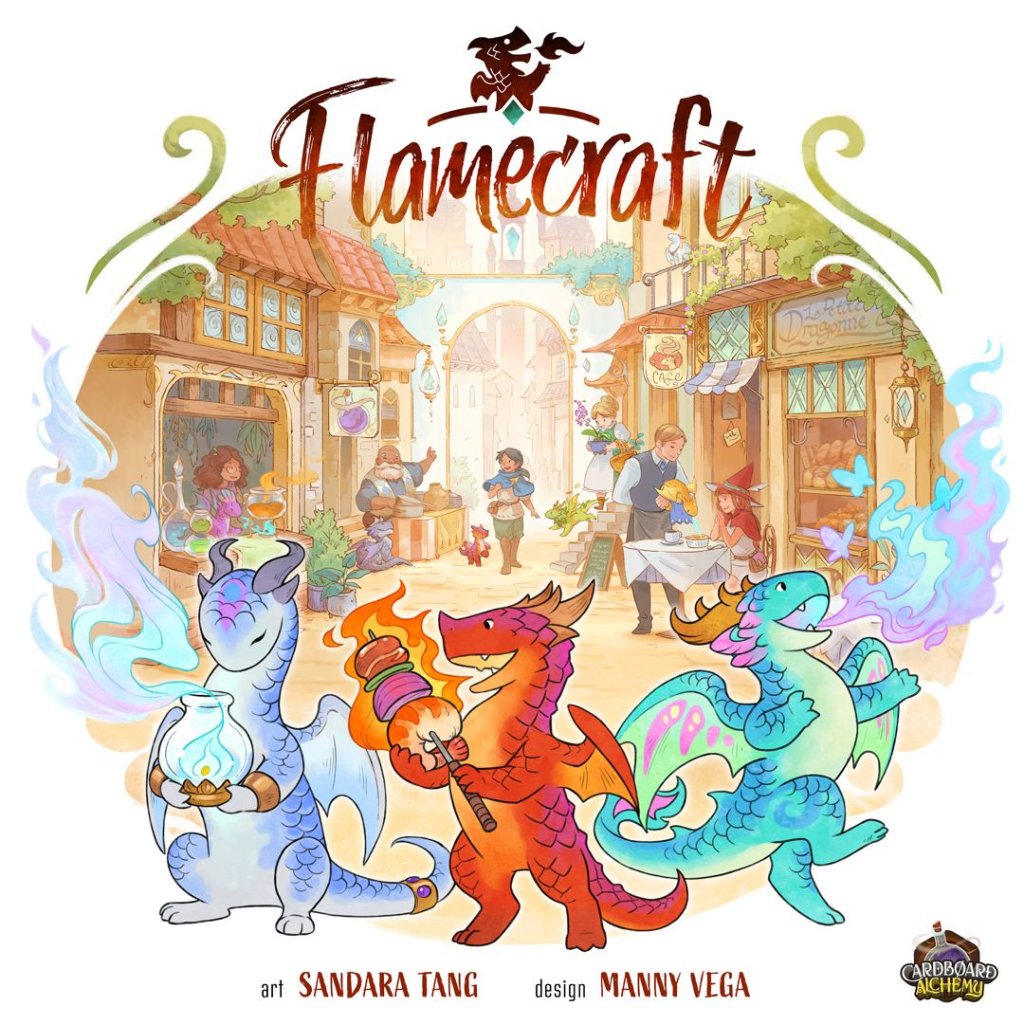
Flamecraft board game cover

About this board game

Flamecraft is a game for 1–5 players that takes about 60 minutes, inviting you to become a Flamekeeper in a town filled with artisan dragons and welcoming shops.

Artisan dragons are smaller, magically talented relatives of larger, destructive dragons. Shopkeepers seek them out for their remarkable flamecraft, while you use your skill at conversing with dragons to place them in ideal homes and help the town flourish.

During the game, visit shops to gain useful items and receive a favor from one of the dragons there. The dragons are specialists, so knowing which shop best suits each one is an important part of your role as a Flamekeeper.

  • Gather items from the town’s shops.
  • Place specialized dragons in their ideal homes.
  • Enchant shops to gain reputation.
  • Use the favors of dragons to advance your plans.

Items you gather can be spent to enchant a shop. Doing so earns reputation and gains the favors of all the dragons in that shop, creating opportunities to make your future visits even more rewarding.

Dragons specialize in bread, meat, iron, crystal, plant, or potion work. If you are fortunate enough to attract fancy dragons, they can open further opportunities to secure reputation.

Every helpful action can strengthen your standing among the dragons and shopkeepers. In Flamecraft, the Flamekeeper with the most reputation earns the title of Master of Flamecraft.

Board Game Rules for
Flamecraft

Download official rules (EN)

Welcome to Town!

Artisan dragons are creative little crafters who spout specialized flames to help them create a variety of tasty or helpful goods. They are highly sought-after by shopkeepers who hope to draw in and delight customers with their Flamecraft.

You are a Flamekeeper, skilled in the art of conversing with dragons, placing them in their ideal homes and casting enchantments to entice them to produce wondrous things.

Your reputation will grow as you aid the dragons and shopkeepers, and the Flamekeeper with the greatest reputation will be known as the Master of Flamecraft!

Components

  • 6 Player Tokens
  • 6 Reputation Markers
  • 1 Town Mat
Player Tokens and Reputation Markers
  • 8 Player Aids
  • 36 Artisan Dragon Cards (+6 Starter Dragons)
  • 36 Fancy Dragon Cards
  • 28 Shop Cards (+6 Starter Shops)
  • 36 Enchantment Cards (in 2 decks)
  • 7 Companion Cards
  • 210 Goods Tokens (+ spares)
  • 24 Coin Tokens
Components Overview
Components Overview

Game Setup

Town Setup Diagram Left
Town Setup Diagram Center
  1. Town & Starter Shops
    • Roll out the Town mat in the middle of the table.
    • Place the 6 Starter Shops Starter shop faceup on any 6 Shop spaces in Town (as shown).
    • Place each Starter Artisan Dragon Starter dragon faceup on the Shop with the matching icon in the top left, so that the Dragon covers the first slot along the bottom of the Shop (with the icon).
  2. Goods & Coins
    • Place the Goods tokens in separate piles off to the side, where all players can reach them. (You may need to make 2 piles of each token at different ends of the Town).
    • Place the Coin tokens in a pile on the Fountain.
  3. Shop Deck
    • Sort the Shop cards into piles based on the icons in the top left corner. Make 1 pile for each of the 6 Goods icons (Bread / Meat / Potion / Plant / Toast / Crystal) and a 7th pile for all other icons.
    • Flip the 7 piles facedown and separately shuffle them. Take 1 card from each of the Goods Shop piles, and 4 cards from the 7th pile, to make a facedown stack of 10 Shops.
    • This is the Shop deck. Shuffle the Shop deck and place it to the side of the Town mat.

    Once you’re familiar with the game, feel free to vary the composition of the Shop deck however you like.

  4. Artisan Dragons
    • If you are playing with 2 or 3 players, remove the following Artisan Dragon cards from the deck:
      • 2 players: Remove 12 Dragons (2 of each Goods type).
      • 3 players: Remove 6 Dragons (1 of each Goods type).
    • Shuffle the remaining Artisan Dragons to make the Artisan deck and place it on the marked space next to the Fountain.
    • Reveal the top 5 cards and place them faceup in the Park next to the deck.

Town Limits: These extra spots allow for up to 14 shops in 3–5 player games.

Town Setup Diagram Right
  1. Fancy Dragons
    • Shuffle the Fancy Dragon cards together to make the Fancy deck and place it on the marked space next to the Fountain.
  2. Enchantments
    • Choose either the Purple or Golden Enchantment deck (we recommend Purple for your first game).
    • Shuffle the chosen deck and place it on the marked space inside the Reputation track.
    • Reveal the top 5 cards and place them in a faceup row next to the deck.
  3. Player Setup
    • Each player chooses a player token (dragon) and takes the matching-color Reputation marker (heart) and player aid card. Return all unused player components to the box.
    • Gather the Reputation markers together and randomly reveal one of them to choose the first player. Then place all Reputation markers near the start of the Reputation track.
    • Deal each player a hand of 3 Artisan Dragons.
    • Deal each player 2 Fancy Dragons. Each player chooses 1 Fancy Dragon to keep and returns the Fancy Dragon they did not choose to the bottom of the Fancy deck.
    • If playing with 4+ players, the 4th and 5th players each take a Goods token of their choice to start.

You can keep your Artisan Dragons and Fancy Dragons a secret until you play them. However, the number you have of each is public information.

Companions & Solo Mode: To add Companions to your game or play in Solo Mode, see pg. 17.

Player Setup Components Illustration

Overview

Your goal is to become the most storied and successful Flamekeeper in town! Grow your Reputation Heart reputation by visiting Shops to place Artisan Dragons, cast Enchantments, and satisfy the goals of your secret Fancy Dragons.

Players take turns in clockwise order, starting with the first player chosen at setup. On each player’s turn, they must move to a new Shop, then decide whether to gather Goods or cast an Enchantment there. Play continues until the Artisan deck or Enchantment deck runs out (see “End of the Game,” pg. 13).

At the end of the game, the player who is furthest ahead on the Reputation track wins!

Card Anatomy Overview

Turn Structure

On your turn, you must visit a Shop, then choose to either Gather or Enchant there.

At the end of your turn, you must check whether to expand the Town, then discard down to your Dragons and Goods limit and refresh the faceup Enchantments and Artisan Dragons.

Visiting a Shop

At the start of your turn, choose a Shop anywhere in Town and move your player token onto the Shop card. You must choose a different Shop than you visited on your last turn.

In order to move to a Shop that other players are visiting, you must give each of them 1 Good of your choice (or 1 Coin) from your personal supply. If you don’t have enough Goods (or Coins) to give 1 to each player, you must choose a different Shop to visit.

Visiting an Occupied Shop Example

Example: Oliver really wants to visit Sew Cute, even though there are 2 other players there. He decides to give 1 Bread to Violet and 1 Crystal to James.


Gathering Overview

If you choose to Gather from the Shop you visit, follow these steps in order:

  1. GATHER GOODS: Gain Goods, Coins, and Dragons from the Shop and from each Artisan Dragon and Enchantment there.
  2. (OPTIONAL) PLACE A DRAGON: You may place 1 Artisan Dragon from your hand into a Dragon slot with a matching icon, then gain the rewards on that slot.
  3. (OPTIONAL) FIRE UP A DRAGON: You may use the Fire up flame ability of any 1 Artisan Dragon at the Shop.
  4. (OPTIONAL) USE SHOP ABILITY: You may use the Shop’s ability, if it has one.

1. Gather Goods

When you Gather from a Shop, you gain 1 Good, Coin, or Artisan Dragon offered by the Shop, and 1 Good from each Artisan Dragon and Enchantment at the Shop.

The icon in the top left corner of each card tells you what it gives you:

  • Goods icons row: Gain a Good matching this icon.
  • Wild star: Gain a Good of your choice.
  • Coin: Gain a Coin.
  • Dragon head: Draw an Artisan Dragon of your choice from the Park or the top of the deck.

Take any Goods and/or Coins you gain from the appropriate piles and place them in a personal supply visibly in front of you. If a general pile runs out, you may use a suitable replacement. Add any Artisan Dragons you gain to your hand.

Coins are not Goods, so when you gain Goods of your choice, you may not choose to gain Coins.

Gathering from Drake of Cakes Example

Example: Violet gathers from Drake of Cakes. She gets 2 Bread (from the Shop and its Enchantment), plus 1 Plant and 1 Meat (from the Dragons).

2. Place a Dragon

Once you’ve gathered Goods, you may place 1 Artisan Dragon from your hand into any empty Dragon slot at the Shop.

In order to place a Dragon at a Shop, the Dragon’s icon (in the top left corner) must match one of the icons on the empty slot where you want to place it. A Shop’s slots may be filled in any order (they do not have to be filled from left to right).

After placing your Dragon, gain the printed rewards on the slot you filled (see “Earning Rewards” below).

  • If a Dragon slot has multiple icons, you may place a Dragon matching any of those icons.
  • If a slot has a Wild slot icon, you may place a Dragon with any icon.
Placing a Dragon Example

Example: Violet places a Crystal Dragon from her hand onto the empty middle slot. As a reward, she gets to draw a new Fancy Dragon (Fancy dragon).

Earning Rewards

Players can earn a variety of rewards throughout the game by placing Artisan Dragons, Enchanting Shops, and fulfilling the goals of Fancy Dragons.

  • Heart reputation GAIN REPUTATION: Score this much Reputation by advancing your marker on the Reputation track.
  • Fancy dragon swirl DRAW A FANCY DRAGON: Draw a new Fancy Dragon from the deck (see “Fancy Dragons,” pg. 13).
  • Artisan dragon head DRAW AN ARTISAN DRAGON: Draw a faceup Artisan Dragon from the Park or the top of the deck.
  • Coin GAIN COINS: Gain this many Coins. Coins can be spent or gifted as any Good when paying for an action (they are wild). Unspent Coins are worth 1 Heart reputation each at the end of the game.

Filling a Shop

If at any point during your turn you place an Artisan Dragon in the last empty slot at a Shop, you must draw a new Shop from the deck, without looking at it, and place it facedown on any empty spot in Town (it doesn’t matter which empty spot). At the end of your turn, you will reveal each new Shop you drew to expand the Town.

Certain abilities may let you fill a different shop than the one you are currently at (or even multiple Shops in one turn).

There are a limited number of town spaces: 12 in a 1–2 player game, with up to 14 shops possible in 3–5 player games, using marked spaces near the park. If town is full, ignore ‘Filling a Shop’ above.

Filling a Shop Example

Example: Since Violet filled the last slot at Drake of Cakes, she draws a new Shop and places it facedown.

3. Fire Up A Dragon

Each Artisan Dragon has a fire up Fire up flame ability. All Dragons with the same icon have the same ability. (These abilities are covered in detail under “Abilities,” pg. 14.)

When you Gather from a Shop, you may use the Fire up flame ability of any 1 Artisan Dragon at the Shop. This may be a Dragon you placed, or a Dragon that was already there when you visited.

Fire Up Frostfire Example

Example: Violet decides to fire up Frostfire to gain 3 different Goods of her choice.

4. Use Shop Ability

Some Shops have special Shop abilities printed on them. As the last step of Gathering from a Shop, you may use the Shop’s special ability.

You may only use a Shop’s ability when you Gather from it, not when you Enchant it.

Use Shop Ability Example

Example: Violet uses Drake of Cakes’ ability, spending 2 Bread she gathered earlier this turn to take 2 new Artisan Dragons from the Park.

Giving Gifts

Some abilities allow you to gift Goods, Coins, or cards to other players to earn Reputation or other rewards.

Whenever you give gifts, take the indicated items from your personal supply and distribute them among other players however you like (unless noted otherwise). You may gift Coins in place of Goods.

If an ability grants a reward for gifting other than Reputation, this comes from the general supply, not from the player who received the gift.

Giving Gifts Example

Example: James uses Hedges & Henges’ Shop ability to gift 3 Goods of the same type for 2 Heart reputation or 1 Coin each. He decides to gift 1 to Violet and 2 to Oliver, and chooses 4 Heart reputation and 1 Coin as his reward.


Enchanting Overview

If you decide to Enchant the Shop you visit, follow these steps in order:

  1. CAST ENCHANTMENT: Choose an Enchantment card from the faceup row that matches the Shop’s icon. Pay its Goods cost to tuck it behind the Shop and gain the rewards on it.
  2. (OPTIONAL) FIRE UP ALL DRAGONS: You may use the abilities of any number of Artisan Dragons at the Shop.

In order to Enchant the Shop you visit, you must be able to cast an Enchantment there (there must be a faceup Enchantment that matches the Shop’s icon, and you must be able to pay its cost; see “Cast an Enchantment”).

1. Cast an Enchantment

To Enchant a Shop, choose 1 Enchantment card from the faceup row that matches the Shop’s icon (the Enchantment has the same icon in its top left corner as the Shop does). Then cast the Enchantment by paying the Goods shown on it, returning them to the appropriate piles.

You may pay Coins in place of any Goods (unless the Enchantment has a No coins icon). If you spend multiple Coins, you may spend each of them as a different Good, if desired.

Once you’ve paid the cost, gain the rewards shown at the bottom of the card (see “Earning Rewards,” pg. 8), then tuck the Enchantment behind the Shop (so players can easily see that the Shop now produces 1 additional Good).

Enchantments you take from the faceup row are not replaced until the end of your turn (see “Ending Your Turn,” pg. 12).

Enchantment Icon

When a Enchantment star symbol appears in an ability, it means an Enchantment card or casting an Enchantment. “Reserve an Enchantment star” means reserve an Enchantment, and “After you Enchantment star” means after you cast an Enchantment.

Cast an Enchantment Example

Example: Oliver visits Hello Nursery and decides to Enchant it. He pays 1 Plant, 1 Coin, and 3 Bread to take a Plant Enchantment from the row and tuck it behind the Shop. This earns him 4 Heart reputation and a new Artisan Dragon, which he decides to take from the Park.

2. Fire Up ALL Dragons

After you Enchant a Shop, you may use the Fire up flame ability of each Artisan Dragon there, in any order.

If firing up an Artisan Dragon lets you place a new Dragon at the Shop, you may also fire up that Dragon.

Fire Up All Dragons Example

Example: After Enchanting Hello Nursery, Oliver fires up Twig to gift 1 Potion to James for 2 Heart reputation, then fires up Loaf to draw a new Artisan Dragon, which he decides to take from the deck.

Enchantment Clarifications

  • Dragon & Coin Shops: Shops with a Artisan dragon head or Coin icon cannot be Enchanted, since there are no Enchantments with those icons.
  • Enchantment Limit: A Shop can have no more than 3 Enchantments on it. (There are only 3 Enchantments with each icon in the deck, so most Shops can’t exceed this limit anyway.)
  • Wild Shops: If a Shop has a Wild star icon, any Enchantment can be cast there. Wild Shops can still only have 3 Enchantments, regardless of icon.
  • No Coins: A No coins symbol means you may not spend any Coins to pay the cost of this Enchantment.
  • Variable Rewards: Some Enchantments show a set of Goods that can be paid multiple times to increase your reward. For example, if you pay 3 Meat and 3 Crystal to cast the Enchantment to the right, you gain 4 Heart reputation.
    You can cast a variable Enchantment by paying only 1 set of the required Goods, but you will get 0 Heart reputation.
Variable Rewards Enchantment Card Example

Reserving Enchantments

Some abilities allow you to reserve an Enchantment. When you do this, take an Enchantment of your choice from the row and put it faceup in front of you. (Remember not to refill the row until the end of your turn.)

When Enchanting a Shop, you may cast your reserved Enchantment instead of an Enchantment from the faceup row. Other players may not cast your reserved Enchantment. You are limited to 1 reserved Enchantment at a time. If you currently have a reserved Enchantment, you can’t reserve another one.


End of Turn Steps

After Gathering or Enchanting, take the following steps to clean up for the next player’s turn:

  1. EXPAND TOWN: Flip any new Shops you drew during your turn faceup.
  2. DRAGONS & GOODS LIMIT: Return Dragons and Goods until you have no more than 6 Artisan Dragons and 7 Goods of each type.
  3. REFRESH PARK & ENCHANTMENTS: Draw new faceup Artisan Dragons and Enchantments until there are 5 of each.

1. Expand Town

If you filled any Shops on your turn and drew new ones, flip these new Shops faceup. They are now available for players to visit.

Expand Town Step Diagram

2. Dragons & Goods Limit

At the end of your turn, you may have no more than 6 Artisan Dragons in your hand. If you do, you must return Dragons of your choice to the bottom of the Artisan deck until you have 6.

Additionally, you may have no more than 7 tokens of each Goods type. If you have more than 7 of any type, you must return tokens to the appropriate piles until you have 7.

There is no limit to the number of Coins and Fancy Dragons you can have. These do not need to be counted at the end of your turn.

Dragons and Goods Limit Illustration

3. Refresh Park & Enchantments

If there are fewer than 5 faceup Artisan Dragons or Enchantments, reveal new cards from the appropriate decks until there are 5 each.

If the Artisan deck or Enchantment deck runs out, this triggers the end of the game (see “End of the Game,” next page).

Artisan Dragons and Enchantments you take during your turn are not replaced until the end of your turn.


Game End Trigger

When the last card in either the Artisan deck or Enchantment deck is drawn or revealed, this triggers the end of the game. Each player gets 1 final turn, including the player who triggered the game end.

Final Scoring

Once all players have had a final turn, players gain end-game Reputation as follows:

  1. LEFTOVER COINS: Each player returns all Coins in their supply to the Fountain and gains 1 Heart reputation per returned Coin.
  2. FANCY DRAGONS: Each player reveals each Fancy Dragon with a Moon dragon icon whose goals they’ve fulfilled and scores the indicated amount of Heart reputation.

Whoever has the highest Reputation score wins!

You must turn in all your Coins before scoring your Fancy Dragons. This means you can’t use Coins to fulfill your Fancy Dragons’ goals.

Tiebreakers

In the case of a tie:

  1. The tied player with the most Artisan Dragons left in their hand wins.
  2. If still tied, the tied player with the most leftover Goods in their supply wins.
  3. If still tied, they share a well-deserved victory!

Fancy Dragon Card Example Anatomy

These unique Dragons are attracted to the activities of Flamekeepers and use their abilities to add flair and flamboyance to the lives of those they follow. Some of them can be seen celebrating during daylight hours, while others wait until night for their festivities.

Each player starts the game with 1 Fancy Dragon, and can draw more as rewards or by using abilities. There is no limit to the number of Fancy Dragons you can have.

Each Fancy Dragon has a specific goal. If you fulfill a Fancy Dragon’s goal, it will shower you with Reputation and other rewards.

Sun Dragons

These Fancy Dragons can only be scored during the game. If you have fulfilled a Sun dragon Dragon’s goal, you may reveal it at any time on your turn to gain its rewards. If its goal requires you to spend Goods, return these to the appropriate piles.

You can only score each of your Sun dragon Dragons once per game. Leave scored Sun dragon Dragons faceup in front of you.

Moon Dragons

These Fancy Dragons are only scored at the end of the game. When the game ends, reveal all your Moon dragon Dragons and gain rewards from each of them whose goal you have fulfilled.

If an ability lets you score a Moon dragon Dragon during the game, you can’t score it again at the end of the game.


Resolving Abilities

If you choose to use an ability, you must resolve as much of it as you’re able to (unless part of the ability says “you may”).

Placing Dragons

Whenever you use an ability to place an Artisan Dragon at a Shop, you must follow all rules for placing a Dragon on pg. 8 (unless otherwise noted in the ability text). This means the Dragon you place must match the icon on the selected slot, and after placing it you gain the printed reward (just as if you’d placed it during step 2 of Gathering).

Artisan Dragons

Flamekeepers share a special bond with the 6 Artisan Dragons, inspiring their unique abilities.

  • Iron (Bread) Dragon: Rusty
    • Ability: Gain 2 of 1 Good from this Shop or an Artisan Dragon (Artisan dragon) here.
    • Clarifications: The 2 Goods you take must be the same. You may use this to gain 2 Bread from this Dragon. If the Shop has a Wild star, you may take 2 of any 1 Good. You may not use this to gain Coins or draw Dragons. If an ability allows you to fire this up in a location other than a Shop (e.g. the Park or your hand), you may gain Goods from any Dragon in that location.
  • Meat Dragon: Hot Dog
    • Ability: Place an Artisan Dragon (Artisan dragon) in Town.
    • Clarifications: You may place your Dragon on any empty slot in Town with the matching icon (including at the Shop you are visiting). You gain the printed reward on the slot (see pg. 8).
  • Toast Dragon: Honey
    • Ability: Draw 1 Artisan Dragon (Artisan dragon).
    • Clarifications: You may take any faceup Dragon from the Park, or draw the top card on the Artisan deck.
  • Crystal Dragon: Jewelheart
    • Ability: Gain any 3 different Goods.
    • Clarifications: You may choose any 3 different Goods.
  • Potion Dragon: Elderberry
    • Ability: Swap this with another Artisan Dragon (Artisan dragon) in Town and fire up (Fire up flame) the new Dragon.
    • Clarifications: Ignore the icons on the Shop slots involved. This does not count as placing a Dragon and does not earn the reward on either slot.
  • Plant Dragon: Lotus
    • Ability: Gift a Good to another player to gain 2 Heart reputation.
    • Clarifications: Gift any 1 Good from your personal supply to another player of your choice, then gain 2 Heart reputation (see “Giving Gifts,” pg. 9).

Shops

The Shops are the heart of the Town, and Shops that make use of Flamecraft are prized highly.

  • Bizarre Bazaar: You must fulfill the goal of the Dragon you reveal to score it. You may reveal a Sun dragon or Moon dragon Dragon with this ability. If you reveal a Sun dragon Dragon, score it normally. If you reveal a Moon dragon Dragon, score it as if the game had just ended. (You do not score it again when the game ends.)
  • Draconic Tonic: Do not cast the Enchantment on a Shop. If you have a reserved Enchantment already, you may not use this ability.
  • Draggin’ Tail Roost: If you fire up a Dragon, swap any Dragon in Town into the Park, fire it up, and then take it into your hand. All Dragons at this Shop must be placed facedown (shhh… they’re sleeping). Players may peek at facedown Dragons at any time, but they do not produce Goods or provide Fire up flame abilities when you visit, and do not count towards Fancy Dragon scoring at the end of the game. If you move or swap a Dragon to this Shop, flip it facedown. If you move or swap a Dragon at this Shop to a different one, flip it faceup; its Fire up flame ability becomes available immediately.
  • Dragon Alley: Artisan Dragons cannot be placed at this Shop. If you decide to leave Coins here, place 2 Coins from your personal supply on an empty double-coin space and claim both rewards shown there. Then take another full turn (starting with moving to a new Shop). If you take all Coins, take the Coins from all filled spaces. Players may then fill them again on later turns.
  • Dragon Hoard Bank: You must have at least 3 Coin to use the first half of this ability.
  • Drake of Cakes: If there are fewer than 2 Dragons left in the park, you can pay 2 Bread to take all that remain (even none).
  • Eternal Flame: When this Shop is revealed, draw 2 Artisan Dragons from the deck and place them in the 1st and 3rd slots here. Leave the 2nd slot empty. If placing Dragons here empties the deck, the player who drew this Shop will take the last turn.
  • Flagons & Dragons: Other players do not have to give any Goods to join you here.
  • Fogo de Char: You may place your Dragon on any empty slot in Town. It does not need to match the icons there. You gain the listed reward as usual, in addition to the 2 Coins.
  • Full Plate Buffet: Paying a Coin for a second set of Goods is optional.
  • Funky Brewsters: You may ignore icons on the slot when choosing a replacement Dragon. This does not count as placing a new Dragon, and you don’t gain the slot’s rewards.
  • Gnome Depot: Since you do not have to discard down to 7 Goods until the end of your turn, you can spend Goods you gain during your turn to use this ability (or Coins).
  • Guilty Treasures: Gifting a Coin for 4 Heart reputation is optional.
  • Hedges & Henges: For each Good you gift, you may choose individually whether to gain 2 Heart reputation or 1 Coin.
  • La Petite Dragonne: The Dragon you place must match an icon on the slot you choose. Gain 1 Coin per Heart reputation printed on the slot instead of gaining Heart reputation. If there are other rewards on the slot, gain them as normal. When you place a Dragon on this Shop by any means other than this ability, gain the printed Heart reputation as normal.
  • Maw & Paw’s: You may flip again whether you get heads or tails the first time. You may flip no more than twice. You get to keep all Dragons you draw (flipping again does not replace the previous Dragon).
  • Nunya’s Beeswax: If you pay a Coin, you may choose to fire up only some Dragons here (as when Enchanting).
  • Oh My Gourd!: When using the second half of this ability, you gain +2 Goods from each Dragon, in addition to Goods you gathered earlier in your turn.
  • Pizza Coven: Artisan Dragons can have any number of Goods on them. When a player takes a Dragon, they gain the Goods on it. If you took an Artisan Dragon during your turn, it is not possible to match all 5 and gain the Coin.
  • Sage of Sage: All Goods you gain must be included in the cost of 1 Enchantment in the row or that you have reserved. You may only reserve the Enchantment that you take Goods from. If you already have a reserved Enchantment, you may not reserve a new one, but you may still gain 3 Goods from an Enchantment in the row or that you have reserved.
  • Saving Throw: Only gain this bonus if you fill a Shop by using this ability (not if you fill a Shop at any other time during your turn).
  • Scale Mail Post: You must gift one of the Fancy Dragons you draw.
  • Sew Cute: The Artisan Dragon you drew when you gathered from this Shop is the type of Dragon you score.
  • Spellfire Springs: If you have not fired up a Dragon this turn, this ability has no effect.
  • The Savage Beat: Goods you collect come from the general supply (not from the Dragon card, if it has Goods on it).
  • Tip the Scales: You may trade up to 6 unique Goods (1 of each type). You may spend Coins on this ability, but it will not increase your score (since they are worth 1 Heart reputation at end of game).
  • Touch o’ Glass: If you fire up a Dragon, swap any Dragon in Town into your hand and fire it up. You may then gift the new Dragon.
  • Wishing Well: When you Gather here, gain 3 Coins. You may choose to flip no coins, or stop after any flip. Each time you get heads, score 2 Heart reputation. Each time you get tails, lose the coin you flipped.

Fancy Dragons Clarifications

Sun Dragons

  • Frazzle: These Shops do not need to be adjacent.
  • Goldrush: Do not count the slots on Dragon Alley as Coin reward slots. Only count each Coin reward slot once, even if it has multiple Coins on it.
  • Pocus: You may reveal this when Gathering or Enchanting. For each Dragon that you could fire up, you may choose to either gain 2 Heart reputation or use its ability normally. If a Shop has no Dragons, this scores 0 Heart reputation.
  • Sparkle: You must Enchant to score this, so you may not score it with Bizarre Bazaar.
  • Starburst: The Enchantment stays in the row after you pay for it.
  • Taylor: Include the Dragon you placed in your score.
  • Twinkle: Count Enchantments on this Shop and other Shops. You must Enchant to score this, so you may not score it with Bizarre Bazaar.

Moon Dragons

  • Sweetie, Umami, Savannah, Jitters, Shadow, Gemma: If the indicated type of Dragon is tied for most, you still gain the bonus.
  • Toasty, Carnie, Forrest, Elix, Ajax, Zircon: If you are tied for the most of this Good, you still gain the bonus. You must have at least 3 of this Good to score +3 Heart reputation from having the most.
  • Steven: Count Goods types you have 0 of as even.
  • Talisman: You may not score any Fancy Dragons you return. You may not return Fancy Dragons you have previously scored. Since you must reveal Talisman to resolve it, you may not return Talisman itself. Returned Fancy Dragons do not count towards scoring Buddy.

Overview

Companion Dragons are an optional addition to the game that provide a one-time special ability to each player. Some of the companions even have a start of game bonus.

Setup

To play with Companions, randomly deal 1 Companion to each player during setup. Each player places their Companion in front of them with the ability side facing up. If a player’s Companion has additional text marked “START”, the player starts the game with that bonus.

Companion Abilities

A player may use their Companion’s ability once per game, at any time on their turn unless specifically indicated. After using a Companion’s ability, flip it over to show it can’t be used again.

Companion Cards Overview
Companion Dragons List

Companion Clarifications

  • Brad: When you reserve an Enchantment at the start of the game, immediately reveal a new one to replace it.
  • Daniel: You may choose to fire up only some Dragons at the Park (as when Enchanting).
  • Erick: If the Shop ability has a cost, you must pay it each time you use the ability.
  • Manny: You may choose to fire up only some Dragons at the Shop where you place the new Dragon (as when Enchanting). If you place the new Dragon at the Shop your initial Dragon occupies, you may fire up your initial Dragon again to place a 2nd new Dragon. If this ability allows you to place a 2nd new Dragon, you do not get to repeat this ability at the Shop where you place it.
  • Peter: This ability can only be activated when a new Shop is flipped over at the end of your turn (not when it is first drawn).
  • Rich: The 2 Goods you gain for each Coin can be different from each other.
  • Sandara: When choosing a Fancy Dragon at the start of the game, draw 5 to choose from instead of 2. Return all Dragons you do not choose to the bottom of the deck. You may use this ability to re-score a Fancy Dragon you’ve already scored. You may only use this ability to score a Fancy Dragon during the game, not during end-game scoring.

Solo Mode Setup

Follow the setup instructions for a standard 3-player game, with the following exceptions:

  1. Shop Deck: After placing the starter Shops, create the Shop Deck with the following 10 Shops. (This list may be modified by unlocking achievements; see “Unlocking Achievements,” next page.)
    • Drake of Cakes
    • Fogo de Char
    • Funky Brewsters
    • Saving Throw
    • Oh My Gourd!
    • Tip the Scales
    • Maw & Paw’s
    • Wishing Well
    • Nunya’s Beeswax
    • Draggin’ Tail Roost
  2. Fancy Deck: Create the Fancy deck with the following 12 Dragons. (This list may be modified by unlocking achievements; see “Unlocking Achievements,” next page.)
    • Taylor
    • Bubu
    • Chonkers
    • Dazzle
    • Frazzle
    • Matches
    • Pocus
    • Shimmer
    • Sparkle
    • Talisman
    • Todd
    • Twinkle
  3. Player Setup: Choose 1 player token to represent yourself, but keep the other tokens nearby. Use the Solo Mode player aid.

Companions can’t be used in Solo Mode. Since you’re playing on your own, they’ve decided to stay home and rest.

Solo Gameplay

Take your turns one after another. Follow the same rules as a multiplayer game, with the following exceptions.

End of Turn

Instead of following the standard end of turn steps, do the following:

  1. REFRESH PARK: Reveal new faceup Artisan Dragons until there are 5 in the Park.
  2. PLACE A DRAGON: Reveal the top Artisan Dragon from the deck. Going clockwise from the Park, find the first empty Shop slot that matches the Dragon’s icon (or is wild), and place the Dragon in that slot. If there isn’t a matching slot, return the Dragon to the bottom of the deck and draw a new one (and repeat until you can place one or run out of Dragons). If you fill a Shop during this step, draw a new Shop and place it in town as you normally would.
  3. MOVE A NON-PLAYER: If the icon of the placed Dragon matches a player token other than yours, move that token to the Shop where the Dragon was placed. (If you are currently there, you do not receive a Good.) If the Dragon’s icon matches your color, don’t move any tokens.
  4. CAST AN ENCHANTMENT: If any of the Enchantments in the faceup row has an icon in the top left corner that matches the icon on the Dragon just placed, choose one of those Enchantments and add it to a matching Shop (same icon or wild). If it could be added to more than one Shop, you choose which one.
  5. REFRESH ENCHANTMENTS: Reveal new faceup Enchantments until there are 5 in the row.
  6. EXPAND TOWN: Reveal all facedown Shops.

Giving Goods

When you visit a Shop with one or more non-player tokens, you must give 1 Good of your choice (or 1 Coin) to each of them, as if they were players.

Whenever you would give a Good to another player (e.g. when visiting an occupied Shop or giving a gift), return the tokens you give directly to the appropriate piles.

Max 12 Shops

There can be a maximum of 12 Shops in Town. Once there are 12 Shops in town, do not draw any more when existing Shops are filled (by either you or a non-player).

Game End & Scoring

If you draw or reveal the last Artisan Dragon or Enchantment at any time during your turn, finish the current turn, then play 1 more full turn before proceeding to end-game scoring. At the end of your final turn, do not place a non-player Artisan Dragon or cast a non-player Enchantment.

End-Game Scoring

Count up your final Reputation score as you would in a multiplayer game. Check your score against the table below and see what award you earned:

  • 0–74 Heart reputation: Shopkeeper
  • 75–89 Heart reputation: Flamekeeper
  • 90+ Heart reputation: Master of Flame

Unlocking Achievements

Solo Mode includes a number of Achievements that can be completed to add new content to your future solo games.

In order to unlock Achievement content, you must have a Reputation score of 75 or more at the end of the game:

  • A Flamekeeper (75–89 Heart reputation) is eligible to unlock 1 Achievement.
  • A Master of Flame (90+ Heart reputation) is eligible to unlock up to 2 Achievements.

You may only unlock an Achievement if you meet its requirement at the end of the game. If you complete more Achievements than you are eligible for based on your score, you must choose which of them you unlock.

Each Achievement you unlock may add (+) or replace (Swap shop) Shops in the Shop deck you start with each game, or add (+) new Fancy Dragons to the Fancy deck. When setting up a solo game, check which Achievements you’ve completed and modify the starting decks accordingly.

Achievements List

  • Half a Dozen:
    • Requirement: 6 Bread Dragons in Town
    • Unlocks: Replace Drake of Cakes with La Petite Dragonne, + Buttercup, + Sweetie
  • Green Thumb:
    • Requirement: 6 Plant Dragons in Town
    • Unlocks: + Sage of Sage, + Pizza Coven, + Savannah
  • Glitter Bomb:
    • Requirement: 6 Crystal Dragons in Town
    • Unlocks: Replace Tip the Scales with Dragon Hoard Bank, + Gemma, + Sunlight
  • Heavy Metal:
    • Requirement: 6 Iron Dragons in Town
    • Unlocks: Replace Saving Throw with The Savage Beat, + Wesley, + Shadow
  • Brewmeister:
    • Requirement: 6 Potion Dragons in Town
    • Unlocks: Replace Funky Brewsters with Spellfire Springs, + Jitters, + Nighbrite
  • Flavor Town:
    • Requirement: 6 Meat Dragons in Town
    • Unlocks: Replace Fogo de Char with Full Plate Buffet, + Pinkytoe, + Umami
  • Master of Markets:
    • Requirement: 12 Shops in Town
    • Unlocks: Replace Wishing Well with Dragon Alley, + Hocus, + Rainbow
  • Mistress of Festivities:
    • Requirement: 8 Fancy dragon Fulfilled (Sun dragon or Moon dragon)
    • Unlocks: Replace Nunya’s Beeswax with Bizarre Bazaar, + Buddy
  • Thoroughly Enchanting:
    • Requirement: 4 Shops with 3 Enchantment each
    • Unlocks: Replace Draggin’ Tail Roost with Sew Cute, + Starburst, + Steven
  • A Different Kind of Magic:
    • Requirement: 2 Wild star of each type in Town
    • Unlocks: Replace Maw & Paw’s with Eternal Flame, + Draconic Tonic
  • Lord of the Hoard:
    • Requirement: Turn in 9 Coin at end of game
    • Unlocks: + Goldrush, + Greenhorn

Game Credits

  • Game Design: Manny Vega
  • Illustration & Art Direction: Sandara Tang
  • Graphic Design: Manny Vega
  • Development: Brad Brooks, Peter Vaughan
  • 3D Models: Erick Tosco, Christian Strain
  • Rulebook: Jeff Fraser
  • Prototypes By: Print and Play, Mike DePasquale
  • Special Thanks: Bryce Cook and Noah Adelman at Gametrayz, Nicole Gose, Christian Strain, Bob Schremp, Prawn Designs, LLC, Lucky Duck Games, and all of the Kickstarter backers, Art of Sandara fans and dragon lovers that made this game a reality.
  • Playtesting: Judy Adler, Andy Ashcraft, Adrian Alamo Borja, Jasmine Marie Bouges, Ian Brocklebank, Norv Brooks, William J. Brown III, Elli Burns, Michael Camacho, Seth Chatfield, Axel Cisneros, Sarah Conner-Brown, Leo Cordoba, Glenn Cotter, Steve Cox, Michael Cyr, Lawrence Davies, Fernando Diaz, Rebecca Dominguez, Kye Etherton, Kevin Flanagan, Rachael Forsman, Don Gilstrap, Dani Glassner, Mike Guigliano, Joshua Hanks, Richard Hanks, Riki Hay, Dan Helfer, Bethany Hiemstra, Frances-anne Hiemstra, Gwyneth Heimstra, Michael Hiemstra, Alicia Claire Hoflack, Katia Howatson, Matthew Justice, Tristan Justice, William Kennard, Karen Laubscher, Sheldon Leong, Glade Madruga, Richard Malena-Webber, Kori Maner, Alex Marks, Ruben Martinez, Guillermo Milano, Rob Miller, Iain Murphy, Tony Nguyen, Hege Petrogalli, Adriana Raats, Simon Raats, Ashleigh Restivo, Cutty Reynolds, Rogério Ribeiro, John Rochester, Scott Rogers, Sea Lin Yao, Shimi Shadi, Joe Slack, Christian Strain, Drake Teo, Zachary Uhlig, James Vaughan, Mike Vander Veen, Oliver Vega, Austin Wenzel, Brian Wilson, Adam Wolfe Ryder, Bill Ward, Alwin Wong, Ta-Te Wu, Miriam Ziebart, Eric Zimmerman, members of First Play LA and the Cardboard Alchemy Discord server.

© Cardboard Alchemy 2022. All rights reserved.


Introduction & Components

Welcome to Town!

Artisan dragons are creative little crafters who spout specialized flames to help them create a variety of tasty or helpful goods. They are highly sought-after by shopkeepers who hope to draw in and delight customers with their Flamecraft.

You are a Flamekeeper, skilled in the art of conversing with dragons, placing them in their ideal homes and casting enchantments to entice them to produce wondrous things.

Your reputation will grow as you aid the dragons and shopkeepers, and the Flamekeeper with the greatest reputation will be known as the Master of Flamecraft!

Components

  • 6 Player Tokens
  • 6 Reputation Markers
  • 1 Town Mat
Player Tokens and Reputation Markers
  • 8 Player Aids
  • 36 Artisan Dragon Cards (+6 Starter Dragons)
  • 36 Fancy Dragon Cards
  • 28 Shop Cards (+6 Starter Shops)
  • 36 Enchantment Cards (in 2 decks)
  • 7 Companion Cards
  • 210 Goods Tokens (+ spares)
  • 24 Coin Tokens
Components Overview
Components Overview

Setup

Game Setup

Town Setup Diagram Left
Town Setup Diagram Center
  1. Town & Starter Shops
    • Roll out the Town mat in the middle of the table.
    • Place the 6 Starter Shops Starter shop faceup on any 6 Shop spaces in Town (as shown).
    • Place each Starter Artisan Dragon Starter dragon faceup on the Shop with the matching icon in the top left, so that the Dragon covers the first slot along the bottom of the Shop (with the icon).
  2. Goods & Coins
    • Place the Goods tokens in separate piles off to the side, where all players can reach them. (You may need to make 2 piles of each token at different ends of the Town).
    • Place the Coin tokens in a pile on the Fountain.
  3. Shop Deck
    • Sort the Shop cards into piles based on the icons in the top left corner. Make 1 pile for each of the 6 Goods icons (Bread / Meat / Potion / Plant / Toast / Crystal) and a 7th pile for all other icons.
    • Flip the 7 piles facedown and separately shuffle them. Take 1 card from each of the Goods Shop piles, and 4 cards from the 7th pile, to make a facedown stack of 10 Shops.
    • This is the Shop deck. Shuffle the Shop deck and place it to the side of the Town mat.

    Once you’re familiar with the game, feel free to vary the composition of the Shop deck however you like.

  4. Artisan Dragons
    • If you are playing with 2 or 3 players, remove the following Artisan Dragon cards from the deck:
      • 2 players: Remove 12 Dragons (2 of each Goods type).
      • 3 players: Remove 6 Dragons (1 of each Goods type).
    • Shuffle the remaining Artisan Dragons to make the Artisan deck and place it on the marked space next to the Fountain.
    • Reveal the top 5 cards and place them faceup in the Park next to the deck.

Town Limits: These extra spots allow for up to 14 shops in 3–5 player games.

Town Setup Diagram Right
  1. Fancy Dragons
    • Shuffle the Fancy Dragon cards together to make the Fancy deck and place it on the marked space next to the Fountain.
  2. Enchantments
    • Choose either the Purple or Golden Enchantment deck (we recommend Purple for your first game).
    • Shuffle the chosen deck and place it on the marked space inside the Reputation track.
    • Reveal the top 5 cards and place them in a faceup row next to the deck.
  3. Player Setup
    • Each player chooses a player token (dragon) and takes the matching-color Reputation marker (heart) and player aid card. Return all unused player components to the box.
    • Gather the Reputation markers together and randomly reveal one of them to choose the first player. Then place all Reputation markers near the start of the Reputation track.
    • Deal each player a hand of 3 Artisan Dragons.
    • Deal each player 2 Fancy Dragons. Each player chooses 1 Fancy Dragon to keep and returns the Fancy Dragon they did not choose to the bottom of the Fancy deck.
    • If playing with 4+ players, the 4th and 5th players each take a Goods token of their choice to start.

You can keep your Artisan Dragons and Fancy Dragons a secret until you play them. However, the number you have of each is public information.

Companions & Solo Mode: To add Companions to your game or play in Solo Mode, see pg. 17.

Player Setup Components Illustration

How to Play & Taking a Turn

Overview

Your goal is to become the most storied and successful Flamekeeper in town! Grow your Reputation Heart reputation by visiting Shops to place Artisan Dragons, cast Enchantments, and satisfy the goals of your secret Fancy Dragons.

Players take turns in clockwise order, starting with the first player chosen at setup. On each player’s turn, they must move to a new Shop, then decide whether to gather Goods or cast an Enchantment there. Play continues until the Artisan deck or Enchantment deck runs out (see “End of the Game,” pg. 13).

At the end of the game, the player who is furthest ahead on the Reputation track wins!

Card Anatomy Overview

Turn Structure

On your turn, you must visit a Shop, then choose to either Gather or Enchant there.

At the end of your turn, you must check whether to expand the Town, then discard down to your Dragons and Goods limit and refresh the faceup Enchantments and Artisan Dragons.

Visiting a Shop

At the start of your turn, choose a Shop anywhere in Town and move your player token onto the Shop card. You must choose a different Shop than you visited on your last turn.

In order to move to a Shop that other players are visiting, you must give each of them 1 Good of your choice (or 1 Coin) from your personal supply. If you don’t have enough Goods (or Coins) to give 1 to each player, you must choose a different Shop to visit.

Visiting an Occupied Shop Example

Example: Oliver really wants to visit Sew Cute, even though there are 2 other players there. He decides to give 1 Bread to Violet and 1 Crystal to James.


Action: Gathering from a Shop

Gathering Overview

If you choose to Gather from the Shop you visit, follow these steps in order:

  1. GATHER GOODS: Gain Goods, Coins, and Dragons from the Shop and from each Artisan Dragon and Enchantment there.
  2. (OPTIONAL) PLACE A DRAGON: You may place 1 Artisan Dragon from your hand into a Dragon slot with a matching icon, then gain the rewards on that slot.
  3. (OPTIONAL) FIRE UP A DRAGON: You may use the Fire up flame ability of any 1 Artisan Dragon at the Shop.
  4. (OPTIONAL) USE SHOP ABILITY: You may use the Shop’s ability, if it has one.

1. Gather Goods

When you Gather from a Shop, you gain 1 Good, Coin, or Artisan Dragon offered by the Shop, and 1 Good from each Artisan Dragon and Enchantment at the Shop.

The icon in the top left corner of each card tells you what it gives you:

  • Goods icons row: Gain a Good matching this icon.
  • Wild star: Gain a Good of your choice.
  • Coin: Gain a Coin.
  • Dragon head: Draw an Artisan Dragon of your choice from the Park or the top of the deck.

Take any Goods and/or Coins you gain from the appropriate piles and place them in a personal supply visibly in front of you. If a general pile runs out, you may use a suitable replacement. Add any Artisan Dragons you gain to your hand.

Coins are not Goods, so when you gain Goods of your choice, you may not choose to gain Coins.

Gathering from Drake of Cakes Example

Example: Violet gathers from Drake of Cakes. She gets 2 Bread (from the Shop and its Enchantment), plus 1 Plant and 1 Meat (from the Dragons).

2. Place a Dragon

Once you’ve gathered Goods, you may place 1 Artisan Dragon from your hand into any empty Dragon slot at the Shop.

In order to place a Dragon at a Shop, the Dragon’s icon (in the top left corner) must match one of the icons on the empty slot where you want to place it. A Shop’s slots may be filled in any order (they do not have to be filled from left to right).

After placing your Dragon, gain the printed rewards on the slot you filled (see “Earning Rewards” below).

  • If a Dragon slot has multiple icons, you may place a Dragon matching any of those icons.
  • If a slot has a Wild slot icon, you may place a Dragon with any icon.
Placing a Dragon Example

Example: Violet places a Crystal Dragon from her hand onto the empty middle slot. As a reward, she gets to draw a new Fancy Dragon (Fancy dragon).

Earning Rewards

Players can earn a variety of rewards throughout the game by placing Artisan Dragons, Enchanting Shops, and fulfilling the goals of Fancy Dragons.

  • Heart reputation GAIN REPUTATION: Score this much Reputation by advancing your marker on the Reputation track.
  • Fancy dragon swirl DRAW A FANCY DRAGON: Draw a new Fancy Dragon from the deck (see “Fancy Dragons,” pg. 13).
  • Artisan dragon head DRAW AN ARTISAN DRAGON: Draw a faceup Artisan Dragon from the Park or the top of the deck.
  • Coin GAIN COINS: Gain this many Coins. Coins can be spent or gifted as any Good when paying for an action (they are wild). Unspent Coins are worth 1 Heart reputation each at the end of the game.

Filling a Shop

If at any point during your turn you place an Artisan Dragon in the last empty slot at a Shop, you must draw a new Shop from the deck, without looking at it, and place it facedown on any empty spot in Town (it doesn’t matter which empty spot). At the end of your turn, you will reveal each new Shop you drew to expand the Town.

Certain abilities may let you fill a different shop than the one you are currently at (or even multiple Shops in one turn).

There are a limited number of town spaces: 12 in a 1–2 player game, with up to 14 shops possible in 3–5 player games, using marked spaces near the park. If town is full, ignore ‘Filling a Shop’ above.

Filling a Shop Example

Example: Since Violet filled the last slot at Drake of Cakes, she draws a new Shop and places it facedown.

3. Fire Up A Dragon

Each Artisan Dragon has a fire up Fire up flame ability. All Dragons with the same icon have the same ability. (These abilities are covered in detail under “Abilities,” pg. 14.)

When you Gather from a Shop, you may use the Fire up flame ability of any 1 Artisan Dragon at the Shop. This may be a Dragon you placed, or a Dragon that was already there when you visited.

Fire Up Frostfire Example

Example: Violet decides to fire up Frostfire to gain 3 different Goods of her choice.

4. Use Shop Ability

Some Shops have special Shop abilities printed on them. As the last step of Gathering from a Shop, you may use the Shop’s special ability.

You may only use a Shop’s ability when you Gather from it, not when you Enchant it.

Use Shop Ability Example

Example: Violet uses Drake of Cakes’ ability, spending 2 Bread she gathered earlier this turn to take 2 new Artisan Dragons from the Park.

Giving Gifts

Some abilities allow you to gift Goods, Coins, or cards to other players to earn Reputation or other rewards.

Whenever you give gifts, take the indicated items from your personal supply and distribute them among other players however you like (unless noted otherwise). You may gift Coins in place of Goods.

If an ability grants a reward for gifting other than Reputation, this comes from the general supply, not from the player who received the gift.

Giving Gifts Example

Example: James uses Hedges & Henges’ Shop ability to gift 3 Goods of the same type for 2 Heart reputation or 1 Coin each. He decides to gift 1 to Violet and 2 to Oliver, and chooses 4 Heart reputation and 1 Coin as his reward.


Action: Enchanting a Shop

Enchanting Overview

If you decide to Enchant the Shop you visit, follow these steps in order:

  1. CAST ENCHANTMENT: Choose an Enchantment card from the faceup row that matches the Shop’s icon. Pay its Goods cost to tuck it behind the Shop and gain the rewards on it.
  2. (OPTIONAL) FIRE UP ALL DRAGONS: You may use the abilities of any number of Artisan Dragons at the Shop.

In order to Enchant the Shop you visit, you must be able to cast an Enchantment there (there must be a faceup Enchantment that matches the Shop’s icon, and you must be able to pay its cost; see “Cast an Enchantment”).

1. Cast an Enchantment

To Enchant a Shop, choose 1 Enchantment card from the faceup row that matches the Shop’s icon (the Enchantment has the same icon in its top left corner as the Shop does). Then cast the Enchantment by paying the Goods shown on it, returning them to the appropriate piles.

You may pay Coins in place of any Goods (unless the Enchantment has a No coins icon). If you spend multiple Coins, you may spend each of them as a different Good, if desired.

Once you’ve paid the cost, gain the rewards shown at the bottom of the card (see “Earning Rewards,” pg. 8), then tuck the Enchantment behind the Shop (so players can easily see that the Shop now produces 1 additional Good).

Enchantments you take from the faceup row are not replaced until the end of your turn (see “Ending Your Turn,” pg. 12).

Enchantment Icon

When a Enchantment star symbol appears in an ability, it means an Enchantment card or casting an Enchantment. “Reserve an Enchantment star” means reserve an Enchantment, and “After you Enchantment star” means after you cast an Enchantment.

Cast an Enchantment Example

Example: Oliver visits Hello Nursery and decides to Enchant it. He pays 1 Plant, 1 Coin, and 3 Bread to take a Plant Enchantment from the row and tuck it behind the Shop. This earns him 4 Heart reputation and a new Artisan Dragon, which he decides to take from the Park.

2. Fire Up ALL Dragons

After you Enchant a Shop, you may use the Fire up flame ability of each Artisan Dragon there, in any order.

If firing up an Artisan Dragon lets you place a new Dragon at the Shop, you may also fire up that Dragon.

Fire Up All Dragons Example

Example: After Enchanting Hello Nursery, Oliver fires up Twig to gift 1 Potion to James for 2 Heart reputation, then fires up Loaf to draw a new Artisan Dragon, which he decides to take from the deck.

Enchantment Clarifications

  • Dragon & Coin Shops: Shops with a Artisan dragon head or Coin icon cannot be Enchanted, since there are no Enchantments with those icons.
  • Enchantment Limit: A Shop can have no more than 3 Enchantments on it. (There are only 3 Enchantments with each icon in the deck, so most Shops can’t exceed this limit anyway.)
  • Wild Shops: If a Shop has a Wild star icon, any Enchantment can be cast there. Wild Shops can still only have 3 Enchantments, regardless of icon.
  • No Coins: A No coins symbol means you may not spend any Coins to pay the cost of this Enchantment.
  • Variable Rewards: Some Enchantments show a set of Goods that can be paid multiple times to increase your reward. For example, if you pay 3 Meat and 3 Crystal to cast the Enchantment to the right, you gain 4 Heart reputation.
    You can cast a variable Enchantment by paying only 1 set of the required Goods, but you will get 0 Heart reputation.
Variable Rewards Enchantment Card Example

Reserving Enchantments

Some abilities allow you to reserve an Enchantment. When you do this, take an Enchantment of your choice from the row and put it faceup in front of you. (Remember not to refill the row until the end of your turn.)

When Enchanting a Shop, you may cast your reserved Enchantment instead of an Enchantment from the faceup row. Other players may not cast your reserved Enchantment. You are limited to 1 reserved Enchantment at a time. If you currently have a reserved Enchantment, you can’t reserve another one.


Ending Your Turn

End of Turn Steps

After Gathering or Enchanting, take the following steps to clean up for the next player’s turn:

  1. EXPAND TOWN: Flip any new Shops you drew during your turn faceup.
  2. DRAGONS & GOODS LIMIT: Return Dragons and Goods until you have no more than 6 Artisan Dragons and 7 Goods of each type.
  3. REFRESH PARK & ENCHANTMENTS: Draw new faceup Artisan Dragons and Enchantments until there are 5 of each.

1. Expand Town

If you filled any Shops on your turn and drew new ones, flip these new Shops faceup. They are now available for players to visit.

Expand Town Step Diagram

2. Dragons & Goods Limit

At the end of your turn, you may have no more than 6 Artisan Dragons in your hand. If you do, you must return Dragons of your choice to the bottom of the Artisan deck until you have 6.

Additionally, you may have no more than 7 tokens of each Goods type. If you have more than 7 of any type, you must return tokens to the appropriate piles until you have 7.

There is no limit to the number of Coins and Fancy Dragons you can have. These do not need to be counted at the end of your turn.

Dragons and Goods Limit Illustration

3. Refresh Park & Enchantments

If there are fewer than 5 faceup Artisan Dragons or Enchantments, reveal new cards from the appropriate decks until there are 5 each.

If the Artisan deck or Enchantment deck runs out, this triggers the end of the game (see “End of the Game,” next page).

Artisan Dragons and Enchantments you take during your turn are not replaced until the end of your turn.


End of the Game & Scoring

Game End Trigger

When the last card in either the Artisan deck or Enchantment deck is drawn or revealed, this triggers the end of the game. Each player gets 1 final turn, including the player who triggered the game end.

Final Scoring

Once all players have had a final turn, players gain end-game Reputation as follows:

  1. LEFTOVER COINS: Each player returns all Coins in their supply to the Fountain and gains 1 Heart reputation per returned Coin.
  2. FANCY DRAGONS: Each player reveals each Fancy Dragon with a Moon dragon icon whose goals they’ve fulfilled and scores the indicated amount of Heart reputation.

Whoever has the highest Reputation score wins!

You must turn in all your Coins before scoring your Fancy Dragons. This means you can’t use Coins to fulfill your Fancy Dragons’ goals.

Tiebreakers

In the case of a tie:

  1. The tied player with the most Artisan Dragons left in their hand wins.
  2. If still tied, the tied player with the most leftover Goods in their supply wins.
  3. If still tied, they share a well-deserved victory!

Fancy Dragons Rules

Fancy Dragon Card Example Anatomy

These unique Dragons are attracted to the activities of Flamekeepers and use their abilities to add flair and flamboyance to the lives of those they follow. Some of them can be seen celebrating during daylight hours, while others wait until night for their festivities.

Each player starts the game with 1 Fancy Dragon, and can draw more as rewards or by using abilities. There is no limit to the number of Fancy Dragons you can have.

Each Fancy Dragon has a specific goal. If you fulfill a Fancy Dragon’s goal, it will shower you with Reputation and other rewards.

Sun Dragons

These Fancy Dragons can only be scored during the game. If you have fulfilled a Sun dragon Dragon’s goal, you may reveal it at any time on your turn to gain its rewards. If its goal requires you to spend Goods, return these to the appropriate piles.

You can only score each of your Sun dragon Dragons once per game. Leave scored Sun dragon Dragons faceup in front of you.

Moon Dragons

These Fancy Dragons are only scored at the end of the game. When the game ends, reveal all your Moon dragon Dragons and gain rewards from each of them whose goal you have fulfilled.

If an ability lets you score a Moon dragon Dragon during the game, you can’t score it again at the end of the game.


Abilities & Card Clarifications

Resolving Abilities

If you choose to use an ability, you must resolve as much of it as you’re able to (unless part of the ability says “you may”).

Placing Dragons

Whenever you use an ability to place an Artisan Dragon at a Shop, you must follow all rules for placing a Dragon on pg. 8 (unless otherwise noted in the ability text). This means the Dragon you place must match the icon on the selected slot, and after placing it you gain the printed reward (just as if you’d placed it during step 2 of Gathering).

Artisan Dragons

Flamekeepers share a special bond with the 6 Artisan Dragons, inspiring their unique abilities.

  • Iron (Bread) Dragon: Rusty
    • Ability: Gain 2 of 1 Good from this Shop or an Artisan Dragon (Artisan dragon) here.
    • Clarifications: The 2 Goods you take must be the same. You may use this to gain 2 Bread from this Dragon. If the Shop has a Wild star, you may take 2 of any 1 Good. You may not use this to gain Coins or draw Dragons. If an ability allows you to fire this up in a location other than a Shop (e.g. the Park or your hand), you may gain Goods from any Dragon in that location.
  • Meat Dragon: Hot Dog
    • Ability: Place an Artisan Dragon (Artisan dragon) in Town.
    • Clarifications: You may place your Dragon on any empty slot in Town with the matching icon (including at the Shop you are visiting). You gain the printed reward on the slot (see pg. 8).
  • Toast Dragon: Honey
    • Ability: Draw 1 Artisan Dragon (Artisan dragon).
    • Clarifications: You may take any faceup Dragon from the Park, or draw the top card on the Artisan deck.
  • Crystal Dragon: Jewelheart
    • Ability: Gain any 3 different Goods.
    • Clarifications: You may choose any 3 different Goods.
  • Potion Dragon: Elderberry
    • Ability: Swap this with another Artisan Dragon (Artisan dragon) in Town and fire up (Fire up flame) the new Dragon.
    • Clarifications: Ignore the icons on the Shop slots involved. This does not count as placing a Dragon and does not earn the reward on either slot.
  • Plant Dragon: Lotus
    • Ability: Gift a Good to another player to gain 2 Heart reputation.
    • Clarifications: Gift any 1 Good from your personal supply to another player of your choice, then gain 2 Heart reputation (see “Giving Gifts,” pg. 9).

Shops

The Shops are the heart of the Town, and Shops that make use of Flamecraft are prized highly.

  • Bizarre Bazaar: You must fulfill the goal of the Dragon you reveal to score it. You may reveal a Sun dragon or Moon dragon Dragon with this ability. If you reveal a Sun dragon Dragon, score it normally. If you reveal a Moon dragon Dragon, score it as if the game had just ended. (You do not score it again when the game ends.)
  • Draconic Tonic: Do not cast the Enchantment on a Shop. If you have a reserved Enchantment already, you may not use this ability.
  • Draggin’ Tail Roost: If you fire up a Dragon, swap any Dragon in Town into the Park, fire it up, and then take it into your hand. All Dragons at this Shop must be placed facedown (shhh… they’re sleeping). Players may peek at facedown Dragons at any time, but they do not produce Goods or provide Fire up flame abilities when you visit, and do not count towards Fancy Dragon scoring at the end of the game. If you move or swap a Dragon to this Shop, flip it facedown. If you move or swap a Dragon at this Shop to a different one, flip it faceup; its Fire up flame ability becomes available immediately.
  • Dragon Alley: Artisan Dragons cannot be placed at this Shop. If you decide to leave Coins here, place 2 Coins from your personal supply on an empty double-coin space and claim both rewards shown there. Then take another full turn (starting with moving to a new Shop). If you take all Coins, take the Coins from all filled spaces. Players may then fill them again on later turns.
  • Dragon Hoard Bank: You must have at least 3 Coin to use the first half of this ability.
  • Drake of Cakes: If there are fewer than 2 Dragons left in the park, you can pay 2 Bread to take all that remain (even none).
  • Eternal Flame: When this Shop is revealed, draw 2 Artisan Dragons from the deck and place them in the 1st and 3rd slots here. Leave the 2nd slot empty. If placing Dragons here empties the deck, the player who drew this Shop will take the last turn.
  • Flagons & Dragons: Other players do not have to give any Goods to join you here.
  • Fogo de Char: You may place your Dragon on any empty slot in Town. It does not need to match the icons there. You gain the listed reward as usual, in addition to the 2 Coins.
  • Full Plate Buffet: Paying a Coin for a second set of Goods is optional.
  • Funky Brewsters: You may ignore icons on the slot when choosing a replacement Dragon. This does not count as placing a new Dragon, and you don’t gain the slot’s rewards.
  • Gnome Depot: Since you do not have to discard down to 7 Goods until the end of your turn, you can spend Goods you gain during your turn to use this ability (or Coins).
  • Guilty Treasures: Gifting a Coin for 4 Heart reputation is optional.
  • Hedges & Henges: For each Good you gift, you may choose individually whether to gain 2 Heart reputation or 1 Coin.
  • La Petite Dragonne: The Dragon you place must match an icon on the slot you choose. Gain 1 Coin per Heart reputation printed on the slot instead of gaining Heart reputation. If there are other rewards on the slot, gain them as normal. When you place a Dragon on this Shop by any means other than this ability, gain the printed Heart reputation as normal.
  • Maw & Paw’s: You may flip again whether you get heads or tails the first time. You may flip no more than twice. You get to keep all Dragons you draw (flipping again does not replace the previous Dragon).
  • Nunya’s Beeswax: If you pay a Coin, you may choose to fire up only some Dragons here (as when Enchanting).
  • Oh My Gourd!: When using the second half of this ability, you gain +2 Goods from each Dragon, in addition to Goods you gathered earlier in your turn.
  • Pizza Coven: Artisan Dragons can have any number of Goods on them. When a player takes a Dragon, they gain the Goods on it. If you took an Artisan Dragon during your turn, it is not possible to match all 5 and gain the Coin.
  • Sage of Sage: All Goods you gain must be included in the cost of 1 Enchantment in the row or that you have reserved. You may only reserve the Enchantment that you take Goods from. If you already have a reserved Enchantment, you may not reserve a new one, but you may still gain 3 Goods from an Enchantment in the row or that you have reserved.
  • Saving Throw: Only gain this bonus if you fill a Shop by using this ability (not if you fill a Shop at any other time during your turn).
  • Scale Mail Post: You must gift one of the Fancy Dragons you draw.
  • Sew Cute: The Artisan Dragon you drew when you gathered from this Shop is the type of Dragon you score.
  • Spellfire Springs: If you have not fired up a Dragon this turn, this ability has no effect.
  • The Savage Beat: Goods you collect come from the general supply (not from the Dragon card, if it has Goods on it).
  • Tip the Scales: You may trade up to 6 unique Goods (1 of each type). You may spend Coins on this ability, but it will not increase your score (since they are worth 1 Heart reputation at end of game).
  • Touch o’ Glass: If you fire up a Dragon, swap any Dragon in Town into your hand and fire it up. You may then gift the new Dragon.
  • Wishing Well: When you Gather here, gain 3 Coins. You may choose to flip no coins, or stop after any flip. Each time you get heads, score 2 Heart reputation. Each time you get tails, lose the coin you flipped.

Fancy Dragons Clarifications

Sun Dragons

  • Frazzle: These Shops do not need to be adjacent.
  • Goldrush: Do not count the slots on Dragon Alley as Coin reward slots. Only count each Coin reward slot once, even if it has multiple Coins on it.
  • Pocus: You may reveal this when Gathering or Enchanting. For each Dragon that you could fire up, you may choose to either gain 2 Heart reputation or use its ability normally. If a Shop has no Dragons, this scores 0 Heart reputation.
  • Sparkle: You must Enchant to score this, so you may not score it with Bizarre Bazaar.
  • Starburst: The Enchantment stays in the row after you pay for it.
  • Taylor: Include the Dragon you placed in your score.
  • Twinkle: Count Enchantments on this Shop and other Shops. You must Enchant to score this, so you may not score it with Bizarre Bazaar.

Moon Dragons

  • Sweetie, Umami, Savannah, Jitters, Shadow, Gemma: If the indicated type of Dragon is tied for most, you still gain the bonus.
  • Toasty, Carnie, Forrest, Elix, Ajax, Zircon: If you are tied for the most of this Good, you still gain the bonus. You must have at least 3 of this Good to score +3 Heart reputation from having the most.
  • Steven: Count Goods types you have 0 of as even.
  • Talisman: You may not score any Fancy Dragons you return. You may not return Fancy Dragons you have previously scored. Since you must reveal Talisman to resolve it, you may not return Talisman itself. Returned Fancy Dragons do not count towards scoring Buddy.

Optional Rules: Companions

Overview

Companion Dragons are an optional addition to the game that provide a one-time special ability to each player. Some of the companions even have a start of game bonus.

Setup

To play with Companions, randomly deal 1 Companion to each player during setup. Each player places their Companion in front of them with the ability side facing up. If a player’s Companion has additional text marked “START”, the player starts the game with that bonus.

Companion Abilities

A player may use their Companion’s ability once per game, at any time on their turn unless specifically indicated. After using a Companion’s ability, flip it over to show it can’t be used again.

Companion Cards Overview
Companion Dragons List

Companion Clarifications

  • Brad: When you reserve an Enchantment at the start of the game, immediately reveal a new one to replace it.
  • Daniel: You may choose to fire up only some Dragons at the Park (as when Enchanting).
  • Erick: If the Shop ability has a cost, you must pay it each time you use the ability.
  • Manny: You may choose to fire up only some Dragons at the Shop where you place the new Dragon (as when Enchanting). If you place the new Dragon at the Shop your initial Dragon occupies, you may fire up your initial Dragon again to place a 2nd new Dragon. If this ability allows you to place a 2nd new Dragon, you do not get to repeat this ability at the Shop where you place it.
  • Peter: This ability can only be activated when a new Shop is flipped over at the end of your turn (not when it is first drawn).
  • Rich: The 2 Goods you gain for each Coin can be different from each other.
  • Sandara: When choosing a Fancy Dragon at the start of the game, draw 5 to choose from instead of 2. Return all Dragons you do not choose to the bottom of the deck. You may use this ability to re-score a Fancy Dragon you’ve already scored. You may only use this ability to score a Fancy Dragon during the game, not during end-game scoring.

Solo Mode & Achievements

Solo Mode Setup

Follow the setup instructions for a standard 3-player game, with the following exceptions:

  1. Shop Deck: After placing the starter Shops, create the Shop Deck with the following 10 Shops. (This list may be modified by unlocking achievements; see “Unlocking Achievements,” next page.)
    • Drake of Cakes
    • Fogo de Char
    • Funky Brewsters
    • Saving Throw
    • Oh My Gourd!
    • Tip the Scales
    • Maw & Paw’s
    • Wishing Well
    • Nunya’s Beeswax
    • Draggin’ Tail Roost
  2. Fancy Deck: Create the Fancy deck with the following 12 Dragons. (This list may be modified by unlocking achievements; see “Unlocking Achievements,” next page.)
    • Taylor
    • Bubu
    • Chonkers
    • Dazzle
    • Frazzle
    • Matches
    • Pocus
    • Shimmer
    • Sparkle
    • Talisman
    • Todd
    • Twinkle
  3. Player Setup: Choose 1 player token to represent yourself, but keep the other tokens nearby. Use the Solo Mode player aid.

Companions can’t be used in Solo Mode. Since you’re playing on your own, they’ve decided to stay home and rest.

Solo Gameplay

Take your turns one after another. Follow the same rules as a multiplayer game, with the following exceptions.

End of Turn

Instead of following the standard end of turn steps, do the following:

  1. REFRESH PARK: Reveal new faceup Artisan Dragons until there are 5 in the Park.
  2. PLACE A DRAGON: Reveal the top Artisan Dragon from the deck. Going clockwise from the Park, find the first empty Shop slot that matches the Dragon’s icon (or is wild), and place the Dragon in that slot. If there isn’t a matching slot, return the Dragon to the bottom of the deck and draw a new one (and repeat until you can place one or run out of Dragons). If you fill a Shop during this step, draw a new Shop and place it in town as you normally would.
  3. MOVE A NON-PLAYER: If the icon of the placed Dragon matches a player token other than yours, move that token to the Shop where the Dragon was placed. (If you are currently there, you do not receive a Good.) If the Dragon’s icon matches your color, don’t move any tokens.
  4. CAST AN ENCHANTMENT: If any of the Enchantments in the faceup row has an icon in the top left corner that matches the icon on the Dragon just placed, choose one of those Enchantments and add it to a matching Shop (same icon or wild). If it could be added to more than one Shop, you choose which one.
  5. REFRESH ENCHANTMENTS: Reveal new faceup Enchantments until there are 5 in the row.
  6. EXPAND TOWN: Reveal all facedown Shops.

Giving Goods

When you visit a Shop with one or more non-player tokens, you must give 1 Good of your choice (or 1 Coin) to each of them, as if they were players.

Whenever you would give a Good to another player (e.g. when visiting an occupied Shop or giving a gift), return the tokens you give directly to the appropriate piles.

Max 12 Shops

There can be a maximum of 12 Shops in Town. Once there are 12 Shops in town, do not draw any more when existing Shops are filled (by either you or a non-player).

Game End & Scoring

If you draw or reveal the last Artisan Dragon or Enchantment at any time during your turn, finish the current turn, then play 1 more full turn before proceeding to end-game scoring. At the end of your final turn, do not place a non-player Artisan Dragon or cast a non-player Enchantment.

End-Game Scoring

Count up your final Reputation score as you would in a multiplayer game. Check your score against the table below and see what award you earned:

  • 0–74 Heart reputation: Shopkeeper
  • 75–89 Heart reputation: Flamekeeper
  • 90+ Heart reputation: Master of Flame

Unlocking Achievements

Solo Mode includes a number of Achievements that can be completed to add new content to your future solo games.

In order to unlock Achievement content, you must have a Reputation score of 75 or more at the end of the game:

  • A Flamekeeper (75–89 Heart reputation) is eligible to unlock 1 Achievement.
  • A Master of Flame (90+ Heart reputation) is eligible to unlock up to 2 Achievements.

You may only unlock an Achievement if you meet its requirement at the end of the game. If you complete more Achievements than you are eligible for based on your score, you must choose which of them you unlock.

Each Achievement you unlock may add (+) or replace (Swap shop) Shops in the Shop deck you start with each game, or add (+) new Fancy Dragons to the Fancy deck. When setting up a solo game, check which Achievements you’ve completed and modify the starting decks accordingly.

Achievements List

  • Half a Dozen:
    • Requirement: 6 Bread Dragons in Town
    • Unlocks: Replace Drake of Cakes with La Petite Dragonne, + Buttercup, + Sweetie
  • Green Thumb:
    • Requirement: 6 Plant Dragons in Town
    • Unlocks: + Sage of Sage, + Pizza Coven, + Savannah
  • Glitter Bomb:
    • Requirement: 6 Crystal Dragons in Town
    • Unlocks: Replace Tip the Scales with Dragon Hoard Bank, + Gemma, + Sunlight
  • Heavy Metal:
    • Requirement: 6 Iron Dragons in Town
    • Unlocks: Replace Saving Throw with The Savage Beat, + Wesley, + Shadow
  • Brewmeister:
    • Requirement: 6 Potion Dragons in Town
    • Unlocks: Replace Funky Brewsters with Spellfire Springs, + Jitters, + Nighbrite
  • Flavor Town:
    • Requirement: 6 Meat Dragons in Town
    • Unlocks: Replace Fogo de Char with Full Plate Buffet, + Pinkytoe, + Umami
  • Master of Markets:
    • Requirement: 12 Shops in Town
    • Unlocks: Replace Wishing Well with Dragon Alley, + Hocus, + Rainbow
  • Mistress of Festivities:
    • Requirement: 8 Fancy dragon Fulfilled (Sun dragon or Moon dragon)
    • Unlocks: Replace Nunya’s Beeswax with Bizarre Bazaar, + Buddy
  • Thoroughly Enchanting:
    • Requirement: 4 Shops with 3 Enchantment each
    • Unlocks: Replace Draggin’ Tail Roost with Sew Cute, + Starburst, + Steven
  • A Different Kind of Magic:
    • Requirement: 2 Wild star of each type in Town
    • Unlocks: Replace Maw & Paw’s with Eternal Flame, + Draconic Tonic
  • Lord of the Hoard:
    • Requirement: Turn in 9 Coin at end of game
    • Unlocks: + Goldrush, + Greenhorn

Credits

Game Credits

  • Game Design: Manny Vega
  • Illustration & Art Direction: Sandara Tang
  • Graphic Design: Manny Vega
  • Development: Brad Brooks, Peter Vaughan
  • 3D Models: Erick Tosco, Christian Strain
  • Rulebook: Jeff Fraser
  • Prototypes By: Print and Play, Mike DePasquale
  • Special Thanks: Bryce Cook and Noah Adelman at Gametrayz, Nicole Gose, Christian Strain, Bob Schremp, Prawn Designs, LLC, Lucky Duck Games, and all of the Kickstarter backers, Art of Sandara fans and dragon lovers that made this game a reality.
  • Playtesting: Judy Adler, Andy Ashcraft, Adrian Alamo Borja, Jasmine Marie Bouges, Ian Brocklebank, Norv Brooks, William J. Brown III, Elli Burns, Michael Camacho, Seth Chatfield, Axel Cisneros, Sarah Conner-Brown, Leo Cordoba, Glenn Cotter, Steve Cox, Michael Cyr, Lawrence Davies, Fernando Diaz, Rebecca Dominguez, Kye Etherton, Kevin Flanagan, Rachael Forsman, Don Gilstrap, Dani Glassner, Mike Guigliano, Joshua Hanks, Richard Hanks, Riki Hay, Dan Helfer, Bethany Hiemstra, Frances-anne Hiemstra, Gwyneth Heimstra, Michael Hiemstra, Alicia Claire Hoflack, Katia Howatson, Matthew Justice, Tristan Justice, William Kennard, Karen Laubscher, Sheldon Leong, Glade Madruga, Richard Malena-Webber, Kori Maner, Alex Marks, Ruben Martinez, Guillermo Milano, Rob Miller, Iain Murphy, Tony Nguyen, Hege Petrogalli, Adriana Raats, Simon Raats, Ashleigh Restivo, Cutty Reynolds, Rogério Ribeiro, John Rochester, Scott Rogers, Sea Lin Yao, Shimi Shadi, Joe Slack, Christian Strain, Drake Teo, Zachary Uhlig, James Vaughan, Mike Vander Veen, Oliver Vega, Austin Wenzel, Brian Wilson, Adam Wolfe Ryder, Bill Ward, Alwin Wong, Ta-Te Wu, Miriam Ziebart, Eric Zimmerman, members of First Play LA and the Cardboard Alchemy Discord server.

© Cardboard Alchemy 2022. All rights reserved.


Rules explaination videos