Boardgames

Hadrian’s Wall

Lead construction of a milecastle and wall, attract civilians, withstand the Picts, and become the model Roman citizen.

60
minutes

1 - 6
player(s)

Medium Heavy

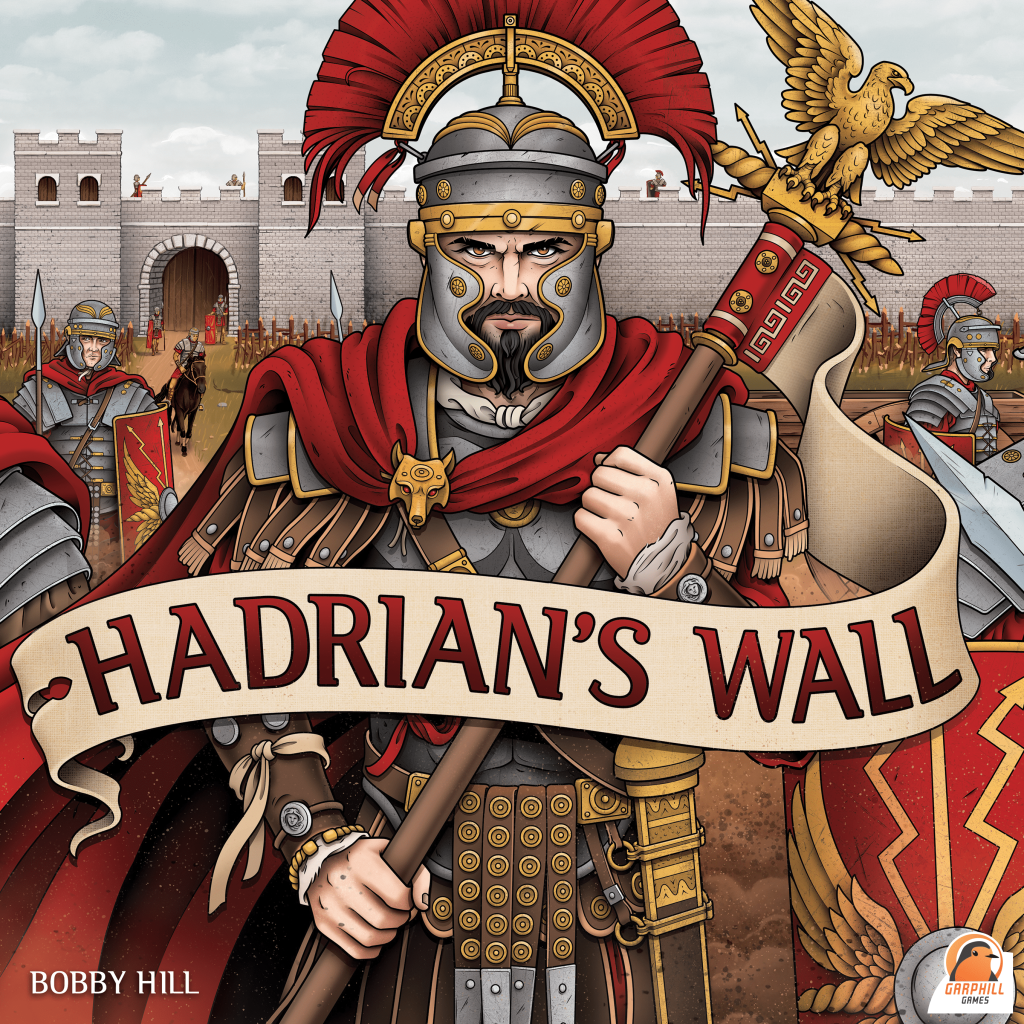
Hadrian’s Wall board game cover

About this board game

Hadrian’s Wall is a board game for 1–6 players, with play lasting about 60 minutes, in which Roman Generals oversee the construction of a milecastle and bordering wall.

Set in 122 AD, the game draws on Emperor Hadrian’s order to build a monumental frontier separating the Pict tribes from the rest of England. Across six years, represented by rounds, players develop their fort, strengthen its defenses, and shape the community within it.

Construction is only part of the challenge. Players must man the defenses against the warring Picts while attracting civilians through useful services and entertainment. Their accomplishments are measured through several aspects of Roman life and duty:

  • Accumulate renown and piety.
  • Demonstrate valor and discipline.
  • Avoid disdain while defending the honor of the Roman Empire.

Every year brings another opportunity to expand the milecastle and wall, provide for civilians, and prove your abilities as a commander. The player who best balances construction, defense, civic development, and Roman virtue can demonstrate their worth to the Emperor.

In Hadrian’s Wall, the goal is not simply to build a formidable frontier. Accumulating the most renown, piety, valor, and discipline while avoiding disdain may earn one player the title of Legatus Legionis, the model Roman citizen.

Released in 2021, the game evokes the enduring legacy of the historic wall, which served the Roman Empire for nearly 300 years and is now a UNESCO World Heritage Site.

Board Game Rules for
Hadrian’s Wall

Download official rules (EN)

Introduction

When visiting the North of Britannia in 122 AD, the Roman Emperor Hadrian Augustus witnessed the aftermath of war between his armies and the savage Picts. In a show of Roman might, he ordered a wall to be built that would separate the Pict tribes from the rest of England. Grand in its design, the wall stretched 80 Roman miles, from coast to coast.

In Hadrian’s Wall, players take on the role of a Roman General, placed in charge of constructing of a milecastle and bordering wall. Over 6 years (rounds), players will construct their fort and wall, man the defences, and attract civilians by building services and providing entertainment – all while defending the honour of the Roman Empire from the warring Picts. The player that can accumulate the most Renown, Piety, Valour and Discipline, whilst avoiding Disdain, will prove to the Emperor they are the model Roman citizen and be crowned Legatus Legionis!

Hadrian’s Wall is a historical game based in an era where slavery was present. The purple ‘servant’ worker in the game represents this aspect. During this time period, it was estimated that 30% of the Roman Empire were slaves. Obviously, we in no way condone these practices, but not including this group within the game would have been whitewashing their role from history.

Aim of the Game

The aim of Hadrian’s Wall is to be the player with the most Victory Points (VP) at the end of the 6th Year. Players gain VP by developing their fort, defending its walls and by increasing their attributes. Players will need to carefully manage their workforce and resources to accomplish their chosen paths.

Credits

Game Design by Bobby Hill
Art & Graphic Design by Sam Phillips
Development by Shem Phillips
© 2020 Garphill Games
www.garphill.com


Components

Game Components Overview
  • 50 Resources
  • 18 Soldiers
  • 24 Builders
  • 24 Servants
  • 24 Civilians
  • 6 Player Boards (2 parts each)
  • 2 Game Pads (200 sheets each)
  • 48 Fate Cards
  • 72 Player Cards (12 per player)

Iconography

  • Resource Resource
  • Resource production Resource Production
  • Civilian Civilian
  • Servant Servant
  • Soldier Soldier
  • Builder Builder
  • Renown Renown
  • Piety Piety
  • Valour Valour
  • Discipline Discipline
  • Trader Trader
  • Performer Performer
  • Priest Priest
  • Apparitor Apparitor
  • Patrician Patrician
  • Cohort Cohort
  • Disdain Disdain
  • Thumb up Removed Disdain
  • Gladiator red Red Gladiator
  • Gladiator blue Blue Gladiator
  • Landmark Landmark
  • Trade good Trade Good
  • Scout Scout
  • Sword Sword (Wall Guard)
  • Infrastructure Infrastructure
  • Attack potential Attack Potential
  • Flag easy Easy Difficulty
  • Flag normal Normal Difficulty
  • Flag hard Hard Difficulty

Game Setup

To set up Hadrian’s Wall, follow these steps:

  1. Shuffle the Fate Cards into a facedown Draw Pile in the centre of the playing area.
  2. Place all Resources and Workers (Soldiers, Builders, Servants and Civilians) nearby to form the Main Supply. The Main Supply is intended to be unlimited. Should any components become unavailable, use something else as a substitute.
  3. Collectively decide on a difficulty level. For the first few games, we recommend “easy”. See page 20 for more information on increasing the difficulty.
  4. To each player, give 12 Player Cards (all with the same Roman General on the back), 1 Player Board (comprised of 2 parts), 1 of each Sheet and a pen or pencil. Players should place their 2 Sheets side-by-side, with their Player Board above both Sheets. Have each player shuffle their Player Cards and place them in a facedown Draw Pile to the left of their Player Board.
Example of Player Setup

Gameplay Overview

Hadrian’s Wall is played over 6 Years (rounds). At the beginning of each Year, players will gain a number of Workers and Resources. These will come from the current Fate Card, Prospect Cards and other benefits from specific areas of Player Sheets.

Over the course of each Year, players will simultaneously take actions at their own pace by spending Workers and Resources to fill in various areas on their Sheets. Generally speaking, players will continue taking actions until they run out of Workers and Resources. Once all players have stopped taking actions, the Year ends. At this point, any unused Workers and Resources (sometimes it is not possible to spend them all) must be returned to the Main Supply. At the end of each Year, the Picts will attack and players will be judged for how well they defend their forts!

For games with only 1-2 players, there are some minor changes to gameplay. These are explained on page 22.

Year Setup

At the beginning of each Year follow these steps in order:

  1. Turn over the top Fate Card from the Fate Card Draw Pile, placing it faceup into a Discard Pile. All players should immediately take the Workers and Resources pictured on the bottom half of this card. These should be taken from the Main Supply and placed onto Player Boards.
  2. Each player draws the top 2 Player Cards from their Player Card Draw Pile. Of these 2 cards, each player must place 1 facedown above their Player Board (as a Path Card), and 1 facedown to the right of their Player Board (as a Prospect Card). Once revealed, players may also gain additional Workers and Resources from their chosen Prospect Card. This will be explained in detail on the next page.
  3. All players gain additional items from specific areas of their Sheets:
    • 1 Resource Resource per filled circle in their Resource Production.
    • 1 Civilian Civilian per filled circle in their Hotel.
    • 1 Builder Builder per filled circle in their Workshop.
    • 1 Attribute (Renown Renown, Piety Piety, Valour Valour, or Discipline Discipline) per filled circle in their Road. Gaining Attributes may also result in players gaining more Workers from that Track on their Sheet (explained later).
Fate Card and Player Card Setup Example

Selecting Player Cards

As previously mentioned, each Year players will be drawing the top 2 Player Cards from their Draw Pile. Of these cards, 1 must be selected as a chosen Path Card, while the other will become a Prospect Card for that Year.

The top section of each Player Card depicts 1 of 12 Paths. Over the course of the game, each player will select 6 Path Cards, which they will tuck faceup above their Player Board. These will score players additional VP, based off how well their fulfilled each of their Paths.

For example, the Defender scores 1, 2 or 3 VP for 1, 2 or 3 completed Wall Sections.

Example of Player Card Anatomy

When selecting which of their 2 Player Cards to keep as a Path Card, players should place it facedown above their Player Board. For their other Player Card, players should place this facedown to the right of their Player Board. These cards are referred to as Prospect Cards. Once all players have done this, all Path and Prospect Cards should be turned faceup.

Revealed Path Cards should be tucked under Player Boards, in line with the current Year number. Revealed Prospect Cards should be turned faceup, and kept visible for all players that Year. Players can simply stack Prospect Cards on top of any other cards from previous Years.

After doing so, each player gains any Workers or Resources pictured in the bottom left of their Prospect Card.

Example of Tucked Path Cards and Prospect Card

For example, it is now Year 3. In the previous Years, this player selected the Defender and Ranger Path Cards. This Year they have added Pontiff to their list of Paths, and used their Trainer as their current Prospect. They immediately gain 1 Servant and 1 Resource, as pictured on their Prospect Card.


Actions – General Concepts

As a general rule, most actions will require players to pay a combination of Workers or Resources, followed by filling in 1 or more boxes on their Sheets. The term “box” or “boxes” refers to the white spaces on player Sheets, be they squares, circles or any other shapes. Some boxes are empty, while others have icons printed inside them. In most cases, any time players fill in a box with 1 or more icons in it, they gain whatever items they just covered.

A lot of areas on the Sheets are Tracks. This includes the Attribute Tracks along the bottom of the left Sheet, Cohorts, Fort, Citizen Tracks, and others. All these Tracks need to be filled in from left-to-right.

Wall Action Track Example

For example, if taking a Wall action, this player would need to pay 1 Resource (as pictured on the left banner) to the Main Supply. After doing so, they would fill in the next box on their Wall. As this is a blank box, it would not gain them any immediate benefits. However, the next time they take this action, they would also get to fill in 1 box in their chosen Cohort Cohort, as shown above.

There are also various Buildings and other areas which function differently than Tracks. Some of these must be filled top-to-bottom, while others may be filled in any order, granted you have the requirements to do so. These will all be explained in detail as we cover each individual action.

Some boxes show a # icon. Any time players take an action with this icon, they need to write the current Year number in that box (rather than filling in the entire box). This will be due to a restriction around how many times that action may be taken each Year.

Theatre Building Example

For example, once built, the Theatre allows players to arrange performances. We can see that this player has already completed 1 performance in Year 1.

To make things easier, we will start by explaining the left Sheet from top-to-bottom, followed by the right Sheet in the same manner.

Cohorts

At the top of each player’s left Sheet are 3 Cohorts. These are what players will be aiming to fill in order to defend against the attacking Picts at the end of each Year. Any time players fill in a box containing the Cohort icon Cohort, they immediately fill in the left-most unfilled box of any 1 Cohort on their Sheet (each Cohort is an independent Track). Note that doing so can also reward players immediately with Discipline Discipline and Valour Valour.

Cohorts Example
Cohorts Example

For example, after filling a box with the Cohort icon, this player may immediately fill in 1 box on their Cohorts. They may choose to fill their left Cohort, gaining 1 Discipline, but it may be smarter to at least fill in the first box on their centre Cohort, in case any Picts try to attack down the middle.

Mining & Foresting

This is where players can use Servants to gain Resources and increase their Resource Production each Year. To take this action, players must return 1 Servant from their Player Board to the Main Supply. This area is a Track. Therefore, they fill in the left-most unfilled box on their Sheet.

Mining and Foresting Track Example

For example, after returning 1 Servant to the Main Supply, this player would fill in the next box along the Track. This would increase their Resource Production by 1 and also earn them 1 Resource immediately from the Main Supply.

Wall Guard

The Wall Guard were the front line of defence along Hadrian’s Wall. As this is a Track, players must fill in the left-most unfilled box when taking this action. This can be done by filling in a Sword icon Sword in the Training Grounds, or by returning 1 Soldier from their Player Board, to the Main Supply.

Wall Guard Track Example

For example, after returning 1 Soldier to the Main Supply, this player could fill in the next box along the Wall Guard Track. This would immediately allow them to fill in 1 box on any of their Cohorts.

Cippi, Wall & Fort

If any invading Picts broke through the Wall Guard’s defences, they would soon be met by the Cippi and Wall. The Cippi acted like an ancient barbed wire, often trapping attackers so Roman Soldiers could throw spears and fire arrows down from the towering Wall above. However, the success of the Wall and Cippi relied heavily on the available supplies and workforce of the Fort they were intended to defend.

This is represented in the game by the chain links visible between the Fort, Cippi and Wall. In order to extend the Cippi or Wall, players must first develop the adjoining section of the Fort. The Cippi, Wall and Fort are all Tracks. Therefore, when taking either of these actions, players must fill boxes from left-to-right.

Cippi, Wall and Fort Tracks Example

For example, this player has filled in the first 6 boxes on their Fort. Until they fill in the next box on their Fort, they cannot fill in the next box on their Cippi. However, there are still 5 boxes on the Wall which they are legally able to fill in.

The Cippi and Wall both require 1 Resource to be returned to the Main Supply, in order to fill in the next available box.

The Fort requires either 1 Builder, or 1 Soldier.

All 3 of these Tracks give various immediate benefits as boxes are filled in. Filling the Fort also increases players’ Infrastructure. This is indicated by the orange numbered flags Infrastructure below the Fort Track. Each Common Building (those below the Fort on the left Sheet) requires a certain level of Infrastructure, along with some Resources and Workers to build it.

For example, we can see above that this player has 3 Infrastructure. This is more than enough to build their Medium Granary (1 Infrastructure), but not enough for their Large Granary (5 Infrastructure).

Granaries

Each player starts the game with only a Small Granary. This inherently allows them to fill boxes on the left column of their Mining & Foresting, Wall Guard, Cippi, Wall and Fort. However, to fill any boxes on the centre column, players will first need to build their Medium Granary. Likewise, to begin filling boxes on their right column, they will need a Large Granary. Players are reminded of this by the highlighted lines on their left Sheet, which divide the 3 columns.

Columns divided by Granaries Example

For example, this player recently built their Medium Granary, which they signified by filling in its circular box. We can see that because of this, they have already started filling in more boxes of their Mining & Foresting, and also in their Fort.

To build a Medium Granary, players must have at least 1 Infrastructure. They must also return 1 Servant, 1 Builder and 1 Resource from their Player Board to the Main Supply. After doing so, they should fill in the box.

To build a Large Granary, players must have already built their Medium Granary and have at least 5 Infrastructure. They must also return 1 Servant, 1 Builder and 2 Resources from their Player Board to the Main Supply. After doing so, they should fill in both boxes, immediately gaining 1 Renown Renown (filling in the left-most unfilled box on their Renown Track).

Resource Production

Resource Production Track

Managing Resources is an important component in keeping a milecastle functioning well. Each time players fill in the Hammer icon Resource production (from Mining & Foresting or Precincts), they must fill in the left-most empty box on their Resource Production Track. At the beginning of each Year, players gain 1 Resource for each box filled in here.

Training Grounds

Training Grounds Track

This is where players can train up their Builders to become Soldiers. However, these Soldiers are immediately thrown into work on the Wall Guard. Players may only train 1 Builder each Year. To take this action, players must return 1 Builder from their Player Board to the Main Supply. They then fill in the left half of the next box along this Track and write the current Year number on the right side. As the Sword icon Sword suggests, this will also fill in the next box along the Wall Guard Track.

Hotel, Workshop & Road

These 3 Common Buildings all function in a similar way, but provide different rewards. Players must always build the Small Building, before constructing the Large one. Each Building has a minimum required Infrastructure, along with a number of Workers or Resources to be returned to the Main Supply.

Once built, the Hotel increases how many Civilians players receive each Year. The Workshop increases how many Builders they receive each Year. The Road allows players to increase their Attributes each Year.

Hotel, Workshop and Road Buildings

For example, at the start of the next Year, this player would gain 2 extra Civilians from their Hotel and 1 Attribute (Renown, Piety, Valour or Discipline) from their Road. However, the Year is not over yet. They plan to build their Small Workshop. As they already have the required 3 Infrastructure, this will only require them to return 3 Resources from their Player Board to the Main Supply. Not only will this give them an extra Builder on all future Years, but it will also reward them with 1 Builder immediately.

Forum

At the Forum, players can return any 2 Workers from their Player Board, to gain 1 Worker of a different type from the Main Supply. Players are restricted to only doing this once per Year. Also, this exchange may not involve Soldiers (returned or gained).

Forum Section
Forum Section

For example, in Year 2, this player returned 1 Servant and 1 Civilian to gain a much-needed Builder from the Main Supply.

Landmarks

These are epic structures that players can only build once they have at least 15 of a particular Attribute. This requirement is indicated by the orange flags Infrastructure with the Arch icon Landmark on each Landmark. Once they have the required Attribute, players can return 1 Builder and 2 Resources to build the desired Landmark. Each Landmark immediately allows players to fill in 2 boxes on the indicated Attribute Track.

Landmarks Row
Landmarks Row

For example, The Monolith requires at least 15 Piety. After returning 1 Builder and 2 Resources to the Main Supply, it rewards 2 Discipline.

Attribute Tracks

Most actions in the game end up progressing players towards increasing their Attributes. At the end of the game, each filled Attribute box is worth 1 VP. Anytime players gain either Renown, Piety, Valour or Discipline, they must fill in the left-most unfilled box of that Track. This can also result in players gaining more Workers from the Main Supply or additional Attributes in other areas. Any Attributes gained above 25 are wasted.

Attribute Tracks Example

For example, this player currently has 2 Renown, 16 Piety, 3 Valour and 9 Discipline.


Citizen Tracks

The right Sheet is focused on developing 5 distinct areas of Roman society:

  • Traders Trader
  • Performers Performer
  • Priests Priest
  • Apparitores Apparitor
  • Patricians Patrician

Each of these 5 independent Citizen Tracks function in the same way, but give players access to different Buildings and other areas of the right Sheet.

Players can fill in a box on a chosen Citizen Track, by either returning 1 Civilian from their Player Board to the Main Supply, or any time they fill in another box on their right Sheet with the indicated Citizen type icon (from the Theatre or Gardens). In either case, players must fill in these Tracks from left-to-right, gaining any Workers, Resources or Attributes they fill in along the way.

Much like how the orange numbered Infrastructure flags work for Common Buildings on the left Sheet, Citizen Tracks also open up new opportunities for players on the right Sheet. Notice how some flags are coloured on the Citizen Tracks, while others remain a tan colour. The coloured flags are there to remind players that a new Building or other feature is now available in that particular area.

Citizen Tracks Detail

Precincts

These Buildings not only increase players’ Resource Production, but also reward immediate Resources and Attributes. Players must build the Small Precinct before the Medium Precinct, and the Medium before the Large. To build a Precinct, players must have filled in the required number of boxes on their Traders Track.

Precinct Buildings
Precinct Buildings

For example, to build their Medium Precinct, this player would need to have at least 6 boxes filled on their Traders Track. After returning 1 Servant and 2 Civilians to the Main Supply, They would gain 1 Discipline, increase their Resource Production by 1 and also gain 1 Resource from the Main Supply.

Market

The Market is where players can purchase various Trade Goods to boost their Renown. In order to start trading, players must first build the Market. This requires at least 4 filled boxes on the Traders Track. It also requires 1 Servant, 1 Builder and 2 Resources to be returned to the Main Supply. Once built, players should fill in the Market box, immediately gaining 1 Renown Renown.

Once built, as an action, players may return 1 Resource to the Main Supply (or to their neighbour) to purchase 1 Trade Good Trade good. However, to do this, players still require a certain number of filled boxes in the Traders Track, as indicated by the tan-coloured banners beside each of the 8 boxes within the Market. Unlike Tracks, there are no restrictions around the order of which boxes must filled in the Market. Notice that the right-most boxes also reward a Worker, so it may be beneficial to fill these earlier than others.

Players may purchase Trade Goods from any of their immediate neighbours (seated to their left or right), or from the Fate Deck. If purchasing their neighbour’s Trade Good, that Resource is given to their opponent (which they may immediately make use of). If purchasing from the Fate Deck, the Resource being used should be returned to the Main Supply. When purchasing from the Fate Deck, player should turn over the top Fate Card from the Fate Card Draw Pile (place these cards into the Discard Pile). In either case, they will record which Trade Good they purchased by writing its number in the chosen hexagonal box of their Market.

Fate Card and Neighbor Prospect Trade Good Example

Players are aiming to purchase different Trade Goods (unique numbers). As shown along the bottom of the Market, the first 3 unique Trade Goods they purchase each reward 1 Renown (filling in 1 box on their Renown Track). The 4th and 5th Trade Goods each reward 2 Renown, and their 6th unique Trade Good rewards 3 Renown. Higher numbers are rarer, while lower numbers are more common. Any time players gain a duplicate Trade Good (a number they already have), they still record the number in their Market, but they do not gain any Renown.

Market Grid Example
Market Grid Example

For example, this player already has numbers 4 and 5. Their neighbours’ Prospect Cards show 1 and 4. They don’t need the 4, but the 1 would be good to have. However, instead of giving a Resource to their opponent, they decide instead to take a risk with the Fate Card Deck. They reveal a 6, gaining 1 Renown for their third unique number!

Theatre

The Theatre allows players to arrange performances to boost their Attributes, attract more Workers and various Citizens.

In order to arrange performances, players must first build the Theatre. This requires at least 1 filled box on the Performers Track. It also requires 1 Servant, 1 Builder and 1 Resource to be returned to the Main Supply. Once built, players should fill in the Theatre box, immediately gaining 1 Renown Renown.

Once built, as an action, players may return 1 Resource to the Main Supply to arrange 1 performance. Players are limited to only 1 performance each Year. Players should write the current Year number in the box when taking this action. However, to do this, players still require a certain number of filled boxes in the Performers Track, as indicated by the tan-coloured banners beside each of the 6 boxes within the Theatre. Unlike Tracks, there are no restrictions around the order of which boxes must filled in the Theatre.

Performers Track and Theatre Example

For example, this player has already arranged 2 performances. Based on their filled boxes on the Performers Track, they could return 1 Resource to the Main Supply to arrange either the last remaining performance on the left column, or the top performance on the right column.

Ludus Gladiatorious

Before heading off to Rome to compete for glory in the Colosseum, daring fighters will need to prove themselves in the local arena. Each player may train up to 2 Gladiators Gladiator red Gladiator blue over the course of the game. In order to train Gladiators, players must first build the Ludus Gladiatorious. This requires at least 3 filled boxes on the Performers Track. It also requires 2 Servants, 1 Builder and 2 Resources to be returned to the Main Supply. Once built, players should fill in the Ludus Gladiatorious box, immediately gaining 1 Renown Renown.

Once built, as an action, players may return 1 Servant or 1 Civilian to the Main Supply to have 1 of their 2 Gladiators train against them. Each time a Gladiator trains, they increase in Strength. This is indicated by circling around the left-most available box (1 that hasn’t been circled or filled). However, to do this, players still require a certain number of filled boxes in the Performers Track, as indicated by the tan-coloured banners above each of the 12 boxes within the Ludus Gladiatorious. Each Gladiator can only be trained 6 times.

Gladiators Training Example

For example, this player has already trained their Gladiators 4 times. Let’s assume they have 6 filled boxes on the Performers Track. They could potentially take up to 4 separate actions, returning 1 Servant or 1 Civilian for each, training their Red Gladiator once and their Blue Gladiator 3 times.

After training their Gladiators, players may have them Battle against other trained fighters, rather than just training with puny Servants and Civilians. To do this, players should decide which Gladiator will Battle, then record the current Year number in the appropriate column on the right side of the Ludus Gladiatorious. As reminded along the bottom of the Ludus Gladiatorious, each Gladiator may only Battle once each Year.

After recording which Gladiator will Battle, turn over the top card from the Fate Card Draw Pile (place these cards into the Discard Pile). The number next to the Purple Gladiator icon indicates how much Damage a player’s Gladiator will take (1, 2, or 3). Players must record this by filling in the previously circled boxes on their Gladiator (fill in 1 box per Damage). Note that if a Gladiator would receive more Damage than they have Strength (circled boxes), only fill in what Strength they had left. In other words, do not fill in boxes that were not previously circled.

Gladiator Battle Fate Card

If this results in all the circled boxes now being filled, the Gladiator has died and may gain Piety Piety. In this case, they gain any Piety shown in the column below their right-most filled box of the Gladiator that just died. Once a Gladiator dies, they can no longer train or Battle.

However, if they still have 1 or more circled boxes (not filled), they survive and will gain Renown Renown and potentially some Resources as spoils. If they survive, they gain any Renown and Resources shown in the column below their right-most circled box of the Gladiator that just Battled.

Gladiator Battle Resolution Example

For example, following on from the example above, this player trained each Gladiator once more before deciding to make them both Battle in Year 4. The Red Gladiator took 3 Damage, but survived, gaining 2 Renown. However, the Blue Gladiator took 2 Damage, which killed them. They gained 2 Piety as compensation.

Gardens

The Gardens are a way for players to attract more Citizens into their milecastle. Players must always build the Small Garden before the Large one. The Small Garden requires at least 4 filled boxes on the Priests Track. It also requires 1 Servant, 1 Builder and 1 Resource to be returned to the Main Supply. Once built it immediately rewards 1 Piety, 1 Trader, 1 Performer and 1 Priest (filling in the next box on each of those Tracks). Likewise, the Large Garden requires at least 7 filled boxes on the Priests Track. It also requires 1 Servant, 1 Builder and 2 Resources to be returned to the Main Supply. Once built it gives the same rewards as the Small Garden, plus 1 Apparitor and 1 Patrician. If any of the specified Citizen Tracks have already been filled when gaining these rewards, they are wasted.

Gardens Row
Gardens Row

Temples

The Temples are not only the best way to increase Piety, but can also provide a little divine Favour when the Picts attack at the end of each Year. Players must always build the Small Temple before constructing the Medium one, and the Medium before the Large. The Small Temple requires at least 1 filled box on the Priests Track. It also requires 1 Servant, 1 Builder and 1 Resource to be returned to the Main Supply. Once built it immediately rewards 1 Piety. The Medium and Large Temples have very similar requirements as shown on the right Sheet.

Once built, as an action, players may return any 1 Worker to the Main Supply to fill a box in 1 of their Temples. However, to do this, players still require a certain number of filled boxes in the Priests Track, as indicated by the tan-coloured banners beside each of the rows within each of the Temples.

Players cannot start filling the Medium Temple until the Small Temple is completely filled. Likewise, the Medium Temple must be completely filled before they can start filling the Large one. Also, when filling Temples, players must always fill each row, from top-to-bottom before progressing onto the next row. Following these rules means that every second filled box rewards players with 1 Piety Piety. The final box in each of the Temples also rewards 1 Favour Favour. When gained, players should circle around the Favour icon to show that it is now available.

Temples Grid Example

For example, this player has built their Small and Medium Temples. They have already filled their Small Temple, and have 1 available Favour. The next action they take to fill their Temple would complete the second row in their Medium Temple, gaining them 1 Piety.

Baths

In Roman times, underhanded deals were often negotiated at the Baths. As we’ll explain shortly, failing to defend the Wall each Year will lead to players gaining Disdain Disdain. The Baths provide players a means to remove any unwanted Disdain by Bribing those in power. Building the Baths requires at least 3 filled boxes on the Apparitores Track. It also requires 2 Servants, 1 Builder and 2 Resources to be returned to the Main Supply. Once built, players should fill in the Baths box, immediately gaining 1 Renown Renown.

Once built, as an action, players may return 1 or more Resources to the Main Supply to fill a box in their Baths. However, to do this, players still require a certain number of filled boxes in the Apparitores Track, as indicated by the tan-coloured banners beside each of the 6 boxes within the Baths. There are no restrictions around which order to fill in boxes here, but it is more beneficial to fill in those that require fewer Resources first. Players are limited to making only 2 Bribes each Year. Players should write the current Year number in the box when taking this action.

Disdain Track Example

Filling in the yellow Thumb icon Thumb up reminds players to remove 1 Disdain. As indicated on the bottom-left of the left Sheet, this allows players to fill in a previously circled box. If players do not have any Disdain (circled boxes), they cannot take the Baths action (not even to preempt any future Disdain they might gain).

Baths Building Example

For example, this player has already made 1 Bribe in an earlier Year. If they wanted to, they could take 2 actions to remove 2 more Disdain. The first would cost 1 Resource, while the second would cost 2.

Courthouse

The Courthouse allows players to pass Rulings in order to immediately gain more Workers. To build the Courthouse, players must have at least 4 filled boxes on the Apparitores Track. It also requires 2 Servants, 1 Builder and 2 Resources to be returned to the Main Supply. Once built it immediately rewards 1 Renown Renown.

Once built, as an action, players may make up to 1 Ruling per column each Year. Players should write the current Year number in the box when taking this action. However, to do this, players still require a certain number of filled boxes in the Apparitores Track, as indicated by the tan-coloured banners beside each area within the Courthouse.

Each column in the Courthouse offers a different reward:

  • The left column simply allows players to gain 1 Servant from the Main Supply.
  • The centre column allows them to return 1 Builder to the Main Supply in exchange for 2 Servants.
  • The right column allows players to return 1 Servant to the Main Supply in exchange for 1 Builder.
Courthouse Building Example

For example, let’s assume it’s Year 4 and this player has 7 filled boxes on the Apparitores Track. If they wish, they could gain 1 Servant by filling in the last box on the left column. They could even then exchange that Servant for a Builder by filling in the second box on the right column. However, they could not fill in the last box on the centre column, as they have already made 1 Ruling in that column in Year 4.

Diplomats

Rather than relying solely on military force, it can also be beneficial to send out Diplomats to negotiate with the warring Picts. Having Diplomats allows players to mediate with the Picts to help lessen the blow from any potential attacks. Each player has 3 Diplomats available. The first requires at least 1 filled box on the Patricians Track. The second requires 3 filled boxes and the third requires 6. Each Diplomat also requires 1 Servant, 1 Soldier and 2 Resources to be returned to the Main Supply.

Once acquired, each Diplomat immediately rewards 1 Valour Valour (filled in on the Valour Track) and 2 Favours Favour for a chosen Cohort. When gaining Favours, players should circle around the Favour icons to show that they are now available. Players also need to specify which Cohort these Favours will be available for (left, centre or right). To indicate this, players should fill in the chosen arrow for their newly acquired Diplomat. As the text below the Diplomats states, each Diplomat must serve a different Cohort.

Diplomats Row Example

For example, this player already has 1 Diplomat on the right Cohort, and has even used 1 of their Favours. If they decided to acquire another Diplomat, they would have to serve the left or centre Cohort.

Scouts

An important part of defending the milecastle is effective Scouting. This action has players filling in various Patterns from Prospect Cards onto the Map on the Scouting section of their right Sheet. To take this action, players require a certain number of filled boxes in the Patricians Track, as indicated by the tan-coloured banners beside each of the 5 boxes within the Scouting section. It also requires 1 Soldier to be returned to the Main Supply (or to their neighbour). After doing so, players should fill in the Scout box with the Horse Icon Scout. This now allows them to fill in their Map with a single Pattern.

Players may use a Pattern on their own Prospect Card, or from 1 of their immediate neighbours (seated to their left or right). If using their own Pattern, the Soldier being used should be returned to the Main Supply. If using their neighbour’s Pattern, that Soldier is given to their opponent (which they may immediately make use of). Players may use the same Pattern multiple times in the same Year, granted they can afford the cost of each action.

When adding a Pattern to the Map, players may rotate or mirror the Pattern as they wish. However, it must be possible for every box of that Pattern to be filled it. It cannot “hang off” the edge of the Map, or fill in an already filled box. If filling in boxes on the Map results in players covering Servant or Resource icons, they immediately gain those from the Main Supply. Lastly, as the text below the Map states, players immediately gain 1 Valour Valour whenever they completely fill a row on their map.

Scouting Pattern Placement Example

For example, this player has already used 2 Scouts. For their third Scout, they decide to use their neighbours Pattern, giving them 1 Soldier as payment. They rotate and mirror the Pattern to make it fit down the left side of their Map. This immediate gains them 1 Servant, 1 Resource and 2 Valour (for completing 2 rows of their Map).


End of the Year

Each Year ends once all players have stopped taking actions. At this point, any Workers and Resources still on Player Boards must be returned to the Main Supply. Then, have 1 player draw a number of cards from the top of the Fate Card Draw Pile, placing them faceup on the table. This is to simulate the Picts attacking. The number of cards to draw is dependent on the current Year and chosen difficulty. For your first few games, we recommend the easy difficulty (green flags Flag easy). In future games, players should all agree which difficulty to use before the game begins.

When revealing these cards, players are only concerned with the Cohorts depicted at the top of each card. This indicates how many attacks the Picts are making against each Cohort. Then, each player must independently resolve how well they defended the attacks.

Pict Attacks Cards Example

For example, in Year 3, just 3 cards have been revealed: 1 against the centre Cohort and 2 against the right. If playing on the hard difficulty (red flag), 5 cards would have been drawn.

Each player must check the Cohorts at the top of their left Sheet to see if they had enough defences to repel the attacks. For every arrow revealed, each player needs an equal or greater number of filled boxes on the associated Cohort. So in the example above, they need at least 1 filled box on their centre Cohort and 2 on their right.

  • If they succeed: they gain a number of Valour Valour, equal to the number in the grey flag Attack potential of the current Year. This number represents the potential for Valour or Disdain. If gaining Valour like this would have them fill in a box on the Valour Track which rewards any Workers or other Attributes, these are gained immediately (any Workers gained will be carried over to the next Year).
  • If they fail to defend any number of the attacks: they will gain Disdain Disdain for each attack they let through, up to the amount indicated on the grey flag for that Year. So in the example above, if 2 or more attacks got through (for example, if they had no filled boxes on their right Cohort), they would gain 2 Disdain.
  • If players let some attacks through, but less than the number in the grey flag for that Year: they gain a combination of Disdain and Valour. They gain 1 Disdain for each attack that got through, then 1 Valour for the difference between that number and the number in the grey flag for that Year. So in the example above, if only 1 attack got through (for example, if they had only 1 filled box on their right Cohort), they would gain 1 Disdain and 1 Valour.

Favour

When defending against the Picts, players may use any available Favours they have gained from their Temples and Diplomats. Each Favour from Temples allows players to ignore any 1 revealed card during the attack. Diplomats work the same way, except that they can only ignore cards on the specific Cohort to which that Diplomat serves. Any time players use Favour to ignore cards, they must fill in the box to show it has been used.

Using the last example from the previous page, if that player was going to gain 1 Disdain and 1 Valour, they could have used an available Favour to ignore 1 of those cards, and instead gain 2 Valour.

Disdain

Any time players gain Disdain, this needs to be recorded by circling an unused box at the bottom of their left Sheet. As mentioned on page 17, players may use the Baths to help remove Disdain. All remaining Disdain at the game’s end will cause players to lose Victory Points.

Disdain Penalties Track

For example, if this player had 4 Disdain at the game’s end, they would lose 7 VP, as shown above.


End of the Game

After the Picts attack for the last time at the end of Year 6, the game ends and final scoring takes place. Any Workers gained from the Valour Track in the final Year are wasted.

Players each use the scoring column at the bottom-right of their left Sheet to tally up their score. The player with the highest score is the winner and crowned Legatus Legionis!

In the case of a tie, the tied player with the least Disdain is the winner. If still tied, the tied player who scored the most from their Path Cards is the winner. If still tied, all tied players share the victory.

Scoring Example

Final Scoring Sheet Example

In this example, this player has scored a total of 57 VP from their Attributes (6 + 23 + 12 + 16), 11 VP from their Path Cards (conditions not shown) and -5 VP from their Final Disdain, making a total final score of 63 VP.

Path Cards

  • Architect: Scores 1, 2, or 3 VP for having 1, 2, or 3 constructed Landmarks.
  • Aristocrat: Scores 1, 2, or 3 VP for having 4, 2, or 0 Final Disdain (unfilled, circled boxes).
  • Defender: Scores 1, 2, or 3 VP for having 1, 2, or 3 completed Wall sections. This means filling all the boxes in each of the 3 sections (within the Small, Medium and Large Granaries).
  • Engineer: Scores 1, 2, or 3 VP for having 2, 4, or 6 Large Buildings. This includes Buildings on both Sheets with the word “Large” in their title.
  • Fighter: Scores 1, 2, or 3 VP for having 1, 2, or 3 completed Cohorts. This means filling all the boxes in each of the 3 Cohorts at the top of the left Sheet.
  • Forager: Scores 1, 2, or 3 VP for having 3, 6, or 9 boxes filled in on the Resource Production section of their left Sheet.
  • Merchant: Scores 1, 2, or 3 VP for having 4, 6, or 8 Trade Goods in their Market. This can include duplicate types.
  • Planner: Scores 1, 2, or 3 VP for having 2, 4, or 5 completed Citizen Tracks. This means filling all the boxes on any of the 5 Citizen Tracks of the right Sheet.
  • Pontiff: Scores 1, 2, or 3 VP for completely filling all boxes in 1, 2, or 3 Temples.
  • Ranger: Scores 1, 2, or 3 VP for completely filling 1, 3, or 5 columns on the Scouting Map.
  • Trainer: Scores 1, 2, or 3 VP for having a total Strength of 4, 8, or 12 between both Gladiators. Strength includes both circled and filled boxes. It does not matter if the Gladiators survived or not.
  • Vanguard: Scores 1, 2, or 3 VP for having 1, 2, or 3 completed Wall Guard sections. This means filling all the boxes in each of the 3 sections (within the Small, Medium and Large Granaries).
Path Cards List Visual

Changes for 1-2 Players

When setting up a game for only 1-2 players, shuffle and set aside a Neutral Deck of Player Cards (any 1 set of 12 cards). Immediately after all players have revealed their Path and Prospect Cards each Year, turn over a number of cards from the Neutral Deck. Reveal 2 cards for 1-player games and only 1 card for 2-player games. The purpose of these newly revealed Prospect Cards is to provide additional Trade Goods and Scouting Patterns for the players (to simulate having at least 3 players at the table).

Any time players use a Neutral Prospect Card to acquire Trade Goods or use Scouting Patterns, they should place the Resource or Soldier from that action, onto the card. At the end of the Year, players must reveal 1 additional Fate Card during the Pict invasion for each Resource and Soldier on the Neutral Prospect Cards. After resolving the attack, players should return all Resources and Soldiers from these cards to the Main Supply and discard the cards.

Solo Play Targets

When playing solo, you are aiming to beat a particular high score. There is no AI opponent you are competing against, only the Neutral Deck to interact with. See how you compare with the targets below:

  • 0-39 = Miles
  • 40-49 = Centurion
  • 50-59 = Primus Pilus
  • 60-69 = Praefectus castrorum
  • 70+ = Legatus legionis

Introduction & Overview

Introduction

When visiting the North of Britannia in 122 AD, the Roman Emperor Hadrian Augustus witnessed the aftermath of war between his armies and the savage Picts. In a show of Roman might, he ordered a wall to be built that would separate the Pict tribes from the rest of England. Grand in its design, the wall stretched 80 Roman miles, from coast to coast.

In Hadrian’s Wall, players take on the role of a Roman General, placed in charge of constructing of a milecastle and bordering wall. Over 6 years (rounds), players will construct their fort and wall, man the defences, and attract civilians by building services and providing entertainment – all while defending the honour of the Roman Empire from the warring Picts. The player that can accumulate the most Renown, Piety, Valour and Discipline, whilst avoiding Disdain, will prove to the Emperor they are the model Roman citizen and be crowned Legatus Legionis!

Hadrian’s Wall is a historical game based in an era where slavery was present. The purple ‘servant’ worker in the game represents this aspect. During this time period, it was estimated that 30% of the Roman Empire were slaves. Obviously, we in no way condone these practices, but not including this group within the game would have been whitewashing their role from history.

Aim of the Game

The aim of Hadrian’s Wall is to be the player with the most Victory Points (VP) at the end of the 6th Year. Players gain VP by developing their fort, defending its walls and by increasing their attributes. Players will need to carefully manage their workforce and resources to accomplish their chosen paths.

Credits

Game Design by Bobby Hill
Art & Graphic Design by Sam Phillips
Development by Shem Phillips
© 2020 Garphill Games
www.garphill.com


Components & Iconography

Components

Game Components Overview
  • 50 Resources
  • 18 Soldiers
  • 24 Builders
  • 24 Servants
  • 24 Civilians
  • 6 Player Boards (2 parts each)
  • 2 Game Pads (200 sheets each)
  • 48 Fate Cards
  • 72 Player Cards (12 per player)

Iconography

  • Resource Resource
  • Resource production Resource Production
  • Civilian Civilian
  • Servant Servant
  • Soldier Soldier
  • Builder Builder
  • Renown Renown
  • Piety Piety
  • Valour Valour
  • Discipline Discipline
  • Trader Trader
  • Performer Performer
  • Priest Priest
  • Apparitor Apparitor
  • Patrician Patrician
  • Cohort Cohort
  • Disdain Disdain
  • Thumb up Removed Disdain
  • Gladiator red Red Gladiator
  • Gladiator blue Blue Gladiator
  • Landmark Landmark
  • Trade good Trade Good
  • Scout Scout
  • Sword Sword (Wall Guard)
  • Infrastructure Infrastructure
  • Attack potential Attack Potential
  • Flag easy Easy Difficulty
  • Flag normal Normal Difficulty
  • Flag hard Hard Difficulty

Setup

Game Setup

To set up Hadrian’s Wall, follow these steps:

  1. Shuffle the Fate Cards into a facedown Draw Pile in the centre of the playing area.
  2. Place all Resources and Workers (Soldiers, Builders, Servants and Civilians) nearby to form the Main Supply. The Main Supply is intended to be unlimited. Should any components become unavailable, use something else as a substitute.
  3. Collectively decide on a difficulty level. For the first few games, we recommend “easy”. See page 20 for more information on increasing the difficulty.
  4. To each player, give 12 Player Cards (all with the same Roman General on the back), 1 Player Board (comprised of 2 parts), 1 of each Sheet and a pen or pencil. Players should place their 2 Sheets side-by-side, with their Player Board above both Sheets. Have each player shuffle their Player Cards and place them in a facedown Draw Pile to the left of their Player Board.
Example of Player Setup

Year Structure & Card Selection

Gameplay Overview

Hadrian’s Wall is played over 6 Years (rounds). At the beginning of each Year, players will gain a number of Workers and Resources. These will come from the current Fate Card, Prospect Cards and other benefits from specific areas of Player Sheets.

Over the course of each Year, players will simultaneously take actions at their own pace by spending Workers and Resources to fill in various areas on their Sheets. Generally speaking, players will continue taking actions until they run out of Workers and Resources. Once all players have stopped taking actions, the Year ends. At this point, any unused Workers and Resources (sometimes it is not possible to spend them all) must be returned to the Main Supply. At the end of each Year, the Picts will attack and players will be judged for how well they defend their forts!

For games with only 1-2 players, there are some minor changes to gameplay. These are explained on page 22.

Year Setup

At the beginning of each Year follow these steps in order:

  1. Turn over the top Fate Card from the Fate Card Draw Pile, placing it faceup into a Discard Pile. All players should immediately take the Workers and Resources pictured on the bottom half of this card. These should be taken from the Main Supply and placed onto Player Boards.
  2. Each player draws the top 2 Player Cards from their Player Card Draw Pile. Of these 2 cards, each player must place 1 facedown above their Player Board (as a Path Card), and 1 facedown to the right of their Player Board (as a Prospect Card). Once revealed, players may also gain additional Workers and Resources from their chosen Prospect Card. This will be explained in detail on the next page.
  3. All players gain additional items from specific areas of their Sheets:
    • 1 Resource Resource per filled circle in their Resource Production.
    • 1 Civilian Civilian per filled circle in their Hotel.
    • 1 Builder Builder per filled circle in their Workshop.
    • 1 Attribute (Renown Renown, Piety Piety, Valour Valour, or Discipline Discipline) per filled circle in their Road. Gaining Attributes may also result in players gaining more Workers from that Track on their Sheet (explained later).
Fate Card and Player Card Setup Example

Selecting Player Cards

As previously mentioned, each Year players will be drawing the top 2 Player Cards from their Draw Pile. Of these cards, 1 must be selected as a chosen Path Card, while the other will become a Prospect Card for that Year.

The top section of each Player Card depicts 1 of 12 Paths. Over the course of the game, each player will select 6 Path Cards, which they will tuck faceup above their Player Board. These will score players additional VP, based off how well their fulfilled each of their Paths.

For example, the Defender scores 1, 2 or 3 VP for 1, 2 or 3 completed Wall Sections.

Example of Player Card Anatomy

When selecting which of their 2 Player Cards to keep as a Path Card, players should place it facedown above their Player Board. For their other Player Card, players should place this facedown to the right of their Player Board. These cards are referred to as Prospect Cards. Once all players have done this, all Path and Prospect Cards should be turned faceup.

Revealed Path Cards should be tucked under Player Boards, in line with the current Year number. Revealed Prospect Cards should be turned faceup, and kept visible for all players that Year. Players can simply stack Prospect Cards on top of any other cards from previous Years.

After doing so, each player gains any Workers or Resources pictured in the bottom left of their Prospect Card.

Example of Tucked Path Cards and Prospect Card

For example, it is now Year 3. In the previous Years, this player selected the Defender and Ranger Path Cards. This Year they have added Pontiff to their list of Paths, and used their Trainer as their current Prospect. They immediately gain 1 Servant and 1 Resource, as pictured on their Prospect Card.


Actions: Left Sheet

Actions – General Concepts

As a general rule, most actions will require players to pay a combination of Workers or Resources, followed by filling in 1 or more boxes on their Sheets. The term “box” or “boxes” refers to the white spaces on player Sheets, be they squares, circles or any other shapes. Some boxes are empty, while others have icons printed inside them. In most cases, any time players fill in a box with 1 or more icons in it, they gain whatever items they just covered.

A lot of areas on the Sheets are Tracks. This includes the Attribute Tracks along the bottom of the left Sheet, Cohorts, Fort, Citizen Tracks, and others. All these Tracks need to be filled in from left-to-right.

Wall Action Track Example

For example, if taking a Wall action, this player would need to pay 1 Resource (as pictured on the left banner) to the Main Supply. After doing so, they would fill in the next box on their Wall. As this is a blank box, it would not gain them any immediate benefits. However, the next time they take this action, they would also get to fill in 1 box in their chosen Cohort Cohort, as shown above.

There are also various Buildings and other areas which function differently than Tracks. Some of these must be filled top-to-bottom, while others may be filled in any order, granted you have the requirements to do so. These will all be explained in detail as we cover each individual action.

Some boxes show a # icon. Any time players take an action with this icon, they need to write the current Year number in that box (rather than filling in the entire box). This will be due to a restriction around how many times that action may be taken each Year.

Theatre Building Example

For example, once built, the Theatre allows players to arrange performances. We can see that this player has already completed 1 performance in Year 1.

To make things easier, we will start by explaining the left Sheet from top-to-bottom, followed by the right Sheet in the same manner.

Cohorts

At the top of each player’s left Sheet are 3 Cohorts. These are what players will be aiming to fill in order to defend against the attacking Picts at the end of each Year. Any time players fill in a box containing the Cohort icon Cohort, they immediately fill in the left-most unfilled box of any 1 Cohort on their Sheet (each Cohort is an independent Track). Note that doing so can also reward players immediately with Discipline Discipline and Valour Valour.

Cohorts Example
Cohorts Example

For example, after filling a box with the Cohort icon, this player may immediately fill in 1 box on their Cohorts. They may choose to fill their left Cohort, gaining 1 Discipline, but it may be smarter to at least fill in the first box on their centre Cohort, in case any Picts try to attack down the middle.

Mining & Foresting

This is where players can use Servants to gain Resources and increase their Resource Production each Year. To take this action, players must return 1 Servant from their Player Board to the Main Supply. This area is a Track. Therefore, they fill in the left-most unfilled box on their Sheet.

Mining and Foresting Track Example

For example, after returning 1 Servant to the Main Supply, this player would fill in the next box along the Track. This would increase their Resource Production by 1 and also earn them 1 Resource immediately from the Main Supply.

Wall Guard

The Wall Guard were the front line of defence along Hadrian’s Wall. As this is a Track, players must fill in the left-most unfilled box when taking this action. This can be done by filling in a Sword icon Sword in the Training Grounds, or by returning 1 Soldier from their Player Board, to the Main Supply.

Wall Guard Track Example

For example, after returning 1 Soldier to the Main Supply, this player could fill in the next box along the Wall Guard Track. This would immediately allow them to fill in 1 box on any of their Cohorts.

Cippi, Wall & Fort

If any invading Picts broke through the Wall Guard’s defences, they would soon be met by the Cippi and Wall. The Cippi acted like an ancient barbed wire, often trapping attackers so Roman Soldiers could throw spears and fire arrows down from the towering Wall above. However, the success of the Wall and Cippi relied heavily on the available supplies and workforce of the Fort they were intended to defend.

This is represented in the game by the chain links visible between the Fort, Cippi and Wall. In order to extend the Cippi or Wall, players must first develop the adjoining section of the Fort. The Cippi, Wall and Fort are all Tracks. Therefore, when taking either of these actions, players must fill boxes from left-to-right.

Cippi, Wall and Fort Tracks Example

For example, this player has filled in the first 6 boxes on their Fort. Until they fill in the next box on their Fort, they cannot fill in the next box on their Cippi. However, there are still 5 boxes on the Wall which they are legally able to fill in.

The Cippi and Wall both require 1 Resource to be returned to the Main Supply, in order to fill in the next available box.

The Fort requires either 1 Builder, or 1 Soldier.

All 3 of these Tracks give various immediate benefits as boxes are filled in. Filling the Fort also increases players’ Infrastructure. This is indicated by the orange numbered flags Infrastructure below the Fort Track. Each Common Building (those below the Fort on the left Sheet) requires a certain level of Infrastructure, along with some Resources and Workers to build it.

For example, we can see above that this player has 3 Infrastructure. This is more than enough to build their Medium Granary (1 Infrastructure), but not enough for their Large Granary (5 Infrastructure).

Granaries

Each player starts the game with only a Small Granary. This inherently allows them to fill boxes on the left column of their Mining & Foresting, Wall Guard, Cippi, Wall and Fort. However, to fill any boxes on the centre column, players will first need to build their Medium Granary. Likewise, to begin filling boxes on their right column, they will need a Large Granary. Players are reminded of this by the highlighted lines on their left Sheet, which divide the 3 columns.

Columns divided by Granaries Example

For example, this player recently built their Medium Granary, which they signified by filling in its circular box. We can see that because of this, they have already started filling in more boxes of their Mining & Foresting, and also in their Fort.

To build a Medium Granary, players must have at least 1 Infrastructure. They must also return 1 Servant, 1 Builder and 1 Resource from their Player Board to the Main Supply. After doing so, they should fill in the box.

To build a Large Granary, players must have already built their Medium Granary and have at least 5 Infrastructure. They must also return 1 Servant, 1 Builder and 2 Resources from their Player Board to the Main Supply. After doing so, they should fill in both boxes, immediately gaining 1 Renown Renown (filling in the left-most unfilled box on their Renown Track).

Resource Production

Resource Production Track

Managing Resources is an important component in keeping a milecastle functioning well. Each time players fill in the Hammer icon Resource production (from Mining & Foresting or Precincts), they must fill in the left-most empty box on their Resource Production Track. At the beginning of each Year, players gain 1 Resource for each box filled in here.

Training Grounds

Training Grounds Track

This is where players can train up their Builders to become Soldiers. However, these Soldiers are immediately thrown into work on the Wall Guard. Players may only train 1 Builder each Year. To take this action, players must return 1 Builder from their Player Board to the Main Supply. They then fill in the left half of the next box along this Track and write the current Year number on the right side. As the Sword icon Sword suggests, this will also fill in the next box along the Wall Guard Track.

Hotel, Workshop & Road

These 3 Common Buildings all function in a similar way, but provide different rewards. Players must always build the Small Building, before constructing the Large one. Each Building has a minimum required Infrastructure, along with a number of Workers or Resources to be returned to the Main Supply.

Once built, the Hotel increases how many Civilians players receive each Year. The Workshop increases how many Builders they receive each Year. The Road allows players to increase their Attributes each Year.

Hotel, Workshop and Road Buildings

For example, at the start of the next Year, this player would gain 2 extra Civilians from their Hotel and 1 Attribute (Renown, Piety, Valour or Discipline) from their Road. However, the Year is not over yet. They plan to build their Small Workshop. As they already have the required 3 Infrastructure, this will only require them to return 3 Resources from their Player Board to the Main Supply. Not only will this give them an extra Builder on all future Years, but it will also reward them with 1 Builder immediately.

Forum

At the Forum, players can return any 2 Workers from their Player Board, to gain 1 Worker of a different type from the Main Supply. Players are restricted to only doing this once per Year. Also, this exchange may not involve Soldiers (returned or gained).

Forum Section
Forum Section

For example, in Year 2, this player returned 1 Servant and 1 Civilian to gain a much-needed Builder from the Main Supply.

Landmarks

These are epic structures that players can only build once they have at least 15 of a particular Attribute. This requirement is indicated by the orange flags Infrastructure with the Arch icon Landmark on each Landmark. Once they have the required Attribute, players can return 1 Builder and 2 Resources to build the desired Landmark. Each Landmark immediately allows players to fill in 2 boxes on the indicated Attribute Track.

Landmarks Row
Landmarks Row

For example, The Monolith requires at least 15 Piety. After returning 1 Builder and 2 Resources to the Main Supply, it rewards 2 Discipline.

Attribute Tracks

Most actions in the game end up progressing players towards increasing their Attributes. At the end of the game, each filled Attribute box is worth 1 VP. Anytime players gain either Renown, Piety, Valour or Discipline, they must fill in the left-most unfilled box of that Track. This can also result in players gaining more Workers from the Main Supply or additional Attributes in other areas. Any Attributes gained above 25 are wasted.

Attribute Tracks Example

For example, this player currently has 2 Renown, 16 Piety, 3 Valour and 9 Discipline.


Actions: Right Sheet

Citizen Tracks

The right Sheet is focused on developing 5 distinct areas of Roman society:

  • Traders Trader
  • Performers Performer
  • Priests Priest
  • Apparitores Apparitor
  • Patricians Patrician

Each of these 5 independent Citizen Tracks function in the same way, but give players access to different Buildings and other areas of the right Sheet.

Players can fill in a box on a chosen Citizen Track, by either returning 1 Civilian from their Player Board to the Main Supply, or any time they fill in another box on their right Sheet with the indicated Citizen type icon (from the Theatre or Gardens). In either case, players must fill in these Tracks from left-to-right, gaining any Workers, Resources or Attributes they fill in along the way.

Much like how the orange numbered Infrastructure flags work for Common Buildings on the left Sheet, Citizen Tracks also open up new opportunities for players on the right Sheet. Notice how some flags are coloured on the Citizen Tracks, while others remain a tan colour. The coloured flags are there to remind players that a new Building or other feature is now available in that particular area.

Citizen Tracks Detail

Precincts

These Buildings not only increase players’ Resource Production, but also reward immediate Resources and Attributes. Players must build the Small Precinct before the Medium Precinct, and the Medium before the Large. To build a Precinct, players must have filled in the required number of boxes on their Traders Track.

Precinct Buildings
Precinct Buildings

For example, to build their Medium Precinct, this player would need to have at least 6 boxes filled on their Traders Track. After returning 1 Servant and 2 Civilians to the Main Supply, They would gain 1 Discipline, increase their Resource Production by 1 and also gain 1 Resource from the Main Supply.

Market

The Market is where players can purchase various Trade Goods to boost their Renown. In order to start trading, players must first build the Market. This requires at least 4 filled boxes on the Traders Track. It also requires 1 Servant, 1 Builder and 2 Resources to be returned to the Main Supply. Once built, players should fill in the Market box, immediately gaining 1 Renown Renown.

Once built, as an action, players may return 1 Resource to the Main Supply (or to their neighbour) to purchase 1 Trade Good Trade good. However, to do this, players still require a certain number of filled boxes in the Traders Track, as indicated by the tan-coloured banners beside each of the 8 boxes within the Market. Unlike Tracks, there are no restrictions around the order of which boxes must filled in the Market. Notice that the right-most boxes also reward a Worker, so it may be beneficial to fill these earlier than others.

Players may purchase Trade Goods from any of their immediate neighbours (seated to their left or right), or from the Fate Deck. If purchasing their neighbour’s Trade Good, that Resource is given to their opponent (which they may immediately make use of). If purchasing from the Fate Deck, the Resource being used should be returned to the Main Supply. When purchasing from the Fate Deck, player should turn over the top Fate Card from the Fate Card Draw Pile (place these cards into the Discard Pile). In either case, they will record which Trade Good they purchased by writing its number in the chosen hexagonal box of their Market.

Fate Card and Neighbor Prospect Trade Good Example

Players are aiming to purchase different Trade Goods (unique numbers). As shown along the bottom of the Market, the first 3 unique Trade Goods they purchase each reward 1 Renown (filling in 1 box on their Renown Track). The 4th and 5th Trade Goods each reward 2 Renown, and their 6th unique Trade Good rewards 3 Renown. Higher numbers are rarer, while lower numbers are more common. Any time players gain a duplicate Trade Good (a number they already have), they still record the number in their Market, but they do not gain any Renown.

Market Grid Example
Market Grid Example

For example, this player already has numbers 4 and 5. Their neighbours’ Prospect Cards show 1 and 4. They don’t need the 4, but the 1 would be good to have. However, instead of giving a Resource to their opponent, they decide instead to take a risk with the Fate Card Deck. They reveal a 6, gaining 1 Renown for their third unique number!

Theatre

The Theatre allows players to arrange performances to boost their Attributes, attract more Workers and various Citizens.

In order to arrange performances, players must first build the Theatre. This requires at least 1 filled box on the Performers Track. It also requires 1 Servant, 1 Builder and 1 Resource to be returned to the Main Supply. Once built, players should fill in the Theatre box, immediately gaining 1 Renown Renown.

Once built, as an action, players may return 1 Resource to the Main Supply to arrange 1 performance. Players are limited to only 1 performance each Year. Players should write the current Year number in the box when taking this action. However, to do this, players still require a certain number of filled boxes in the Performers Track, as indicated by the tan-coloured banners beside each of the 6 boxes within the Theatre. Unlike Tracks, there are no restrictions around the order of which boxes must filled in the Theatre.

Performers Track and Theatre Example

For example, this player has already arranged 2 performances. Based on their filled boxes on the Performers Track, they could return 1 Resource to the Main Supply to arrange either the last remaining performance on the left column, or the top performance on the right column.

Ludus Gladiatorious

Before heading off to Rome to compete for glory in the Colosseum, daring fighters will need to prove themselves in the local arena. Each player may train up to 2 Gladiators Gladiator red Gladiator blue over the course of the game. In order to train Gladiators, players must first build the Ludus Gladiatorious. This requires at least 3 filled boxes on the Performers Track. It also requires 2 Servants, 1 Builder and 2 Resources to be returned to the Main Supply. Once built, players should fill in the Ludus Gladiatorious box, immediately gaining 1 Renown Renown.

Once built, as an action, players may return 1 Servant or 1 Civilian to the Main Supply to have 1 of their 2 Gladiators train against them. Each time a Gladiator trains, they increase in Strength. This is indicated by circling around the left-most available box (1 that hasn’t been circled or filled). However, to do this, players still require a certain number of filled boxes in the Performers Track, as indicated by the tan-coloured banners above each of the 12 boxes within the Ludus Gladiatorious. Each Gladiator can only be trained 6 times.

Gladiators Training Example

For example, this player has already trained their Gladiators 4 times. Let’s assume they have 6 filled boxes on the Performers Track. They could potentially take up to 4 separate actions, returning 1 Servant or 1 Civilian for each, training their Red Gladiator once and their Blue Gladiator 3 times.

After training their Gladiators, players may have them Battle against other trained fighters, rather than just training with puny Servants and Civilians. To do this, players should decide which Gladiator will Battle, then record the current Year number in the appropriate column on the right side of the Ludus Gladiatorious. As reminded along the bottom of the Ludus Gladiatorious, each Gladiator may only Battle once each Year.

After recording which Gladiator will Battle, turn over the top card from the Fate Card Draw Pile (place these cards into the Discard Pile). The number next to the Purple Gladiator icon indicates how much Damage a player’s Gladiator will take (1, 2, or 3). Players must record this by filling in the previously circled boxes on their Gladiator (fill in 1 box per Damage). Note that if a Gladiator would receive more Damage than they have Strength (circled boxes), only fill in what Strength they had left. In other words, do not fill in boxes that were not previously circled.

Gladiator Battle Fate Card

If this results in all the circled boxes now being filled, the Gladiator has died and may gain Piety Piety. In this case, they gain any Piety shown in the column below their right-most filled box of the Gladiator that just died. Once a Gladiator dies, they can no longer train or Battle.

However, if they still have 1 or more circled boxes (not filled), they survive and will gain Renown Renown and potentially some Resources as spoils. If they survive, they gain any Renown and Resources shown in the column below their right-most circled box of the Gladiator that just Battled.

Gladiator Battle Resolution Example

For example, following on from the example above, this player trained each Gladiator once more before deciding to make them both Battle in Year 4. The Red Gladiator took 3 Damage, but survived, gaining 2 Renown. However, the Blue Gladiator took 2 Damage, which killed them. They gained 2 Piety as compensation.

Gardens

The Gardens are a way for players to attract more Citizens into their milecastle. Players must always build the Small Garden before the Large one. The Small Garden requires at least 4 filled boxes on the Priests Track. It also requires 1 Servant, 1 Builder and 1 Resource to be returned to the Main Supply. Once built it immediately rewards 1 Piety, 1 Trader, 1 Performer and 1 Priest (filling in the next box on each of those Tracks). Likewise, the Large Garden requires at least 7 filled boxes on the Priests Track. It also requires 1 Servant, 1 Builder and 2 Resources to be returned to the Main Supply. Once built it gives the same rewards as the Small Garden, plus 1 Apparitor and 1 Patrician. If any of the specified Citizen Tracks have already been filled when gaining these rewards, they are wasted.

Gardens Row
Gardens Row

Temples

The Temples are not only the best way to increase Piety, but can also provide a little divine Favour when the Picts attack at the end of each Year. Players must always build the Small Temple before constructing the Medium one, and the Medium before the Large. The Small Temple requires at least 1 filled box on the Priests Track. It also requires 1 Servant, 1 Builder and 1 Resource to be returned to the Main Supply. Once built it immediately rewards 1 Piety. The Medium and Large Temples have very similar requirements as shown on the right Sheet.

Once built, as an action, players may return any 1 Worker to the Main Supply to fill a box in 1 of their Temples. However, to do this, players still require a certain number of filled boxes in the Priests Track, as indicated by the tan-coloured banners beside each of the rows within each of the Temples.

Players cannot start filling the Medium Temple until the Small Temple is completely filled. Likewise, the Medium Temple must be completely filled before they can start filling the Large one. Also, when filling Temples, players must always fill each row, from top-to-bottom before progressing onto the next row. Following these rules means that every second filled box rewards players with 1 Piety Piety. The final box in each of the Temples also rewards 1 Favour Favour. When gained, players should circle around the Favour icon to show that it is now available.

Temples Grid Example

For example, this player has built their Small and Medium Temples. They have already filled their Small Temple, and have 1 available Favour. The next action they take to fill their Temple would complete the second row in their Medium Temple, gaining them 1 Piety.

Baths

In Roman times, underhanded deals were often negotiated at the Baths. As we’ll explain shortly, failing to defend the Wall each Year will lead to players gaining Disdain Disdain. The Baths provide players a means to remove any unwanted Disdain by Bribing those in power. Building the Baths requires at least 3 filled boxes on the Apparitores Track. It also requires 2 Servants, 1 Builder and 2 Resources to be returned to the Main Supply. Once built, players should fill in the Baths box, immediately gaining 1 Renown Renown.

Once built, as an action, players may return 1 or more Resources to the Main Supply to fill a box in their Baths. However, to do this, players still require a certain number of filled boxes in the Apparitores Track, as indicated by the tan-coloured banners beside each of the 6 boxes within the Baths. There are no restrictions around which order to fill in boxes here, but it is more beneficial to fill in those that require fewer Resources first. Players are limited to making only 2 Bribes each Year. Players should write the current Year number in the box when taking this action.

Disdain Track Example

Filling in the yellow Thumb icon Thumb up reminds players to remove 1 Disdain. As indicated on the bottom-left of the left Sheet, this allows players to fill in a previously circled box. If players do not have any Disdain (circled boxes), they cannot take the Baths action (not even to preempt any future Disdain they might gain).

Baths Building Example

For example, this player has already made 1 Bribe in an earlier Year. If they wanted to, they could take 2 actions to remove 2 more Disdain. The first would cost 1 Resource, while the second would cost 2.

Courthouse

The Courthouse allows players to pass Rulings in order to immediately gain more Workers. To build the Courthouse, players must have at least 4 filled boxes on the Apparitores Track. It also requires 2 Servants, 1 Builder and 2 Resources to be returned to the Main Supply. Once built it immediately rewards 1 Renown Renown.

Once built, as an action, players may make up to 1 Ruling per column each Year. Players should write the current Year number in the box when taking this action. However, to do this, players still require a certain number of filled boxes in the Apparitores Track, as indicated by the tan-coloured banners beside each area within the Courthouse.

Each column in the Courthouse offers a different reward:

  • The left column simply allows players to gain 1 Servant from the Main Supply.
  • The centre column allows them to return 1 Builder to the Main Supply in exchange for 2 Servants.
  • The right column allows players to return 1 Servant to the Main Supply in exchange for 1 Builder.
Courthouse Building Example

For example, let’s assume it’s Year 4 and this player has 7 filled boxes on the Apparitores Track. If they wish, they could gain 1 Servant by filling in the last box on the left column. They could even then exchange that Servant for a Builder by filling in the second box on the right column. However, they could not fill in the last box on the centre column, as they have already made 1 Ruling in that column in Year 4.

Diplomats

Rather than relying solely on military force, it can also be beneficial to send out Diplomats to negotiate with the warring Picts. Having Diplomats allows players to mediate with the Picts to help lessen the blow from any potential attacks. Each player has 3 Diplomats available. The first requires at least 1 filled box on the Patricians Track. The second requires 3 filled boxes and the third requires 6. Each Diplomat also requires 1 Servant, 1 Soldier and 2 Resources to be returned to the Main Supply.

Once acquired, each Diplomat immediately rewards 1 Valour Valour (filled in on the Valour Track) and 2 Favours Favour for a chosen Cohort. When gaining Favours, players should circle around the Favour icons to show that they are now available. Players also need to specify which Cohort these Favours will be available for (left, centre or right). To indicate this, players should fill in the chosen arrow for their newly acquired Diplomat. As the text below the Diplomats states, each Diplomat must serve a different Cohort.

Diplomats Row Example

For example, this player already has 1 Diplomat on the right Cohort, and has even used 1 of their Favours. If they decided to acquire another Diplomat, they would have to serve the left or centre Cohort.

Scouts

An important part of defending the milecastle is effective Scouting. This action has players filling in various Patterns from Prospect Cards onto the Map on the Scouting section of their right Sheet. To take this action, players require a certain number of filled boxes in the Patricians Track, as indicated by the tan-coloured banners beside each of the 5 boxes within the Scouting section. It also requires 1 Soldier to be returned to the Main Supply (or to their neighbour). After doing so, players should fill in the Scout box with the Horse Icon Scout. This now allows them to fill in their Map with a single Pattern.

Players may use a Pattern on their own Prospect Card, or from 1 of their immediate neighbours (seated to their left or right). If using their own Pattern, the Soldier being used should be returned to the Main Supply. If using their neighbour’s Pattern, that Soldier is given to their opponent (which they may immediately make use of). Players may use the same Pattern multiple times in the same Year, granted they can afford the cost of each action.

When adding a Pattern to the Map, players may rotate or mirror the Pattern as they wish. However, it must be possible for every box of that Pattern to be filled it. It cannot “hang off” the edge of the Map, or fill in an already filled box. If filling in boxes on the Map results in players covering Servant or Resource icons, they immediately gain those from the Main Supply. Lastly, as the text below the Map states, players immediately gain 1 Valour Valour whenever they completely fill a row on their map.

Scouting Pattern Placement Example

For example, this player has already used 2 Scouts. For their third Scout, they decide to use their neighbours Pattern, giving them 1 Soldier as payment. They rotate and mirror the Pattern to make it fit down the left side of their Map. This immediate gains them 1 Servant, 1 Resource and 2 Valour (for completing 2 rows of their Map).


End of the Year & Pict Attacks

End of the Year

Each Year ends once all players have stopped taking actions. At this point, any Workers and Resources still on Player Boards must be returned to the Main Supply. Then, have 1 player draw a number of cards from the top of the Fate Card Draw Pile, placing them faceup on the table. This is to simulate the Picts attacking. The number of cards to draw is dependent on the current Year and chosen difficulty. For your first few games, we recommend the easy difficulty (green flags Flag easy). In future games, players should all agree which difficulty to use before the game begins.

When revealing these cards, players are only concerned with the Cohorts depicted at the top of each card. This indicates how many attacks the Picts are making against each Cohort. Then, each player must independently resolve how well they defended the attacks.

Pict Attacks Cards Example

For example, in Year 3, just 3 cards have been revealed: 1 against the centre Cohort and 2 against the right. If playing on the hard difficulty (red flag), 5 cards would have been drawn.

Each player must check the Cohorts at the top of their left Sheet to see if they had enough defences to repel the attacks. For every arrow revealed, each player needs an equal or greater number of filled boxes on the associated Cohort. So in the example above, they need at least 1 filled box on their centre Cohort and 2 on their right.

  • If they succeed: they gain a number of Valour Valour, equal to the number in the grey flag Attack potential of the current Year. This number represents the potential for Valour or Disdain. If gaining Valour like this would have them fill in a box on the Valour Track which rewards any Workers or other Attributes, these are gained immediately (any Workers gained will be carried over to the next Year).
  • If they fail to defend any number of the attacks: they will gain Disdain Disdain for each attack they let through, up to the amount indicated on the grey flag for that Year. So in the example above, if 2 or more attacks got through (for example, if they had no filled boxes on their right Cohort), they would gain 2 Disdain.
  • If players let some attacks through, but less than the number in the grey flag for that Year: they gain a combination of Disdain and Valour. They gain 1 Disdain for each attack that got through, then 1 Valour for the difference between that number and the number in the grey flag for that Year. So in the example above, if only 1 attack got through (for example, if they had only 1 filled box on their right Cohort), they would gain 1 Disdain and 1 Valour.

Favour

When defending against the Picts, players may use any available Favours they have gained from their Temples and Diplomats. Each Favour from Temples allows players to ignore any 1 revealed card during the attack. Diplomats work the same way, except that they can only ignore cards on the specific Cohort to which that Diplomat serves. Any time players use Favour to ignore cards, they must fill in the box to show it has been used.

Using the last example from the previous page, if that player was going to gain 1 Disdain and 1 Valour, they could have used an available Favour to ignore 1 of those cards, and instead gain 2 Valour.

Disdain

Any time players gain Disdain, this needs to be recorded by circling an unused box at the bottom of their left Sheet. As mentioned on page 17, players may use the Baths to help remove Disdain. All remaining Disdain at the game’s end will cause players to lose Victory Points.

Disdain Penalties Track

For example, if this player had 4 Disdain at the game’s end, they would lose 7 VP, as shown above.


Game End & Scoring

End of the Game

After the Picts attack for the last time at the end of Year 6, the game ends and final scoring takes place. Any Workers gained from the Valour Track in the final Year are wasted.

Players each use the scoring column at the bottom-right of their left Sheet to tally up their score. The player with the highest score is the winner and crowned Legatus Legionis!

In the case of a tie, the tied player with the least Disdain is the winner. If still tied, the tied player who scored the most from their Path Cards is the winner. If still tied, all tied players share the victory.

Scoring Example

Final Scoring Sheet Example

In this example, this player has scored a total of 57 VP from their Attributes (6 + 23 + 12 + 16), 11 VP from their Path Cards (conditions not shown) and -5 VP from their Final Disdain, making a total final score of 63 VP.

Path Cards

  • Architect: Scores 1, 2, or 3 VP for having 1, 2, or 3 constructed Landmarks.
  • Aristocrat: Scores 1, 2, or 3 VP for having 4, 2, or 0 Final Disdain (unfilled, circled boxes).
  • Defender: Scores 1, 2, or 3 VP for having 1, 2, or 3 completed Wall sections. This means filling all the boxes in each of the 3 sections (within the Small, Medium and Large Granaries).
  • Engineer: Scores 1, 2, or 3 VP for having 2, 4, or 6 Large Buildings. This includes Buildings on both Sheets with the word “Large” in their title.
  • Fighter: Scores 1, 2, or 3 VP for having 1, 2, or 3 completed Cohorts. This means filling all the boxes in each of the 3 Cohorts at the top of the left Sheet.
  • Forager: Scores 1, 2, or 3 VP for having 3, 6, or 9 boxes filled in on the Resource Production section of their left Sheet.
  • Merchant: Scores 1, 2, or 3 VP for having 4, 6, or 8 Trade Goods in their Market. This can include duplicate types.
  • Planner: Scores 1, 2, or 3 VP for having 2, 4, or 5 completed Citizen Tracks. This means filling all the boxes on any of the 5 Citizen Tracks of the right Sheet.
  • Pontiff: Scores 1, 2, or 3 VP for completely filling all boxes in 1, 2, or 3 Temples.
  • Ranger: Scores 1, 2, or 3 VP for completely filling 1, 3, or 5 columns on the Scouting Map.
  • Trainer: Scores 1, 2, or 3 VP for having a total Strength of 4, 8, or 12 between both Gladiators. Strength includes both circled and filled boxes. It does not matter if the Gladiators survived or not.
  • Vanguard: Scores 1, 2, or 3 VP for having 1, 2, or 3 completed Wall Guard sections. This means filling all the boxes in each of the 3 sections (within the Small, Medium and Large Granaries).
Path Cards List Visual

Variants (1-2 Players & Solo)

Changes for 1-2 Players

When setting up a game for only 1-2 players, shuffle and set aside a Neutral Deck of Player Cards (any 1 set of 12 cards). Immediately after all players have revealed their Path and Prospect Cards each Year, turn over a number of cards from the Neutral Deck. Reveal 2 cards for 1-player games and only 1 card for 2-player games. The purpose of these newly revealed Prospect Cards is to provide additional Trade Goods and Scouting Patterns for the players (to simulate having at least 3 players at the table).

Any time players use a Neutral Prospect Card to acquire Trade Goods or use Scouting Patterns, they should place the Resource or Soldier from that action, onto the card. At the end of the Year, players must reveal 1 additional Fate Card during the Pict invasion for each Resource and Soldier on the Neutral Prospect Cards. After resolving the attack, players should return all Resources and Soldiers from these cards to the Main Supply and discard the cards.

Solo Play Targets

When playing solo, you are aiming to beat a particular high score. There is no AI opponent you are competing against, only the Neutral Deck to interact with. See how you compare with the targets below:

  • 0-39 = Miles
  • 40-49 = Centurion
  • 50-59 = Primus Pilus
  • 60-69 = Praefectus castrorum
  • 70+ = Legatus legionis