Boardgames

The Battle of Five Armies

Lead armies, heroes, and monsters through the climactic battle from The Hobbit in a tactical two-player game lasting about four hours.

240
minutes

2 - 2
player(s)

Medium Heavy

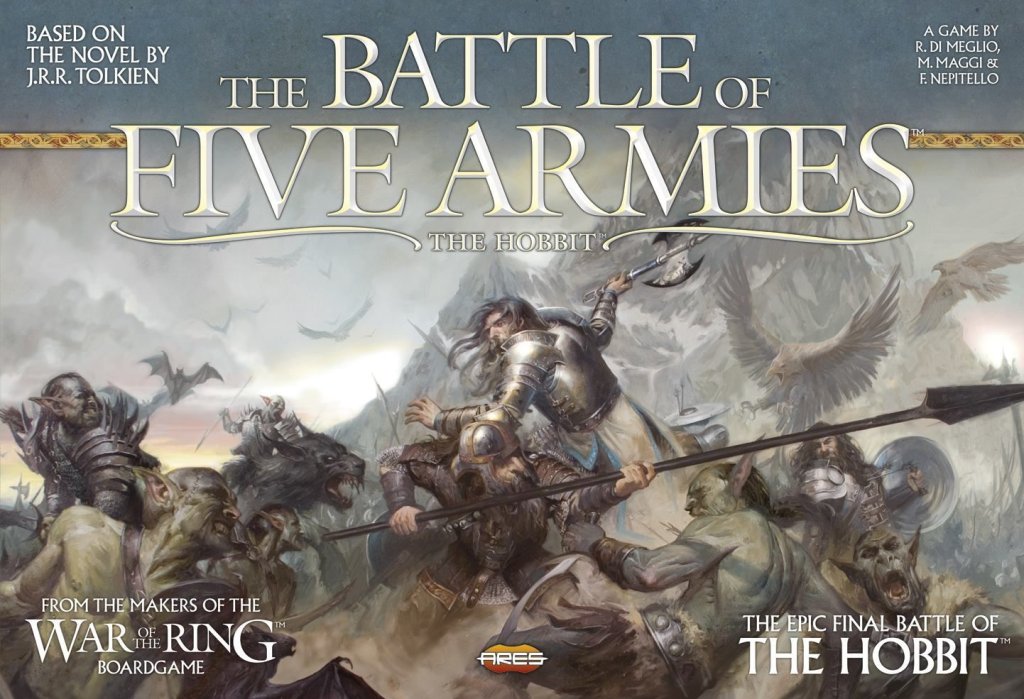
The Battle of Five Armies board game cover

About this board game

The Battle of Five Armies is a standalone two-player tactical game of the climactic battle from J.R.R. Tolkien’s The Hobbit, with an approximate play time of 240 minutes.

The Free Peoples bring together the Elvenking’s hosts, the Dwarves of Dain Ironfoot, and the Men of the Lake led by Bard the Bowman. Opposing them is a horde of Wolves, Goblins, and Bats commanded by Bolg, son of Azog.

The game board depicts the Eastern and Southern spurs of the Lonely Mountain and the valley between them. Plastic figures represent the troops, heroes, and monsters caught up in the battle, giving the conflict a focused tactical scale rather than the scope of an entire war.

  • Players: 2
  • Play time: approximately 240 minutes
  • Setting: the Lonely Mountain and its surrounding valley
  • Forces: the Free Peoples against Bolg’s horde

Based on the rules for War of the Ring by the same designers, The Battle of Five Armies modifies that system for a smaller battle. The outcome may depend on whether Gandalf can turn the tide, whether the Eagles arrive, or whether Beorn comes to the rescue.

Bilbo the Hobbit may face a last stand on Ravenhill as the battle reaches its decisive moment. Released in 2014, The Battle of Five Armies also established a standalone foundation for a planned Battles game system featuring other Third Age conflicts, including the Siege of Gondor and Saruman’s assault against Rohan.

Board Game Rules for
The Battle of Five Armies

Download official rules (EN)

Welcome to The Battle of Five Armies

Welcome to The Battle of Five Armies board game.

The Battle of Five Armies is a game for two players, based on The Hobbit™ by J.R.R. Tolkien. The players will recreate the epic conclusion of the book – the fierce struggle, witnessed by Bilbo Baggins, that represents the end of the quest for the Lonely Mountain, but also the prelude to the great events of the War of the Ring.

The Free Peoples army is placed on the spurs of the Lonely Mountain, while the Shadow horde is advancing into the valley, and the Goblins are scurrying to attack their enemies from above. Unexpected help will come to the Free Peoples – the Eagles of the Misty Mountains and Beorn the Skin-changer are due to arrive on the scene – but will they arrive in time, before the horde of Orcs and Wargs overwhelms the defenders?

One player – the Shadow player – is in command of the Shadow armies, led by Bolg, son of Azog, the King of the Goblins of Mount Gundabad. He will maneuver a host of Orcs, Great Orcs, Goblins and Wargs, reinforced by Great Bats from Mirkwood, in an attempt to vanquish the assembled forces of the Free Peoples and win the dominion of the North.

The second player – the Free Peoples player – controls the hosts of Elves, Dwarves and Men defending the valley between the arms of the Lonely Mountain. He commands the Wood-elf archers and spearmen of Thranduil the Elvenking, the stout Dwarves of Dáin Ironfoot and the brave Men of the Lake led by Bard the Bowman, united by Gandalf the Wizard under the threat of a common foe.

Many possible variables affect the outcome of the Battle. Can the magic of Gandalf turn the tide for the Free Peoples? Will the Eagles arrive in time, or Beorn come to the rescue? Will Bilbo the Hobbit perish in a last stand on Ravenhill?

Note: War of the Ring players may find many of the following rules to be rather familiar, as the core mechanics of The Battle of Five Armies are inspired by the mechanics of War of the Ring. However, many important differences make this rule set a distinct game. We recommend that players read these rules very carefully, even if they have previously played War of the Ring.

Game Overview

In The Battle of Five Armies, one player will achieve victory by making the best strategic choices amidst changing battle conditions, trying to retain control of, or to conquer some key points on the battlefield.

Most of the player’s choices revolve around the main mechanic of the game, the Action Dice system first used in War of the Ring, customized here around the specific needs of recreating this battle.

In each turn, players roll a number of Action Dice, and then alternate using one die each to take actions, within the options allowed by the results of each die. Possible actions include moving, attacking, recruiting new troops, rallying demoralized troops, using characters, and so on.

Special cards – Story Cards and Event Cards – can also be played as actions, to represent unusual events that sometimes let a player “break the rules.”

Since the results of the Action Dice limit the available options, players will face difficult choices each turn. Like a real commander on the field, players cannot ever be completely sure that their troops will follow their orders exactly, and they must have a flexible plan that they adapt to the result of the Action Dice roll.

Another central feature in the game is the concept of Fate. Other powers beyond the strategic choices of generals affect the deeds of minions and heroes of Middle-earth. These forces can be held responsible for the occurrence of unexpected events, like the timely arrival of the Eagles, or the coming of Beorn, the Skin-changer. In the game, the timing of these events is determined by the Fate Track, an erratic ‘clock’ whose pace may be influenced directly and indirectly by both players. The Free Peoples player at the start of every game turn makes the fundamental choice affecting the Fate Track movement: when multiple Free Peoples Generals are activated to use their special abilities, his army will be stronger – but Fate may be slower to advance. A slow Fate is an advantage to the Shadow, as the strongest allies of the Free Peoples will arrive later in the game. The Fate Track movement is also linked to the drawing of Fate Cards, which have a strong influence on the characters in play.

Components List

Inside this game box you find an extensive set of components, listed here:

  • Game Rules
  • 2 Player Aids with a summary of the rules
  • 1 Game Board
  • 6 Free Peoples Action Dice
  • 7 Shadow Action Dice
  • 10 six-sided Combat Dice (five white ones and five black ones);
  • 126 figures, representing the Armies and Characters involved in The Battle of Five Armies, including:
    • 72 (red color) figures representing Shadow Army units and the Great Bats
    • 45 (blue color) figures representing Free Peoples Army units and the Eagles
    • 9 (gray color) figures, 8 figures representing Free Peoples Characters and 1 figure representing Bolg
  • 92 cards, including:
    • 1 deck of Event Cards (30 cards)
    • 2 decks of Story cards, one for the Shadow player and one for the Free Peoples player (20 cards each)
    • 1 deck of Fate cards (9 cards)
    • Unit and Maneuver cards (13 cards)
  • 11 double-size Reference Cards of the Characters and special troops involved in the Battle
  • 1 Range ruler with plastic stand
  • 160 cardboard tokens and markers including:
    • 14 Fate Tiles
    • 32 Damage tokens
    • 10 Beorn’s Wrath tokens (two 5-value tokens, eight 1-value tokens)
    • 5 Ring tokens
    • 3 Bolg’s Bodyguard tokens
    • 1 Fate Track marker
    • 6 Free Peoples Leadership tokens
    • 14 Shadow Leadership tokens
    • 3 Activation tokens
    • 1 Concentration token
    • 64 Recruitment tokens (27 Shadow, 17 Dwarves and Men, 20 Elves)
    • 5 Shadow Control markers
    • 2 Closed Mountain Pass markers
Components Overview - Cards, Dice, and Tokens
Components Overview – Cards, Dice, and Tokens
Components Overview - Tokens and Plastic Figures
Components Overview – Tokens and Plastic Figures

Game Setup

Before you start playing, you should decide who will play the Free Peoples and who will play the Shadow.

Then, get the game ready to play by following these steps:

  1. Step 1: Place the game board on a suitable surface, large enough to leave some room along the sides of the game board, to place cards, figures not in play, and to roll dice. Both players take all their unit and character figures, the corresponding cards, and their Leadership tokens.
  2. Step 2: Separate the Free Peoples and Shadow Recruitment tokens. Note that there are two types of Free Peoples Recruitment tokens, indicated by their different back: Dwarves and Men and Elves. Remember to keep them separated. Shuffle the tokens in three separate piles, facedown.
  3. Step 3: Place starting figures and Recruitment tokens as shown in the Setup diagram on page 7. The Recruitment tokens are drawn randomly from the appropriate piles and placed on the game board without looking at them. Place the two Closed Mountain Pass markers between each Goblin Mustering Point and the corresponding Mountain Pass box.
  4. Step 4: Shuffle the Event deck, the two Story decks and the Fate deck, and place them on the table, accessible to both players.
  5. Step 5: Place the Fate marker on Step 0 of the Fate Track. Place on the track the figures for Bilbo, Thorin, The Lord of the Eagles, and Beorn, on the steps indicated by their reference cards and by the track itself.
  6. Step 6: Put the standard Fate Tiles (light brown) in a cup or another opaque container: this is called the Fate pool. Set aside the two special Fate Tiles (blue and red) for later use.
  7. Step 7: Give six red Shadow Action Dice to the Shadow player and five Blue Free Peoples Action Dice to the Free Peoples player. Set aside the remaining Action Dice for later use. Set aside the two sets of Combat Dice.
Starting Positions on the Fate Track
Army Setup Diagram
Army Setup Diagram

Army Setup Reference

Free Peoples Setup

  • 1: 1 Dwarf Veterans
  • 2: 1 Dwarf Veterans
  • 3: Bard, 1 Lake-Men, 1 Dwarves and Men Recruitment token
  • 4: Dáin, 1 Dwarf Regulars, 1 Dwarves and Men Recruitment token
  • 5: 1 Elf Spearmen
  • 6: 1 Elf Recruitment token
  • 7: 1 Lake-Men, 1 Dwarves and Men Recruitment token
  • 8: 2 Lake-Men
  • 9: Gandalf, Thranduil, 1 Elf Spearmen, 2 Elf Recruitment tokens
  • 10: 2 Elf Archers, 1 Elf Recruitment token

Shadow Setup

  • 1: 1 Goblins
  • 2: 2 Goblins
  • 3: 1 Orcs, 1 Great Orcs, 1 Wargs, 3 Shadow Recruitment tokens
  • 4: 2 Orcs, 1 Great Orcs, 3 Shadow Recruitment tokens
  • 5: 3 Orcs, 1 Wargs, 3 Shadow Recruitment tokens
  • 6: 3 Wargs, 3 Shadow Recruitment tokens

The Game Board

The game board shows the southern and eastern arms of the Lonely Mountain and the valley of Dale, with the Ruins of Dale in the middle. The Running River, with its wide loop, crosses most of the depicted area.

The Game Board Overview

Regions

Most of the game board is divided into areas called regions. These areas are used to regulate movement, combat, and the placement of Characters and Armies.

Each region is identified by an icon:

  • The symbol on the icon identifies the region’s terrain type. There are five different terrain types: Hills, Mountains, Plains, Ruins, and Swamps.
  • The icon border color identifies the region as part of one of four territories: Broken Lands (yellow), Valley (red), Eastern Bank (blue), and Southern Spur (green).

Borders

Different regions are divided by a border, usually indicated by a white line. Two regions separated by a white line are considered adjacent to each other.

Borders can also be outlined by the river (well recognizable by the drawing of the board), fords and slopes.

The border may influence movement or combat, if it is a river, a ford or a slope:

  • A river border is impassable. Two regions separated by a river are not considered to be adjacent to each other.
  • If a ford is present, the river border can be crossed, and the regions on the two ends of the ford are considered adjacent.
  • A slope is the border dividing a region of type “Mountain” and any other region containing a terrain type different from “Mountain” (for example, a slope is present wherever a Mountain region borders a Plain region).

Combat across a river border is not allowed, while slopes and fords influence the attackers in combat (see Target Number, Page 27).

Most of the Lonely Mountain is surrounded by a black line. The black line is an impassable border. The part of the game board encircled by the black line is not considered to be a region, and armies cannot move there – This portion of the board is not used in the game.

Settlements

A region, independently of its terrain type, may include a Settlement, a special location where Free Peoples troops may be recruited.

Regions containing a Settlement are distinguished by the presence of the Settlement icon and they always have a name.

The control of Settlements is also important for determining the victory in The Battle of Five Armies and for granting to the Shadow player one additional Action Die (see Action Dice Pool, page 12).

Fortifications

Three regions on the game board (Eastern Spur, Front Gate and Ravenhill) contain a light brown triangle with a numerical value. These regions represent easily defensible locations and are considered Fortifications.

The control of Fortifications is also important for determining victory in the game.

Border Examples and Special Locations

Mustering Regions

Four regions in the Broken Lands territory are marked by a red diamond with a crown. These are Mustering regions, places where the Shadow player may recruit his troops.

Mustering regions differ from normal regions as there is no limit to the number of Shadow Army units that can be present inside them.

Goblin Mustering Points and Mountain Passes

Within the black-bordered area of the Lonely Mountain, two special areas are present. Each area is composed of two red boxes, with the image of Goblins inside.

These boxes are not considered to be a normal region for movement or combat purposes, but are used to regulate the mustering and movement of the Goblins who are trying to scale the mountain, to attack the spurs from above.

  • The first box, indicated by the Shadow mustering icon, is the Goblin Mustering Point. New Goblin units are recruited here.
  • The second box is called the Mountain Pass. Goblins must move through the pass to join the Battle. Mountain Passes are fully explained on page 25.

The Eagles’ Eyrie

Another special area within the black-bordered portion of the Lonely Mountain, is the Eagles’ Eyrie box.

The Eagles’ Eyrie is a box where the Eagles of the Misty Mountains are placed before they enter the game, and to which they fly back to after they are used by the Free Peoples player. Eagles are fully explained on page 32.

The Fate Track

The last special area of the game board is the Fate Track. The Fate marker is placed on this track, to indicate the progress of Fate during the game. The Fate marker is advanced by the Fate tiles, drawn by the Shadow player at the beginning of each turn, and its progress activates characters and events that can influence the game.

Game Figures

The figures found in The Battle of Five Armies can be either Army units, special units or characters.

Army Units

Each Army unit figure represents a variable number of warriors. A group of friendly units occupying the same region is called an Army.

Different figures represent different unit types. The type indicates the kind of troops composing the unit, and each type has a specific unit card describing it.

Note: The number of figures included in the game is a limit to the maximum number of figures of that type in play at the same time.

Special Units

The Eagles of the Misty Mountains (see page 32) and the Great Bats (see page 34) are also represented by figures, but they are not regular Army units. Their special abilities and specific rules are detailed by their respective reference cards and – in the case of the Great Bats – by their Maneuver Card.

Like Army units, the number of Eagles and Bats in play at the same time is limited by the number of figures included in the game.

Characters

Characters are the most important playing pieces of the game, representing heroes and great warriors.

Each character is represented by a unique figure, and his special abilities and game rules are detailed by his individual reference card.

The Shadow player only controls one character, the commander of the army, Bolg.

The Free Peoples player controls eight characters. Five of them also qualify as Generals: Bard, Dáin, Gandalf, The Lord of the Eagles and Thranduil.


Turn Overview

The Battle of Five Armies is played over a series of turns, until one player wins the game. Each turn is divided into six phases, as follows:

Phase 1 – Recovery

The players recover Action Dice and draw cards.

  1. Each player recovers his Action Dice. The Free Peoples player takes 5 dice, or 6 dice if either Thorin or Beorn is in play. The Shadow player takes 6 dice, or 7 dice if he controls two Settlements within the same territory.
  2. Then, each player draws 2 cards, one from the Event deck and one from his Story deck.
  3. If any player has more than six cards in hand after the draw, he must discard down to six cards now.

Phase 2 – Generals’ Activation

The Free Peoples player selects Generals and places Leadership.

  1. The Free Peoples player chooses up to 3 Generals among those in play and places one Activation token on their respective reference cards.
  2. The Free Peoples player then receives a number of Leadership tokens equal to the number of Generals he chose, and immediately places them on the game board. Each Leadership token must be placed with a different Free Peoples Army.

Phase 3 – Fate

The Shadow Player draws Fate tiles and the Fate Marker advances.

  1. The Shadow player may draw a number of Fate Tiles, one after the other, up to the number of Activation tokens placed by the Free Peoples player (with a minimum of one).
  2. After drawing each tile, the Shadow player may either stop drawing and apply the effects of the last drawn tile; or he may set aside the drawn tile and pull another one from the Fate pool (up to the maximum number of draws allowed).
  3. When the Shadow player is done drawing, the Fate marker is advanced to the right on the Fate Track, as many steps as the number on the last drawn Fate tile. If the Fate tile shows the Fate icon, the Free Peoples player draws a Fate card and immediately applies its effects.
  4. The chosen tile is discarded after use, while all other tiles drawn this turn are placed back in the Fate pool.
  5. If the Fate marker reaches the last step (15) of the Fate Track, the Free Peoples player immediately wins the game.

Phase 4 – Shadow Leadership

The Shadow Player places Leadership and Great Bats.

  1. The Shadow player chooses how many Leadership tokens and/or Great Bats figures he will have available for the turn: the total sum of Leadership tokens and Great Bats must be equal to the number of dice in the Shadow player Action Dice pool (6 or 7).
  2. The Shadow player then places his Leadership tokens and Great Bats on the game board. Each Leadership token must be placed with a different Shadow Army.
  3. Great Bats may be placed in any region on the game board: this indicates their presence in the territory containing that region, not just in that specific region.

Phase 5 – Action Round

The players roll Action Dice, then alternate in using them to take Actions.

  1. Both players roll the dice available in their respective Action Dice pool.
  2. Then, starting with the Free Peoples player, players alternate in taking actions, choosing one of their Action Dice and using one of the possible choices allowed by the die result.
  3. The Free Peoples player may use the General ability of one of his activated Generals before each of his Actions.
  4. A player may pass his action if the opponent has more unused Action Dice than he has.
  5. When both players have used all their Action Dice, proceed to the next phase.

Phase 6 – End of Turn

The players check victory conditions and remove Leadership tokens, Eagles and Great Bats.

  1. Check if either player has reached his victory conditions. If not, a new turn begins.
  2. Remove all Leadership tokens belonging to both players from the game board.
  3. Remove any Great Bats figures from play. Place any Eagle figures on the game board back in the Eagles’ Eyrie.
  4. Remove unused Activation tokens from the Free Peoples Generals.

The Action Dice System

The Action Dice play a fundamental role in the game, as they dictate the options available to each player during a turn.

These dice have special icons on their faces, with each icon representing a different group of actions from which the players may choose. The different numbers and types of icons appearing on the Free Peoples Action Dice and Shadow Action Dice reflect the different attitudes of the two sides fighting the Battle.

Action Dice Pool

The total number of Action Dice rolled by a player in a turn is called his Action Dice pool.

The starting dice pool for the Shadow player is composed of six dice, while the starting dice pool of the Free Peoples player is composed of five dice.

One additional Action Die can be earned both by the Free Peoples and Shadow player during play:

  • The Free Peoples player gains his additional Action Die if Thorin Oakenshield (or later Beorn) is in play.
  • The Shadow player gains his additional Action Die if two Settlements within the same territory are under Shadow control.

Action Dice are only added to the Action Dice pool at the beginning of the turn (during the Recovery phase) after the requirement which adds them is met. They are also removed at the beginning of the turn, if that requirement is no longer applicable – for example, Thorin has been eliminated and Beorn is not yet in play; or the Shadow player lost control of a Settlement that granted him an additional die.

Using Action Dice

At the beginning of the Action Round, both players roll all the dice in their respective Action Dice pools. Then, starting with the Free Peoples player, they alternate actions, selecting one die and immediately taking the action made available by its specific die result.

Note: The effect of an action is never mandatory – for example, if an action allows a player to “move one Army and attack”, he may move only, attack only, or do both, as he prefers.

When a player has completed his action, the corresponding die is considered “used” and is set aside until needed again for the next turn.

  • If a player runs out of Action Dice before his opponent has done the same, the opponent executes his remaining actions, one after the other.
  • If a player has fewer unused Action Dice than his opponent, he can pass instead of taking an action, thus allowing the opponent to choose another die and take another action.
  • Players may also choose to skip an action: they may simply discard one Action Die without effect, instead of using that die to take an action.
Action Dice Icons Table

Action Dice Reference Chart

This section provides a quick summary of the actions that each player can take using Action Dice.

Note: Additional uses of Action Dice are available when certain characters and special units are in play.

Army

The Army die result can be used to execute one of the following actions:

  • Strategic Movement: Move two of your Armies each to an adjacent region.
  • Attack: Move one of your Armies to an adjacent region and attack.
  • Combined Attack: Attack using all your Armies adjacent to the attacked region.
  • Play Card: Play an Event or Story card of type “Army”.

Character

The Character die result can be used to execute one of the following actions:

  • Fast Movement: Move one of your Armies with Leadership up to two regions.
  • Attack: Move one of your Armies with Leadership to an adjacent region and attack.
  • Character Movement: Move any or all of your characters on the game board.
  • Play Card: Play an Event or Story card of type “Character”.

Muster

The Muster die result can be used to execute one of the following actions:

  • Recruitment: Choose up to two different regions on the game board, and flip one Recruitment token in each of them to recruit new units.
  • Rally: Make two Rally actions on two different Armies: For each Army, roll a number of dice equal to the number of its units and remove one Damage token for every result of 5 or 6. You can re-roll once a number of failed dice up to the total Leadership of that Army.
  • Play Card: Play an Event or Story card of type “Muster”.

Event

The Event die result can be used to execute one of the following actions:

  • Draw Cards: Draw one card from the Event deck and one from the appropriate Story deck.
  • Play Card: Play an Event or Story card of any type.

Lidless Eye (Shadow only)

The Lidless Eye die result can be used to execute one of the following actions:

  • Goblin Recruitment: Place one Goblin in each Goblin Mustering Point.
  • Goblin Attack: Move one Army containing Goblins to an adjacent region (or from a Mustering Point to a Mountain Pass box) and attack.
  • Goblin Strategic Movement: Move two Armies containing Goblins each to an adjacent region (or from a Mustering Point to a Mountain Pass box).

Will of the West (Free Peoples only)

  • Wild Die: May be used as any other type of Free Peoples Action die result (Character, Army, Muster or Event).

Overview of Cards

Four different decks of cards are used in this game: Event cards, used by both players; two decks of player-specific Story cards; and Fate cards. Fate cards are explained in the Fate chapter (page 16). Event and Story cards are explained here.

The Event Cards and Event Deck

Event cards form a single deck of 30 light brown cards, used by both players to draw cards from.

Each Event card is used to execute one of two special actions: an Order effect, triggered using an Action Die during the Action Round; or a Combat effect, applied during a combat.

An icon on the top right corner of an Event card identifies its Order effect as belonging to one of three types: Army, Character, or Muster.

Event Card Anatomy
Event Card Anatomy

The Story Cards and Story Decks

Story cards form two separate decks of 20 cards each, distinguished by their backs: a red Shadow Story deck and a blue Free Peoples Story deck.

Players draw Story cards from their respective Story decks.

Story cards can be played only using an Action Die during the Action Round (they do not have a Combat effect) and are used to introduce in the game specific narrative elements.

Similarly to Event cards, Story cards are divided into three types, identified by an icon on the top right corner of the card: Army, Character, or Muster.

Story Card Anatomy
Story Card Anatomy
Event and Story Card Types

Drawing Cards and Hand Limits

Each player draws two cards at the beginning of each turn of play, one from the Event deck and one from his own Story deck.

Players may also draw additional cards using an Event die result, during the Action Round, to draw one card from the Event deck and another from the Story deck.

The maximum hand size is six cards, counting both Event and Story cards (Fate cards are never added to a player’s hand). If at any time a player’s hand includes more than six cards, the player must immediately discard down to six cards. Cards are discarded facedown.

Exhausting the Card Decks

If at any time in the game the Event deck is exhausted, all used and discarded Event cards are shuffled back to form a new deck.

In contrast, Story cards are not brought back into play once used or discarded: if a Story deck is exhausted, no more Story cards may be drawn from that deck.

Playing an Event or Story Card as an Action

As an action, a player may play a Story card, or an Event card for its Order effect. This is possible in two ways:

  • Using an Event die result.
  • Using the die result matching the type of the card: an Army card can be played using an Army die result; a Muster card with a Muster die result; a Character card with a Character die result.

Note: An Army/Muster die result can be used to play either an Army or a Muster card; a Will of the West die result can be used to play any type of card by the Free Peoples player.

Often, cards allow a player to take an action that violates some of the game rules. All rules that are not expressly replaced by a card effect must be applied normally.

Requirements for Playing a Card

Some cards detail a requirement that must be met for the effects of the card to apply; if a requirement is not fully satisfied, the card cannot be played.

Example: The card “Lucky Number” may only be played by the Free Peoples player if Bilbo Baggins is in play.

Effects of a Card

The effects of a card are explained by its text. Normally, all the effects of a card must be applied, unless it is clear that the effect is optional (for example, the card uses the word “may”). However, it can happen that the effects of a card cannot be fully applied. In this case, the card can still be played and its effects are applied to the maximum possible extent.

Example: The card “Great Goblin” allows the Shadow player to “Place one Great Orc and one Leadership token in a Shadow Army containing Goblins. Then, you may move or attack with that Army”. If the player does not have any Great Orc figure to place, he can still play the card and apply the other effects.

When the effect of a card inflicts damage to an Army, it is applied in a similar way to Combat damage (see Damage Dealing Effects, page 29).

Note: If a card indicates that you can “move and attack with an Army”, both movement and attack of the Army are optional, not mandatory (similarly to the “Attack” action done with a Character or Army die result).

Discarding Cards after Use

Most cards are discarded as soon as their effects are resolved. Cards that read “Play on the table” are an exception to this rule.

These cards are not discarded after they are played, and their effects last until a condition or requirement is met, after which the card is discarded.

When in play, they do not count against the maximum hand size.


The Fate Mechanic

The Fate mechanics regulate the timely arrival of important characters and units to the scene of the Battle of Five Armies, and may also determine victory for the Free Peoples player (see Victory Conditions, page 31).

Fate Tiles

The effect of Fate on the Battle is measured on the Fate Track and determined by the draw of Fate tiles.

Standard Fate tiles (light brown color) are mixed in an opaque container, at the beginning of the game, to form the Fate pool.

The two special Fate Tiles (blue and red) are set aside. They are only inserted in the Fate pool during the game, when the appropriate Story cards (“The Arkenstone of Thráin” and “The Shadow of the Necromancer”) are played.

Each Fate tile shows a number, and some of them show the Fate icon (in Elvish writing).

Fate Tiles and Fate Card Anatomy

The Influence of Fate

Drawing Fate Tiles

During the Fate phase, the Shadow player proceeds to draw one or more tiles from the Fate pool, depending on the number of Free Peoples General selected for activation by the Free Peoples player in this turn.

  • If the Free Peoples player has activated zero or one General, the Shadow player draws one Fate tile.
  • If the Free Peoples player has chosen more than one General, the Shadow player draws a first tile, then decides either to apply it, or set it aside to draw another tile. The Shadow player may continue to draw tiles, up to the number of Generals with an Activation token.
  • The Shadow player must always apply the effects of the Fate tile he has drawn last.
  • If the Shadow player draws a special tile (blue or red), he must stop drawing immediately, and applies the effect of that tile.

The effects of the last Fate tile drawn are applied (see Advancing the Fate Track and Drawing and Playing Fate cards, below), then that tile is discarded. Any other tile previously drawn is placed back into the Fate pool.

Example: The Free Peoples player has activated three Generals. As a consequence, the Shadow player is entitled to draw a maximum of three Fate tiles. He draws a first tile – it is a “3”. A high-value tile is bad for the Shadow player, so he decides to draw a second tile. He sets the “3” aside and draws a new tile, this time a “2”. Now, he must decide whether he wants to draw a third time or not – If the third tile is worse than this one, he would be forced to use it anyway! Not wanting to push his luck further, the Shadow player decides to forfeit his chance to draw a third tile, and stops. The “2” tile is applied, and the Fate track marker is advanced two steps. The “2” tile is discarded, while the “3” tile is placed back into the Fate pool.

Advancing the Fate Track

The numerical value found on the Fate tile determines the number of spaces that the Fate marker will move forward (to the right) on the Fate Track.

  • If the Fate marker moves to step 15, the game ends immediately with a victory of the Free Peoples player.
  • Bilbo, Thorin, The Lord of the Eagles and Beorn are special characters that enter play when the Fate track marker reaches the appropriate space on the track. When the Fate Marker reaches or passes a character figure, that character is considered ready. During the Action round, it will be possible to play the character as indicated on his card.

Drawing and Playing Fate Cards

If the Fate tile has a Fate icon, the Free Peoples player proceeds to draw a Fate card.

The card is played immediately and its effects are resolved – differently from Event and Story cards, Fate cards do not require an action to be played.

Most Fate cards are played on a specific character: the Free Peoples player must place the card next to the appropriate character card, whether the character has already entered play or not. If the character has already been eliminated from the game, discard the drawn card.


Armies and Stacking Limit

An Army is composed of all the friendly Army units that are inside a single region. Characters and Leadership tokens inside a region with a friendly Army are considered to be contained in that Army.

Regions have a stacking limit: a region can contain a maximum of 5 Army units.

Characters, Leadership tokens, and special units (Eagles and Great Bats) do not count against this limit.

Shadow Mustering regions (see page 10) and Goblin Mustering Points (see Mountain Passes, page 25) do not have this limit, and can contain any number of Shadow units.

Army Units

Army units belong to different types – each type with specific combat capabilities, weaponry or training.

Depending on its type, a unit will behave differently in combat.

Each unit type has a corresponding unit card, with a summary of all the values and abilities of that type, and also used during combat as a Maneuver card, to trigger the unit’s Maneuver ability. The card indicates one (or more) favored terrain(s), the combat strength and the maneuver ability of that type of unit.

  • A unit’s favored terrain is taken into consideration at the start of each combat, to adjudicate terrain superiority (see Checking Terrain Superiority, page 26).
  • The combat strength is used to determine how many combat dice the player will roll in combat (see Combat Roll, page 27).
  • The maneuver ability may be used to give a special bonus in a round of combat (see Maneuvering, page 26).
Unit Card Anatomy
Unit Card Anatomy

Armies with Leadership

The Leadership of an Army is equal to the sum of the Leadership rating of all characters it contains, plus the number of Leadership tokens with that Army.

An Army containing at least one character with a Leadership rating of 1 or more, or at least one Leadership token, is said to be an “Army with Leadership” (this term often appears on Event and Story cards).

The presence of Leadership improves the movement and combat capabilities of an Army, as explained in the next sections.

Placing and Removing Leadership Tokens

Minor leaders, captains, and other prominent individuals in the opposing armies are not represented by figures, but using Leadership tokens.

Leadership tokens may be placed by both players on their respective Armies to enhance their movement and combat capabilities, as explained in Armies with Leadership, page 21.

  • The Free Peoples player receives up to three Leadership tokens during the Generals’ Activation phase, based on the number of Generals he activated for the current turn. He then proceeds to place each Leadership token on a different friendly Army on the game board.
  • The Shadow player chooses the number of Leadership tokens and/or Great Bats figures for the turn during the Shadow Leadership phase, so that the sum of tokens and Great Bats is equal to the number of Action dice in his pool. He then proceeds to place each Leadership token on a different friendly Army on the game board.

A Leadership token is immediately removed if, for any reason, it remains in a region without an Army at any point during a turn. All Leadership tokens of both players are removed during the End of Turn phase of each turn.

Moving Armies

Armies are moved on the game board one region at a time, from a region to any adjacent region not occupied by an enemy Army.

A player may use several different actions to move his Armies:

  • An Army may be moved using an Army (or Army/Muster) die result:
    • a “Strategic Movement” action, which lets him move up to two different Armies to an adjacent region, or
    • an “Attack” action, which lets him move one Army to an adjacent region and then attack with that Army.
  • An Army with Leadership may be moved also using a Character die result:
    • an “Attack” action, which lets him move one Army to an adjacent region, and then attack with that Army, or
    • a “Fast Movement” action, which lets him move one Army up to two regions.
  • Armies containing at least one Goblin unit may be moved also using a Lidless Eye die result:
    • a “Strategic Movement” action which lets him move two different Armies containing Goblins to an adjacent region (or from a Mustering Point to a Mountain Pass), or
    • an “Attack” action which lets him move one Army containing Goblins to an adjacent region (or from a Mustering Point to a Mountain Pass), and then attack with that Army.

Movement is never mandatory. A player may always forfeit any or all movements allowed by the chosen action.

Note: It is possible to move the same Army more than once in a turn, spending multiple Action dice to do so.

Splitting an Army

Before a movement, a player may divide an Army in two different Armies, by opting to move only part of the units composing the Army: the units selected for movement are moved to the region of destination, while the rest remains in the region of origin.

Using a full “Strategic Movement” action, it is also possible to move each part of a split Army to a different adjacent region, or to split an Army into three parts – with two parts moving to adjacent regions and one remaining in the original region.

Special Cases

  • If an Army with Leadership is moved using a Character die result, the units that move must contain Leadership (that is, at least 1 Leadership token, or a character with a Leadership rating of 1 or more).
    Example: A Shadow Army with three Orcs, two Great Orcs and two Leadership tokens is moved using the “Fast Movement” action of a Character die result. The Shadow player wants to move only the Great Orcs, and splits the Army. At least one Leadership token must be moved together with the moving Great Orcs. – It is not possible to leave both Leadership tokens behind with the three Orcs.
  • If an Army that contains any Damage tokens is split, the Damage tokens must be split in such a way that the number of tokens remaining with each part of the Army is not higher than the number of units in each part.
    Example: A Free Peoples Army with one Lake-men unit, two Elf Archers units, and two Damage tokens is split by moving the two Elves to an adjacent region. The Lake-men unit is left in the starting region. The Free Peoples player can either leave one token with the Lake-men and one token with the Elves; or he can leave the Lake-men with no damage and the Elves with two tokens.
Splitting an Army Example

Merging Armies after Movement

If an Army ends its movement in a region containing another friendly Army, the two Armies must be merged to form a single Army.

If this newly formed Army has more than five Army units, it must be reduced to five units. First, the controlling player may eliminate one or more units, removing up to two Damage tokens for each of them (see Taking Casualties, page 28). Then, any remaining units in excess of five are removed. The player has the choice of which units to remove.

  • During an “Attack” action, the Armies merge after movement, but before any combat is started – for this reason, units in excess are removed before combat begins.
  • If a “Strategic Movement” action is being used, both Armies must complete their movements before any Armies are merged (any individual figure may not move twice in the same action).

Armies Moving More Than One Region

When a player uses the “Fast Movement” action of a Character die result, and certain card events or special abilities, he may move an Army more than one region. Each individual movement follows the normal rules, except as noted below:

  • The Army cannot split units, except in the starting region.
  • The Army cannot merge with another friendly Army along the way, or ‘pick up’ friendly units.
  • If the Army enters a region adjacent to an enemy Army, it must immediately stop its movement. Remember that regions are not considered adjacent if they are separated by an impassable border.

Important: If an Army moves through regions containing other friendly Armies, stacking limits are checked only after all the movements have been completed.

Moving More Than One Region Example

Controlling Free Peoples Settlements

When a Shadow Army enters a region containing a Free Peoples Settlement, the Settlement falls under the control of the Shadow player and a Control marker is placed on it to mark this status.

  • If a Free Peoples Army unit (not a character or Eagles) moves into that Settlement later in the game, the Control marker is removed.
  • If an Army moving multiple times crosses a Settlement, it can place (or remove) a Control marker – It is not necessary for an Army to end its movement there.

Note: Moving into an empty settlement is not considered an attack, even if it’s controlled by the enemy.

Mustering Armies

A number of Army units are already in play at the beginning of the game (see Army Setup, page 7). The players will bring additional units in play during the course of the game:

  • Both players may bring new units in play by using the “Recruitment” action of a Muster (or Army/Muster) die result. The action allows the player to flip one Recruitment token in each of two different regions.
  • The Shadow player may use the “Goblins Recruitment” action of a Lidless Eye die result, to place one Goblin figure in each of the two Goblin Mustering Point boxes.

Placing Recruitment Tokens

Recruitment tokens are used to bring new units in play.

The back of the token indicates if it is a Shadow token, or one of the two groups of Free Peoples tokens – Dwarves and Men, or Elves.

The front of the token indicates which type of Army unit (or units) it brings into play when the token is flipped.

New Recruitment tokens are placed on the game board by various game effects (related to character abilities or events).

Both during setup and during the game, Recruitment tokens are always drawn randomly from the appropriate group, and placed on the game board, facedown and unseen to both players.

Usually, Recruitment tokens are placed in regions containing a Settlement (for the Free Peoples) or a Mustering region (for the Shadow). Tokens cannot ever be placed in a region containing an enemy Army or an enemy Control Marker.

When all tokens in a group have been used, a player may not place more tokens from that group, even if the event or ability would indicate to do so.

Using Recruitment Tokens

Whenever a player is instructed to flip a token, the player chooses a region with a Recruitment token of the appropriate type, and turns it face up. Then, a unit (or more, as indicated by the token) of the corresponding type is placed in that region.

The token is then discarded permanently from play.

Note: The number of figures included in the game is a limit to the maximum number of figures of that type in play at any one time. If, when a player flips a token, a figure of the correct type is not available, the player may choose any other unit from the same group.

Example: The Free Peoples player flips a Dwarves and Men token, revealing a Dwarf Regular. All five Dwarf Regulars are already in play, so he may choose to recruit a Lake-men unit or a Dwarf Veteran unit instead.

Used tokens are permanently removed from the game.

Eliminating Recruitment Tokens

If, during a movement or after a combat, an Army enters (or moves through) a region that contains enemy Recruitment tokens, those tokens are eliminated (without looking at them). Certain Event cards may also remove tokens from play.

Eliminated Recruitment tokens are reshuffled together with the unused tokens of the same type.

Recruitment Tokens Front and Back

Direct Mustering of Units

Special abilities of characters, or the effect of some Event cards, may also bring units directly into play on the game board, without the need for using Recruitment tokens.

These units are taken from the figures not in play. If no figures are available, the unit cannot be brought into play.

Exceeding the Stacking Limit

If, as a result of recruiting new units, there are more than five Army units in the same region, units in excess are immediately removed. The controlling player has the choice of which units to remove.

Mustering regions are an exception to this rule, as there is no limit to the number of units that can be placed inside them.

Rallying Armies

Players may remove Damage tokens from a friendly Army by taking a “Rally” action using a Muster die result.

With a “Rally” action, a player may rally up to two different friendly Armies. For each Army, roll a number of dice equal to the number of units in that Army: For every die result of 5 or 6, remove one Damage token. You can roll again a number of failed dice up to the total Leadership of the Army, applying the new result.

After the roll, the player may also take casualties (removing one unit to remove two Damage tokens – see Taking Casualties, page 28) if he wants to do so.

Mountain Passes

At the beginning of the game, Mountain Passes are closed – Goblins cannot move from the Mustering Point to the Mountain Pass. This is indicated by placing a Closed Mountain Pass marker between each Mustering Point and the corresponding Mountain Pass.

A Mountain Pass opens as soon as the connected Mustering Point contains at least five units.

Once opened, remove the Closed Mountain Pass marker – the Mountain Pass will remain open until the end of the game.

  • The Shadow Army in the Mustering Point may only move to the Mountain Pass connected to it, when it is open, when using any action that allows Army movement.
  • The Shadow Army in the Mountain Pass may only move to the region connected to it. If a Free Peoples Army is in that region, the Shadow Army in the Mountain Pass may attack it normally. The attack is not considered to cross a slope border (see Target Number, page 27). A Shadow Army in a Mountain Pass box cannot participate in a combined attack together with a Shadow Army in a normal region.

The connection between a Mountain Pass box and the region it is connected to is “one way”: the Mountain Pass cannot be entered, retreated, or attacked into, from that region (or any other region on the game board), and is not considered adjacent to it for the purpose of “Fast Movement” or retreat rules.

Note: Event cards that allow recruitment in regions containing Armies may be used in Mountain Passes (and Goblin Mustering Points).

Mountain Passes Closed and Open Diagram

Combat Overview

An Army may attack an adjacent region occupied by an enemy Army, initiating a combat. A player may use several different actions to initiate a combat:

  • An Army may start a combat using the “Attack” action of an Army die result, after moving his Army.
  • An Army may start a combat using the “Combined Attack” action of an Army die result, attacking a region together with other friendly Armies adjacent to that region.
  • An Army with Leadership may start a combat using the “Attack” action of a Character die result, after moving his Army.
  • A Shadow Army containing at least one Goblin unit may start a combat using the “Attack” action of a Lidless Eye die result, after moving his Army.

The Army of the active player is called the attacker, and the Army of the other player is called the defender.

Note: When there is an impassable border that divides two regions, these regions are not considered adjacent, and attacks across the border are not possible.

Starting a Combat

The following steps must be taken before the combat begins:

  1. Checking Terrain Superiority
  2. Preparing the card hand

Checking Terrain Superiority

At the beginning of a combat, players must check the terrain type of the region where the combat is taking place, that is, the region where the defender is located.

Count the number of units in each Army which have that terrain type as one of their favored terrains (as indicated by their unit card).

The Army with the higher number of units on favored terrain is considered to have Terrain Superiority.

Note: The number of units is relevant, not their Combat Strength.

The player with Terrain Superiority draws immediately one Event card and adds it to his hand (discarding to six if necessary). In case of a tie, neither player draws a card.

Preparing the Card Hand

Before combat begins, each player prepares his card hand. He must temporarily set aside any Story cards (not used in combat), and add to the Event cards in his hand:

  • The Unit cards of each unit type composing his Army, to use their Maneuver ability.
  • His Regroup card.
  • Special Maneuver cards due to the presence of Thorin Oakenshield and Great Bats (if applicable).

These cards will be always discarded at the end of the combat, and they do not count against the hand limit.

Combat Sequence

Combats are fought in rounds. Each round is further divided into steps, as illustrated in the following sequence:

  1. Step 1) Maneuvering: Players simultaneously choose and reveal a card from their hand.
  2. Step 2) Combat Roll: Players roll a number of Combat dice equal to the Combat Strength of their respective Armies (up to a maximum of five dice).
  3. Step 3) Leader Re-roll: Players may re-roll once again a number of failed Combat dice up to their Army’s Leadership.
  4. Step 4) Apply Damage: Players add Damage tokens to the Armies, and remove casualties if necessary.
  5. Step 5) End of Round: If neither Army is completely eliminated, the attacker may withdraw to end the combat. If not, the defender may end the combat by retreating or routing. Otherwise, a new round of combat begins.

Step 1) Maneuvering

Both players must choose secretly a card from their hand, and then reveal their choice simultaneously. A player may either play:

  • A Unit card, to use the Maneuver ability of that unit type.
  • An Event card, used for its Combat effect.
  • A Special Maneuver card.
  • The Regroup card.

Using the Maneuver Ability of a Unit Card

If a Unit card is chosen, the Combat roll (and Leader re-roll) during this round may allow the use of the selected unit’s maneuver ability (see Combat Roll, below).

When a Unit card is selected it is left on the table, face up. It will not be available again to the player in this combat, until a Regroup card is played.

Using an Event Card

The Combat effect of the Event card is applied when specified by the card text, usually immediately before or after one of the steps of the Combat sequence. If two cards take effect at the same time, the card played by the defender is resolved first.

Event cards are discarded from play after use.

Using a Special Maneuver Card

There are two Special Maneuver cards (“Thorin’s Mighty Strokes” and “Vampire-like”). The effect of these cards is activated automatically, independently of the dice roll. “Thorin’s Mighty Strokes”, like a unit maneuver, is not available again during the combat, until a Regroup card is played. “Vampire-like” remains available for use in every round, as long as there are Great Bats in the territory where the combat takes place.

Using the Regroup Card

When a Regroup card is played, the player recovers all the Unit cards and Special Maneuver cards he played during this combat (including the Regroup card itself) and adds them to his hand again.

In addition, the player may also choose to retreat at the end of the round, without suffering the consequences of a rout (see End of Round, page 29).

Step 2) Combat Roll

Players roll dice to score hits against the enemy Army. A player sums together the Combat Strength ratings of all units composing his Army to find its Combat Strength.

Each player rolls a number of Combat Dice equal to the total Combat Strength of his Army, up to a maximum of 5 dice.

Triggering Unit Maneuver Abilities

If a player has played a unit card during the Maneuvering step, he substitutes a number of white dice with black dice, before the Combat Roll. The number of dice to substitute is equal to the number of units of the selected type (it is not based on their Combat Strength). If, after the Combat Roll and Leader Re-roll, at least one of the black dice scored a hit, the player may use the special ability of that unit type. Any hits rolled, both with white and black dice, are applied normally.

Example: The Shadow player has an army with 2 Orcs and 1 Great Orc. The Army has a Combat Strength of 4 (1+1+2), so the player uses 4 dice in the combat roll. The Great Orc unit card has been played during the Maneuvering step. So, the Shadow player substitutes one of the 4 white dice with 1 black die, as one Great Orc is present. He will roll 3 white and 1 black die, and if the black die scores a hit, the Great Orc special ability is activated.

Note: If necessary, the attacker must declare first whether he wants to use a maneuver ability he activated, then the defender does the same.

Target Number

A hit is scored for every Combat Die result that matches or beats a Target Number. The Target Number is determined before the Combat Roll.

Normally, the Target Number is equal to 5, with a few exceptions:

  • The Target Number for an Army attacking a defender inside a Fortification is equal to 6 until the Fortification is broken (see Fortifications, page 28).
  • The Target Number for an Army attacking a defender across a ford is equal to 6, on the first round only.
  • The Target Number for an Army attacking a defender in a Mountains region across a slope is equal to 6, on the first round only (an Army attacking from a Mountains region across a slope does not suffer this penalty).

Event cards and special abilities may also modify the Target Number. When this is the case, follow closely the text on the card to see whether the modifier applies to the Combat Roll, the Leader Re-roll, or both.

Additionally, cards may refer to “adding” or “subtracting” from a Combat Roll: this means that the indicated value must be added to each die result produced by the roll. No modification may lower the Target Number below 2 or increase the number to more than 6.

Step 3) Leader Re-Roll

If an Army has Leadership, the player may re-roll dice in the Combat Roll that did not score a hit. A player may roll again a number of dice up to the total Leadership of his Army, choosing freely between white or black dice. The new result rolled is final.

Dice in the Leader Re-roll score a hit in the same way as in the Combat Roll, unless otherwise stated by the text of a card – for example, the text of an Event might specify that a Target Number modifier applies only to the Combat Roll or to the Leader Re-roll.

Example: The Free Peoples player has an army with 2 Dwarf Regulars, 1 Dwarf Veteran, Dáin, and 1 Leadership token. The combat strength is 4 (2 for the two Regulars, 2 for the Veteran), and the Leadership is 3 (2 for Dáin, 1 for the Leadership token). The Free Peoples player uses the Dwarf Veterans Maneuver ability, so he rolls three white dice and one black die. The roll is 2, 3, 3, 4 – no hits are scored. Fortunately, the Free Peoples player may reroll three dice due to his Leadership. He chooses to reroll the black die and two of the white dice.

Note: Since the effects of all rolls are considered to apply simultaneously, players may resolve their Combat Rolls and Leader Re-rolls in any order (first the attacker rolls his dice, then the defender does the same, or vice versa).

Fortifications in Combat

Three regions on the game board (Ravenhill, Front Gate and Eastern Spur) are considered Fortifications, and are distinguished by a number, representing the protection value of the Fortification, inscribed within a light brown triangle.

If a defending Army is attacked while inside a Fortification, any Damage inflicted on that Army is added to the Fortification instead, until the number of Damage tokens reaches its protection value and the Fortification is broken. Any further Damage is inflicted on the defending Army.

When the Fortification is broken, the Target Number to hit the army inside reverts to 5 in the following round.

The damage on a Fortification is permanent. It cannot ever be removed by a “Rally” action, the use of an ability, or the effect of a card, unless this is explicitly mentioned by the effect.

Note: When an ability cancels damage, or prevents damage to be inflicted (such as the Wall of Spears ability of Elven Spearmen), the ability may be used to cancel or prevent damage against a Fortification.

Step 4) Apply Damage

For each hit inflicted on an Army, a Damage token is added to that Army. The token is placed in the region containing the Army. The effects of Damage are dealt with in this step.

Several Event cards and special abilities can influence the amount of Damage taken by an Army, by adding, removing or preventing Damage. These effects are determined after adding Damage tokens, and before taking casualties.

Taking Casualties

During this step, players may eliminate units to reduce the amount of Damage tokens accumulated by their Army.

  • For each unit a player chooses to eliminate from his Army, the player may remove up to two Damage tokens from that Army.

Units removed from the game are set aside together with any other unused figures. They may be mustered again when a player uses a Recruitment token or an Event card.

Mandatory Casualties

A player is not forced to take casualties, unless the number of Damage tokens exceeds the number of units in his Army, or the Army routs (see End of Round, on the facing page).

When the number of Damage tokens on an Army exceeds the number of units composing it, the controlling player must take casualties and lose units (removing two Damage tokens for each unit removed), until the number of Damage tokens is equal to or lower than the number of units in the Army.

Taking Casualties Illustrated Example

Destruction of an Army

If all units in an Army are eliminated, all Characters (and Leadership tokens) contained in that Army are eliminated, too. Any eliminated character is permanently out of the game.

Damage-Dealing Effects

It is possible for players to inflict damage to an Army outside of combat, due to the use of an Event card or special ability. When this happens, damage is resolved exactly in the same way as during the Apply Damage step of a round of combat, first assigning Damage tokens (and applying defensive effects, if applicable); then, taking mandatory casualties if the number of damage tokens is higher than the number of units in that Army.

Step 5) End of Round

A combat ends at the end of a round, if either the attacking or defending Army is completely eliminated, or one of the conditions listed below apply; otherwise, a new round of combat starts:

  • The Attacker Withdraws: The attacker decides to stop attacking. The combat is immediately over.
  • The Defender Retreats: If the defender has played the Regroup card this round, he may retreat at the end of a round, moving the retreating Army to an adjacent region (see Retreating, below).
  • The Defender Routs: If the defender didn’t choose the Regroup card this round, he can move to an adjacent region anyway, but must suffer the effects of a Rout (see Routing, page 30).

The attacker must declare first if he wants to withdraw. Then, if the attacker wishes to continue, the defender may decide if he wants to retreat or rout.

If the defending Army is eliminated, retreats, or routs, the attacker may advance (see Advancing after Combat, page 30).

Note: If both Armies are eliminated, the defender retains control of the region where the combat was fought.

Retreating

An Army retreats when the defender has played the Regroup card and decides to end the combat at the end of the round.

A defending Army is allowed to move to an adjacent region if:

  • That region does not contain an enemy Army, or a Settlement controlled by the enemy;
  • That region is not adjacent to a region containing an enemy Army (including the attacking Army);
  • That region is not across a ford.

Exception: An Army may always retreat to an adjacent region, if it contains a friendly Army, or a Settlement under the control of the retreating player.

If the retreating Army cannot move to a region satisfying the conditions listed above, then the attacker, instead of the defender, chooses an adjacent region, and moves the retreating Army there. The retreating Army suffers one additional Damage. The chosen region cannot contain one of the attacker’s Armies or a Settlement he controls.

If there isn’t an available region to move the Army into, retreat is not allowed.

Retreating Example Diagram

Routing

An Army routs when the defending player wants to leave the combat but he has not played the Regroup card during the current round.

When an Army routs, it must take casualties and lose units until the number of Damage tokens is reduced to 1 or 0. Then, the Army may move to an adjacent region, following the same rules and restrictions which apply to a retreat.

Advancing after Combat

If a defending Army is eliminated, retreats, or routs, the attacker wins the combat, and he may advance into the now-empty region with any units in its Army.

The attacker may advance with only some of the units in that Army if he so chooses, thus splitting the Army (see page 22). As usual, if the advancing Army contains any Damage tokens, their number must be split in such a way that the tokens remaining with each part of the Army do not exceed the number of units in each part.

Combined Attacks

A combined attack is performed using the “Combined Attack” action of an Army die result, and can be done when a player has more than one of his Armies adjacent to the attacked region.

A combined attack is resolved as a normal combat, with the difference that the attacker chooses, at the start of each round, which one of his Armies among those adjacent to the defenders will fight in the current round.

Only the chosen Army’s Combat Strength, Leadership, unit type, and other characteristics will be relevant in that combat round, and all hits scored by the defender during the round will be taken by the chosen attacking Army.

Notes on Combined Attacks

  • Terrain Superiority is checked only once, before the first combat round, so it will be based on the first Army that attacks.
  • The attacker always recovers any used Unit and Special maneuver card when he switches the attack to a different Army.
  • The Target Number of each Army is affected by a ford or slope only the first time that Army attacks.
  • After a victorious combined attack, the attacker may advance into the now-empty region only one of the attacking Armies (or a part of one Army). It is not possible to advance units from more than one of the Armies involved in the combat.
  • If the last attacking Army used to fight in the combined attack is completely eliminated, but the defender is also eliminated, retreats or routs, the combat is still won by the attacker (if at least one attacking Army survives) and one of the attacking Armies involved in the action may advance.

Characters Overview

Bilbo Baggins, Bolg Son of Azog, Gandalf the Grey and all the other main heroes of the story are represented by character figures and the corresponding reference cards.

All characters possess different special abilities and are further differentiated by a Movement and Leadership rating. Characters can be placed on the game board by themselves, or they can be contained within an Army.

Some Free Peoples characters are also considered to be Generals.

Note: Beorn and The Lord of the Eagles are special characters, and most of the rules regarding characters do not apply to them. See Beorn, page 33, and The Lord of the Eagles and the Eagles of the Misty Mountains, page 32, for all rules concerning these characters.

Bringing Characters into Play

Each character in the game is described by a double-sided reference card. One side is used when the character is not in play yet, and indicates the conditions required for him to enter the game.

Character Reference Card Anatomy

As indicated on their card, some characters (Bard, Dáin, Gandalf, and Thranduil) are in play at the start of the game. The figures representing these characters are placed on the game board during setup, in the region indicated on the card, and then the card is immediately flipped to show their abilities.

The other characters enter in play during the game, and they all require becoming ready in order to be brought in play:

  • Free Peoples characters become ready when the Fate marker is on the same, or a higher, step as their figure.
  • Bolg becomes ready when the Shadow player controls at least one region in Valley.

A ready character can be brought into play during the Action Round, by using an Action Die result of the type specified by the reference card. Each reference card may specify further requirements, effects, and special rules that apply.

If a character must enter play in a specific region, and that region contains enemy units or is controlled by the enemy, the character cannot enter play.

As soon as the character is in play, his card is flipped to the opposite side, to show his abilities and specific rules.

Note: A character may become not ready again if the condition for being ready is no longer met and the character has not yet been brought into play.

Characters in Play & Character Movement

A character in play may either be alone (or with other characters) in a region, or contained within a friendly Army.

  • When a character is not contained within a friendly Army, he ignores enemy Armies: he cannot attack or be attacked, and he may move without regard to their presence.
  • When a character is contained within a friendly Army, he moves and combats together with that Army. If the Army is attacked, the character is considered to be in that Army.

Characters can be moved on the game board by using a “Character Movement” action (see the Action Dice Reference chart, page 13).

When using a “Character Movement” action, a player may move any or all his characters on the game board. Each character may move up to a number of regions equal to its Movement rating.

If a character is contained within an Army, he may also move – together with the Army – whenever that Army moves (see Moving Armies, page 22), or he may be left behind in the Army’s starting region.

Generals of the Free Peoples

Bard, Thranduil, Gandalf the Grey, Dáin Ironfoot and The Lord of the Eagles are considered Generals of the Free Peoples – These characters have a special impact on the Battle.

The effect of characters in the game is indicated by their special ability or abilities. They also have the capacity of leading armies (see Armies with Leadership, page 21).

Activating Generals

During the Generals’ Activation phase, the Free Peoples player places up to three Activation tokens on his Generals (no more than one token on each General). This has two effects:

  • The Free Peoples player receives a number of Leadership tokens (see Leadership Tokens, page 20) equal to the number of Generals he activated.
  • Each General has a special ability that can be used only when he has an Activation token on his card.

However, as explained in the Fate section, when the number of activated Generals is higher, the Shadow player has the choice of drawing multiple Fate tiles, improving his chances to slow down the progress of Fate.

Using Generals

To use the General ability of a character, the Free Peoples player must discard the Activation token on his card. This is done during the Action Round, just before he chooses and uses one of his Action Die results.

The Free Peoples player may only discard one token before using a given Action Die – it is not possible to use multiple Generals’ abilities before the same action.

Any unused activation tokens are discarded at the end of the turn.

Example: The Free Peoples player chooses Gandalf and Thranduil, and places one Activation token on each of them in the Generals’ Activation phase. He receives two Leadership tokens to place. During the Action Round, he decides to use Gandalf’s ability just before using his first Action die (a Muster action), to cast a Blast of Magic. He cannot also use Thranduil’s Archery ability at this time. He will use it before any other Action Die he uses later in this turn.

Note: When Thranduil’s Archery or Gandalf’s Blast of Magic inflict damage to an Army, it is applied in a similar way to Combat damage (see Damage Dealing Effects, page 29).

The Range Ruler

Two Generals, Gandalf the Grey and Thranduil, possess a special ability that requires the use of the Range ruler included in the game. The ruler is used to check if two regions are within range of each other.

Place one end of the ruler entirely in the region where the attack comes from. If the target region is touched by the opposite end of the ruler, or fall within the ruler’s arc, the regions are considered to be in range.

Note: You cannot use the Range ruler to attack from a region to another region crossing the black borders on the Lonely Mountain.

Range Ruler Example
Range Ruler Example

Example: The Free Peoples player uses the Archery ability to attack the Shadow Army approaching the Eastern Spur. The Lake-men in Camp are within range and can be used to attack. The Elf Archers in Lower Slopes are out of range, and the Lake-Men in Ruins of Dale are in a wrong terrain type, so neither can participate in the attack.

Bolg

Bolg is the powerful leader of the Shadow Army. He enters play only when a Shadow army is present in at least one region in Valley (red territory), but he will be stronger if he enters when the Shadow army controls Ruins of Dale, as he will start with three Bodyguard tokens instead of one.

Bolg is the only character available to the Shadow player. His Bodyguards ability is very important, because if Bolg is killed, the Free Peoples player immediately wins the game.

Bolg’s Bodyguards ability allows Bolg to cancel all damage inflicted in one round of combat to the army he is with, by discarding one Bodyguard token. This is essential to keep Bolg alive and also makes the army moving with Bolg extremely tough in combat.

  • Like any other character, Bolg is eliminated when the Army he is with is completely eliminated.
  • He cannot attack or be attacked when he is alone.
  • Note that the Bodyguards can also protect the army with Bolg from damage not caused by combat (for example, damage inflicted using Thranduil’s or Gandalf’s special abilities). Bolg’s Bodyguards can only negate damage to the Army he is with.

The Lord of the Eagles and the Eagles of the Misty Mountains

The Lord of the Eagles is not a normal character, and the Eagles are not normal Army units. They do not follow the same rules of other characters and units, and only obey the rules specified by their reference cards and by the Story and Fate cards explicitly mentioning them.

Mustering the Eagles

Eagles cannot be recruited using a normal action. They are mustered only by:

  • Specific cards (even before the Lord of the Eagles enter play, if indicated by the card text), or
  • Using the Lord of the Eagles’ General ability (instead of using his ability to move them).

When Eagles are mustered, they are always placed in the Eagles’ Eyrie box.

Note: Eagle figures placed in the Eagles’ Eyrie due to the effect of a Story or a Fate card cannot be used until Eagles enter play.

Moving the Eagles

Eagles and the Lord of the Eagles always move back and forth, in every turn, from the Eagles’ Eyrie to the battlefield.

At the beginning of a turn, Eagles are always in the Eyrie. They are moved to the battlefield if and when the Lord of the Eagles’ General ability is used. At that point, all Eagles (including the Lord) are moved anywhere on the board. The specific region they are moved onto is not relevant – only the territory really matters.

Eagles are moved back to the Eyrie when they are used (see below). They are always moved back to the Eyrie at the end of a turn when unused.

Using the Eagles

Eagles enter play when the Lord of the Eagles enters play.

To be used, Eagles must first be moved out of the Eyrie using the Lord of the Eagles’ General ability. Then, the Free Peoples player can spend a Muster die result to activate their Strong and noble-hearted ability. When he does, he can move one or more Eagles (including the Lord) from the board to Eagles’ Eyrie. For every Eagle thus moved, he attacks one Shadow Army in a region within the territory where the Eagle was.

Each attack must target a different Army.

The Free Peoples player rolls three dice for each attack, and scores one hit for each result of 4+. Any die that doesn’t score a hit may be re-rolled once again. The attack roll cannot be modified in any other way.

Note: All Eagles must be moved before any attacks are rolled.

Beorn

Beorn is a very powerful character, and in the game he behaves much like an Army. His arrival may grant an immediate victory to the Free Peoples player, if the Shadow player has not got at least 6 Victory Points when he enters play.

Wrath tokens are a measure of the superhuman strength and toughness of Beorn. These tokens are placed on his character card when he enters play. Beorn starts with 8 Wrath tokens, and additional tokens can be gained using Fate cards, up to a maximum of 16.

Movement

Beorn can move, up to three regions, using a Will of the West die result. The Free Peoples player may use a Character die result instead, if he also discards one of Beorn’s Wrath tokens. Moving Beorn is not a normal “Character Movement” action — other Free Peoples characters are not moved at the same time.

After completing his movement, Beorn may attack a Shadow Army in an adjacent region.

Note: Beorn may recapture an empty Settlement controlled by the Shadow player by moving through it.

Stacking

Beorn cannot ever be stacked with Army units, either friendly or enemy. If in the same region with Free Peoples characters without an Army, he is unaffected by their presence.

Beorn and Shadow Armies

Beorn cannot move into or through a region containing a Shadow army.

For the purpose of moving Shadow Armies, Beorn is equivalent to a Free Peoples Army:

  • A Shadow Army cannot move into or through a region containing Beorn;
  • A Shadow Army cannot use “Fast Movement” to move through a region adjacent to Beorn: it must stop when entering the adjacent region.

Beorn can attack, and be attacked by, Shadow Armies in adjacent regions.

Beorn in Combat

In most ways, Beorn in combat is treated in a similar way to a Free Peoples Army, with some differences:

  • Terrain superiority is not checked or applied.
  • Beorn doesn’t use Event or Maneuver cards in combat.
  • When Beorn is in combat, roll four dice and score one hit for each result of 5+. Any die that doesn’t score a hit may be re-rolled once again, similarly to an Army with Leadership. Fate cards in play may modify these values.
  • Beorn suffers a penalty when he attacks a Fortification, across a ford or up a slope, just like an Army does.
  • When Beorn takes Damage, instead of applying Damage tokens, remove an equal number of Wrath tokens. If he is reduced to zero tokens, remove him from play.
  • Beorn can retreat, similarly to an Army and with the same limitations and penalties, except that he cannot retreat into a region containing a friendly Army.
  • Beorn cannot ever be rallied.
  • Beorn is not affected by the Wargs maneuver ability.
  • Beorn cannot participate in a combined attack.

Great Bats

The Great Bats are not normal Army units. They do not follow the same rules of other units, and only obey the rules specified by their reference card and by the Event cards explicitly mentioning them.

Playing Great Bats

The number of Great Bats in play is determined during phase 4 of the game turn by the Shadow Player. He can choose how many Great Bat figures are in play (up to the maximum of six), as long as the sum of Great Bats and Leadership tokens is equal to the number of Action dice in his pool.

After deciding how many Great Bats to use, he places them on the board. Similarly to Eagles, Bats are assigned to a territory, not to a specific region. No matter the exact region the figure is in, it can be used anywhere in the territory including that region.

Using Great Bats

There are two different ways to use the Great Bats:

  • The Bat Cloud ability is used during the Action Round, to help the movement of the Shadow Armies. The Shadow player may use a Muster die result and remove one Great Bat from a territory, to move one of his Armies in that territory. This provides additional mobility to the Shadow, as the Muster die result cannot be used for movement, normally.
  • The Vampire-like ability is used during combat, as a maneuver. If one or more Great Bat figures are present in the territory where the combat takes place – looking at the position of the defending Army – the Shadow player adds the special maneuver card of the same name to his hand. He can then decide to play the card as his maneuver during a round. If he does so, and the Shadow Army inflicts at least one damage in that round, the Shadow player can discard one Great Bat figure from the territory to inflict one additional damage. Differently from a normal unit maneuver card, if the Shadow player uses the Vampire-like card, he takes it back at the end of the combat round. Of course, the card has no effect if, when used, there is no Great Bat figure to discard, so its use is effectively limited by the number of Great Bat figures available in the territory.

Any unused Great Bat figure on the board is removed from play at the end of the turn.


Victory Conditions

Victory in The Battle of Five Armies is based on the control of key areas on the game board (Settlements and the Front Gate). The death of Bolg, commander of the Shadow Armies, or the progress of the Fate Track, may also determine victory, as indicated below.

Victory Points

Control of the following locations gives Victory Points to the Shadow player:

  • Fortifications (Ravenhill, Front Gate and Eastern Spur) are worth 4 points each;
  • Other Settlements (Ruins of Dale, Camp, Lower Slopes and Fallen Bridge) are worth 2 points each.

Free Peoples Victory

The Free Peoples player wins immediately, as soon as one of the following conditions applies:

  • Bolg is eliminated from the game.
  • Beorn enters play and the Shadow player has fewer than 6 Victory Points.
  • The Fate Track Marker reaches step 15.

Shadow Victory

The Shadow player wins:

  • if he has 10 or more Victory Points at the end of a turn, or
  • immediately if the Shadow has 10 Victory Points and controls Front Gate.

Game Credits

A game by ROBERTO DI MEGLIO, MARCO MAGGI and FRANCESCO NEPITELLO

  • Game Design: Roberto Di Meglio, Marco Maggi and Francesco Nepitello
  • Art: Lucas Graciano, Jon Hodgson, Ben Wootten
  • Art Direction & Graphic Design: Fabio Maiorana
  • Sculptures: Bob Naismith
  • Sculpture Design: Matteo Macchi and Bob Naismith
  • Photos: Christoph Cianci
  • Production and Editing: Roberto Di Meglio and Fabrizio Rolla
  • Additional Editing: Kristofer Bengtsson, Kevin Chapman, Andrew Poulter, Leonardo Rina
  • Playtesters: Gabriel Alonso, Kristofer Bengtsson, Rafael Brinner, Kevin Chapman, Melanie Chapman, Steva Fields, Steven D. Fratt, Andrew Poulter, Leonardo Rina, Craig Rose, Ralf Schemmann, Chris Young.
  • Additional Playtesters: Jeremy Aloisi, Amado Angulo, Tim Cottrell, Miguel Antón, Luis D’Estrées, Joachim Gallhoff, Xavier Garriga, Michael Hall, Randy Heath, Pepe Jara, Jonathan Kelly, Joshua Kelsey, Peter “Bansel” Kölsch, Gregori Morell, Nathan Peterson, Manuel Ros, Karl-Johan Victor.

A Game Created, Published and Distributed Worldwide by ARES GAMES SRL
Via dei Metalmeccanici 16, 55041, Capezzano Pianore (LU), Italy
www.aresgames.eu


Introduction & Overview

Welcome to The Battle of Five Armies

Welcome to The Battle of Five Armies board game.

The Battle of Five Armies is a game for two players, based on The Hobbit™ by J.R.R. Tolkien. The players will recreate the epic conclusion of the book – the fierce struggle, witnessed by Bilbo Baggins, that represents the end of the quest for the Lonely Mountain, but also the prelude to the great events of the War of the Ring.

The Free Peoples army is placed on the spurs of the Lonely Mountain, while the Shadow horde is advancing into the valley, and the Goblins are scurrying to attack their enemies from above. Unexpected help will come to the Free Peoples – the Eagles of the Misty Mountains and Beorn the Skin-changer are due to arrive on the scene – but will they arrive in time, before the horde of Orcs and Wargs overwhelms the defenders?

One player – the Shadow player – is in command of the Shadow armies, led by Bolg, son of Azog, the King of the Goblins of Mount Gundabad. He will maneuver a host of Orcs, Great Orcs, Goblins and Wargs, reinforced by Great Bats from Mirkwood, in an attempt to vanquish the assembled forces of the Free Peoples and win the dominion of the North.

The second player – the Free Peoples player – controls the hosts of Elves, Dwarves and Men defending the valley between the arms of the Lonely Mountain. He commands the Wood-elf archers and spearmen of Thranduil the Elvenking, the stout Dwarves of Dáin Ironfoot and the brave Men of the Lake led by Bard the Bowman, united by Gandalf the Wizard under the threat of a common foe.

Many possible variables affect the outcome of the Battle. Can the magic of Gandalf turn the tide for the Free Peoples? Will the Eagles arrive in time, or Beorn come to the rescue? Will Bilbo the Hobbit perish in a last stand on Ravenhill?

Note: War of the Ring players may find many of the following rules to be rather familiar, as the core mechanics of The Battle of Five Armies are inspired by the mechanics of War of the Ring. However, many important differences make this rule set a distinct game. We recommend that players read these rules very carefully, even if they have previously played War of the Ring.

Game Overview

In The Battle of Five Armies, one player will achieve victory by making the best strategic choices amidst changing battle conditions, trying to retain control of, or to conquer some key points on the battlefield.

Most of the player’s choices revolve around the main mechanic of the game, the Action Dice system first used in War of the Ring, customized here around the specific needs of recreating this battle.

In each turn, players roll a number of Action Dice, and then alternate using one die each to take actions, within the options allowed by the results of each die. Possible actions include moving, attacking, recruiting new troops, rallying demoralized troops, using characters, and so on.

Special cards – Story Cards and Event Cards – can also be played as actions, to represent unusual events that sometimes let a player “break the rules.”

Since the results of the Action Dice limit the available options, players will face difficult choices each turn. Like a real commander on the field, players cannot ever be completely sure that their troops will follow their orders exactly, and they must have a flexible plan that they adapt to the result of the Action Dice roll.

Another central feature in the game is the concept of Fate. Other powers beyond the strategic choices of generals affect the deeds of minions and heroes of Middle-earth. These forces can be held responsible for the occurrence of unexpected events, like the timely arrival of the Eagles, or the coming of Beorn, the Skin-changer. In the game, the timing of these events is determined by the Fate Track, an erratic ‘clock’ whose pace may be influenced directly and indirectly by both players. The Free Peoples player at the start of every game turn makes the fundamental choice affecting the Fate Track movement: when multiple Free Peoples Generals are activated to use their special abilities, his army will be stronger – but Fate may be slower to advance. A slow Fate is an advantage to the Shadow, as the strongest allies of the Free Peoples will arrive later in the game. The Fate Track movement is also linked to the drawing of Fate Cards, which have a strong influence on the characters in play.

Components List

Inside this game box you find an extensive set of components, listed here:

  • Game Rules
  • 2 Player Aids with a summary of the rules
  • 1 Game Board
  • 6 Free Peoples Action Dice
  • 7 Shadow Action Dice
  • 10 six-sided Combat Dice (five white ones and five black ones);
  • 126 figures, representing the Armies and Characters involved in The Battle of Five Armies, including:
    • 72 (red color) figures representing Shadow Army units and the Great Bats
    • 45 (blue color) figures representing Free Peoples Army units and the Eagles
    • 9 (gray color) figures, 8 figures representing Free Peoples Characters and 1 figure representing Bolg
  • 92 cards, including:
    • 1 deck of Event Cards (30 cards)
    • 2 decks of Story cards, one for the Shadow player and one for the Free Peoples player (20 cards each)
    • 1 deck of Fate cards (9 cards)
    • Unit and Maneuver cards (13 cards)
  • 11 double-size Reference Cards of the Characters and special troops involved in the Battle
  • 1 Range ruler with plastic stand
  • 160 cardboard tokens and markers including:
    • 14 Fate Tiles
    • 32 Damage tokens
    • 10 Beorn’s Wrath tokens (two 5-value tokens, eight 1-value tokens)
    • 5 Ring tokens
    • 3 Bolg’s Bodyguard tokens
    • 1 Fate Track marker
    • 6 Free Peoples Leadership tokens
    • 14 Shadow Leadership tokens
    • 3 Activation tokens
    • 1 Concentration token
    • 64 Recruitment tokens (27 Shadow, 17 Dwarves and Men, 20 Elves)
    • 5 Shadow Control markers
    • 2 Closed Mountain Pass markers
Components Overview - Cards, Dice, and Tokens
Components Overview – Cards, Dice, and Tokens
Components Overview - Tokens and Plastic Figures
Components Overview – Tokens and Plastic Figures

Setup

Game Setup

Before you start playing, you should decide who will play the Free Peoples and who will play the Shadow.

Then, get the game ready to play by following these steps:

  1. Step 1: Place the game board on a suitable surface, large enough to leave some room along the sides of the game board, to place cards, figures not in play, and to roll dice. Both players take all their unit and character figures, the corresponding cards, and their Leadership tokens.
  2. Step 2: Separate the Free Peoples and Shadow Recruitment tokens. Note that there are two types of Free Peoples Recruitment tokens, indicated by their different back: Dwarves and Men and Elves. Remember to keep them separated. Shuffle the tokens in three separate piles, facedown.
  3. Step 3: Place starting figures and Recruitment tokens as shown in the Setup diagram on page 7. The Recruitment tokens are drawn randomly from the appropriate piles and placed on the game board without looking at them. Place the two Closed Mountain Pass markers between each Goblin Mustering Point and the corresponding Mountain Pass box.
  4. Step 4: Shuffle the Event deck, the two Story decks and the Fate deck, and place them on the table, accessible to both players.
  5. Step 5: Place the Fate marker on Step 0 of the Fate Track. Place on the track the figures for Bilbo, Thorin, The Lord of the Eagles, and Beorn, on the steps indicated by their reference cards and by the track itself.
  6. Step 6: Put the standard Fate Tiles (light brown) in a cup or another opaque container: this is called the Fate pool. Set aside the two special Fate Tiles (blue and red) for later use.
  7. Step 7: Give six red Shadow Action Dice to the Shadow player and five Blue Free Peoples Action Dice to the Free Peoples player. Set aside the remaining Action Dice for later use. Set aside the two sets of Combat Dice.
Starting Positions on the Fate Track
Army Setup Diagram
Army Setup Diagram

Army Setup Reference

Free Peoples Setup

  • 1: 1 Dwarf Veterans
  • 2: 1 Dwarf Veterans
  • 3: Bard, 1 Lake-Men, 1 Dwarves and Men Recruitment token
  • 4: Dáin, 1 Dwarf Regulars, 1 Dwarves and Men Recruitment token
  • 5: 1 Elf Spearmen
  • 6: 1 Elf Recruitment token
  • 7: 1 Lake-Men, 1 Dwarves and Men Recruitment token
  • 8: 2 Lake-Men
  • 9: Gandalf, Thranduil, 1 Elf Spearmen, 2 Elf Recruitment tokens
  • 10: 2 Elf Archers, 1 Elf Recruitment token

Shadow Setup

  • 1: 1 Goblins
  • 2: 2 Goblins
  • 3: 1 Orcs, 1 Great Orcs, 1 Wargs, 3 Shadow Recruitment tokens
  • 4: 2 Orcs, 1 Great Orcs, 3 Shadow Recruitment tokens
  • 5: 3 Orcs, 1 Wargs, 3 Shadow Recruitment tokens
  • 6: 3 Wargs, 3 Shadow Recruitment tokens

The Game Board & Figures

The Game Board

The game board shows the southern and eastern arms of the Lonely Mountain and the valley of Dale, with the Ruins of Dale in the middle. The Running River, with its wide loop, crosses most of the depicted area.

The Game Board Overview

Regions

Most of the game board is divided into areas called regions. These areas are used to regulate movement, combat, and the placement of Characters and Armies.

Each region is identified by an icon:

  • The symbol on the icon identifies the region’s terrain type. There are five different terrain types: Hills, Mountains, Plains, Ruins, and Swamps.
  • The icon border color identifies the region as part of one of four territories: Broken Lands (yellow), Valley (red), Eastern Bank (blue), and Southern Spur (green).

Borders

Different regions are divided by a border, usually indicated by a white line. Two regions separated by a white line are considered adjacent to each other.

Borders can also be outlined by the river (well recognizable by the drawing of the board), fords and slopes.

The border may influence movement or combat, if it is a river, a ford or a slope:

  • A river border is impassable. Two regions separated by a river are not considered to be adjacent to each other.
  • If a ford is present, the river border can be crossed, and the regions on the two ends of the ford are considered adjacent.
  • A slope is the border dividing a region of type “Mountain” and any other region containing a terrain type different from “Mountain” (for example, a slope is present wherever a Mountain region borders a Plain region).

Combat across a river border is not allowed, while slopes and fords influence the attackers in combat (see Target Number, Page 27).

Most of the Lonely Mountain is surrounded by a black line. The black line is an impassable border. The part of the game board encircled by the black line is not considered to be a region, and armies cannot move there – This portion of the board is not used in the game.

Settlements

A region, independently of its terrain type, may include a Settlement, a special location where Free Peoples troops may be recruited.

Regions containing a Settlement are distinguished by the presence of the Settlement icon and they always have a name.

The control of Settlements is also important for determining the victory in The Battle of Five Armies and for granting to the Shadow player one additional Action Die (see Action Dice Pool, page 12).

Fortifications

Three regions on the game board (Eastern Spur, Front Gate and Ravenhill) contain a light brown triangle with a numerical value. These regions represent easily defensible locations and are considered Fortifications.

The control of Fortifications is also important for determining victory in the game.

Border Examples and Special Locations

Mustering Regions

Four regions in the Broken Lands territory are marked by a red diamond with a crown. These are Mustering regions, places where the Shadow player may recruit his troops.

Mustering regions differ from normal regions as there is no limit to the number of Shadow Army units that can be present inside them.

Goblin Mustering Points and Mountain Passes

Within the black-bordered area of the Lonely Mountain, two special areas are present. Each area is composed of two red boxes, with the image of Goblins inside.

These boxes are not considered to be a normal region for movement or combat purposes, but are used to regulate the mustering and movement of the Goblins who are trying to scale the mountain, to attack the spurs from above.

  • The first box, indicated by the Shadow mustering icon, is the Goblin Mustering Point. New Goblin units are recruited here.
  • The second box is called the Mountain Pass. Goblins must move through the pass to join the Battle. Mountain Passes are fully explained on page 25.

The Eagles’ Eyrie

Another special area within the black-bordered portion of the Lonely Mountain, is the Eagles’ Eyrie box.

The Eagles’ Eyrie is a box where the Eagles of the Misty Mountains are placed before they enter the game, and to which they fly back to after they are used by the Free Peoples player. Eagles are fully explained on page 32.

The Fate Track

The last special area of the game board is the Fate Track. The Fate marker is placed on this track, to indicate the progress of Fate during the game. The Fate marker is advanced by the Fate tiles, drawn by the Shadow player at the beginning of each turn, and its progress activates characters and events that can influence the game.

Game Figures

The figures found in The Battle of Five Armies can be either Army units, special units or characters.

Army Units

Each Army unit figure represents a variable number of warriors. A group of friendly units occupying the same region is called an Army.

Different figures represent different unit types. The type indicates the kind of troops composing the unit, and each type has a specific unit card describing it.

Note: The number of figures included in the game is a limit to the maximum number of figures of that type in play at the same time.

Special Units

The Eagles of the Misty Mountains (see page 32) and the Great Bats (see page 34) are also represented by figures, but they are not regular Army units. Their special abilities and specific rules are detailed by their respective reference cards and – in the case of the Great Bats – by their Maneuver Card.

Like Army units, the number of Eagles and Bats in play at the same time is limited by the number of figures included in the game.

Characters

Characters are the most important playing pieces of the game, representing heroes and great warriors.

Each character is represented by a unique figure, and his special abilities and game rules are detailed by his individual reference card.

The Shadow player only controls one character, the commander of the army, Bolg.

The Free Peoples player controls eight characters. Five of them also qualify as Generals: Bard, Dáin, Gandalf, The Lord of the Eagles and Thranduil.


Structure of the Game Turn

Turn Overview

The Battle of Five Armies is played over a series of turns, until one player wins the game. Each turn is divided into six phases, as follows:

Phase 1 – Recovery

The players recover Action Dice and draw cards.

  1. Each player recovers his Action Dice. The Free Peoples player takes 5 dice, or 6 dice if either Thorin or Beorn is in play. The Shadow player takes 6 dice, or 7 dice if he controls two Settlements within the same territory.
  2. Then, each player draws 2 cards, one from the Event deck and one from his Story deck.
  3. If any player has more than six cards in hand after the draw, he must discard down to six cards now.

Phase 2 – Generals’ Activation

The Free Peoples player selects Generals and places Leadership.

  1. The Free Peoples player chooses up to 3 Generals among those in play and places one Activation token on their respective reference cards.
  2. The Free Peoples player then receives a number of Leadership tokens equal to the number of Generals he chose, and immediately places them on the game board. Each Leadership token must be placed with a different Free Peoples Army.

Phase 3 – Fate

The Shadow Player draws Fate tiles and the Fate Marker advances.

  1. The Shadow player may draw a number of Fate Tiles, one after the other, up to the number of Activation tokens placed by the Free Peoples player (with a minimum of one).
  2. After drawing each tile, the Shadow player may either stop drawing and apply the effects of the last drawn tile; or he may set aside the drawn tile and pull another one from the Fate pool (up to the maximum number of draws allowed).
  3. When the Shadow player is done drawing, the Fate marker is advanced to the right on the Fate Track, as many steps as the number on the last drawn Fate tile. If the Fate tile shows the Fate icon, the Free Peoples player draws a Fate card and immediately applies its effects.
  4. The chosen tile is discarded after use, while all other tiles drawn this turn are placed back in the Fate pool.
  5. If the Fate marker reaches the last step (15) of the Fate Track, the Free Peoples player immediately wins the game.

Phase 4 – Shadow Leadership

The Shadow Player places Leadership and Great Bats.

  1. The Shadow player chooses how many Leadership tokens and/or Great Bats figures he will have available for the turn: the total sum of Leadership tokens and Great Bats must be equal to the number of dice in the Shadow player Action Dice pool (6 or 7).
  2. The Shadow player then places his Leadership tokens and Great Bats on the game board. Each Leadership token must be placed with a different Shadow Army.
  3. Great Bats may be placed in any region on the game board: this indicates their presence in the territory containing that region, not just in that specific region.

Phase 5 – Action Round

The players roll Action Dice, then alternate in using them to take Actions.

  1. Both players roll the dice available in their respective Action Dice pool.
  2. Then, starting with the Free Peoples player, players alternate in taking actions, choosing one of their Action Dice and using one of the possible choices allowed by the die result.
  3. The Free Peoples player may use the General ability of one of his activated Generals before each of his Actions.
  4. A player may pass his action if the opponent has more unused Action Dice than he has.
  5. When both players have used all their Action Dice, proceed to the next phase.

Phase 6 – End of Turn

The players check victory conditions and remove Leadership tokens, Eagles and Great Bats.

  1. Check if either player has reached his victory conditions. If not, a new turn begins.
  2. Remove all Leadership tokens belonging to both players from the game board.
  3. Remove any Great Bats figures from play. Place any Eagle figures on the game board back in the Eagles’ Eyrie.
  4. Remove unused Activation tokens from the Free Peoples Generals.

Action Dice

The Action Dice System

The Action Dice play a fundamental role in the game, as they dictate the options available to each player during a turn.

These dice have special icons on their faces, with each icon representing a different group of actions from which the players may choose. The different numbers and types of icons appearing on the Free Peoples Action Dice and Shadow Action Dice reflect the different attitudes of the two sides fighting the Battle.

Action Dice Pool

The total number of Action Dice rolled by a player in a turn is called his Action Dice pool.

The starting dice pool for the Shadow player is composed of six dice, while the starting dice pool of the Free Peoples player is composed of five dice.

One additional Action Die can be earned both by the Free Peoples and Shadow player during play:

  • The Free Peoples player gains his additional Action Die if Thorin Oakenshield (or later Beorn) is in play.
  • The Shadow player gains his additional Action Die if two Settlements within the same territory are under Shadow control.

Action Dice are only added to the Action Dice pool at the beginning of the turn (during the Recovery phase) after the requirement which adds them is met. They are also removed at the beginning of the turn, if that requirement is no longer applicable – for example, Thorin has been eliminated and Beorn is not yet in play; or the Shadow player lost control of a Settlement that granted him an additional die.

Using Action Dice

At the beginning of the Action Round, both players roll all the dice in their respective Action Dice pools. Then, starting with the Free Peoples player, they alternate actions, selecting one die and immediately taking the action made available by its specific die result.

Note: The effect of an action is never mandatory – for example, if an action allows a player to “move one Army and attack”, he may move only, attack only, or do both, as he prefers.

When a player has completed his action, the corresponding die is considered “used” and is set aside until needed again for the next turn.

  • If a player runs out of Action Dice before his opponent has done the same, the opponent executes his remaining actions, one after the other.
  • If a player has fewer unused Action Dice than his opponent, he can pass instead of taking an action, thus allowing the opponent to choose another die and take another action.
  • Players may also choose to skip an action: they may simply discard one Action Die without effect, instead of using that die to take an action.
Action Dice Icons Table

Action Dice Reference Chart

This section provides a quick summary of the actions that each player can take using Action Dice.

Note: Additional uses of Action Dice are available when certain characters and special units are in play.

Army

The Army die result can be used to execute one of the following actions:

  • Strategic Movement: Move two of your Armies each to an adjacent region.
  • Attack: Move one of your Armies to an adjacent region and attack.
  • Combined Attack: Attack using all your Armies adjacent to the attacked region.
  • Play Card: Play an Event or Story card of type “Army”.

Character

The Character die result can be used to execute one of the following actions:

  • Fast Movement: Move one of your Armies with Leadership up to two regions.
  • Attack: Move one of your Armies with Leadership to an adjacent region and attack.
  • Character Movement: Move any or all of your characters on the game board.
  • Play Card: Play an Event or Story card of type “Character”.

Muster

The Muster die result can be used to execute one of the following actions:

  • Recruitment: Choose up to two different regions on the game board, and flip one Recruitment token in each of them to recruit new units.
  • Rally: Make two Rally actions on two different Armies: For each Army, roll a number of dice equal to the number of its units and remove one Damage token for every result of 5 or 6. You can re-roll once a number of failed dice up to the total Leadership of that Army.
  • Play Card: Play an Event or Story card of type “Muster”.

Event

The Event die result can be used to execute one of the following actions:

  • Draw Cards: Draw one card from the Event deck and one from the appropriate Story deck.
  • Play Card: Play an Event or Story card of any type.

Lidless Eye (Shadow only)

The Lidless Eye die result can be used to execute one of the following actions:

  • Goblin Recruitment: Place one Goblin in each Goblin Mustering Point.
  • Goblin Attack: Move one Army containing Goblins to an adjacent region (or from a Mustering Point to a Mountain Pass box) and attack.
  • Goblin Strategic Movement: Move two Armies containing Goblins each to an adjacent region (or from a Mustering Point to a Mountain Pass box).

Will of the West (Free Peoples only)

  • Wild Die: May be used as any other type of Free Peoples Action die result (Character, Army, Muster or Event).

Event and Story Cards

Overview of Cards

Four different decks of cards are used in this game: Event cards, used by both players; two decks of player-specific Story cards; and Fate cards. Fate cards are explained in the Fate chapter (page 16). Event and Story cards are explained here.

The Event Cards and Event Deck

Event cards form a single deck of 30 light brown cards, used by both players to draw cards from.

Each Event card is used to execute one of two special actions: an Order effect, triggered using an Action Die during the Action Round; or a Combat effect, applied during a combat.

An icon on the top right corner of an Event card identifies its Order effect as belonging to one of three types: Army, Character, or Muster.

Event Card Anatomy
Event Card Anatomy

The Story Cards and Story Decks

Story cards form two separate decks of 20 cards each, distinguished by their backs: a red Shadow Story deck and a blue Free Peoples Story deck.

Players draw Story cards from their respective Story decks.

Story cards can be played only using an Action Die during the Action Round (they do not have a Combat effect) and are used to introduce in the game specific narrative elements.

Similarly to Event cards, Story cards are divided into three types, identified by an icon on the top right corner of the card: Army, Character, or Muster.

Story Card Anatomy
Story Card Anatomy
Event and Story Card Types

Drawing Cards and Hand Limits

Each player draws two cards at the beginning of each turn of play, one from the Event deck and one from his own Story deck.

Players may also draw additional cards using an Event die result, during the Action Round, to draw one card from the Event deck and another from the Story deck.

The maximum hand size is six cards, counting both Event and Story cards (Fate cards are never added to a player’s hand). If at any time a player’s hand includes more than six cards, the player must immediately discard down to six cards. Cards are discarded facedown.

Exhausting the Card Decks

If at any time in the game the Event deck is exhausted, all used and discarded Event cards are shuffled back to form a new deck.

In contrast, Story cards are not brought back into play once used or discarded: if a Story deck is exhausted, no more Story cards may be drawn from that deck.

Playing an Event or Story Card as an Action

As an action, a player may play a Story card, or an Event card for its Order effect. This is possible in two ways:

  • Using an Event die result.
  • Using the die result matching the type of the card: an Army card can be played using an Army die result; a Muster card with a Muster die result; a Character card with a Character die result.

Note: An Army/Muster die result can be used to play either an Army or a Muster card; a Will of the West die result can be used to play any type of card by the Free Peoples player.

Often, cards allow a player to take an action that violates some of the game rules. All rules that are not expressly replaced by a card effect must be applied normally.

Requirements for Playing a Card

Some cards detail a requirement that must be met for the effects of the card to apply; if a requirement is not fully satisfied, the card cannot be played.

Example: The card “Lucky Number” may only be played by the Free Peoples player if Bilbo Baggins is in play.

Effects of a Card

The effects of a card are explained by its text. Normally, all the effects of a card must be applied, unless it is clear that the effect is optional (for example, the card uses the word “may”). However, it can happen that the effects of a card cannot be fully applied. In this case, the card can still be played and its effects are applied to the maximum possible extent.

Example: The card “Great Goblin” allows the Shadow player to “Place one Great Orc and one Leadership token in a Shadow Army containing Goblins. Then, you may move or attack with that Army”. If the player does not have any Great Orc figure to place, he can still play the card and apply the other effects.

When the effect of a card inflicts damage to an Army, it is applied in a similar way to Combat damage (see Damage Dealing Effects, page 29).

Note: If a card indicates that you can “move and attack with an Army”, both movement and attack of the Army are optional, not mandatory (similarly to the “Attack” action done with a Character or Army die result).

Discarding Cards after Use

Most cards are discarded as soon as their effects are resolved. Cards that read “Play on the table” are an exception to this rule.

These cards are not discarded after they are played, and their effects last until a condition or requirement is met, after which the card is discarded.

When in play, they do not count against the maximum hand size.


Fate System & Fate Track

The Fate Mechanic

The Fate mechanics regulate the timely arrival of important characters and units to the scene of the Battle of Five Armies, and may also determine victory for the Free Peoples player (see Victory Conditions, page 31).

Fate Tiles

The effect of Fate on the Battle is measured on the Fate Track and determined by the draw of Fate tiles.

Standard Fate tiles (light brown color) are mixed in an opaque container, at the beginning of the game, to form the Fate pool.

The two special Fate Tiles (blue and red) are set aside. They are only inserted in the Fate pool during the game, when the appropriate Story cards (“The Arkenstone of Thráin” and “The Shadow of the Necromancer”) are played.

Each Fate tile shows a number, and some of them show the Fate icon (in Elvish writing).

Fate Tiles and Fate Card Anatomy

The Influence of Fate

Drawing Fate Tiles

During the Fate phase, the Shadow player proceeds to draw one or more tiles from the Fate pool, depending on the number of Free Peoples General selected for activation by the Free Peoples player in this turn.

  • If the Free Peoples player has activated zero or one General, the Shadow player draws one Fate tile.
  • If the Free Peoples player has chosen more than one General, the Shadow player draws a first tile, then decides either to apply it, or set it aside to draw another tile. The Shadow player may continue to draw tiles, up to the number of Generals with an Activation token.
  • The Shadow player must always apply the effects of the Fate tile he has drawn last.
  • If the Shadow player draws a special tile (blue or red), he must stop drawing immediately, and applies the effect of that tile.

The effects of the last Fate tile drawn are applied (see Advancing the Fate Track and Drawing and Playing Fate cards, below), then that tile is discarded. Any other tile previously drawn is placed back into the Fate pool.

Example: The Free Peoples player has activated three Generals. As a consequence, the Shadow player is entitled to draw a maximum of three Fate tiles. He draws a first tile – it is a “3”. A high-value tile is bad for the Shadow player, so he decides to draw a second tile. He sets the “3” aside and draws a new tile, this time a “2”. Now, he must decide whether he wants to draw a third time or not – If the third tile is worse than this one, he would be forced to use it anyway! Not wanting to push his luck further, the Shadow player decides to forfeit his chance to draw a third tile, and stops. The “2” tile is applied, and the Fate track marker is advanced two steps. The “2” tile is discarded, while the “3” tile is placed back into the Fate pool.

Advancing the Fate Track

The numerical value found on the Fate tile determines the number of spaces that the Fate marker will move forward (to the right) on the Fate Track.

  • If the Fate marker moves to step 15, the game ends immediately with a victory of the Free Peoples player.
  • Bilbo, Thorin, The Lord of the Eagles and Beorn are special characters that enter play when the Fate track marker reaches the appropriate space on the track. When the Fate Marker reaches or passes a character figure, that character is considered ready. During the Action round, it will be possible to play the character as indicated on his card.

Drawing and Playing Fate Cards

If the Fate tile has a Fate icon, the Free Peoples player proceeds to draw a Fate card.

The card is played immediately and its effects are resolved – differently from Event and Story cards, Fate cards do not require an action to be played.

Most Fate cards are played on a specific character: the Free Peoples player must place the card next to the appropriate character card, whether the character has already entered play or not. If the character has already been eliminated from the game, discard the drawn card.


Armies, Movement & Mustering

Armies and Stacking Limit

An Army is composed of all the friendly Army units that are inside a single region. Characters and Leadership tokens inside a region with a friendly Army are considered to be contained in that Army.

Regions have a stacking limit: a region can contain a maximum of 5 Army units.

Characters, Leadership tokens, and special units (Eagles and Great Bats) do not count against this limit.

Shadow Mustering regions (see page 10) and Goblin Mustering Points (see Mountain Passes, page 25) do not have this limit, and can contain any number of Shadow units.

Army Units

Army units belong to different types – each type with specific combat capabilities, weaponry or training.

Depending on its type, a unit will behave differently in combat.

Each unit type has a corresponding unit card, with a summary of all the values and abilities of that type, and also used during combat as a Maneuver card, to trigger the unit’s Maneuver ability. The card indicates one (or more) favored terrain(s), the combat strength and the maneuver ability of that type of unit.

  • A unit’s favored terrain is taken into consideration at the start of each combat, to adjudicate terrain superiority (see Checking Terrain Superiority, page 26).
  • The combat strength is used to determine how many combat dice the player will roll in combat (see Combat Roll, page 27).
  • The maneuver ability may be used to give a special bonus in a round of combat (see Maneuvering, page 26).
Unit Card Anatomy
Unit Card Anatomy

Armies with Leadership

The Leadership of an Army is equal to the sum of the Leadership rating of all characters it contains, plus the number of Leadership tokens with that Army.

An Army containing at least one character with a Leadership rating of 1 or more, or at least one Leadership token, is said to be an “Army with Leadership” (this term often appears on Event and Story cards).

The presence of Leadership improves the movement and combat capabilities of an Army, as explained in the next sections.

Placing and Removing Leadership Tokens

Minor leaders, captains, and other prominent individuals in the opposing armies are not represented by figures, but using Leadership tokens.

Leadership tokens may be placed by both players on their respective Armies to enhance their movement and combat capabilities, as explained in Armies with Leadership, page 21.

  • The Free Peoples player receives up to three Leadership tokens during the Generals’ Activation phase, based on the number of Generals he activated for the current turn. He then proceeds to place each Leadership token on a different friendly Army on the game board.
  • The Shadow player chooses the number of Leadership tokens and/or Great Bats figures for the turn during the Shadow Leadership phase, so that the sum of tokens and Great Bats is equal to the number of Action dice in his pool. He then proceeds to place each Leadership token on a different friendly Army on the game board.

A Leadership token is immediately removed if, for any reason, it remains in a region without an Army at any point during a turn. All Leadership tokens of both players are removed during the End of Turn phase of each turn.

Moving Armies

Armies are moved on the game board one region at a time, from a region to any adjacent region not occupied by an enemy Army.

A player may use several different actions to move his Armies:

  • An Army may be moved using an Army (or Army/Muster) die result:
    • a “Strategic Movement” action, which lets him move up to two different Armies to an adjacent region, or
    • an “Attack” action, which lets him move one Army to an adjacent region and then attack with that Army.
  • An Army with Leadership may be moved also using a Character die result:
    • an “Attack” action, which lets him move one Army to an adjacent region, and then attack with that Army, or
    • a “Fast Movement” action, which lets him move one Army up to two regions.
  • Armies containing at least one Goblin unit may be moved also using a Lidless Eye die result:
    • a “Strategic Movement” action which lets him move two different Armies containing Goblins to an adjacent region (or from a Mustering Point to a Mountain Pass), or
    • an “Attack” action which lets him move one Army containing Goblins to an adjacent region (or from a Mustering Point to a Mountain Pass), and then attack with that Army.

Movement is never mandatory. A player may always forfeit any or all movements allowed by the chosen action.

Note: It is possible to move the same Army more than once in a turn, spending multiple Action dice to do so.

Splitting an Army

Before a movement, a player may divide an Army in two different Armies, by opting to move only part of the units composing the Army: the units selected for movement are moved to the region of destination, while the rest remains in the region of origin.

Using a full “Strategic Movement” action, it is also possible to move each part of a split Army to a different adjacent region, or to split an Army into three parts – with two parts moving to adjacent regions and one remaining in the original region.

Special Cases

  • If an Army with Leadership is moved using a Character die result, the units that move must contain Leadership (that is, at least 1 Leadership token, or a character with a Leadership rating of 1 or more).
    Example: A Shadow Army with three Orcs, two Great Orcs and two Leadership tokens is moved using the “Fast Movement” action of a Character die result. The Shadow player wants to move only the Great Orcs, and splits the Army. At least one Leadership token must be moved together with the moving Great Orcs. – It is not possible to leave both Leadership tokens behind with the three Orcs.
  • If an Army that contains any Damage tokens is split, the Damage tokens must be split in such a way that the number of tokens remaining with each part of the Army is not higher than the number of units in each part.
    Example: A Free Peoples Army with one Lake-men unit, two Elf Archers units, and two Damage tokens is split by moving the two Elves to an adjacent region. The Lake-men unit is left in the starting region. The Free Peoples player can either leave one token with the Lake-men and one token with the Elves; or he can leave the Lake-men with no damage and the Elves with two tokens.
Splitting an Army Example

Merging Armies after Movement

If an Army ends its movement in a region containing another friendly Army, the two Armies must be merged to form a single Army.

If this newly formed Army has more than five Army units, it must be reduced to five units. First, the controlling player may eliminate one or more units, removing up to two Damage tokens for each of them (see Taking Casualties, page 28). Then, any remaining units in excess of five are removed. The player has the choice of which units to remove.

  • During an “Attack” action, the Armies merge after movement, but before any combat is started – for this reason, units in excess are removed before combat begins.
  • If a “Strategic Movement” action is being used, both Armies must complete their movements before any Armies are merged (any individual figure may not move twice in the same action).

Armies Moving More Than One Region

When a player uses the “Fast Movement” action of a Character die result, and certain card events or special abilities, he may move an Army more than one region. Each individual movement follows the normal rules, except as noted below:

  • The Army cannot split units, except in the starting region.
  • The Army cannot merge with another friendly Army along the way, or ‘pick up’ friendly units.
  • If the Army enters a region adjacent to an enemy Army, it must immediately stop its movement. Remember that regions are not considered adjacent if they are separated by an impassable border.

Important: If an Army moves through regions containing other friendly Armies, stacking limits are checked only after all the movements have been completed.

Moving More Than One Region Example

Controlling Free Peoples Settlements

When a Shadow Army enters a region containing a Free Peoples Settlement, the Settlement falls under the control of the Shadow player and a Control marker is placed on it to mark this status.

  • If a Free Peoples Army unit (not a character or Eagles) moves into that Settlement later in the game, the Control marker is removed.
  • If an Army moving multiple times crosses a Settlement, it can place (or remove) a Control marker – It is not necessary for an Army to end its movement there.

Note: Moving into an empty settlement is not considered an attack, even if it’s controlled by the enemy.

Mustering Armies

A number of Army units are already in play at the beginning of the game (see Army Setup, page 7). The players will bring additional units in play during the course of the game:

  • Both players may bring new units in play by using the “Recruitment” action of a Muster (or Army/Muster) die result. The action allows the player to flip one Recruitment token in each of two different regions.
  • The Shadow player may use the “Goblins Recruitment” action of a Lidless Eye die result, to place one Goblin figure in each of the two Goblin Mustering Point boxes.

Placing Recruitment Tokens

Recruitment tokens are used to bring new units in play.

The back of the token indicates if it is a Shadow token, or one of the two groups of Free Peoples tokens – Dwarves and Men, or Elves.

The front of the token indicates which type of Army unit (or units) it brings into play when the token is flipped.

New Recruitment tokens are placed on the game board by various game effects (related to character abilities or events).

Both during setup and during the game, Recruitment tokens are always drawn randomly from the appropriate group, and placed on the game board, facedown and unseen to both players.

Usually, Recruitment tokens are placed in regions containing a Settlement (for the Free Peoples) or a Mustering region (for the Shadow). Tokens cannot ever be placed in a region containing an enemy Army or an enemy Control Marker.

When all tokens in a group have been used, a player may not place more tokens from that group, even if the event or ability would indicate to do so.

Using Recruitment Tokens

Whenever a player is instructed to flip a token, the player chooses a region with a Recruitment token of the appropriate type, and turns it face up. Then, a unit (or more, as indicated by the token) of the corresponding type is placed in that region.

The token is then discarded permanently from play.

Note: The number of figures included in the game is a limit to the maximum number of figures of that type in play at any one time. If, when a player flips a token, a figure of the correct type is not available, the player may choose any other unit from the same group.

Example: The Free Peoples player flips a Dwarves and Men token, revealing a Dwarf Regular. All five Dwarf Regulars are already in play, so he may choose to recruit a Lake-men unit or a Dwarf Veteran unit instead.

Used tokens are permanently removed from the game.

Eliminating Recruitment Tokens

If, during a movement or after a combat, an Army enters (or moves through) a region that contains enemy Recruitment tokens, those tokens are eliminated (without looking at them). Certain Event cards may also remove tokens from play.

Eliminated Recruitment tokens are reshuffled together with the unused tokens of the same type.

Recruitment Tokens Front and Back

Direct Mustering of Units

Special abilities of characters, or the effect of some Event cards, may also bring units directly into play on the game board, without the need for using Recruitment tokens.

These units are taken from the figures not in play. If no figures are available, the unit cannot be brought into play.

Exceeding the Stacking Limit

If, as a result of recruiting new units, there are more than five Army units in the same region, units in excess are immediately removed. The controlling player has the choice of which units to remove.

Mustering regions are an exception to this rule, as there is no limit to the number of units that can be placed inside them.

Rallying Armies

Players may remove Damage tokens from a friendly Army by taking a “Rally” action using a Muster die result.

With a “Rally” action, a player may rally up to two different friendly Armies. For each Army, roll a number of dice equal to the number of units in that Army: For every die result of 5 or 6, remove one Damage token. You can roll again a number of failed dice up to the total Leadership of the Army, applying the new result.

After the roll, the player may also take casualties (removing one unit to remove two Damage tokens – see Taking Casualties, page 28) if he wants to do so.

Mountain Passes

At the beginning of the game, Mountain Passes are closed – Goblins cannot move from the Mustering Point to the Mountain Pass. This is indicated by placing a Closed Mountain Pass marker between each Mustering Point and the corresponding Mountain Pass.

A Mountain Pass opens as soon as the connected Mustering Point contains at least five units.

Once opened, remove the Closed Mountain Pass marker – the Mountain Pass will remain open until the end of the game.

  • The Shadow Army in the Mustering Point may only move to the Mountain Pass connected to it, when it is open, when using any action that allows Army movement.
  • The Shadow Army in the Mountain Pass may only move to the region connected to it. If a Free Peoples Army is in that region, the Shadow Army in the Mountain Pass may attack it normally. The attack is not considered to cross a slope border (see Target Number, page 27). A Shadow Army in a Mountain Pass box cannot participate in a combined attack together with a Shadow Army in a normal region.

The connection between a Mountain Pass box and the region it is connected to is “one way”: the Mountain Pass cannot be entered, retreated, or attacked into, from that region (or any other region on the game board), and is not considered adjacent to it for the purpose of “Fast Movement” or retreat rules.

Note: Event cards that allow recruitment in regions containing Armies may be used in Mountain Passes (and Goblin Mustering Points).

Mountain Passes Closed and Open Diagram

Combat

Combat Overview

An Army may attack an adjacent region occupied by an enemy Army, initiating a combat. A player may use several different actions to initiate a combat:

  • An Army may start a combat using the “Attack” action of an Army die result, after moving his Army.
  • An Army may start a combat using the “Combined Attack” action of an Army die result, attacking a region together with other friendly Armies adjacent to that region.
  • An Army with Leadership may start a combat using the “Attack” action of a Character die result, after moving his Army.
  • A Shadow Army containing at least one Goblin unit may start a combat using the “Attack” action of a Lidless Eye die result, after moving his Army.

The Army of the active player is called the attacker, and the Army of the other player is called the defender.

Note: When there is an impassable border that divides two regions, these regions are not considered adjacent, and attacks across the border are not possible.

Starting a Combat

The following steps must be taken before the combat begins:

  1. Checking Terrain Superiority
  2. Preparing the card hand

Checking Terrain Superiority

At the beginning of a combat, players must check the terrain type of the region where the combat is taking place, that is, the region where the defender is located.

Count the number of units in each Army which have that terrain type as one of their favored terrains (as indicated by their unit card).

The Army with the higher number of units on favored terrain is considered to have Terrain Superiority.

Note: The number of units is relevant, not their Combat Strength.

The player with Terrain Superiority draws immediately one Event card and adds it to his hand (discarding to six if necessary). In case of a tie, neither player draws a card.

Preparing the Card Hand

Before combat begins, each player prepares his card hand. He must temporarily set aside any Story cards (not used in combat), and add to the Event cards in his hand:

  • The Unit cards of each unit type composing his Army, to use their Maneuver ability.
  • His Regroup card.
  • Special Maneuver cards due to the presence of Thorin Oakenshield and Great Bats (if applicable).

These cards will be always discarded at the end of the combat, and they do not count against the hand limit.

Combat Sequence

Combats are fought in rounds. Each round is further divided into steps, as illustrated in the following sequence:

  1. Step 1) Maneuvering: Players simultaneously choose and reveal a card from their hand.
  2. Step 2) Combat Roll: Players roll a number of Combat dice equal to the Combat Strength of their respective Armies (up to a maximum of five dice).
  3. Step 3) Leader Re-roll: Players may re-roll once again a number of failed Combat dice up to their Army’s Leadership.
  4. Step 4) Apply Damage: Players add Damage tokens to the Armies, and remove casualties if necessary.
  5. Step 5) End of Round: If neither Army is completely eliminated, the attacker may withdraw to end the combat. If not, the defender may end the combat by retreating or routing. Otherwise, a new round of combat begins.

Step 1) Maneuvering

Both players must choose secretly a card from their hand, and then reveal their choice simultaneously. A player may either play:

  • A Unit card, to use the Maneuver ability of that unit type.
  • An Event card, used for its Combat effect.
  • A Special Maneuver card.
  • The Regroup card.

Using the Maneuver Ability of a Unit Card

If a Unit card is chosen, the Combat roll (and Leader re-roll) during this round may allow the use of the selected unit’s maneuver ability (see Combat Roll, below).

When a Unit card is selected it is left on the table, face up. It will not be available again to the player in this combat, until a Regroup card is played.

Using an Event Card

The Combat effect of the Event card is applied when specified by the card text, usually immediately before or after one of the steps of the Combat sequence. If two cards take effect at the same time, the card played by the defender is resolved first.

Event cards are discarded from play after use.

Using a Special Maneuver Card

There are two Special Maneuver cards (“Thorin’s Mighty Strokes” and “Vampire-like”). The effect of these cards is activated automatically, independently of the dice roll. “Thorin’s Mighty Strokes”, like a unit maneuver, is not available again during the combat, until a Regroup card is played. “Vampire-like” remains available for use in every round, as long as there are Great Bats in the territory where the combat takes place.

Using the Regroup Card

When a Regroup card is played, the player recovers all the Unit cards and Special Maneuver cards he played during this combat (including the Regroup card itself) and adds them to his hand again.

In addition, the player may also choose to retreat at the end of the round, without suffering the consequences of a rout (see End of Round, page 29).

Step 2) Combat Roll

Players roll dice to score hits against the enemy Army. A player sums together the Combat Strength ratings of all units composing his Army to find its Combat Strength.

Each player rolls a number of Combat Dice equal to the total Combat Strength of his Army, up to a maximum of 5 dice.

Triggering Unit Maneuver Abilities

If a player has played a unit card during the Maneuvering step, he substitutes a number of white dice with black dice, before the Combat Roll. The number of dice to substitute is equal to the number of units of the selected type (it is not based on their Combat Strength). If, after the Combat Roll and Leader Re-roll, at least one of the black dice scored a hit, the player may use the special ability of that unit type. Any hits rolled, both with white and black dice, are applied normally.

Example: The Shadow player has an army with 2 Orcs and 1 Great Orc. The Army has a Combat Strength of 4 (1+1+2), so the player uses 4 dice in the combat roll. The Great Orc unit card has been played during the Maneuvering step. So, the Shadow player substitutes one of the 4 white dice with 1 black die, as one Great Orc is present. He will roll 3 white and 1 black die, and if the black die scores a hit, the Great Orc special ability is activated.

Note: If necessary, the attacker must declare first whether he wants to use a maneuver ability he activated, then the defender does the same.

Target Number

A hit is scored for every Combat Die result that matches or beats a Target Number. The Target Number is determined before the Combat Roll.

Normally, the Target Number is equal to 5, with a few exceptions:

  • The Target Number for an Army attacking a defender inside a Fortification is equal to 6 until the Fortification is broken (see Fortifications, page 28).
  • The Target Number for an Army attacking a defender across a ford is equal to 6, on the first round only.
  • The Target Number for an Army attacking a defender in a Mountains region across a slope is equal to 6, on the first round only (an Army attacking from a Mountains region across a slope does not suffer this penalty).

Event cards and special abilities may also modify the Target Number. When this is the case, follow closely the text on the card to see whether the modifier applies to the Combat Roll, the Leader Re-roll, or both.

Additionally, cards may refer to “adding” or “subtracting” from a Combat Roll: this means that the indicated value must be added to each die result produced by the roll. No modification may lower the Target Number below 2 or increase the number to more than 6.

Step 3) Leader Re-Roll

If an Army has Leadership, the player may re-roll dice in the Combat Roll that did not score a hit. A player may roll again a number of dice up to the total Leadership of his Army, choosing freely between white or black dice. The new result rolled is final.

Dice in the Leader Re-roll score a hit in the same way as in the Combat Roll, unless otherwise stated by the text of a card – for example, the text of an Event might specify that a Target Number modifier applies only to the Combat Roll or to the Leader Re-roll.

Example: The Free Peoples player has an army with 2 Dwarf Regulars, 1 Dwarf Veteran, Dáin, and 1 Leadership token. The combat strength is 4 (2 for the two Regulars, 2 for the Veteran), and the Leadership is 3 (2 for Dáin, 1 for the Leadership token). The Free Peoples player uses the Dwarf Veterans Maneuver ability, so he rolls three white dice and one black die. The roll is 2, 3, 3, 4 – no hits are scored. Fortunately, the Free Peoples player may reroll three dice due to his Leadership. He chooses to reroll the black die and two of the white dice.

Note: Since the effects of all rolls are considered to apply simultaneously, players may resolve their Combat Rolls and Leader Re-rolls in any order (first the attacker rolls his dice, then the defender does the same, or vice versa).

Fortifications in Combat

Three regions on the game board (Ravenhill, Front Gate and Eastern Spur) are considered Fortifications, and are distinguished by a number, representing the protection value of the Fortification, inscribed within a light brown triangle.

If a defending Army is attacked while inside a Fortification, any Damage inflicted on that Army is added to the Fortification instead, until the number of Damage tokens reaches its protection value and the Fortification is broken. Any further Damage is inflicted on the defending Army.

When the Fortification is broken, the Target Number to hit the army inside reverts to 5 in the following round.

The damage on a Fortification is permanent. It cannot ever be removed by a “Rally” action, the use of an ability, or the effect of a card, unless this is explicitly mentioned by the effect.

Note: When an ability cancels damage, or prevents damage to be inflicted (such as the Wall of Spears ability of Elven Spearmen), the ability may be used to cancel or prevent damage against a Fortification.

Step 4) Apply Damage

For each hit inflicted on an Army, a Damage token is added to that Army. The token is placed in the region containing the Army. The effects of Damage are dealt with in this step.

Several Event cards and special abilities can influence the amount of Damage taken by an Army, by adding, removing or preventing Damage. These effects are determined after adding Damage tokens, and before taking casualties.

Taking Casualties

During this step, players may eliminate units to reduce the amount of Damage tokens accumulated by their Army.

  • For each unit a player chooses to eliminate from his Army, the player may remove up to two Damage tokens from that Army.

Units removed from the game are set aside together with any other unused figures. They may be mustered again when a player uses a Recruitment token or an Event card.

Mandatory Casualties

A player is not forced to take casualties, unless the number of Damage tokens exceeds the number of units in his Army, or the Army routs (see End of Round, on the facing page).

When the number of Damage tokens on an Army exceeds the number of units composing it, the controlling player must take casualties and lose units (removing two Damage tokens for each unit removed), until the number of Damage tokens is equal to or lower than the number of units in the Army.

Taking Casualties Illustrated Example

Destruction of an Army

If all units in an Army are eliminated, all Characters (and Leadership tokens) contained in that Army are eliminated, too. Any eliminated character is permanently out of the game.

Damage-Dealing Effects

It is possible for players to inflict damage to an Army outside of combat, due to the use of an Event card or special ability. When this happens, damage is resolved exactly in the same way as during the Apply Damage step of a round of combat, first assigning Damage tokens (and applying defensive effects, if applicable); then, taking mandatory casualties if the number of damage tokens is higher than the number of units in that Army.

Step 5) End of Round

A combat ends at the end of a round, if either the attacking or defending Army is completely eliminated, or one of the conditions listed below apply; otherwise, a new round of combat starts:

  • The Attacker Withdraws: The attacker decides to stop attacking. The combat is immediately over.
  • The Defender Retreats: If the defender has played the Regroup card this round, he may retreat at the end of a round, moving the retreating Army to an adjacent region (see Retreating, below).
  • The Defender Routs: If the defender didn’t choose the Regroup card this round, he can move to an adjacent region anyway, but must suffer the effects of a Rout (see Routing, page 30).

The attacker must declare first if he wants to withdraw. Then, if the attacker wishes to continue, the defender may decide if he wants to retreat or rout.

If the defending Army is eliminated, retreats, or routs, the attacker may advance (see Advancing after Combat, page 30).

Note: If both Armies are eliminated, the defender retains control of the region where the combat was fought.

Retreating

An Army retreats when the defender has played the Regroup card and decides to end the combat at the end of the round.

A defending Army is allowed to move to an adjacent region if:

  • That region does not contain an enemy Army, or a Settlement controlled by the enemy;
  • That region is not adjacent to a region containing an enemy Army (including the attacking Army);
  • That region is not across a ford.

Exception: An Army may always retreat to an adjacent region, if it contains a friendly Army, or a Settlement under the control of the retreating player.

If the retreating Army cannot move to a region satisfying the conditions listed above, then the attacker, instead of the defender, chooses an adjacent region, and moves the retreating Army there. The retreating Army suffers one additional Damage. The chosen region cannot contain one of the attacker’s Armies or a Settlement he controls.

If there isn’t an available region to move the Army into, retreat is not allowed.

Retreating Example Diagram

Routing

An Army routs when the defending player wants to leave the combat but he has not played the Regroup card during the current round.

When an Army routs, it must take casualties and lose units until the number of Damage tokens is reduced to 1 or 0. Then, the Army may move to an adjacent region, following the same rules and restrictions which apply to a retreat.

Advancing after Combat

If a defending Army is eliminated, retreats, or routs, the attacker wins the combat, and he may advance into the now-empty region with any units in its Army.

The attacker may advance with only some of the units in that Army if he so chooses, thus splitting the Army (see page 22). As usual, if the advancing Army contains any Damage tokens, their number must be split in such a way that the tokens remaining with each part of the Army do not exceed the number of units in each part.

Combined Attacks

A combined attack is performed using the “Combined Attack” action of an Army die result, and can be done when a player has more than one of his Armies adjacent to the attacked region.

A combined attack is resolved as a normal combat, with the difference that the attacker chooses, at the start of each round, which one of his Armies among those adjacent to the defenders will fight in the current round.

Only the chosen Army’s Combat Strength, Leadership, unit type, and other characteristics will be relevant in that combat round, and all hits scored by the defender during the round will be taken by the chosen attacking Army.

Notes on Combined Attacks

  • Terrain Superiority is checked only once, before the first combat round, so it will be based on the first Army that attacks.
  • The attacker always recovers any used Unit and Special maneuver card when he switches the attack to a different Army.
  • The Target Number of each Army is affected by a ford or slope only the first time that Army attacks.
  • After a victorious combined attack, the attacker may advance into the now-empty region only one of the attacking Armies (or a part of one Army). It is not possible to advance units from more than one of the Armies involved in the combat.
  • If the last attacking Army used to fight in the combined attack is completely eliminated, but the defender is also eliminated, retreats or routs, the combat is still won by the attacker (if at least one attacking Army survives) and one of the attacking Armies involved in the action may advance.

Characters & Special Units

Characters Overview

Bilbo Baggins, Bolg Son of Azog, Gandalf the Grey and all the other main heroes of the story are represented by character figures and the corresponding reference cards.

All characters possess different special abilities and are further differentiated by a Movement and Leadership rating. Characters can be placed on the game board by themselves, or they can be contained within an Army.

Some Free Peoples characters are also considered to be Generals.

Note: Beorn and The Lord of the Eagles are special characters, and most of the rules regarding characters do not apply to them. See Beorn, page 33, and The Lord of the Eagles and the Eagles of the Misty Mountains, page 32, for all rules concerning these characters.

Bringing Characters into Play

Each character in the game is described by a double-sided reference card. One side is used when the character is not in play yet, and indicates the conditions required for him to enter the game.

Character Reference Card Anatomy

As indicated on their card, some characters (Bard, Dáin, Gandalf, and Thranduil) are in play at the start of the game. The figures representing these characters are placed on the game board during setup, in the region indicated on the card, and then the card is immediately flipped to show their abilities.

The other characters enter in play during the game, and they all require becoming ready in order to be brought in play:

  • Free Peoples characters become ready when the Fate marker is on the same, or a higher, step as their figure.
  • Bolg becomes ready when the Shadow player controls at least one region in Valley.

A ready character can be brought into play during the Action Round, by using an Action Die result of the type specified by the reference card. Each reference card may specify further requirements, effects, and special rules that apply.

If a character must enter play in a specific region, and that region contains enemy units or is controlled by the enemy, the character cannot enter play.

As soon as the character is in play, his card is flipped to the opposite side, to show his abilities and specific rules.

Note: A character may become not ready again if the condition for being ready is no longer met and the character has not yet been brought into play.

Characters in Play & Character Movement

A character in play may either be alone (or with other characters) in a region, or contained within a friendly Army.

  • When a character is not contained within a friendly Army, he ignores enemy Armies: he cannot attack or be attacked, and he may move without regard to their presence.
  • When a character is contained within a friendly Army, he moves and combats together with that Army. If the Army is attacked, the character is considered to be in that Army.

Characters can be moved on the game board by using a “Character Movement” action (see the Action Dice Reference chart, page 13).

When using a “Character Movement” action, a player may move any or all his characters on the game board. Each character may move up to a number of regions equal to its Movement rating.

If a character is contained within an Army, he may also move – together with the Army – whenever that Army moves (see Moving Armies, page 22), or he may be left behind in the Army’s starting region.

Generals of the Free Peoples

Bard, Thranduil, Gandalf the Grey, Dáin Ironfoot and The Lord of the Eagles are considered Generals of the Free Peoples – These characters have a special impact on the Battle.

The effect of characters in the game is indicated by their special ability or abilities. They also have the capacity of leading armies (see Armies with Leadership, page 21).

Activating Generals

During the Generals’ Activation phase, the Free Peoples player places up to three Activation tokens on his Generals (no more than one token on each General). This has two effects:

  • The Free Peoples player receives a number of Leadership tokens (see Leadership Tokens, page 20) equal to the number of Generals he activated.
  • Each General has a special ability that can be used only when he has an Activation token on his card.

However, as explained in the Fate section, when the number of activated Generals is higher, the Shadow player has the choice of drawing multiple Fate tiles, improving his chances to slow down the progress of Fate.

Using Generals

To use the General ability of a character, the Free Peoples player must discard the Activation token on his card. This is done during the Action Round, just before he chooses and uses one of his Action Die results.

The Free Peoples player may only discard one token before using a given Action Die – it is not possible to use multiple Generals’ abilities before the same action.

Any unused activation tokens are discarded at the end of the turn.

Example: The Free Peoples player chooses Gandalf and Thranduil, and places one Activation token on each of them in the Generals’ Activation phase. He receives two Leadership tokens to place. During the Action Round, he decides to use Gandalf’s ability just before using his first Action die (a Muster action), to cast a Blast of Magic. He cannot also use Thranduil’s Archery ability at this time. He will use it before any other Action Die he uses later in this turn.

Note: When Thranduil’s Archery or Gandalf’s Blast of Magic inflict damage to an Army, it is applied in a similar way to Combat damage (see Damage Dealing Effects, page 29).

The Range Ruler

Two Generals, Gandalf the Grey and Thranduil, possess a special ability that requires the use of the Range ruler included in the game. The ruler is used to check if two regions are within range of each other.

Place one end of the ruler entirely in the region where the attack comes from. If the target region is touched by the opposite end of the ruler, or fall within the ruler’s arc, the regions are considered to be in range.

Note: You cannot use the Range ruler to attack from a region to another region crossing the black borders on the Lonely Mountain.

Range Ruler Example
Range Ruler Example

Example: The Free Peoples player uses the Archery ability to attack the Shadow Army approaching the Eastern Spur. The Lake-men in Camp are within range and can be used to attack. The Elf Archers in Lower Slopes are out of range, and the Lake-Men in Ruins of Dale are in a wrong terrain type, so neither can participate in the attack.

Bolg

Bolg is the powerful leader of the Shadow Army. He enters play only when a Shadow army is present in at least one region in Valley (red territory), but he will be stronger if he enters when the Shadow army controls Ruins of Dale, as he will start with three Bodyguard tokens instead of one.

Bolg is the only character available to the Shadow player. His Bodyguards ability is very important, because if Bolg is killed, the Free Peoples player immediately wins the game.

Bolg’s Bodyguards ability allows Bolg to cancel all damage inflicted in one round of combat to the army he is with, by discarding one Bodyguard token. This is essential to keep Bolg alive and also makes the army moving with Bolg extremely tough in combat.

  • Like any other character, Bolg is eliminated when the Army he is with is completely eliminated.
  • He cannot attack or be attacked when he is alone.
  • Note that the Bodyguards can also protect the army with Bolg from damage not caused by combat (for example, damage inflicted using Thranduil’s or Gandalf’s special abilities). Bolg’s Bodyguards can only negate damage to the Army he is with.

The Lord of the Eagles and the Eagles of the Misty Mountains

The Lord of the Eagles is not a normal character, and the Eagles are not normal Army units. They do not follow the same rules of other characters and units, and only obey the rules specified by their reference cards and by the Story and Fate cards explicitly mentioning them.

Mustering the Eagles

Eagles cannot be recruited using a normal action. They are mustered only by:

  • Specific cards (even before the Lord of the Eagles enter play, if indicated by the card text), or
  • Using the Lord of the Eagles’ General ability (instead of using his ability to move them).

When Eagles are mustered, they are always placed in the Eagles’ Eyrie box.

Note: Eagle figures placed in the Eagles’ Eyrie due to the effect of a Story or a Fate card cannot be used until Eagles enter play.

Moving the Eagles

Eagles and the Lord of the Eagles always move back and forth, in every turn, from the Eagles’ Eyrie to the battlefield.

At the beginning of a turn, Eagles are always in the Eyrie. They are moved to the battlefield if and when the Lord of the Eagles’ General ability is used. At that point, all Eagles (including the Lord) are moved anywhere on the board. The specific region they are moved onto is not relevant – only the territory really matters.

Eagles are moved back to the Eyrie when they are used (see below). They are always moved back to the Eyrie at the end of a turn when unused.

Using the Eagles

Eagles enter play when the Lord of the Eagles enters play.

To be used, Eagles must first be moved out of the Eyrie using the Lord of the Eagles’ General ability. Then, the Free Peoples player can spend a Muster die result to activate their Strong and noble-hearted ability. When he does, he can move one or more Eagles (including the Lord) from the board to Eagles’ Eyrie. For every Eagle thus moved, he attacks one Shadow Army in a region within the territory where the Eagle was.

Each attack must target a different Army.

The Free Peoples player rolls three dice for each attack, and scores one hit for each result of 4+. Any die that doesn’t score a hit may be re-rolled once again. The attack roll cannot be modified in any other way.

Note: All Eagles must be moved before any attacks are rolled.

Beorn

Beorn is a very powerful character, and in the game he behaves much like an Army. His arrival may grant an immediate victory to the Free Peoples player, if the Shadow player has not got at least 6 Victory Points when he enters play.

Wrath tokens are a measure of the superhuman strength and toughness of Beorn. These tokens are placed on his character card when he enters play. Beorn starts with 8 Wrath tokens, and additional tokens can be gained using Fate cards, up to a maximum of 16.

Movement

Beorn can move, up to three regions, using a Will of the West die result. The Free Peoples player may use a Character die result instead, if he also discards one of Beorn’s Wrath tokens. Moving Beorn is not a normal “Character Movement” action — other Free Peoples characters are not moved at the same time.

After completing his movement, Beorn may attack a Shadow Army in an adjacent region.

Note: Beorn may recapture an empty Settlement controlled by the Shadow player by moving through it.

Stacking

Beorn cannot ever be stacked with Army units, either friendly or enemy. If in the same region with Free Peoples characters without an Army, he is unaffected by their presence.

Beorn and Shadow Armies

Beorn cannot move into or through a region containing a Shadow army.

For the purpose of moving Shadow Armies, Beorn is equivalent to a Free Peoples Army:

  • A Shadow Army cannot move into or through a region containing Beorn;
  • A Shadow Army cannot use “Fast Movement” to move through a region adjacent to Beorn: it must stop when entering the adjacent region.

Beorn can attack, and be attacked by, Shadow Armies in adjacent regions.

Beorn in Combat

In most ways, Beorn in combat is treated in a similar way to a Free Peoples Army, with some differences:

  • Terrain superiority is not checked or applied.
  • Beorn doesn’t use Event or Maneuver cards in combat.
  • When Beorn is in combat, roll four dice and score one hit for each result of 5+. Any die that doesn’t score a hit may be re-rolled once again, similarly to an Army with Leadership. Fate cards in play may modify these values.
  • Beorn suffers a penalty when he attacks a Fortification, across a ford or up a slope, just like an Army does.
  • When Beorn takes Damage, instead of applying Damage tokens, remove an equal number of Wrath tokens. If he is reduced to zero tokens, remove him from play.
  • Beorn can retreat, similarly to an Army and with the same limitations and penalties, except that he cannot retreat into a region containing a friendly Army.
  • Beorn cannot ever be rallied.
  • Beorn is not affected by the Wargs maneuver ability.
  • Beorn cannot participate in a combined attack.

Great Bats

The Great Bats are not normal Army units. They do not follow the same rules of other units, and only obey the rules specified by their reference card and by the Event cards explicitly mentioning them.

Playing Great Bats

The number of Great Bats in play is determined during phase 4 of the game turn by the Shadow Player. He can choose how many Great Bat figures are in play (up to the maximum of six), as long as the sum of Great Bats and Leadership tokens is equal to the number of Action dice in his pool.

After deciding how many Great Bats to use, he places them on the board. Similarly to Eagles, Bats are assigned to a territory, not to a specific region. No matter the exact region the figure is in, it can be used anywhere in the territory including that region.

Using Great Bats

There are two different ways to use the Great Bats:

  • The Bat Cloud ability is used during the Action Round, to help the movement of the Shadow Armies. The Shadow player may use a Muster die result and remove one Great Bat from a territory, to move one of his Armies in that territory. This provides additional mobility to the Shadow, as the Muster die result cannot be used for movement, normally.
  • The Vampire-like ability is used during combat, as a maneuver. If one or more Great Bat figures are present in the territory where the combat takes place – looking at the position of the defending Army – the Shadow player adds the special maneuver card of the same name to his hand. He can then decide to play the card as his maneuver during a round. If he does so, and the Shadow Army inflicts at least one damage in that round, the Shadow player can discard one Great Bat figure from the territory to inflict one additional damage. Differently from a normal unit maneuver card, if the Shadow player uses the Vampire-like card, he takes it back at the end of the combat round. Of course, the card has no effect if, when used, there is no Great Bat figure to discard, so its use is effectively limited by the number of Great Bat figures available in the territory.

Any unused Great Bat figure on the board is removed from play at the end of the turn.


Victory Conditions

Victory Conditions

Victory in The Battle of Five Armies is based on the control of key areas on the game board (Settlements and the Front Gate). The death of Bolg, commander of the Shadow Armies, or the progress of the Fate Track, may also determine victory, as indicated below.

Victory Points

Control of the following locations gives Victory Points to the Shadow player:

  • Fortifications (Ravenhill, Front Gate and Eastern Spur) are worth 4 points each;
  • Other Settlements (Ruins of Dale, Camp, Lower Slopes and Fallen Bridge) are worth 2 points each.

Free Peoples Victory

The Free Peoples player wins immediately, as soon as one of the following conditions applies:

  • Bolg is eliminated from the game.
  • Beorn enters play and the Shadow player has fewer than 6 Victory Points.
  • The Fate Track Marker reaches step 15.

Shadow Victory

The Shadow player wins:

  • if he has 10 or more Victory Points at the end of a turn, or
  • immediately if the Shadow has 10 Victory Points and controls Front Gate.

Credits

Game Credits

A game by ROBERTO DI MEGLIO, MARCO MAGGI and FRANCESCO NEPITELLO

  • Game Design: Roberto Di Meglio, Marco Maggi and Francesco Nepitello
  • Art: Lucas Graciano, Jon Hodgson, Ben Wootten
  • Art Direction & Graphic Design: Fabio Maiorana
  • Sculptures: Bob Naismith
  • Sculpture Design: Matteo Macchi and Bob Naismith
  • Photos: Christoph Cianci
  • Production and Editing: Roberto Di Meglio and Fabrizio Rolla
  • Additional Editing: Kristofer Bengtsson, Kevin Chapman, Andrew Poulter, Leonardo Rina
  • Playtesters: Gabriel Alonso, Kristofer Bengtsson, Rafael Brinner, Kevin Chapman, Melanie Chapman, Steva Fields, Steven D. Fratt, Andrew Poulter, Leonardo Rina, Craig Rose, Ralf Schemmann, Chris Young.
  • Additional Playtesters: Jeremy Aloisi, Amado Angulo, Tim Cottrell, Miguel Antón, Luis D’Estrées, Joachim Gallhoff, Xavier Garriga, Michael Hall, Randy Heath, Pepe Jara, Jonathan Kelly, Joshua Kelsey, Peter “Bansel” Kölsch, Gregori Morell, Nathan Peterson, Manuel Ros, Karl-Johan Victor.

A Game Created, Published and Distributed Worldwide by ARES GAMES SRL
Via dei Metalmeccanici 16, 55041, Capezzano Pianore (LU), Italy
www.aresgames.eu