
Imaginarium
2018
Manage machines, resources, and workshop space as you complete design office projects and pursue victory points.
90
minutes
2 - 5
player(s)
14+
Medium

About this board game
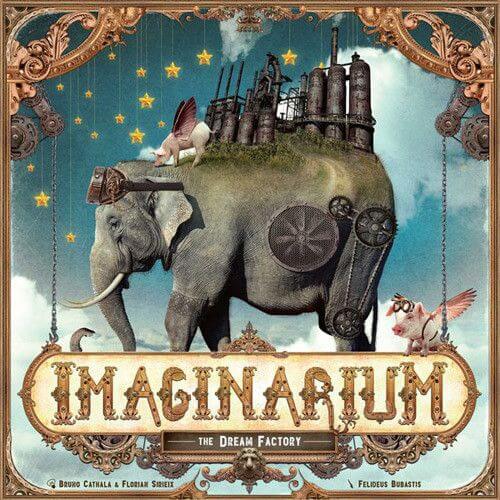
Imaginarium is a strategy, combination, and development board game for 2–5 players, with an approximate play time of 90 minutes.
Through the mist stands a gigantic factory where the essence of dreams is shaped. Players enter through its grand entrance and work with the famous machines found inside, using them to develop their workshops and pursue victory points.
Machines can be repaired, combined, or dismantled. Each choice supports the broader development of your workshop, while the resources produced by your machines can be used to repair more powerful machines. Managing these options is central to making effective use of what the factory provides.
- Repair machines to develop your workshop.
- Combine machines to shape new possibilities.
- Dismantle machines as part of your resource management.
- Produce resources for repairing more powerful machines.
- Use workshop space and complete projects from the design office to gain victory points.
Resource management and available space go hand in hand. You must make the best use of your resources and the room in your workshop while working toward the projects proposed by the design office.
With its focus on machine development, combinations, production, and workshop planning, Imaginarium presents a strategic challenge built around transforming the factory’s machines into progress and victory points.
/pic7182955.jpg)
Board Game Rules for
Imaginarium
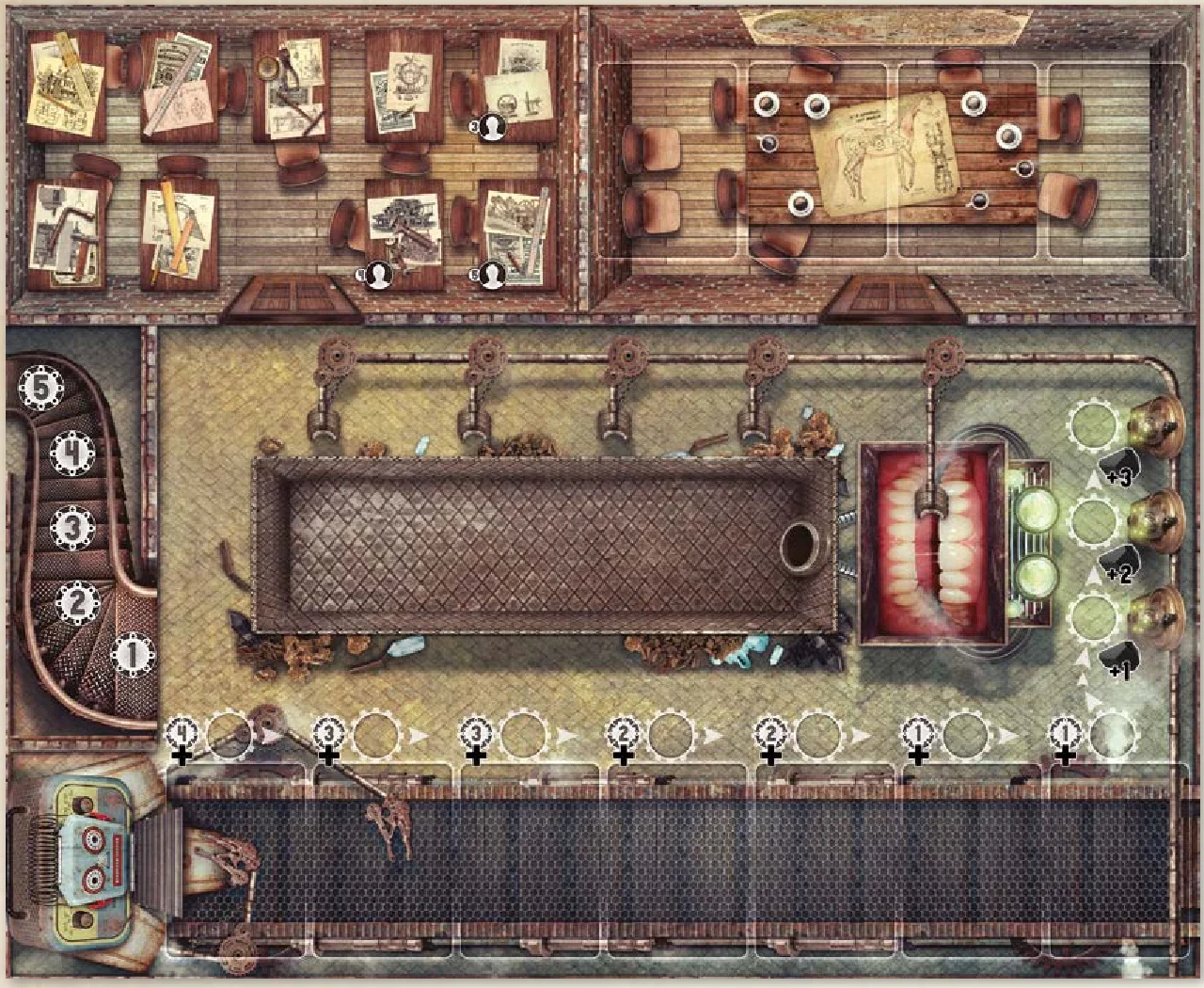
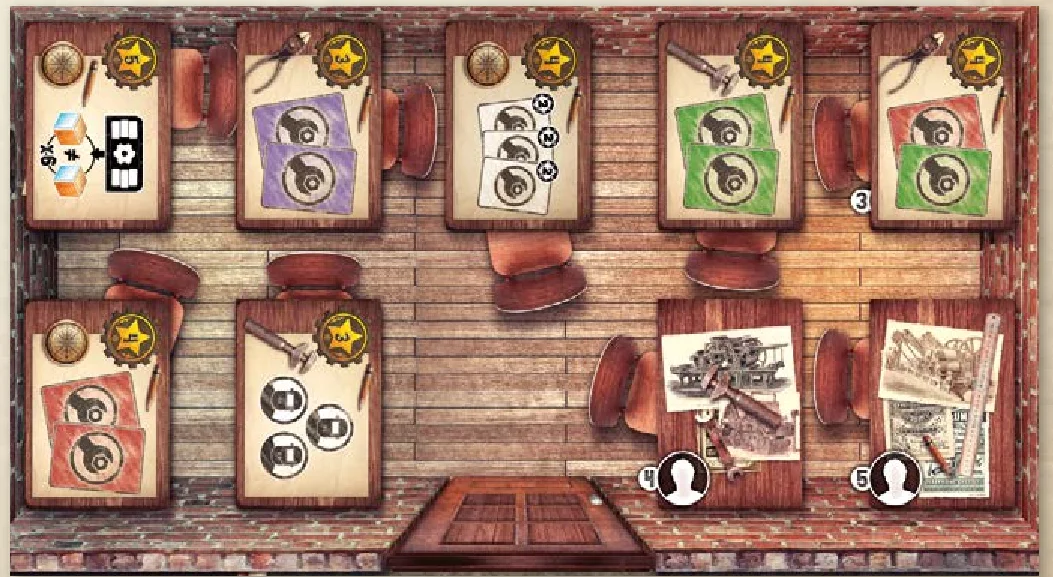
We will enter the factory through the grand entrance. Watch out, behind this heavy steel door is where the very essence of dreams is shaped! You see this great metal staircase? It leads to the conveyor belt on which broken machines go past, all in desperate need of repair. Ah ha, here is a Productivette, strange, but brilliant! Here is the design office, where completing projects will move you out of the shadows and into the limelight.
I’m going to accompany you on a detailed visit, but I cannot reveal the incredible dreams that are made here… a question of confidentiality clauses… Follow the guide!
The Fabulous Rulebook
Game Objective
In Imaginarium, you will repair, dismantle, combine, and use the curious machines of the Bric-a-brac to earn charcoalium (the money) and resources (wood, copper, crystal), that are essential for completing the projects.
You can also recruit assistants who will provide precious help completing the projects. This is the best way of earning enough victory points to win the game. But hurry, you must be faster than the other players!
Components
- A central board known as the Bric-a-brac.
- Resource cubes: wood (60 cubes and 4 tokens), copper (40 cubes and 3 tokens), and crystal (30 cubes and 3 tokens). Each token counts for 5 resources.

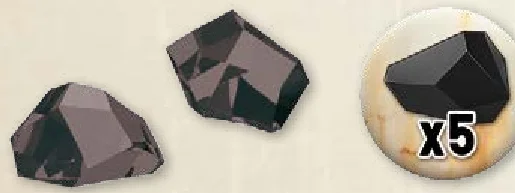
- 70 gems and 5 tokens of charcoalium, the money of the game that can be used to purchase resources, victory points, machines and assistants. Each token counts for 5 charcoalium.
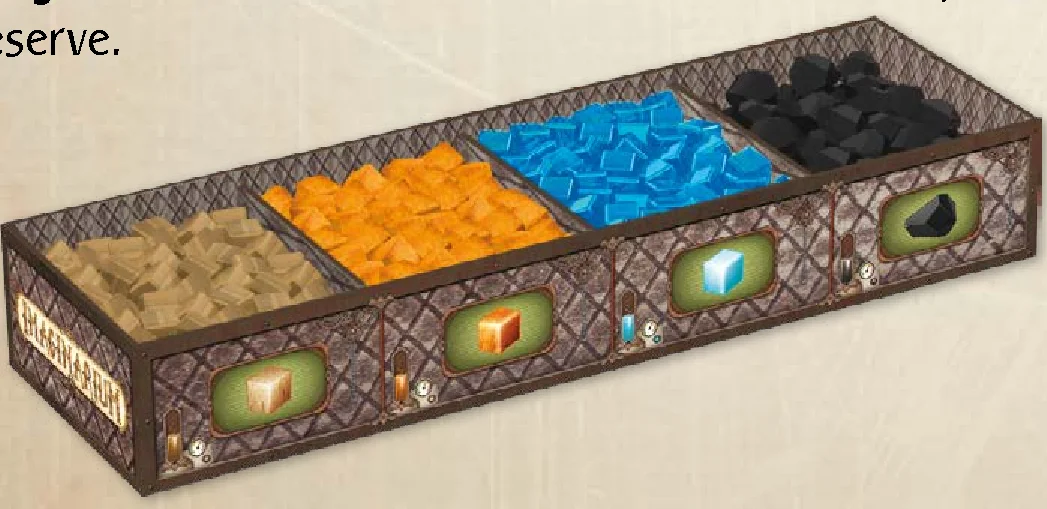
- A storage box for the resources and the charcoalium, known as the reserve.
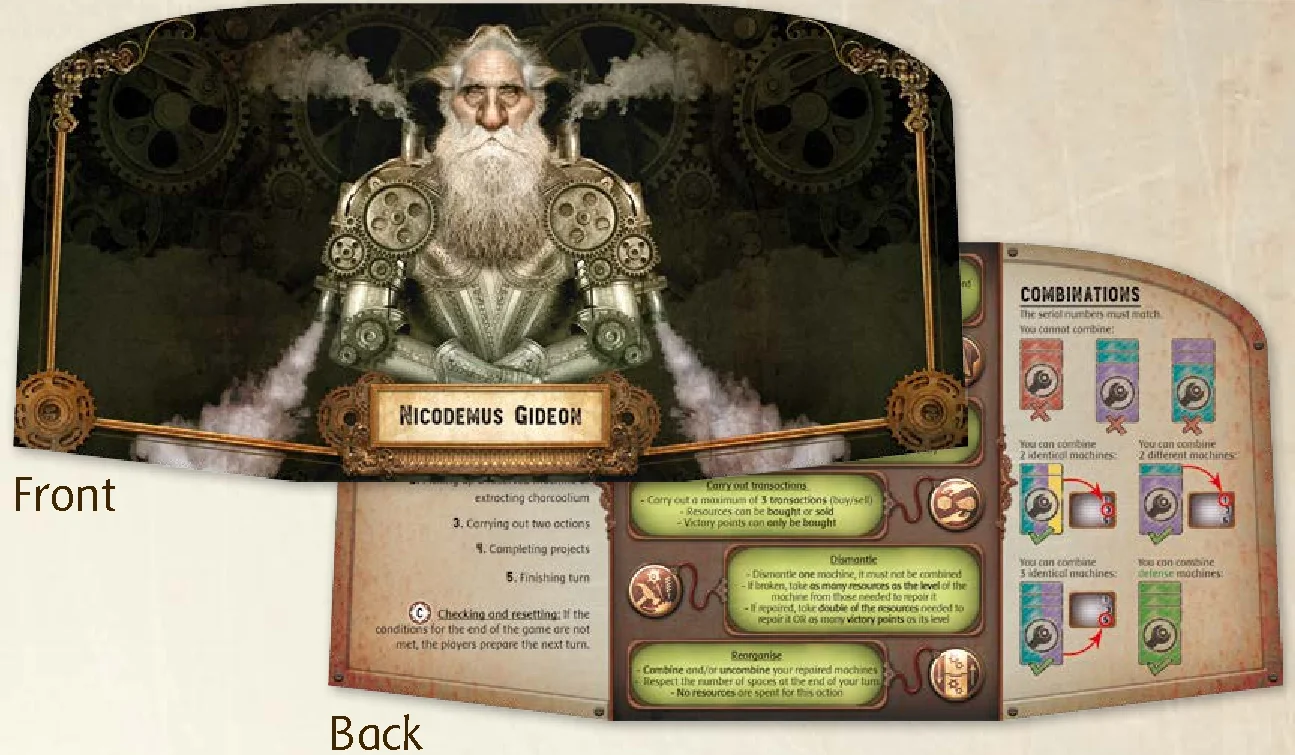
- Five folding screens to hide the player’s resources, charcoalium, and victory points.
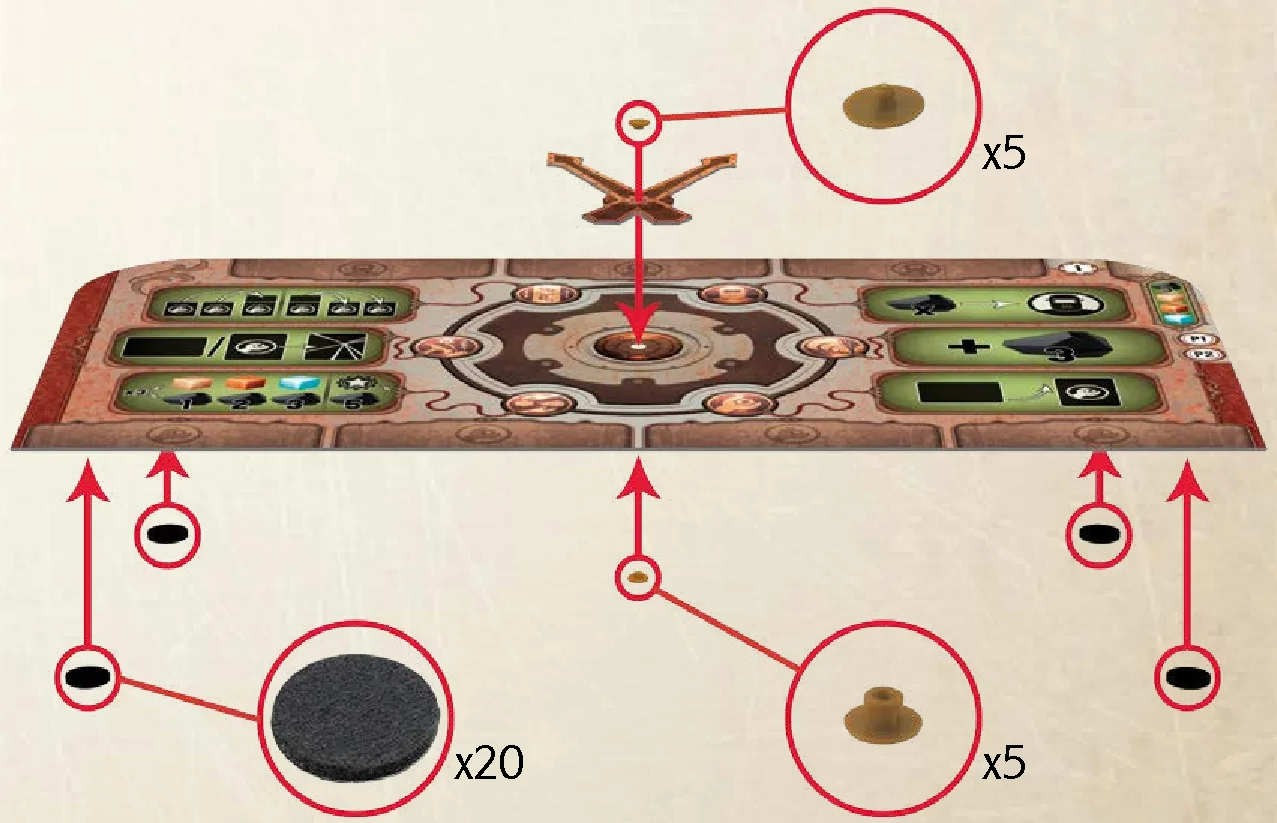
- Five player boards known as workshops, for players to select their actions, to store repaired machines and to keep their assistants.
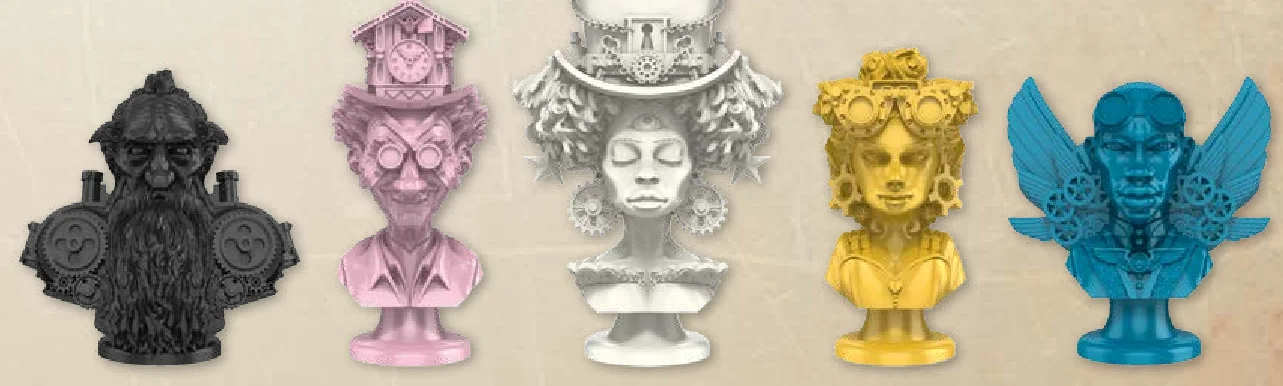
- Five models that represent the handymen on the Bric-a-brac.
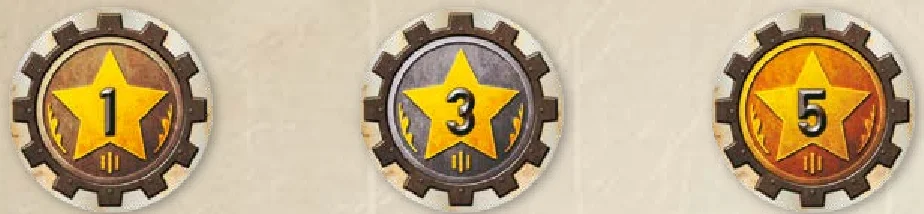
- 65 victory point tokens (45 x 1VP; 10 x 3VP; 10 x 5VP).
- 30 project completion tokens (6 per color).

- 61 machine cards, divided up as follows:
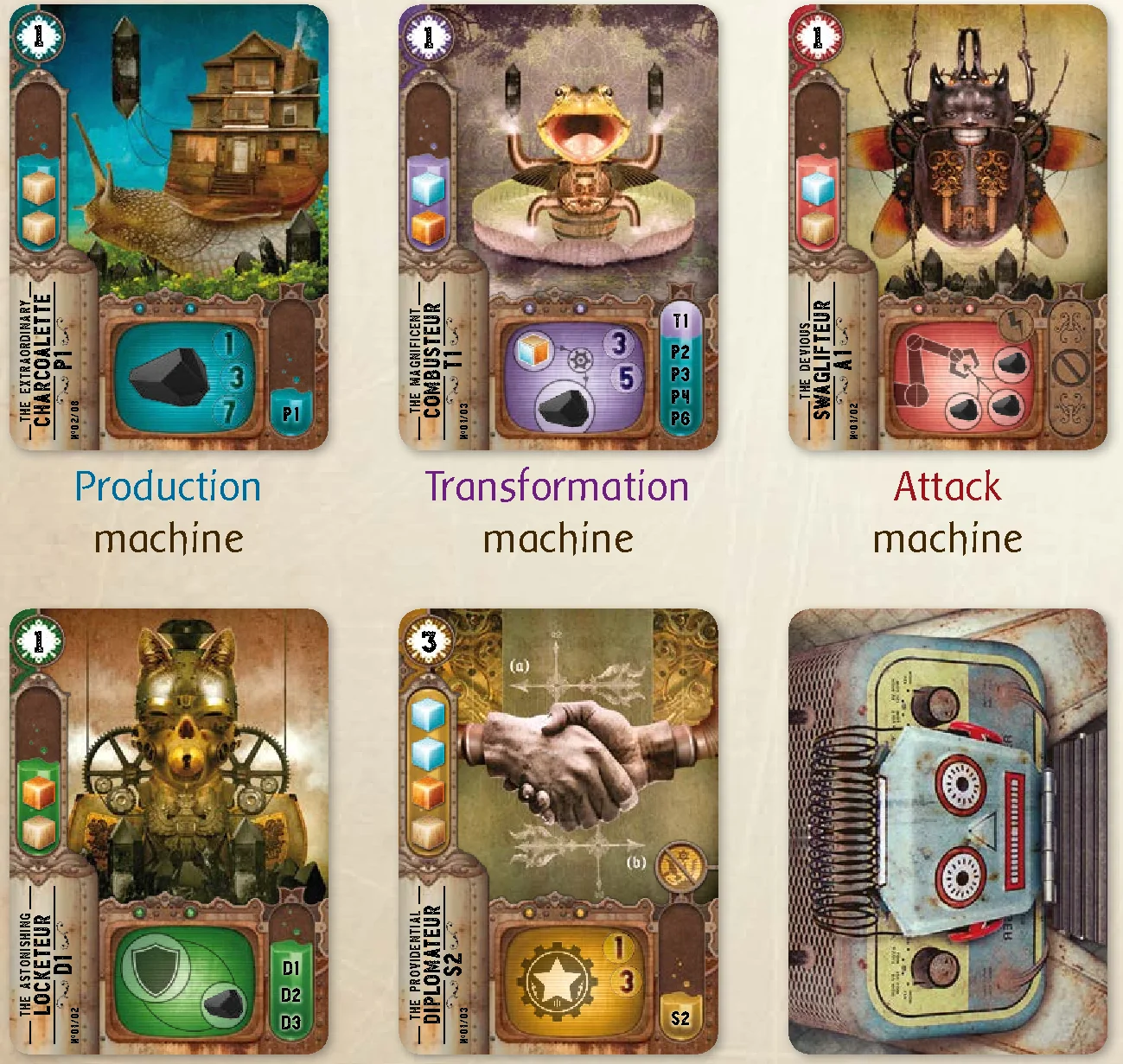
- 29 production machines, which produce resources and charcoalium;
- 12 transformation machines, which transform resources into charcoalium or into another type of resource;
- 10 attack machines, which enable players to steal resources and charcoalium from other players, and to carry out other devious deeds;
- 6 defense machines, which protect players from attack machines;
- 4 special machines, which generate victory points or recycle destroyed machines.
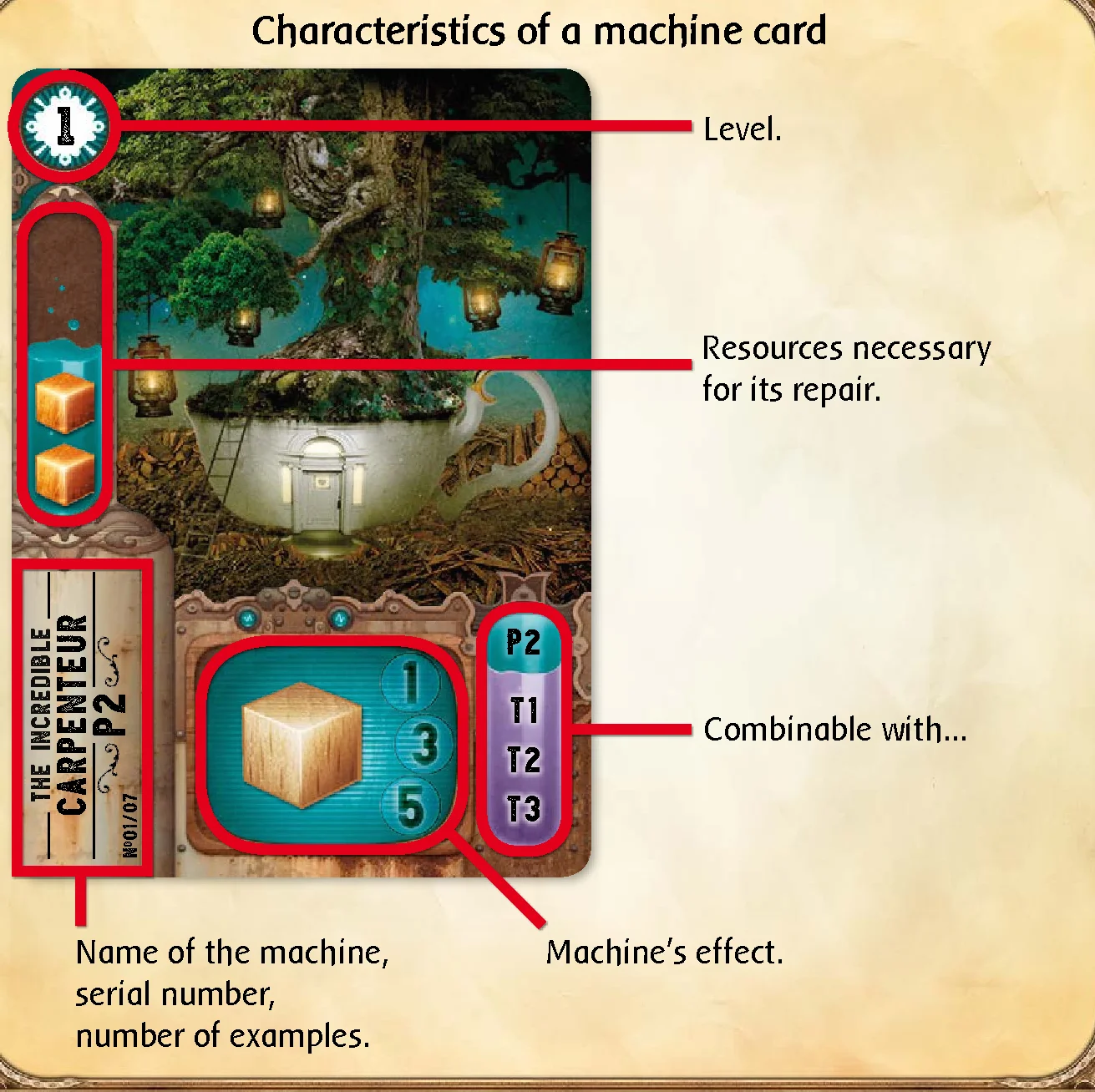
Characteristics of a machine card
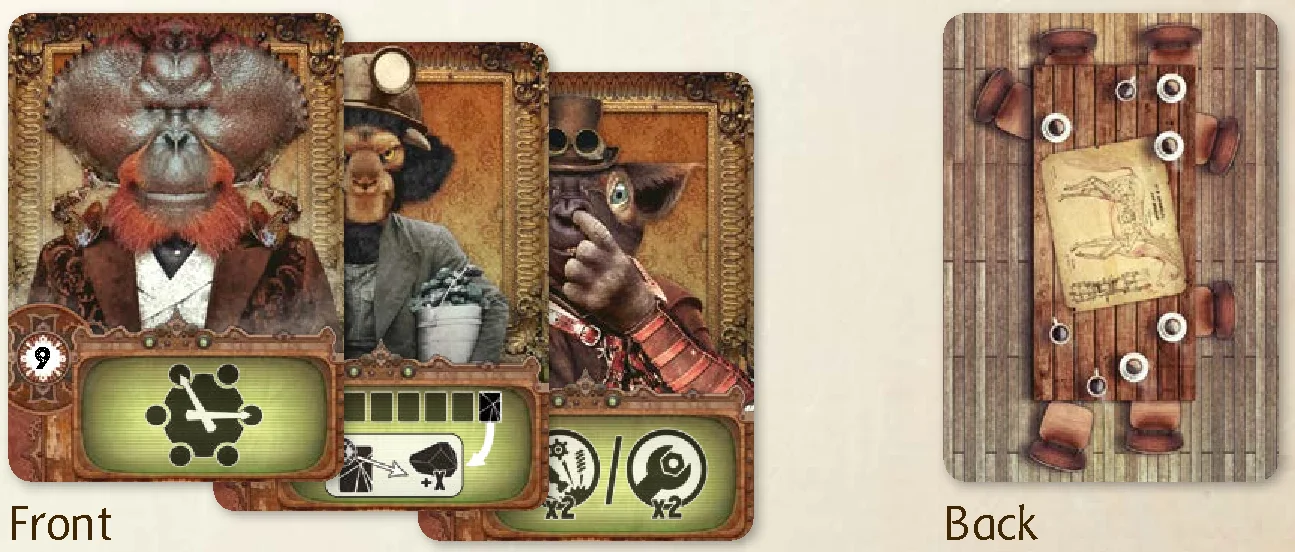
- 13 assistant cards, which give you personal advantages.
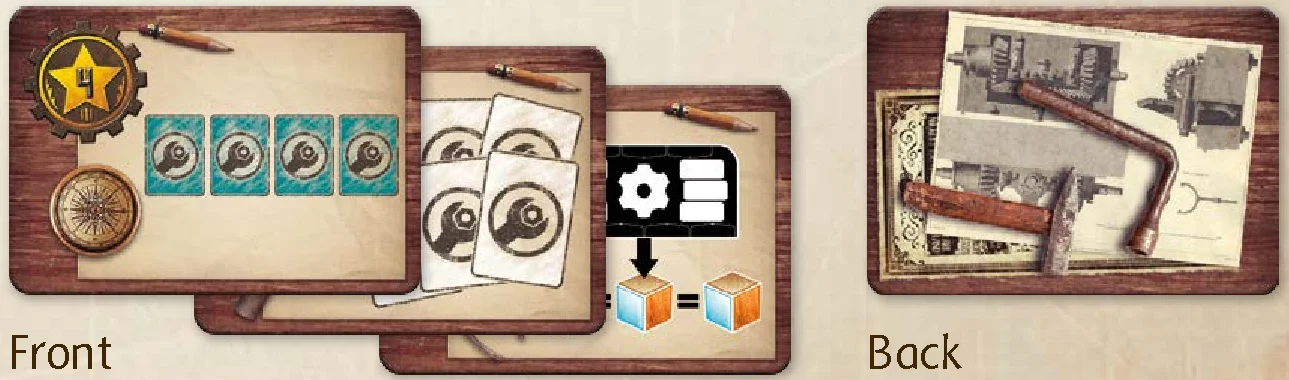
- 14 project tiles, which are the main source of victory points.
This booklet describes the general rules. Read them carefully first, then go to p.12 to read about the specific changes for a two-player game.
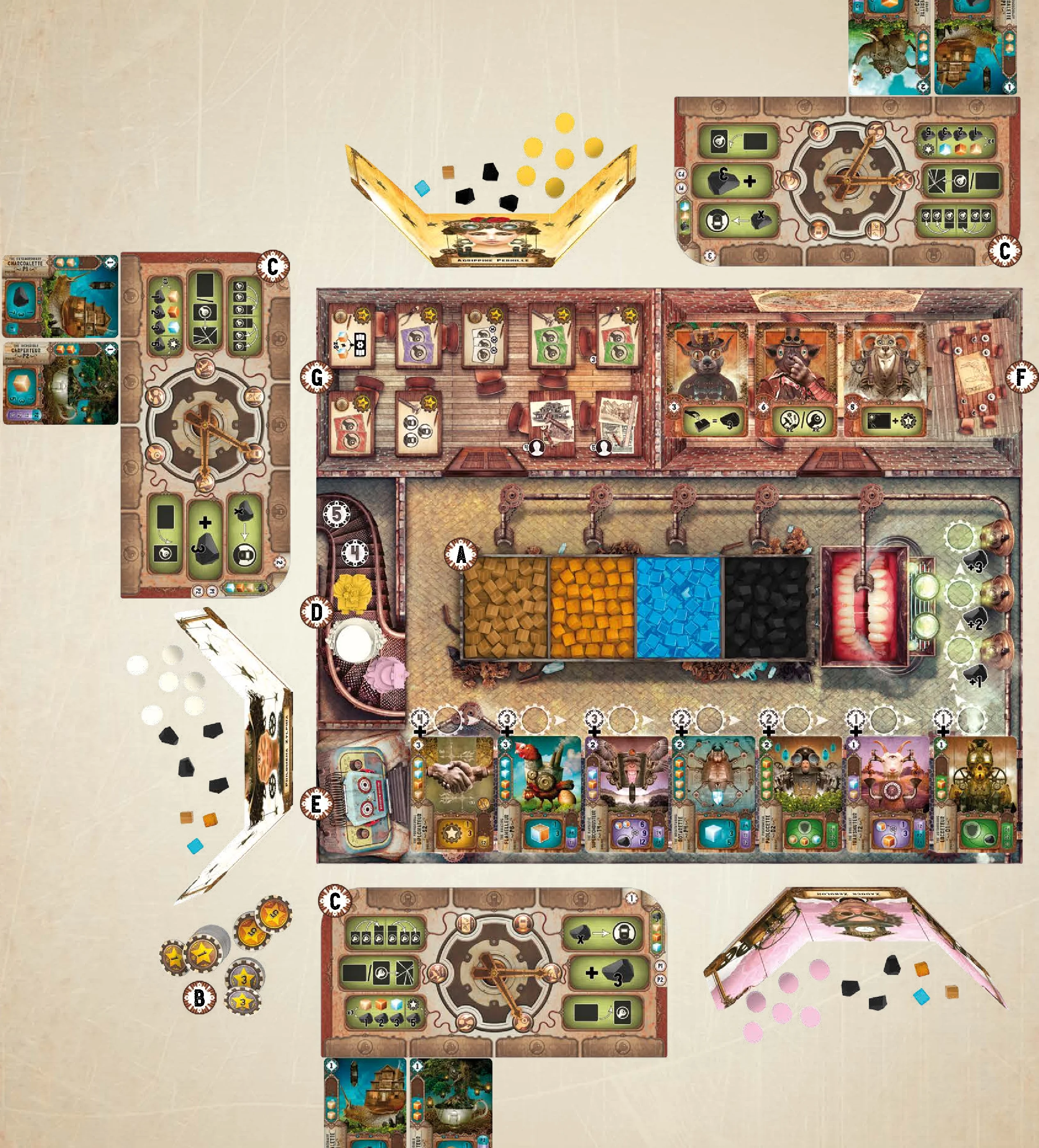
- Unfold the Bric-a-brac on the table and place the resources (wood, copper, and crystal) and the charcoalium in the reserved spaces of the storage box.

- Place the victory points next to the Bric-a-brac.

- Each player randomly takes a workshop which lists their initial possessions (charcoalium, resources and machines). They take the machines and place them on the reserved spaces of their workshop, these are already repaired on delivery. They take their charcoalium and their resources.

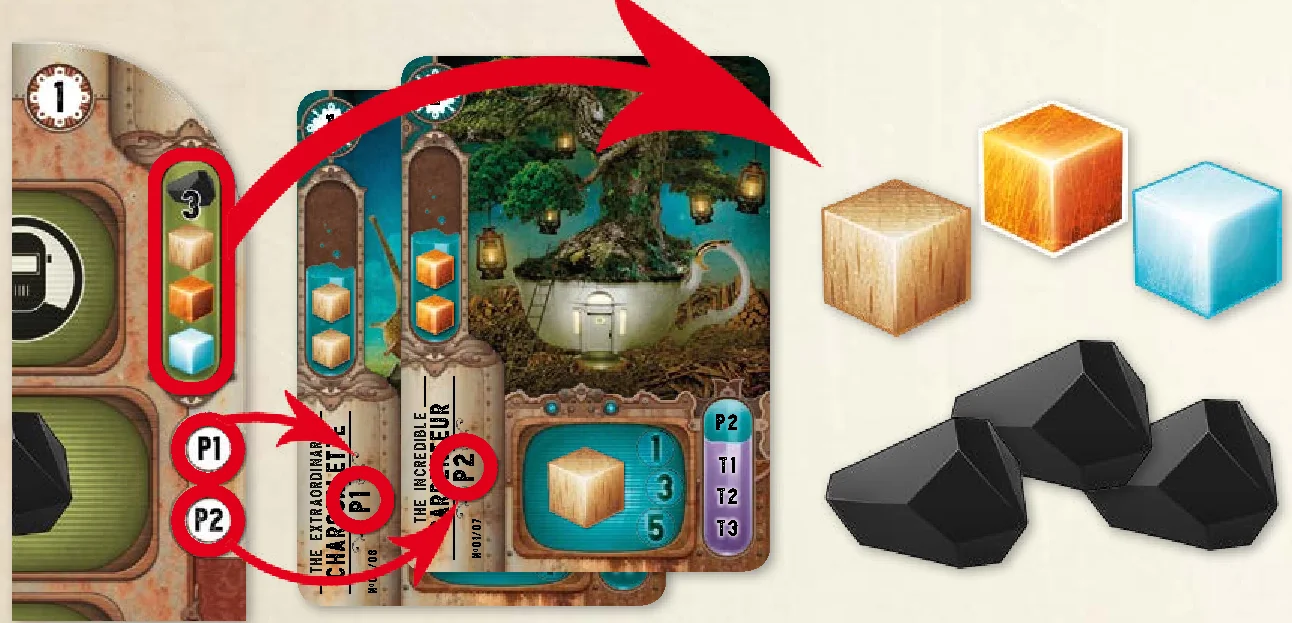
- Each player chooses a folding screen behind which they will hide their resources, charcoalium and the six tokens of their color. They take the corresponding model (that represents their handyman) and place it on the initiative track (in the space dictated by their workshop).

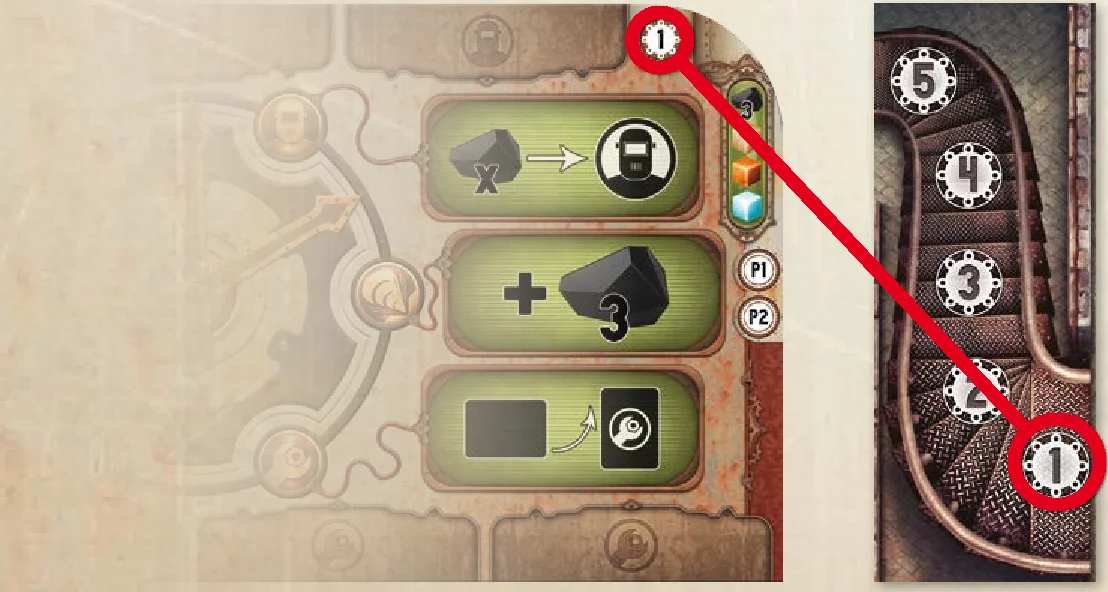
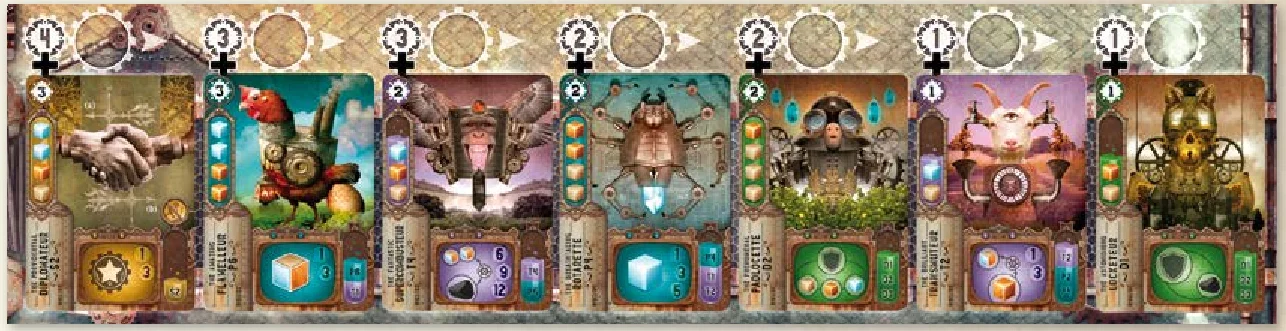
- Shuffle the remaining machines and place the deck facedown on its Bric-a-brac space, on the robot. Draw the seven first cards. If one of them is an attack machine, put it randomly back into the deck and take another. There must not be attack machines in play during the first round. Place the machines faceup on the conveyor belt of the Bric-a-brac, in descending order of level (those of level 1 will be the furthest on the right side). If several machines of the same level are revealed, place them in the order they are revealed in.

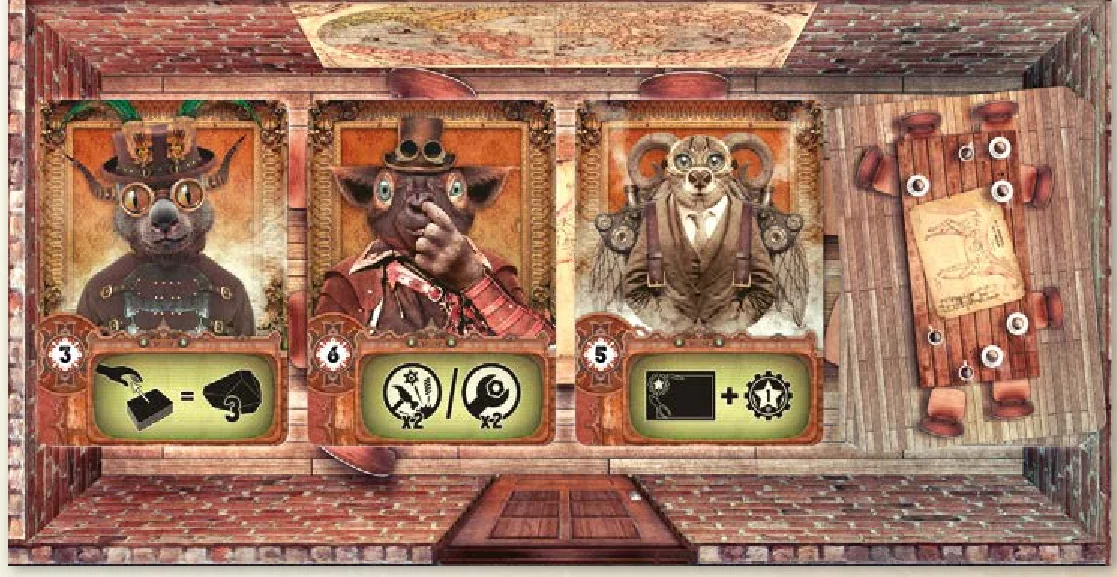
- Shuffle the assistants and place the deck facedown on its space on the Bric-a-brac, in the meeting room. Draw the first three cards and place them next to the deck faceup.

- Shuffle the projects and reveal as many as are indicated in the design office (6 for 2 players, 7 for 3 players, etc.), then place them on their space.

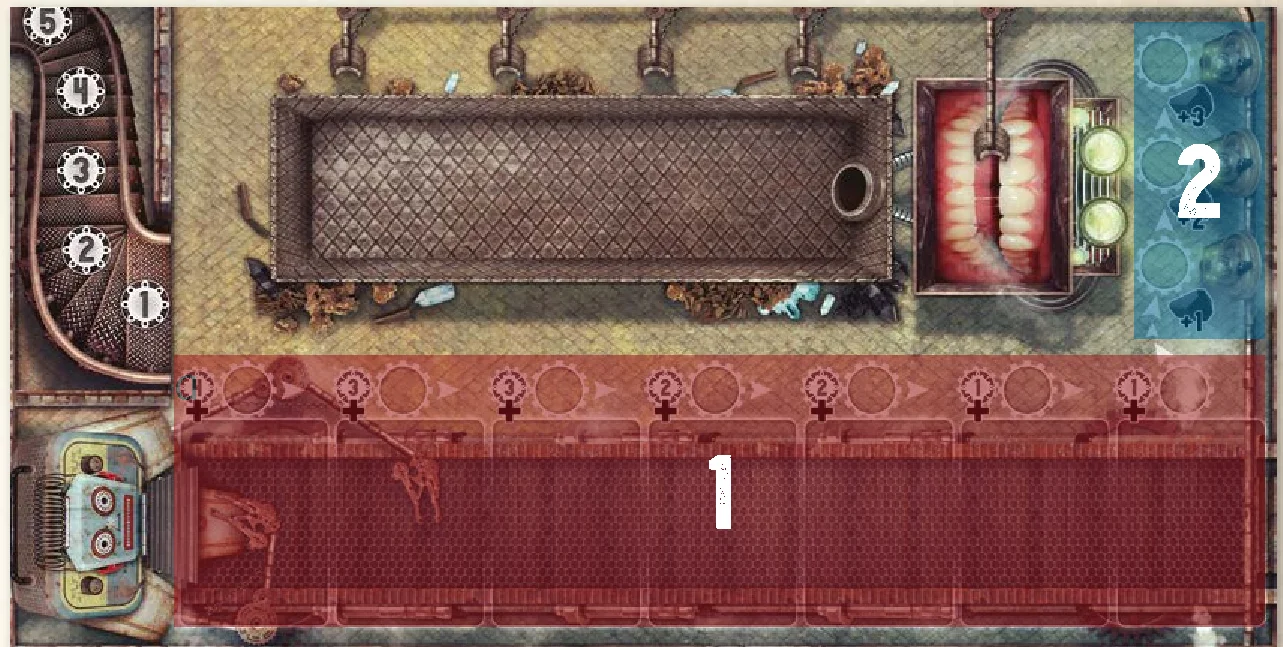
Each turn has three phases:
- A. Planning: Each player either reserves a machine on the conveyor belt, or moves onto a charcoalium extractor.
- B. Implementation: Each player carries out five steps before the next player’s turn.
- C. Checking and Resetting: If the conditions for the end of the game are not met, the players prepare the next turn.
A. Planning
While the conveyor belt transports the dismantled machines, the handymen organise their day’s work. There are those who reserve a new machine and those that volunteer to help the extraction department in exchange for a little charcoalium.
In the order of the handymen upon the initiative track, each player must move their handyman onto an unoccupied space:
- Either, in front of an available machine (it is then considered as reserved) (1),
- Or, on one of the three charcoalium extractors (2).
Important: Before reserving a machine, the players must ensure that they will be able to pay for it during the implementation phase (see Picking up a reserved machine or extracting charcoalium p.7).
When all the handymen have been placed, move onto the next phase.
Important: The position of the players at the end of this phase will determine the turn order of the next phase. To play first during the implementation phase, the player needs to be ready to pay the most for their machine.
B. Implementation
Now moving on to the serious stuff! Each handyman heads towards their workshop with a determined stride, sleeves rolled up, ready to get stuck into the works of these strange machines.
In the order of the handymen on the Bric-a-brac, starting by the one placed nearest the machine deck, and then in the direction of the arrows, each player will carry out all of the following steps in order:
- Using the workshop machines
- Picking up a reserved machine or extracting charcoalium
- Carrying out two actions
- Completing projects
- Finishing turn
It is then the next player’s turn.
1. Using the workshop machines
The machines start-up with a deafening sound and a thick smoke fills the workshop. The wheels are in motion; the working machines will allow you to repair the next ones! After several minutes, resources and charcoalium are ready to be collected.
Start your turn by using your repaired machines in the order of your choice. You are not obliged to use them all. When you use a machine, you must apply its effect (see Descriptions, the Machines p.16). Your machines can produce or transform resources, charcoalium or even victory points. Place resources, charcoalium and the victory points that are produced behind your screen.
Example: At the beginning of the game, the first player starts with a Charcoalette and a Carpenteur. They are repaired and so can be used as of the first turn. As long as you own these machines, you earn 1 charcoalium and 1 wood per turn.
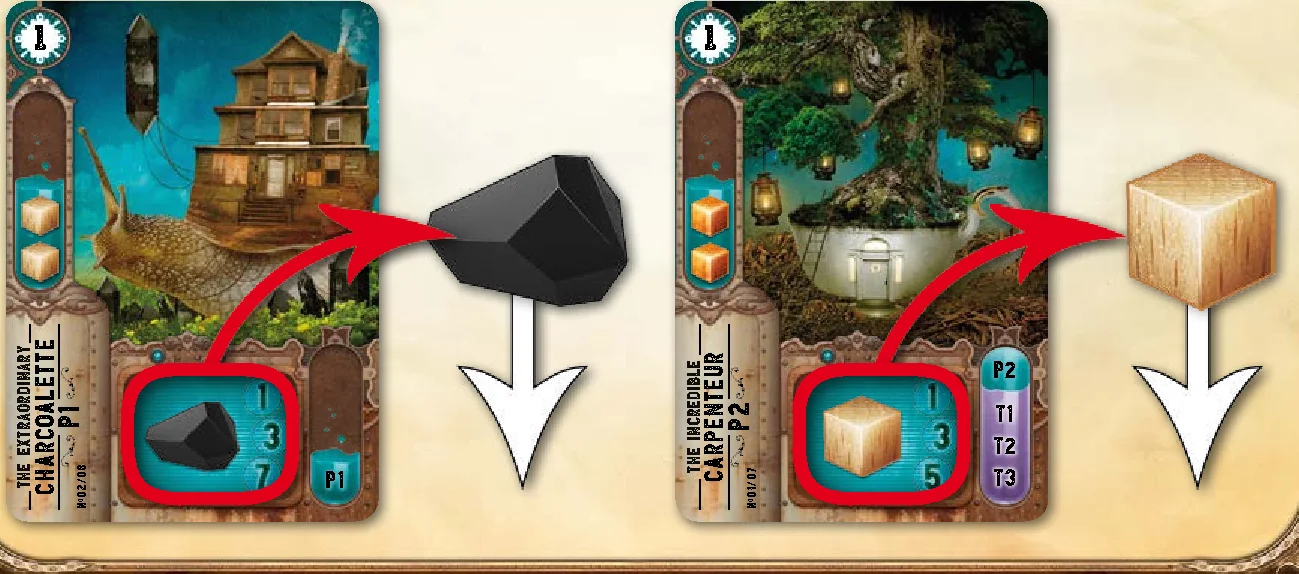
The effects of some machines cannot be used during this phase:
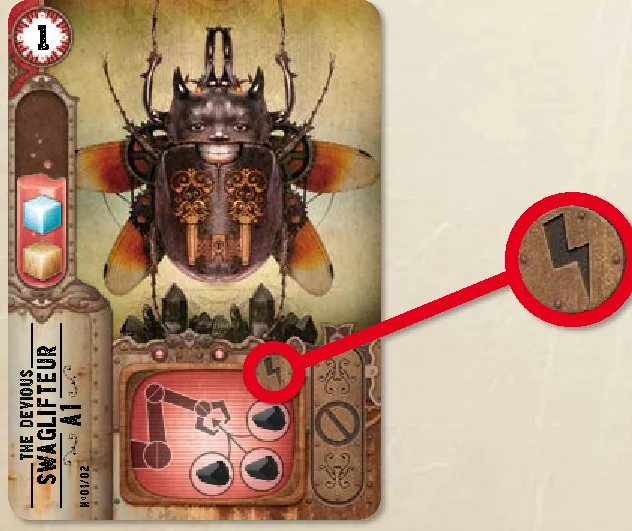
- The attack machines and the Recyclateur have a single use effect that starts at the precise moment that they are repaired. This particularity is indicated on the card by the lightning symbol
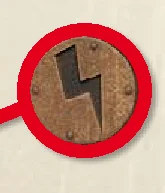 .
. - The defense machines have a permanent effect that is automatically started in reaction to an attack machine.
2. Picking up a reserved machine or extracting charcoalium
The planning needs to be respected! Handymen run in every direction, arms loaded with old broken machines that they’ve just exchanged for a couple of charcoaliums. Petronille, the secretary of the extraction department, pays the volunteers their allowance for their help.
Now is the moment to get on with what you have planned to do in phase A:
- If you have chosen a charcoalium extractor: take the amount indicated on the Bric-a-brac’s space from the reserve and place it behind your screen.
- If you have reserved a machine: you must now buy it. Pay the amount in charcoalium into the reserve.
The cost of each machine is equal to: The value of its level (on the top left of the card) + the basic cost indicated on the conveyor belt.
That is to say the machines can cost from 2 to 7 charcoalium according to their level and their position on the conveyor belt.
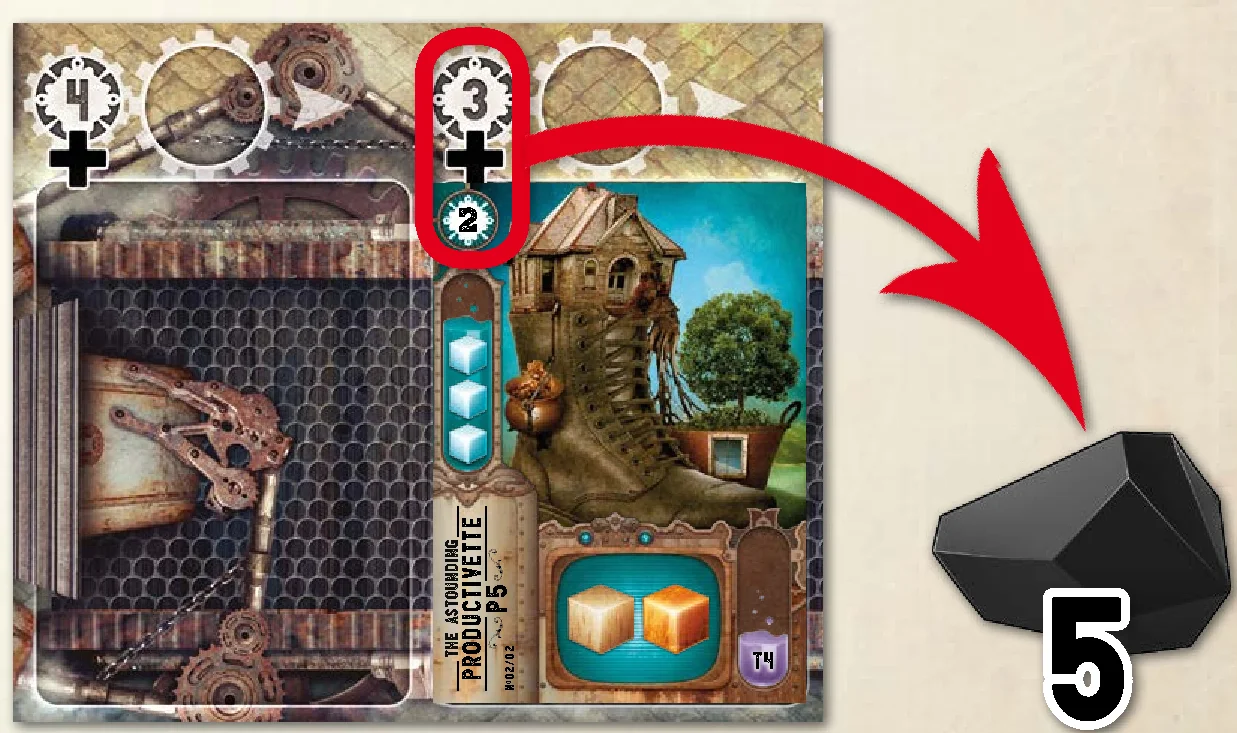
Important: If you do not have enough charcoalium to pay for the totality of the machine’s price, you must spend all your charcoalium, and then pay the rest by spending 2 resources of your choice per missing charcoalium. If you do not have enough resources, spend all of your charcoalium and all of your available resources, and then discard the machine.
All machines bought must be placed horizontally next to your workshop, in the yard, to show that they are broken.
There is no limit to the number of broken machines that you can accumulate in the yard of your workshop.
3. Carrying out two actions
Back to the workshop! It is time to get your hands dirty and start tinkering with these bizarre machines. A good way to show off your skills!
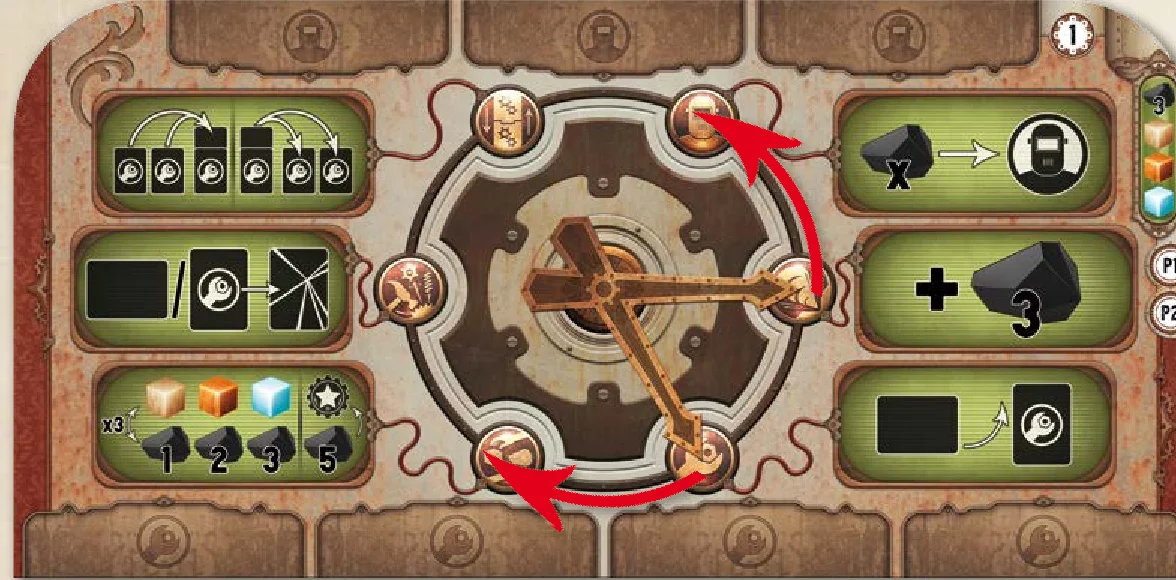
Choose your actions from those available in your workshop: turn the double hands to indicate a pair of actions. Then carry out one or both actions, in the order that you choose. If you carry out both actions, you must finish the first before starting the second.
Important: The same pair of actions cannot be chosen twice in a row, on consecutive turns.
The possible pairs of actions are:
- Recruit & Extract
- Extract & Repair
- Repair & Make transactions
- Make transactions & Dismantle
- Dismantle & Reorganise
- Reorganise & Recruit
Repair
Broken machines are piled up in the yard of the workshop. Among them is a Charcoalette, just bought back from the conveyor belt. It now needs to be repaired to hear its cogs turning once again.
You can only repair one machine per turn and you must place it on an empty space in your workshop. Spend the necessary resources to repair one of your broken machines in order to activate it.
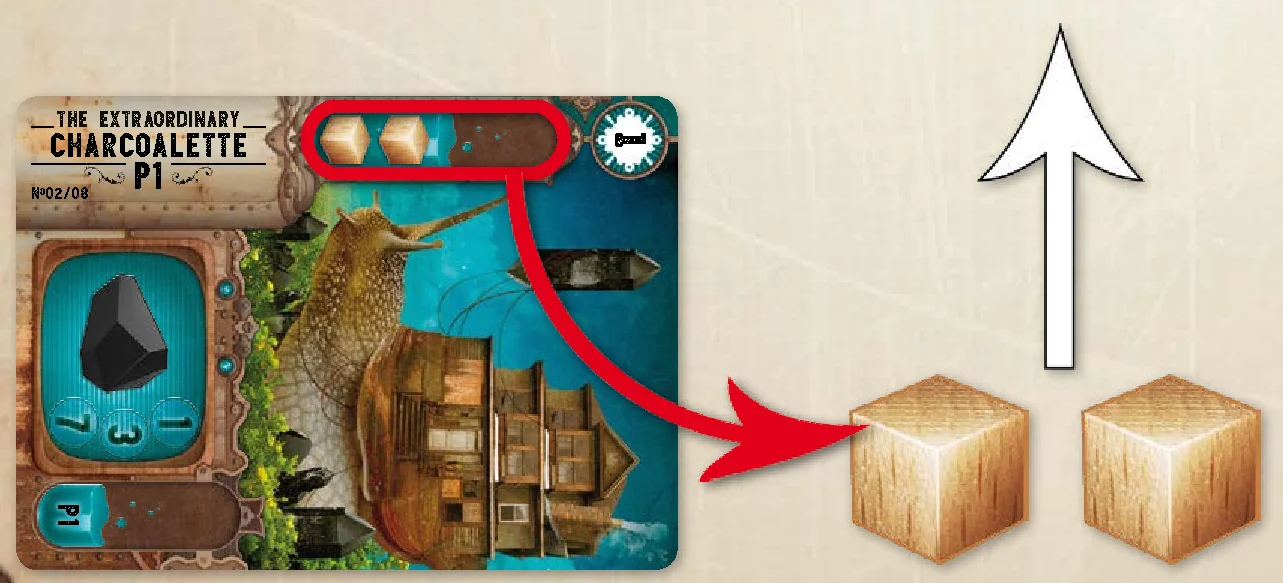
The resources are discarded into the reserve and the machine is placed in the workshop, vertically, to indicate that it works.
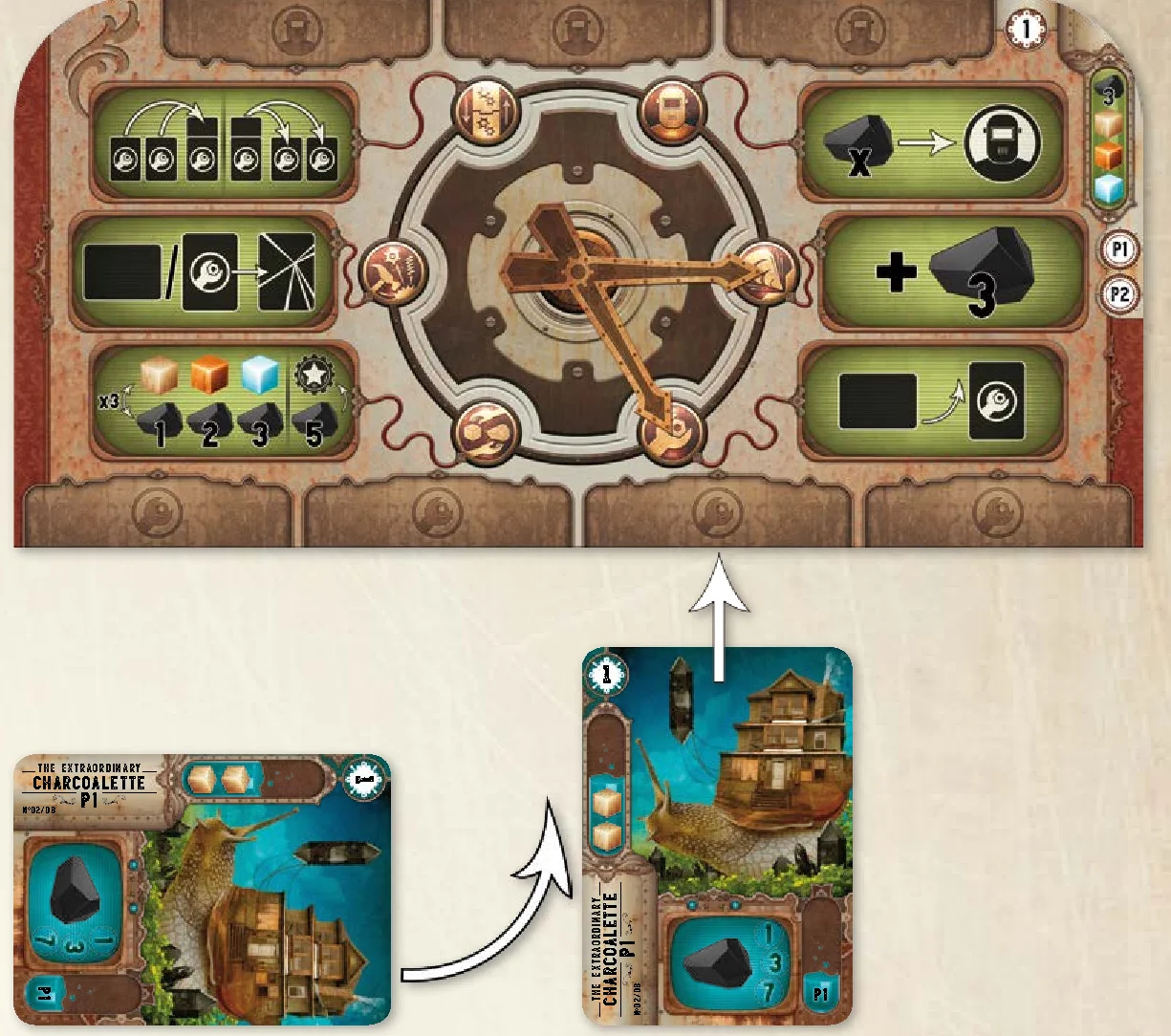
When you repair a machine, you can apply its effect immediately.
Your workshop only has four spaces for repaired machines. Whatever the level, each machine, or combination of machines (see Reorganise action p.9), takes up one space. This means that it is sometimes necessary to dismantle machines or combine them in order to free up the necessary space before you can repair new ones.
Dismantle
Patience and meticulousness are the key words to efficient dismantling. It is simply out of the question to lose the slightest piece of wood or crystal!
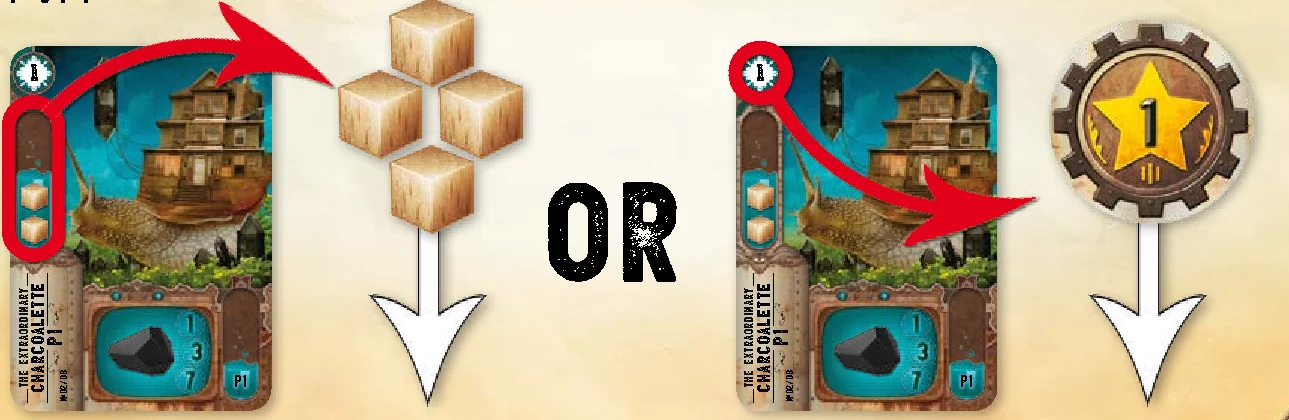
You can dismantle a machine in your possession (repaired or not) to recover resources or, in certain cases, victory points. You can only dismantle one machine per turn and it must not be combined with another.
If you dismantle one of your broken machines, take from the reserve as many resources as the level of the machine from the list of resources necessary to repair the machine.
Example: By dismantling a broken Flammelleur, 2 crystal and 1 copper, or 2 copper and 1 crystal, are recovered.
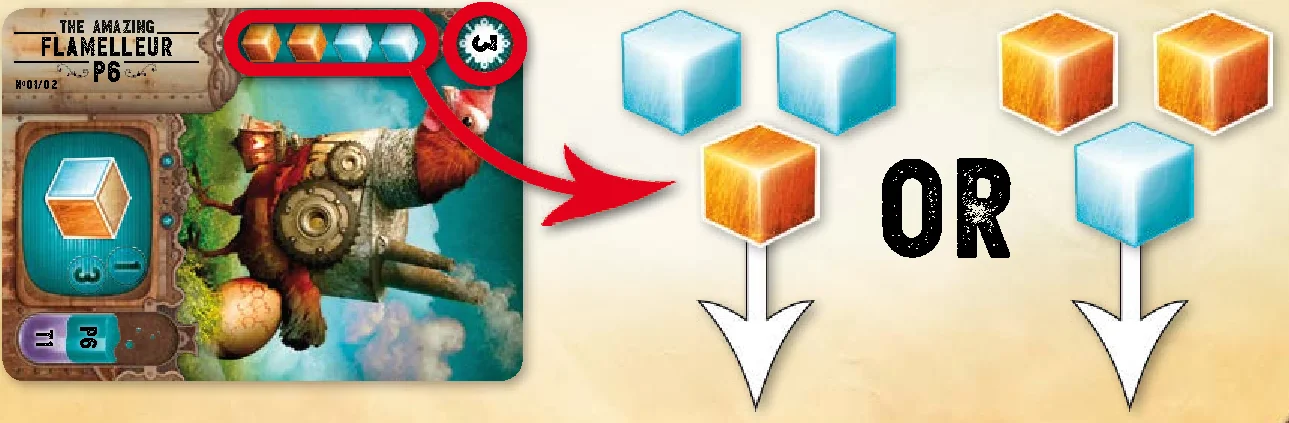
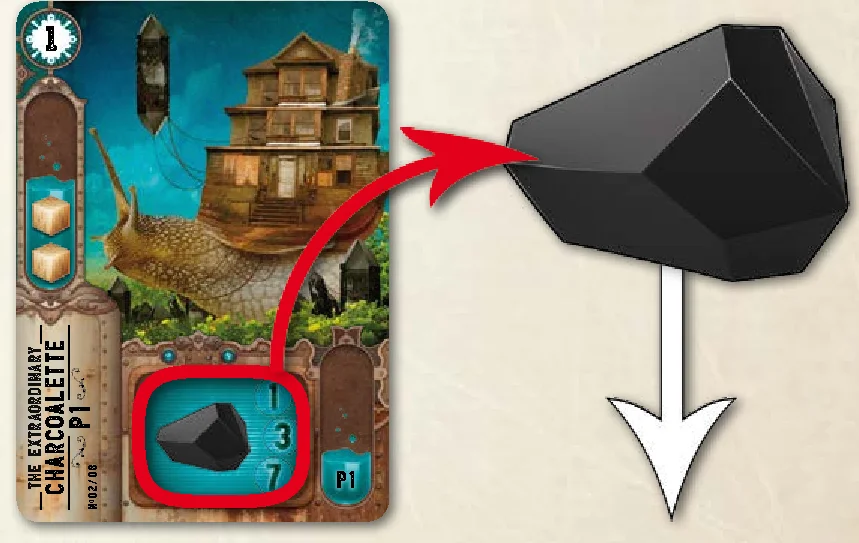
If you dismantle one of your repaired machines, you have the choice between:
- taking the double of the resources needed to repair the machine from the reserve.
- taking as many victory points as the level of the machine.
Example: At the beginning of a game, you start with a Charcoalette. If you dismantle it, you can recover 4 wood or 1 VP.
Important: The special machines can never be dismantled. This particularity is indicated on the card by this symbol  .
.
In each case, the machine is then discarded into the crusher. The discard pile may be consulted at any time.
Reorganise
Machines, tools and spare parts invade every corner of the workshop; impossible to even find room to put down a cup of coffee! Reorganising everything means gaining some space and increasing the power of the machines.
Reorganising your workshop by combining and/or “uncombining” your machines, allows you to improve their production and gain space for new ones. You can completely reconfigure your workshop, just as long as you respect the number of allotted spaces at the end of your action. No resources are spent for this action.
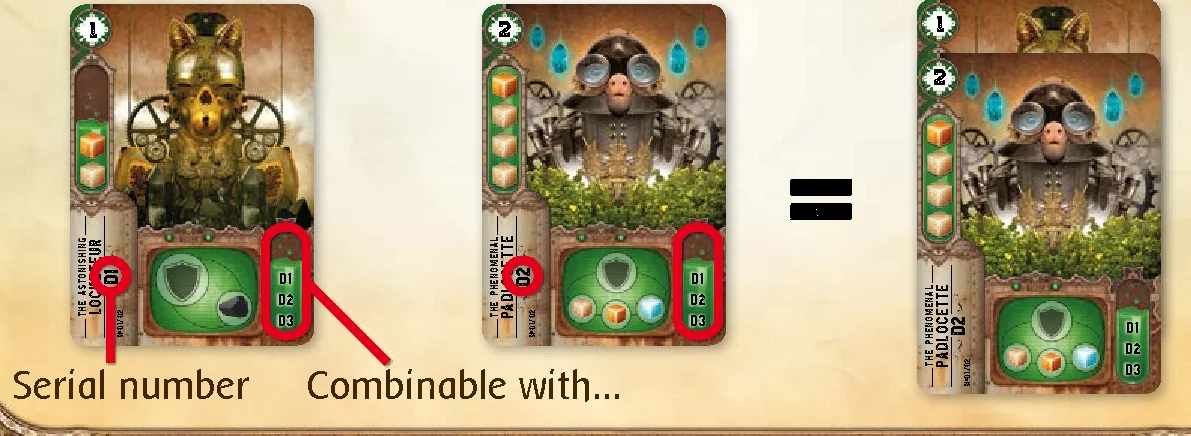
Important: A machine can only be combined with the machines whose serial numbers are inscribed on the lower-right of the card.
The machines are placed one on top of another. The machines’ effects, whether combined or not, and the possible combinations are detailed on p.16.
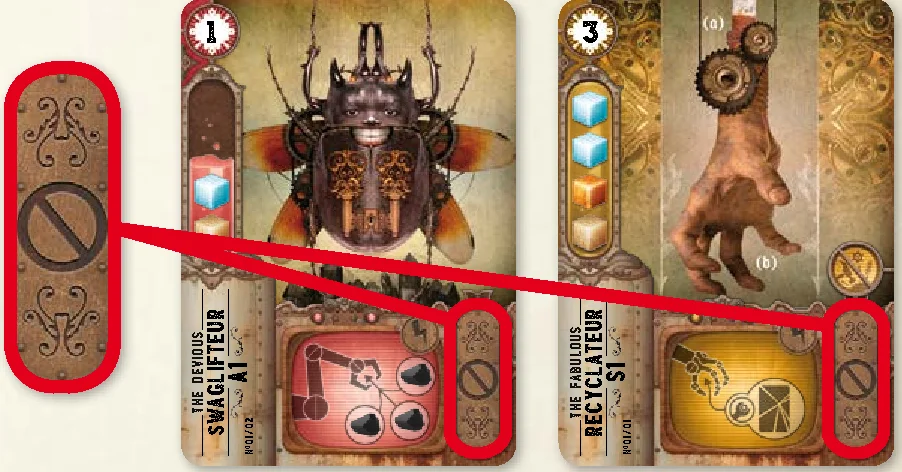
Some machines cannot be combined with other machines (attack machines and the Recyclateur). This particularity is indicated on the card by this symbol:
The defense machines can all be combined together and their effects are cumulative. This allows you to gain space in your workshop.
Example: You can combine the Locketeur (D1) with another Locketeur (D1), a Padlocette (D2) and/or a Patenteur (D3).
There are two types of combinations possible for the other machines:
- Combine 2 or 3 identical machines (for the Diplomateur, production and transformation machines). When the combined machines are activated, apply the multiplier effect corresponding to the number of combined machines. To find out how many identical machines you can combine, see how many multipliers are represented on the card. By combining identical machines you increase the production force.
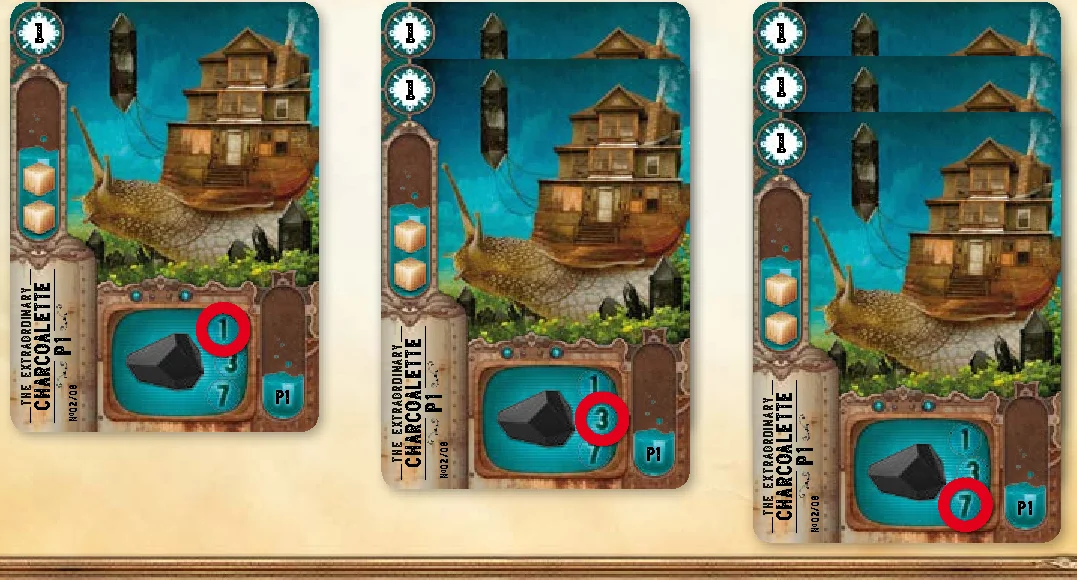
Example: One Charcoalette produces 1 charcoalium. Two combined Charcoalettes produce 3 charcoalium. Three combined Charcoalettes produce 7 charcoalium.
- OR: Combine 1 transformation machine with 1 production machine. That of transformation is placed on that of production.
Important: When these combined machines are activated, the effect to apply is that of the lowest multiplier of the transformation machine (the resource produced by the production machine can be considered as automatically injected into the transformation machine).
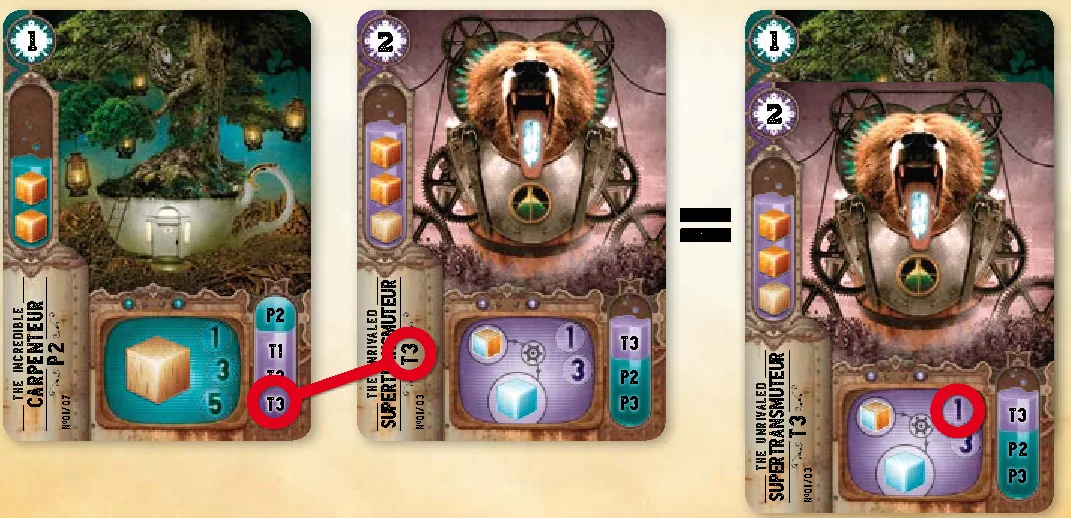
Example: You can combine a Carpenteur with a Supertransmuteur to generate 1 crystal per turn.
Important: Each combined machine keeps its level. Meaning that a level 1 machine combined with a level 2 machine is not considered as a level 3.
When you reorganise your workshop and as long as you have enough free spaces, you can uncombine your machines, in particular to be able to dismantle them afterwards.
Carry out transactions
The market can be found behind the factory. The handymen often go to sell or buy resources. There are even rumours that you can buy yourself diplomas to boost up your skills…
You can carry out a maximum of 3 transactions (buy and/or sell).
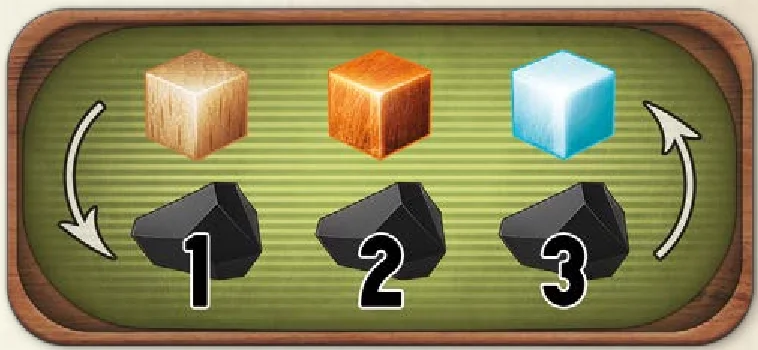
Resources can be bought or sold:
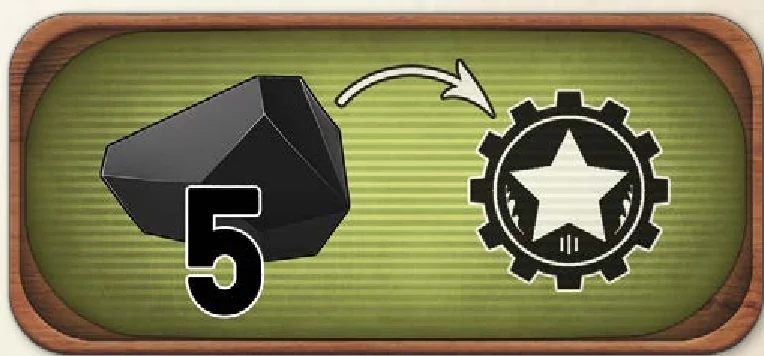
Victory points can only be bought:
Example: A player has 2 copper and 1 charcoalium.
- Transaction 1: they sell 1 copper for 2 charcoalium.
- Transaction 2: they sell 1 copper for 2 charcoalium.
- Transaction 3: they buy 1 victory point for 5 charcoalium (the 4 charcoalium that they have just gained plus 1 that they had in their personal reserve behind their screen).
Extraction
After years of demanding, an extractor has been installed in each workshop. It allows handymen to easily earn a little charcoalium.
Receive 3 charcoalium from the reserve and place them behind your screen.
Recruit
The smell of coffee drifts from the meeting room where the assistants have their break. They are always ready to lend a hand in exchange for a few charcoaliums and their help is precious!
You can only recruit one assistant per turn and no more than three per game (the number of spaces in your workshop). If you already have three assistants in your workshop, you cannot recruit any more. Each assistant is unique and allows you, as soon as you have them, to modify the base rules to your advantage (see Descriptions, The Assistants p.14).
To recruit an assistant, pay the price in charcoalium that is indicated on the card and then place it on a free space in your workshop. When playing with 5 players, it may be that there are no more assistants left in the meeting room or in the deck. If this should happen, assistants can no longer be recruited.
During a turn, if one or more assistants have been recruited, they are only replaced by new ones from the deck during the preparation phase for a new turn (see Checking and Resetting).
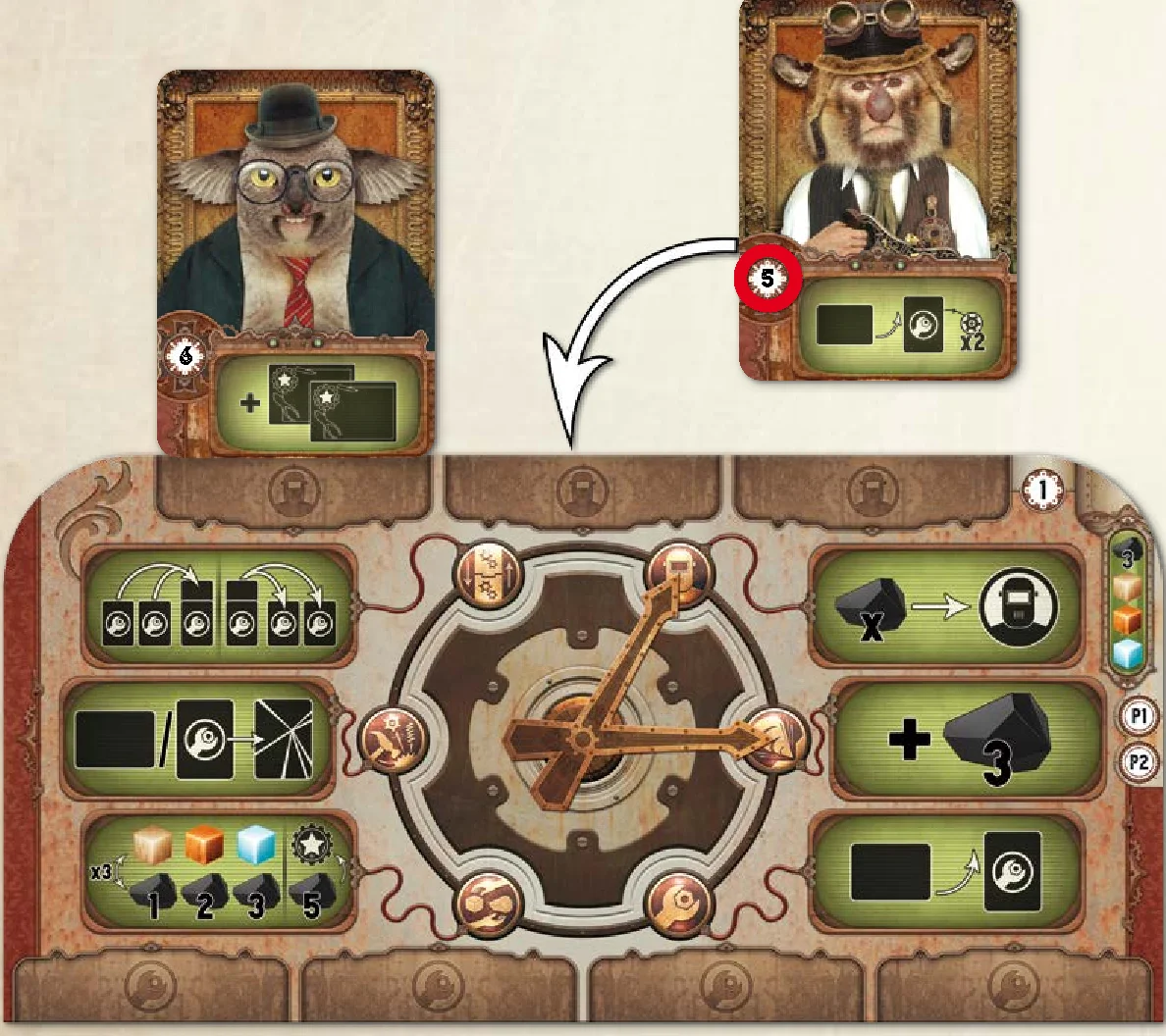
4. Completing projects
The day is drawing to a close! The handymen leave their workshop and, with beating hearts, push open the door of the Design Office in the hope of completing a project.
Check if you have fulfilled the necessary conditions to complete one or more projects.
If the conditions have been fulfilled, place one of your colored tokens on the project to indicate that you have completed it. Then take the corresponding victory points and place them behind your screen:
- if you are the first to complete this project: take as many victory points as are indicated on the project;
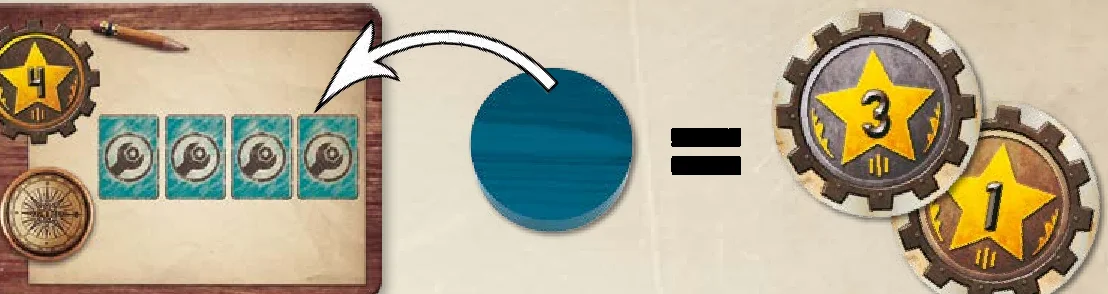
- if one or more players have completed the project before you: take 1 victory point less than is indicated on the project.
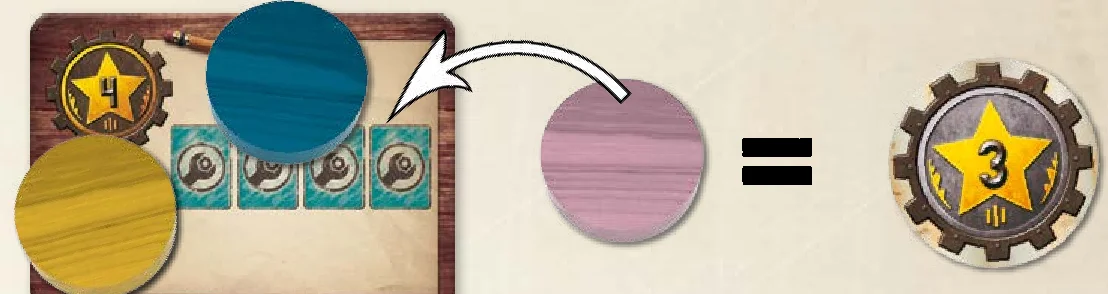
Important: You can complete several projects during a turn, but you can only complete each project once during the game.
5. Finishing turn
Then inform the other players that you have finished your turn by placing your handyman on the lowest number available on the initiative track of the Bric-a-brac.
C. Checking and resetting
When the last player has finished their turn, if a player has at least 20 victory points, they must declare it. The game is finished. Move on to the Victory paragraph (see p.12).
If this is not the case, prepare the Bric-a-brac for another turn.
On the conveyor belt:
- discard the machine furthest on the right into the crusher;
- move the remaining machines towards the right without leaving any empty spaces;
- complete the conveyor belt with the machines that are at the top of the deck.
In the meeting room:
- complete the empty spaces with the assistants that are at the top of the deck.
A new turn can start!
The last project has been completed! Generations of handymen have been waiting for this moment: the consecration of one among them… Prepare yourself to enter the mysterious universe of the Great Machinists, the only ones to have access to the dreams that leave the factory.
At the end of a complete turn, when a player declares that they have 20 or more victory points, all the players reveal the resources and the charcoalium that they have behind their screen. For each resource in turn (wood, copper, crystal) as well as for charcoalium, the player with the most gains 2 additional victory points. If several players share this majority, they all gain 2 victory points.
The player with the most victory points becomes the first handyman to enter the order of the Great Machinists.
In the event of a draw, the concerned players add together the levels of each of their repaired machines. The highest score wins the game.
During rare moments of vacation, the factory empties. A duel is battled out to earn the entry into the order of the Great Machinists. Each handyman is helped by a saboteur.
Here are the specific changes for a two-player game. The rest of the rules remain the same.
Game setup
Refer back to the steps described on p.4, except for the following point:
4. Each player chooses a screen behind which they hide their resources, charcoalium and the six tokens that correspond to their colour. They then take the corresponding model (representing their handyman).
One of the validation tokens of each player is used during the game to represent a saboteur working for the player, allowing them to hinder their opponent’s plans.
The player with the lowest number on the upper-right of their workshop places their saboteur (validation token) on number 1 of the initiative track and their handyman (model) on number 3. Their opponent places their saboteur on number 2 and their handyman on the number 4.
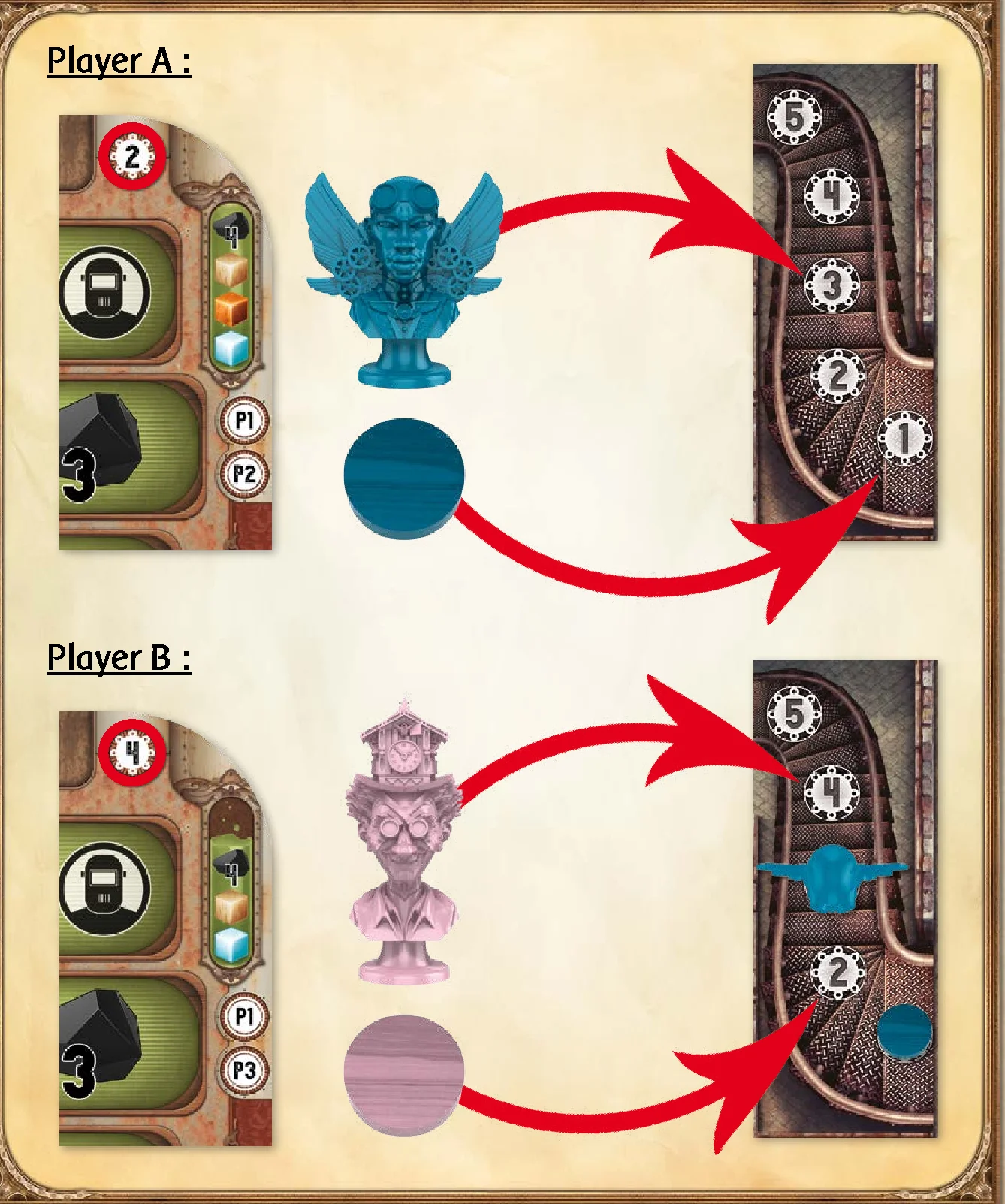
Planning
In the order upon the initiative track, each player must move the component of their colour (saboteur or handyman) onto an unoccupied space:
- Either, in front of an available machine,
- Or, on one of the three charcoalium extractors.
Implementation
In the order of the components on the Bric-a-brac, starting by the one placed nearest the machine deck, and then in the direction of the arrows, each player decides on their actions.
Carrying out the saboteur’s action:
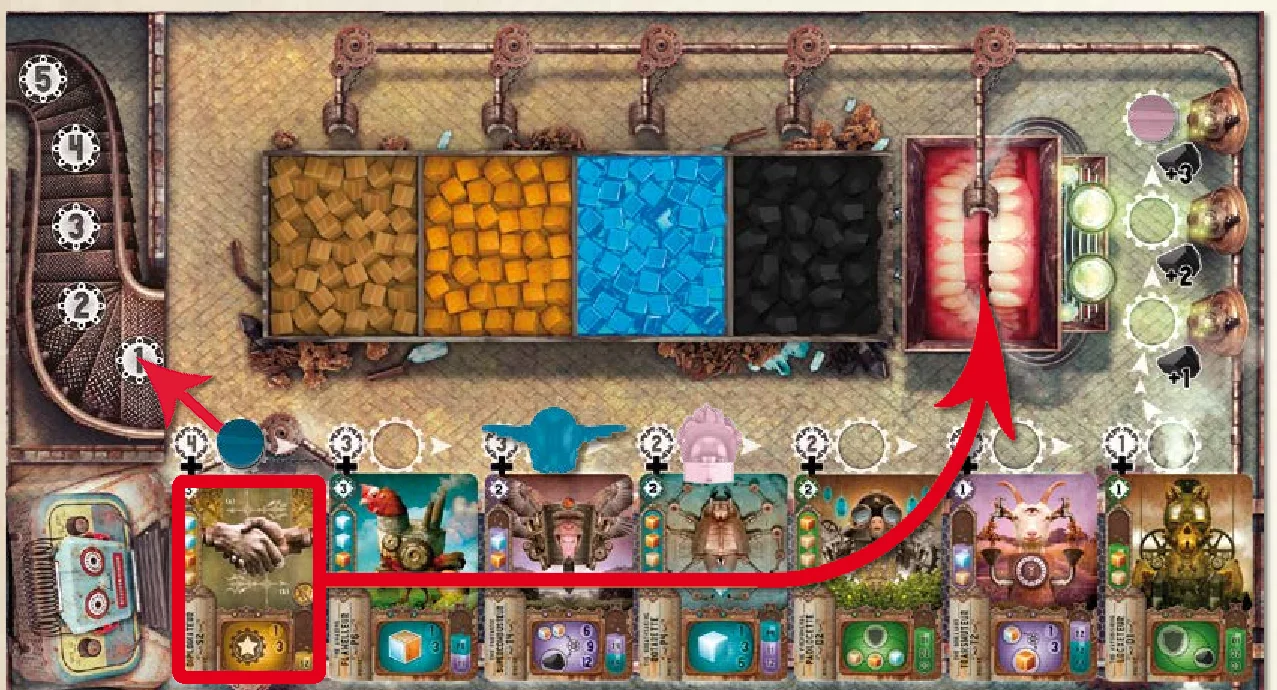
- If a machine has been sabotaged: it is simply discarded into the crusher. The saboteur is replaced upon the lowest available number on the initiative track.
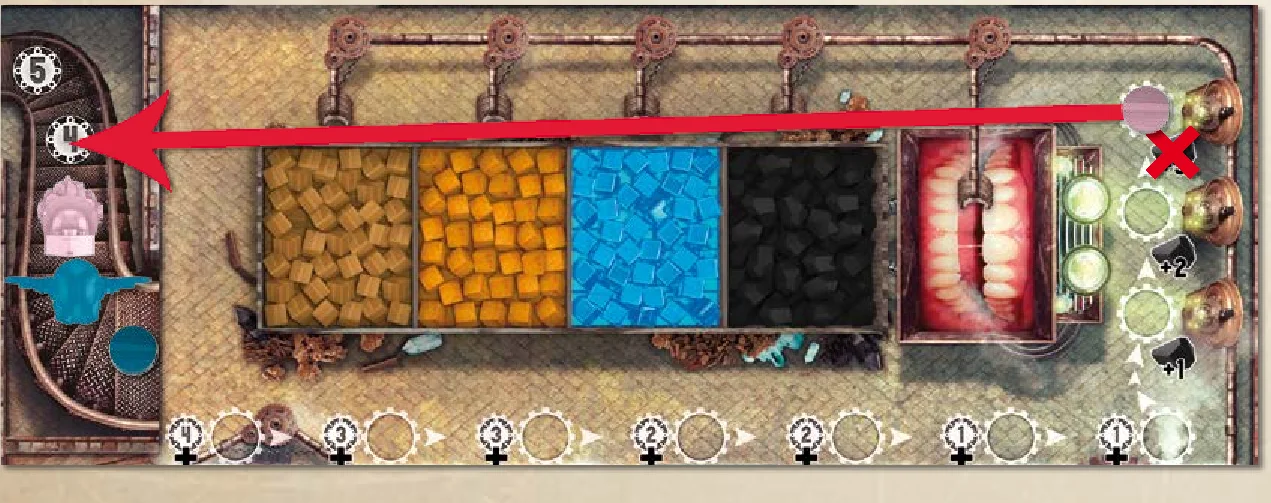
- If a charcoalium extractor has been sabotaged: its use is blocked for this turn. The saboteur is replaced upon the lowest available number on the initiative track of the Bric-a-brac (without earning any charcoalium).
Carrying out a handyman’s action:
Carry out all of the following steps, according to the general rules:
- Using the workshop machines
- Picking up a reserved machine or extracting charcoalium
- Carrying out two actions
- Completing projects
- Finishing turn
It’s up to you to make the most of your two characters, the handyman and the saboteur, elaborating your strategy while at the same time hindering your opponent!
Reminder: The recruit action allows an assistant to be bought by paying the price indicated on their card.
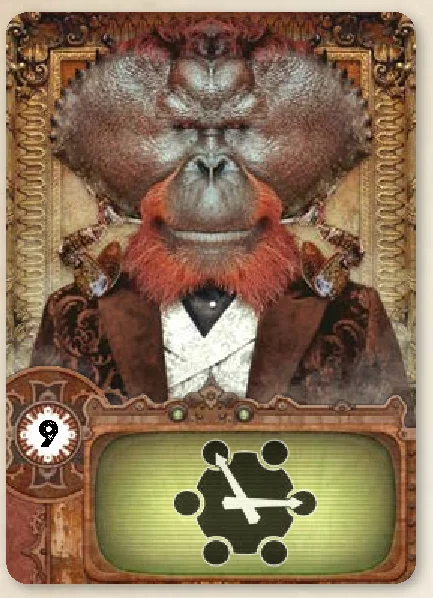
Cost 9: As of your next turn, you can freely choose two different actions without taking into account either the double clock hands or the obligation to have a different pair of actions each turn.
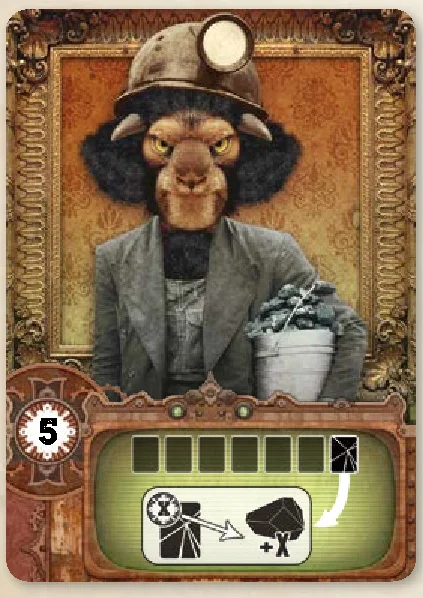
Cost 5: During resetting, receive as much charcoalium as the level of the discarded machine.
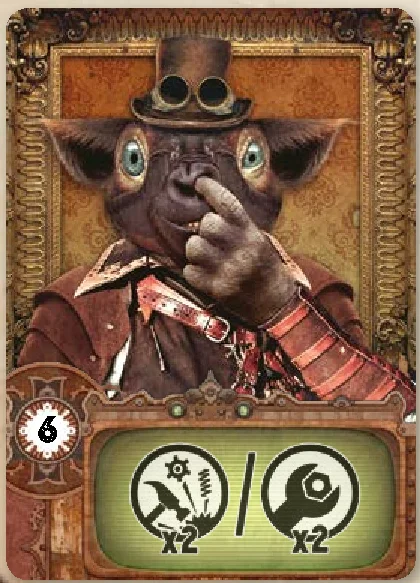
Cost 6: When you choose to dismantle or repair, you can repeat this action twice in the same turn.
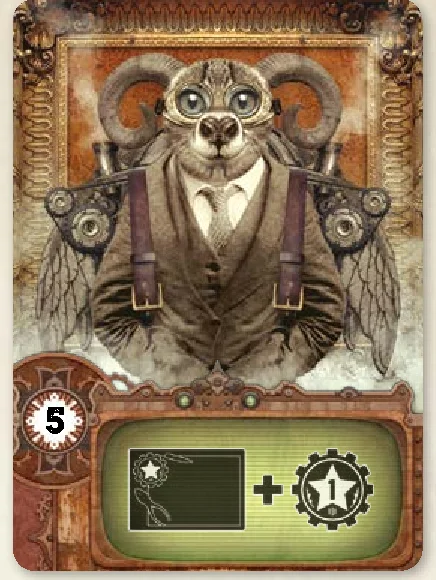
Cost 5: Earn 1 additional victory point each time you complete a project.
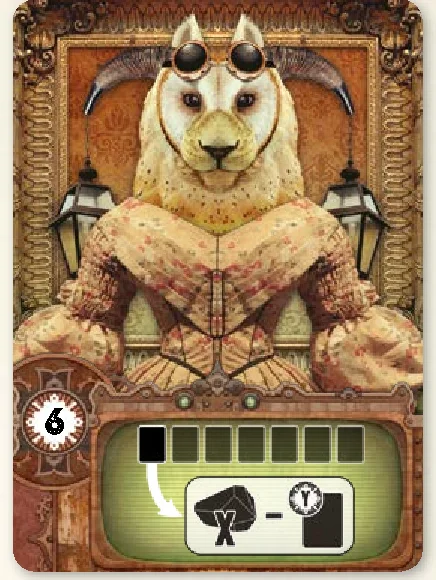
Cost 6: When you pay for a machine that you have reserved, you only pay the basic amount indicated on the conveyor belt.

Cost 4: Your workshop has two additional spaces for your machines.
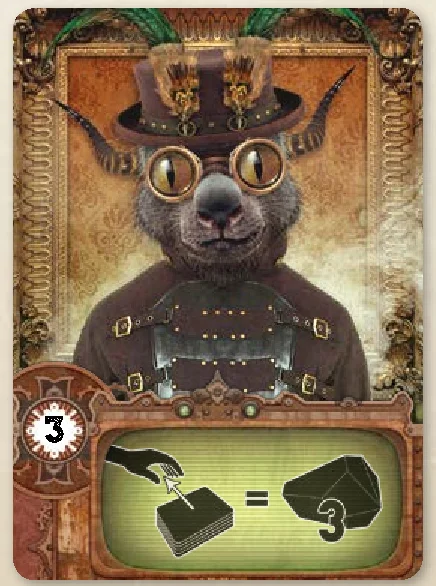
Cost 3: Once per turn, during your machine picking up phase or charcoalium extraction, you can spend an additional 3 charcoalium to purchase the machine at the top of the deck. It is then placed broken in your workshop’s yard.
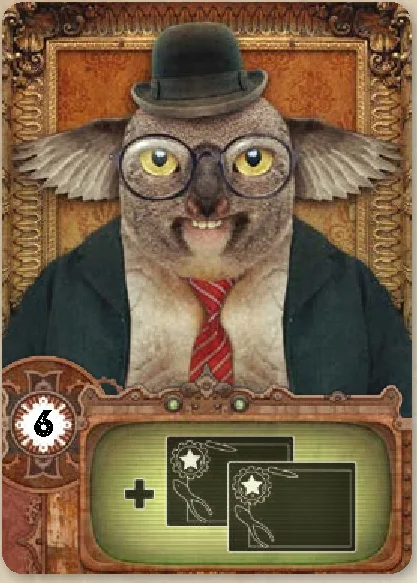
Cost 6: Draw two projects from those that are not currently in play and place them behind your screen. As soon as you have completed one of them, reveal it and take the corresponding victory points. Then discard both projects.
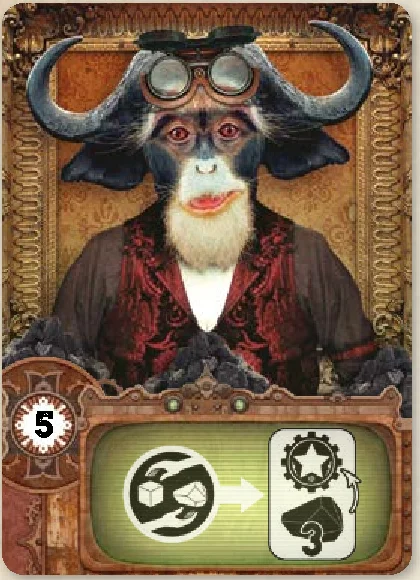
Cost 5: When you make transactions, buying victory points only costs 3 charcoalium instead of 5.
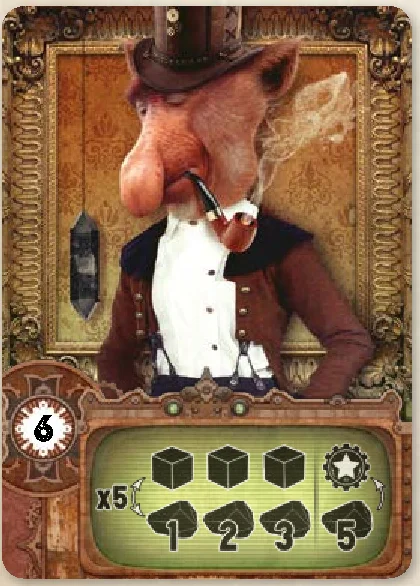
Cost 6: When you make transactions, you can make up to 5 instead of 3.
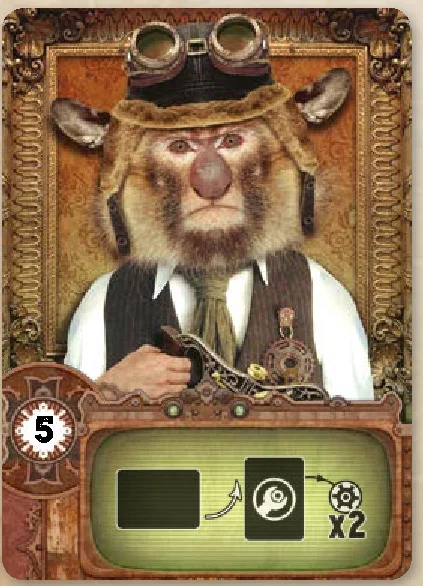
Cost 5: At the moment when you repair a machine, you can use its effect twice instead of once. This effect does not work for attack or defense machines or for The Recyclateur.
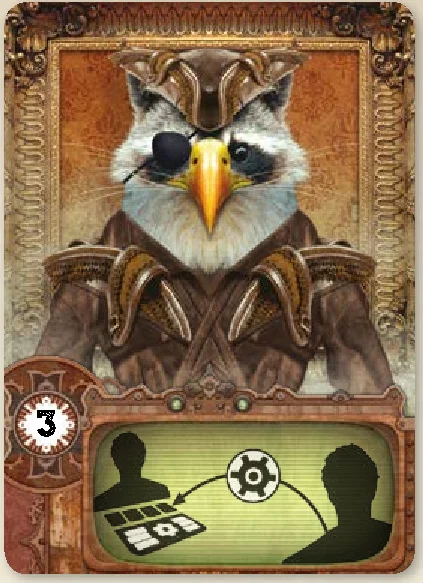
Cost 3: Each turn, during the using the workshop machines step, you can use the effect of an opponent’s uncombined production or transformation machine of your choice. You cannot use a machine that has been deactivated by the Tanglette.
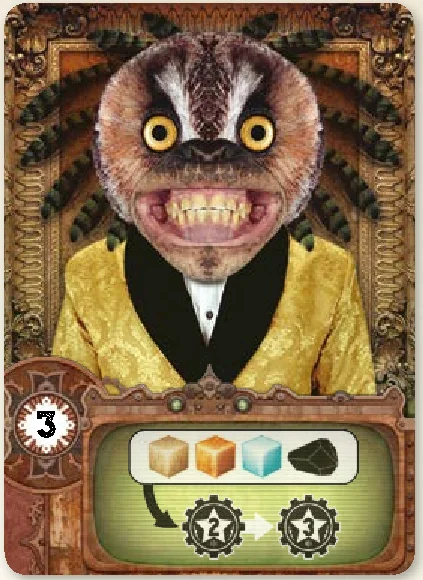
Cost 3: At the end of the game, each of your majorities earns you 3 victory points instead of 2.
Reminder: The repaired machines present in your workshop can be used once as of the moment they have been repaired and then again at the beginning of each turn, during the step using your workshop machines.
Production machines
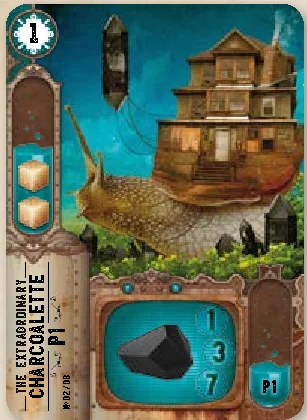
The Charcoalette (P1) produces charcoalium.
- One Charcoalette alone produces 1 charcoalium.
- Two combined Charcoalettes produce 3 charcoalium.
- Three combined Charcoalettes produce 7 charcoalium.
- Combinable with: Charcoalette.
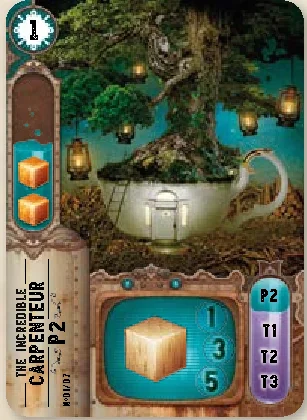
The Carpenteur (P2) produces wood.
- One Carpenteur alone produces 1 wood.
- Two combined Carpenteurs produce 3 wood.
- Three combined Carpenteurs produce 5 wood.
- Combinable with: Carpenteur, Transmuteur, Supertransmuteur, Combusteur.
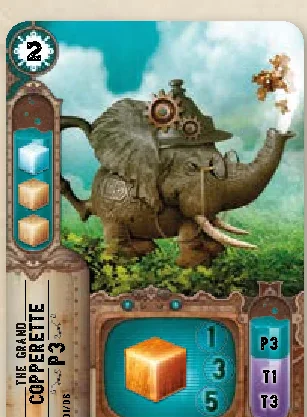
The Copperette (P3) produces copper.
- One Copperette alone produces 1 copper.
- Two combined Copperettes produce 3 copper.
- Three combined Copperettes produce 5 copper.
- Combinable with: Copperette, Supertransmuteur, Combusteur.
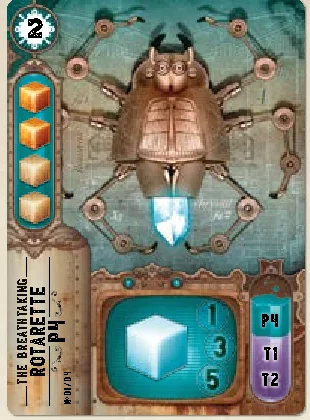
The Rotarette (P4) produces crystal.
- One Rotarette alone produces 1 crystal.
- Two combined Rotarettes produce 3 crystal.
- Three combined Rotarettes produce 5 crystal.
- Combinable with: Rotarette, Transmuteur, Combusteur.
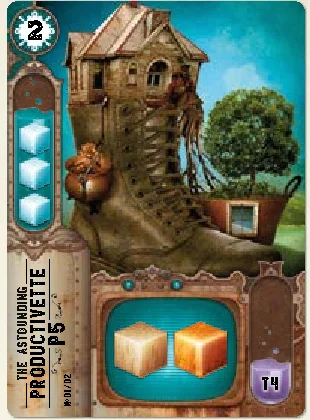
The Productivette (P5) produces 1 wood and 1 copper.
- Combinable with: Supercombusteur.
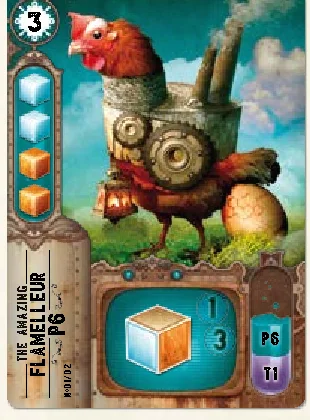
The Flamelleur (P6) produces resources of your choice.
- One Flamelleur alone produces 1 resource of your choice.
- Two combined Flamelleurs produce 3 identical resources of your choice.
- Combinable with: Flamelleur, Combusteur.
Transformation machines
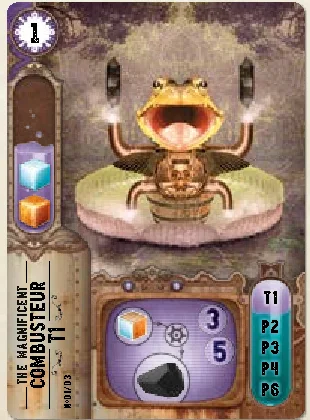
The Combusteur (T1) transforms a resource of your choice into charcoalium.
- If it is not combined, the Combusteur transforms a resource from your personal reserve into 3 charcoalium.
- If the Combusteur is combined with a production machine, it automatically transforms the resource produced by this production machine into 3 charcoalium.
- If it is combined with another Combusteur, it transforms a resource from your personal reserve into 5 charcoalium.
- Combinable with: Combusteur, Carpenteur, Copperette, Rotarette, Flamelleur.
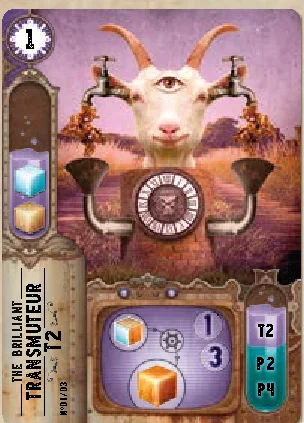
The Transmuteur (T2) transforms a resource of your choice into copper.
- If it is not combined, the Transmuteur transforms a resource from your personal reserve into 1 copper.
- If the Transmuteur is combined with a production machine, it automatically transforms the resource produced by this production machine into 1 copper.
- If it is combined with another Transmuteur, it transforms a resource from your personal reserve into 3 copper.
- Combinable with: Transmuteur, Carpenteur, Rotarette.
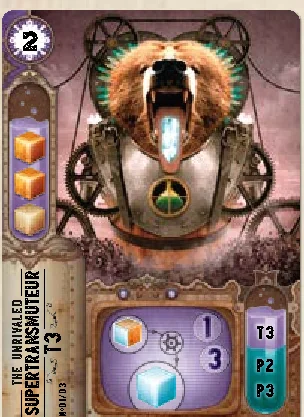
The Supertransmuteur (T3) transforms a resource of your choice into crystal.
- If it is not combined, the Supertransmuteur transforms a resource from your personal reserve into 1 crystal.
- If the Supertransmuteur is combined with a production machine, it automatically transforms the resource produced by this production machine into 1 crystal.
- If it is combined with another Supertransmuteur, it transforms a resource from your personal reserve into 3 crystal.
- Combinable with: Supertransmuteur, Carpenteur, Copperette.
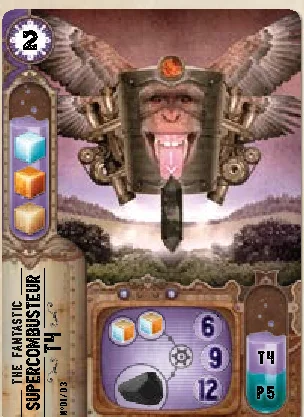
The Supercombusteur (T4) transforms 2 resources of your choice (not necessarily identical) into charcoalium.
- If it is not combined, the Supercombusteur transforms 2 resources from your personal reserve into 6 charcoalium.
- If the Supercombusteur is combined with a Productivette, it automatically transforms the 2 resources produced by this production machine into 6 charcoalium.
- If it is combined with another Supercombusteur, it transforms 2 resources from your personal reserve into 9 charcoalium.
- If it is combined with two other Supercombusteurs, it transforms 2 resources from your personal reserve into 12 charcoalium.
- Combinable with: Supercombusteur, Productivette.
Attack Machines
Reminder: The effect of an attack machine can only be used at the moment it is repaired. It is single use only.
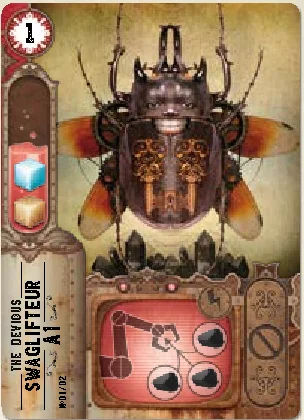
The Swaglifteur (A1) allows you to steal the charcoalium of your opponents.
Each of the other players must give up 3 charcoalium. You then take 3 charcoalium from those given up and place them behind your screen. The remaining charcoalium are discarded into the reserve. If a player has less than 3 behind their screen, they must give up all their charcoalium. If a player has none, then the Swaglifteur has no effect on them.
No possible combination.
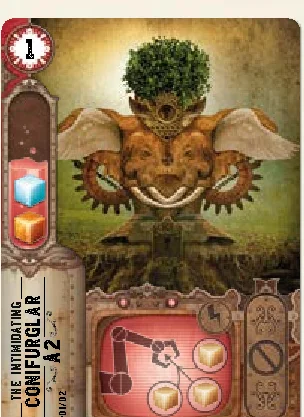
The Conifurglar (A2) allows you to steal the wood of your opponents.
Each of the other players must give up 3 wood. You then take 3 wood from those given up and place them behind your screen. The remaining wood are discarded into the reserve. If a player has less than 3 behind their screen, they must give up all their wood. If a player has none, then the Conifurglar has no effect on them.
No possible combination.
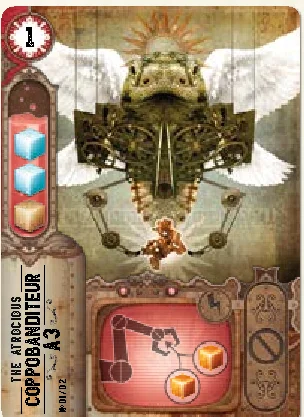
The Coppobanditeur (A3) allows you to steal the copper of your opponents.
Each of the other players must give up 2 copper. You then take 2 copper from those given up and place them behind your screen. The remaining copper are discarded into the reserve. If a player has less than 2 behind their screen, they must give up all their copper. If a player has none, then the Coppobanditeur has no effect on them.
No possible combination.
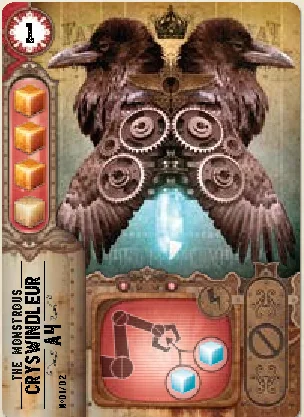
The Cryswindleur (A4) allows you to steal the crystals of your opponents.
Each of the other players must give up 2 crystals. You then take 2 crystals from those given up and place them behind your screen. The remaining crystals are discarded into the reserve. If a player has less than 2 behind their screen, they must give up all their crystals. If a player has none, then the Cryswindleur has no effect on them.
No possible combination.
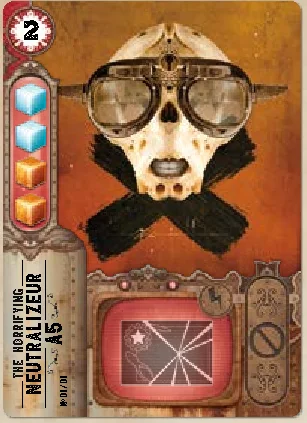
The Neutralizeur (A5) allows any one of the design office projects to be cancelled.
It is permanently withdrawn from the game. If players have already completed it, they keep their victory points.
No possible combination.
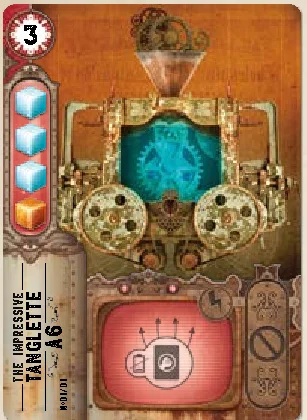
The Tanglette (A6) temporarily deactivates machines.
When it is repaired, choose a space in the workshop of each opponent. The machine (or combined machines) present on this space is momentarily deactivated; the card is turned facedown to indicate this.
During their next phase of using their machines, your opponents will not be able to use this one, but the card is returned faceup to indicate that it will work during the following phase.
A deactivated machine cannot be used by another player.
No possible combination.
Defense machines
Reminder: All defense machines can be combined together. Their effects are permanent and combining them allows you to free up space in your workshop.
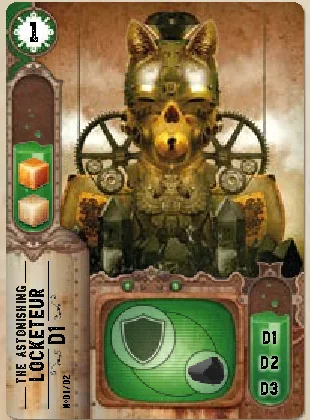
The Locketeur (D1) protects against the theft of charcoalium.
No opponent can steal charcoalium from you.
Combinable with: all other defense machines.
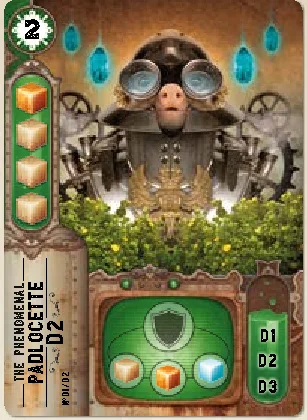
The Padlocette (D2) protects against the theft of resources.
No opponent can steal wood, copper or crystal from you.
Combinable with: all other defense machines.
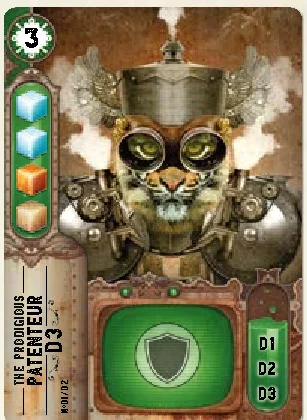
The Patenteur (D3) protects against the theft of resources, charbonium and against the Tanglette.
Combinable with: all other defense machines.
Special machines
Reminder: The special machines cannot be dismantled.
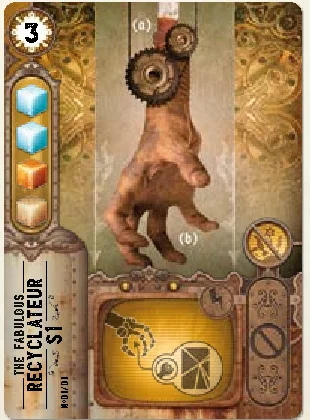
The Recyclateur (S1) allows you to recover a machine.
Immediately discard the Recyclateur then add the machine of your choice from the discard pile to your workshop. It arrives in a repaired state and you can use its effect. However, you cannot recover an immediate effect invention that has a lightning symbol.
No possible combination.
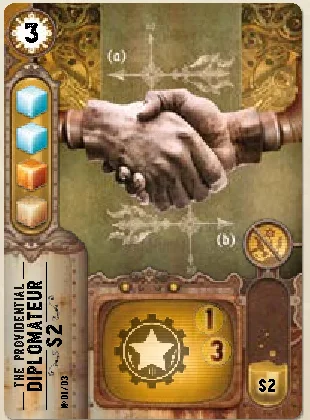
The Diplomateur (S2) produces victory points.
- One Diplomateur only produces 1 victory point that you place behind your screen.
- Two combined Diplomateurs produce 3 victory points that you place behind your screen.
- Combinable with: Diplomateur.
Reminder: If you are the first to complete a project, take the number of corresponding victory points; if not then take 1 less. Only repaired machines can be taken into account.

You must have at least 4 production machines, combined or not, distributed over at least 4 spaces in your workshop.
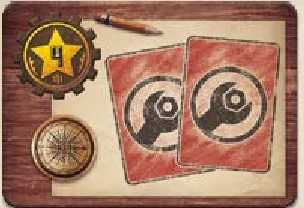
You must have at least 2 attack machines in your workshop.
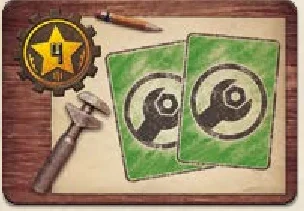
You must have at least 2 defense machines, combined or not, in your workshop.
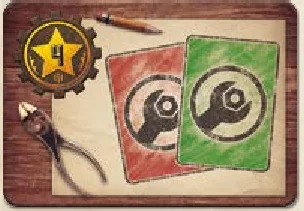
You must have at least 1 attack machine and 1 defense machine in your workshop.
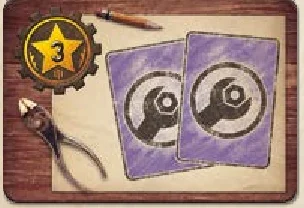
You must have at least 2 transformation machines, combined or not, in your workshop.

You must have at least 3 identical machines combined together in your workshop whatever their function.
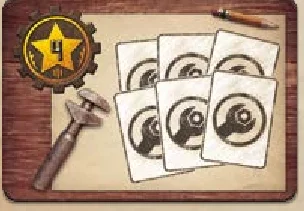
You must have at least 6 machines, combined or not, in your workshop whatever their function.
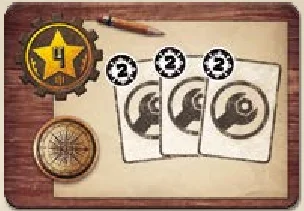
You must have at least 3 level 2 machines, combined or not, in your workshop whatever their function.
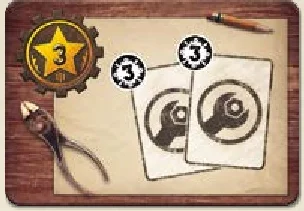
You must have at least 2 level 3 machines, combined or not, in your workshop whatever their function.
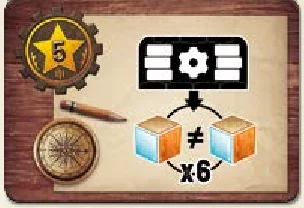
You must be able to generate at least 6 resources of which at least 2 are different with the machines in your workshop. For this you must use one or several production machines (combined or not between themselves or with a transformation machine). You must not use a transformation machine that is not combined with a production machine.
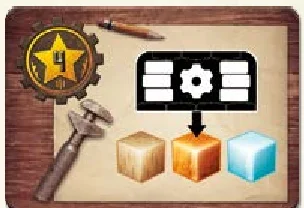
You must be able to generate at least 1 wood, 1 copper and 1 crystal with the machines in your workshop. For this you must use one or several production machines (combined or not between themselves or with a transformation machine). You must not use a transformation machine that is not combined with a production machine.
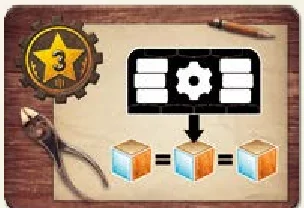
You must be able to generate at least 3 identical resources with the machines in your workshop. For this you must use one or several production machines (combined or not between themselves or with a transformation machine). You must not use a transformation machine that is not combined with a production machine.
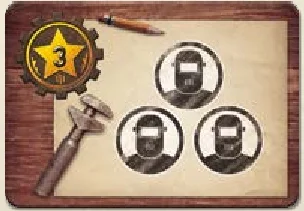
You must have recruited 3 assistants.
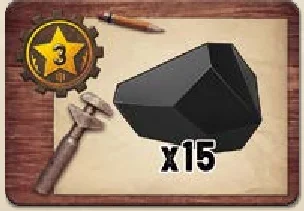
You must have at least 15 charcoalium behind your screen and show them to the other players at the moment of completion, they are not discarded afterwards.
- Game designers: Bruno Cathala & Florian Sirieix
- Artwork: Felideus Bubastis
- Sculptor: Arnaud Boudoiron
- Machine names: Ophélie Vidal
- Graphics: Felideus Bubastis & Loïg Hascoët
- Layout: Loïg Hascoët & Laura Rouquié
- Translation: Rebecca Sevoz
- Revision: Erwan Hascoët, Laura Rouquié & Lénaïck Petitjean
Copyright ©Bombyx 2017
Introduction & Components
We will enter the factory through the grand entrance. Watch out, behind this heavy steel door is where the very essence of dreams is shaped! You see this great metal staircase? It leads to the conveyor belt on which broken machines go past, all in desperate need of repair. Ah ha, here is a Productivette, strange, but brilliant! Here is the design office, where completing projects will move you out of the shadows and into the limelight.
I’m going to accompany you on a detailed visit, but I cannot reveal the incredible dreams that are made here… a question of confidentiality clauses… Follow the guide!
The Fabulous Rulebook
Game Objective
In Imaginarium, you will repair, dismantle, combine, and use the curious machines of the Bric-a-brac to earn charcoalium (the money) and resources (wood, copper, crystal), that are essential for completing the projects.
You can also recruit assistants who will provide precious help completing the projects. This is the best way of earning enough victory points to win the game. But hurry, you must be faster than the other players!
Components
- A central board known as the Bric-a-brac.
- Resource cubes: wood (60 cubes and 4 tokens), copper (40 cubes and 3 tokens), and crystal (30 cubes and 3 tokens). Each token counts for 5 resources.
- 70 gems and 5 tokens of charcoalium, the money of the game that can be used to purchase resources, victory points, machines and assistants. Each token counts for 5 charcoalium.
- A storage box for the resources and the charcoalium, known as the reserve.
- Five folding screens to hide the player’s resources, charcoalium, and victory points.
- Five player boards known as workshops, for players to select their actions, to store repaired machines and to keep their assistants.
- Five models that represent the handymen on the Bric-a-brac.
- 65 victory point tokens (45 x 1VP; 10 x 3VP; 10 x 5VP).
- 30 project completion tokens (6 per color).
- 61 machine cards, divided up as follows:
- 29 production machines, which produce resources and charcoalium;
- 12 transformation machines, which transform resources into charcoalium or into another type of resource;
- 10 attack machines, which enable players to steal resources and charcoalium from other players, and to carry out other devious deeds;
- 6 defense machines, which protect players from attack machines;
- 4 special machines, which generate victory points or recycle destroyed machines.
Characteristics of a machine card
- 13 assistant cards, which give you personal advantages.
- 14 project tiles, which are the main source of victory points.
Game Setup
This booklet describes the general rules. Read them carefully first, then go to p.12 to read about the specific changes for a two-player game.
- Unfold the Bric-a-brac on the table and place the resources (wood, copper, and crystal) and the charcoalium in the reserved spaces of the storage box.
- Place the victory points next to the Bric-a-brac.
- Each player randomly takes a workshop which lists their initial possessions (charcoalium, resources and machines). They take the machines and place them on the reserved spaces of their workshop, these are already repaired on delivery. They take their charcoalium and their resources.
- Each player chooses a folding screen behind which they will hide their resources, charcoalium and the six tokens of their color. They take the corresponding model (that represents their handyman) and place it on the initiative track (in the space dictated by their workshop).
- Shuffle the remaining machines and place the deck facedown on its Bric-a-brac space, on the robot. Draw the seven first cards. If one of them is an attack machine, put it randomly back into the deck and take another. There must not be attack machines in play during the first round. Place the machines faceup on the conveyor belt of the Bric-a-brac, in descending order of level (those of level 1 will be the furthest on the right side). If several machines of the same level are revealed, place them in the order they are revealed in.
- Shuffle the assistants and place the deck facedown on its space on the Bric-a-brac, in the meeting room. Draw the first three cards and place them next to the deck faceup.
- Shuffle the projects and reveal as many as are indicated in the design office (6 for 2 players, 7 for 3 players, etc.), then place them on their space.
How to Play
Each turn has three phases:
- A. Planning: Each player either reserves a machine on the conveyor belt, or moves onto a charcoalium extractor.
- B. Implementation: Each player carries out five steps before the next player’s turn.
- C. Checking and Resetting: If the conditions for the end of the game are not met, the players prepare the next turn.
A. Planning
While the conveyor belt transports the dismantled machines, the handymen organise their day’s work. There are those who reserve a new machine and those that volunteer to help the extraction department in exchange for a little charcoalium.
In the order of the handymen upon the initiative track, each player must move their handyman onto an unoccupied space:
- Either, in front of an available machine (it is then considered as reserved) (1),
- Or, on one of the three charcoalium extractors (2).
Important: Before reserving a machine, the players must ensure that they will be able to pay for it during the implementation phase (see Picking up a reserved machine or extracting charcoalium p.7).
When all the handymen have been placed, move onto the next phase.
Important: The position of the players at the end of this phase will determine the turn order of the next phase. To play first during the implementation phase, the player needs to be ready to pay the most for their machine.
B. Implementation
Now moving on to the serious stuff! Each handyman heads towards their workshop with a determined stride, sleeves rolled up, ready to get stuck into the works of these strange machines.
In the order of the handymen on the Bric-a-brac, starting by the one placed nearest the machine deck, and then in the direction of the arrows, each player will carry out all of the following steps in order:
- Using the workshop machines
- Picking up a reserved machine or extracting charcoalium
- Carrying out two actions
- Completing projects
- Finishing turn
It is then the next player’s turn.
1. Using the workshop machines
The machines start-up with a deafening sound and a thick smoke fills the workshop. The wheels are in motion; the working machines will allow you to repair the next ones! After several minutes, resources and charcoalium are ready to be collected.
Start your turn by using your repaired machines in the order of your choice. You are not obliged to use them all. When you use a machine, you must apply its effect (see Descriptions, the Machines p.16). Your machines can produce or transform resources, charcoalium or even victory points. Place resources, charcoalium and the victory points that are produced behind your screen.
Example: At the beginning of the game, the first player starts with a Charcoalette and a Carpenteur. They are repaired and so can be used as of the first turn. As long as you own these machines, you earn 1 charcoalium and 1 wood per turn.
The effects of some machines cannot be used during this phase:
- The attack machines and the Recyclateur have a single use effect that starts at the precise moment that they are repaired. This particularity is indicated on the card by the lightning symbol .
- The defense machines have a permanent effect that is automatically started in reaction to an attack machine.
2. Picking up a reserved machine or extracting charcoalium
The planning needs to be respected! Handymen run in every direction, arms loaded with old broken machines that they’ve just exchanged for a couple of charcoaliums. Petronille, the secretary of the extraction department, pays the volunteers their allowance for their help.
Now is the moment to get on with what you have planned to do in phase A:
- If you have chosen a charcoalium extractor: take the amount indicated on the Bric-a-brac’s space from the reserve and place it behind your screen.
- If you have reserved a machine: you must now buy it. Pay the amount in charcoalium into the reserve.
The cost of each machine is equal to: The value of its level (on the top left of the card) + the basic cost indicated on the conveyor belt.
That is to say the machines can cost from 2 to 7 charcoalium according to their level and their position on the conveyor belt.
Important: If you do not have enough charcoalium to pay for the totality of the machine’s price, you must spend all your charcoalium, and then pay the rest by spending 2 resources of your choice per missing charcoalium. If you do not have enough resources, spend all of your charcoalium and all of your available resources, and then discard the machine.
All machines bought must be placed horizontally next to your workshop, in the yard, to show that they are broken.
There is no limit to the number of broken machines that you can accumulate in the yard of your workshop.
3. Carrying out two actions
Back to the workshop! It is time to get your hands dirty and start tinkering with these bizarre machines. A good way to show off your skills!
Choose your actions from those available in your workshop: turn the double hands to indicate a pair of actions. Then carry out one or both actions, in the order that you choose. If you carry out both actions, you must finish the first before starting the second.
Important: The same pair of actions cannot be chosen twice in a row, on consecutive turns.
The possible pairs of actions are:
- Recruit & Extract
- Extract & Repair
- Repair & Make transactions
- Make transactions & Dismantle
- Dismantle & Reorganise
- Reorganise & Recruit
Repair
Broken machines are piled up in the yard of the workshop. Among them is a Charcoalette, just bought back from the conveyor belt. It now needs to be repaired to hear its cogs turning once again.
You can only repair one machine per turn and you must place it on an empty space in your workshop. Spend the necessary resources to repair one of your broken machines in order to activate it.
The resources are discarded into the reserve and the machine is placed in the workshop, vertically, to indicate that it works.
When you repair a machine, you can apply its effect immediately.
Your workshop only has four spaces for repaired machines. Whatever the level, each machine, or combination of machines (see Reorganise action p.9), takes up one space. This means that it is sometimes necessary to dismantle machines or combine them in order to free up the necessary space before you can repair new ones.
Dismantle
Patience and meticulousness are the key words to efficient dismantling. It is simply out of the question to lose the slightest piece of wood or crystal!
You can dismantle a machine in your possession (repaired or not) to recover resources or, in certain cases, victory points. You can only dismantle one machine per turn and it must not be combined with another.
If you dismantle one of your broken machines, take from the reserve as many resources as the level of the machine from the list of resources necessary to repair the machine.
Example: By dismantling a broken Flammelleur, 2 crystal and 1 copper, or 2 copper and 1 crystal, are recovered.
If you dismantle one of your repaired machines, you have the choice between:
- taking the double of the resources needed to repair the machine from the reserve.
- taking as many victory points as the level of the machine.
Example: At the beginning of a game, you start with a Charcoalette. If you dismantle it, you can recover 4 wood or 1 VP.
Important: The special machines can never be dismantled. This particularity is indicated on the card by this symbol .
In each case, the machine is then discarded into the crusher. The discard pile may be consulted at any time.
Reorganise
Machines, tools and spare parts invade every corner of the workshop; impossible to even find room to put down a cup of coffee! Reorganising everything means gaining some space and increasing the power of the machines.
Reorganising your workshop by combining and/or “uncombining” your machines, allows you to improve their production and gain space for new ones. You can completely reconfigure your workshop, just as long as you respect the number of allotted spaces at the end of your action. No resources are spent for this action.
Important: A machine can only be combined with the machines whose serial numbers are inscribed on the lower-right of the card.
The machines are placed one on top of another. The machines’ effects, whether combined or not, and the possible combinations are detailed on p.16.
Some machines cannot be combined with other machines (attack machines and the Recyclateur). This particularity is indicated on the card by this symbol:
The defense machines can all be combined together and their effects are cumulative. This allows you to gain space in your workshop.
Example: You can combine the Locketeur (D1) with another Locketeur (D1), a Padlocette (D2) and/or a Patenteur (D3).
There are two types of combinations possible for the other machines:
- Combine 2 or 3 identical machines (for the Diplomateur, production and transformation machines). When the combined machines are activated, apply the multiplier effect corresponding to the number of combined machines. To find out how many identical machines you can combine, see how many multipliers are represented on the card. By combining identical machines you increase the production force.
Example: One Charcoalette produces 1 charcoalium. Two combined Charcoalettes produce 3 charcoalium. Three combined Charcoalettes produce 7 charcoalium.
- OR: Combine 1 transformation machine with 1 production machine. That of transformation is placed on that of production.
Important: When these combined machines are activated, the effect to apply is that of the lowest multiplier of the transformation machine (the resource produced by the production machine can be considered as automatically injected into the transformation machine).
Example: You can combine a Carpenteur with a Supertransmuteur to generate 1 crystal per turn.
Important: Each combined machine keeps its level. Meaning that a level 1 machine combined with a level 2 machine is not considered as a level 3.
When you reorganise your workshop and as long as you have enough free spaces, you can uncombine your machines, in particular to be able to dismantle them afterwards.
Carry out transactions
The market can be found behind the factory. The handymen often go to sell or buy resources. There are even rumours that you can buy yourself diplomas to boost up your skills…
You can carry out a maximum of 3 transactions (buy and/or sell).
Resources can be bought or sold:
Victory points can only be bought:
Example: A player has 2 copper and 1 charcoalium.
- Transaction 1: they sell 1 copper for 2 charcoalium.
- Transaction 2: they sell 1 copper for 2 charcoalium.
- Transaction 3: they buy 1 victory point for 5 charcoalium (the 4 charcoalium that they have just gained plus 1 that they had in their personal reserve behind their screen).
Extraction
After years of demanding, an extractor has been installed in each workshop. It allows handymen to easily earn a little charcoalium.
Receive 3 charcoalium from the reserve and place them behind your screen.
Recruit
The smell of coffee drifts from the meeting room where the assistants have their break. They are always ready to lend a hand in exchange for a few charcoaliums and their help is precious!
You can only recruit one assistant per turn and no more than three per game (the number of spaces in your workshop). If you already have three assistants in your workshop, you cannot recruit any more. Each assistant is unique and allows you, as soon as you have them, to modify the base rules to your advantage (see Descriptions, The Assistants p.14).
To recruit an assistant, pay the price in charcoalium that is indicated on the card and then place it on a free space in your workshop. When playing with 5 players, it may be that there are no more assistants left in the meeting room or in the deck. If this should happen, assistants can no longer be recruited.
During a turn, if one or more assistants have been recruited, they are only replaced by new ones from the deck during the preparation phase for a new turn (see Checking and Resetting).
4. Completing projects
The day is drawing to a close! The handymen leave their workshop and, with beating hearts, push open the door of the Design Office in the hope of completing a project.
Check if you have fulfilled the necessary conditions to complete one or more projects.
If the conditions have been fulfilled, place one of your colored tokens on the project to indicate that you have completed it. Then take the corresponding victory points and place them behind your screen:
- if you are the first to complete this project: take as many victory points as are indicated on the project;
- if one or more players have completed the project before you: take 1 victory point less than is indicated on the project.
Important: You can complete several projects during a turn, but you can only complete each project once during the game.
5. Finishing turn
Then inform the other players that you have finished your turn by placing your handyman on the lowest number available on the initiative track of the Bric-a-brac.
C. Checking and resetting
When the last player has finished their turn, if a player has at least 20 victory points, they must declare it. The game is finished. Move on to the Victory paragraph (see p.12).
If this is not the case, prepare the Bric-a-brac for another turn.
On the conveyor belt:
- discard the machine furthest on the right into the crusher;
- move the remaining machines towards the right without leaving any empty spaces;
- complete the conveyor belt with the machines that are at the top of the deck.
In the meeting room:
- complete the empty spaces with the assistants that are at the top of the deck.
A new turn can start!
End of Game & Victory
The last project has been completed! Generations of handymen have been waiting for this moment: the consecration of one among them… Prepare yourself to enter the mysterious universe of the Great Machinists, the only ones to have access to the dreams that leave the factory.
At the end of a complete turn, when a player declares that they have 20 or more victory points, all the players reveal the resources and the charcoalium that they have behind their screen. For each resource in turn (wood, copper, crystal) as well as for charcoalium, the player with the most gains 2 additional victory points. If several players share this majority, they all gain 2 victory points.
The player with the most victory points becomes the first handyman to enter the order of the Great Machinists.
In the event of a draw, the concerned players add together the levels of each of their repaired machines. The highest score wins the game.
Two-Player Game
During rare moments of vacation, the factory empties. A duel is battled out to earn the entry into the order of the Great Machinists. Each handyman is helped by a saboteur.
Here are the specific changes for a two-player game. The rest of the rules remain the same.
Game setup
Refer back to the steps described on p.4, except for the following point:
4. Each player chooses a screen behind which they hide their resources, charcoalium and the six tokens that correspond to their colour. They then take the corresponding model (representing their handyman).
One of the validation tokens of each player is used during the game to represent a saboteur working for the player, allowing them to hinder their opponent’s plans.
The player with the lowest number on the upper-right of their workshop places their saboteur (validation token) on number 1 of the initiative track and their handyman (model) on number 3. Their opponent places their saboteur on number 2 and their handyman on the number 4.
Planning
In the order upon the initiative track, each player must move the component of their colour (saboteur or handyman) onto an unoccupied space:
- Either, in front of an available machine,
- Or, on one of the three charcoalium extractors.
Implementation
In the order of the components on the Bric-a-brac, starting by the one placed nearest the machine deck, and then in the direction of the arrows, each player decides on their actions.
Carrying out the saboteur’s action:
- If a machine has been sabotaged: it is simply discarded into the crusher. The saboteur is replaced upon the lowest available number on the initiative track.
- If a charcoalium extractor has been sabotaged: its use is blocked for this turn. The saboteur is replaced upon the lowest available number on the initiative track of the Bric-a-brac (without earning any charcoalium).
Carrying out a handyman’s action:
Carry out all of the following steps, according to the general rules:
- Using the workshop machines
- Picking up a reserved machine or extracting charcoalium
- Carrying out two actions
- Completing projects
- Finishing turn
It’s up to you to make the most of your two characters, the handyman and the saboteur, elaborating your strategy while at the same time hindering your opponent!
Descriptions: The Assistants
Reminder: The recruit action allows an assistant to be bought by paying the price indicated on their card.
Cost 9: As of your next turn, you can freely choose two different actions without taking into account either the double clock hands or the obligation to have a different pair of actions each turn.
Cost 5: During resetting, receive as much charcoalium as the level of the discarded machine.
Cost 6: When you choose to dismantle or repair, you can repeat this action twice in the same turn.
Cost 5: Earn 1 additional victory point each time you complete a project.
Cost 6: When you pay for a machine that you have reserved, you only pay the basic amount indicated on the conveyor belt.
Cost 4: Your workshop has two additional spaces for your machines.
Cost 3: Once per turn, during your machine picking up phase or charcoalium extraction, you can spend an additional 3 charcoalium to purchase the machine at the top of the deck. It is then placed broken in your workshop’s yard.
Cost 6: Draw two projects from those that are not currently in play and place them behind your screen. As soon as you have completed one of them, reveal it and take the corresponding victory points. Then discard both projects.
Cost 5: When you make transactions, buying victory points only costs 3 charcoalium instead of 5.
Cost 6: When you make transactions, you can make up to 5 instead of 3.
Cost 5: At the moment when you repair a machine, you can use its effect twice instead of once. This effect does not work for attack or defense machines or for The Recyclateur.
Cost 3: Each turn, during the using the workshop machines step, you can use the effect of an opponent’s uncombined production or transformation machine of your choice. You cannot use a machine that has been deactivated by the Tanglette.
Cost 3: At the end of the game, each of your majorities earns you 3 victory points instead of 2.
Descriptions: The Machines
Reminder: The repaired machines present in your workshop can be used once as of the moment they have been repaired and then again at the beginning of each turn, during the step using your workshop machines.
Production machines
The Charcoalette (P1) produces charcoalium.
- One Charcoalette alone produces 1 charcoalium.
- Two combined Charcoalettes produce 3 charcoalium.
- Three combined Charcoalettes produce 7 charcoalium.
- Combinable with: Charcoalette.
The Carpenteur (P2) produces wood.
- One Carpenteur alone produces 1 wood.
- Two combined Carpenteurs produce 3 wood.
- Three combined Carpenteurs produce 5 wood.
- Combinable with: Carpenteur, Transmuteur, Supertransmuteur, Combusteur.
The Copperette (P3) produces copper.
- One Copperette alone produces 1 copper.
- Two combined Copperettes produce 3 copper.
- Three combined Copperettes produce 5 copper.
- Combinable with: Copperette, Supertransmuteur, Combusteur.
The Rotarette (P4) produces crystal.
- One Rotarette alone produces 1 crystal.
- Two combined Rotarettes produce 3 crystal.
- Three combined Rotarettes produce 5 crystal.
- Combinable with: Rotarette, Transmuteur, Combusteur.
The Productivette (P5) produces 1 wood and 1 copper.
- Combinable with: Supercombusteur.
The Flamelleur (P6) produces resources of your choice.
- One Flamelleur alone produces 1 resource of your choice.
- Two combined Flamelleurs produce 3 identical resources of your choice.
- Combinable with: Flamelleur, Combusteur.
Transformation machines
The Combusteur (T1) transforms a resource of your choice into charcoalium.
- If it is not combined, the Combusteur transforms a resource from your personal reserve into 3 charcoalium.
- If the Combusteur is combined with a production machine, it automatically transforms the resource produced by this production machine into 3 charcoalium.
- If it is combined with another Combusteur, it transforms a resource from your personal reserve into 5 charcoalium.
- Combinable with: Combusteur, Carpenteur, Copperette, Rotarette, Flamelleur.
The Transmuteur (T2) transforms a resource of your choice into copper.
- If it is not combined, the Transmuteur transforms a resource from your personal reserve into 1 copper.
- If the Transmuteur is combined with a production machine, it automatically transforms the resource produced by this production machine into 1 copper.
- If it is combined with another Transmuteur, it transforms a resource from your personal reserve into 3 copper.
- Combinable with: Transmuteur, Carpenteur, Rotarette.
The Supertransmuteur (T3) transforms a resource of your choice into crystal.
- If it is not combined, the Supertransmuteur transforms a resource from your personal reserve into 1 crystal.
- If the Supertransmuteur is combined with a production machine, it automatically transforms the resource produced by this production machine into 1 crystal.
- If it is combined with another Supertransmuteur, it transforms a resource from your personal reserve into 3 crystal.
- Combinable with: Supertransmuteur, Carpenteur, Copperette.
The Supercombusteur (T4) transforms 2 resources of your choice (not necessarily identical) into charcoalium.
- If it is not combined, the Supercombusteur transforms 2 resources from your personal reserve into 6 charcoalium.
- If the Supercombusteur is combined with a Productivette, it automatically transforms the 2 resources produced by this production machine into 6 charcoalium.
- If it is combined with another Supercombusteur, it transforms 2 resources from your personal reserve into 9 charcoalium.
- If it is combined with two other Supercombusteurs, it transforms 2 resources from your personal reserve into 12 charcoalium.
- Combinable with: Supercombusteur, Productivette.
Attack Machines
Reminder: The effect of an attack machine can only be used at the moment it is repaired. It is single use only.
The Swaglifteur (A1) allows you to steal the charcoalium of your opponents.
Each of the other players must give up 3 charcoalium. You then take 3 charcoalium from those given up and place them behind your screen. The remaining charcoalium are discarded into the reserve. If a player has less than 3 behind their screen, they must give up all their charcoalium. If a player has none, then the Swaglifteur has no effect on them.
No possible combination.
The Conifurglar (A2) allows you to steal the wood of your opponents.
Each of the other players must give up 3 wood. You then take 3 wood from those given up and place them behind your screen. The remaining wood are discarded into the reserve. If a player has less than 3 behind their screen, they must give up all their wood. If a player has none, then the Conifurglar has no effect on them.
No possible combination.
The Coppobanditeur (A3) allows you to steal the copper of your opponents.
Each of the other players must give up 2 copper. You then take 2 copper from those given up and place them behind your screen. The remaining copper are discarded into the reserve. If a player has less than 2 behind their screen, they must give up all their copper. If a player has none, then the Coppobanditeur has no effect on them.
No possible combination.
The Cryswindleur (A4) allows you to steal the crystals of your opponents.
Each of the other players must give up 2 crystals. You then take 2 crystals from those given up and place them behind your screen. The remaining crystals are discarded into the reserve. If a player has less than 2 behind their screen, they must give up all their crystals. If a player has none, then the Cryswindleur has no effect on them.
No possible combination.
The Neutralizeur (A5) allows any one of the design office projects to be cancelled.
It is permanently withdrawn from the game. If players have already completed it, they keep their victory points.
No possible combination.
The Tanglette (A6) temporarily deactivates machines.
When it is repaired, choose a space in the workshop of each opponent. The machine (or combined machines) present on this space is momentarily deactivated; the card is turned facedown to indicate this.
During their next phase of using their machines, your opponents will not be able to use this one, but the card is returned faceup to indicate that it will work during the following phase.
A deactivated machine cannot be used by another player.
No possible combination.
Defense machines
Reminder: All defense machines can be combined together. Their effects are permanent and combining them allows you to free up space in your workshop.
The Locketeur (D1) protects against the theft of charcoalium.
No opponent can steal charcoalium from you.
Combinable with: all other defense machines.
The Padlocette (D2) protects against the theft of resources.
No opponent can steal wood, copper or crystal from you.
Combinable with: all other defense machines.
The Patenteur (D3) protects against the theft of resources, charbonium and against the Tanglette.
Combinable with: all other defense machines.
Special machines
Reminder: The special machines cannot be dismantled.
The Recyclateur (S1) allows you to recover a machine.
Immediately discard the Recyclateur then add the machine of your choice from the discard pile to your workshop. It arrives in a repaired state and you can use its effect. However, you cannot recover an immediate effect invention that has a lightning symbol.
No possible combination.
The Diplomateur (S2) produces victory points.
- One Diplomateur only produces 1 victory point that you place behind your screen.
- Two combined Diplomateurs produce 3 victory points that you place behind your screen.
- Combinable with: Diplomateur.
Descriptions: The Projects
Reminder: If you are the first to complete a project, take the number of corresponding victory points; if not then take 1 less. Only repaired machines can be taken into account.
You must have at least 4 production machines, combined or not, distributed over at least 4 spaces in your workshop.
You must have at least 2 attack machines in your workshop.
You must have at least 2 defense machines, combined or not, in your workshop.
You must have at least 1 attack machine and 1 defense machine in your workshop.
You must have at least 2 transformation machines, combined or not, in your workshop.
You must have at least 3 identical machines combined together in your workshop whatever their function.
You must have at least 6 machines, combined or not, in your workshop whatever their function.
You must have at least 3 level 2 machines, combined or not, in your workshop whatever their function.
You must have at least 2 level 3 machines, combined or not, in your workshop whatever their function.
You must be able to generate at least 6 resources of which at least 2 are different with the machines in your workshop. For this you must use one or several production machines (combined or not between themselves or with a transformation machine). You must not use a transformation machine that is not combined with a production machine.
You must be able to generate at least 1 wood, 1 copper and 1 crystal with the machines in your workshop. For this you must use one or several production machines (combined or not between themselves or with a transformation machine). You must not use a transformation machine that is not combined with a production machine.
You must be able to generate at least 3 identical resources with the machines in your workshop. For this you must use one or several production machines (combined or not between themselves or with a transformation machine). You must not use a transformation machine that is not combined with a production machine.
You must have recruited 3 assistants.
You must have at least 15 charcoalium behind your screen and show them to the other players at the moment of completion, they are not discarded afterwards.
Credits
- Game designers: Bruno Cathala & Florian Sirieix
- Artwork: Felideus Bubastis
- Sculptor: Arnaud Boudoiron
- Machine names: Ophélie Vidal
- Graphics: Felideus Bubastis & Loïg Hascoët
- Layout: Loïg Hascoët & Laura Rouquié
- Translation: Rebecca Sevoz
- Revision: Erwan Hascoët, Laura Rouquié & Lénaïck Petitjean
Copyright ©Bombyx 2017