Boardgames

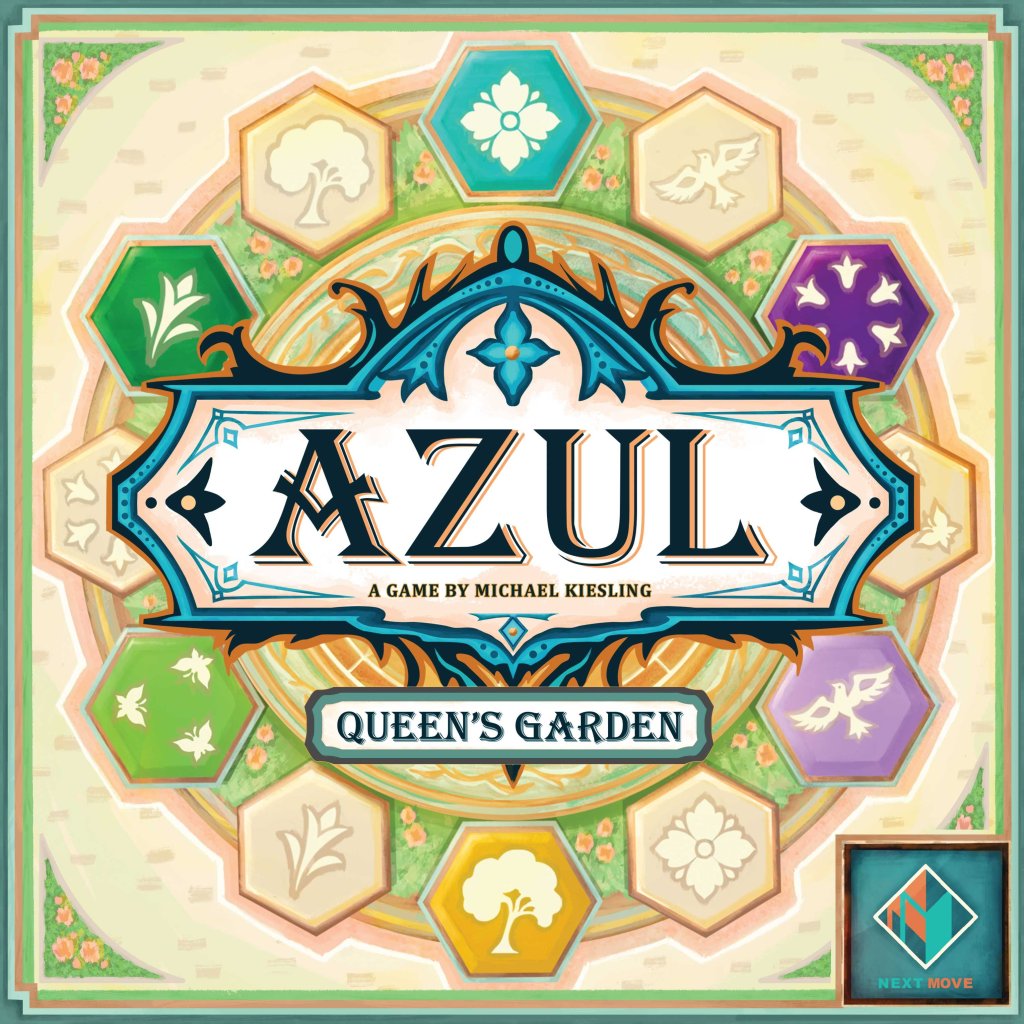
Azul: Queen’s Garden

Arrange plants, trees, and ornamental features in a magnificent garden worthy of Queen Maria of Aragon.

60
minutes

2 - 4
player(s)

Medium

Azul: Queen’s Garden board game cover

About this board game

Azul: Queen’s Garden is a 2021 board game for 2–4 players, with each game taking around 60 minutes. Players become garden designers commissioned to create an extraordinary garden for Queen Maria of Aragon.

Set in the palace of Sintra, the game invites you to arrange a magnificent royal garden filled with beautiful plants, trees, and ornamental features. Every choice contributes to the garden you are building for the Queen.

At the heart of Azul: Queen’s Garden is an innovative drafting mechanism, a signature feature of the Azul series. Players carefully select colorful tiles and arrange them to develop their garden, making each selection an important part of the design process.

  • For 2–4 players
  • Approximately 60 minutes per game
  • Colorful tile drafting and garden arrangement
  • Plants, trees, and ornamental features to place in a royal garden

The challenge is to create a garden impressive enough to stand out among the work of Portugal’s finest designers. Players must balance their tile selections with their vision for a magnificent setting worthy of the palace.

Only the most incredible garden designers will flourish and win the Queen’s blessing. With its elegant theme, colorful tiles, and distinctive drafting system, this Azul game offers a focused garden-design experience for groups of two to four.

Board Game Rules for
Azul: Queen’s Garden

Download official rules (EN)

King Manuel I has commissioned the best garden designers of Portugal to construct the most extraordinary garden for his wife, Queen Maria of Aragon.

In Azul – Queen’s Garden, players are tasked to arrange a magnificent garden for the King’s lovely wife by arranging beautiful plants, trees and ornamental features.

Using an innovative drafting mechanism, signature of the Azul series, players must carefully select colorful tiles to decorate their garden. Only the most incredible garden designers will flourish and win the Queen’s blessing.

Object of the Game

During 4 rounds, your objective is to create the most beautiful garden by arranging patterns and colors that will score you points and lead you to victory.

Patterns

The 6 patterns are the heart of the game and will allow you to decorate your garden. They are distributed evenly among the 6 colors of the game. Each has an associated value which indicates both: a cost Cost and a number of points Points.

Their design has been developed to allow you to remember the value of each pattern (ex.: the bird has 2 wings, 3 butterflies, a flower with 4 petals, etc.)

pattern-values-overview

Hexagons

This term refers to any combination composed of a pattern and a color. A hexagon can be found on a tile or on a garden expansion.

hexagon-tiles-and-expansions

  1. Each player chooses a color and receives:
    • 1 garden board (A) and places it in front of them,
    • 1 storage (B) and places it next to their garden board,
    • 1 fountain board (C) and places it in the middle of their garden,
    • 3 jokers (D) and places them on empty spaces of their storage.
  2. Place the scoring board (E) with the central icon Tree side visible, in the middle of the table. Assemble the rotary wheel (F) and set it on its starting position. Put the evaluation marker (G) at the top of the evaluation track.
  3. Each player takes a scoring marker (H) in their color and places it on the 15th space of the scoring track.
  4. Fill the bag (I) with all 108 colored tiles (J).
  5. Shuffle the 36 garden expansions and build 4 face down round stacks, according to the number of players:
    • in a 2-player game, place 5 garden expansions per stack,
    • in a 3-player game, place 7 garden expansions per stack,
    • in a 4-player game, place 8 garden expansions per stack.

    Create the display area by placing the 1st round stack (K) in the middle of the table. Place the 3 following round stacks (L) in a row, above the scoring board.

    Fill the top garden expansion of the 1st round stack with exactly 4 tiles drawn randomly from the bag (the spaces on that garden expansion are not used at this point).

  6. Build a supply next to the stack row by stacking the remaining garden expansions, and put the shield token (M) on top of it.
  7. Place the first player marker (N) in the display area.
  8. Place the tower (O) next to the scoring board and the jokers (P) next to it.
  9. Put the point tokens (Q) aside, they will be used during scoring.

Return any unused garden boards, storages, fountain boards and scoring markers to the box.

game-setup-diagram
game-setup-diagram

Each round consists of the following 3 phases:

  • Phase 1: Players actions (until all players have passed)
  • Phase 2: Scoring (4 times per game)
  • Phase 3: Prepare the next round (this phase is not performed in the last round)

Each round starts with the starting player. For the first round, the youngest player starts the game.

Phase 1: Players Actions

On your turn, choose one of the following actions:

  • A) Acquire tiles and garden expansions
  • B) Place a tile
  • C) Place a garden expansion
  • D) Pass

Phase 1 continues in clockwise order until all players have passed.

A) Acquire tiles and garden expansions

Select a pattern or color from the display area according to one of the following options:

  • take ALL tiles and garden expansions of the chosen pattern, but with different colors, OR
  • take ALL tiles and garden expansions of the chosen color, but with different patterns.

If two or more hexagons are identical in your selection, you must take only one of them (the one of your choice).

All tiles and garden expansions you acquire must be placed in your storage. Your storage has a limited number of spaces: 12 for the tiles and 2 for the garden expansions. If you don’t have enough space in your storage for all selected hexagons, this selection cannot be made.

  • If you took at least one tile from the current round stack:
    • Remove the topmost garden expansion from the round stack along with any remaining tiles on it and place that garden expansion directly on the table, next to the stack to extend the display area.
    • Then, fill the topmost garden expansion of the round stack with exactly 4 tiles drawn randomly from the bag.
  • Furthermore, if one or more garden expansions are empty (no more tiles on them) in the display area, turn them face up. By doing so, those garden expansions now show a pavilion in their center and a hexagon. Those garden expansions become available for the players.
extending-display-area-and-refill
Example: Acquiring Hexagons

Michael plays first and chooses to acquire tiles and garden expansions. He has the following options. He may:

  • take all hexagons with the same color (ex.: all blue tiles), OR
  • take all hexagons with the same pattern (ex.: all bird tiles).

Michael chooses the blue hexagons. He takes the 3 blue tiles and places them on empty spaces of his storage. Since he has taken tiles from the round stack, he must place the top garden expansion next to the stack, in the display area, and leave the remaining bird tile on it. Then he refills the top garden expansion of the stack with exactly 4 tiles drawn from the bag.

michael-acquisition-example

Now on Ina’s turn, she also chooses to acquire hexagons. She selects all bird tiles but she can only take one of the two yellow birds. She decides to take the yellow bird from the garden expansion with only one tile.

Since she is taking the green bird tile, she removes the top garden expansion to extend the display area. Then, she refills the stack.

Finally, she turns the empty garden expansion face up and finishes her turn.

ina-acquisition-and-flip-example

On a later turn, a player may take the face up garden expansion, if their selection includes the tree pattern or the light green color.

taking-faceup-garden-expansion-example

B) Place a tile

Select a tile from your storage and pay its cost to place it in your garden.

Paying a cost:

Each pattern appearing on tiles or garden expansions has its own placement cost displayed on the top of your garden board.

Pay the cost by discarding that number of tiles and/or garden expansions from your storage including the selected tile or garden expansion that you want to place. Pay the cost according to one of the following options:

  • all discarded hexagons must show the same pattern but be of different colors, OR
  • all discarded hexagons must be of the same color but showing different patterns.

Place the discarded tiles into the tower. Return the discarded garden expansions face down at the bottom of the supply stack.

placement-cost-indicator
Paying with jokers:

If you do not have enough tiles and/or garden expansions of the required pattern or color in your storage, or if you do not want to use them, you may complete the payment with jokers.

In this case, you must minimally have the hexagon you want to place (a joker cannot be placed in your garden). For each other needed hexagons, you may discard one joker. Return discarded jokers back to the supply.

paying-cost-butterfly-example
Tile Placement Rules:

The selected tile must be placed on a free space (not occupied by a hexagon or garden element) of your garden either:

  • without any adjacent hexagons, OR
  • adjacent to one or more hexagons. In this case, the pattern or the color of the tile must be the same as at least one of the adjacent hexagons.
tile-placement-options-diagram
Groups:

A group is formed when at least two hexagons of identical patterns or identical colors, but not both, are adjacent. One hexagon can be part of a group for its pattern and also be part of another group for its color.

Note: Regardless of whether it is directly with the hexagon you are placing or by connecting hexagons together, you are not allowed to create or extend a group that would then contain 2 identical hexagons (same pattern and same color).

valid-and-invalid-groups-diagram
Surrounding Garden Elements:

If you completely surround a fountain, a statue, a bench or a pavilion, you receive jokers from the supply according to the surrounded element. Those jokers must be immediately placed in your storage. If you do not have enough space in your storage, jokers in excess are lost. The jokers are not limited. If jokers are no longer available in the supply, please use any adequate substitute.

surrounded-elements-rewards

Note: At any time during the game, if there are not enough tiles in the bag to fill a garden expansion, put back all tiles from the tower into the bag. If there are still not enough tiles in the bag, the game goes on with fewer tiles or even no tiles on the stack. In this latter case, all empty garden expansions from the current round stack are placed face up in the display area.

C) Place a garden expansion

Garden expansions provide 5 or 7 additional spaces for tiles. Either:

  • select a garden expansion from your storage and pay its cost (see page 4 for details about paying a cost), OR
  • take a face down garden expansion (providing 7 free spaces) from the supply by spending exactly 6 points on the scoring track (a player’s score cannot be negative).

Place the chosen garden expansion on a free expansion area around your fountain board and in the orientation of your choice while following the same placement rules as for the tiles.

placing-garden-expansion-diagram

D) Pass

You may pass if you do not want to acquire or place anymore hexagons, and you must pass if you cannot perform any of the aforementioned actions. If you pass, you may discard any number of hexagons from your storage and score the values of all discarded hexagons as minus points.

The first player to pass receives the first player marker and moves back their scoring marker 1 space on the scoring track. A player who has passed can no longer take turns for the rest of phase 1. When all players have passed, phase 1 is over.

Phase 2: Scoring

Starting with the first player, each player calculates their round score:

  1. The rotary wheel indicates the 3 scored patterns or colors for the round. For each hexagon in your garden matching the pattern or the color indicated by the wheel, you score a number of points. The same hexagon can be scored twice (for its pattern and for its color).
  2. Then each player scores 1 point for each visible pavilion in their garden.

When all players have scored, phase 2 is over.

The scoring track is continuous. Use the point tokens of your color accordingly, so that you can keep track of your total score.

Phase 3: Prepare the Next Round

  1. Turn the rotary wheel clockwise to its next position indicated by the lines.
  2. In the display area, discard all remaining tiles from the face down garden expansions into the tower, and return to the supply all remaining garden expansions by turning them face down.
  3. Place the next round stack in the display area and fill the top of that stack with exactly 4 tiles drawn randomly from the bag.
  4. The owner of the first player marker places it in the display area near the next round stack and starts the new round.

The game ends after all players have passed during the 4th round. A last “end-of-round” scoring takes place, as usual, followed by the final scoring.

Final Scoring Steps

  1. Each player empties their storage. For each remaining joker, they score 1 point. For each remaining tile or garden expansion, they score minus points according to the pattern appearing on it (tree= -1, bird= -2, etc.).
  2. The evaluation marker is then moved to the first step of the evaluation track (a blue hexagon). That track shows the 6 colors followed by the 6 patterns. Proceeding from top to bottom of the track, each color is evaluated, followed by each pattern.
  3. Each player scores any group of at least 3 hexagons matching the current evaluation. There is no limit to the number of groups a player may score for the same evaluation. A group is scored by calculating the points for each single hexagon, in function of their pattern (see the values on the right side of the scoring board).
  4. Furthermore, 6 additional bonus points are scored for each group of 6 hexagons.

At the end of the final scoring, whoever has the most points is the winner. In the case of a tie, the tied-players share victory.

group-of-six-bonus-token

Final Scoring Example

Michael proceeds with his final score and adjusts his scoring marker accordingly on the scoring track.

He starts with his storage:

Then, he scores his garden:

final-scoring-garden-example
final-scoring-calculation-breakdown

Game Variant

For a slightly different play, turn the scoring board so the central icon Variant central is visible and assemble the rotary wheel on that side during setup.

All rules are identical to those of the normal game, with the following exceptions:

  • Patterns score differently in phase 2.
  • More additional bonus points are scored for groups during the final scoring.
game-variant-rotary-wheel
game-variant-bonus-points

Credits

  • Designer: Michael Kiesling
  • Producer: Sophie Gravel
  • Development: Martin Bouchard, André Bierth, Moritz Thiele, Anh Tú Tran
  • Art Direction: Sophie Gravel
  • Illustration: Chris Quilliams
  • Graphic Design: Tarek Saoudi, Nina Allen
  • 3D modelling: Tarek Saoudi
  • Editing: Martin Bouchard

© 2021 Plan B Games Inc. All rights reserved.
19 rue de la Coopérative, Rigaud, QC J0P 1P0, Canada
[email protected] | www.planbgames.com
Made in China


Introduction & Core Concepts

King Manuel I has commissioned the best garden designers of Portugal to construct the most extraordinary garden for his wife, Queen Maria of Aragon.

In Azul – Queen’s Garden, players are tasked to arrange a magnificent garden for the King’s lovely wife by arranging beautiful plants, trees and ornamental features.

Using an innovative drafting mechanism, signature of the Azul series, players must carefully select colorful tiles to decorate their garden. Only the most incredible garden designers will flourish and win the Queen’s blessing.

Object of the Game

During 4 rounds, your objective is to create the most beautiful garden by arranging patterns and colors that will score you points and lead you to victory.

Patterns

The 6 patterns are the heart of the game and will allow you to decorate your garden. They are distributed evenly among the 6 colors of the game. Each has an associated value which indicates both: a cost Cost and a number of points Points.

Their design has been developed to allow you to remember the value of each pattern (ex.: the bird has 2 wings, 3 butterflies, a flower with 4 petals, etc.)

pattern-values-overview

Hexagons

This term refers to any combination composed of a pattern and a color. A hexagon can be found on a tile or on a garden expansion.

hexagon-tiles-and-expansions

Setup

  1. Each player chooses a color and receives:
    • 1 garden board (A) and places it in front of them,
    • 1 storage (B) and places it next to their garden board,
    • 1 fountain board (C) and places it in the middle of their garden,
    • 3 jokers (D) and places them on empty spaces of their storage.
  2. Place the scoring board (E) with the central icon Tree side visible, in the middle of the table. Assemble the rotary wheel (F) and set it on its starting position. Put the evaluation marker (G) at the top of the evaluation track.
  3. Each player takes a scoring marker (H) in their color and places it on the 15th space of the scoring track.
  4. Fill the bag (I) with all 108 colored tiles (J).
  5. Shuffle the 36 garden expansions and build 4 face down round stacks, according to the number of players:
    • in a 2-player game, place 5 garden expansions per stack,
    • in a 3-player game, place 7 garden expansions per stack,
    • in a 4-player game, place 8 garden expansions per stack.

    Create the display area by placing the 1st round stack (K) in the middle of the table. Place the 3 following round stacks (L) in a row, above the scoring board.

    Fill the top garden expansion of the 1st round stack with exactly 4 tiles drawn randomly from the bag (the spaces on that garden expansion are not used at this point).

  6. Build a supply next to the stack row by stacking the remaining garden expansions, and put the shield token (M) on top of it.
  7. Place the first player marker (N) in the display area.
  8. Place the tower (O) next to the scoring board and the jokers (P) next to it.
  9. Put the point tokens (Q) aside, they will be used during scoring.

Return any unused garden boards, storages, fountain boards and scoring markers to the box.

game-setup-diagram
game-setup-diagram

How to Play

Each round consists of the following 3 phases:

  • Phase 1: Players actions (until all players have passed)
  • Phase 2: Scoring (4 times per game)
  • Phase 3: Prepare the next round (this phase is not performed in the last round)

Each round starts with the starting player. For the first round, the youngest player starts the game.

Phase 1: Players Actions

On your turn, choose one of the following actions:

  • A) Acquire tiles and garden expansions
  • B) Place a tile
  • C) Place a garden expansion
  • D) Pass

Phase 1 continues in clockwise order until all players have passed.

A) Acquire tiles and garden expansions

Select a pattern or color from the display area according to one of the following options:

  • take ALL tiles and garden expansions of the chosen pattern, but with different colors, OR
  • take ALL tiles and garden expansions of the chosen color, but with different patterns.

If two or more hexagons are identical in your selection, you must take only one of them (the one of your choice).

All tiles and garden expansions you acquire must be placed in your storage. Your storage has a limited number of spaces: 12 for the tiles and 2 for the garden expansions. If you don’t have enough space in your storage for all selected hexagons, this selection cannot be made.

  • If you took at least one tile from the current round stack:
    • Remove the topmost garden expansion from the round stack along with any remaining tiles on it and place that garden expansion directly on the table, next to the stack to extend the display area.
    • Then, fill the topmost garden expansion of the round stack with exactly 4 tiles drawn randomly from the bag.
  • Furthermore, if one or more garden expansions are empty (no more tiles on them) in the display area, turn them face up. By doing so, those garden expansions now show a pavilion in their center and a hexagon. Those garden expansions become available for the players.
extending-display-area-and-refill
Example: Acquiring Hexagons

Michael plays first and chooses to acquire tiles and garden expansions. He has the following options. He may:

  • take all hexagons with the same color (ex.: all blue tiles), OR
  • take all hexagons with the same pattern (ex.: all bird tiles).

Michael chooses the blue hexagons. He takes the 3 blue tiles and places them on empty spaces of his storage. Since he has taken tiles from the round stack, he must place the top garden expansion next to the stack, in the display area, and leave the remaining bird tile on it. Then he refills the top garden expansion of the stack with exactly 4 tiles drawn from the bag.

michael-acquisition-example

Now on Ina’s turn, she also chooses to acquire hexagons. She selects all bird tiles but she can only take one of the two yellow birds. She decides to take the yellow bird from the garden expansion with only one tile.

Since she is taking the green bird tile, she removes the top garden expansion to extend the display area. Then, she refills the stack.

Finally, she turns the empty garden expansion face up and finishes her turn.

ina-acquisition-and-flip-example

On a later turn, a player may take the face up garden expansion, if their selection includes the tree pattern or the light green color.

taking-faceup-garden-expansion-example

B) Place a tile

Select a tile from your storage and pay its cost to place it in your garden.

Paying a cost:

Each pattern appearing on tiles or garden expansions has its own placement cost displayed on the top of your garden board.

Pay the cost by discarding that number of tiles and/or garden expansions from your storage including the selected tile or garden expansion that you want to place. Pay the cost according to one of the following options:

  • all discarded hexagons must show the same pattern but be of different colors, OR
  • all discarded hexagons must be of the same color but showing different patterns.

Place the discarded tiles into the tower. Return the discarded garden expansions face down at the bottom of the supply stack.

placement-cost-indicator
Paying with jokers:

If you do not have enough tiles and/or garden expansions of the required pattern or color in your storage, or if you do not want to use them, you may complete the payment with jokers.

In this case, you must minimally have the hexagon you want to place (a joker cannot be placed in your garden). For each other needed hexagons, you may discard one joker. Return discarded jokers back to the supply.

paying-cost-butterfly-example
Tile Placement Rules:

The selected tile must be placed on a free space (not occupied by a hexagon or garden element) of your garden either:

  • without any adjacent hexagons, OR
  • adjacent to one or more hexagons. In this case, the pattern or the color of the tile must be the same as at least one of the adjacent hexagons.
tile-placement-options-diagram
Groups:

A group is formed when at least two hexagons of identical patterns or identical colors, but not both, are adjacent. One hexagon can be part of a group for its pattern and also be part of another group for its color.

Note: Regardless of whether it is directly with the hexagon you are placing or by connecting hexagons together, you are not allowed to create or extend a group that would then contain 2 identical hexagons (same pattern and same color).

valid-and-invalid-groups-diagram
Surrounding Garden Elements:

If you completely surround a fountain, a statue, a bench or a pavilion, you receive jokers from the supply according to the surrounded element. Those jokers must be immediately placed in your storage. If you do not have enough space in your storage, jokers in excess are lost. The jokers are not limited. If jokers are no longer available in the supply, please use any adequate substitute.

surrounded-elements-rewards

Note: At any time during the game, if there are not enough tiles in the bag to fill a garden expansion, put back all tiles from the tower into the bag. If there are still not enough tiles in the bag, the game goes on with fewer tiles or even no tiles on the stack. In this latter case, all empty garden expansions from the current round stack are placed face up in the display area.

C) Place a garden expansion

Garden expansions provide 5 or 7 additional spaces for tiles. Either:

  • select a garden expansion from your storage and pay its cost (see page 4 for details about paying a cost), OR
  • take a face down garden expansion (providing 7 free spaces) from the supply by spending exactly 6 points on the scoring track (a player’s score cannot be negative).

Place the chosen garden expansion on a free expansion area around your fountain board and in the orientation of your choice while following the same placement rules as for the tiles.

placing-garden-expansion-diagram

D) Pass

You may pass if you do not want to acquire or place anymore hexagons, and you must pass if you cannot perform any of the aforementioned actions. If you pass, you may discard any number of hexagons from your storage and score the values of all discarded hexagons as minus points.

The first player to pass receives the first player marker and moves back their scoring marker 1 space on the scoring track. A player who has passed can no longer take turns for the rest of phase 1. When all players have passed, phase 1 is over.

Phase 2: Scoring

Starting with the first player, each player calculates their round score:

  1. The rotary wheel indicates the 3 scored patterns or colors for the round. For each hexagon in your garden matching the pattern or the color indicated by the wheel, you score a number of points. The same hexagon can be scored twice (for its pattern and for its color).
  2. Then each player scores 1 point for each visible pavilion in their garden.

When all players have scored, phase 2 is over.

The scoring track is continuous. Use the point tokens of your color accordingly, so that you can keep track of your total score.

Phase 3: Prepare the Next Round

  1. Turn the rotary wheel clockwise to its next position indicated by the lines.
  2. In the display area, discard all remaining tiles from the face down garden expansions into the tower, and return to the supply all remaining garden expansions by turning them face down.
  3. Place the next round stack in the display area and fill the top of that stack with exactly 4 tiles drawn randomly from the bag.
  4. The owner of the first player marker places it in the display area near the next round stack and starts the new round.

End of Game & Final Scoring

The game ends after all players have passed during the 4th round. A last “end-of-round” scoring takes place, as usual, followed by the final scoring.

Final Scoring Steps

  1. Each player empties their storage. For each remaining joker, they score 1 point. For each remaining tile or garden expansion, they score minus points according to the pattern appearing on it (tree= -1, bird= -2, etc.).
  2. The evaluation marker is then moved to the first step of the evaluation track (a blue hexagon). That track shows the 6 colors followed by the 6 patterns. Proceeding from top to bottom of the track, each color is evaluated, followed by each pattern.
  3. Each player scores any group of at least 3 hexagons matching the current evaluation. There is no limit to the number of groups a player may score for the same evaluation. A group is scored by calculating the points for each single hexagon, in function of their pattern (see the values on the right side of the scoring board).
  4. Furthermore, 6 additional bonus points are scored for each group of 6 hexagons.

At the end of the final scoring, whoever has the most points is the winner. In the case of a tie, the tied-players share victory.

group-of-six-bonus-token

Final Scoring Example

Michael proceeds with his final score and adjusts his scoring marker accordingly on the scoring track.

He starts with his storage:

Then, he scores his garden:

final-scoring-garden-example
final-scoring-calculation-breakdown

Variants & Credits

Game Variant

For a slightly different play, turn the scoring board so the central icon Variant central is visible and assemble the rotary wheel on that side during setup.

All rules are identical to those of the normal game, with the following exceptions:

  • Patterns score differently in phase 2.
  • More additional bonus points are scored for groups during the final scoring.
game-variant-rotary-wheel
game-variant-bonus-points

Credits

  • Designer: Michael Kiesling
  • Producer: Sophie Gravel
  • Development: Martin Bouchard, André Bierth, Moritz Thiele, Anh Tú Tran
  • Art Direction: Sophie Gravel
  • Illustration: Chris Quilliams
  • Graphic Design: Tarek Saoudi, Nina Allen
  • 3D modelling: Tarek Saoudi
  • Editing: Martin Bouchard

© 2021 Plan B Games Inc. All rights reserved.
19 rue de la Coopérative, Rigaud, QC J0P 1P0, Canada
[email protected] | www.planbgames.com
Made in China