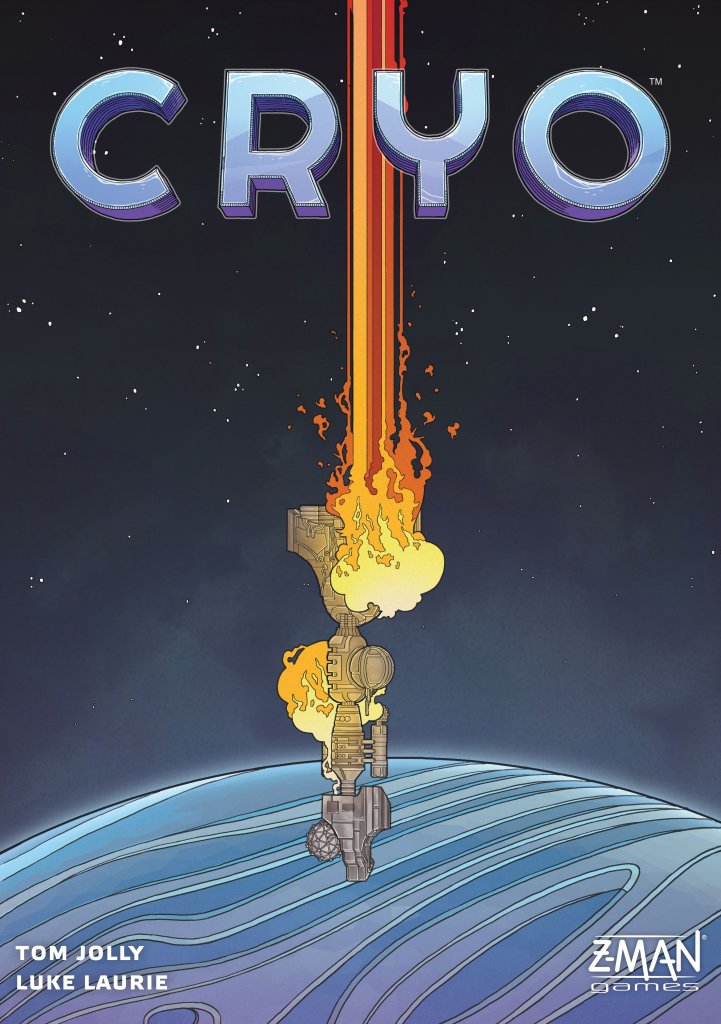
Cryo
2021
Lead a hostile faction through sabotage, resource gathering, platform upgrades, and underground exploration before the sun sets.
90
minutes
2 - 4
player(s)
13+
Medium

About this board game
Cryo is an engine-building and worker-placement game for 2–4 players, with a play time of about 90 minutes, in which hostile faction leaders compete to survive on a remote frozen planet.
An anonymous act of sabotage sends a colony ship plummeting to the planet’s surface. Damaged beyond repair, its scattered remains offer little protection from the brutal cold. As rival faction leaders, players must act quickly and strategically while seeking control of the underground caverns.
Players send drones from their engineering platforms to scavenge resources and rescue crew members still in cryostasis. Gather different materials to upgrade and customize your platform, fine-tuning new actions to support your individual strategy.
- Deploy drones to gather resources and save crew from cryostasis.
- Upgrade and customize an engineering platform with collected materials.
- Use multi-use cards to support your faction’s plans.
- Explore and claim underground caverns before the sun sets.
Every faction is working toward survival while facing the threat of further sabotage from its opponents. The damaged colony ship and the frozen world create a race to establish a new foothold beneath the surface.
With its blend of worker placement, engine building, resource gathering, platform development, and exploration, Cryo challenges players to scavenge, build, and lead their faction to victory as a new chapter for humanity begins.
Board Game Rules for
Cryo
Tensions mount aboard your colony ship. An anonymous act of sabotage goes awry, and your vessel crash-lands on a frozen, uncharted planet in the distant reaches of space. The planet’s surface is inhospitably cold, but there is hope: you’ve discovered a series of warm subterranean caverns closer to the planet’s core. Can you rescue your crew and settle underground before the sun drops below the horizon?
In Cryo, 2-4 players take on the roles of factions competing to settle underground caverns on a remote, icy planet. Send your drones to gather resources, build makeshift vehicles, and rescue your stranded crew before your opponents can obstruct your efforts. Even once you are safely below, other factions will be vying for control over the limited space. Salvage what you can and settle underground before the sun sets!
Components
- 1 Game Board
- 4 Platforms
- 12 Drones (3 each in 4 colors)
- 60 Crew Pods (15 each in 4 colors)
- 16 Material Markers (4 each in 4 colors)
- 4 Energy Pegs
- 40 Cards
- 14 Cavern Tiles
- 12 Damage Markers
- 60 Resource Tiles
- 33 Incident Tokens
- 8 Reference Cards (2 each in 4 colors)
- 1 Scorepad

- Place the game board in the middle of the table.
- Choose player color: Each player chooses a color and takes the platform and drones of the chosen color. Place your platform in front of you and place your drones in the 3 leftmost docks.

Platform and drone setup - Take reference cards: Each player takes the 2 reference cards of their color and places them to the right of their platform.

Reference cards placement - Place markers: Each player takes 4 material markers: 1 crystal (
), 1 organic (
), 1 tech (
), and 1 nanite (
).
- Place your
,
, and
markers in the “1” space of the matching tracks on your platform. - Place the
marker in the “0” space of the matching track. - Then each player takes 1 energy peg (
) and places it in the “1” space of the matching track.

Material and energy markers setup - Place your
- First player: Randomly determine the first player; they will take the first turn of the game.
- Extra materials: Starting with the first player and proceeding clockwise, players gain additional materials, advancing the corresponding markers 1 space on the tracks on their platforms as shown below:
Player Extra Materials 1ST None 2ND 
3RD

4TH


Extra materials track adjustments - Place crew pods: Gather all crew pods matching the chosen player colors. Place 1 crew pod of each of those colors in each stasis chamber on the board. Place 1 additional crew pod in the 3 large stasis chambers on the right of the board.

Crew pods placement on stasis chambers - Set up resource tiles: Turn the resource tiles facedown and separate them into piles based on their backs. Mix up each pile separately.
On each resource space on the board, place a facedown stack of resource tiles equal to the number of players; place each stack on a space of the matching color. Then flip faceup the top tile of each stack.

Resource tiles stack setup - Place damage markers: Mix up the damage markers facedown, then take a number of markers based on the number of players and place them faceup on the docks on the board with the matching symbols.
Players Damage Markers 2 8 3 6 4 4 
Damage marker placement - Place cavern tiles: Mix up the cavern tiles facedown, then place 1 facedown cavern tile of the matching size on each cavern space on the board. Then flip faceup the 2 cavern tiles on the highlighted cavern spaces.
Note: Some cavern spaces show “3+” or “4” on them; place tiles on these spaces only when playing with that many players. Otherwise, they remain empty.

Cavern tiles board setup - Set up incident tokens: Turn the incident tokens facedown and separate them into piles based on their backs (Early, Late, Sunset). Mix up each pile separately.
- Place 1 early incident token faceup on each of the 4 incident spaces on the board.
- On each space of the incident track, place a facedown stack of incident tokens equal to the number of players; place early stacks and late stacks on the matching spaces.
- Finally, place the sunset token underneath the rightmost stack of incident tokens.

Incident spaces setup 
Incident track setup with sunset token - Create deck: Shuffle the cards and place them facedown near the board to create the deck.
- Deal starting cards: Deal 5 cards to each player. Each player chooses 3 cards to keep and discards the other 2. Keep discarded cards in a faceup pile next to the deck.
- Clean up: Return all unused pieces to the box without looking at them.
To learn Cryo, there are some key concepts that are important to understand.
Platform
Each faction has a platform from which they can control their survival efforts. Players store their drones, resources, crew pods, and played cards on their platforms.
Ship Sections
During the crash, the ship broke into 4 main sections:
- Engineering
- Laboratory
- R&D
- Dispatch
Each ship section has different actions that can be taken there.

Drones & Docks
In the harsh conditions on the planet’s surface, drones are your most valuable tools to interact with the world. They can interface with docks in various sections of the ship and on your platform, allowing you to take actions that advance your plans.
Each player has 3 drones. On most turns, you will deploy 1 drone from your platform to a dock on the board to take 1 of that dock’s actions. Only 1 drone can be placed on each dock at a time, and some docks are damaged and inaccessible each game.
On some turns, you will be able to recall your drones from docks on the board to docks on your platform, which allows you to take custom actions you have built on your platform.

Materials & Energy
The actions you take in order to survive often require certain resources. Now that the ship has crashed, you will have to harvest many of these materials from the ship’s wreckage.
There are 4 types of materials in the game, which are tracked on your platform:
- Crystals (
)—A fuel source used to generate energy. - Organics (
)—Includes food, water, and other life-sustaining substances. - Tech (
)—Includes tools, blueprints, and technical data. - Nanites (
)—Microscopic robots that are capable of assembling all manner of substances.
can always be spent in place of
,
, or
.
Your platform also tracks your energy (
), which is used to power vehicles and other machinery.
Each time you gain or spend materials or energy, increase or decrease the corresponding marker on your platform. If you would gain more than a track allows, the excess is lost.
Cards
Clever use of technology will be key to survival. This is represented by cards, and each card in the game can be played in 3 different ways:
- Upgrade—Played into the top of your platform and gives you a special ability for the rest of the game.
- Mission—Played facedown on the left of your platform and gives you a new way to score points.
- Vehicle—Played into the bottom of your platform and holds a certain number of crew pods. Vehicles are used to transport crew pods to caverns, which is the primary way to score points. Some vehicles also have a special effect.
For more information about cards, see “Card Details” on page 10.

Crew Pods
The ship’s passengers are housed in crew pods and kept in cryostasis for travel. Now that the ship has crashed, they need to be awakened to help your faction survive.
Each player has 15 crew pods, which begin the game in stasis chambers on the crashed ship. Each ship section has actions that allow you to awaken crew pods from stasis. Once awakened, crew pods are housed on your platform or on vehicles played on your platform. You can move crew pods between your platform and any vehicles there whenever you like.


Caverns
While the planet’s surface is frigid and dangerous, subterranean caverns have the proper conditions that your faction will need for long-term survival. Transporting crew pods into these caverns is one of your highest priorities and the primary way to score points.
At the start of the game, there are always 2 known caverns. As the game progresses, you can discover new caverns to settle, and you can build vehicles to transport your crew underground. Caverns require different materials to settle depending on their biome, and deeper caverns require more energy to reach.

Players take turns in clockwise order starting with the first player. During each of your turns, you either deploy a drone to the board or recall your drones to your platform. Whether you deploy or recall, you can also scrap once per turn to gain materials or other benefits.
DEPLOY
Deploying drones allows you to take actions on sections of the crashed ship. You can deploy as long as at least 1 drone is on your platform.
Choose 1 drone on your platform and place it on any open dock on the board. A dock is open if there are no drones or damage tokens on it.
Each dock has up to 4 adjacent actions (shown above, below, to the left, and to the right of the dock). When you deploy a drone to a dock, you may take 1 of the adjacent actions.

Many actions have costs you must pay in order to take that action. Some actions show a number of
on them as a reminder of how many times the effect can be used while resolving the action. The actions are explained in detail on the following pages:
Stasis Control
Spend up to 3
to take an equal number of crew pods of your color from any stasis chambers in this ship section and place them on your platform. You cannot take more crew pods than you can fit.

Resource Space
Take the top resource tile of the stack and either return it to the box to gain the benefits shown or place it in an empty slot on your platform to customize a platform action (see “3. Return Drones” on page 8 for more on platform actions). Then flip faceup the new top tile of the stack.
If there are no tiles left in the stack, instead gain the material shown on the resource space.

Resource Benefits
- Gain 1
and 1 
- Gain 1
or 1 
- Gain 1

- Draw or play 1

Reactor
Spend up to 3
to gain an equal amount of
.
Fabricator
Spend up to 3 materials (other than
) to gain an equal amount of
.
Computer
Spend up to 3
; for each
spent, either draw 1 card or play 1 card. You must announce how many cards you will draw and how many you will play before you begin drawing.
Scout
Spend 1
and 1
to choose 1 facedown cavern tile and flip it faceup. The chosen cavern tile must be adjacent to a faceup cavern tile. Place 1 crew pod from your platform on that cavern.
Assign to Salvage
Take 1 crew pod from your platform and place it on any empty salvage space. The third salvage space of each type is available only when playing with 3 or more players. Crew pods assigned to salvage will gain you materials when you recover salvage (see page 8).

Withdraw from Salvage
Take up to 3 crew pods you have assigned to any salvage spaces and place them on your platform.

Launch
Unlike other docks, the launch dock is always open and can hold any number of drones.
Choose 1 vehicle on your platform to launch; the vehicle must have at least 1 crew pod on it. Then choose a tunnel connected to at least 1 faceup cavern tile and spend the
shown along the path to reach it. You can settle in either or both of the caverns connected by the tunnel as long as they are faceup.

To settle in a cavern, pay the settlement cost on the cavern tile. Then place the crew pods from your launched vehicle into that cavern. To settle in 2 caverns, pay the settlement costs for both, and you can divide the crew pods from the vehicle among those caverns however you like.
Then discard the launched vehicle card.

RECALL
When you recall, you return all drones from the board to your platform. You can recall as long as at least 1 of your drones is on the board. If all 3 of your drones are on the board, you must recall.
There are 3 steps to recalling: recover salvage, resolve incident, and return drones.
1. Recover Salvage
For each crew pod you have assigned to salvage, gain 1 material of the type shown (the crew pods remain on their salvage spaces).
2. Resolve Incident
As faction tensions rise, so do the opportunities for sabotage and looting on the crashed ship.
Choose 1 incident token on the incident space of any ship section and resolve its effect. There are 3 types of incidents—sabotage, looting, and sunset—and each is resolved differently:
- Sabotage: Sabotage causes crew pods in a stasis chamber to be destroyed. Place the sabotage token on the lowest-numbered stasis chamber without a sabotage token in that ship section. All crew pods in that chamber are destroyed; place them to the side of the board. Keep the sabotage token in that chamber. If all 3 chambers in the ship section are already destroyed, resolve the sabotage in another ship section of your choice following the same rules.
- Looting: Looting can allow you immediate access to valuable resources. Gain the benefit shown on the looting token, and keep the looting token near your platform. Looting can provide materials, energy, or card actions.
- Sunset: When the sun sets, the temperature on the planet will plummet, and nothing on the surface is expected to survive. When you resolve the sunset token, the game ends at the end of your turn. Keep the sunset token near your platform.
After resolving 1 incident token, draw the top token from the leftmost stack on the incident track and place it faceup on the empty incident space. If no tokens remain, do not place anything.
3. Return Drones
Drones return to your platform to operate the machinery you have created.
One at a time, return each of your drones from the board to an open dock on your platform. After returning each drone, you may take the associated action.
Each dock on your platform has an action associated with it, but the actions are incomplete at the start of the game. Each action has 1 or more empty slots that can be filled with resource tiles. Once all of an action’s slots are filled, the action can be taken.
Any tiles above the action’s arrow are costs that must be paid in order to take the action. Any tiles or icons below the arrow are the benefits of taking that action.

Platform Action Costs
- Spend 1

- Spend 1
or 1 
- Spend 1

- Discard 1


The platform actions are explained in detail below:
- Custom I: Gain the benefit on the resource tile below the arrow. (This action has no cost.)
- Awaken: Pay the cost on the resource tile above the arrow to take 1 crew pod of your color from any stasis chamber on the board and place it on your platform.
- Charge: Pay the cost on the resource tile above the arrow to gain 1
. - Custom II: Pay the cost on the resource tile above the arrow to gain the benefit on the resource tile below the arrow.
- Fabricate: Pay the cost on the resource tile above the arrow to gain 1
. - Compute: Pay the cost on the resource tile above the arrow to either draw or play 1 card.
SCRAP
Once at any time during your turn, you may scrap a resource tile from your platform or a card from your hand to immediately gain the benefit shown. Scrapped cards are discarded, and scrapped resource tiles are returned to the box. (Returning a resource tile to the box as part of the resource space action does not count as scrapping.)

End of the Game
The game ends at the end of any turn in which the following happens:
- A player resolves the sunset token (not when it is placed on an incident space).
- Any player has all of their crew pods in caverns (or destroyed).
Scoring
Each player scores points (
) according to the following:
- 2
for each of their crew pods in a cavern - 1
for each upgrade and vehicle on their platform - 1
for each of their crew pods on their platform or on a vehicle - The
shown on their cards played as missions
based on cavern majorities: Each cavern tile shows 2
numbers; the player with the most crew pods in a cavern scores the higher
number, and the player with second-most scores the lower
number.
Cavern ties: If there is a tie for most crew pods in a cavern, each tied player scores the lower number of
, and no others score for that cavern. If there is a tie for second-most, those tied players do not score for that cavern.
The player who scored the most
wins the game! If there is a tie, the tied player with the most crew pods in caverns wins. If there is still a tie, the tied players share the victory.

Various effects in the game allow you to use your cards in different ways. When you gain the card benefit (
), you may either draw 1 card from the deck or play 1 card from your hand. If
appears as a cost, you pay it by discarding 1 card from your hand.
At the end of your turn, if you have more than 5 cards in your hand, you must discard down to 5. If the deck runs out, shuffle the discard pile to create a new facedown deck.
Each card can be played in 3 different ways, or can be scrapped for a benefit:
- UPGRADE: When you play a card as an upgrade, place it in 1 of the 3 slots in the top of your platform. The card’s effect is active for the rest of the game. You can play only 1 upgrade of each type (no duplicates). Once an upgrade has been played, it cannot be removed.
- MISSION: When you play a card as a mission, place it facedown to the left of your platform. At the end of the game, your missions’ effects will score you
. You can play only 3 missions total, and you can play only 1 mission of each type (no duplicates). Once a mission has been played, it cannot be removed. You can look at your facedown missions at any time. - VEHICLE: When you play a card as a vehicle, place it in 1 of the 3 slots in the bottom of your platform. Each vehicle can hold a certain number of crew pods, as shown by icons on the card (
). Some vehicles also have a special effect. You can play any number of vehicles with the same name. Once a vehicle has been played, it can be removed only by launching the vehicle. You can move crew pods between your platform and your vehicles there whenever you like. - SCRAP: When you scrap a card from your hand, gain the benefits shown on the card.
Card List & Effects
Imaging / Rhino
- Upgrade: Imaging—You can look at facedown cavern tiles at any time. Each time any player uses the scout action to flip a cavern tile faceup, you gain the resources shown in the tile’s settlement cost.
- Mission: Expansion—Gain 1
for each cavern in which you have 1 or more crew pods. - Vehicle: Rhino—Holds 4 crew pods.
- Scrap: Gain 1
.

Supercharge / Moth
- Upgrade: Supercharge—When you launch a vehicle, each
you spend counts as 2
. If your chosen tunnel requires an odd amount of
, the excess is lost. - Mission: Power Bank—Gain 1
for each
you have remaining on your platform. - Vehicle: Moth—Holds 2 crew pods.
- Vehicle Effect: Energy Efficient—When you launch Moth, spend only 1
to reach any tunnel.
- Vehicle Effect: Energy Efficient—When you launch Moth, spend only 1
- Scrap: Gain 1
.

Interfacing / Ram
- Upgrade: Interfacing—You can place your drones on damaged docks.
- Mission: Plunder—Gain 1
for each incident token you have collected (including the sunset token). - Vehicle: Ram—Holds 3 crew pods.
- Scrap: Gain 1
and 1
.

Wakeup Protocol / Crab
- Upgrade: Wakeup Protocol—Each of your vehicles can hold 1 additional crew pod. When you take the stasis control action, reduce the total cost by 1
. - Mission: Stronghold—Gain 1
for each crew pod in your largest settlement. - Vehicle: Crab—Holds 4 crew pods.
- Scrap: Gain 1
and 1
.

Advance Warning / Spider
- Upgrade: Advance Warning—When any player resolves a sabotage incident in a stasis chamber, move 1 of your crew pods in that chamber to the next chamber in that ship section (each chamber can hold any number of crew pods). If the sabotage is in chamber 3, instead move 1 of your crew pods in that chamber to your platform. If you have no space on your platform, the crew pod is destroyed as normal.
- Mission: Memorial—Gain 2
for each of your crew pods assigned to salvage. - Vehicle: Spider—Holds 3 crew pods.
- Vehicle Effect: Rescue—When you play the Spider, take 1 of your destroyed crew pods and place it on the Spider.
- Scrap: Gain 1
and 1
.

Prototype / Shark
- Upgrade: Prototype—When you place a resource tile on your platform, you may spend any 1 material to gain the benefit shown on the newly placed tile.
- Mission: Reserves—Gain 1
for every 2 materials you have remaining on your platform. - Vehicle: Shark—Holds 3 crew pods.
- Scrap: Gain 1
and 1
.

Overclock / Turtle
- Upgrade: Overclock—When you place a drone on a ship dock, after you take an action, you may spend 1
to take 1 other action adjacent to that dock. - Mission: Community—Gain 2
for each cavern in which you have 2 or more crew pods. - Vehicle: Turtle—Holds 3 crew pods.
- Scrap: Gain 1
and 1
.

Automation / Mole
- Upgrade: Automation—While recalling, after returning all of your drones to your platform, you may take 1 additional available action on your platform without placing a drone (that action’s dock must be open).
- Mission: Industry—Gain 1
for each resource tile on your platform. - Vehicle: Mole—Holds 4 crew pods.
- Scrap: Gain 1
and 1
.

Materials Reference
Crystals
Tech
Organics
Nanites (Can be spent in place of
,
, or
)
Other Resources
Energy
Cards
Card Anatomy

Incidents

Cavern Tiles

Credits
- Game Design: Tom Jolly & Luke Laurie
- Producer: Alexandar Ortloff
- Editing: Andrea Dell’Agnese & Julia Faeta
- Graphic Design & Art: Bree Lindsoe, Jasmine Radue & Samuel R. Shimota
- Sculpting: Samuel R. Shimota
- Managing Art Director: Samuel R. Shimota
- Managing Game Designer: Justin Kemppainen
- Story Development: Justin Kemppainen & Alexandar Ortloff
- Back of Box Layout: Sarah Swindle
- Marketing Copy: Megan Robinson
- Marketing Manager: Beth Erikson
- Publisher: Steven Kimball
- Playtesters: Aaron Newman, Alex Lane, Annette Villa, Betsy Cornelius, Brandon Donahue, Brandon Raasch, Brian Hellevang, Brian Kasicki, Christian Duval, Cliff Rowley, Daniel Green, Ed Jolly, Floyd McWilliams, Gabriel Mondo Vega, Glenn Cotter, Gregg Saruwatari, Jean Geraghty, Jeff Cornelius, Jeremy Barker, Jim Laurie, John Shulters, Jon Razo, Keegan Hartman, Lon Peterson, Maximus Laurie, Melissa Caputo, Michael Dunsmore, Michelle Dornish, Michelle Jolly, Mitchell Lopez, Nick Siebert, Odessa Laurie, Peter Vaughan, Pieter Neethling, Rohan Dargad, Sarah Graybill, Scott Caputo, Sean Geraghty, Sean Walsh, Stephen Thompson, Theresa Rowley, Yvonne Duran
Z-Man Games is committed to diverse representation and accessible gaming for all. If you have any concerns or suggestions, please contact us through our website.
Overview & Components
Tensions mount aboard your colony ship. An anonymous act of sabotage goes awry, and your vessel crash-lands on a frozen, uncharted planet in the distant reaches of space. The planet’s surface is inhospitably cold, but there is hope: you’ve discovered a series of warm subterranean caverns closer to the planet’s core. Can you rescue your crew and settle underground before the sun drops below the horizon?
In Cryo, 2-4 players take on the roles of factions competing to settle underground caverns on a remote, icy planet. Send your drones to gather resources, build makeshift vehicles, and rescue your stranded crew before your opponents can obstruct your efforts. Even once you are safely below, other factions will be vying for control over the limited space. Salvage what you can and settle underground before the sun sets!
Components
- 1 Game Board
- 4 Platforms
- 12 Drones (3 each in 4 colors)
- 60 Crew Pods (15 each in 4 colors)
- 16 Material Markers (4 each in 4 colors)
- 4 Energy Pegs
- 40 Cards
- 14 Cavern Tiles
- 12 Damage Markers
- 60 Resource Tiles
- 33 Incident Tokens
- 8 Reference Cards (2 each in 4 colors)
- 1 Scorepad

Setup
- Place the game board in the middle of the table.
- Choose player color: Each player chooses a color and takes the platform and drones of the chosen color. Place your platform in front of you and place your drones in the 3 leftmost docks.

Platform and drone setup - Take reference cards: Each player takes the 2 reference cards of their color and places them to the right of their platform.

Reference cards placement - Place markers: Each player takes 4 material markers: 1 crystal (
), 1 organic (
), 1 tech (
), and 1 nanite (
).
- Place your
,
, and
markers in the “1” space of the matching tracks on your platform. - Place the
marker in the “0” space of the matching track. - Then each player takes 1 energy peg (
) and places it in the “1” space of the matching track.

Material and energy markers setup - Place your
- First player: Randomly determine the first player; they will take the first turn of the game.
- Extra materials: Starting with the first player and proceeding clockwise, players gain additional materials, advancing the corresponding markers 1 space on the tracks on their platforms as shown below:
Player Extra Materials 1ST None 2ND 
3RD

4TH


Extra materials track adjustments - Place crew pods: Gather all crew pods matching the chosen player colors. Place 1 crew pod of each of those colors in each stasis chamber on the board. Place 1 additional crew pod in the 3 large stasis chambers on the right of the board.

Crew pods placement on stasis chambers - Set up resource tiles: Turn the resource tiles facedown and separate them into piles based on their backs. Mix up each pile separately.
On each resource space on the board, place a facedown stack of resource tiles equal to the number of players; place each stack on a space of the matching color. Then flip faceup the top tile of each stack.

Resource tiles stack setup - Place damage markers: Mix up the damage markers facedown, then take a number of markers based on the number of players and place them faceup on the docks on the board with the matching symbols.
Players Damage Markers 2 8 3 6 4 4 
Damage marker placement - Place cavern tiles: Mix up the cavern tiles facedown, then place 1 facedown cavern tile of the matching size on each cavern space on the board. Then flip faceup the 2 cavern tiles on the highlighted cavern spaces.
Note: Some cavern spaces show “3+” or “4” on them; place tiles on these spaces only when playing with that many players. Otherwise, they remain empty.

Cavern tiles board setup - Set up incident tokens: Turn the incident tokens facedown and separate them into piles based on their backs (Early, Late, Sunset). Mix up each pile separately.
- Place 1 early incident token faceup on each of the 4 incident spaces on the board.
- On each space of the incident track, place a facedown stack of incident tokens equal to the number of players; place early stacks and late stacks on the matching spaces.
- Finally, place the sunset token underneath the rightmost stack of incident tokens.

Incident spaces setup 
Incident track setup with sunset token - Create deck: Shuffle the cards and place them facedown near the board to create the deck.
- Deal starting cards: Deal 5 cards to each player. Each player chooses 3 cards to keep and discards the other 2. Keep discarded cards in a faceup pile next to the deck.
- Clean up: Return all unused pieces to the box without looking at them.
Key Concepts
To learn Cryo, there are some key concepts that are important to understand.
Platform
Each faction has a platform from which they can control their survival efforts. Players store their drones, resources, crew pods, and played cards on their platforms.
Ship Sections
During the crash, the ship broke into 4 main sections:
- Engineering
- Laboratory
- R&D
- Dispatch
Each ship section has different actions that can be taken there.

Drones & Docks
In the harsh conditions on the planet’s surface, drones are your most valuable tools to interact with the world. They can interface with docks in various sections of the ship and on your platform, allowing you to take actions that advance your plans.
Each player has 3 drones. On most turns, you will deploy 1 drone from your platform to a dock on the board to take 1 of that dock’s actions. Only 1 drone can be placed on each dock at a time, and some docks are damaged and inaccessible each game.
On some turns, you will be able to recall your drones from docks on the board to docks on your platform, which allows you to take custom actions you have built on your platform.

Materials & Energy
The actions you take in order to survive often require certain resources. Now that the ship has crashed, you will have to harvest many of these materials from the ship’s wreckage.
There are 4 types of materials in the game, which are tracked on your platform:
- Crystals (
)—A fuel source used to generate energy. - Organics (
)—Includes food, water, and other life-sustaining substances. - Tech (
)—Includes tools, blueprints, and technical data. - Nanites (
)—Microscopic robots that are capable of assembling all manner of substances.
can always be spent in place of
,
, or
.
Your platform also tracks your energy (
), which is used to power vehicles and other machinery.
Each time you gain or spend materials or energy, increase or decrease the corresponding marker on your platform. If you would gain more than a track allows, the excess is lost.
Cards
Clever use of technology will be key to survival. This is represented by cards, and each card in the game can be played in 3 different ways:
- Upgrade—Played into the top of your platform and gives you a special ability for the rest of the game.
- Mission—Played facedown on the left of your platform and gives you a new way to score points.
- Vehicle—Played into the bottom of your platform and holds a certain number of crew pods. Vehicles are used to transport crew pods to caverns, which is the primary way to score points. Some vehicles also have a special effect.
For more information about cards, see “Card Details” on page 10.

Crew Pods
The ship’s passengers are housed in crew pods and kept in cryostasis for travel. Now that the ship has crashed, they need to be awakened to help your faction survive.
Each player has 15 crew pods, which begin the game in stasis chambers on the crashed ship. Each ship section has actions that allow you to awaken crew pods from stasis. Once awakened, crew pods are housed on your platform or on vehicles played on your platform. You can move crew pods between your platform and any vehicles there whenever you like.


Caverns
While the planet’s surface is frigid and dangerous, subterranean caverns have the proper conditions that your faction will need for long-term survival. Transporting crew pods into these caverns is one of your highest priorities and the primary way to score points.
At the start of the game, there are always 2 known caverns. As the game progresses, you can discover new caverns to settle, and you can build vehicles to transport your crew underground. Caverns require different materials to settle depending on their biome, and deeper caverns require more energy to reach.

Playing the Game
Players take turns in clockwise order starting with the first player. During each of your turns, you either deploy a drone to the board or recall your drones to your platform. Whether you deploy or recall, you can also scrap once per turn to gain materials or other benefits.
DEPLOY
Deploying drones allows you to take actions on sections of the crashed ship. You can deploy as long as at least 1 drone is on your platform.
Choose 1 drone on your platform and place it on any open dock on the board. A dock is open if there are no drones or damage tokens on it.
Each dock has up to 4 adjacent actions (shown above, below, to the left, and to the right of the dock). When you deploy a drone to a dock, you may take 1 of the adjacent actions.

Many actions have costs you must pay in order to take that action. Some actions show a number of
on them as a reminder of how many times the effect can be used while resolving the action. The actions are explained in detail on the following pages:
Stasis Control
Spend up to 3
to take an equal number of crew pods of your color from any stasis chambers in this ship section and place them on your platform. You cannot take more crew pods than you can fit.

Resource Space
Take the top resource tile of the stack and either return it to the box to gain the benefits shown or place it in an empty slot on your platform to customize a platform action (see “3. Return Drones” on page 8 for more on platform actions). Then flip faceup the new top tile of the stack.
If there are no tiles left in the stack, instead gain the material shown on the resource space.

Resource Benefits
- Gain 1
and 1 
- Gain 1
or 1 
- Gain 1

- Draw or play 1

Reactor
Spend up to 3
to gain an equal amount of
.
Fabricator
Spend up to 3 materials (other than
) to gain an equal amount of
.
Computer
Spend up to 3
; for each
spent, either draw 1 card or play 1 card. You must announce how many cards you will draw and how many you will play before you begin drawing.
Scout
Spend 1
and 1
to choose 1 facedown cavern tile and flip it faceup. The chosen cavern tile must be adjacent to a faceup cavern tile. Place 1 crew pod from your platform on that cavern.
Assign to Salvage
Take 1 crew pod from your platform and place it on any empty salvage space. The third salvage space of each type is available only when playing with 3 or more players. Crew pods assigned to salvage will gain you materials when you recover salvage (see page 8).

Withdraw from Salvage
Take up to 3 crew pods you have assigned to any salvage spaces and place them on your platform.

Launch
Unlike other docks, the launch dock is always open and can hold any number of drones.
Choose 1 vehicle on your platform to launch; the vehicle must have at least 1 crew pod on it. Then choose a tunnel connected to at least 1 faceup cavern tile and spend the
shown along the path to reach it. You can settle in either or both of the caverns connected by the tunnel as long as they are faceup.

To settle in a cavern, pay the settlement cost on the cavern tile. Then place the crew pods from your launched vehicle into that cavern. To settle in 2 caverns, pay the settlement costs for both, and you can divide the crew pods from the vehicle among those caverns however you like.
Then discard the launched vehicle card.

RECALL
When you recall, you return all drones from the board to your platform. You can recall as long as at least 1 of your drones is on the board. If all 3 of your drones are on the board, you must recall.
There are 3 steps to recalling: recover salvage, resolve incident, and return drones.
1. Recover Salvage
For each crew pod you have assigned to salvage, gain 1 material of the type shown (the crew pods remain on their salvage spaces).
2. Resolve Incident
As faction tensions rise, so do the opportunities for sabotage and looting on the crashed ship.
Choose 1 incident token on the incident space of any ship section and resolve its effect. There are 3 types of incidents—sabotage, looting, and sunset—and each is resolved differently:
- Sabotage: Sabotage causes crew pods in a stasis chamber to be destroyed. Place the sabotage token on the lowest-numbered stasis chamber without a sabotage token in that ship section. All crew pods in that chamber are destroyed; place them to the side of the board. Keep the sabotage token in that chamber. If all 3 chambers in the ship section are already destroyed, resolve the sabotage in another ship section of your choice following the same rules.
- Looting: Looting can allow you immediate access to valuable resources. Gain the benefit shown on the looting token, and keep the looting token near your platform. Looting can provide materials, energy, or card actions.
- Sunset: When the sun sets, the temperature on the planet will plummet, and nothing on the surface is expected to survive. When you resolve the sunset token, the game ends at the end of your turn. Keep the sunset token near your platform.
After resolving 1 incident token, draw the top token from the leftmost stack on the incident track and place it faceup on the empty incident space. If no tokens remain, do not place anything.
3. Return Drones
Drones return to your platform to operate the machinery you have created.
One at a time, return each of your drones from the board to an open dock on your platform. After returning each drone, you may take the associated action.
Each dock on your platform has an action associated with it, but the actions are incomplete at the start of the game. Each action has 1 or more empty slots that can be filled with resource tiles. Once all of an action’s slots are filled, the action can be taken.
Any tiles above the action’s arrow are costs that must be paid in order to take the action. Any tiles or icons below the arrow are the benefits of taking that action.

Platform Action Costs
- Spend 1

- Spend 1
or 1 
- Spend 1

- Discard 1


The platform actions are explained in detail below:
- Custom I: Gain the benefit on the resource tile below the arrow. (This action has no cost.)
- Awaken: Pay the cost on the resource tile above the arrow to take 1 crew pod of your color from any stasis chamber on the board and place it on your platform.
- Charge: Pay the cost on the resource tile above the arrow to gain 1
. - Custom II: Pay the cost on the resource tile above the arrow to gain the benefit on the resource tile below the arrow.
- Fabricate: Pay the cost on the resource tile above the arrow to gain 1
. - Compute: Pay the cost on the resource tile above the arrow to either draw or play 1 card.
SCRAP
Once at any time during your turn, you may scrap a resource tile from your platform or a card from your hand to immediately gain the benefit shown. Scrapped cards are discarded, and scrapped resource tiles are returned to the box. (Returning a resource tile to the box as part of the resource space action does not count as scrapping.)

End of the Game & Scoring
End of the Game
The game ends at the end of any turn in which the following happens:
- A player resolves the sunset token (not when it is placed on an incident space).
- Any player has all of their crew pods in caverns (or destroyed).
Scoring
Each player scores points (
) according to the following:
- 2
for each of their crew pods in a cavern - 1
for each upgrade and vehicle on their platform - 1
for each of their crew pods on their platform or on a vehicle - The
shown on their cards played as missions
based on cavern majorities: Each cavern tile shows 2
numbers; the player with the most crew pods in a cavern scores the higher
number, and the player with second-most scores the lower
number.
Cavern ties: If there is a tie for most crew pods in a cavern, each tied player scores the lower number of
, and no others score for that cavern. If there is a tie for second-most, those tied players do not score for that cavern.
The player who scored the most
wins the game! If there is a tie, the tied player with the most crew pods in caverns wins. If there is still a tie, the tied players share the victory.

Cards & Card Details
Various effects in the game allow you to use your cards in different ways. When you gain the card benefit (
), you may either draw 1 card from the deck or play 1 card from your hand. If
appears as a cost, you pay it by discarding 1 card from your hand.
At the end of your turn, if you have more than 5 cards in your hand, you must discard down to 5. If the deck runs out, shuffle the discard pile to create a new facedown deck.
Each card can be played in 3 different ways, or can be scrapped for a benefit:
- UPGRADE: When you play a card as an upgrade, place it in 1 of the 3 slots in the top of your platform. The card’s effect is active for the rest of the game. You can play only 1 upgrade of each type (no duplicates). Once an upgrade has been played, it cannot be removed.
- MISSION: When you play a card as a mission, place it facedown to the left of your platform. At the end of the game, your missions’ effects will score you
. You can play only 3 missions total, and you can play only 1 mission of each type (no duplicates). Once a mission has been played, it cannot be removed. You can look at your facedown missions at any time. - VEHICLE: When you play a card as a vehicle, place it in 1 of the 3 slots in the bottom of your platform. Each vehicle can hold a certain number of crew pods, as shown by icons on the card (
). Some vehicles also have a special effect. You can play any number of vehicles with the same name. Once a vehicle has been played, it can be removed only by launching the vehicle. You can move crew pods between your platform and your vehicles there whenever you like. - SCRAP: When you scrap a card from your hand, gain the benefits shown on the card.
Card List & Effects
Imaging / Rhino
- Upgrade: Imaging—You can look at facedown cavern tiles at any time. Each time any player uses the scout action to flip a cavern tile faceup, you gain the resources shown in the tile’s settlement cost.
- Mission: Expansion—Gain 1
for each cavern in which you have 1 or more crew pods. - Vehicle: Rhino—Holds 4 crew pods.
- Scrap: Gain 1
.

Supercharge / Moth
- Upgrade: Supercharge—When you launch a vehicle, each
you spend counts as 2
. If your chosen tunnel requires an odd amount of
, the excess is lost. - Mission: Power Bank—Gain 1
for each
you have remaining on your platform. - Vehicle: Moth—Holds 2 crew pods.
- Vehicle Effect: Energy Efficient—When you launch Moth, spend only 1
to reach any tunnel.
- Vehicle Effect: Energy Efficient—When you launch Moth, spend only 1
- Scrap: Gain 1
.

Interfacing / Ram
- Upgrade: Interfacing—You can place your drones on damaged docks.
- Mission: Plunder—Gain 1
for each incident token you have collected (including the sunset token). - Vehicle: Ram—Holds 3 crew pods.
- Scrap: Gain 1
and 1
.

Wakeup Protocol / Crab
- Upgrade: Wakeup Protocol—Each of your vehicles can hold 1 additional crew pod. When you take the stasis control action, reduce the total cost by 1
. - Mission: Stronghold—Gain 1
for each crew pod in your largest settlement. - Vehicle: Crab—Holds 4 crew pods.
- Scrap: Gain 1
and 1
.

Advance Warning / Spider
- Upgrade: Advance Warning—When any player resolves a sabotage incident in a stasis chamber, move 1 of your crew pods in that chamber to the next chamber in that ship section (each chamber can hold any number of crew pods). If the sabotage is in chamber 3, instead move 1 of your crew pods in that chamber to your platform. If you have no space on your platform, the crew pod is destroyed as normal.
- Mission: Memorial—Gain 2
for each of your crew pods assigned to salvage. - Vehicle: Spider—Holds 3 crew pods.
- Vehicle Effect: Rescue—When you play the Spider, take 1 of your destroyed crew pods and place it on the Spider.
- Scrap: Gain 1
and 1
.

Prototype / Shark
- Upgrade: Prototype—When you place a resource tile on your platform, you may spend any 1 material to gain the benefit shown on the newly placed tile.
- Mission: Reserves—Gain 1
for every 2 materials you have remaining on your platform. - Vehicle: Shark—Holds 3 crew pods.
- Scrap: Gain 1
and 1
.

Overclock / Turtle
- Upgrade: Overclock—When you place a drone on a ship dock, after you take an action, you may spend 1
to take 1 other action adjacent to that dock. - Mission: Community—Gain 2
for each cavern in which you have 2 or more crew pods. - Vehicle: Turtle—Holds 3 crew pods.
- Scrap: Gain 1
and 1
.

Automation / Mole
- Upgrade: Automation—While recalling, after returning all of your drones to your platform, you may take 1 additional available action on your platform without placing a drone (that action’s dock must be open).
- Mission: Industry—Gain 1
for each resource tile on your platform. - Vehicle: Mole—Holds 4 crew pods.
- Scrap: Gain 1
and 1
.

Quick Reference & Credits
Materials Reference
Crystals
Tech
Organics
Nanites (Can be spent in place of
,
, or
)
Other Resources
Energy
Cards
Card Anatomy

Incidents

Cavern Tiles

Credits
- Game Design: Tom Jolly & Luke Laurie
- Producer: Alexandar Ortloff
- Editing: Andrea Dell’Agnese & Julia Faeta
- Graphic Design & Art: Bree Lindsoe, Jasmine Radue & Samuel R. Shimota
- Sculpting: Samuel R. Shimota
- Managing Art Director: Samuel R. Shimota
- Managing Game Designer: Justin Kemppainen
- Story Development: Justin Kemppainen & Alexandar Ortloff
- Back of Box Layout: Sarah Swindle
- Marketing Copy: Megan Robinson
- Marketing Manager: Beth Erikson
- Publisher: Steven Kimball
- Playtesters: Aaron Newman, Alex Lane, Annette Villa, Betsy Cornelius, Brandon Donahue, Brandon Raasch, Brian Hellevang, Brian Kasicki, Christian Duval, Cliff Rowley, Daniel Green, Ed Jolly, Floyd McWilliams, Gabriel Mondo Vega, Glenn Cotter, Gregg Saruwatari, Jean Geraghty, Jeff Cornelius, Jeremy Barker, Jim Laurie, John Shulters, Jon Razo, Keegan Hartman, Lon Peterson, Maximus Laurie, Melissa Caputo, Michael Dunsmore, Michelle Dornish, Michelle Jolly, Mitchell Lopez, Nick Siebert, Odessa Laurie, Peter Vaughan, Pieter Neethling, Rohan Dargad, Sarah Graybill, Scott Caputo, Sean Geraghty, Sean Walsh, Stephen Thompson, Theresa Rowley, Yvonne Duran
Z-Man Games is committed to diverse representation and accessible gaming for all. If you have any concerns or suggestions, please contact us through our website.