Boardgames

Curious Cargo

A tense two-player logistics puzzle of conveyor networks, perfectly timed shipments, and custom cargo tokens sent to disrupt your opponent.

60
minutes

2 - 2
player(s)

Medium Heavy

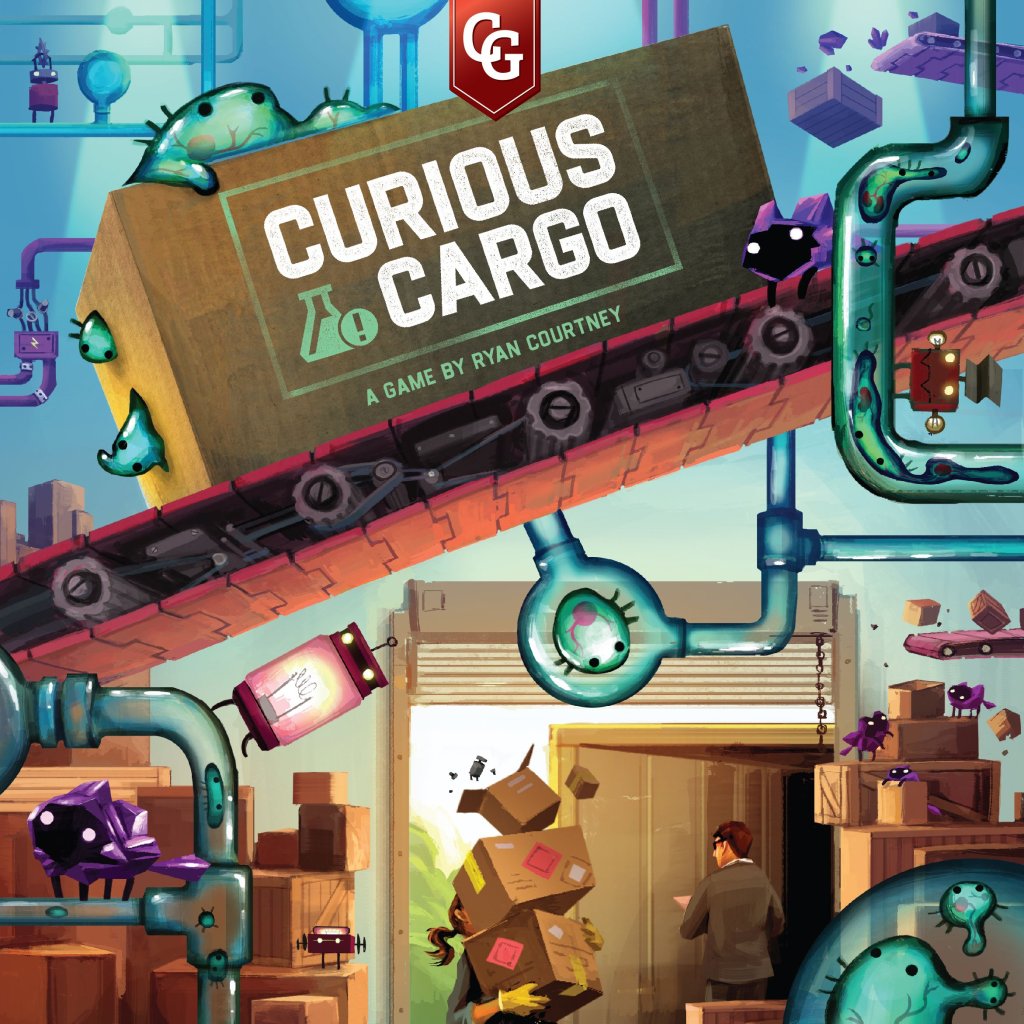
Curious Cargo board game cover

About this board game

Curious Cargo is a two-player board game that plays in about 60 minutes, challenging rivals to build facility infrastructure, manage logistics, and score the most points.

In this head-to-head puzzle, connect an interweaving web of lines to your shipping and receiving spaces. Carefully plan your supply lines, call in trucks at the right moment, and time the shipping and receiving of cargo to keep your operation moving.

Your opponent is working from the same strange manufacturing plans, so every shipment can affect the race. Send custom-shaped cargo tokens to your rival to interfere with their logistics plans, intercept their trucks, and help corner the market.

  • Build connected networks of lines across your facility.
  • Time trucks, shipping, and receiving to maximize your points.
  • Use cargo shipments to disrupt your opponent’s plans.
  • Choose between two-color conveyor tiles or the advanced three-color experience.

Curious Cargo offers six unique player boards for each player, giving the game a range of layouts to explore. Its two game modes let you choose the level of challenge, from working with two-color conveyor tiles to stepping up to all three colors.

The puzzling nature of Ryan Courtney’s Pipeline comes alive in Curious Cargo, where clever connections and precise timing are central to the contest. With its focused two-player format, it sets both competitors against each other in a race to become the king of curious cargo.

Board Game Rules for
Curious Cargo

Download official rules (EN)

I stumbled upon a midnight market. It wasn’t selling flowers or farm goods. It was a more curious sort of cargo: robot parts, energy capacitors, and something green and jiggly. Since stumbling in, I’ve now been dragged into it, deep into the thick of it.

I paid a stranger more than I should have for manufacturing plans I hardly understood. Worse yet, they sold the same stuff to my best friend. Now I have to get my supply lines up and running to prepare for shipping my cargo. And, if my friend starts shipping some of this Curious Cargo, I’ll have to intercept their Trucks and corner the market that way. By hook or by crook, I’m going to be the king of Curious Cargo.

Components

  • Player Boards (6)
  • Shipping Boards (2)
  • Turn Order Track (1)
  • Forklifts (2)
  • Truck Cards (25)
  • Truck Tiles (25)
  • Conveyor Tiles (75)
  • Goods (36)
  • Construction Tokens (10)
  • Trucking Tokens (8)
  • Splitter Tiles (6)
  • Scaffolding Tiles (10)
  • Bag (1)
components_overview
components_overview

  1. Both players take matching player boards. First time players should use board #1. Place the board so that the board number is oriented in the bottom right.
  2. Both players then take a Shipping board. Place the board with the 2-color side face up and align with player board.
  3. Each player fills all the empty spaces on the shipping side of their board with the corresponding goods.
  4. The player who has most recently ridden in a truck is the starting player. Place the Turn Order track parallel to the two player boards and then place the Forklifts onto the 0 spot on the track with the first player on top.
  5. Place the Conveyor tiles into the bag, shuffle, and place within reach.
  6. Place the Truck tiles, Construction tokens, Truck tokens, and Splitters next to the boards as a supply. Return the purple Splitters to the box.
  7. Give each player 5 Scaffolding tiles.
  8. Shuffle and deal 3 Truck cards face down to each player. Then place the deck within reach.
  9. Players select one card to keep and give the remaining two to their opponent. (On your first game skip this step and just keep the 3 Truck cards you are dealt.)
setup_diagram
setup_diagram

The game is played over multiple rounds. Each round consists of a Construction Phase and a Trucking Phase. Each phase is played in turn order. The player whose Forklift is furthest ahead on the Turn Order track (or on top if tied) goes first.

Designer Note: Most turns during the Construction Phase can and should be played simultaneously. However, a player may request for the phase to be done in turn order for any particular round. When playing simultaneously, movement on the Turn Order track should be done as if turn order was being followed.


During the Construction Phase, players will be drawing and placing tiles in order to build connections between their machines and their loading docks.

A player’s turn consists of taking up to 3 actions of the following two action types:

  • Draw a Conveyor tile into hand
  • Play a Conveyor tile

A player may do these actions in any order and may repeat actions.

Additionally, a player may use one Construction token on their turn. A Construction token may be used to receive two additional actions or to place a Splitter they own onto their player board. (See Bonuses and Bonus Tokens page 10-11.)

Playing a Conveyor Tile

A player may play any Conveyor tile from their hand or that is visible in their storage. (Play with the sand colored side of the tiles.)

  • Tiles are played onto their player board.
  • Tiles must be placed entirely within the teal grid. They may not cover machines, walls, numbered spaces, etc.
  • Tiles need not be placed next to a preexisting tile nor need to match the lines of tiles they are placed next to.
  • Tiles may be stacked but must lie flat.
  • If player wants to lay a tile that would not lie flat, they may use their Scaffolding tokens to support the overhang.
  • If you place a tile on top of a Gear, take a Construction token from the supply, if available.

Designer Note: Experienced players seeking an additional challenge can play without scaffolding tiles. This can also be used to balance games with less experienced players.

stacking_tiles_example

Designer Note: Consider building the shape needed through stacking instead of waiting to draw the perfect tile.

Active Connections & Turn Order Track

An active connection is a contiguous line of a color that connects from a numbered loading dock to one of the machine ports.

The Turn Order track records the most concurrent active connections the player has had at any point in the game. After placing a tile, count the number of active connections on your board. If the number is greater than your position on the Turn Order track, adjust your Forklift. Receive any bonuses for the space you land on and any you passed through. (See Bonuses and Tokens page 10-11.) If you land on the same space as your opponent’s token, stack on top. Even if you break a connection you never move backwards on the Turn Order track.

moving_on_turn_order_track_example

Example: Moving on Turn Order Track: White placed a tile creating their 4th active connection. Their forklift is on the 3rd space of the Turn Order track so they move it to the 4th space and draw a Truck card as indicated next to the 4.

End of Phase Cleanup

Check for End Game. (See End Game Triggers page 8.)

If the game has not ended, any Conveyor tiles remaining in a player’s hand must be placed into storage. A player may choose the order and location of the tiles being stacked but may not move tiles already in storage. Additionally, if a player has more than three of the same token type they must return excess to the supply.

stacking_tiles_in_storage_example

Designer Note: Utilize storage to plan out future conveyor lines.


The Trucking Phase consists of an initial loading and unloading. Then, in turn order each player does up to 1 of the following three actions:

  • Play Truck cards: May spend up to 2 Action Points (AP) on Truck cards, playing one card at a time. Discard the card and place the associated Truck tile into either player’s Shipping side.
  • Discard a Truck card for Conveyor tiles: Receive the number of Conveyor tiles indicated on the card.
  • Discard Conveyor tiles for a Truck card: Discard top tile from both stacks or top 2 from a single stack. Draw one card from the deck.

Discarded tiles and cards are removed from the game.

Additionally, a player may use one Trucking token on their turn. The player draws one Truck card from the deck and receives 2 AP for playing Truck cards of which they must spend at least 1 AP by the end of their turn.

Perform End of Phase Cleanup. (See End of Phase Cleanup page 5.)

breakdown_of_a_truck_card

Playing Trucks and Movement

Anytime a Truck arrives at a facility, it enters with its rear space adjacent to the street number 1. If this space is already occupied, Trucks are pushed forward to make room. If any part of a Truck extends past street number 10, it leaves the facility. Any Truck leaving the Shipping side of a player’s facility immediately enters the Receiving side of their opponent’s facility. Any Truck leaving the Receiving side of a player’s facility is removed from the game including any goods on it.

Loading and Unloading

Loading and unloading happens at the beginning of the Trucking Phase and after every Truck card that is played.

Loading

Goods automatically load onto any empty Truck spaces adjacent to an active Shipping side connection. However, two goods of the same type may never be placed next to each other. Goods may also never be loaded onto a space with the “blocked” symbol.

Loading is mandatory. If you have the associated goods and they can be legally placed, you must. Take the leftmost associated good from the Shipping side of your Shipping board and place it onto the empty spot on the Truck.

In the case in which you do not have enough goods or if two or more goods of the same type were to be loaded next to each other, you may choose which of those active connections you’d like to use.

loading_adjacent_goods_example

Example: Loading Adjacent Goods: The same good type may never be in adjacent spaces on a Truck so the player must choose to load on either 7 or 8 but cannot load on both.

Unloading

Similarly, goods automatically unload if a good on a Truck is next to an active Receiving side connection of the same type.

Unloading of goods is mandatory. Remove the good from the Truck and fill the leftmost empty Receiving space of the associated type. There are only 4 slots for each good type. If you collect more than 4, just remove the extras from the game.

Bonuses for Shipping and Receiving

Players receive bonuses for completely filling trucks as well as from the Shipping board. (See Bonuses page 10.)

Example: Loading and Playing Trucks

The left player created a new link at 7 during the last Construction Phase. At the start of the Trucking Phase, a red is loaded.

On their turn, they chose to play the size 4 Truck to their side. This pushes the Trucks on their side forward.

loading_and_playing_trucks_step1

Because part of the size 3 Truck extended past the 10 it immediately moves to the opponent’s Receiving side.

Because part of the size 4 Truck extended past the 10 it is removed from the game. Now that all movement has completed, Trucks are loaded and unloaded. The left player loads a blue at 5 and a red at 7. Additionally the right player receives the blue at 5.

loading_and_unloading_movement_continuation

A player receives bonuses in several different ways throughout the game. A player must take any bonuses they are awarded. Bonuses may be used the turn they are awarded or saved for future turns. Components are limited. If bonuses are awarded to both players simultaneously, the active player receives priority.

  • Truck token Receive a Truck Token
  • Splitter Receive a Splitter
  • Construction token Receive a Construction token
  • Draw truck card Draw a Truck card
  • Draw conveyor tile Draw a Conveyor tile

Board & Truck Bonuses

Player Board

  • If a player covers a Gear with a Conveyor tile or Splitter, they receive one Construction token.
player_board_gear_bonus

Turn Order Track

  • For all spaces 4 and above, a player draws a card from the deck.
  • For spaces 3 and 6, the first player to that location gets one Construction token. The second receives two.
  • For reaching spaces 7, 8, or 9, a player receives bonus end game points.
turn_order_track_bonuses

Completely Filling a Truck

When a truck is completely filled excluding “blocked” spaces receive the bonus designated on the truck cab.

filling_truck_bonus
filling_truck_bonus

Column Bonuses for Shipping

  • After completing a column, receive the item pictured below the column.
  • Any bonus points will be counted at end game.
shipping_column_bonuses

Receiving Bonuses

  • Receive the item covered by the received good.
  • After completing a column, receive the item pictured below the column.
receiving_bonuses
receiving_bonuses

Bonus Tokens and Splitters

Construction tokens

  • May play one token at any point on their turn during the Construction Phase in order to receive an additional two actions or to place a Splitter they own onto their player board.
  • Return the token to the supply.

Trucking tokens

  • May play one token at any point on their turn during the Trucking Phase.
  • The player draws one Truck card from the deck and receives 2 AP for playing Truck cards of which they must spend at least 1 AP by the end of their turn.
  • Return the token to the supply.

Splitter

  • A Construction Token must be spent to place a Splitter. Follows the same placement rules as a Conveyor tile.
using_a_splitter_example

Example: Using a Splitter: A blue Splitter is placed on top of the blue line. Now there are active blue connections at 7, 8, and 9.

Trading Tokens

  • At any point during your turn, you may trade 2 Construction tokens for a Trucking token.
  • and/or 2 Trucking tokens for a Splitter.
  • Return traded tokens to the supply.

End Game Triggers

End of game can be triggered in four ways. The game ends at the completion of the phase it is triggered.

  • A player ships the requisite number of goods shown on the Shipping Boards.
  • A player reaches a star:
    • Receives their 4th of a single good type
    • Makes 10 active connections
  • The draw bag is empty.
  • The Truck deck is empty.
end_game_trigger_shipped_9_goods
end_game_trigger_received_4th_good
end_game_trigger_turn_order_star

Determining a Winner

A player must ship at least 2 goods of each color. If they fail to do so, they are ineligible to win. If both fail to do so, the game ends in a draw.

The player with the most stars is the winner. Stars are earned by reaching the 10 space on the Turn Order track and for each good type with 4 goods received. If there is a tie in stars, it goes to points.

Each player receives:

  • A number of points corresponding to the rightmost empty space for each goods type shipped.
  • Bonus points awarded for completing 5 or 6 columns.
  • Points corresponding to the rightmost filled space for each goods type received.
  • Any points on the space their Forklift resides on the Turn Order track.
  • 1 point for each unused token and splitter.

If there is still a tie, the player who is first on the Turn Order track is the winner.

Example: End Game Scoring

Shipping Points

  • Top player scores 10 points for shipping 6 teal and 10 points for shipping 6 red. Additionally, they score a bonus 8 points for completing all 6 columns. (Total: 28)
  • Bottom player scores 9 points for shipping 5 teal and 2 points for shipping 2 red. (Total: 11)

Receiving Points

  • Top player scores 4 points for receiving 1 red.
  • Bottom player scores 7 points for receiving 2 teal and 9 points for receiving 3 red. (Total: 16)

Token Points

  • Top player has 1 unused token and therefore receives 1 point.
  • Bottom player has 2 unused tokens and 1 unused Splitter and therefore receives 3 points.

Turn Order Track Points

  • Top player’s token is on the 8 space and receives the 2 points indicated.
  • Bottom player’s token is on the 9 space and receives the 4 points indicated.

Final Scores

Both players shipped at least 2 goods of each type so they are both eligible to win. They both are tied at zero stars so the winner is determined by the points.

Top Bottom
Shipping Points 28 11
Receiving Points 4 16
Token Points 1 3
Turn Order Points 2 4
Total Points 35 34
scoring_example_boards_and_tokens

To play the 3 color version of the game, flip the Shipping board to the side with 3 goods types.

  • Use the dark background side of the tiles.
  • Add the purple Splitters to supply.

Designer Note: We strongly recommend not attempting the 3 color variant until thoroughly proficient in the 2 color version.

night_shift_cargo_artwork

Cheat Sheet

A round consists of two phases:

Construction Phase

Take up to 3 actions. Each action being one of the following:

  • Draw a Conveyor tile into hand
  • Play a Conveyor tile

At any point during their turn, a player may use one Construction token to receive two additional actions or to place a Splitter.

Perform End of Phase Cleanup.

Trucking Phase

The Trucking Phase consists of an initial loading and unloading. Then, in turn order, each player does up to 1 of the following three actions:

  • Play Truck cards: May spend up to 2 AP on Truck cards, playing one card at a time. Discard the card and place the associated Truck tile into either player’s Shipping side.
  • Discard a Truck card for Conveyor tiles: Receive the number of Conveyor tiles indicated on the card.
  • Discard Conveyor tiles for a Truck card: Discard top tile from both stacks or top 2 from a single stack. Draw one card from the deck.

At any point during their turn, a player may use one Trucking token to draw one Truck card and receive 2 AP for playing Trucks of which they must spend at least 1 AP by the end of their turn.

Perform End of Phase Cleanup.

Trading Tokens

At any point during your turn, you may trade 2 Construction tokens for a Trucking token and/or 2 Trucking tokens for a Splitter.

End Game Triggers

The game immediately ends at the completion of the phase if one of the following occurs:

  • The requisite number of goods shown on the Shipping Boards.
  • A player reaches a star:
    • Receives their 4th of one good type
    • Makes 10 active connections
  • The draw bag is empty.
  • The Truck deck is empty.

Credits

Game Design: Ryan Courtney
Development: Tim Kizer
Artwork: Kwanchai Moriya
Graphic Design: Brigette Indelicato
Rulebook Proofing: Travis D. Hill & Donny Behne

Special Thanks

Sureeluk Feepakphroh, Janet Courtney, Bernard Courtney, Brian Luna Lucero, Emerson Matsuuchi, Tam Myaing, Jaclyn Dickens, Matt Roy, Daniel Newman, Aaron Wilson, NYC-Playtest


Introduction & Components

I stumbled upon a midnight market. It wasn’t selling flowers or farm goods. It was a more curious sort of cargo: robot parts, energy capacitors, and something green and jiggly. Since stumbling in, I’ve now been dragged into it, deep into the thick of it.

I paid a stranger more than I should have for manufacturing plans I hardly understood. Worse yet, they sold the same stuff to my best friend. Now I have to get my supply lines up and running to prepare for shipping my cargo. And, if my friend starts shipping some of this Curious Cargo, I’ll have to intercept their Trucks and corner the market that way. By hook or by crook, I’m going to be the king of Curious Cargo.

Components

  • Player Boards (6)
  • Shipping Boards (2)
  • Turn Order Track (1)
  • Forklifts (2)
  • Truck Cards (25)
  • Truck Tiles (25)
  • Conveyor Tiles (75)
  • Goods (36)
  • Construction Tokens (10)
  • Trucking Tokens (8)
  • Splitter Tiles (6)
  • Scaffolding Tiles (10)
  • Bag (1)
components_overview
components_overview

Setup

  1. Both players take matching player boards. First time players should use board #1. Place the board so that the board number is oriented in the bottom right.
  2. Both players then take a Shipping board. Place the board with the 2-color side face up and align with player board.
  3. Each player fills all the empty spaces on the shipping side of their board with the corresponding goods.
  4. The player who has most recently ridden in a truck is the starting player. Place the Turn Order track parallel to the two player boards and then place the Forklifts onto the 0 spot on the track with the first player on top.
  5. Place the Conveyor tiles into the bag, shuffle, and place within reach.
  6. Place the Truck tiles, Construction tokens, Truck tokens, and Splitters next to the boards as a supply. Return the purple Splitters to the box.
  7. Give each player 5 Scaffolding tiles.
  8. Shuffle and deal 3 Truck cards face down to each player. Then place the deck within reach.
  9. Players select one card to keep and give the remaining two to their opponent. (On your first game skip this step and just keep the 3 Truck cards you are dealt.)
setup_diagram
setup_diagram

Gameplay Overview

The game is played over multiple rounds. Each round consists of a Construction Phase and a Trucking Phase. Each phase is played in turn order. The player whose Forklift is furthest ahead on the Turn Order track (or on top if tied) goes first.

Designer Note: Most turns during the Construction Phase can and should be played simultaneously. However, a player may request for the phase to be done in turn order for any particular round. When playing simultaneously, movement on the Turn Order track should be done as if turn order was being followed.


Construction Phase

During the Construction Phase, players will be drawing and placing tiles in order to build connections between their machines and their loading docks.

A player’s turn consists of taking up to 3 actions of the following two action types:

  • Draw a Conveyor tile into hand
  • Play a Conveyor tile

A player may do these actions in any order and may repeat actions.

Additionally, a player may use one Construction token on their turn. A Construction token may be used to receive two additional actions or to place a Splitter they own onto their player board. (See Bonuses and Bonus Tokens page 10-11.)

Playing a Conveyor Tile

A player may play any Conveyor tile from their hand or that is visible in their storage. (Play with the sand colored side of the tiles.)

  • Tiles are played onto their player board.
  • Tiles must be placed entirely within the teal grid. They may not cover machines, walls, numbered spaces, etc.
  • Tiles need not be placed next to a preexisting tile nor need to match the lines of tiles they are placed next to.
  • Tiles may be stacked but must lie flat.
  • If player wants to lay a tile that would not lie flat, they may use their Scaffolding tokens to support the overhang.
  • If you place a tile on top of a Gear, take a Construction token from the supply, if available.

Designer Note: Experienced players seeking an additional challenge can play without scaffolding tiles. This can also be used to balance games with less experienced players.

stacking_tiles_example

Designer Note: Consider building the shape needed through stacking instead of waiting to draw the perfect tile.

Active Connections & Turn Order Track

An active connection is a contiguous line of a color that connects from a numbered loading dock to one of the machine ports.

The Turn Order track records the most concurrent active connections the player has had at any point in the game. After placing a tile, count the number of active connections on your board. If the number is greater than your position on the Turn Order track, adjust your Forklift. Receive any bonuses for the space you land on and any you passed through. (See Bonuses and Tokens page 10-11.) If you land on the same space as your opponent’s token, stack on top. Even if you break a connection you never move backwards on the Turn Order track.

moving_on_turn_order_track_example

Example: Moving on Turn Order Track: White placed a tile creating their 4th active connection. Their forklift is on the 3rd space of the Turn Order track so they move it to the 4th space and draw a Truck card as indicated next to the 4.

End of Phase Cleanup

Check for End Game. (See End Game Triggers page 8.)

If the game has not ended, any Conveyor tiles remaining in a player’s hand must be placed into storage. A player may choose the order and location of the tiles being stacked but may not move tiles already in storage. Additionally, if a player has more than three of the same token type they must return excess to the supply.

stacking_tiles_in_storage_example

Designer Note: Utilize storage to plan out future conveyor lines.


Trucking Phase

The Trucking Phase consists of an initial loading and unloading. Then, in turn order each player does up to 1 of the following three actions:

  • Play Truck cards: May spend up to 2 Action Points (AP) on Truck cards, playing one card at a time. Discard the card and place the associated Truck tile into either player’s Shipping side.
  • Discard a Truck card for Conveyor tiles: Receive the number of Conveyor tiles indicated on the card.
  • Discard Conveyor tiles for a Truck card: Discard top tile from both stacks or top 2 from a single stack. Draw one card from the deck.

Discarded tiles and cards are removed from the game.

Additionally, a player may use one Trucking token on their turn. The player draws one Truck card from the deck and receives 2 AP for playing Truck cards of which they must spend at least 1 AP by the end of their turn.

Perform End of Phase Cleanup. (See End of Phase Cleanup page 5.)

breakdown_of_a_truck_card

Playing Trucks and Movement

Anytime a Truck arrives at a facility, it enters with its rear space adjacent to the street number 1. If this space is already occupied, Trucks are pushed forward to make room. If any part of a Truck extends past street number 10, it leaves the facility. Any Truck leaving the Shipping side of a player’s facility immediately enters the Receiving side of their opponent’s facility. Any Truck leaving the Receiving side of a player’s facility is removed from the game including any goods on it.

Loading and Unloading

Loading and unloading happens at the beginning of the Trucking Phase and after every Truck card that is played.

Loading

Goods automatically load onto any empty Truck spaces adjacent to an active Shipping side connection. However, two goods of the same type may never be placed next to each other. Goods may also never be loaded onto a space with the “blocked” symbol.

Loading is mandatory. If you have the associated goods and they can be legally placed, you must. Take the leftmost associated good from the Shipping side of your Shipping board and place it onto the empty spot on the Truck.

In the case in which you do not have enough goods or if two or more goods of the same type were to be loaded next to each other, you may choose which of those active connections you’d like to use.

loading_adjacent_goods_example

Example: Loading Adjacent Goods: The same good type may never be in adjacent spaces on a Truck so the player must choose to load on either 7 or 8 but cannot load on both.

Unloading

Similarly, goods automatically unload if a good on a Truck is next to an active Receiving side connection of the same type.

Unloading of goods is mandatory. Remove the good from the Truck and fill the leftmost empty Receiving space of the associated type. There are only 4 slots for each good type. If you collect more than 4, just remove the extras from the game.

Bonuses for Shipping and Receiving

Players receive bonuses for completely filling trucks as well as from the Shipping board. (See Bonuses page 10.)

Example: Loading and Playing Trucks

The left player created a new link at 7 during the last Construction Phase. At the start of the Trucking Phase, a red is loaded.

On their turn, they chose to play the size 4 Truck to their side. This pushes the Trucks on their side forward.

loading_and_playing_trucks_step1

Because part of the size 3 Truck extended past the 10 it immediately moves to the opponent’s Receiving side.

Because part of the size 4 Truck extended past the 10 it is removed from the game. Now that all movement has completed, Trucks are loaded and unloaded. The left player loads a blue at 5 and a red at 7. Additionally the right player receives the blue at 5.

loading_and_unloading_movement_continuation

Bonuses, Tokens & Splitters

A player receives bonuses in several different ways throughout the game. A player must take any bonuses they are awarded. Bonuses may be used the turn they are awarded or saved for future turns. Components are limited. If bonuses are awarded to both players simultaneously, the active player receives priority.

  • Truck token Receive a Truck Token
  • Splitter Receive a Splitter
  • Construction token Receive a Construction token
  • Draw truck card Draw a Truck card
  • Draw conveyor tile Draw a Conveyor tile

Board & Truck Bonuses

Player Board

  • If a player covers a Gear with a Conveyor tile or Splitter, they receive one Construction token.
player_board_gear_bonus

Turn Order Track

  • For all spaces 4 and above, a player draws a card from the deck.
  • For spaces 3 and 6, the first player to that location gets one Construction token. The second receives two.
  • For reaching spaces 7, 8, or 9, a player receives bonus end game points.
turn_order_track_bonuses

Completely Filling a Truck

When a truck is completely filled excluding “blocked” spaces receive the bonus designated on the truck cab.

filling_truck_bonus
filling_truck_bonus

Column Bonuses for Shipping

  • After completing a column, receive the item pictured below the column.
  • Any bonus points will be counted at end game.
shipping_column_bonuses

Receiving Bonuses

  • Receive the item covered by the received good.
  • After completing a column, receive the item pictured below the column.
receiving_bonuses
receiving_bonuses

Bonus Tokens and Splitters

Construction tokens

  • May play one token at any point on their turn during the Construction Phase in order to receive an additional two actions or to place a Splitter they own onto their player board.
  • Return the token to the supply.

Trucking tokens

  • May play one token at any point on their turn during the Trucking Phase.
  • The player draws one Truck card from the deck and receives 2 AP for playing Truck cards of which they must spend at least 1 AP by the end of their turn.
  • Return the token to the supply.

Splitter

  • A Construction Token must be spent to place a Splitter. Follows the same placement rules as a Conveyor tile.
using_a_splitter_example

Example: Using a Splitter: A blue Splitter is placed on top of the blue line. Now there are active blue connections at 7, 8, and 9.

Trading Tokens

  • At any point during your turn, you may trade 2 Construction tokens for a Trucking token.
  • and/or 2 Trucking tokens for a Splitter.
  • Return traded tokens to the supply.

End Game Triggers & Scoring

End Game Triggers

End of game can be triggered in four ways. The game ends at the completion of the phase it is triggered.

  • A player ships the requisite number of goods shown on the Shipping Boards.
  • A player reaches a star:
    • Receives their 4th of a single good type
    • Makes 10 active connections
  • The draw bag is empty.
  • The Truck deck is empty.
end_game_trigger_shipped_9_goods
end_game_trigger_received_4th_good
end_game_trigger_turn_order_star

Determining a Winner

A player must ship at least 2 goods of each color. If they fail to do so, they are ineligible to win. If both fail to do so, the game ends in a draw.

The player with the most stars is the winner. Stars are earned by reaching the 10 space on the Turn Order track and for each good type with 4 goods received. If there is a tie in stars, it goes to points.

Each player receives:

  • A number of points corresponding to the rightmost empty space for each goods type shipped.
  • Bonus points awarded for completing 5 or 6 columns.
  • Points corresponding to the rightmost filled space for each goods type received.
  • Any points on the space their Forklift resides on the Turn Order track.
  • 1 point for each unused token and splitter.

If there is still a tie, the player who is first on the Turn Order track is the winner.

Example: End Game Scoring

Shipping Points

  • Top player scores 10 points for shipping 6 teal and 10 points for shipping 6 red. Additionally, they score a bonus 8 points for completing all 6 columns. (Total: 28)
  • Bottom player scores 9 points for shipping 5 teal and 2 points for shipping 2 red. (Total: 11)

Receiving Points

  • Top player scores 4 points for receiving 1 red.
  • Bottom player scores 7 points for receiving 2 teal and 9 points for receiving 3 red. (Total: 16)

Token Points

  • Top player has 1 unused token and therefore receives 1 point.
  • Bottom player has 2 unused tokens and 1 unused Splitter and therefore receives 3 points.

Turn Order Track Points

  • Top player’s token is on the 8 space and receives the 2 points indicated.
  • Bottom player’s token is on the 9 space and receives the 4 points indicated.

Final Scores

Both players shipped at least 2 goods of each type so they are both eligible to win. They both are tied at zero stars so the winner is determined by the points.

Top Bottom
Shipping Points 28 11
Receiving Points 4 16
Token Points 1 3
Turn Order Points 2 4
Total Points 35 34
scoring_example_boards_and_tokens

Variants: The Night Shift (3 Color Variant)

To play the 3 color version of the game, flip the Shipping board to the side with 3 goods types.

  • Use the dark background side of the tiles.
  • Add the purple Splitters to supply.

Designer Note: We strongly recommend not attempting the 3 color variant until thoroughly proficient in the 2 color version.

night_shift_cargo_artwork

Cheat Sheet & Credits

Cheat Sheet

A round consists of two phases:

Construction Phase

Take up to 3 actions. Each action being one of the following:

  • Draw a Conveyor tile into hand
  • Play a Conveyor tile

At any point during their turn, a player may use one Construction token to receive two additional actions or to place a Splitter.

Perform End of Phase Cleanup.

Trucking Phase

The Trucking Phase consists of an initial loading and unloading. Then, in turn order, each player does up to 1 of the following three actions:

  • Play Truck cards: May spend up to 2 AP on Truck cards, playing one card at a time. Discard the card and place the associated Truck tile into either player’s Shipping side.
  • Discard a Truck card for Conveyor tiles: Receive the number of Conveyor tiles indicated on the card.
  • Discard Conveyor tiles for a Truck card: Discard top tile from both stacks or top 2 from a single stack. Draw one card from the deck.

At any point during their turn, a player may use one Trucking token to draw one Truck card and receive 2 AP for playing Trucks of which they must spend at least 1 AP by the end of their turn.

Perform End of Phase Cleanup.

Trading Tokens

At any point during your turn, you may trade 2 Construction tokens for a Trucking token and/or 2 Trucking tokens for a Splitter.

End Game Triggers

The game immediately ends at the completion of the phase if one of the following occurs:

  • The requisite number of goods shown on the Shipping Boards.
  • A player reaches a star:
    • Receives their 4th of one good type
    • Makes 10 active connections
  • The draw bag is empty.
  • The Truck deck is empty.

Credits

Game Design: Ryan Courtney
Development: Tim Kizer
Artwork: Kwanchai Moriya
Graphic Design: Brigette Indelicato
Rulebook Proofing: Travis D. Hill & Donny Behne

Special Thanks

Sureeluk Feepakphroh, Janet Courtney, Bernard Courtney, Brian Luna Lucero, Emerson Matsuuchi, Tam Myaing, Jaclyn Dickens, Matt Roy, Daniel Newman, Aaron Wilson, NYC-Playtest