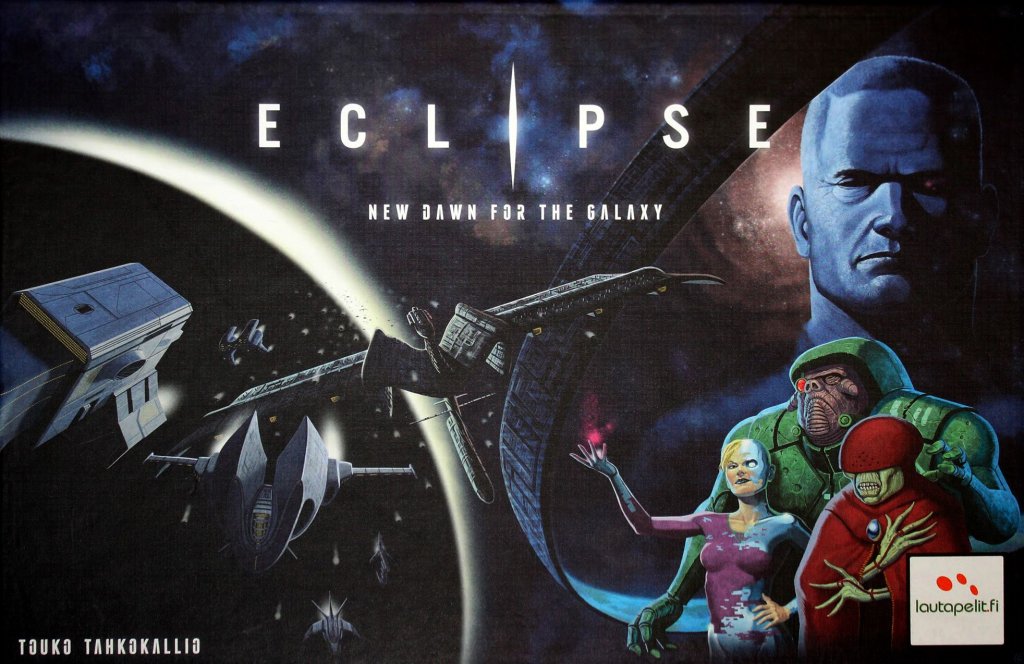
Eclipse: New Dawn for the Galaxy
2011
Guide an interstellar civilization through exploration, technological research, and war as rival powers struggle to rule the galaxy.
180
minutes
2 - 6
player(s)
14+
Medium Heavy

About this board game
Eclipse: New Dawn for the Galaxy is a strategic space game for 2–6 players, with play time of about 180 minutes. Each player controls a vast interstellar civilization competing with rival powers for success and the chance to lead the galaxy.
The galaxy’s long peace is beginning to fracture. After the ruthless Terran–Hegemony War, the major spacefaring species formed the Galactic Council to preserve stability and prevent future escalation. Now, tension is rising among the seven major species, old alliances are breaking apart, and secret diplomatic treaties are being formed.
In Eclipse, you must shape your civilization’s path through a changing galactic conflict. Explore new star systems, research technologies, and build spaceships capable of waging war. With many potential routes to victory, your plans should reflect the strengths and weaknesses of your species while you watch the actions of competing civilizations.
- Explore new star systems and expand your presence across the galaxy.
- Research technologies to develop your civilization.
- Build spaceships and prepare for conflict with rival powers.
- Plan strategically around your species’ strengths and weaknesses.
- Respond to diplomacy and rivalry as alliances shift and tensions grow.
Every decision contributes to the struggle for galactic supremacy. The Galactic Council may have been created to protect peace, but confrontation between the superpowers now seems inevitable. As the shadows of the great civilizations eclipse the galaxy, lead your people toward victory and determine which faction will emerge triumphant.
With its blend of exploration, research, spaceship construction, diplomacy, and warfare, Eclipse: New Dawn for the Galaxy presents a sweeping contest for control of the galaxy.
Board Game Rules for
Eclipse: New Dawn for the Galaxy
Idea of the Game
A game of Eclipse places you in control of a vast interstellar civilization, competing for success with its rivals.
On each game round you expand your civilization by exploring and colonizing new areas, researching technologies and building spaceships to wage war with. The game ends after 9 rounds, and the player with most Victory Points wins. Victory Points are gained from controlling galactic sectors, fighting battles, forming diplomatic relations, researching technologies, making discoveries and controlling Monoliths.
There are many potential paths to victory, so you need to plan your strategy according to the strengths and weaknesses of your species while paying attention to the other civilizations’ endeavors!
Game Components
- Player Materials: In 6 player colors (blue, red, green, yellow, black, white), one color for each player:
- 14 plastic spaceship miniatures (8 Interceptors, 4 Cruisers, 2 Dreadnoughts)
- 4 Starbase Tiles
- 33 Population Cubes
- 16 Influence Discs
- 3 Ambassador Tiles
- Hexes: 37 Sector hexes:
- 8 Inner hexes (numbered 101–108)
- 11 Middle hexes (#201–211)
- 18 Outer hexes (#301–318)
- 1 Galactic Center hex (#001)
- 6 Starting Sector hexes (#221–232)
- Boards: 6 Player Boards (two-sided), 1 Supply Board
- Tiles:
- 96 Technology Tiles (24 different)
- 154 Ship Part Tiles (17 different)
- 21 Discovery Tiles
- 22 Colony Ship Tiles
- 21 Ancient Ship Tiles
- 1 Galactic Center Defense System Tile
- 32 Reputation Tiles
- 22 Orbital / Monolith Tiles
- 2 Crowded Hex Tiles
- 6 Summary Cards
- 1 Traitor Card
- 4 Info Cards
- Miscellaneous:
- 18 6-sided dice (8 yellow, 6 orange, 4 red)
- 18 Storage marker octagons (6 each in orange, pink and brown)
- 12 purple Damage Cubes
- 1 Starting Player Marker
- 1 Round Marker
- 2 cloth bags (for Technology Tiles and Reputation Tiles)
The punch sheets also contain some blank tiles (4 Ambassadors, 1 Technology, 1 Discovery, 1 Reputation and 9 round ones). These are not needed in the game.

Preparations & Game Setup

Setup diagram components:
- [1] Ship Part Tiles
- [2] Round Marker
- [3] Supply Board
- [4] Research track
- [5] Discovery Tiles
- [6] Ancient Ship Tiles
- [7] Orbital and Monolith Tiles
- [8] Damage Cubes
- [9] Traitor Card
- [10] Galactic Center hex
- [11] Galactic Center Defense System Tile
- [12] Sector hex stacks
- [13] Player Board
- [14] Player starting hex
- [15] Ships
- [16] Ambassador Tiles
- [17] Influence Discs
- [18] Population Cubes
- [19] Colony Ships
- [20] Summary Card
- [21] Storage Markers
- [22] Storage Track
- [23] Technology Track
- [24] Reputation Track
- [25] Interceptor
Setup Steps
- Set the Ship Part Tiles [1] and the Round Marker [2] on the Supply Board [3].
- Put the Technology Tiles in the bag and shuffle them. Draw random Technology Tiles (according to the number of players) from the bag and set them on their spots [4] on the Research Tracks. Set similar tiles on top of each other.
- Put the Reputation Tiles in another bag and shuffle them.
- Shuffle the Discovery Tiles [5] and set them face down on their spot on the Supply Board.
- Set the Ancient Ship Tiles [6], Orbital and Monolith [7] Tiles, Damage Cubes [8] and the Traitor Card [9] likewise on the Supply Board.
- Set the Galactic Center [10] hex in the middle of the table. Place a Discovery Tile face down on the Galactic Center hex and the Galactic Center Defense System Tile [11] on top of it.
- Place the Sector hex tiles face down in three stacks, Inner (I), Middle (II) and Outer (III) sector hexes (according to the number of players) in separate stacks [12].
- Give the Starting Player Marker to the player who has spent the least time on planet Terra, in the Sol system.
- Beginning from the starting player and moving clockwise, each player chooses a starting hex and the accompanying Player Board [13]. He then places his Starting Sector hex [14] in one of the six starting spots in the Middle sector area (two hexes away from the Center hex). Place your hex in the starting spot closest to you. Put the rest of the starting hexes and boards back in the box – they are not used in the game.
- Each player takes the following and puts them next to his board:
- all Ships, Ambassador Tiles, discs and cubes [15, 16, 17, 18] of one color
- 3 Colony Ship Tiles [19]
- a Summary Card, Action Phase overview side up [20]
- Each player places on his Player Board:
- one Influence Disc on each circle of the Influence Track [17]
- one Population Cube on each square of the three Population Tracks (Money, Science and Materials) [18]; the rightmost square on each track (marked with a lighter background) is left empty.
- one Storage marker of each color [21] on his Storage Track [22]: Money marker at “2”, Science marker at “3” and Materials at “3”
- Each player then moves onto his starting hex:
- one Interceptor Ship miniature [25]
- one Population Cube on each of the Population Squares (not on the Advanced squares, marked with a star), taken from the corresponding Population Track [26]
- one Influence Disc on the Influence circle, taken from his Influence Track [27]

Setup Tables
Tech Tiles
- 2 players: 12
- 3 players: 14
- 4 players: 16
- 5 players: 18
- 6 players: 20
Outer Sectors
- 2 players: 5
- 3 players: 10
- 4 players: 14
- 5 players: 16
- 6 players: 18
Extra Discs? Note that you have three extra discs that are only used if you Research the Advanced Robotics or Quantum Grid Technologies.
Alien Species Setup
These rules apply for the Terran species and are written from their point of view. It is recommended that you play your first game using just them, and add the alien species in the next game. They mostly follow the same rules, but each has some slight differences, such as different starting Resources, number of Ships you may move with the Move action, etc. Please refer to pages 26–27 for the differences of each species.
If you decide to play with the alien species, players choose the species they play with. Beginning with the player on the right side of the starting player and moving counterclockwise, each player chooses a species and places the starting hex. Note that if you choose Terrans, you also effectively choose one alien species out of the game.
Hexes & Wormholes
The game board is built from hexagonal tiles (“hexes”) during the game. Each hex represents a sector of star systems and may contain a number of colored Population Squares which represent star clusters with worlds producing Resources.
Each sector (Inner, Middle and Outer) has its own hex stack. In the beginning of the game, only the Center hex and players’ start sectors are placed on the table. The rest are placed during the game. The Inner and Middle sectors are laid out in concentric circles around the Center hex. Outer sectors may branch freely outwards.
Inner sectors are numbered 101–108, Middle sectors 201–211, Outer sectors 301–318, Starting sectors 221–232 and the Galactic Center is 001.
Due to the galactic distances, star ships in Eclipse may move only using the wormhole network. Also, exploring the galaxy is possible only through a wormhole.


Population Cubes & Resources
Your civilization’s population is represented by the small wooden Population Cubes in your player color. When your civilization expands to a new sector, it may be colonized by moving the Population Cubes on your Player Board to the squares on the sector hex. The more cubes you move to the hexes, the more Resources (
Money,
Science,
Materials) you produce. The leftmost visible square on each Population Track shows how many units you will produce in each round.

Resources
Your hexes produce three kinds of Resources:
- Money: Needed for using Influence: controlling hexes and taking actions requires that you pay Money at the end of the round.
- Science: Needed for Research: researching new Technologies requires that you pay Science.
- Materials: Needed for Building: building new Ships and Structures requires that you pay Materials.
The amount of each Resource you have is marked with a Storage Marker on the Storage Track. The Storage size is unlimited.
Trade
At any time, you may convert 2 units of one Resource (Money, Science or Materials) to 1 unit of any other.
Influence Discs & Limitations
Your civilization’s influence is represented by the wooden Influence Discs in your player color. Influence Discs are used to mark the hexes your civilization controls. Also, taking an action requires you to move an Influence Disc on the corresponding action space. The leftmost visible circle on the Influence Track shows how much Money you have to pay at the end of the round to keep your civilization functioning. Thus, the more hexes you control and more actions you take, the more Money you need to pay.

Component Limitations
There is a limited amount of Ships, Population Cubes, Influence Discs, Technology Tiles, Discovery Tiles, Reputation Tiles and Ambassador Tiles. If they run out, they run out. Ship Part Tiles, Orbital / Monolith Tiles and Damage Cubes are unlimited, so in the unlikely case they run out, use a substitute.
Crowded Hex Tile
In the occasion you cannot fit all Ship miniatures in a hex, you may place them somewhere else on the table and mark the hex with a Crowded Hex Tile.
Ships & Ship Parts
Ships are used for fighting against other players and the non-player Ancients, as well as occasional exploring. There are four kinds of Ships:
- Interceptors: 8 available for each player
- Cruisers: 4 available
- Dreadnoughts: 2 available
- Starbases: 4 available
Bigger Ships cost more to build but have more space for Ship Parts. Starbases are immobile.

Ship Parts
Each kind of Ship has its own blueprint on your Player Board. Players can customize their Ships during the game: the Ship Parts (pre-printed or gained with the Upgrade action) on the blueprint give the Ship its abilities. There are several different types of parts:
- Cannons: Used on each combat round to attack enemy Ships. Different Cannons make different amounts of damage: each star is one point of damage.
- Missiles: Like Cannons, but used only in the beginning of the combat.
- Hull: Absorbs damage. Hull’s ability to absorb damage is marked with stars: each Hull symbol absorbs one point of damage.
- Computers: Make weapons hit more easily, and also give more Initiative.
- Shields: Make your Ship more difficult to hit.
- Drives: Make Ships move further with one move, and also give the Ships more Initiative.
- Energy Sources: Produce Energy for other Ship Parts.
Some Ship blueprints have extra Ship Parts outside the Ship Part grid. These work just like the other Ship Parts, except that they cannot be replaced.
Technology
Researching Technologies gives your civilization advantages. Some Technologies are required for upgrading certain parts of your Ships or building new Ships and Structures, while others make your civilization more efficient (e.g. increasing your production or giving you more Influence Discs). The Technologies are divided in three categories: Military, Grid and Nano Technologies. Researching a Technology in a category gives you discount in further research of that category. Researched Technologies are placed on your Player Board.
Structures, Discoveries & Diplomatic Tokens
Structures
Structures are colossal objects built on your controlled hexes.
- Orbitals: Provide your population a place to live in: each Orbital can hold a single Population Cube.
- Monoliths: Give you points at the end of the game.
Structures are permanent objects which stay on the hex until the end of the game.
Discovery Tiles
Some hexes contain a Discovery Tile which is awarded to you when you first take control of the hex by placing an Influence Disc there. Each Discovery tile is double sided: the face side has a benefit (extra Resources, new Technologies, Ancient Ship Parts..) and the back side has a 2 Victory Point value. When receiving a tile, you must immediately decide which side you use. The Discovery Tile benefits are:
- 3x +8 Money, 3x +5 Science, 3x +6 Materials: move your Storage marker and discard the tile.
- 3x Ancient Technology: you may take the cheapest Technology Tile you don’t already have from the Supply Board and place it on your Player Board for free. Discard the Discovery Tile.
- 3x Ancient Cruiser: place one of your unused Cruisers in the hex and discard the tile.
- 6x Ancient Ship Part: you may place this part in any of your Ships (returning an existing part if needed); you may also keep the part next to your board and place it later with the Upgrade action; if you later want to replace an Ancient Ship Part, it is discarded.
Discovery Tiles kept as Victory Points are placed next to your Player Board back side up until the end of the game.
Reputation Tiles
You receive Reputation Tiles from combat. They are worth Victory Points at the end of the game.
Ambassador Tiles
You can use your Ambassadors to form Diplomatic relations with other players. They increase your production and are worth Victory Points at the end of the game.
Round Structure
The game round consists of these four phases:
- Action Phase: Players take actions clockwise, one action at a time
- Combat Phase: Battles are resolved and sectors conquered
- Upkeep Phase: Civilization Upkeep costs are paid and Resources produced
- Cleanup Phase: Players move Influence Discs from the action spaces back to their Influence Track and new Technology Tiles are drawn
Action Phase Overview
Starting from the player with the Starting Player Marker and moving clockwise, each player may take one action or pass. This continues around until all players have passed. The first player to pass gets the Starting Player Marker for the next round. When taking an action, move the rightmost Influence Disc from your Influence Track to your Action Track. You may choose an Action you have already taken. The more actions you take, the more Upkeep you have to pay at the end of the round, so remember to pass in time!
The possible actions are:
Explore
Influence
Research
Upgrade
Build
Move- Reaction (Upgrade, Build or Move)
Players who have passed may not take any other actions than Reactions, which are weaker versions of Build, Upgrade and Move actions (see Reactions on page 14). When passing, flip your Summary Card so that the dark, game round overview side is face up. This will help other players to see who have already passed.
End of Action Phase
After every player’s Summary Card has been flipped dark side up, the Action phase ends immediately. No more Reactions may be taken.
Colony Ships, Squares & Orbitals
At any time during your action, you may activate one or more of your face up Colony Ships. For each activated Colony Ship, you may place one Population Cube to an empty Population Square in any hex where you have an Influence Disc. Each Population Cube you place must come from the Population Track that corresponds to the color of the Population Square on the hex. Activated Colony Ships are flipped face down. Using Colony Ships is the only way to move Population Cubes to the hexes and increase your production!

Types of Squares & Orbitals
- Gray Squares: The gray planets represent worlds that are suitable for any production. The gray Population Squares may receive a Population Cube from any of the three Population Tracks. If you remove a cube from a gray Population Square, you may place it to any Population Track (ie. you don’t have to remember which track it came from).
- Advanced Squares: Planets with a star symbol represent harsher worlds that are difficult to colonize. You may only place cubes in the squares marked with a star if you have researched the related Advanced Technology.
- Orbitals: Orbitals are artificial living environments that players may build. An Orbital may only receive a Population Cube from the Money or Science track.
Explore Action
Explore action lets your civilization explore the uncharted regions of the galaxy.
- Choose one of the unexplored spaces next to a hex where you have a Ship or an Influence Disc and turn a hex tile from the corresponding stack (I, II or III) in it. If you Explore from a hex with only a Ship, it must not be “pinned” (see Move on page 14).
- Show the hex tile and choose to either place or discard it. If you discard the tile, your turn ends immediately. Discards are placed face up. If you decide to place the tile, the following restrictions apply:
- the hex can be placed only to the spot that you explored
- the hex must be oriented so that at least one of the Wormholes on the hex connects with a Wormhole on one of the hexes where you have a disc or a Ship
- Hexes in Inner and Middle sectors are laid in circles around the central hex; hexes in Outer sectors may branch outwards.
- If the hex contains a Discovery symbol, put a Discovery Tile on it face down.
- If the hex contains Ancient symbols, put that many Ancient Ship tiles on it, on top of the Discovery Tile.
- After placing the hex, you may take control of the hex by placing an Influence Disc from your Influence Track on the hex. If the hex contains a Discovery Tile, you may take it when placing the Influence Disc. Show the face side of the Discovery, and immediately decide which side to use. Tiles that are used as Victory Points are placed next to your Player Board with the side showing the Victory Point value face up.
Important! Ancient Ships must be destroyed (see Combat Phase, page 18) before the Influence Disc may be placed and the Discovery Tile taken. If there are Ships of several players competing for the same hex, the player who eventually gets to place the disc receives the tile.
The Center hex contains the Galactic Center Defense System, which must be destroyed (see Combat Phase, page 18) before an Influence Disc may be placed.
After placing the Influence Disc, you may activate your Colony Ships to place Population Cubes on the Population Squares on the hex.
If the hexes in a stack run out, shuffle the discarded hexes of that stack as a new stack. If there are no more hexes, the Explore action has no use.
Wormhole Generator with Explore
If you have the Wormhole Generator Technology, you may place the hex so that there is only a half Wormhole connecting the placed hex and the hex you Explored from.

Influence Action
Influence action lets your civilization conquer vacant hexes or withdraw from hexes.
By selecting the Influence action, you may move up to two Influence Discs. These moves may be:
- from your Influence Track, or
- from a hex where you have an Influence Disc
- to a hex that does not contain an Influence Disc or an enemy Ship and is adjacent to a hex where you have a disc or a Ship, or
- to a hex where only you have a Ship, or
- back to your Influence Track.
The hex Influenced has to have a Wormhole connection to the hex where you have a disc or a Ship.
After placing an Influence Disc, you may activate your Colony Ships to place Population Cubes on the Population Squares on the hex.
During the Influence action, you may turn two of your used Colony Ships face up, even if you choose to move no Influence Discs.
Removing a Disc from a Hex
If you remove an Influence Disc from a hex, you must also return all cubes from the hex to their respective Population Tracks on your board. If a cube is returned from a gray (wild) square, you may choose which Track it goes to. Similarly, if a cube is returned from an Orbital, you may return it to either the Money or Science Track.
Wormhole Generator with Influence
If you have the Wormhole Generator Technology, you may Influence through a hex edge that has a Wormhole on just one side.

Diplomacy
Players can form Diplomatic relations when their hexes connect. Diplomacy rules are not used in the two and three player games.
Diplomatic Relations
If one of the hexes where you have an Influence Disc gets connected through a Wormhole to a hex where another player has a Disc, you and the other player may agree on forming Diplomatic relations with each other. Diplomatic relations can be formed at any time on any of your turns. The connection may happen either by Explore or Influence actions, or at the end of the Combat Phase (see page 21). There must be a full Wormhole connection, so you cannot use the Wormhole Generator Technology to connect through a half Wormhole. You may not form Diplomatic relations if your Ship is in a hex with an opposing player’s Ship or Influence Disc, or vice versa.
If you both agree:
- Give the other player one of your Ambassador Tiles and place one of your Population Cubes on top of it. The cube may come from any of the three Population tracks.
- The Tile is placed on one of the free spaces on the other player’s Reputation Track.
- The other player also gives you an Ambassador Tile and a Population Cube. Place them on an empty space on your Reputation Track.
Ambassador Tiles on your Reputation Track are worth 1 Victory Point at the end of the game. Note that your Reputation Track also holds your Reputation Tiles (see Combat on page 18). If the board is full when taking an Ambassador Tile, you may discard Reputation Tiles, returning them to the Reputation Tile bag.
You may not have more than one Ambassador Tile from each player. You may rearrange the tiles on your Reputation Track at any time, but you may not discard Ambassador Tiles. Note that the Terrans have one space on the track that may only hold an Ambassador Tile.


Breaking Diplomatic Relations
Your Diplomatic relations stay in effect until the end of the game, unless you attack one of the players you have Diplomatic relations with, or they attack you. Moving your Ships to a hex where the other player has a disc or a Ship is also considered an attack.
Both players then return the Ambassador Tiles and cubes to the owner. The cube goes back to a Population Track, chosen freely by the owner.
Whenever you attack a player and thus break the Diplomatic relations, you receive the Traitor Card from its previous holder. The player holding the Traitor Card may not form new Diplomatic relations as long as he has the card. Whoever holds the Traitor Card at the end of the game receives a –2 VP penalty.
Research Action
Research action lets your civilization develop new Technologies.
By taking the Research action, you may choose one available Technology Tile from the Supply Board, pay its Science cost (move the Storage Marker backwards on the Storage Track) and put the tile on your Player Board on the track of its category (Military, Grid or Nano). For each Technology of that category you already have, you get a discount shown on the leftmost exposed space on the Technology Track.
However, note that for each Technology there is a minimum cost you have to pay regardless of the discount you have.
There are three special types of Technologies:
- Ship Part: gives the ability to Upgrade this Ship Part.
- Build: gives the ability to Build this Ship or Structure.
- Instant: gives a one-time effect when it is Researched.
Example: You already have Monolith and Orbital Technologies and you research Fusion Drive. Your Nano Technology discount is –2, but you still have to pay 3 Science, since it is the minimum cost for Fusion Drive.
You may not choose a Technology that you already have. The Technologies are kept on your Technology Tracks until the end of the game. They may not be discarded.
Starting Technologies
Terrans and some alien species have starting Technologies preprinted on their Technology Tracks. These are regarded in every way just like the Technology Tiles acquired through the Research action. They may not be covered with other Technology Tiles.


Technologies Overview
Military Technologies
- Neutron Bombs: If you have the Neutron Bombs Technology, you may destroy all the Population Cubes from the hex after the combat without rolling any dice.
- Starbase: You may Build Starbases.
- Plasma Cannon: You may Upgrade Plasma Cannon Ship Parts.
- Phase Shield: You may Upgrade Phase Shield Ship Parts.
- Advanced Mining: You may place Population Cubes in the Advanced Materials squares with your Colony Ships.
- Tachyon Source: You may Upgrade Tachyon Source Ship Parts.
- Plasma Missile: You may Upgrade Plasma Missile Ship Parts.
- Gluon Computer: You may Upgrade Gluon Computer Ship Parts.
Grid Technologies
- Gauss Shield: You may Upgrade Gauss Shield Ship Parts.
- Improved Hull: You may Upgrade Improved Hull Ship Parts.
- Fusion Source: You may Upgrade Fusion Source Ship Parts.
- Positron Computer: You may Upgrade Positron Computer Ship Parts.
- Advanced Economy: You may place Population Cubes in the Advanced Money squares with your Colony Ships.
- Tachyon Drive: You may Upgrade Tachyon Drive Ship Parts.
- Antimatter Cannon: You may Upgrade Antimatter Cannon Ship Parts.
- Quantum Grid: You receive two additional Influence Discs, placed immediately in the leftmost empty circles on your Influence Track.
Nano Technologies
- Nanorobots: You may Build one additional Ship or Structure (excluding Reaction Builds).
- Fusion Drive: You may Upgrade Fusion Drive Ship Parts.
- Advanced Robotics: You receive one additional Influence Disc, placed immediately in the leftmost empty circle on your Influence Track.
- Orbital: You may Build Orbitals.
- Advanced Labs: You may place Population Cubes in the Advanced Science squares with your Colony Ships.
- Monolith: You may Build Monoliths.
- Artifact Key: You must immediately take 5 Resources for each Artifact on your hexes. The Resources can be either Money, Science or Materials, in groups of five.
- Wormhole Generator: You may Explore, Influence and Move through a hex edge that has a Wormhole on just one side.
Upgrade Action
Upgrade action lets your civilization modify their Ships.
When choosing the Upgrade action, you may modify your Ships’ blueprints by placing new Ship Parts there. Each of your Ships functions according to its blueprint described on your Player Board. If you upgrade the Ship’s blueprint with new Ship Parts, all the Ships already built are considered to be instantly upgraded.
With the Upgrade action, return as many Ship Part Tiles to the Supply Board as you want. Then take up to two tiles from the Supply Board and place them on any of the squares on your Ship blueprints. When placing the tiles, you may place the tiles on top of any of the printed starting Ship Parts on your Ship blueprints, but not on top of other Ship Part tiles.
The following restrictions apply:
- most Ship Parts (marked with the Technology symbol) require that you have researched the corresponding Technology before they can be taken;
- the total Energy Consumption of the Ship’s parts may not be higher than its total Energy Production; and
- Interceptors, Cruisers and Dreadnoughts must have a Drive, Starbases are not allowed to have a Drive.
Taking and returning Ship Parts costs nothing. All values from the Ship Parts are cumulative. For example, if the Ship has two Fusion Drives, they will give it Movement Value 4, Initiative 4 and Energy Consumption 4.

Ship Parts Summary
- Cannons + Missiles: For each colored square in your Ship, roll the corresponding colored die. The damage a hit inflicts is represented by the star symbols: each star is one point of damage.
- Computers: Make hitting easier by adding bonuses to your die rolls: your combined Computer value is added to your die rolls to hit.
- Shields: Target’s combined Shield value is subtracted from your die roll to hit.
- Hull: Each Hull symbol absorbs one point of damage received.
- Drives: Each hex pictured increases the Ship’s Movement Value by one.
- Energy Sources: Provide energy for other Ship Parts.
Build Action
Build action lets your civilization build new Ships and Structures.
Build up to two Ships (Interceptors, Cruisers, Dreadnoughts and Starbases) or Structures (Orbitals and Monoliths). Pay their Material cost (move the Storage Marker backwards on the Storage Track) and place them in any of the hexes where you have an Influence Disc.
Building Costs
- Interceptor: 3 Materials
- Cruiser: 5 Materials
- Dreadnought: 8 Materials
- Starbase: 3 Materials
- Orbital: 5 Materials
- Monolith: 10 Materials
Building Restrictions
- The amount of Ships is limited to the miniatures and tiles you have, ie. 8 Interceptors, 4 Cruisers, 2 Dreadnoughts and 4 Starbases
- Each hex may only have one Monolith and Orbital
- Building Starbases, Orbitals and Monoliths require that you have the corresponding Technology
Move Action
Move action lets your civilization move its Ships.
The Move action allows you to move your Ships. By choosing the Move action, you may do up to three Ship movements. You may use the movements to move the same Ship consecutively. With each move, the Ship may move as many hexes as its Movement Value allows. Movement Value depends on its Drives (each hex pictured increases the Ship’s Movement Value by one; in the case of multiple Drives, the Drive values are cumulative). Starbases are not allowed to have Drives and therefore cannot move.
Movement Restrictions:
- The Ships may only move through a hex edge that has a Wormhole on both sides.
- You may only move to Explored hexes, not to empty space.
- If your Ships move into a hex, or out from a hex, containing other players’ or Ancient Ships, at least one Ship per each opposing Ship must stay (the Ship is said to be “pinned”) and engage in combat in the Combat Phase. The Ships exceeding the number of opponents may move. If you later on move or build more Ships to the hex, you may change which Ships are pinned. The original Ships may move, as long as one Ship per each opposing Ship stays pinned.
- The Galactic Center Defense System (“GCDS”) engages all the Ships in the central hex. The hex cannot be moved through before the GCDS is destroyed.
Wormhole Generator with Move
If you have the Wormhole Generator Technology, you may move your Ships through a hex edge that has a Wormhole on just one side.


Reactions
Reactions can be taken after you have passed.
After passing, you may only take a Reaction action when it is your turn in the player order. A Reaction is essentially a weakened version of a Move, Build or Upgrade action.
Reaction can be either:
- Upgrade: you are allowed to return as many Ship Part Tiles to the Supply Board as you want, and then take one Ship Part.
- Build: you are allowed to build one Ship or Structure.
- Move: you are allowed to move only one Ship once.
A Reaction is taken by placing an Influence Disc on the Reaction Track on your Summary Card.
The Nanorobots Technology does not give you an extra build when taking a Reaction.

Action Phase Example

Alastair (Terran), Ken (Planta), Iain (Mechanema) and Vernor (Progress) have already played a few rounds, taking control of sectors and developing their civilizations. Alastair is the starting player for this Action Phase.

- Alastair decides to BUILD: He moves the rightmost disc from his Influence Track to the Build space on his Action Track [1]. Alastair then builds one Cruiser and one Orbital. The cost is 10 Materials, so he moves the Materials marker 10 spaces backwards on his Storage Track. Alastair was allowed to build the Orbital since he has researched the Orbital Technology. He places the Cruiser and the Orbital on his hexes [2]. Alastair’s turn is over, and it is Ken’s turn, as he sits clockwise next to Alastair.
- Ken EXPLORES: Moves a disc to the corresponding action space. He chooses an empty space he wishes to explore and then turns the top hex tile from the Middle Sectors (II) stack. He decides to place [3], orienting it so that there is at least one full Wormhole connecting the new hex and one of his hexes. There is a Discovery symbol on the hex, so he places a random Discovery Tile face down on it. Ken chooses to immediately place an Influence Disc on the hex [4]. Placing the disc allows him to collect the Discovery Tile. He looks at the tile and decides to keep it as Victory Points, so he places the tile VP side up next to his boards. Ken colonizes the Money and Science squares by flipping two Colony Ships face down and moving one cube from both Money and Science Population Tracks to the hex [4]. Planta’s special ability allows exploring two hexes with one action. Ken explores another empty area [5] in Outer Sectors (III), doesn’t like it, and discards it face up next to the pile.
- Iain UPGRADES: Moves a disc to the Upgrade action space. Mechanema takes three Ship Part Tiles instead of two. He returns an Electron Computer tile from the Interceptor blueprint [6] and takes a Plasma Missile tile, a Positron Computer tile and an Ion Cannon tile. He places the Plasma Missile on his Interceptor [7] and the Positron Computer and Ion Cannon tiles on his Cruiser [8].
- Vernor RESEARCHES: Moves a disc to the Research action space and chooses Fusion Drive. He has four Nano Technologies (discount 4), but the minimum price for Fusion Drive is 3. He pays 3 Science and places Fusion Drive on his Player Board [10]. Progress’s ability allows researching two Technologies with one action. Vernor also researches Wormhole Generator (discount 6, Science cost 10) and places it on his Player Board [11].
- Alastair EXPLORES: Turns a hex in Outer Sectors with two Ancient symbols. He places a random Discovery Tile face down and two Ancient Ship Tiles on top of it [12].
- Ken EXPLORES: Turns Outer Sectors and places two hexes [13]. He flips his remaining two Colony Ships face down, placing a Money cube and a Materials cube on the first hex (allowed on Advanced Mining square [14] due to Advanced Mining Technology [15]). Ken now connects with a direct Wormhole to Alastair’s hex [16] and proposes Diplomatic Relations. Alastair agrees; both exchange Ambassador Tiles with a Population Cube. Alastair discards a Reputation Tile [17] back to the bag to make room.
- Iain PASSES: Turns Summary Card dark side up [18]. Being first to pass, he gets the Starting Player Marker for the next round.
- Vernor MOVES: Moves two Interceptors to Iain’s hex containing three Interceptors [19] via half Wormhole (Wormhole Generator). Vernor’s attack breaks Diplomatic Relations with Iain; both return Ambassador Tiles and cubes. Vernor takes the Traitor Card (-2 VP penalty at game end, no new relations).
- Alastair PASSES: Flips Summary Card over.
- Ken INFLUENCES: Moves two discs: takes back discs from two empty hexes, placing one on an uncontrolled hex with two Population Squares [20] and one back to his Influence Track [21]. He flips two Colony Ships face up and immediately uses them to place two cubes [22].
- Iain REACTS: Having passed, takes a Reaction Move [23], moving one Cruiser to the contested hex [24].
- Vernor MOVES: Moves one Interceptor and one Cruiser (moving 2 hexes with Fusion Drives) to the contested hex [25].
- End of Action Phase: Alastair passes, Ken passes, Iain and Vernor pass. All Summary Cards are dark side up; Action Phase ends immediately and Combat Phase begins.


Combat Overview & Turn Order
In the Combat Phase, battles are resolved. A battle will take place if a hex is occupied by more than one party (a party being either a player, the Ancients or the GCDS). If there is a battle in more than one hex, the battles are resolved in descending numerical order of the hexes (printed on one corner of each hex). The Center hex has the lowest number and will thus always be resolved last.
Multi-Party Battles & Entry Order
- If a hex contains more than two parties, battles are first resolved among the players’ Ships with the sole surviving player then engaging the Ancients or the GCDS in battle.
- If the hex contains more than two players’ Ships, battles between players are resolved two players at a time, in reverse order of entry into the hex.
- Therefore, the two players who last entered the hex will battle each other first and the surviving player will then battle the player who entered before the two. The survivor of that battle will fight the next player in reverse order of entry and so forth. The last surviving player will battle the Ancients, if any.
- If the hex already has an Influence Disc and is thus controlled by a player, that player is always considered the defender and will fight last regardless of the entry order, even if his Ships actually moved there last.

Initiative & Dice Rolling
Each Ship type (Interceptor, Cruiser…) of each player are activated in Initiative order. The Ship type with the highest Initiative goes first. All Initiative ties are resolved in the defender’s favor. The defender is always the player who has an Influence Disc on the hex. In the case of a hex with no disc, or a hex with more than two players, the defender is the player who moved there first.
You simultaneously roll dice for all your Ships of one type. Which dice are rolled is determined by the number of Ships and by the weapons they carry: for each die symbol in your Ship’s blueprint, you are allowed to roll one die of the corresponding color. The dice of different colors allow you to roll for all the weapons in your Ships of the same type simultaneously. After rolling, you choose which enemy Ship you assign each die to. Several dice may be assigned to the same target.


Hitting & Damage
- Hitting: Rolling a 6 is always a hit and rolling an 1 is always a miss, regardless of any bonuses the Ships may have. For other die results, add the value of your Computers to the die roll and subtract the value of the target’s Shields. If you end up with a value equal or greater to 6, the die is a hit.
- Damage: Different weapons do a different amount of damage when they hit:
- Ion Cannon (yellow die): 1 damage
- Plasma Cannon and Plasma Missile (orange die): 2 damage
- Antimatter Cannon (red die): 4 damage
- By default, one point of damage will destroy a Ship. Each Hull symbol on Ship Parts will absorb one point of damage. So, if a Ship has two Improved Hull parts, it will be destroyed by the fifth point of damage. Damage from one die may not be split to several targets.
- If a Ship sustains damage but is not destroyed, mark the damage by placing Damage Cubes next to the Ship.

Non-Player Ships
- Ancient Ships:
- 2 x Ion Cannon
- Electron Computer
- Hull
- Initiative 2
- Galactic Center Defense System (GCDS):
- 4 x Ion Cannon
- Electron Computer
- 7 x Hull
- Initiative 0
Fighting the Ancients and the GCDS
One of the other players rolls the dice for the Ancients and the GCDS. If possible, the dice are assigned so that your Ship(s) are destroyed, the largest possible first. If no Ships can be destroyed, the dice should be assigned to inflict as much damage to your Ships as possible, the largest possible first.

Course of Battle
Every battle begins with Ships firing their Missiles (if any) once and continues with repeated Engagement rounds until only one of the sides remains in the hex.
- Missiles: All Ship types of each player equipped with Missiles fire their Missiles in Initiative order. You roll two orange dice for each Plasma Missile Ship Part.
- Engagement Round: Each Ship type of each player is activated in Initiative order. Each of your Ship types may on its turn decide to either attack or retreat. The Engagement round is repeated until one of the sides has been completely removed from the hex. Then the players return the destroyed Ships to their owners.
Retreat
When you decide to retreat your Ships, move them to the edge of a neighboring hex to show that they are retreating. The hex to which you retreat must contain your Influence Disc and must not contain enemy Ships. The normal Wormhole movement rules must be followed. If you have the Wormhole Generator Technology, you may retreat through a hex edge that has a Wormhole on just one side.
While the ships are on the edge of the hex, they are retreating and can still be shot at. The next time it is the retreating Ships’ turn, all of them must move to the neighboring hex. They have now fully retreated and can no longer be shot at.

Stalemate
If a battle ends in a situation where it’s not possible for either player to destroy the other (this may only happen when none of the Ships in a battle are armed with a cannon), the attacker may retreat (following the requirements for the hex he is retreating to). If not, his Ships are destroyed.
Attacking Population
After all battles have been resolved, the remaining Ships may attack the population in the hex. Each Ship may attack once with all of its Cannons (Missiles may not be used), using the normal rules to hit. Population is considered not to have any shields. Each point of damage destroys one Population Cube of your choosing. If you have the Neutron Bombs Technology, you may destroy all the Population Cubes from the hex without rolling any dice.
Destroyed cubes are returned to the defeated player’s Graveyards of the corresponding color. The cubes are returned to their respective Population Tracks in Cleanup Phase. If a cube is destroyed from a gray (wild) square, the owner may choose which Graveyard it goes to. Similarly, if a cube is returned from an Orbital, you may return it to either the Money or Science Track. Destroying Population Cubes does not grant Reputation Tiles.
Orbitals and Monoliths
Orbitals and Monoliths may not be attacked, nor are they ever removed from the hex. The population on the Orbital must be destroyed the same way as the other Population Cubes.

Reputation Tiles & Battle Resolution
After all battles in a hex have been resolved, each involved player draws Reputation Tiles from the bag as follows:
- 1 tile for taking part in one or more battles
- 1 tile for each opposing Interceptor, Starbase and Ancient Ship destroyed
- 2 tiles for each opposing Cruiser destroyed
- 3 tiles for each opposing Dreadnought destroyed
- 3 tiles for the Galactic Center Defense System destroyed
Limit: You may not draw more than five tiles. Choose one of the tiles and place it face down on your Reputation Track. Put the rest of the tiles back in the bag. If the track is full, you may return any of your Reputation Tiles (including the one you just drew or one from the track) in the bag. The tiles are drawn in the order the players entered the hex, so that the player who first entered the hex will draw all his tiles first.


Retreat Penalty
If all of your remaining Ships retreat from the hex, you get no Reputation Tiles for taking part in the battle, but you still get tiles from destroyed enemy Ships.
Influencing Hexes
At the end of the Combat Phase, if you have at least one Ship in a hex that has no population, remove the previous controller’s Influence Disc (returning it to his Influence Track). After this, you may place your own Influence Disc there. Also, if at the end of the Combat Phase your Ship is in a hex without an Influence Disc, you may place a disc there.
Repair Damage
At the end of the Combat Phase, all the Damage Cubes are removed from the Ships.
Player Elimination
In the unlikely event that you lose all of your Influence Discs and Ships from the game board, you may no longer place Influence Discs on hexes. You may continue to produce Resources each round (note that you will have some production even if you do not have any Population Cubes on the board) and take Research actions, which may still grant a few Victory Points. You may also give up the game, counting your score and returning all your game components to the game box.
Combat Example
Iain and Vernor are engaged in battle. Iain is the defender.
Plasma Missiles Phase
Initiative order:
- Vernor’s Interceptors: Initiative 4 (Ship default 2 + Fusion Drive 2 = 4)
- Iain’s Interceptors: Initiative 3 (Ship default 2 + Nuclear Drive 1 = 3; defender first)
- Vernor’s Cruiser: Initiative 3 (Ship default 1 + Fusion Drive 2 = 3)
- [1]: Vernor rolls 6, 6, 5, 4, 3 and 2 for the Plasma Missiles in his Interceptors. He assigns the 6’s to Iain’s two Interceptors. Iain’s Interceptors receive two points of damage and are destroyed. Vernor puts them next to his board.
- [2]: Iain rolls 6 and 6 for the Plasma Missiles in his remaining Interceptor. He assigns one 6 to an Interceptor and the other 6 to the Cruiser. Vernor’s Interceptor is destroyed. Vernor’s Cruiser receives two points of damage (survives with damage markers).
- [3]: Vernor rolls 3 and 2 for the Plasma Missiles in his Cruiser (misses).

Engagement Rounds
Iain now has one Interceptor and one Cruiser left. Vernor has two Interceptors and one Cruiser.
Initiative order:
- Vernor’s Interceptors (Initiative 4)
- Iain’s Interceptor (Initiative 3; defender first)
- Iain’s Cruiser (Initiative 3; defender first)
- Vernor’s Cruiser (Initiative 3)
- [4]: Vernor decides to retreat the Interceptors, moving them between the current hex and the destination hex.
- [5]: Iain attacks with his Interceptor and rolls 3 (miss).
- [6]: Iain attacks with his Cruiser: rolls 4 and 2. The 4 is assigned to one retreating Interceptor, destroying it. The 2 is a miss.
- [7]: Vernor attacks with his Cruiser: rolls 6, destroying Iain’s Interceptor.
First Engagement round ends and next begins:
- [8]: Vernor’s remaining Interceptor retreats completely to the neighbouring hex. Iain attacks with his Cruiser: rolls 1 and 2 (misses).
- [9]: Vernor attacks with his Cruiser: rolls 6. Assigned to Iain’s Cruiser, which receives two damage and is destroyed.
- [10]: Iain’s final Ship is destroyed. Vernor attacks Iain’s Population Cubes: rolls 6 with Ion Cannon, destroying Iain’s Money cube (sent to Graveyard). As this was Iain’s last cube on the hex, Iain removes his Influence Disc. Vernor places his own Influence Disc in the hex and removes Damage Cubes from his Cruiser.
Aftermath & Reputation Drawing
- Iain draws 3 Reputation Tiles (1 for battle, 2 for destroyed Interceptors), keeps the highest, returns the rest.
- Vernor draws 5 Reputation Tiles (maximum allowed: 1 for battle, 2 for destroyed Interceptors, 2 for destroyed Cruiser), keeps the highest, returns the rest.

Upkeep Phase
- Colony Ships: First, you may activate one or more of your remaining Colony Ships and move Population Cubes to hexes. Contrary to the Action Phase, you may not move cubes to hexes containing enemy Ships.
- Civilization Upkeep: Collect your Income and pay your Civilization Upkeep cost. This is done by comparing your positive Money Income (the highest exposed number on your Money Population Track) with your Influence Cost for that turn (the highest exposed number on your Influence Track). Then adjust your Money Storage marker on the Storage Track by this net amount (upwards by any excess Income and downwards by any deficit).

Bankruptcy?
The Money Storage Marker may not move below zero; if that would happen, you must trade other Resources (Science and Materials) for Money, or give up control of some of your sectors by removing Influence Discs from the hexes and returning them on your Influence Track until the Influence Cost is small enough. All Population Cubes from these hexes are moved to their respective Population tracks on your Player Board. Cubes from gray (wild) squares may go on any track, and cubes from Orbitals may go to either the Money or Science track. Note that if you have to return Money cubes from the hex, they return to the Money Population track, reducing the Income as well.
In the unlikely event that you do not have enough Influence Discs to remove, your civilization has collapsed and your game ends here. Count your score and return all your game components to the game box.
Science and Materials Production
After paying the Civilization Upkeep cost, collect the Science and Materials Production and move the Storage Markers on the Storage Track accordingly.
Cleanup Phase
- Draw new Technology Tiles (according to the number of players) from the bag and place them on their respective places on the Supply Board.
- Each player moves all the Influence Discs from his Action Track back to his Influence Track and all cubes (if any) from the Graveyards to the respective Population Tracks. If a Population Track is full, the cube must be moved to another track.
- Then each player flips all his Colony Ships face up and the Summary Card the Action overview side up.
- Move the Round Marker one step forward. A new round begins with the Action Phase.
New Tech Tiles Per Round
- 2 players: 4
- 3 players: 6
- 4 players: 7
- 5 players: 8
- 6 players: 9
End of the Game
The game ends after the 9th round. The player with the most Victory Points is the winner.
Victory Points Scoring
- Reputation Tiles: 1–4 VP per tile
- Ambassador Tiles: 1 VP per tile
- Hexes with an Influence Disc: 1–4 VP per hex
- Discovery Tiles: 2 VP per tile that was kept VP side up
- Monoliths on own hexes: 3 VP per Monolith
- Progress on the Technology Tracks:
- 4 Technology Tiles on a track = 1 VP
- 5 tiles = 2 VP
- 6 tiles = 3 VP
- 7 tiles = 5 VP
- Traitor Card: –2 VP!
- Species bonuses
Tie-breaker
In case of a tie, the total amount of Resources (Money, Science and Materials) in each tied player’s Storage is the tie breaker.
Two Player Game
The two player game is strategically slightly different from the multiplayer game. Players should also be advised that the Descendants and Planta benefit from their species-specific fast expansion capabilities and are thus stronger than other species in a two-player setting. It is recommended not to use these species in a two player game.
Eridani Empire
Starting Sector: #222
- Draws two random Reputation Tiles in the beginning of the game
- Two Influence Discs less (leave two rightmost Influence Track circles empty)
- With the Move action may move up to two Ships, or one Ship twice
- Different Ship blueprints
- Initial Technologies: Gauss Shield, Fusion Drive, Plasma Cannon
- Trade rate: 3 : 1
- Starting Storage: 26 Money, 2 Science, 4 Materials
Hydran Progress
Starting Sector: #224
- With the Research action may buy two Technologies
- With the Move action may move up to two Ships, or one Ship twice
- During game setup, also place a Population Cube in the Advanced Science Population Square on the Starting System
- Initial Technologies: Advanced Labs
- Trade rate: 3 : 1
- Starting Storage: 2 Money, 5 Science, 2 Materials
Planta
Starting Sector: #226
- With the Explore action may explore two hexes, one after another
- With the Move action may move up to two Ships, or one Ship twice
- Four Colony Ships
- Population Cubes are automatically destroyed by an enemy Ship at the end of the Combat Phase
- 1 extra VP for each controlled hex at the end of the game
- Different Ship blueprints
- Initial Technologies: Starbase
- Trade rate: 3 : 1
- Starting Storage: 4 Money, 4 Science, 4 Materials
Descendants of Draco
Starting Sector: #228
- May have Ships in hexes containing Ancients, but may not battle the Ancients; may place Influence Discs in those hexes; may not collect Discovery Tiles from hexes containing Ancients.
- With the Explore action may turn 2 hexes and choose one, or discard both
- With the Move action may move up to two Ships, or one Ship twice
- 1 VP per Ancient Ship left on the game board at the end of the game
- Trade rate: 3 : 1
- Starting Storage: 2 Money, 4 Science, 3 Materials
Mechanema
Starting Sector: #230
- With the Upgrade action, may take up to 3 Ship Part Tiles from the Supply Board
- With the Build action, may build up to three Ships or Structures
- With the Move action may move up to two Ships, or one Ship twice
- Cheaper Building costs
- Initial Technologies: Positron Computer
- Trade rate: 3 : 1
- Starting Storage: 3 Money, 3 Science, 3 Materials
Orion Hegemony
Starting Sector: #232
- Starts with a Cruiser instead of an Interceptor
- With the Move action may move up to two Ships, or one Ship twice
- Different Ship blueprints
- Initial Technologies: Neutron Bombs, Gauss Shield
- Trade rate: 4 : 1
- Starting Storage: 3 Money, 3 Science, 5 Materials
Frequently Asked Questions
- Q: Where can I get more Resources?
- A: Place Influence Discs on sector hexes and use Colony Ships to move your Population Cubes on the Population Squares. Research the Advanced Technologies to be able to use the Advanced Population Squares. Build Orbitals to get more Population Squares. Collect Discovery Tiles.
- Q: What do I need Money for?
- A: You need Money to pay for the Upkeep of your civilization. The more actions you take and more sectors you control, the more you have to pay each round.
- Q: That’s all?
- A: Yes. Well, you can also trade Money for other Resources, and vice versa.
- Q: I don’t have enough Influence Discs to do everything I want to. What now?
- A: You can use the Influence action to return up to two discs from the sector hexes to your Influence Track. You can also research Advanced Robotics and Quantum Grid Technologies, which give you more discs. Finally, you often can deliberately bankrupt your civilization, by using more discs than you can pay for in the Upkeep Phase, and thus be required to return some of the discs from the sectors to your Influence Track.
- Q: The best Technologies are terribly expensive. How can I ever afford them?
- A: Having Technologies of the same category increases the discount you get when buying more. If you buy the Technologies in increasing price order, you get the maximum benefit of the discounts.
- Q: What is the benefit of being the first player?
- A: You get the first pick on researching Technologies and exploring empty areas. You also often get to be the first player in a contested hex, giving you the edge on Initiative ties.
- Q: What happens if I cannot return a Population cube to a track because it is full? This might occur if I return cubes from gray squares to different tracks than where they originally came from.
- A: The track may be filled completely, so that no number is visible. This means that you do not have any production of that Resource. If a track is full and you still need to return cubes to it, the cubes must go to any other track(s).
- Q: What happens if the extra Influence Discs acquired through the Advanced Robotics and Quantum Grid Technologies do not fit on the Influence Track?
- A: Stack the extra discs on top of the disc on the rightmost space of the Influence Track. You may use these extra discs normally.
- Q: Using the Influence action, I can move an Influence Disc from a hex to its neighbor through a Wormhole connection. May I move the Disc that created this connection in the first place?
- A: No. If you move the disc, there is no longer a connection.
- Q: During Upkeep Phase, when may I remove Influence Discs from my hexes?
- A: Only when you do not have enough Money (produced in this Upkeep, plus your Storage) to pay for the Upkeep. Then you may remove Discs until the Upkeep cost is low enough. Note that if you remove a disc from a hex, the Population cubes are immediately returned to your Production tracks, which may also reduce your Money production.
- Q: Is it ever possible to voluntarily remove population cubes from the board without giving up the control of the entire hex?
- A: No. It can be done with the Influence action, though, by first removing the disc and the cubes from the hex and then returning the disc back to the hex.
- Q: My precious ships keep getting blown to pieces. How can I win more battles?
- A: You have an advantage if you get to shoot first, cannot be hit or can take some beating. Buy better Drives and Computers to increase your Initiative, and Missiles to attack before the close range combat. Buy Shields to render the opponent’s Computers useless. Buy Hull parts to withstand more hits. Collect Discovery Tiles to get unique, powerful Ship Parts.
- Q: Aren’t Interceptors too small to be of any use?
- A: Not really. For example, try upgrading them with a better energy source and they can pack quite a punch. They often work best when specialized somehow.
- Q: Are the Shields of any use if my opponents don’t have Computers?
- A: No. Then again, if they don’t have Computers, they most likely won’t hit you anyway. Use that to your advantage.
- Q: If I have the Gluon Computer Technology, can I take Positron Computer Ship Parts?
- A: No. Each Ship Part (apart from the default ones, ie. Ion Cannon, Nuclear Drive, Nuclear Source, Hull and Electron Computer) requires its own Technology.
- Q: If all of my ships try to retreat but are all destroyed while doing so, do I get the Reputation Tile for taking part in a battle?
- A: No. Your ships are considered to have retreated as soon as you decide to retreat them.
- Q: If the Ancient Ships are destroyed from a Descendants controlled hex but the Descendants still control the hex, can they take the Discovery Tile?
- A: The Discovery Tiles can only be taken when placing an Influence Disc. So you’ll first have to remove the disc with the Influence action and then place it again.
- Q: Do I have to use the Descendants’ or Planta’s Explore ability? If not, when may I choose whether to use it or not?
- A: You don’t have to draw two hexes with the Descendants, or Explore two times with Planta. You can decide after seeing the first hex.

Preparations
- Technology Tiles on Supply Board: 2 players: 12 | 3 players: 14 | 4 players: 16 | 5 players: 18 | 6 players: 20
- Outer Sector hex stack: 2 players: 5 | 3 players: 10 | 4 players: 14 | 5 players: 16 | 6 players: 18
Action Phase Summary
Starting from start player and going clockwise: take an Action or Pass
Explore: place a hex next to a hex where you have a disc or a Ship, may discard
Influence: move Influence Discs and flip Colony Ships face up
Research: take a Technology, pay Science
Upgrade: discard and take Ship Parts
Build: build Ships or Structures in hexes where you have a disc, pay Materials
Move: move Ships; may move same or different
At any time during action, you may use Colony Ships.
Turn Summary Card dark side up when passing. After passing, you may only do Reactions (Move, Build or Upgrade — weaker actions).
Combat Phase Summary
- Resolve battles in descending hex order
- Score of 6 or more is a hit; a roll of 6 is always a hit, roll of 1 is always a miss
- If a hex contains more than two sides, battles resolved in reversed entry order
- GCDS, Ancients and player controlling the hex always battle last
- Draw Reputation Tiles (max 5) once per hex, keep one, placed on track:
- 1 Tile for taking part in a battle (not if your last Ships retreated)
- 1 Tile for each opposing Interceptor, Starbase & Ancient destroyed
- 2 Tiles for each opposing Cruiser destroyed
- 3 Tiles for each opposing Dreadnought destroyed
- 3 Tiles for the Galactic Center Defense destroyed
Upkeep Phase Summary
- May use remaining Colony Ships
- Pay Upkeep and receive Production
Cleanup Phase Summary
- Return Influence Discs from Action Track to Influence Track
- Draw new Technology Tiles from bag:
- 2 players: 4 | 3 players: 6 | 4 players: 7 | 5 players: 8 | 6 players: 9
Game End Scoring
- Reputation Tiles: 1–4 VP per tile
- Ambassador Tiles: 1 VP per tile
- Hexes controlled: 1–4 VP per hex
- Discovery Tiles: 2 VP per tile
- Monoliths on controlled hexes: 3 VP per Monolith
- Progress on Technology Track: 4 tiles on a track = 1 VP, 5 tiles = 2 VP, 6 tiles = 3 VP, 7 tiles = 5 VP
- Traitor Card: –2 VP
- Species bonuses
New Dawn for the Galaxy
The galaxy has been a peaceful place for many years. After the ruthless Terran–Hegemony War (30.027–33.364), much effort has been employed by all major spacefaring species to prevent the terrifying events from repeating themselves. The Galactic Council was formed to enforce precious peace and it has taken many courageous efforts to prevent the escalation of malicious acts.
Nevertheless, tension and discord are growing among the seven major species and in the Council itself. Old alliances are shattering and hasty diplomatic treaties are made in secrecy. A confrontation of the superpowers seems inevitable – only the outcome of the galactic conflict remains to be seen. Which faction will emerge victorious and lead the galaxy under its rule?
The shadows of the great civilizations are about to eclipse the galaxy. Lead your people to victory!
Terran Factions Lore
Although the species is still known as the Terrans, its different factions have long since left their home system and now call new, distant systems their home. After the wormhole drive technology was discovered, the six main factions set out to colonize the nearby systems, leaving the ruined and dying home planet behind.
- Terran Directorate: The Directorate governs the Procyon sector with a strong hand. A seat in the Inner Circle is only given to the very best, carefully chosen (and rumouredly even genetically programmed) to continue the line of the Directors.
- Terran Federation: Terran Federation consists of numerous state systems with relatively similar ideals and histories. The Altair system is considered to be the most important of them, and it houses the Federal Parliament.
- Terran Union: After the long diaspora, the Terran Union settled in the Eta Cassiopeiae system. Despite occasional internal struggles, the Union has stood tall during hard times, often through strong diplomatic efforts and by staying carefully neutral.
- Terran Republic: After having set their home in the Sirius system and doing their part in the Hegemony war, the people of the Terran Republic have built a democratically ruled society, enjoying a relatively stable and prosperous life.
- Terran Conglomerate: Unlike the other Terran factions, the Conglomerate was originally fully backed by corporations eager to invest in the deep space colonies. This is still reflected in the society all the way from the Board, the highest governmental body of the Conglomerate, to the most mundane details of life in the Tau Ceti system.
- Terran Alliance: The Alliance was a major force in the Terran-Hegemony War, after the already dissolving faction united against the common enemy. After the decisive victory in the Battle of Delta Pavonis (33.142) and driving the Hegemony fleet out of the sector, the Alliance made Delta Pavonis their home system.
- The Ancients: There are no reliable documents regarding the seclusion of the Ancients. Most theories are based on the relics found in the systems believed to have been colonized by them.
- Galactic Center: Established at the end of the Terran–Hegemony War (30.027–33.364), the Galactic Center has since become the contact hub of known spacefaring species, housing both the Galactic Council and the Library of the Galactic Center.
Credits
- Game design: Touko Tahkokallio
- Development, graphic design and rule book: Sampo Sikiö >>> samposdesign.com
- Game box cover and species illustrations: Ossi Hiekkala >>> archipictor.com
- Publisher: © Lautapelit.fi 2011 >>> lautapelit.fi
Game rules and hexes use elements of images created by ESA/Hubble and released with their kind permission. ECLIPSE typeface is based on Franchise by Derek Weathersbee.
Extra Special Thank You for your help
Antti Autio, Petri Savola, Atte Moilanen, Stefan Engblom
Thank You for playtests and advice
Antti Mentula, Jouni Heinänen, Olli-Pekka Vaija, Eero Puurunen, Sally Londesborough, Otto Kataja, Tiina Merikoski, Albert Kaikkonen, Matleena Muhonen, Iina Valkeisenmäki, Teemu Salohalme, Susanna Louhesto, Johanna Louhesto, Mikko Karvonen, Reko Nokkanen, Ilari Tahkokallio, Anttoni Huhtala, Arto Klami, Veli-Matti Jaakkola, Tuomas Lehto, Jani Koistiola, Juha Linnanen, Antti Koskinen, Antti Tahvanainen, Mika Lemström, Jussi Kurki, Ossi Lehtinen, Paul Laane, Aarne Ekström, Ilkka Salminen, Valtteri Arvaja, Tero Särkijärvi, Atte Tamminen, Mikko Saari, Ville Saari, Hannu Sinisalo, Sonja Tolvanen, Kalle Malmioja, Aleksi Siirtola, Matias Viitasalo, Atro Kajaste, Antti Muhonen, Timo Ollikainen, Kimmo Leivo, Aleksi Ahtiainen, Oskari Westerholm, Juuso Mattila, Heikki Hyhkö, Olli Sandberg, Michael Xuereb, Chris Rudram, Deryk Sinotte, Gregor MacDougall, Dustin Boggs, Tony Vickery, Josh Aitken, Juuso Takalainen, Bjarne Boström, Antti, Stefan Wahoff, Sören Paukstadt, Ronny Vorbrodt, Alexis D, Paul Grogan, Filip Murmak and everyone else who played the game in conventions and game clubs. Also a big Thank You to everyone on the BoardGameGeek for your interest and support!
Introduction & Components
Idea of the Game
A game of Eclipse places you in control of a vast interstellar civilization, competing for success with its rivals.
On each game round you expand your civilization by exploring and colonizing new areas, researching technologies and building spaceships to wage war with. The game ends after 9 rounds, and the player with most Victory Points wins. Victory Points are gained from controlling galactic sectors, fighting battles, forming diplomatic relations, researching technologies, making discoveries and controlling Monoliths.
There are many potential paths to victory, so you need to plan your strategy according to the strengths and weaknesses of your species while paying attention to the other civilizations’ endeavors!
Game Components
- Player Materials: In 6 player colors (blue, red, green, yellow, black, white), one color for each player:
- 14 plastic spaceship miniatures (8 Interceptors, 4 Cruisers, 2 Dreadnoughts)
- 4 Starbase Tiles
- 33 Population Cubes
- 16 Influence Discs
- 3 Ambassador Tiles
- Hexes: 37 Sector hexes:
- 8 Inner hexes (numbered 101–108)
- 11 Middle hexes (#201–211)
- 18 Outer hexes (#301–318)
- 1 Galactic Center hex (#001)
- 6 Starting Sector hexes (#221–232)
- Boards: 6 Player Boards (two-sided), 1 Supply Board
- Tiles:
- 96 Technology Tiles (24 different)
- 154 Ship Part Tiles (17 different)
- 21 Discovery Tiles
- 22 Colony Ship Tiles
- 21 Ancient Ship Tiles
- 1 Galactic Center Defense System Tile
- 32 Reputation Tiles
- 22 Orbital / Monolith Tiles
- 2 Crowded Hex Tiles
- 6 Summary Cards
- 1 Traitor Card
- 4 Info Cards
- Miscellaneous:
- 18 6-sided dice (8 yellow, 6 orange, 4 red)
- 18 Storage marker octagons (6 each in orange, pink and brown)
- 12 purple Damage Cubes
- 1 Starting Player Marker
- 1 Round Marker
- 2 cloth bags (for Technology Tiles and Reputation Tiles)
The punch sheets also contain some blank tiles (4 Ambassadors, 1 Technology, 1 Discovery, 1 Reputation and 9 round ones). These are not needed in the game.

Game Setup
Preparations & Game Setup

Setup diagram components:
- [1] Ship Part Tiles
- [2] Round Marker
- [3] Supply Board
- [4] Research track
- [5] Discovery Tiles
- [6] Ancient Ship Tiles
- [7] Orbital and Monolith Tiles
- [8] Damage Cubes
- [9] Traitor Card
- [10] Galactic Center hex
- [11] Galactic Center Defense System Tile
- [12] Sector hex stacks
- [13] Player Board
- [14] Player starting hex
- [15] Ships
- [16] Ambassador Tiles
- [17] Influence Discs
- [18] Population Cubes
- [19] Colony Ships
- [20] Summary Card
- [21] Storage Markers
- [22] Storage Track
- [23] Technology Track
- [24] Reputation Track
- [25] Interceptor
Setup Steps
- Set the Ship Part Tiles [1] and the Round Marker [2] on the Supply Board [3].
- Put the Technology Tiles in the bag and shuffle them. Draw random Technology Tiles (according to the number of players) from the bag and set them on their spots [4] on the Research Tracks. Set similar tiles on top of each other.
- Put the Reputation Tiles in another bag and shuffle them.
- Shuffle the Discovery Tiles [5] and set them face down on their spot on the Supply Board.
- Set the Ancient Ship Tiles [6], Orbital and Monolith [7] Tiles, Damage Cubes [8] and the Traitor Card [9] likewise on the Supply Board.
- Set the Galactic Center [10] hex in the middle of the table. Place a Discovery Tile face down on the Galactic Center hex and the Galactic Center Defense System Tile [11] on top of it.
- Place the Sector hex tiles face down in three stacks, Inner (I), Middle (II) and Outer (III) sector hexes (according to the number of players) in separate stacks [12].
- Give the Starting Player Marker to the player who has spent the least time on planet Terra, in the Sol system.
- Beginning from the starting player and moving clockwise, each player chooses a starting hex and the accompanying Player Board [13]. He then places his Starting Sector hex [14] in one of the six starting spots in the Middle sector area (two hexes away from the Center hex). Place your hex in the starting spot closest to you. Put the rest of the starting hexes and boards back in the box – they are not used in the game.
- Each player takes the following and puts them next to his board:
- all Ships, Ambassador Tiles, discs and cubes [15, 16, 17, 18] of one color
- 3 Colony Ship Tiles [19]
- a Summary Card, Action Phase overview side up [20]
- Each player places on his Player Board:
- one Influence Disc on each circle of the Influence Track [17]
- one Population Cube on each square of the three Population Tracks (Money, Science and Materials) [18]; the rightmost square on each track (marked with a lighter background) is left empty.
- one Storage marker of each color [21] on his Storage Track [22]: Money marker at “2”, Science marker at “3” and Materials at “3”
- Each player then moves onto his starting hex:
- one Interceptor Ship miniature [25]
- one Population Cube on each of the Population Squares (not on the Advanced squares, marked with a star), taken from the corresponding Population Track [26]
- one Influence Disc on the Influence circle, taken from his Influence Track [27]

Setup Tables
Tech Tiles
- 2 players: 12
- 3 players: 14
- 4 players: 16
- 5 players: 18
- 6 players: 20
Outer Sectors
- 2 players: 5
- 3 players: 10
- 4 players: 14
- 5 players: 16
- 6 players: 18
Extra Discs? Note that you have three extra discs that are only used if you Research the Advanced Robotics or Quantum Grid Technologies.
Alien Species Setup
These rules apply for the Terran species and are written from their point of view. It is recommended that you play your first game using just them, and add the alien species in the next game. They mostly follow the same rules, but each has some slight differences, such as different starting Resources, number of Ships you may move with the Move action, etc. Please refer to pages 26–27 for the differences of each species.
If you decide to play with the alien species, players choose the species they play with. Beginning with the player on the right side of the starting player and moving counterclockwise, each player chooses a species and places the starting hex. Note that if you choose Terrans, you also effectively choose one alien species out of the game.
Core Concepts
Hexes & Wormholes
The game board is built from hexagonal tiles (“hexes”) during the game. Each hex represents a sector of star systems and may contain a number of colored Population Squares which represent star clusters with worlds producing Resources.
Each sector (Inner, Middle and Outer) has its own hex stack. In the beginning of the game, only the Center hex and players’ start sectors are placed on the table. The rest are placed during the game. The Inner and Middle sectors are laid out in concentric circles around the Center hex. Outer sectors may branch freely outwards.
Inner sectors are numbered 101–108, Middle sectors 201–211, Outer sectors 301–318, Starting sectors 221–232 and the Galactic Center is 001.
Due to the galactic distances, star ships in Eclipse may move only using the wormhole network. Also, exploring the galaxy is possible only through a wormhole.


Population Cubes & Resources
Your civilization’s population is represented by the small wooden Population Cubes in your player color. When your civilization expands to a new sector, it may be colonized by moving the Population Cubes on your Player Board to the squares on the sector hex. The more cubes you move to the hexes, the more Resources (
Money,
Science,
Materials) you produce. The leftmost visible square on each Population Track shows how many units you will produce in each round.

Resources
Your hexes produce three kinds of Resources:
- Money: Needed for using Influence: controlling hexes and taking actions requires that you pay Money at the end of the round.
- Science: Needed for Research: researching new Technologies requires that you pay Science.
- Materials: Needed for Building: building new Ships and Structures requires that you pay Materials.
The amount of each Resource you have is marked with a Storage Marker on the Storage Track. The Storage size is unlimited.
Trade
At any time, you may convert 2 units of one Resource (Money, Science or Materials) to 1 unit of any other.
Influence Discs & Limitations
Your civilization’s influence is represented by the wooden Influence Discs in your player color. Influence Discs are used to mark the hexes your civilization controls. Also, taking an action requires you to move an Influence Disc on the corresponding action space. The leftmost visible circle on the Influence Track shows how much Money you have to pay at the end of the round to keep your civilization functioning. Thus, the more hexes you control and more actions you take, the more Money you need to pay.

Component Limitations
There is a limited amount of Ships, Population Cubes, Influence Discs, Technology Tiles, Discovery Tiles, Reputation Tiles and Ambassador Tiles. If they run out, they run out. Ship Part Tiles, Orbital / Monolith Tiles and Damage Cubes are unlimited, so in the unlikely case they run out, use a substitute.
Crowded Hex Tile
In the occasion you cannot fit all Ship miniatures in a hex, you may place them somewhere else on the table and mark the hex with a Crowded Hex Tile.
Ships & Ship Parts
Ships are used for fighting against other players and the non-player Ancients, as well as occasional exploring. There are four kinds of Ships:
- Interceptors: 8 available for each player
- Cruisers: 4 available
- Dreadnoughts: 2 available
- Starbases: 4 available
Bigger Ships cost more to build but have more space for Ship Parts. Starbases are immobile.

Ship Parts
Each kind of Ship has its own blueprint on your Player Board. Players can customize their Ships during the game: the Ship Parts (pre-printed or gained with the Upgrade action) on the blueprint give the Ship its abilities. There are several different types of parts:
- Cannons: Used on each combat round to attack enemy Ships. Different Cannons make different amounts of damage: each star is one point of damage.
- Missiles: Like Cannons, but used only in the beginning of the combat.
- Hull: Absorbs damage. Hull’s ability to absorb damage is marked with stars: each Hull symbol absorbs one point of damage.
- Computers: Make weapons hit more easily, and also give more Initiative.
- Shields: Make your Ship more difficult to hit.
- Drives: Make Ships move further with one move, and also give the Ships more Initiative.
- Energy Sources: Produce Energy for other Ship Parts.
Some Ship blueprints have extra Ship Parts outside the Ship Part grid. These work just like the other Ship Parts, except that they cannot be replaced.
Technology
Researching Technologies gives your civilization advantages. Some Technologies are required for upgrading certain parts of your Ships or building new Ships and Structures, while others make your civilization more efficient (e.g. increasing your production or giving you more Influence Discs). The Technologies are divided in three categories: Military, Grid and Nano Technologies. Researching a Technology in a category gives you discount in further research of that category. Researched Technologies are placed on your Player Board.
Structures, Discoveries & Diplomatic Tokens
Structures
Structures are colossal objects built on your controlled hexes.
- Orbitals: Provide your population a place to live in: each Orbital can hold a single Population Cube.
- Monoliths: Give you points at the end of the game.
Structures are permanent objects which stay on the hex until the end of the game.
Discovery Tiles
Some hexes contain a Discovery Tile which is awarded to you when you first take control of the hex by placing an Influence Disc there. Each Discovery tile is double sided: the face side has a benefit (extra Resources, new Technologies, Ancient Ship Parts..) and the back side has a 2 Victory Point value. When receiving a tile, you must immediately decide which side you use. The Discovery Tile benefits are:
- 3x +8 Money, 3x +5 Science, 3x +6 Materials: move your Storage marker and discard the tile.
- 3x Ancient Technology: you may take the cheapest Technology Tile you don’t already have from the Supply Board and place it on your Player Board for free. Discard the Discovery Tile.
- 3x Ancient Cruiser: place one of your unused Cruisers in the hex and discard the tile.
- 6x Ancient Ship Part: you may place this part in any of your Ships (returning an existing part if needed); you may also keep the part next to your board and place it later with the Upgrade action; if you later want to replace an Ancient Ship Part, it is discarded.
Discovery Tiles kept as Victory Points are placed next to your Player Board back side up until the end of the game.
Reputation Tiles
You receive Reputation Tiles from combat. They are worth Victory Points at the end of the game.
Ambassador Tiles
You can use your Ambassadors to form Diplomatic relations with other players. They increase your production and are worth Victory Points at the end of the game.
The Game Round & Action Phase
Round Structure
The game round consists of these four phases:
- Action Phase: Players take actions clockwise, one action at a time
- Combat Phase: Battles are resolved and sectors conquered
- Upkeep Phase: Civilization Upkeep costs are paid and Resources produced
- Cleanup Phase: Players move Influence Discs from the action spaces back to their Influence Track and new Technology Tiles are drawn
Action Phase Overview
Starting from the player with the Starting Player Marker and moving clockwise, each player may take one action or pass. This continues around until all players have passed. The first player to pass gets the Starting Player Marker for the next round. When taking an action, move the rightmost Influence Disc from your Influence Track to your Action Track. You may choose an Action you have already taken. The more actions you take, the more Upkeep you have to pay at the end of the round, so remember to pass in time!
The possible actions are:
Explore
Influence
Research
Upgrade
Build
Move- Reaction (Upgrade, Build or Move)
Players who have passed may not take any other actions than Reactions, which are weaker versions of Build, Upgrade and Move actions (see Reactions on page 14). When passing, flip your Summary Card so that the dark, game round overview side is face up. This will help other players to see who have already passed.
End of Action Phase
After every player’s Summary Card has been flipped dark side up, the Action phase ends immediately. No more Reactions may be taken.
Colony Ships, Squares & Orbitals
At any time during your action, you may activate one or more of your face up Colony Ships. For each activated Colony Ship, you may place one Population Cube to an empty Population Square in any hex where you have an Influence Disc. Each Population Cube you place must come from the Population Track that corresponds to the color of the Population Square on the hex. Activated Colony Ships are flipped face down. Using Colony Ships is the only way to move Population Cubes to the hexes and increase your production!

Types of Squares & Orbitals
- Gray Squares: The gray planets represent worlds that are suitable for any production. The gray Population Squares may receive a Population Cube from any of the three Population Tracks. If you remove a cube from a gray Population Square, you may place it to any Population Track (ie. you don’t have to remember which track it came from).
- Advanced Squares: Planets with a star symbol represent harsher worlds that are difficult to colonize. You may only place cubes in the squares marked with a star if you have researched the related Advanced Technology.
- Orbitals: Orbitals are artificial living environments that players may build. An Orbital may only receive a Population Cube from the Money or Science track.
Explore Action
Explore action lets your civilization explore the uncharted regions of the galaxy.
- Choose one of the unexplored spaces next to a hex where you have a Ship or an Influence Disc and turn a hex tile from the corresponding stack (I, II or III) in it. If you Explore from a hex with only a Ship, it must not be “pinned” (see Move on page 14).
- Show the hex tile and choose to either place or discard it. If you discard the tile, your turn ends immediately. Discards are placed face up. If you decide to place the tile, the following restrictions apply:
- the hex can be placed only to the spot that you explored
- the hex must be oriented so that at least one of the Wormholes on the hex connects with a Wormhole on one of the hexes where you have a disc or a Ship
- Hexes in Inner and Middle sectors are laid in circles around the central hex; hexes in Outer sectors may branch outwards.
- If the hex contains a Discovery symbol, put a Discovery Tile on it face down.
- If the hex contains Ancient symbols, put that many Ancient Ship tiles on it, on top of the Discovery Tile.
- After placing the hex, you may take control of the hex by placing an Influence Disc from your Influence Track on the hex. If the hex contains a Discovery Tile, you may take it when placing the Influence Disc. Show the face side of the Discovery, and immediately decide which side to use. Tiles that are used as Victory Points are placed next to your Player Board with the side showing the Victory Point value face up.
Important! Ancient Ships must be destroyed (see Combat Phase, page 18) before the Influence Disc may be placed and the Discovery Tile taken. If there are Ships of several players competing for the same hex, the player who eventually gets to place the disc receives the tile.
The Center hex contains the Galactic Center Defense System, which must be destroyed (see Combat Phase, page 18) before an Influence Disc may be placed.
After placing the Influence Disc, you may activate your Colony Ships to place Population Cubes on the Population Squares on the hex.
If the hexes in a stack run out, shuffle the discarded hexes of that stack as a new stack. If there are no more hexes, the Explore action has no use.
Wormhole Generator with Explore
If you have the Wormhole Generator Technology, you may place the hex so that there is only a half Wormhole connecting the placed hex and the hex you Explored from.

Influence Action
Influence action lets your civilization conquer vacant hexes or withdraw from hexes.
By selecting the Influence action, you may move up to two Influence Discs. These moves may be:
- from your Influence Track, or
- from a hex where you have an Influence Disc
- to a hex that does not contain an Influence Disc or an enemy Ship and is adjacent to a hex where you have a disc or a Ship, or
- to a hex where only you have a Ship, or
- back to your Influence Track.
The hex Influenced has to have a Wormhole connection to the hex where you have a disc or a Ship.
After placing an Influence Disc, you may activate your Colony Ships to place Population Cubes on the Population Squares on the hex.
During the Influence action, you may turn two of your used Colony Ships face up, even if you choose to move no Influence Discs.
Removing a Disc from a Hex
If you remove an Influence Disc from a hex, you must also return all cubes from the hex to their respective Population Tracks on your board. If a cube is returned from a gray (wild) square, you may choose which Track it goes to. Similarly, if a cube is returned from an Orbital, you may return it to either the Money or Science Track.
Wormhole Generator with Influence
If you have the Wormhole Generator Technology, you may Influence through a hex edge that has a Wormhole on just one side.

Diplomacy
Players can form Diplomatic relations when their hexes connect. Diplomacy rules are not used in the two and three player games.
Diplomatic Relations
If one of the hexes where you have an Influence Disc gets connected through a Wormhole to a hex where another player has a Disc, you and the other player may agree on forming Diplomatic relations with each other. Diplomatic relations can be formed at any time on any of your turns. The connection may happen either by Explore or Influence actions, or at the end of the Combat Phase (see page 21). There must be a full Wormhole connection, so you cannot use the Wormhole Generator Technology to connect through a half Wormhole. You may not form Diplomatic relations if your Ship is in a hex with an opposing player’s Ship or Influence Disc, or vice versa.
If you both agree:
- Give the other player one of your Ambassador Tiles and place one of your Population Cubes on top of it. The cube may come from any of the three Population tracks.
- The Tile is placed on one of the free spaces on the other player’s Reputation Track.
- The other player also gives you an Ambassador Tile and a Population Cube. Place them on an empty space on your Reputation Track.
Ambassador Tiles on your Reputation Track are worth 1 Victory Point at the end of the game. Note that your Reputation Track also holds your Reputation Tiles (see Combat on page 18). If the board is full when taking an Ambassador Tile, you may discard Reputation Tiles, returning them to the Reputation Tile bag.
You may not have more than one Ambassador Tile from each player. You may rearrange the tiles on your Reputation Track at any time, but you may not discard Ambassador Tiles. Note that the Terrans have one space on the track that may only hold an Ambassador Tile.


Breaking Diplomatic Relations
Your Diplomatic relations stay in effect until the end of the game, unless you attack one of the players you have Diplomatic relations with, or they attack you. Moving your Ships to a hex where the other player has a disc or a Ship is also considered an attack.
Both players then return the Ambassador Tiles and cubes to the owner. The cube goes back to a Population Track, chosen freely by the owner.
Whenever you attack a player and thus break the Diplomatic relations, you receive the Traitor Card from its previous holder. The player holding the Traitor Card may not form new Diplomatic relations as long as he has the card. Whoever holds the Traitor Card at the end of the game receives a –2 VP penalty.
Research Action
Research action lets your civilization develop new Technologies.
By taking the Research action, you may choose one available Technology Tile from the Supply Board, pay its Science cost (move the Storage Marker backwards on the Storage Track) and put the tile on your Player Board on the track of its category (Military, Grid or Nano). For each Technology of that category you already have, you get a discount shown on the leftmost exposed space on the Technology Track.
However, note that for each Technology there is a minimum cost you have to pay regardless of the discount you have.
There are three special types of Technologies:
- Ship Part: gives the ability to Upgrade this Ship Part.
- Build: gives the ability to Build this Ship or Structure.
- Instant: gives a one-time effect when it is Researched.
Example: You already have Monolith and Orbital Technologies and you research Fusion Drive. Your Nano Technology discount is –2, but you still have to pay 3 Science, since it is the minimum cost for Fusion Drive.
You may not choose a Technology that you already have. The Technologies are kept on your Technology Tracks until the end of the game. They may not be discarded.
Starting Technologies
Terrans and some alien species have starting Technologies preprinted on their Technology Tracks. These are regarded in every way just like the Technology Tiles acquired through the Research action. They may not be covered with other Technology Tiles.


Technologies Overview
Military Technologies
- Neutron Bombs: If you have the Neutron Bombs Technology, you may destroy all the Population Cubes from the hex after the combat without rolling any dice.
- Starbase: You may Build Starbases.
- Plasma Cannon: You may Upgrade Plasma Cannon Ship Parts.
- Phase Shield: You may Upgrade Phase Shield Ship Parts.
- Advanced Mining: You may place Population Cubes in the Advanced Materials squares with your Colony Ships.
- Tachyon Source: You may Upgrade Tachyon Source Ship Parts.
- Plasma Missile: You may Upgrade Plasma Missile Ship Parts.
- Gluon Computer: You may Upgrade Gluon Computer Ship Parts.
Grid Technologies
- Gauss Shield: You may Upgrade Gauss Shield Ship Parts.
- Improved Hull: You may Upgrade Improved Hull Ship Parts.
- Fusion Source: You may Upgrade Fusion Source Ship Parts.
- Positron Computer: You may Upgrade Positron Computer Ship Parts.
- Advanced Economy: You may place Population Cubes in the Advanced Money squares with your Colony Ships.
- Tachyon Drive: You may Upgrade Tachyon Drive Ship Parts.
- Antimatter Cannon: You may Upgrade Antimatter Cannon Ship Parts.
- Quantum Grid: You receive two additional Influence Discs, placed immediately in the leftmost empty circles on your Influence Track.
Nano Technologies
- Nanorobots: You may Build one additional Ship or Structure (excluding Reaction Builds).
- Fusion Drive: You may Upgrade Fusion Drive Ship Parts.
- Advanced Robotics: You receive one additional Influence Disc, placed immediately in the leftmost empty circle on your Influence Track.
- Orbital: You may Build Orbitals.
- Advanced Labs: You may place Population Cubes in the Advanced Science squares with your Colony Ships.
- Monolith: You may Build Monoliths.
- Artifact Key: You must immediately take 5 Resources for each Artifact on your hexes. The Resources can be either Money, Science or Materials, in groups of five.
- Wormhole Generator: You may Explore, Influence and Move through a hex edge that has a Wormhole on just one side.
Upgrade Action
Upgrade action lets your civilization modify their Ships.
When choosing the Upgrade action, you may modify your Ships’ blueprints by placing new Ship Parts there. Each of your Ships functions according to its blueprint described on your Player Board. If you upgrade the Ship’s blueprint with new Ship Parts, all the Ships already built are considered to be instantly upgraded.
With the Upgrade action, return as many Ship Part Tiles to the Supply Board as you want. Then take up to two tiles from the Supply Board and place them on any of the squares on your Ship blueprints. When placing the tiles, you may place the tiles on top of any of the printed starting Ship Parts on your Ship blueprints, but not on top of other Ship Part tiles.
The following restrictions apply:
- most Ship Parts (marked with the Technology symbol) require that you have researched the corresponding Technology before they can be taken;
- the total Energy Consumption of the Ship’s parts may not be higher than its total Energy Production; and
- Interceptors, Cruisers and Dreadnoughts must have a Drive, Starbases are not allowed to have a Drive.
Taking and returning Ship Parts costs nothing. All values from the Ship Parts are cumulative. For example, if the Ship has two Fusion Drives, they will give it Movement Value 4, Initiative 4 and Energy Consumption 4.

Ship Parts Summary
- Cannons + Missiles: For each colored square in your Ship, roll the corresponding colored die. The damage a hit inflicts is represented by the star symbols: each star is one point of damage.
- Computers: Make hitting easier by adding bonuses to your die rolls: your combined Computer value is added to your die rolls to hit.
- Shields: Target’s combined Shield value is subtracted from your die roll to hit.
- Hull: Each Hull symbol absorbs one point of damage received.
- Drives: Each hex pictured increases the Ship’s Movement Value by one.
- Energy Sources: Provide energy for other Ship Parts.
Build Action
Build action lets your civilization build new Ships and Structures.
Build up to two Ships (Interceptors, Cruisers, Dreadnoughts and Starbases) or Structures (Orbitals and Monoliths). Pay their Material cost (move the Storage Marker backwards on the Storage Track) and place them in any of the hexes where you have an Influence Disc.
Building Costs
- Interceptor: 3 Materials
- Cruiser: 5 Materials
- Dreadnought: 8 Materials
- Starbase: 3 Materials
- Orbital: 5 Materials
- Monolith: 10 Materials
Building Restrictions
- The amount of Ships is limited to the miniatures and tiles you have, ie. 8 Interceptors, 4 Cruisers, 2 Dreadnoughts and 4 Starbases
- Each hex may only have one Monolith and Orbital
- Building Starbases, Orbitals and Monoliths require that you have the corresponding Technology
Move Action
Move action lets your civilization move its Ships.
The Move action allows you to move your Ships. By choosing the Move action, you may do up to three Ship movements. You may use the movements to move the same Ship consecutively. With each move, the Ship may move as many hexes as its Movement Value allows. Movement Value depends on its Drives (each hex pictured increases the Ship’s Movement Value by one; in the case of multiple Drives, the Drive values are cumulative). Starbases are not allowed to have Drives and therefore cannot move.
Movement Restrictions:
- The Ships may only move through a hex edge that has a Wormhole on both sides.
- You may only move to Explored hexes, not to empty space.
- If your Ships move into a hex, or out from a hex, containing other players’ or Ancient Ships, at least one Ship per each opposing Ship must stay (the Ship is said to be “pinned”) and engage in combat in the Combat Phase. The Ships exceeding the number of opponents may move. If you later on move or build more Ships to the hex, you may change which Ships are pinned. The original Ships may move, as long as one Ship per each opposing Ship stays pinned.
- The Galactic Center Defense System (“GCDS”) engages all the Ships in the central hex. The hex cannot be moved through before the GCDS is destroyed.
Wormhole Generator with Move
If you have the Wormhole Generator Technology, you may move your Ships through a hex edge that has a Wormhole on just one side.


Reactions
Reactions can be taken after you have passed.
After passing, you may only take a Reaction action when it is your turn in the player order. A Reaction is essentially a weakened version of a Move, Build or Upgrade action.
Reaction can be either:
- Upgrade: you are allowed to return as many Ship Part Tiles to the Supply Board as you want, and then take one Ship Part.
- Build: you are allowed to build one Ship or Structure.
- Move: you are allowed to move only one Ship once.
A Reaction is taken by placing an Influence Disc on the Reaction Track on your Summary Card.
The Nanorobots Technology does not give you an extra build when taking a Reaction.

Action Phase Example

Alastair (Terran), Ken (Planta), Iain (Mechanema) and Vernor (Progress) have already played a few rounds, taking control of sectors and developing their civilizations. Alastair is the starting player for this Action Phase.

- Alastair decides to BUILD: He moves the rightmost disc from his Influence Track to the Build space on his Action Track [1]. Alastair then builds one Cruiser and one Orbital. The cost is 10 Materials, so he moves the Materials marker 10 spaces backwards on his Storage Track. Alastair was allowed to build the Orbital since he has researched the Orbital Technology. He places the Cruiser and the Orbital on his hexes [2]. Alastair’s turn is over, and it is Ken’s turn, as he sits clockwise next to Alastair.
- Ken EXPLORES: Moves a disc to the corresponding action space. He chooses an empty space he wishes to explore and then turns the top hex tile from the Middle Sectors (II) stack. He decides to place [3], orienting it so that there is at least one full Wormhole connecting the new hex and one of his hexes. There is a Discovery symbol on the hex, so he places a random Discovery Tile face down on it. Ken chooses to immediately place an Influence Disc on the hex [4]. Placing the disc allows him to collect the Discovery Tile. He looks at the tile and decides to keep it as Victory Points, so he places the tile VP side up next to his boards. Ken colonizes the Money and Science squares by flipping two Colony Ships face down and moving one cube from both Money and Science Population Tracks to the hex [4]. Planta’s special ability allows exploring two hexes with one action. Ken explores another empty area [5] in Outer Sectors (III), doesn’t like it, and discards it face up next to the pile.
- Iain UPGRADES: Moves a disc to the Upgrade action space. Mechanema takes three Ship Part Tiles instead of two. He returns an Electron Computer tile from the Interceptor blueprint [6] and takes a Plasma Missile tile, a Positron Computer tile and an Ion Cannon tile. He places the Plasma Missile on his Interceptor [7] and the Positron Computer and Ion Cannon tiles on his Cruiser [8].
- Vernor RESEARCHES: Moves a disc to the Research action space and chooses Fusion Drive. He has four Nano Technologies (discount 4), but the minimum price for Fusion Drive is 3. He pays 3 Science and places Fusion Drive on his Player Board [10]. Progress’s ability allows researching two Technologies with one action. Vernor also researches Wormhole Generator (discount 6, Science cost 10) and places it on his Player Board [11].
- Alastair EXPLORES: Turns a hex in Outer Sectors with two Ancient symbols. He places a random Discovery Tile face down and two Ancient Ship Tiles on top of it [12].
- Ken EXPLORES: Turns Outer Sectors and places two hexes [13]. He flips his remaining two Colony Ships face down, placing a Money cube and a Materials cube on the first hex (allowed on Advanced Mining square [14] due to Advanced Mining Technology [15]). Ken now connects with a direct Wormhole to Alastair’s hex [16] and proposes Diplomatic Relations. Alastair agrees; both exchange Ambassador Tiles with a Population Cube. Alastair discards a Reputation Tile [17] back to the bag to make room.
- Iain PASSES: Turns Summary Card dark side up [18]. Being first to pass, he gets the Starting Player Marker for the next round.
- Vernor MOVES: Moves two Interceptors to Iain’s hex containing three Interceptors [19] via half Wormhole (Wormhole Generator). Vernor’s attack breaks Diplomatic Relations with Iain; both return Ambassador Tiles and cubes. Vernor takes the Traitor Card (-2 VP penalty at game end, no new relations).
- Alastair PASSES: Flips Summary Card over.
- Ken INFLUENCES: Moves two discs: takes back discs from two empty hexes, placing one on an uncontrolled hex with two Population Squares [20] and one back to his Influence Track [21]. He flips two Colony Ships face up and immediately uses them to place two cubes [22].
- Iain REACTS: Having passed, takes a Reaction Move [23], moving one Cruiser to the contested hex [24].
- Vernor MOVES: Moves one Interceptor and one Cruiser (moving 2 hexes with Fusion Drives) to the contested hex [25].
- End of Action Phase: Alastair passes, Ken passes, Iain and Vernor pass. All Summary Cards are dark side up; Action Phase ends immediately and Combat Phase begins.


Combat Phase
Combat Overview & Turn Order
In the Combat Phase, battles are resolved. A battle will take place if a hex is occupied by more than one party (a party being either a player, the Ancients or the GCDS). If there is a battle in more than one hex, the battles are resolved in descending numerical order of the hexes (printed on one corner of each hex). The Center hex has the lowest number and will thus always be resolved last.
Multi-Party Battles & Entry Order
- If a hex contains more than two parties, battles are first resolved among the players’ Ships with the sole surviving player then engaging the Ancients or the GCDS in battle.
- If the hex contains more than two players’ Ships, battles between players are resolved two players at a time, in reverse order of entry into the hex.
- Therefore, the two players who last entered the hex will battle each other first and the surviving player will then battle the player who entered before the two. The survivor of that battle will fight the next player in reverse order of entry and so forth. The last surviving player will battle the Ancients, if any.
- If the hex already has an Influence Disc and is thus controlled by a player, that player is always considered the defender and will fight last regardless of the entry order, even if his Ships actually moved there last.

Initiative & Dice Rolling
Each Ship type (Interceptor, Cruiser…) of each player are activated in Initiative order. The Ship type with the highest Initiative goes first. All Initiative ties are resolved in the defender’s favor. The defender is always the player who has an Influence Disc on the hex. In the case of a hex with no disc, or a hex with more than two players, the defender is the player who moved there first.
You simultaneously roll dice for all your Ships of one type. Which dice are rolled is determined by the number of Ships and by the weapons they carry: for each die symbol in your Ship’s blueprint, you are allowed to roll one die of the corresponding color. The dice of different colors allow you to roll for all the weapons in your Ships of the same type simultaneously. After rolling, you choose which enemy Ship you assign each die to. Several dice may be assigned to the same target.


Hitting & Damage
- Hitting: Rolling a 6 is always a hit and rolling an 1 is always a miss, regardless of any bonuses the Ships may have. For other die results, add the value of your Computers to the die roll and subtract the value of the target’s Shields. If you end up with a value equal or greater to 6, the die is a hit.
- Damage: Different weapons do a different amount of damage when they hit:
- Ion Cannon (yellow die): 1 damage
- Plasma Cannon and Plasma Missile (orange die): 2 damage
- Antimatter Cannon (red die): 4 damage
- By default, one point of damage will destroy a Ship. Each Hull symbol on Ship Parts will absorb one point of damage. So, if a Ship has two Improved Hull parts, it will be destroyed by the fifth point of damage. Damage from one die may not be split to several targets.
- If a Ship sustains damage but is not destroyed, mark the damage by placing Damage Cubes next to the Ship.

Non-Player Ships
- Ancient Ships:
- 2 x Ion Cannon
- Electron Computer
- Hull
- Initiative 2
- Galactic Center Defense System (GCDS):
- 4 x Ion Cannon
- Electron Computer
- 7 x Hull
- Initiative 0
Fighting the Ancients and the GCDS
One of the other players rolls the dice for the Ancients and the GCDS. If possible, the dice are assigned so that your Ship(s) are destroyed, the largest possible first. If no Ships can be destroyed, the dice should be assigned to inflict as much damage to your Ships as possible, the largest possible first.

Course of Battle
Every battle begins with Ships firing their Missiles (if any) once and continues with repeated Engagement rounds until only one of the sides remains in the hex.
- Missiles: All Ship types of each player equipped with Missiles fire their Missiles in Initiative order. You roll two orange dice for each Plasma Missile Ship Part.
- Engagement Round: Each Ship type of each player is activated in Initiative order. Each of your Ship types may on its turn decide to either attack or retreat. The Engagement round is repeated until one of the sides has been completely removed from the hex. Then the players return the destroyed Ships to their owners.
Retreat
When you decide to retreat your Ships, move them to the edge of a neighboring hex to show that they are retreating. The hex to which you retreat must contain your Influence Disc and must not contain enemy Ships. The normal Wormhole movement rules must be followed. If you have the Wormhole Generator Technology, you may retreat through a hex edge that has a Wormhole on just one side.
While the ships are on the edge of the hex, they are retreating and can still be shot at. The next time it is the retreating Ships’ turn, all of them must move to the neighboring hex. They have now fully retreated and can no longer be shot at.

Stalemate
If a battle ends in a situation where it’s not possible for either player to destroy the other (this may only happen when none of the Ships in a battle are armed with a cannon), the attacker may retreat (following the requirements for the hex he is retreating to). If not, his Ships are destroyed.
Attacking Population
After all battles have been resolved, the remaining Ships may attack the population in the hex. Each Ship may attack once with all of its Cannons (Missiles may not be used), using the normal rules to hit. Population is considered not to have any shields. Each point of damage destroys one Population Cube of your choosing. If you have the Neutron Bombs Technology, you may destroy all the Population Cubes from the hex without rolling any dice.
Destroyed cubes are returned to the defeated player’s Graveyards of the corresponding color. The cubes are returned to their respective Population Tracks in Cleanup Phase. If a cube is destroyed from a gray (wild) square, the owner may choose which Graveyard it goes to. Similarly, if a cube is returned from an Orbital, you may return it to either the Money or Science Track. Destroying Population Cubes does not grant Reputation Tiles.
Orbitals and Monoliths
Orbitals and Monoliths may not be attacked, nor are they ever removed from the hex. The population on the Orbital must be destroyed the same way as the other Population Cubes.

Reputation Tiles & Battle Resolution
After all battles in a hex have been resolved, each involved player draws Reputation Tiles from the bag as follows:
- 1 tile for taking part in one or more battles
- 1 tile for each opposing Interceptor, Starbase and Ancient Ship destroyed
- 2 tiles for each opposing Cruiser destroyed
- 3 tiles for each opposing Dreadnought destroyed
- 3 tiles for the Galactic Center Defense System destroyed
Limit: You may not draw more than five tiles. Choose one of the tiles and place it face down on your Reputation Track. Put the rest of the tiles back in the bag. If the track is full, you may return any of your Reputation Tiles (including the one you just drew or one from the track) in the bag. The tiles are drawn in the order the players entered the hex, so that the player who first entered the hex will draw all his tiles first.


Retreat Penalty
If all of your remaining Ships retreat from the hex, you get no Reputation Tiles for taking part in the battle, but you still get tiles from destroyed enemy Ships.
Influencing Hexes
At the end of the Combat Phase, if you have at least one Ship in a hex that has no population, remove the previous controller’s Influence Disc (returning it to his Influence Track). After this, you may place your own Influence Disc there. Also, if at the end of the Combat Phase your Ship is in a hex without an Influence Disc, you may place a disc there.
Repair Damage
At the end of the Combat Phase, all the Damage Cubes are removed from the Ships.
Player Elimination
In the unlikely event that you lose all of your Influence Discs and Ships from the game board, you may no longer place Influence Discs on hexes. You may continue to produce Resources each round (note that you will have some production even if you do not have any Population Cubes on the board) and take Research actions, which may still grant a few Victory Points. You may also give up the game, counting your score and returning all your game components to the game box.
Combat Example
Iain and Vernor are engaged in battle. Iain is the defender.
Plasma Missiles Phase
Initiative order:
- Vernor’s Interceptors: Initiative 4 (Ship default 2 + Fusion Drive 2 = 4)
- Iain’s Interceptors: Initiative 3 (Ship default 2 + Nuclear Drive 1 = 3; defender first)
- Vernor’s Cruiser: Initiative 3 (Ship default 1 + Fusion Drive 2 = 3)
- [1]: Vernor rolls 6, 6, 5, 4, 3 and 2 for the Plasma Missiles in his Interceptors. He assigns the 6’s to Iain’s two Interceptors. Iain’s Interceptors receive two points of damage and are destroyed. Vernor puts them next to his board.
- [2]: Iain rolls 6 and 6 for the Plasma Missiles in his remaining Interceptor. He assigns one 6 to an Interceptor and the other 6 to the Cruiser. Vernor’s Interceptor is destroyed. Vernor’s Cruiser receives two points of damage (survives with damage markers).
- [3]: Vernor rolls 3 and 2 for the Plasma Missiles in his Cruiser (misses).

Engagement Rounds
Iain now has one Interceptor and one Cruiser left. Vernor has two Interceptors and one Cruiser.
Initiative order:
- Vernor’s Interceptors (Initiative 4)
- Iain’s Interceptor (Initiative 3; defender first)
- Iain’s Cruiser (Initiative 3; defender first)
- Vernor’s Cruiser (Initiative 3)
- [4]: Vernor decides to retreat the Interceptors, moving them between the current hex and the destination hex.
- [5]: Iain attacks with his Interceptor and rolls 3 (miss).
- [6]: Iain attacks with his Cruiser: rolls 4 and 2. The 4 is assigned to one retreating Interceptor, destroying it. The 2 is a miss.
- [7]: Vernor attacks with his Cruiser: rolls 6, destroying Iain’s Interceptor.
First Engagement round ends and next begins:
- [8]: Vernor’s remaining Interceptor retreats completely to the neighbouring hex. Iain attacks with his Cruiser: rolls 1 and 2 (misses).
- [9]: Vernor attacks with his Cruiser: rolls 6. Assigned to Iain’s Cruiser, which receives two damage and is destroyed.
- [10]: Iain’s final Ship is destroyed. Vernor attacks Iain’s Population Cubes: rolls 6 with Ion Cannon, destroying Iain’s Money cube (sent to Graveyard). As this was Iain’s last cube on the hex, Iain removes his Influence Disc. Vernor places his own Influence Disc in the hex and removes Damage Cubes from his Cruiser.
Aftermath & Reputation Drawing
- Iain draws 3 Reputation Tiles (1 for battle, 2 for destroyed Interceptors), keeps the highest, returns the rest.
- Vernor draws 5 Reputation Tiles (maximum allowed: 1 for battle, 2 for destroyed Interceptors, 2 for destroyed Cruiser), keeps the highest, returns the rest.

Upkeep & Cleanup Phases
Upkeep Phase
- Colony Ships: First, you may activate one or more of your remaining Colony Ships and move Population Cubes to hexes. Contrary to the Action Phase, you may not move cubes to hexes containing enemy Ships.
- Civilization Upkeep: Collect your Income and pay your Civilization Upkeep cost. This is done by comparing your positive Money Income (the highest exposed number on your Money Population Track) with your Influence Cost for that turn (the highest exposed number on your Influence Track). Then adjust your Money Storage marker on the Storage Track by this net amount (upwards by any excess Income and downwards by any deficit).

Bankruptcy?
The Money Storage Marker may not move below zero; if that would happen, you must trade other Resources (Science and Materials) for Money, or give up control of some of your sectors by removing Influence Discs from the hexes and returning them on your Influence Track until the Influence Cost is small enough. All Population Cubes from these hexes are moved to their respective Population tracks on your Player Board. Cubes from gray (wild) squares may go on any track, and cubes from Orbitals may go to either the Money or Science track. Note that if you have to return Money cubes from the hex, they return to the Money Population track, reducing the Income as well.
In the unlikely event that you do not have enough Influence Discs to remove, your civilization has collapsed and your game ends here. Count your score and return all your game components to the game box.
Science and Materials Production
After paying the Civilization Upkeep cost, collect the Science and Materials Production and move the Storage Markers on the Storage Track accordingly.
Cleanup Phase
- Draw new Technology Tiles (according to the number of players) from the bag and place them on their respective places on the Supply Board.
- Each player moves all the Influence Discs from his Action Track back to his Influence Track and all cubes (if any) from the Graveyards to the respective Population Tracks. If a Population Track is full, the cube must be moved to another track.
- Then each player flips all his Colony Ships face up and the Summary Card the Action overview side up.
- Move the Round Marker one step forward. A new round begins with the Action Phase.
New Tech Tiles Per Round
- 2 players: 4
- 3 players: 6
- 4 players: 7
- 5 players: 8
- 6 players: 9
End of Game & Scoring
End of the Game
The game ends after the 9th round. The player with the most Victory Points is the winner.
Victory Points Scoring
- Reputation Tiles: 1–4 VP per tile
- Ambassador Tiles: 1 VP per tile
- Hexes with an Influence Disc: 1–4 VP per hex
- Discovery Tiles: 2 VP per tile that was kept VP side up
- Monoliths on own hexes: 3 VP per Monolith
- Progress on the Technology Tracks:
- 4 Technology Tiles on a track = 1 VP
- 5 tiles = 2 VP
- 6 tiles = 3 VP
- 7 tiles = 5 VP
- Traitor Card: –2 VP!
- Species bonuses
Tie-breaker
In case of a tie, the total amount of Resources (Money, Science and Materials) in each tied player’s Storage is the tie breaker.
Two Player Game
The two player game is strategically slightly different from the multiplayer game. Players should also be advised that the Descendants and Planta benefit from their species-specific fast expansion capabilities and are thus stronger than other species in a two-player setting. It is recommended not to use these species in a two player game.
Alien Species Reference
Eridani Empire
Starting Sector: #222
- Draws two random Reputation Tiles in the beginning of the game
- Two Influence Discs less (leave two rightmost Influence Track circles empty)
- With the Move action may move up to two Ships, or one Ship twice
- Different Ship blueprints
- Initial Technologies: Gauss Shield, Fusion Drive, Plasma Cannon
- Trade rate: 3 : 1
- Starting Storage: 26 Money, 2 Science, 4 Materials
Hydran Progress
Starting Sector: #224
- With the Research action may buy two Technologies
- With the Move action may move up to two Ships, or one Ship twice
- During game setup, also place a Population Cube in the Advanced Science Population Square on the Starting System
- Initial Technologies: Advanced Labs
- Trade rate: 3 : 1
- Starting Storage: 2 Money, 5 Science, 2 Materials
Planta
Starting Sector: #226
- With the Explore action may explore two hexes, one after another
- With the Move action may move up to two Ships, or one Ship twice
- Four Colony Ships
- Population Cubes are automatically destroyed by an enemy Ship at the end of the Combat Phase
- 1 extra VP for each controlled hex at the end of the game
- Different Ship blueprints
- Initial Technologies: Starbase
- Trade rate: 3 : 1
- Starting Storage: 4 Money, 4 Science, 4 Materials
Descendants of Draco
Starting Sector: #228
- May have Ships in hexes containing Ancients, but may not battle the Ancients; may place Influence Discs in those hexes; may not collect Discovery Tiles from hexes containing Ancients.
- With the Explore action may turn 2 hexes and choose one, or discard both
- With the Move action may move up to two Ships, or one Ship twice
- 1 VP per Ancient Ship left on the game board at the end of the game
- Trade rate: 3 : 1
- Starting Storage: 2 Money, 4 Science, 3 Materials
Mechanema
Starting Sector: #230
- With the Upgrade action, may take up to 3 Ship Part Tiles from the Supply Board
- With the Build action, may build up to three Ships or Structures
- With the Move action may move up to two Ships, or one Ship twice
- Cheaper Building costs
- Initial Technologies: Positron Computer
- Trade rate: 3 : 1
- Starting Storage: 3 Money, 3 Science, 3 Materials
Orion Hegemony
Starting Sector: #232
- Starts with a Cruiser instead of an Interceptor
- With the Move action may move up to two Ships, or one Ship twice
- Different Ship blueprints
- Initial Technologies: Neutron Bombs, Gauss Shield
- Trade rate: 4 : 1
- Starting Storage: 3 Money, 3 Science, 5 Materials
Frequently Asked Questions
- Q: Where can I get more Resources?
- A: Place Influence Discs on sector hexes and use Colony Ships to move your Population Cubes on the Population Squares. Research the Advanced Technologies to be able to use the Advanced Population Squares. Build Orbitals to get more Population Squares. Collect Discovery Tiles.
- Q: What do I need Money for?
- A: You need Money to pay for the Upkeep of your civilization. The more actions you take and more sectors you control, the more you have to pay each round.
- Q: That’s all?
- A: Yes. Well, you can also trade Money for other Resources, and vice versa.
- Q: I don’t have enough Influence Discs to do everything I want to. What now?
- A: You can use the Influence action to return up to two discs from the sector hexes to your Influence Track. You can also research Advanced Robotics and Quantum Grid Technologies, which give you more discs. Finally, you often can deliberately bankrupt your civilization, by using more discs than you can pay for in the Upkeep Phase, and thus be required to return some of the discs from the sectors to your Influence Track.
- Q: The best Technologies are terribly expensive. How can I ever afford them?
- A: Having Technologies of the same category increases the discount you get when buying more. If you buy the Technologies in increasing price order, you get the maximum benefit of the discounts.
- Q: What is the benefit of being the first player?
- A: You get the first pick on researching Technologies and exploring empty areas. You also often get to be the first player in a contested hex, giving you the edge on Initiative ties.
- Q: What happens if I cannot return a Population cube to a track because it is full? This might occur if I return cubes from gray squares to different tracks than where they originally came from.
- A: The track may be filled completely, so that no number is visible. This means that you do not have any production of that Resource. If a track is full and you still need to return cubes to it, the cubes must go to any other track(s).
- Q: What happens if the extra Influence Discs acquired through the Advanced Robotics and Quantum Grid Technologies do not fit on the Influence Track?
- A: Stack the extra discs on top of the disc on the rightmost space of the Influence Track. You may use these extra discs normally.
- Q: Using the Influence action, I can move an Influence Disc from a hex to its neighbor through a Wormhole connection. May I move the Disc that created this connection in the first place?
- A: No. If you move the disc, there is no longer a connection.
- Q: During Upkeep Phase, when may I remove Influence Discs from my hexes?
- A: Only when you do not have enough Money (produced in this Upkeep, plus your Storage) to pay for the Upkeep. Then you may remove Discs until the Upkeep cost is low enough. Note that if you remove a disc from a hex, the Population cubes are immediately returned to your Production tracks, which may also reduce your Money production.
- Q: Is it ever possible to voluntarily remove population cubes from the board without giving up the control of the entire hex?
- A: No. It can be done with the Influence action, though, by first removing the disc and the cubes from the hex and then returning the disc back to the hex.
- Q: My precious ships keep getting blown to pieces. How can I win more battles?
- A: You have an advantage if you get to shoot first, cannot be hit or can take some beating. Buy better Drives and Computers to increase your Initiative, and Missiles to attack before the close range combat. Buy Shields to render the opponent’s Computers useless. Buy Hull parts to withstand more hits. Collect Discovery Tiles to get unique, powerful Ship Parts.
- Q: Aren’t Interceptors too small to be of any use?
- A: Not really. For example, try upgrading them with a better energy source and they can pack quite a punch. They often work best when specialized somehow.
- Q: Are the Shields of any use if my opponents don’t have Computers?
- A: No. Then again, if they don’t have Computers, they most likely won’t hit you anyway. Use that to your advantage.
- Q: If I have the Gluon Computer Technology, can I take Positron Computer Ship Parts?
- A: No. Each Ship Part (apart from the default ones, ie. Ion Cannon, Nuclear Drive, Nuclear Source, Hull and Electron Computer) requires its own Technology.
- Q: If all of my ships try to retreat but are all destroyed while doing so, do I get the Reputation Tile for taking part in a battle?
- A: No. Your ships are considered to have retreated as soon as you decide to retreat them.
- Q: If the Ancient Ships are destroyed from a Descendants controlled hex but the Descendants still control the hex, can they take the Discovery Tile?
- A: The Discovery Tiles can only be taken when placing an Influence Disc. So you’ll first have to remove the disc with the Influence action and then place it again.
- Q: Do I have to use the Descendants’ or Planta’s Explore ability? If not, when may I choose whether to use it or not?
- A: You don’t have to draw two hexes with the Descendants, or Explore two times with Planta. You can decide after seeing the first hex.

Quick Rules Reference
Preparations
- Technology Tiles on Supply Board: 2 players: 12 | 3 players: 14 | 4 players: 16 | 5 players: 18 | 6 players: 20
- Outer Sector hex stack: 2 players: 5 | 3 players: 10 | 4 players: 14 | 5 players: 16 | 6 players: 18
Action Phase Summary
Starting from start player and going clockwise: take an Action or Pass
Explore: place a hex next to a hex where you have a disc or a Ship, may discard
Influence: move Influence Discs and flip Colony Ships face up
Research: take a Technology, pay Science
Upgrade: discard and take Ship Parts
Build: build Ships or Structures in hexes where you have a disc, pay Materials
Move: move Ships; may move same or different
At any time during action, you may use Colony Ships.
Turn Summary Card dark side up when passing. After passing, you may only do Reactions (Move, Build or Upgrade — weaker actions).
Combat Phase Summary
- Resolve battles in descending hex order
- Score of 6 or more is a hit; a roll of 6 is always a hit, roll of 1 is always a miss
- If a hex contains more than two sides, battles resolved in reversed entry order
- GCDS, Ancients and player controlling the hex always battle last
- Draw Reputation Tiles (max 5) once per hex, keep one, placed on track:
- 1 Tile for taking part in a battle (not if your last Ships retreated)
- 1 Tile for each opposing Interceptor, Starbase & Ancient destroyed
- 2 Tiles for each opposing Cruiser destroyed
- 3 Tiles for each opposing Dreadnought destroyed
- 3 Tiles for the Galactic Center Defense destroyed
Upkeep Phase Summary
- May use remaining Colony Ships
- Pay Upkeep and receive Production
Cleanup Phase Summary
- Return Influence Discs from Action Track to Influence Track
- Draw new Technology Tiles from bag:
- 2 players: 4 | 3 players: 6 | 4 players: 7 | 5 players: 8 | 6 players: 9
Game End Scoring
- Reputation Tiles: 1–4 VP per tile
- Ambassador Tiles: 1 VP per tile
- Hexes controlled: 1–4 VP per hex
- Discovery Tiles: 2 VP per tile
- Monoliths on controlled hexes: 3 VP per Monolith
- Progress on Technology Track: 4 tiles on a track = 1 VP, 5 tiles = 2 VP, 6 tiles = 3 VP, 7 tiles = 5 VP
- Traitor Card: –2 VP
- Species bonuses
Lore & Credits
New Dawn for the Galaxy
The galaxy has been a peaceful place for many years. After the ruthless Terran–Hegemony War (30.027–33.364), much effort has been employed by all major spacefaring species to prevent the terrifying events from repeating themselves. The Galactic Council was formed to enforce precious peace and it has taken many courageous efforts to prevent the escalation of malicious acts.
Nevertheless, tension and discord are growing among the seven major species and in the Council itself. Old alliances are shattering and hasty diplomatic treaties are made in secrecy. A confrontation of the superpowers seems inevitable – only the outcome of the galactic conflict remains to be seen. Which faction will emerge victorious and lead the galaxy under its rule?
The shadows of the great civilizations are about to eclipse the galaxy. Lead your people to victory!
Terran Factions Lore
Although the species is still known as the Terrans, its different factions have long since left their home system and now call new, distant systems their home. After the wormhole drive technology was discovered, the six main factions set out to colonize the nearby systems, leaving the ruined and dying home planet behind.
- Terran Directorate: The Directorate governs the Procyon sector with a strong hand. A seat in the Inner Circle is only given to the very best, carefully chosen (and rumouredly even genetically programmed) to continue the line of the Directors.
- Terran Federation: Terran Federation consists of numerous state systems with relatively similar ideals and histories. The Altair system is considered to be the most important of them, and it houses the Federal Parliament.
- Terran Union: After the long diaspora, the Terran Union settled in the Eta Cassiopeiae system. Despite occasional internal struggles, the Union has stood tall during hard times, often through strong diplomatic efforts and by staying carefully neutral.
- Terran Republic: After having set their home in the Sirius system and doing their part in the Hegemony war, the people of the Terran Republic have built a democratically ruled society, enjoying a relatively stable and prosperous life.
- Terran Conglomerate: Unlike the other Terran factions, the Conglomerate was originally fully backed by corporations eager to invest in the deep space colonies. This is still reflected in the society all the way from the Board, the highest governmental body of the Conglomerate, to the most mundane details of life in the Tau Ceti system.
- Terran Alliance: The Alliance was a major force in the Terran-Hegemony War, after the already dissolving faction united against the common enemy. After the decisive victory in the Battle of Delta Pavonis (33.142) and driving the Hegemony fleet out of the sector, the Alliance made Delta Pavonis their home system.
- The Ancients: There are no reliable documents regarding the seclusion of the Ancients. Most theories are based on the relics found in the systems believed to have been colonized by them.
- Galactic Center: Established at the end of the Terran–Hegemony War (30.027–33.364), the Galactic Center has since become the contact hub of known spacefaring species, housing both the Galactic Council and the Library of the Galactic Center.
Credits
- Game design: Touko Tahkokallio
- Development, graphic design and rule book: Sampo Sikiö >>> samposdesign.com
- Game box cover and species illustrations: Ossi Hiekkala >>> archipictor.com
- Publisher: © Lautapelit.fi 2011 >>> lautapelit.fi
Game rules and hexes use elements of images created by ESA/Hubble and released with their kind permission. ECLIPSE typeface is based on Franchise by Derek Weathersbee.
Extra Special Thank You for your help
Antti Autio, Petri Savola, Atte Moilanen, Stefan Engblom
Thank You for playtests and advice
Antti Mentula, Jouni Heinänen, Olli-Pekka Vaija, Eero Puurunen, Sally Londesborough, Otto Kataja, Tiina Merikoski, Albert Kaikkonen, Matleena Muhonen, Iina Valkeisenmäki, Teemu Salohalme, Susanna Louhesto, Johanna Louhesto, Mikko Karvonen, Reko Nokkanen, Ilari Tahkokallio, Anttoni Huhtala, Arto Klami, Veli-Matti Jaakkola, Tuomas Lehto, Jani Koistiola, Juha Linnanen, Antti Koskinen, Antti Tahvanainen, Mika Lemström, Jussi Kurki, Ossi Lehtinen, Paul Laane, Aarne Ekström, Ilkka Salminen, Valtteri Arvaja, Tero Särkijärvi, Atte Tamminen, Mikko Saari, Ville Saari, Hannu Sinisalo, Sonja Tolvanen, Kalle Malmioja, Aleksi Siirtola, Matias Viitasalo, Atro Kajaste, Antti Muhonen, Timo Ollikainen, Kimmo Leivo, Aleksi Ahtiainen, Oskari Westerholm, Juuso Mattila, Heikki Hyhkö, Olli Sandberg, Michael Xuereb, Chris Rudram, Deryk Sinotte, Gregor MacDougall, Dustin Boggs, Tony Vickery, Josh Aitken, Juuso Takalainen, Bjarne Boström, Antti, Stefan Wahoff, Sören Paukstadt, Ronny Vorbrodt, Alexis D, Paul Grogan, Filip Murmak and everyone else who played the game in conventions and game clubs. Also a big Thank You to everyone on the BoardGameGeek for your interest and support!
Expansions for
Eclipse: New Dawn for the Galaxy
Eclipse: Minions of the Solstice
2013
Four mysterious Ambassadors bring new benefits to Eclipse's galactic struggle.
120
minutes
Medium Heavy
View expansion
Eclipse: Elders of the Solstice
2011
A festive print-and-play expansion with gifts, dreadnoughts, and consequences.
120
minutes
Heavy
View expansion
Eclipse: Rockets of Celebration
2012
Add powerful single-use missiles to your next galactic celebration.
120
minutes
Medium Heavy
View expansion
Eclipse: Nebula
2014
Explore a young-star nebula for Discoveries, Ancient ships, and a Monolith.
120
minutes
Medium Heavy
View expansion
Eclipse: Pulsar
2012
Harness a pulsar’s rhythm and unleash a damaging Nova Burst.
120
minutes
Medium Heavy
View expansion
Eclipse: Supernova
2011
A volatile expansion where technology may delay a devastating supernova
120
minutes
Medium Heavy
View expansion
Eclipse: Shadow of the Rift
2015
Bend the laws of the universe with new factions, technologies, and anomalies.
120
minutes
Medium Heavy
View expansion
Eclipse: Ship Pack One
2013
Expand your galactic fleet with new ships, technologies, factions, and discoveries.
120
minutes
Medium Heavy
View expansion
Eclipse: Rise of the Ancients
2012
Face powerful Ancients and expand your galaxy with new modular options.
120
minutes
Medium Heavy
View expansion