The Great Split
2022
Craft tempting card offers, gather gems and gold, and outsmart rivals as you build a prestigious collection.
45
minutes
2 - 7
player(s)
8+
Medium
About this board game
The Great Split is a card-drafting game for 2–7 players that plays in about 45 minutes. Across each round, you divide your cards into two groups, then offer them to another player while choosing from an offer made by the player on your right.
The central decision is simple but tense: you split, they choose. Your opponent takes one group from your wallet, leaving you with the other, so every offer requires careful thought. Shape the split to encourage them to claim the cards you are willing to give away while keeping the most valuable riches for yourself.
When your hand is complete, play your cards to add riches to your collection. Gems, gold, artwork, and tomes each contribute prestige in different ways, making it important to consider how your collection develops throughout the game.
- Keep your gems balanced to earn prestige.
- Watch the value of the evolving art market.
- Build a collection of priceless tomes.
- Manage your gold reserves to gain additional riches.
The value of each type of riches can differ depending on how every player builds their collection. This keeps the choices personal and makes each split an opportunity to adapt, bargain, and steer your rivals toward the offer you want them to take.
Prepare for the mid-game scorings and adjust your plans as your collection grows. With its blend of drafting, negotiation, set-building decisions, and changing valuations, The Great Split challenges you to create the perfect offer—and finish with the most prestigious collection.
Board Game Rules for
The Great Split
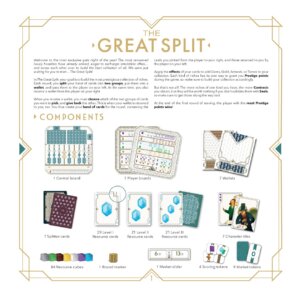
Welcome to the most exclusive gala night of the year! The most renowned luxury hoarders have already arrived, eager to exchange irresistible offers… and screw each other over to build the best collection of all. We were just waiting for you to start… The Great Split!
In The Great Split, your goal is to build the most prestigious collection of riches.
Each round, you split your hand of cards into two groups, put them into a wallet, and pass them to the player on your left. At the same time, you also receive a wallet from the player on your right.
When you receive a wallet, you must choose which of the two groups of cards you want to pick, and give back the other. This is when your wallet is returned to you, too. You thus create your hand of cards for the round, containing the cards you picked from the player to your right, and those returned to you by the player on your left.
Apply the effects of your cards to add Gems, Gold, Artwork, or Tomes to your collection. Each kind of riches has its own way to grant you Prestige points during the game, so make sure to build your collection accordingly.
But that’s not all! The more riches of one kind you have, the more Contracts you obtain, but they will be worth nothing if you don’t validate them with Seals, so make sure to get those along the way too!
At the end of the final round of scoring, the player with the most Prestige points wins!
Components

- 1 Central board
- 7 Player boards
- 7 Wallets
- 7 Splitter cards
- 29 Level I Resource cards
- 21 Level II Resource cards
- 21 Level III Resource cards
- 7 Character tiles
- 84 Resource cubes
- 1 Round marker
- 1 Market slider
- 4 Scoring tokens
- 9 Market tokens
This is the setup procedure for a game with 3-7 players. To play a game with 2 players, a few tweaks and additional rules are needed (see page 12).
Player Board Setup
- Give a Player board to each player. Place your board in front of you.
- Give a set of Resource cubes (2 white cubes, 5 silver cubes, 1 purple cube, 1 brown cube, 1 green cube, 1 blue cube, and 1 yellow cube) to each player.
- Place your white Resource cubes in the “0” spaces of both the Prestige Track and the +100 Track.
- Place your remaining Resource cubes in the leftmost spaces of the corresponding tracks on your board.
- Take the Wallet and the Splitter card matching the colored texture featured on your Player board.
- Shuffle the Character tiles and give 1 to each player. Place your Character next to your board. Put any unused Character tiles back in the box.
- For each Resource icon shown in the top left corner of your Character tile, advance 1 space on the corresponding Resource Track on your Player board. Your Character may also show some Contract icons at the bottom, which will be used for the Contract scoring at the end of the game (see page 10).

Common Area Setup
- Set the Central board in the middle of the table, visible to all players. Place the Market slider on the Central board, with the arrow pointing to the 0 space of the Art Market.
- Shuffle the Scoring tokens and randomly place 1, face up, in each of the matching spaces on the Central board.
- Shuffle the Market tokens, randomly pick 6, and place them face down on the Central board in the matching spaces. Put the remaining Market tokens back in the box without looking at them.
- Put the Round marker on the first space of the Round Track.
- Separate the Resource cards into 3 separate decks, based on their Level. Shuffle each deck.
- Deal 4 cards from the Level I deck to each player. Put any unused Level I cards back in the box, they won’t be needed.
- Place the Level II and Level III decks face down in the corresponding spaces on top of the Central board.
- Choose a player to be the Host. The Host will be in charge of dealing cards and keeping track of the game progress.

A game of The Great Split is played over 6 rounds, each composed of the following phases:
- Deal. During this phase, you will receive 1 card from the deck.
- Split. During this phase, you will Split your hand of cards into 2 groups and exchange cards with the players to your right and left.
- Resolution. During this phase, you will earn riches based on the cards in your hand after the Split Phase. You will track your total value of Prestige, Tomes, Artwork, Gems, Gold, and Seals on your board.
- Market. During this phase, the current value of Artwork may increase.
- End of Round. During this phase, you will prepare for the next round, with 1 or more Scorings taking place in specific rounds.
The Deal Phase
The Host checks which card Level must be dealt for the current round (as shown on the Central board, above the current position of the Round marker). Then, the Host deals 1 Resource card from the deck of the corresponding Level
to each player. The same area of the Central board also shows the maximum hand size
allowed for the current round.
Check if your total hand size (excluding your Splitter card) exceeds this value; if your hand exceeds the maximum size, you must discard Resource cards until you reach the maximum number allowed. Create a face-down discard pile next to the trash icon on the right side of the Central board. It is the Host’s duty to make sure all players have performed this check before moving to the following phase.
Note: Even if your hand size is below the maximum limit, you still receive only 1 card in this phase.

Resource Card Anatomy

The amount of riches you earn from a card depends on the icons shown in the middle. For example, this card awards you 2 Topazes.
You can find additional information in the corners:
- A. Resources
- B. Card level
During this phase, each step is performed simultaneously by all players. Make sure to wait for everyone before proceeding with the next step.
1. Create a Split
Look at the cards you have in your hand and organize them into 2 groups by placing the Splitter card between them. The 2 groups may contain a different number of cards. Once you are sure of your Split, insert the cards into your Wallet.

- A. Look at the cards in your hand.
- B. Choose how to Split your hand. Use your Splitter card to separate the 2 groups.
- C. Place your cards into your Wallet.
2. Offer your Split
When the Host gives you the ok, pass your Wallet to the player on your left. At the same time, you receive a Wallet from the player on your right.

3. Make your choice
Open the Wallet you received from the player on your right and take out the cards it contains without changing their order. Choose which group of the Split you want to take for yourself and keep those cards in your hand. Put the unchosen group back into the Wallet, together with the Splitter card from the player on your right.
Note: Be careful not to mix up the cards from the 2 groups of the Split while you evaluate them!

4. Return the Wallet
When the Host gives you the ok, return the Wallet you received to the player on your right. At the same time, your Wallet is returned to you by the player on your left. Put together the cards you got back from the player on your left with those you chose from the player on your right: these will be the cards you will play this round.


At the end of the Split Phase, add the cards that were returned to you together with your Splitter card A to the cards you picked from the Split offered by your opponent B. These will be your earnings for the round.
During this phase, players act simultaneously.
Keep all your Resource cards and your Splitter card in your hand and play them in front of you, one by one, to apply their effects. While you do so, you may also trigger bonus effects through special spaces (see page 7).
Playing Cards
Resource Cards
When you play a Resource card, you advance 1 space on the corresponding Resource Track for each Resource icon shown in the center (or in either corner) of that card.

This card allows you to gain 3 Tomes.
Splitter Card
Your Splitter card also acts as a “wild” Resource card in this phase, allowing you to get 1 free advancement on any track of your choice (including Seal Tracks). Don’t forget to play it in front of you and apply its effect!
Note: Splitter cards are very useful! Sometimes both you and the player on your right are missing the same Resource. Use your Splitter card to compensate for this misfortune and regain control of your strategy!
Resource Icons & Seal Cards
While this is true for most Resource icons (Prestige, Tomes, Artwork, Topazes, Emeralds, and Gold), some Resource cards have special Seal icons that do not correspond to a single track, but can be used as wildcards for specific groups of tracks. There are 3 kinds of Seal icons:
- Diamond Seals and Square Seals each correspond to 1 of the 2 groups of Seal Tracks at the bottom of your board. You advance 1 space on any Seal Track of your choice among those in the corresponding group.
- Star Seals act as wildcards for any Seal. You advance 1 space on any Seal Track of your choice.
If a card shows more than 1 Seal icon, you may either apply their effects on the same track or on different tracks.
Note: Each Seal Track is linked to a specific Resource (as suggested by the symbol shown in that track’s Seal icon). This will be important for the Contract Scoring (see page 10).

Diamond Seals (with brown/purple tails) can be used on any of the left-side Seal Tracks A. Square Seals (with blue/green/yellow tails) can be used on any of the right-side Seal Tracks B. Star Seals (with white tails) can be used on any of the Seal Tracks C.
Selling Cards
At any point during the Resolution Phase, instead of gaining the Resources of a card, you may “sell” it: i.e., play it face down. For each card that you sell, ignore any icons shown on its front and instead advance 1 space on either the Gold Track or the Prestige Track.
Note: Selling cards to gain Gold or Prestige is also useful when you have a Resource card to play but its track has already been maxed out.
Note: When you “sell” a card, don’t discard it. It will stay in your hand for the next round.
Special Spaces
Instant Effects
When you advance on your tracks, you may also unlock further advancements if you reach a special space.
- On the Gold Track: If you reach or move past a space with the Double Arrow icon
, you immediately advance 2 spaces on any single track of your choice, except for the Gold Track itself. You cannot split these bonus advancements among different tracks. - On the Seal tracks: If you reach or move past a space with a Resource icon (
), you immediately advance 1 space on the corresponding Resource Track.
Scoring Effects
Some special spaces don’t unlock free advancements immediately, but have other effects when certain Scorings are triggered (see Scoring, page 9). These spaces are marked with an outer border.
- On the Tome Track: Some spaces show a certain Prestige value. No effect is triggered when you reach or move past one of these spaces, but they will contribute to your Tome score (for more details, see page 9).
- On many tracks: The Tome, Artwork, Topaz, Emerald, and Gold Tracks show a Contract icon in some of their spaces. No effect is triggered when you reach or move past a Contract icon, but they will contribute to your Contract score at the end of the game (for more details, see page 10).
- On the Seal Tracks: Some spaces show a certain number of stars in a ribbon. No effect is triggered when you reach or move past one of these spaces, but they will contribute to your Contract score at the end of the game (for more details, see page 10).
Resolution Example

When the Split Phase ends, Leo has 5 Resource cards plus his Splitter card to play during the Resolution Phase.
- By playing card A, Leo gains 3 on the Prestige Track (which immediately gives him 3 more Prestige points).
- Card B lets him gain 1 on his Topaz Track.
- Card C gives him 2 more on his Tome Track.
- With card D, things start to get interesting: by gaining 2 Gold, Leo moves past a
space, which grants him 2 free advancements to spend on any track (except for Gold itself). He decides to use them on his Emerald Track. - Card E shows 2 Square Seal icons. Each can be spent individually, so Leo spends 1 on his Topaz Seal Track, reaching a
icon and gaining 1 free advancement on his Topaz Track to use immediately. He spends the other Square Seal icon on his Emerald Seal Track, reaching a special space with a scoring effect that has no immediate use, but will come in handy at the end of the game. - Only Card F is left: the Splitter card. Your Splitter card can be used each round to gain 1 free advancement in any track of your choice: since a Gem Scoring is happening soon, Leo decides to use it on his least advanced Gem Track to be better prepared for that.
Market Phase
It’s now time to update the value of the Art Market.
Once all players have completed the Resolution Phase, the Host reveals the Market token below the current space of the Round Track. Market tokens can show a value between 0 and 4: the Host must advance the Market slider at the bottom of the Central board that many spaces.
Note: During the game, the arrow in the central space of the Market slider must always point to the number equal to the sum of those shown on all Market tokens revealed so far.
When an Artwork Scoring occurs (see page 9), the position of the Market slider determines the amount of Prestige points you earn, depending on the level you reached on your Artwork Track.

The latest Market token revealed shows a value of 2. The Market slider is advanced 2 spaces, updating the Prestige value of the Art Market.
Market Tokens Breakdown
There is 1 Market token with a value of 0, 2 Market tokens with a value of 1, 3 Market tokens with a value of 2, 2 Market tokens with a value of 3, and 1 Market token with a value of 4.
Since 6 Market tokens are revealed in a game, the minimum value that can be reached by the arrow of the Market slider is 8, while the maximum is 16.

End of Round Phase
After updating the value of the Art Market, the Host must advance the Round marker to the next space on the Round Track. There are 3 possible outcomes:
- If the marker does not move past a Scoring line, take all the Resource cards you played this round back into your hand (including any cards you “sold” by playing them face down) and start a new round.
- If the marker moves past a Scoring line, a mid-game Scoring is triggered (see page 9). Apply its effects immediately, before you perform the procedure to start a new round as described above.
- If the Round marker is already in the final space of the Round Track and can’t advance any further, the game is over. Move to the End of Game procedure (see page 9).

In the example above, when the Scoring line is crossed, only the Artwork Scoring is triggered.
Scoring Overview
There are 4 kinds of Scorings: Tome Scoring, Artwork Scoring, Gem Scoring, and Contract Scoring. All of these Scorings are triggered at the end of the final round, just before the end of the game.
Additionally, mid-game Scorings are triggered when the Round marker crosses a Scoring line during the End of Round Phase (see page 8). This happens after the 3rd and 4th rounds.
When a Scoring line is crossed, check the 2 Scoring tokens placed on it: the corresponding Scorings occur immediately.
There are 4 kinds of Scoring tokens: 3 of them trigger the Tome, Artwork, and Gem Scorings respectively. The fourth one is a “No Scoring” token, which has no effect.
Note: This means that 1 of the mid-game Scorings will trigger 2 kinds of Scoring at the same time, while the other will only trigger 1 kind of Scoring.
If you reach the end of the Prestige Track (99 points), and you need to gain further Prestige, advance your wooden cube on the +100 Track to the “100” space to mark that you completed a full round of the Prestige Track.

With the Scoring tokens in the positions depicted above, only a Tome Scoring is triggered after round 3, while an Artwork Scoring and a Gem Scoring are triggered after round 4. All kinds of Scoring (including a Contract Scoring) will occur again at the end of the final round.
Scoring Categories
Tome Scoring
Some say that knowledge is the most valuable treasure. If that knowledge is stored in the form of ancient, rare, and precious tomes, that is most certainly true.
When a Tome Scoring occurs, find the most advanced space with a Prestige value that you have reached or passed on your Tome Track. You gain Prestige points equal to the value shown on the banner below that space.

If a Tome Scoring was triggered with the current level of this Tome Track, you would gain 9 points.
Artwork Scoring
The value of artwork tends to rise over time, and the more artwork you have in your collection, the better.
When an Artwork Scoring occurs, you must compare the current level of your Artwork Track with the position of the Market slider on the Central board. You gain Prestige points equal to the value shown on the Art Market corresponding to the level of your Artwork Track.

With the Market slider in this position, you would gain 0 points for values 0-2 on your Artwork Track; 6 points for values 3-5; 10 points for a value of 6; 13 points for values 7-9; and finally, 15 points for values 10 or more.
The current level of this Artwork Track is 9. With the values of the Art Market depicted above, you would gain 13 points.
Gem Scoring
Gems are a tricky business: the more gems you have of one type, the more you want gems of the other. Gems which are rarer are the ones more valuable to you.
When a Gem Scoring occurs, you gain Prestige points equal to twice the value shown on the Gem Track that is the least advanced on your board.

With these values on your Gem Tracks, since the least advanced one (the Emerald Track) has a value of 8, during a Gem Scoring you would gain 8 x 2 = 16 points.
In this example, the 2 Gem Tracks are tied at value 7. If a Gem Scoring occurs in this situation, you would still only earn points for one of them, for a total of 7 x 2 = 14 points.
Contract Scoring
Contracts and Seals are closely related. Contracts are earned by advancing on most Resource Tracks, but they are worth nothing if you do not have the Seals that testify their validity.
When the Contract Scoring occurs at the end of the last round, the number of points you earn from the Contract icons you have for each Resource is determined by the level you reached on the corresponding Seal Track (as suggested by the symbol shown in each specific Seal icon).
Follow this procedure, one Resource at a time:
- Count the number of Contract icons you reached or passed on that Resource Track.
- Add any Contract icons matching that Resource on your Character tile.
- The Prestige value of each of those Contract icons is equal to the number of
icons shown in the rightmost banner you reached or passed on the corresponding Seal Track. - Move on to the next Resource Track and repeat the process above.

Tobey has 5 Contracts on his Tome Track and 4 Contracts on his Artwork Track. He also has 1 Contract of both kinds on his Character tile, bringing his total to 6 Tome Contracts and 5 Artwork Contracts.
Since he reached the end of his Tome Seal Track, each of Tobey’s Tome Contracts is worth 4 points, for a total of 6 x 4 = 24 points. Not bad at all! On the other hand, he only passed the banner with 2 Star icons on his Artwork Seal Track, which means that his 5 Artwork Contracts are worth 2 points each, for a total of 10 points.
End of Game
The game ends when the last round is completed and the final scoring is set. The player with the most Prestige points wins. In case of a tie, the victory is shared… or should we say split?
Endgame Scoring Example

At the end of the game, Tome, Artwork, and Gem Scorings are all triggered again.
- Carey scores the maximum of 10 points for the Tome Scoring.
- She’s too low on the Artwork Track to get any points from the Artwork Scoring, given the current values of the Art Market.
- Regarding the Gem Scoring, Emeralds are her lowest Gems with level 9 reached, earning her 9 x 2 = 18 points.
28 points so far.
It’s now time to calculate the Contract Scoring, one Resource at a time!
- Carey has 7 Contracts on her Tome Track plus 1 more on her Character tile, for a total of 8 Tome Contracts. Since she maxed out her Tome Seal Track, each of her 8 Tome Contracts is worth 4 points, for a total of 32 points.
- Her Artwork Seal Track is stuck at level 0, though, so her 2 Artwork Contracts are worth 0 points. Artwork is not Carey’s thing, apparently.
- Moving to Gems, Carey has 6 Topaz Contracts that are worth 1 point each (6 points), and 2 Emerald Contracts that are worth 0 points each (0 points).
- Finally, Carey maxed out her Gold Track, which grants her 5 Gold Contracts, and she has 2 more Gold Contracts on her Character tile. Each of these 7 Contracts is worth 3 points thanks to her maxed out Gold Seal Track, for a total of 21 points.
Carey gained a whopping 87 points in the final Scoring alone! Having already earned 16 points during the mid-game Scorings, she finishes the game with a total of 103 Prestige points!
Additional Rules for 2 Players
There are a few additional rules when you play a game with only 2 players:
- During setup. During step 13, after the Host has dealt 4 Level I cards to each player, don’t put the remaining cards back into the box. Instead, place them close to the other decks of cards, face down, next to the Central board.
- During the Deal phase. When the Host deals Resource cards, in addition to dealing 1 Resource card from the deck for the current round, they must also deal 1 Resource card from the previous Level.
Note: The maximum hand size does not change, so you’ll probably have to discard more cards, more often than usual.

For example, if the board tells you to deal Level III cards this round, you must also deal 1 Level II card to each player.
Watch Your Neighbors
Your game experience while playing The Great Split is greatly influenced by the players sitting to your left and right and how they play. The next time you play, we recommend that you swap places around the table. With new neighbors come new challenges!
Common Board Icons
Card Level during the Deal phase
Maximum hand size
Card Icons
Advance on the Prestige Track
Advance on the Tome Track
Advance on the Artwork Track
Advance on the Topaz Track
Advance on the Emerald Track
Advance on the Gold Track
Advance on any Diamond Seal Track
Advance on any Square Seal Track
Advance on any Seal Track
Advance on any Track
Special Spaces (Instant Effects)
Immediately advance 2 spaces on any single track of your choice (except the Gold Track)
Instant advancement on the Tome Track
Instant advancement on the Artwork Track
Instant advancement on the Topaz Track
Instant advancement on the Emerald Track
Instant advancement on the Gold Track
Contract Scoring Icons
Tome Contract
Artwork Contract
Topaz Contract
Emerald Contract
Gold Contract
Tome Seal
Artwork Seal
Topaz Seal
Emerald Seal
Gold Seal
Prestige points you gain during a Tome Scoring
Prestige value of each Contract for the corresponding Resource during the Contract Scoring
Credits
Game Design: Hjalmar Hach, Lorenzo Silva
Artwork: Weberson Santiago
Project Manager: Carola Corti
Art Direction: Lorenzo Silva
Graphic Design: Noa Vassalli, Fábio Frencl
Rulebook: Carola Corti, Alessandro Pra’
Editing: William Niebling, Alessandro Pra’
If you have any issues, please contact us at: [email protected] — horribleguild.com
Overview & Components
Welcome to the most exclusive gala night of the year! The most renowned luxury hoarders have already arrived, eager to exchange irresistible offers… and screw each other over to build the best collection of all. We were just waiting for you to start… The Great Split!
In The Great Split, your goal is to build the most prestigious collection of riches.
Each round, you split your hand of cards into two groups, put them into a wallet, and pass them to the player on your left. At the same time, you also receive a wallet from the player on your right.
When you receive a wallet, you must choose which of the two groups of cards you want to pick, and give back the other. This is when your wallet is returned to you, too. You thus create your hand of cards for the round, containing the cards you picked from the player to your right, and those returned to you by the player on your left.
Apply the effects of your cards to add Gems, Gold, Artwork, or Tomes to your collection. Each kind of riches has its own way to grant you Prestige points during the game, so make sure to build your collection accordingly.
But that’s not all! The more riches of one kind you have, the more Contracts you obtain, but they will be worth nothing if you don’t validate them with Seals, so make sure to get those along the way too!
At the end of the final round of scoring, the player with the most Prestige points wins!
Components

- 1 Central board
- 7 Player boards
- 7 Wallets
- 7 Splitter cards
- 29 Level I Resource cards
- 21 Level II Resource cards
- 21 Level III Resource cards
- 7 Character tiles
- 84 Resource cubes
- 1 Round marker
- 1 Market slider
- 4 Scoring tokens
- 9 Market tokens
Setup
This is the setup procedure for a game with 3-7 players. To play a game with 2 players, a few tweaks and additional rules are needed (see page 12).
Player Board Setup
- Give a Player board to each player. Place your board in front of you.
- Give a set of Resource cubes (2 white cubes, 5 silver cubes, 1 purple cube, 1 brown cube, 1 green cube, 1 blue cube, and 1 yellow cube) to each player.
- Place your white Resource cubes in the “0” spaces of both the Prestige Track and the +100 Track.
- Place your remaining Resource cubes in the leftmost spaces of the corresponding tracks on your board.
- Take the Wallet and the Splitter card matching the colored texture featured on your Player board.
- Shuffle the Character tiles and give 1 to each player. Place your Character next to your board. Put any unused Character tiles back in the box.
- For each Resource icon shown in the top left corner of your Character tile, advance 1 space on the corresponding Resource Track on your Player board. Your Character may also show some Contract icons at the bottom, which will be used for the Contract scoring at the end of the game (see page 10).

Common Area Setup
- Set the Central board in the middle of the table, visible to all players. Place the Market slider on the Central board, with the arrow pointing to the 0 space of the Art Market.
- Shuffle the Scoring tokens and randomly place 1, face up, in each of the matching spaces on the Central board.
- Shuffle the Market tokens, randomly pick 6, and place them face down on the Central board in the matching spaces. Put the remaining Market tokens back in the box without looking at them.
- Put the Round marker on the first space of the Round Track.
- Separate the Resource cards into 3 separate decks, based on their Level. Shuffle each deck.
- Deal 4 cards from the Level I deck to each player. Put any unused Level I cards back in the box, they won’t be needed.
- Place the Level II and Level III decks face down in the corresponding spaces on top of the Central board.
- Choose a player to be the Host. The Host will be in charge of dealing cards and keeping track of the game progress.

How to Play: Deal Phase
A game of The Great Split is played over 6 rounds, each composed of the following phases:
- Deal. During this phase, you will receive 1 card from the deck.
- Split. During this phase, you will Split your hand of cards into 2 groups and exchange cards with the players to your right and left.
- Resolution. During this phase, you will earn riches based on the cards in your hand after the Split Phase. You will track your total value of Prestige, Tomes, Artwork, Gems, Gold, and Seals on your board.
- Market. During this phase, the current value of Artwork may increase.
- End of Round. During this phase, you will prepare for the next round, with 1 or more Scorings taking place in specific rounds.
The Deal Phase
The Host checks which card Level must be dealt for the current round (as shown on the Central board, above the current position of the Round marker). Then, the Host deals 1 Resource card from the deck of the corresponding Level
to each player. The same area of the Central board also shows the maximum hand size
allowed for the current round.
Check if your total hand size (excluding your Splitter card) exceeds this value; if your hand exceeds the maximum size, you must discard Resource cards until you reach the maximum number allowed. Create a face-down discard pile next to the trash icon on the right side of the Central board. It is the Host’s duty to make sure all players have performed this check before moving to the following phase.
Note: Even if your hand size is below the maximum limit, you still receive only 1 card in this phase.

Resource Card Anatomy

The amount of riches you earn from a card depends on the icons shown in the middle. For example, this card awards you 2 Topazes.
You can find additional information in the corners:
- A. Resources
- B. Card level
How to Play: Split Phase
During this phase, each step is performed simultaneously by all players. Make sure to wait for everyone before proceeding with the next step.
1. Create a Split
Look at the cards you have in your hand and organize them into 2 groups by placing the Splitter card between them. The 2 groups may contain a different number of cards. Once you are sure of your Split, insert the cards into your Wallet.

- A. Look at the cards in your hand.
- B. Choose how to Split your hand. Use your Splitter card to separate the 2 groups.
- C. Place your cards into your Wallet.
2. Offer your Split
When the Host gives you the ok, pass your Wallet to the player on your left. At the same time, you receive a Wallet from the player on your right.

3. Make your choice
Open the Wallet you received from the player on your right and take out the cards it contains without changing their order. Choose which group of the Split you want to take for yourself and keep those cards in your hand. Put the unchosen group back into the Wallet, together with the Splitter card from the player on your right.
Note: Be careful not to mix up the cards from the 2 groups of the Split while you evaluate them!

4. Return the Wallet
When the Host gives you the ok, return the Wallet you received to the player on your right. At the same time, your Wallet is returned to you by the player on your left. Put together the cards you got back from the player on your left with those you chose from the player on your right: these will be the cards you will play this round.


At the end of the Split Phase, add the cards that were returned to you together with your Splitter card A to the cards you picked from the Split offered by your opponent B. These will be your earnings for the round.
How to Play: Resolution Phase
During this phase, players act simultaneously.
Keep all your Resource cards and your Splitter card in your hand and play them in front of you, one by one, to apply their effects. While you do so, you may also trigger bonus effects through special spaces (see page 7).
Playing Cards
Resource Cards
When you play a Resource card, you advance 1 space on the corresponding Resource Track for each Resource icon shown in the center (or in either corner) of that card.

This card allows you to gain 3 Tomes.
Splitter Card
Your Splitter card also acts as a “wild” Resource card in this phase, allowing you to get 1 free advancement on any track of your choice (including Seal Tracks). Don’t forget to play it in front of you and apply its effect!
Note: Splitter cards are very useful! Sometimes both you and the player on your right are missing the same Resource. Use your Splitter card to compensate for this misfortune and regain control of your strategy!
Resource Icons & Seal Cards
While this is true for most Resource icons (Prestige, Tomes, Artwork, Topazes, Emeralds, and Gold), some Resource cards have special Seal icons that do not correspond to a single track, but can be used as wildcards for specific groups of tracks. There are 3 kinds of Seal icons:
- Diamond Seals and Square Seals each correspond to 1 of the 2 groups of Seal Tracks at the bottom of your board. You advance 1 space on any Seal Track of your choice among those in the corresponding group.
- Star Seals act as wildcards for any Seal. You advance 1 space on any Seal Track of your choice.
If a card shows more than 1 Seal icon, you may either apply their effects on the same track or on different tracks.
Note: Each Seal Track is linked to a specific Resource (as suggested by the symbol shown in that track’s Seal icon). This will be important for the Contract Scoring (see page 10).

Diamond Seals (with brown/purple tails) can be used on any of the left-side Seal Tracks A. Square Seals (with blue/green/yellow tails) can be used on any of the right-side Seal Tracks B. Star Seals (with white tails) can be used on any of the Seal Tracks C.
Selling Cards
At any point during the Resolution Phase, instead of gaining the Resources of a card, you may “sell” it: i.e., play it face down. For each card that you sell, ignore any icons shown on its front and instead advance 1 space on either the Gold Track or the Prestige Track.
Note: Selling cards to gain Gold or Prestige is also useful when you have a Resource card to play but its track has already been maxed out.
Note: When you “sell” a card, don’t discard it. It will stay in your hand for the next round.
Special Spaces
Instant Effects
When you advance on your tracks, you may also unlock further advancements if you reach a special space.
- On the Gold Track: If you reach or move past a space with the Double Arrow icon
, you immediately advance 2 spaces on any single track of your choice, except for the Gold Track itself. You cannot split these bonus advancements among different tracks. - On the Seal tracks: If you reach or move past a space with a Resource icon (
), you immediately advance 1 space on the corresponding Resource Track.
Scoring Effects
Some special spaces don’t unlock free advancements immediately, but have other effects when certain Scorings are triggered (see Scoring, page 9). These spaces are marked with an outer border.
- On the Tome Track: Some spaces show a certain Prestige value. No effect is triggered when you reach or move past one of these spaces, but they will contribute to your Tome score (for more details, see page 9).
- On many tracks: The Tome, Artwork, Topaz, Emerald, and Gold Tracks show a Contract icon in some of their spaces. No effect is triggered when you reach or move past a Contract icon, but they will contribute to your Contract score at the end of the game (for more details, see page 10).
- On the Seal Tracks: Some spaces show a certain number of stars in a ribbon. No effect is triggered when you reach or move past one of these spaces, but they will contribute to your Contract score at the end of the game (for more details, see page 10).
Resolution Example

When the Split Phase ends, Leo has 5 Resource cards plus his Splitter card to play during the Resolution Phase.
- By playing card A, Leo gains 3 on the Prestige Track (which immediately gives him 3 more Prestige points).
- Card B lets him gain 1 on his Topaz Track.
- Card C gives him 2 more on his Tome Track.
- With card D, things start to get interesting: by gaining 2 Gold, Leo moves past a
space, which grants him 2 free advancements to spend on any track (except for Gold itself). He decides to use them on his Emerald Track. - Card E shows 2 Square Seal icons. Each can be spent individually, so Leo spends 1 on his Topaz Seal Track, reaching a
icon and gaining 1 free advancement on his Topaz Track to use immediately. He spends the other Square Seal icon on his Emerald Seal Track, reaching a special space with a scoring effect that has no immediate use, but will come in handy at the end of the game. - Only Card F is left: the Splitter card. Your Splitter card can be used each round to gain 1 free advancement in any track of your choice: since a Gem Scoring is happening soon, Leo decides to use it on his least advanced Gem Track to be better prepared for that.
Market & End of Round
Market Phase
It’s now time to update the value of the Art Market.
Once all players have completed the Resolution Phase, the Host reveals the Market token below the current space of the Round Track. Market tokens can show a value between 0 and 4: the Host must advance the Market slider at the bottom of the Central board that many spaces.
Note: During the game, the arrow in the central space of the Market slider must always point to the number equal to the sum of those shown on all Market tokens revealed so far.
When an Artwork Scoring occurs (see page 9), the position of the Market slider determines the amount of Prestige points you earn, depending on the level you reached on your Artwork Track.

The latest Market token revealed shows a value of 2. The Market slider is advanced 2 spaces, updating the Prestige value of the Art Market.
Market Tokens Breakdown
There is 1 Market token with a value of 0, 2 Market tokens with a value of 1, 3 Market tokens with a value of 2, 2 Market tokens with a value of 3, and 1 Market token with a value of 4.
Since 6 Market tokens are revealed in a game, the minimum value that can be reached by the arrow of the Market slider is 8, while the maximum is 16.

End of Round Phase
After updating the value of the Art Market, the Host must advance the Round marker to the next space on the Round Track. There are 3 possible outcomes:
- If the marker does not move past a Scoring line, take all the Resource cards you played this round back into your hand (including any cards you “sold” by playing them face down) and start a new round.
- If the marker moves past a Scoring line, a mid-game Scoring is triggered (see page 9). Apply its effects immediately, before you perform the procedure to start a new round as described above.
- If the Round marker is already in the final space of the Round Track and can’t advance any further, the game is over. Move to the End of Game procedure (see page 9).

In the example above, when the Scoring line is crossed, only the Artwork Scoring is triggered.
Scoring & End of Game
Scoring Overview
There are 4 kinds of Scorings: Tome Scoring, Artwork Scoring, Gem Scoring, and Contract Scoring. All of these Scorings are triggered at the end of the final round, just before the end of the game.
Additionally, mid-game Scorings are triggered when the Round marker crosses a Scoring line during the End of Round Phase (see page 8). This happens after the 3rd and 4th rounds.
When a Scoring line is crossed, check the 2 Scoring tokens placed on it: the corresponding Scorings occur immediately.
There are 4 kinds of Scoring tokens: 3 of them trigger the Tome, Artwork, and Gem Scorings respectively. The fourth one is a “No Scoring” token, which has no effect.
Note: This means that 1 of the mid-game Scorings will trigger 2 kinds of Scoring at the same time, while the other will only trigger 1 kind of Scoring.
If you reach the end of the Prestige Track (99 points), and you need to gain further Prestige, advance your wooden cube on the +100 Track to the “100” space to mark that you completed a full round of the Prestige Track.

With the Scoring tokens in the positions depicted above, only a Tome Scoring is triggered after round 3, while an Artwork Scoring and a Gem Scoring are triggered after round 4. All kinds of Scoring (including a Contract Scoring) will occur again at the end of the final round.
Scoring Categories
Tome Scoring
Some say that knowledge is the most valuable treasure. If that knowledge is stored in the form of ancient, rare, and precious tomes, that is most certainly true.
When a Tome Scoring occurs, find the most advanced space with a Prestige value that you have reached or passed on your Tome Track. You gain Prestige points equal to the value shown on the banner below that space.

If a Tome Scoring was triggered with the current level of this Tome Track, you would gain 9 points.
Artwork Scoring
The value of artwork tends to rise over time, and the more artwork you have in your collection, the better.
When an Artwork Scoring occurs, you must compare the current level of your Artwork Track with the position of the Market slider on the Central board. You gain Prestige points equal to the value shown on the Art Market corresponding to the level of your Artwork Track.

With the Market slider in this position, you would gain 0 points for values 0-2 on your Artwork Track; 6 points for values 3-5; 10 points for a value of 6; 13 points for values 7-9; and finally, 15 points for values 10 or more.
The current level of this Artwork Track is 9. With the values of the Art Market depicted above, you would gain 13 points.
Gem Scoring
Gems are a tricky business: the more gems you have of one type, the more you want gems of the other. Gems which are rarer are the ones more valuable to you.
When a Gem Scoring occurs, you gain Prestige points equal to twice the value shown on the Gem Track that is the least advanced on your board.

With these values on your Gem Tracks, since the least advanced one (the Emerald Track) has a value of 8, during a Gem Scoring you would gain 8 x 2 = 16 points.
In this example, the 2 Gem Tracks are tied at value 7. If a Gem Scoring occurs in this situation, you would still only earn points for one of them, for a total of 7 x 2 = 14 points.
Contract Scoring
Contracts and Seals are closely related. Contracts are earned by advancing on most Resource Tracks, but they are worth nothing if you do not have the Seals that testify their validity.
When the Contract Scoring occurs at the end of the last round, the number of points you earn from the Contract icons you have for each Resource is determined by the level you reached on the corresponding Seal Track (as suggested by the symbol shown in each specific Seal icon).
Follow this procedure, one Resource at a time:
- Count the number of Contract icons you reached or passed on that Resource Track.
- Add any Contract icons matching that Resource on your Character tile.
- The Prestige value of each of those Contract icons is equal to the number of
icons shown in the rightmost banner you reached or passed on the corresponding Seal Track. - Move on to the next Resource Track and repeat the process above.

Tobey has 5 Contracts on his Tome Track and 4 Contracts on his Artwork Track. He also has 1 Contract of both kinds on his Character tile, bringing his total to 6 Tome Contracts and 5 Artwork Contracts.
Since he reached the end of his Tome Seal Track, each of Tobey’s Tome Contracts is worth 4 points, for a total of 6 x 4 = 24 points. Not bad at all! On the other hand, he only passed the banner with 2 Star icons on his Artwork Seal Track, which means that his 5 Artwork Contracts are worth 2 points each, for a total of 10 points.
End of Game
The game ends when the last round is completed and the final scoring is set. The player with the most Prestige points wins. In case of a tie, the victory is shared… or should we say split?
Endgame Scoring Example

At the end of the game, Tome, Artwork, and Gem Scorings are all triggered again.
- Carey scores the maximum of 10 points for the Tome Scoring.
- She’s too low on the Artwork Track to get any points from the Artwork Scoring, given the current values of the Art Market.
- Regarding the Gem Scoring, Emeralds are her lowest Gems with level 9 reached, earning her 9 x 2 = 18 points.
28 points so far.
It’s now time to calculate the Contract Scoring, one Resource at a time!
- Carey has 7 Contracts on her Tome Track plus 1 more on her Character tile, for a total of 8 Tome Contracts. Since she maxed out her Tome Seal Track, each of her 8 Tome Contracts is worth 4 points, for a total of 32 points.
- Her Artwork Seal Track is stuck at level 0, though, so her 2 Artwork Contracts are worth 0 points. Artwork is not Carey’s thing, apparently.
- Moving to Gems, Carey has 6 Topaz Contracts that are worth 1 point each (6 points), and 2 Emerald Contracts that are worth 0 points each (0 points).
- Finally, Carey maxed out her Gold Track, which grants her 5 Gold Contracts, and she has 2 more Gold Contracts on her Character tile. Each of these 7 Contracts is worth 3 points thanks to her maxed out Gold Seal Track, for a total of 21 points.
Carey gained a whopping 87 points in the final Scoring alone! Having already earned 16 points during the mid-game Scorings, she finishes the game with a total of 103 Prestige points!
Two-Player Rules & Advice
Additional Rules for 2 Players
There are a few additional rules when you play a game with only 2 players:
- During setup. During step 13, after the Host has dealt 4 Level I cards to each player, don’t put the remaining cards back into the box. Instead, place them close to the other decks of cards, face down, next to the Central board.
- During the Deal phase. When the Host deals Resource cards, in addition to dealing 1 Resource card from the deck for the current round, they must also deal 1 Resource card from the previous Level.
Note: The maximum hand size does not change, so you’ll probably have to discard more cards, more often than usual.

For example, if the board tells you to deal Level III cards this round, you must also deal 1 Level II card to each player.
Watch Your Neighbors
Your game experience while playing The Great Split is greatly influenced by the players sitting to your left and right and how they play. The next time you play, we recommend that you swap places around the table. With new neighbors come new challenges!
Icon Reference & Credits
Common Board Icons
Card Level during the Deal phase
Maximum hand size
Card Icons
Advance on the Prestige Track
Advance on the Tome Track
Advance on the Artwork Track
Advance on the Topaz Track
Advance on the Emerald Track
Advance on the Gold Track
Advance on any Diamond Seal Track
Advance on any Square Seal Track
Advance on any Seal Track
Advance on any Track
Special Spaces (Instant Effects)
Immediately advance 2 spaces on any single track of your choice (except the Gold Track)
Instant advancement on the Tome Track
Instant advancement on the Artwork Track
Instant advancement on the Topaz Track
Instant advancement on the Emerald Track
Instant advancement on the Gold Track
Contract Scoring Icons
Tome Contract
Artwork Contract
Topaz Contract
Emerald Contract
Gold Contract
Tome Seal
Artwork Seal
Topaz Seal
Emerald Seal
Gold Seal
Prestige points you gain during a Tome Scoring
Prestige value of each Contract for the corresponding Resource during the Contract Scoring
Credits
Game Design: Hjalmar Hach, Lorenzo Silva
Artwork: Weberson Santiago
Project Manager: Carola Corti
Art Direction: Lorenzo Silva
Graphic Design: Noa Vassalli, Fábio Frencl
Rulebook: Carola Corti, Alessandro Pra’
Editing: William Niebling, Alessandro Pra’
If you have any issues, please contact us at: [email protected] — horribleguild.com