Boardgames

Wayfarers of the South Tigris

Lead an expedition from Baghdad, mapping the world above and below while managing workers, equipment, guild influence, and your journal.

90
minutes

1 - 4
player(s)

Medium Heavy

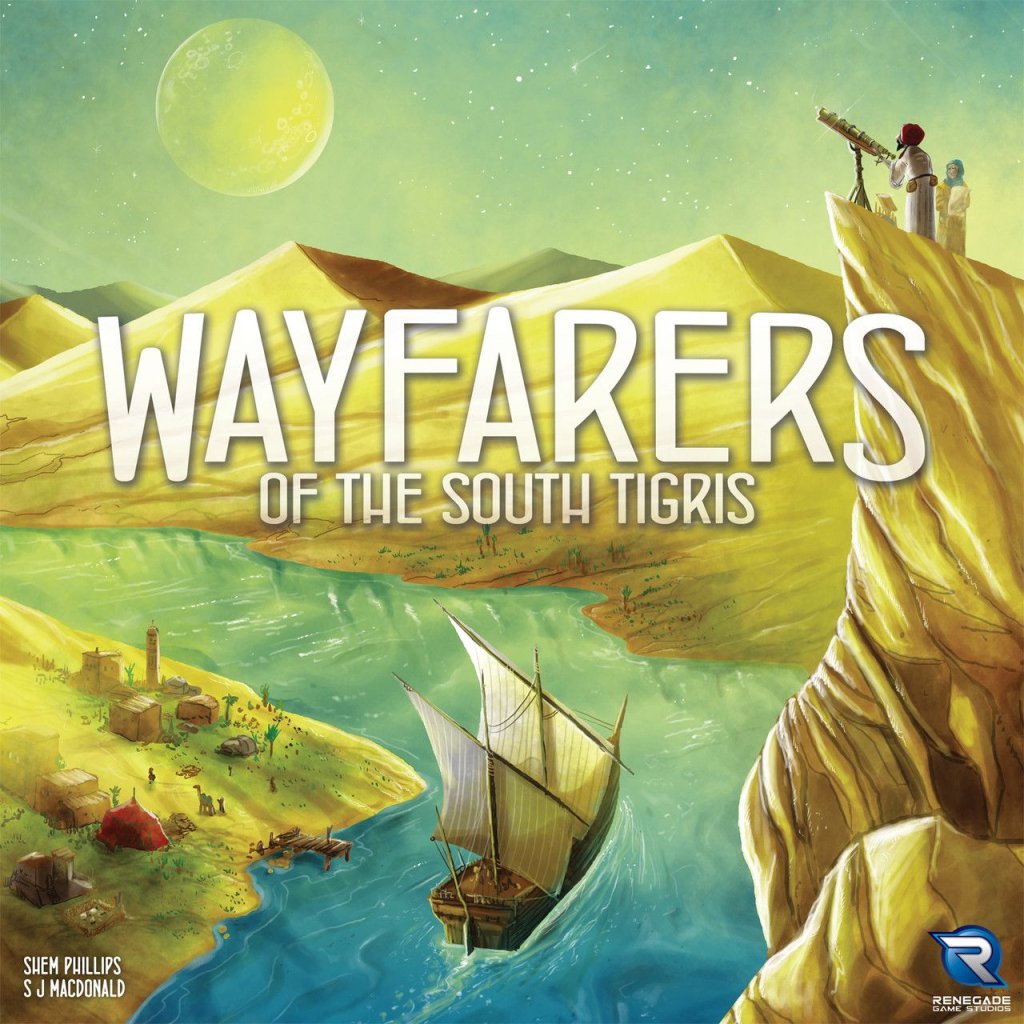
Wayfarers of the South Tigris board game cover

About this board game

Wayfarers of the South Tigris is a strategy board game for 1–4 players, with games lasting about 90 minutes. Set around 820 AD during the height of the Abbasid Caliphate, it sends players from Baghdad into the surrounding wilderness as explorers, cartographers, and astronomers.

Each player manages a caravan of workers and equipment while charting the land, waterways, and heavens above. Careful planning is essential as expeditions expand and discoveries accumulate. Players must also report back regularly to the House of Wisdom, where their findings are recorded in a journal.

Victory points are the key to success, and the player with the most at the end of the game wins. Points are primarily earned by mapping the world, but several other avenues can contribute to a successful expedition:

  • Upgrade your caravan.
  • Gain inspiration from nobles.
  • Influence the guilds of science, trade, and exploration.
  • Journal your discoveries and advance along the journal track.

As discoveries are made, players will want to journal their progress quickly. The game ends when one player’s marker reaches the far-right column of the journal track, so timing your reports can be just as important as the discoveries themselves.

With its focus on exploration, mapping, astronomy, caravan management, and competing sources of victory points, Wayfarers of the South Tigris invites players to chart a path to glory while attempting to impress the Caliph. Will your expedition produce a celebrated record of discovery, or will you lose your way in the wilderness?

Board Game Rules for
Wayfarers of the South Tigris

Download official rules (EN)

Introduction

Wayfarers of the South Tigris is set during the height of the Abbasid Caliphate, circa 820 AD. As brave explorers, cartographers and astronomers, players set off from Baghdad to map the surrounding land, waterways, and heavens above. Players must carefully manage their caravan of workers and equipment, while reporting back regularly to journal their findings at the House of Wisdom. Will you succeed in impressing the Caliph, or lose your way and succumb to the wilderness?

Aim of the Game

The aim of Wayfarers of the South Tigris is to be the player with the most Victory Points (VP) at the game’s end. Points are primarily gained by mapping the land, water, and sky. Players can also gain points from upgrading their Caravans, by gaining Inspiration, and by Influencing the three Guilds of Science, Trade and Exploration. As they make discoveries, players will want to quickly Journal their progress. The game end is triggered once a player has reached the far right column of the Journal Track.

game_components
game_components

Components

  • 20 Dice (5 in each player colour)
  • 60 Influence (15 in each player colour)
  • 4 Player Markers (1 in each player colour)
  • 10 Journal Tiles
  • 48 Silver
  • 48 Provisions
  • 62 Upgrade Tiles (4 of each Tile in Yellow, Blue, Black, and Green; 1 of each Pink Tile)
  • 12 Workers (4 in each colour)
  • 36 Townsfolk Cards
  • 36 Land Cards
  • 36 Water Cards
  • 36 Space Cards
  • 16 Inspiration Cards
  • 6 Scheme Cards (for Solo Play)
boards_components
boards_components
  • 3 Double-sided Main Board Sections (Either side may be used at any player count)
  • 4 Double-sided Player Boards (AI Boards for Solo Play are on the back)

board_setup_diagram
board_setup_diagram

Main Board Setup

Follow these steps to set up Wayfarers of the South Tigris:

  1. Place Main Board Sections: Place the 3 Main Board Sections together in the middle of the play area as shown above. Either side of each Board may be used, creating some variety between plays.
  2. Prepare Decks: Shuffle the Townsfolk, Space, Land, Water, and Inspiration Cards into their own separate decks. Place these decks in the indicated spaces below, forming 5 facedown Draw Piles.
  3. Display Cards: Draw the top 4 Cards from each Draw Pile, placing them faceup in the spaces alongside their respective Piles.
  4. Place Journal Tiles: Shuffle the Journal Tiles and place 1 faceup onto each of the empty spaces of the Journal Track.
  5. Place Green Workers: Place 1 Green Worker onto each space indicated along the middle of the Journal Track.
  6. Place Pink Upgrade Tiles: Place all 10 Special (Pink) Upgrade Tiles onto their indicated spaces of the Main Board.
  7. Place Standard Upgrade Tiles: Place 1 of each unique Green, Black, Yellow and Blue Upgrade Tile per player onto their spaces of the Main Board. Return any excess to the box if playing with fewer than 4 players.

Player Setup

player_setup_diagram
starting_resources_chart

Give each player the following:

  1. 1 Player Board, dealt at random.
  2. 5 Dice in their chosen colour: 2 are placed in a reserve nearby the Minarets on the Main Board; 3 must be rolled and placed alongside their Player Board.
  3. 15 Influence in their chosen colour.
  4. 1 Player Marker in their chosen colour, placed onto the far-left end of the Main Board.
  5. 1 Yellow Worker and 1 Blue Worker.
  6. Place the Silver and Provisions alongside the Main Board, forming the Main Supply.
  7. Randomly decide on a first player. Using the chart in the next column, give each player their starting Provisions, Silver and Influence in the 3 Guilds, based on where they are sitting in turn order. Turns are always taken clockwise around the table. Players indicate that they have Influence in Guilds by placing Influence from their supplies onto the corresponding Minarets of the Main Board.

In the example on the previous page, Blue is the first player, starting with 2 Provisions, 3 Silver, and 1 Influence in the Exploration (blue) Guild. Red is the second player, which gives them the same starting resources, plus 1 Influence in the Trade (yellow) Guild.

Return any excess Player Boards, Dice, Influence, Player Markers, and Workers to the box if playing with fewer than 4 players.


Rather than diving into what players will be doing on their turns, the next few pages will instead cover some key concepts in the game including Tags, Influence, Journaling, Guilds, Cards, and Upgrade Tiles.

Tags

Throughout the game players will be collecting a variety of different Tags. These can be found on Player Boards, Land Cards, Water Cards, Space Cards, and Special Upgrade Tiles. Tags are often required for scoring VP, and advancing on the Journal Track.

tag_icons_overview
tag_icons_overview
primary_tags_scoring_track

Land and Water Tags:

  • City City
  • Vista Vista
  • Harbour Harbour
  • Open water Open Water
  • Observatory Observatory
  • Library Library

Space Tags:

  • Stars Stars
  • Planet Planet
  • Sun Sun
  • Moon Moon
  • Comet Comet

Primary Tags Scoring

City, Vista, Harbour, and Open Water are “primary” Tags. These score VP in 2 ways:

  • Common sets: Players score each of their 4 primary Tag types individually, based on how many they have: 0-1 Tags scores 0VP; 2-7 Tags scores the values shown above. Any Tags beyond 7 do not score additional VP.
  • Unique sets: Players also score 5VP for each set of 4 unique primary Tags (1 of each type).

Influence

Each player has 15 Influence in their colour. These are tokens that may be used throughout the game to mark Influence on Cards, or in the 3 Guilds.

Influence card Any time a player gains this ability, they may place an Influence from their supply onto any faceup Card around the edges of the Main Board that doesn’t already have an Influence on it.

If any player wants to interact with a Card that has an opponent’s Influence on it, they must first pay them 1 Silver or 1 Provision from their own supply. If they cannot pay, then they cannot interact with that Card.

Interacting with a Card includes: acquiring the Card for their panorama; placing a Worker on the Card; or retrieving a Worker from the Card. Influence on Cards is only removed once that Card has been acquired. Influence removed this way should always be returned to its owner’s supply.

Influence guild any Any time a player gains this ability, they may place an Influence from their supply onto the indicated Guild (the matching coloured Minaret on the Main Board). This particular icon gives a player the choice of which Guild to Influence. It is more common for icons like this to depict a specific colour.

Move influence guild Any time a player gains this ability, they may move 1 of their Influence from 1 Guild to a different Guild.

Spend influence black Some effects require players to spend Influence from Guilds. This particular icon requires Black Influence to be spent. When spending Influence, players must return it from the depicted Guild, back to their supply.

If when gaining the ability to Influence a Card or Guild, a player has none left in their supply, they may instead move an Influence from a Card or Guild.

Guilds

There are 3 Guilds in the game, represented by the 3 coloured Minarets on the Main Board: Science (Black); Trade (Yellow); and Exploration (Blue). For each Guild, the player with the most Influence will gain 3VP at the game’s end. If a Guild is tied, no player gains the 3VP. Each Guild also has a way for players to spend its Influence.

Players may only use each Guild’s ability at most once per turn.

  • Spend black guild ability When Journaling, move 1 additional space.
  • Spend yellow guild ability Increase or decrease their Dice by 2.
  • Spend blue guild ability When placing a Die, act as if it had a Ship.

Journaling

journal_track_diagram

A major focus for players throughout the game will be advancing their Player Markers along the Journal Track. While reaching the end of the Track is not a guaranteed victory, newer players should aim to move along the Track, as it will provide them with clear direction on what they need to be doing. More experienced players will learn how to use the Track to their advantage, and often delay their movement along it in pursuit of other point scoring avenues.

Journal Any time players gain the ability to Journal, they may move their Player Marker 1 space to the right on the Journal Track.

Spaces of the Journal Track are represented by each individual piece of paper. Each space is connected by 1 or more ink splotches. In order to move over an ink splotch, players must meet the requirements printed there. The first 2 ink splotches have no requirements. After these, players will need to start planning ahead.

In the example above, Red could either move upwards if they have at least 2 Library Tags, or directly to the right if they have 1 Planet Tag.

Spend influence splotch Some ink splotches require players to spend Influence. If they do not have the Influence to spend, they cannot move past.

When moving onto a new space of the Journal Track, players immediately resolve any effects shown there. This will either be from a Journal Tile or a pre-printed effect. Journal Tiles are never removed, and are resolved by each player that moves onto their space.

Any number of players may occupy the same space on the Journal Track, except for the final right-most spaces. These 5 spaces are limited to 1 Player Marker each. Once a player reaches 1 of these 5 final spaces, the end-game is triggered. Each player, including that player, will have 1 final turn.

Also placed along the Track during Setup are 4 Green Workers. The first player to move into 1 of the 2 spaces adjacent to a Green Worker immediately removes it from the Board, and adds it to their supply.


Panorama Overview

player_board_panorama_example

Player Boards represent the capital city of Baghdad. For gameplay, they consist of a starting City Card, Harbour Card, Star Card, and 1 tucked Townsfolk Card. These elements are for all intents and purposes considered to be Cards. The middle area features an Observatory and Library with 4 Dice placement spaces. This is not technically a Card (In other words, it is not a Land or Water Card for any other game elements that might reference them).

The top-left third of Player Boards is known as the Caravan. This dictates what players’ Dice can be used for. Upgrade Tiles can be placed here to provide new abilities and opportunities.

Throughout the game players will be collecting a variety of different Cards. This is the primary way that players will be gaining Victory Points. There are 5 types of Cards, with a number of Tags available:

Land Cards

land_cards_examples
land_cards_examples

Land Cards must be placed to the left of players’ Boards. The 2 primary Tags are Cities and Vistas:

  • City Cities provide players with new Dice placement spaces. They can also come with 2 secondary Tags: Observatories and Libraries.
    • Observatory Observatories are Cities that mostly interact with Space Cards and Upgrade Tiles.
    • Library Libraries are Cities (or Harbours) that usually provide more effective ways of Journaling on the Main Board.
  • Vista Vistas provide players with ongoing benefits when gaining other Cards or Upgrade Tiles throughout the game.

Some Land Cards also feature one-time immediate effects on the left side of each Card (shown above the blue bar with a lightning bolt). Players gain these effects after adding a Land Card to their panorama.

Water Cards

water_cards_examples
water_cards_connection_example

Water Cards must be placed to the right of players’ Boards. The 2 primary Tags are Harbours and Open Waters:

  • Harbour Harbours provide players with new Dice placement spaces. They can also come with 1 secondary Tag: Libraries.
    • Library Libraries are Harbours (or Cities) that usually provide more effective ways of Journaling on the Main Board.
  • Open water Open Waters provide players with one-time immediate benefits.

Water Cards can also provide additional immediate effects through Connection Links. These are the 4 bars shown down the sides of each Water Card. These are always one-time effects that are resolved when adding a Water Card to a player’s panorama.

In this example, a player has just added the right Open Water Card to their panorama. Their Harbour had Connection Links offering 1 Silver and 1 Provision. However, the Open Water had only 1 lightning bolt lining up to the Provision. Therefore, they only gain 1 Provision (in addition to the 2 Blue Influence shown at the bottom of the Card). This latest Card now provides them with 3 new Connection Links to make use of.

Space Cards

space_cards_examples

Space Cards must be placed above Land or Water Cards. They can never have an empty Card slot below them. The 5 Tags are Sun, Moon, Planet, Comet, and Stars.

  • Sun Moon There is only 1 Sun Card and 1 Moon Card. Alone these are only worth 3VP. However, if a player has both Cards, they are each worth 7VP (14VP for the pair).
  • Planet There are 5 Planet Cards. These score 1VP, plus 1 additional VP per Planet Tag (including its own Tag).
  • Comet There are 8 Comet Cards, each worth 1-3VP (the lower value printed in the top-left corner). However, if a player has more Comet Tags than each individual opponent, their Comet Cards are instead worth 4VP. For example, if 2 players had 4 Comet Tags, and another player had 7 Comet Tags, the player with 7 would have the most, scoring 4VP for each of their Comet Cards.
  • Stars The remaining 21 Space Cards are all Stars. These score Victory Points for a variety of different conditions. Often this will be for collecting other Tags, Upgrade Tiles, or for having Influence in the Guilds.

Some Space Cards also feature one-time immediate effects on the right side of each Card (shown below the blue bar with a lightning bolt). Players gain these effects when adding a Space Card to their panorama.

Two more unique Star Cards, and how they score:

  • Star card score cards set 1VP per set of 1 Townsfolk Card, 1 Space Card, 1 Land Card, and 1 Water Card.
  • Star card score sky tags set 3VP per set of 1 Comet Tag, 1 Planet Tag, and 1 Star Tag.

Inspiration Cards

inspiration_card_example

Inspiration Cards must be tucked above Space Cards. Each Space Card can only have a single tucked Inspiration Card.

Inspiration Cards do not provide Tags, and do not require any to be acquired. However, a lot of them will require certain Tags or other items in order to earn Victory Points.

When gaining an Inspiration Card, players may tuck it above any of their Space Cards that doesn’t already have an Inspiration Card. If they have no Space Cards available, or if they don’t wish to gain an Inspiration Card (because they don’t think they can achieve its goal), players always have the option to instead discard it for an immediate effect. The immediate effect they gain is from the Worker Placement spot that the Card was adjacent to. Cards discarded this way should be placed facedown under the Inspiration Card Draw Pile.

Tucked Inspiration Cards all function in the same way. They provide players with a goal to achieve. If players achieve this goal, they will double the Victory Points of the Space Card it’s tucked above.

This Space Card scores 1VP per Vista Tag. However, if this player also has at least 3 Planet Tags, their Inspiration Card will double their Star’s scoring, effectively scoring them 2VP per Vista Tag.

If a tucked Inspiration Card’s goal is not achieved by the game’s end, it does not double the Space Card’s Victory Points. There are no other negative effects for failing to achieve a goal.

Townsfolk Cards

townsfolk_card_tucking_example
townsfolk_cards_variety

Townsfolk Cards must be tucked underneath Land or Water Cards.

Townsfolk Cards do not provide Tags, but do require specific Tags in order to be acquired. To the right of their name, each Townsfolk Card shows 1 or more Tags. They may only be tucked under a Land or Water Card featuring at least 1 of the required Tags.

Once tucked, Townsfolk Cards either increase the usefulness of the Card they are underneath, or provide another benefit during the game. Each Land or Water Card can only have a single tucked Townsfolk Card.

This City allows a player to purchase a Land Upgrade Tile, or gain 2 Yellow Influence. However, once this Farmer has been tucked, it will also reward them with 1 Silver.

Townsfolk abilities can be resolved before or after the Land or Water Card’s ability. In the example above, they could effectively gain the Silver before purchasing an Upgrade Tile, and even use that Silver to pay for it.

Placement requirements: The Scholar must be placed under a Library or Observatory. The Scribe must be placed under a Vista. The Enforcer must be placed under an Open Water (this is true for all Townsfolk with Resting abilities). The Messenger must be placed under a City or Harbour.

Townsfolk score Victory Points from each player’s starting Star Card on their Player Board. For each pair of 1 Townsfolk Card and 1 Upgrade Tile (any type), players score 1VP at the game’s end. Players are allowed to tuck an Inspiration Card above this starting Star Card to double its scoring effect.

Upgrade Tiles & the Caravan

upgrade_tiles_types
upgrade_tiles_types
special_upgrade_interaction_example
upgrade_tiles_effects_examples

In addition to acquiring Cards, players can also gain Upgrade Tiles for their Caravan.

The functionality of the Caravan will be explained later when Dice placement is covered. This section will only cover the Upgrade Tiles themselves, and why players might want to acquire them. There are 5 types of Upgrade Tiles. They all function the same way, but their unique icons will often be referenced on Cards for abilities or scoring.

  • Upgrade tile land Land
  • Upgrade tile water Water
  • Upgrade tile space Space
  • Upgrade tile basic Basic
  • Upgrade tile special Special

The costs for Land, Water, Space, and Basic Upgrade Tiles are shown alongside where they are kept on the Main Board. Special Upgrade Tiles do not have a cost, but are much harder to acquire – more commonly by advancing along the Journal Track.

When placing Upgrade Tiles, they must fit into a player’s Caravan, which is represented by the scroll of paper in the top section of their Player Board. Tiles cannot cover other Tiles, and must not sit off the edge of the paper. Tiles can be flipped (only relevant for Land and Water Upgrades), but can never be rotated (all icons must be up the right way). Once placed, Upgrade Tiles can never be moved or removed.

Many spaces on the Caravan show pre-printed icons. These are immediate effects that players gain when covering them with Upgrade Tiles.

Some Upgrade Tiles have Victory Points printed on them. These are purely for end-game scoring, and have no other impact during the game.

Special (Pink) Upgrade Tiles also feature Tags. These Tags function exactly as they do on Cards: meaning that they will activate any Vistas referencing them, help with Journaling, earn Victory Points for associated Star Cards, and contribute towards achieving goals on Inspiration Cards.

For example, if this player gained the Special Upgrade featuring a Harbour Tag, they would immediately gain 1 Silver from their Vista. It would be worth 1 VP from their Star Card, and get them 1 step closer to the 5 Harbour tags required for their Inspiration Card.

Primary Tags (City, Vista, Harbour, Open Water) on Special Upgrade Tiles also contribute towards scoring Tags at the game’s end.

A lot of Upgrade Tiles will feature 1 or more Assets. These are used when taking Dice placement actions. The Caravan starts with a Camel in the 1st column, and a Telescope in the 6th column.

  • Camel Camel
  • Telescope Telescope
  • Ship Ship
  • Pigeon Pigeon

Cost discount Some Upgrade Tiles feature a Provision or Silver discount. When placing a Die with a discount icon shown in its column of the Caravan, that Die’s entire action is discounted by 1 of the depicted resource.

Dice manipulation Some Upgrade Tiles also feature Dice manipulation. These allow Dice faces to be physically altered before being placed. This will be explained in more detail later.

Acquiring Cards

acquiring_cards_icons
alternative_draw_reminder
sliding_cards_example

When acquiring a Card, players must usually take from 1 of the 4 available faceup Cards. However, there are some specific game effects that allow players to take from the tops of the Draw Piles.

Land and Water Cards have no inherent cost. The cost to acquire them is always dictated by the action being taken. Space Cards always cost Silver based on which slot they sit above (3-5 Silver). Inspiration Cards are always free, but acquiring them is quite rare. Townsfolk Cards each have a set price, shown by the Silver coins in the top-left of each Card (0-3 Silver).

  • Acquire townsfolk Acquire a Townsfolk Card
  • Acquire land Acquire a Land Card
  • Acquire water Acquire a Water Card
  • Acquire space Acquire a Space Card
  • Acquire inspiration Acquire an Inspiration Card
  • Acquire townsfolk free Acquire a Townsfolk Card for free (any Influence must still be paid).
  • Acquire land draw 3 Draw the top 3 Land Cards. Acquire 1, and place the other 2 in either order at the bottom of the Land Draw Pile.
  • Acquire water draw 3 Draw the top 3 Water Cards. Acquire 1, and place the other 2 in either order at the bottom of the Water Draw Pile.

On the backs of all Land and Water Cards is a reminder:

Any time players use a Dice placement action to acquire a Land or Water Card, they have the option to forgo taking a faceup Card to instead draw 3 and keep 1. To do this, they must either have an available Pigeon, or spend 1 Provision. If they do this, they must acquire 1 of the drawn Cards.

Sliding Cards:

Faceup Cards are only refreshed at the end of each player’s turn. If a Card was acquired, there will be an empty Card slot that needs filling. Slide all faceup Cards in the direction listed below to fill empty Card slots before revealing new Cards from the tops of the Draw Piles. Any Workers or Influence must remain on Cards when sliding them.

  • Townsfolk and Land Cards slide to the right.
  • Space and Water Cards slide to the left.
  • Inspiration Cards slide downwards.

In the example above, if the Stargazer was acquired, the Scribe and Fisherman would both need to slide 1 slot to the right. The Green Worker would remain on the Scribe, and Blue’s Influence, on the Fisherman. A new Townsfolk Card would then be revealed and placed in the Card Slot where the Fisherman was previously sitting.

Workers on Cards:

When acquiring a Card with 1 or more Workers on it, players also retrieve the Workers, placing them into their supply.

Important Rule: Other than resolving their immediate effects, the benefits of Cards can never be activated in the same turn that they were acquired. This rule is primarily to avoid any timing issues for some Townsfolk Cards and Vista Cards.


Wayfarers of the South Tigris is played over an undetermined number of turns. Starting with the first player, each player will take a turn, followed by the next player in clockwise order. This continues around and around the table until the end-game is triggered.

On each of their turns, players must either:

  • Place a Die
  • Place a Worker
  • Rest

Detailed rules for these actions are described below:

  • Place die Place a Die: Each player has their own set of Dice. These are always placed onto their own Player Board or onto Cards they previously acquired. The Caravan on a player’s Board dictates what Assets and other benefits each Die face has.
  • Workers Place a Worker: Players start the game with 1 Yellow Worker and 1 Blue Worker. These are always placed onto Cards around the edges of the Main Board. Once placed, Workers become a public resource that all players have access to. It is quite possible at some points in the game for 1 player to have no Workers, while another has 6, for example.
  • Rest Rest: Eventually players will have placed all their available Dice, and have no Workers left in their supply. At this point, they will need to Rest. This allows them to return their Dice, gather some resources, and advance along the Journal Track. Players can even Rest earlier than required, although their Townsfolk abilities will often encourage them to have no more than 1 Die left in their supply when Resting.

Action 1: Place a Die

dice_assets_requirements
tucked_townsfolk_asset_example

Players start with 3 Dice in their supply, which were rolled during Setup. Dice are always placed onto a player’s own Board, or onto Cards that they previously acquired. Dice can only be placed onto spaces where there isn’t already a Die present. For each Dice placement action, players only ever place a single Die.

  • Some Dice placement spaces have no Assets printed on them.
  • Others might require a particular Asset, such as the Ship seen here.
  • Some even show multiple Assets. These spaces require all depicted Assets.

If no Assets are shown, any Die can be placed there. If 1 or more Assets are shown, all of them are required. There are 3 ways that Assets can be provided: Guild abilities (spending blue Influence to gain a Ship); Townsfolk Cards; and the Caravan.

Spend blue guild ability Once per turn, players may spend 1 Blue Influence to hire a Ship. This is a temporary effect that can be used when placing a Die. If a Harbour requires 2 Ships, this ability can only be used to fulfill 1 of those Ships. The other would have to come from a Townsfolk Card or from the Caravan.

This Land Card requires a Camel and Pigeon to be used. However, a Townsfolk Card has been tucked below it, providing a Pigeon for any Die placed here. To use this Card, a player would still need a Camel, which would have to come from their Caravan. Townsfolk Cards only affect the Cards they are tucked underneath. This Pigeon cannot be used for anything other than this specific Land Card.

The Caravan & Dice Manipulation

caravan_grid_example
cards_actions_examples

The most common place to have Assets is in the Caravan. The Caravan is a grid made up of 6 columns and 3 rows. Each column is associated with 1 of the 6 Die faces. It begins with a Camel in the 1st column and a Telescope in the 6th. Throughout the game, players will be able to gain Upgrade Tiles to customize their Caravan. This section will explain how they are used for Dice placement.

In the example above, we can see the following:

  • 1’s have a Camel, and can optionally be increased to a 2.
  • 2’s have a Camel, and can optionally be increased to a 3.
  • 3’s have a Camel and a Pigeon.
  • 4’s have a Telescope and a 1-Provision discount.
  • 5’s can optionally be changed to 4’s.
  • 6’s have a Telescope and a 2-Silver discount.

Players can use multiple Dice manipulation icons on their turn. In the example above, a 1 can be changed to a 2, which can then be changed to a 3. Even though they have 2 negative Dice manipulation icons in their 5th column, this does not allow them to change a 5 to a 3. In other words, Dice manipulations may chain, but they do not stack.

Important Rule: Dice values do not wrap: 1’s can never be decreased to a 6, and 6’s can never be increased to a 1.

Spend yellow guild ability Once per turn, players may spend 1 Yellow Influence to increase or decrease the value of Dice in their supply by 2. This can be to the same Die, or to 2 different Dice. This can be done before or after using a single chain of Dice manipulation on their Caravan, but not during.

Once a Die with any required Assets has been placed, a player may then perform the actions of that space, in any order they choose. Actions are always optional. Some actions have costs associated, which must always be paid in full before taking the action. Remember that Cards with Townsfolk may have abilities that could potentially help in funding an action.

The 1st Card here requires a Camel, and allows a player to purchase a Land Upgrade Tile, or gain 2 yellow Influence. The 2nd Card requires a Camel and a Telescope, and allows a player to purchase a Space Card and gain 1 Blue Influence. Their Townsfolk Card also earns them 1 Silver. The 3rd Card requires 2 Ships, and allows a player to purchase a Water Card. This would usually cost 1 Provision, but its Townsfolk Card could essentially negate that cost. The 4th Card requires a Ship, which its Townsfolk provides (any Die can be placed here now). It allows a player to refresh 1 Die, increase or decrease 1 Die (doesn’t have to be the same Die they refreshed), and gain 1 Provision.

Action Spaces & Board Actions

starting_player_board_actions
city_die_placement_example

There are a lot of Cities and Harbours in the game for players to acquire, with a variety of different action spaces. However, they all follow the same layout: Assets on Dice placement spaces, costs to the left of the arrow, and benefits to the right. Remember that some Cards and Upgrade Tiles have inherent costs, which won’t be shown on these action spaces.

The rulebook won’t break down every Dice placement space in detail – the iconography list on the back of the rulebook should help explain each of them. For further clarity, however, the starting 6 spaces will be covered below:

  1. Requires a Camel. Spend 2 Provisions to acquire a Land Card and gain 1 Silver (in either order).
  2. Requires a Telescope. Acquire a Space Card; or a Space Upgrade Tile.
  3. Requires a Pigeon. Journal; or retrieve a Worker and place 1 Influence in a chosen Guild.
  4. Acquire a Townsfolk Card; or gain 2 Provisions.
  5. Acquire a Basic Upgrade Tile; or gain 2 Silver.
  6. Requires a Ship. Spend 2 Provisions to acquire a Water Card.

Refresh die Refresh a Die: Any time players gain this ability, they may refresh 1 Die. In most cases, this will allow them to pick up a Die from a previously used space on their Player Board or Cards, roll it, and return it to their supply. This not only gives them another Die to use on their next turn, but also opens up the space that it came from to be used again. Players can even use this ability to refresh the same Die they just placed that turn. If they don’t have any Dice on their Player Board, or wish not to remove 1, they can instead select a Die in their supply to reroll.

Gain new die There are 2 columns on the Journal Track that show this icon. When moving into these spaces, players must take a new Die from the reserve, roll it, and add it to their supply. This is always mandatory.

In this example the blue player has placed a 1-valued Die on their City. This is possible, as 1-valued Dice always have a Camel. This allows them to spend 2 Provisions to acquire a Land Card and gain 1 Silver. That Silver may even be taken before selecting which Card they want (it may even be used to pay for an opponent’s Influence on that Card). Before or after doing this, their Townsfolk Card also allows them to either retrieve a Worker or Influence a Card.

Action 2: Placing a Worker

Players start the game with 1 Yellow Worker and 1 Blue Worker. Over the course of the game, they will be placing and retrieving a number of Workers. When placing a Worker on their turn, players must place it onto 1 of the faceup Cards around the edges of the Main Board (excluding Space Cards). The action they resolve is shown on the edge of the Main Board where their chosen Card sits. Players can only place a Worker if they are able to resolve at least 1 part of its printed action (they cannot place it and do nothing).

Townsfolk Cards

Only 1 Green Worker may be placed on each Townsfolk Card.

  • Journal and provision Journal and gain 1 Provision (in either order).
  • Acquire basic free Acquire a Basic Upgrade Tile for free.
  • Influence all guilds Place 1 Influence in each Guild.
  • Space card discount silver Acquire a Space Card with a 1-Silver discount.

Land Cards

1 Green Worker and 1 Yellow Worker may be placed on each Land Card.

  • Draw 3 land provisions Spend 3 Provisions. Draw the top 3 Land Cards. Acquire 1 and place the other 2 in either order at the bottom of the Land Draw Pile.
  • Upgrade tile land Acquire a Land Upgrade Tile (for the cost of 3 Silver or 2 Yellow Influence).
  • Silver and yellow influence Gain 2 Silver and place 1 Influence in the Yellow Guild.
  • Acquire townsfolk modify die Acquire a Townsfolk Card (paying its printed Silver cost) and increase or decrease a Die by 1.

Water Cards

1 Green Worker and 1 Blue Worker may be placed on each Water Card.

  • Refresh and modify dice Refresh 1 Die and increase or decrease a Die by 1 (twice). These effects can all be applied to 1 Die or potentially across 3 different Dice.
  • Provisions and blue influence Gain 2 Provisions and place 1 Influence in the Blue Guild.
  • Upgrade tile water Acquire a Water Upgrade Tile (for the cost of 3 Silver or 2 Blue Influence).
  • Draw 3 water provisions Spend 3 Provisions. Draw the top 3 Water Cards. Acquire 1 and place the other 2 in either order at the bottom of the Water Draw Pile.

Inspiration Cards

1 Green Worker, 1 Yellow Worker, and 1 Blue Worker may be placed on each Inspiration Card.

  • Silver Gain 2 Silver.
  • Silver and refresh Gain 1 Silver and refresh 1 Die (in either order).
  • Provision and influence guild Gain 1 Provision and place 1 Influence in any Guild.
  • Provision Gain 2 Provisions.

Players can never place and retrieve the same Worker by any means during a single turn. If that Worker was on a Card they wanted to acquire (resulting in them retrieving the Worker), they could not choose to acquire that Card.

Retrieve worker This effect allows players to retrieve a Worker from any faceup Card.

Placing a Worker Example

worker_placement_turn_example
board_state_example
board_state_example

In the example below, Blue has just placed a Green Worker on the right-most Townsfolk Card to acquire a Space Card with a discount of 1 Silver. On a previous turn they had also acquired the Vista shown here to the right, which will come into effect during this example. These are the steps they followed:

  1. They paid 4 Silver to acquire the Comet Card, adding it to their panorama. This comes with an immediate Journal effect. It would also activate their Vista. They can resolve these effects in any order.
  2. They decide to gain the Silver from their Vista, and to decrease 1 of their other Dice by 1.
  3. They then Journal, advancing into the space below the Green Worker, as they have the 4 required Harbours. They immediately add the Green Worker adjacent to that space to their supply. The Journal Tile in that space allows them to retrieve a Worker. They would like to take back the Worker they just placed, but that is never allowed. Red has a lot of Influence on Cards with Workers. So rather than pay them, Blue decides to retrieve the Blue Worker from the Water Card.
  4. They could spend a Black Influence to Journal a 2nd time, but unfortunately they don’t have enough of the required Tags to advance.

Action 3: Resting

resting_townsfolk_example

If players cannot place a Die or Worker on their turn, or wish not to, they may instead Rest. When Resting, players first count how many Dice remain in their supply. If there are none, or only 1, they will activate all their Resting abilities. If they have 2 or more Dice remaining, no abilities will be activated.

After determining this, the Resting player moves all Dice from their panorama, and rolls them back into their supply. If they had any Dice still in their supply, they may also reroll them if they choose.

Then, if eligible, they resolve all their Resting abilities in any order. All these abilities are optional. Resting abilities come from blue-bannered Townsfolk. All players start with 1 tucked under their Player Board. Townsfolk Cards with these abilities are always tucked under Open Water Cards.

With these Resting abilities, this player could Journal, gain 1 Silver, move an Influence from 1 Guild to another, and gain 1 Provision. They could resolve these in any order. Also, if they had no Influence in the Black Guild before Resting, they could even use their ability to move a Yellow or Blue Influence into black, then spend that Black Influence to Journal an extra space.

Rest journal condition Players will Journal most times that they Rest, thanks to their starting tucked Townsfolk Card.


End of the Game

The game’s end is triggered once a player reaches 1 of the 5 final spaces on the Journal Track. After finishing their turn, play continues once more around the table, with all players taking 1 final turn (The player who triggered the game’s end also has 1 final turn).

Scoring

Once the game has ended, players should add up their score in the following areas:

  1. Primary Land and Water Tags: Remember to also count any Tags in the Caravan.
    • Common sets (2-7 of each type score 2, 3, 5, 8, 12, 16 VP respectively).
    • Unique sets (5VP per set of 4 unique primary Tags).
  2. Space Cards and Achieved Inspiration Cards: Players with Comet Cards should check to see if any player has the most Comet Tags (more than any other single player). Also remember to count Tags in the Caravan.
  3. The Caravan: All printed VP values on Upgrade Tiles.
  4. Guild Majorities: 3VP to the player with the most Influence in each Guild. If a Guild is tied, no player scores the 3VP for that Guild.

The player with the most total VP is the winner! If tied, the tied player with the most Black Influence is the winner. If still tied, the tied player with the most Yellow Influence is the winner. If still tied, the tied player with the most Blue Influence is the winner. And if still tied, all tied players share the victory.

Scoring Example

final_scoring_example_panorama
final_scoring_example_main_board

Blue has a total of 53VP from the following:

  1. Primary Land and Water Tags
    • 2 Cities = 2VP
    • 3 Vistas = 3VP
    • 1 Harbour = 0VP
    • 4 Open Water = 5VP
    • 1 Set of unique Tags = 5VP (1 Harbour short of their 2nd set)
  2. Space Cards and Achieved Inspiration Cards

    With 7 total Comets, we’ll assume they had the most. From left to right:

    • 1st Space Card = 4VP
    • 2nd Space Card = 3VP (1 Townsfolk short of achieving their Inspiration goal)
    • 3rd Space Card = 4VP
    • 4th Space Card = 5VP (From 5 pairs of Townsfolk Cards & Upgrade Tiles)
    • 5th Space Card = 8VP (Doubled from 4VP for achieving their Inspiration goal)
  3. The Caravan
    • 11VP from Upgrade Tiles
  4. Guild Majorities
    • 3VP for having the most in the Black Guild.

solo_setup_components
scheme_card_anatomy
scheme_card_anatomy

Solo Setup

Set up Wayfarers as you would for a 2-player game, with the following changes:

  1. AI Board: Choose 1 of the Player Boards and flip it over to the AI side. This is your opponent. Each AI Board has its own Focus and will feel different to play against:
    • Space AI
    • Upgrade AI
    • Townsfolk AI
    • Journal AI
  2. AI Markers: Do not give the AI any Dice. Instead, use the 2 Player Markers of the unused colour, placing 1 on the top-left space of their Resource Track, and the other on the 0 space of their Comet Track. The Player Marker of their colour should still be on the starting space of the Journal Track.
  3. AI Workers: They still start with 1 Yellow Worker and 1 Blue Worker.
  4. AI Influence: The AI will always be the 2nd player. They do not gain any Provisions or Silver, but do start the game with 1 Influence in the Yellow Guild and 1 in Blue. Place their remaining Influence into their supply.
  5. Scheme Deck: Shuffle all Scheme Cards, and place them into a facedown Draw Pile nearby.

Influence Limits: Unlike human players, the AI is not limited by the Influence in their supply. If they run out, use Influence of an unused colour. This is still considered to be their Influence.

Gameplay Overview

For the most part, the solo game plays very much like the multiplayer game. Your turns function exactly the same. On your opponent’s turn you will either be revealing a Scheme Card, or resolving a Rest action for the AI. Each Scheme Card will be either Blue or Red in colour, and have a number of icons: Silver Value, First Action, Scheme Card Colour, Second Action, Special Upgrade Priority and Comet (only 4 of the 6 cards show a Comet).

revealed_scheme_cards_example

Scheme Cards

To reveal a Scheme Card, draw it from the top of the AI Scheme Draw Pile and place it faceup to the right of their Draw Pile and any previously revealed Scheme Cards. Then follow these steps:

  1. Move on Resource Track: Move their Marker clockwise around their Resource Track a number of spaces equal to the Scheme Card’s Silver Value. Do not move their Marker if the value is 0. Resolve any effects along the Track that their Marker moves over. This could be gaining a Comet, Influencing a Guild, or gaining a Townsfolk Card.
  2. Resolve Action: If they are able to resolve the First Action, they will do so. If they are unable to resolve the First Action, they will instead take the Second Action. They will never do both. They would be unable to take the First Action if they do not have the required Influence to spend, or 1 of the required Workers to place. When given the option of 2 Workers, they will prioritize placing a Green Worker.

If, at the start of their turn, the AI has either 3 faceup Red Scheme Cards, or 3 faceup Blue Scheme Cards, they will Rest. If not, they will reveal a new Scheme Card. This means that they will always Rest after revealing between 3-5 Scheme Cards.

Focus When the AI takes a Focus action, resolve the effect shown on the right of the Focus icon on their Board.

Resting

When Resting, follow the steps shown in the blue banner at the bottom of the AI Board in order, from left to right:

  1. The first step will always be to check the most recently revealed Scheme Card. If it shows a Comet in the bottom-right corner, move their Marker 1 space up their Comet Track.
  2. The second step will have them acquiring a Space Card, Townsfolk Card, Upgrade Tile, or Influencing a Card.
  3. The third step is Journaling.

It is very important that these steps are followed in order. Also, just as in the multiplayer game, be sure not to refresh any Cards until they have completed their turn in full. After finishing their Rest, shuffle all their Scheme Cards back into a facedown Draw Pile.

Special Rules

  • The AI ignores all costs (other than those on their Scheme Cards), and ignores all requirements on the Journal Track. They still gain all rewards from the Journal Track. In the final column, they gain a Pink Upgrade, not an Inspiration Card.
  • The AI ignores all icons on all Cards and Upgrade Tiles they acquire. This includes Comets, Influence, free Upgrades, etc – everything! However, they do still gain Victory Points from acquired Upgrade Tiles.
  • Unless otherwise specified, the AI resolves all icons just as a player would. Along the top of the AI Board are shown some key changes to certain icons. If they would ever gain the effect on the left, they instead resolve that shown on the right.
  • Any time the AI gains a Comet (never from Space Cards or Upgrade Tiles), move their Marker 1 space up their Comet Track, unless they are already at the top.
ai_priority_track_examples
ai_scheme_cards_sum_example

AI Prioritising

Over the course of the game, the AI will acquire various Cards and Upgrade Tiles. They will also be placing Influence onto Cards. All these abilities require the AI to prioritise. This is done using their Resource Track and Scheme Cards.

The position of the Marker on their Resource Track dictates a colour (Black, Blue, Yellow, or Green), and also which Inspiration Card they will prioritise (based on the top, middle, and bottom rows of the Resource Track).

The colour is referred to when Influencing Cards, acquiring Upgrade Tiles, placing a Worker, or retrieving a Worker. If their colour priority would result in them not benefiting (for example, if there were no remaining Upgrade Tiles of that colour), they move to the next colour in clockwise order.

If they cannot interact with the Inspiration Card they are prioritising, they move to the next lowest Card, wrapping back up to the highest Card if needed.

The sum value of the 2 most recently revealed Scheme Cards (or of the only faceup Card if there is only 1) dictates a value between 0 and 4. This value is referred to for almost all of the AI’s actions.

As shown on the inside of the Resource Track, this sum value aids the AI in choosing which Cards and Upgrade Tiles to prioritise. It may appear like a lot of information to digest, but simply speaking, the centre-most (in reference to the Main Board) Card or Upgrade Tile is prioritised if the sum value is a 0 or 1. That priority shifts outwards as the sum value increases.

If for any reason, the AI cannot interact with the Card or Upgrade Tile they are prioritising, they move to the next possible choice. This is shown by the arrows moving left and right on the reference. They will keep moving in that direction, wrapping around if needed. There are only 3 Upgrade Tiles in Black, Blue, and Green. If the sum value is 4, the priority moves inwards as if there were a 4th pile.

Using the 2 examples on this page, the AI is prioritising Blue, with a sum value of 2. If an effect had them Influence a Card, they would place 1 Influence from their supply onto the 2nd Water Card from the left. If there was already an Influence there, or if that Card space were empty, they would instead place their Influence on the Card in the 3rd space.

Influence card There are some changes for how Influence works on Cards in the solo mode. If the AI has an Influence on a Card that you want to interact with, you still need to pay them. Doing so will move their Marker 1 space around their Resource Track. If the AI wants to interact with a Card that you have an Influence on, you have a choice:

  1. Let them interact: You may then choose to take 1 Provision, or 1 Silver from the Main Supply.
  2. Deny them: You may pay 1 Provision or 1 Silver to have them move to the next Card, based on their usual priority rules. You can do this multiple times, so long as you can afford to.

Note that you cannot fully deny them a certain Card type. For example, if you had Influence on all 4 Land Cards, paying 4 times won’t make them prioritise a different Card type.

Solo Worker Placement

The AI will only ever place Green Workers on Townsfolk Cards, Yellow Workers on Land Cards, and Blue Workers on Water Cards. They resolve all printed actions of a space when placing a Worker. This means that when placing a Worker, the AI only needs to reference their sum value – the colour has no effect.

When retrieving Workers, they will always take Green Workers first. If there are no Green Workers, they use their Resource Track colour priority to determine which colour Worker they want. If there are multiple Workers of their priority colour, they use their sum value to determine which Worker they will retrieve.

Solo Movement on the Journal Track

Solo journal branch priority The AI will usually have 2 options for movement on the Journal Track. Whether they take the higher or lower path is dictated by the colour of all faceup Scheme Cards. If the majority of their Scheme Cards are Blue, they’ll take the higher path. If the majority are Red, they’ll take the lower path. It is possible for them to Journal with an equal number of each colour. In this case, the colour of their most recently revealed Scheme Card takes priority. If there is only 1 path available, they will simply take that path.

When moving into the last column of the Journal Track, the AI will never take the middle option. If you blocked the space they would have moved into, they instead move into the other available space in that final column. For the final space of the Journal Track, they will take a Special Upgrade Tile, not an Inspiration Card.

Before Journaling, first check to see where the AI’s Player Marker is in reference to your own. If they are behind, they will spend 1 Black Influence to move an extra space if possible. If they are in the same column, this will cost 2 Black Influence, and if they are ahead, this will cost 3 Black Influence. Note that it is possible for them to gain the required Black Influence during their first movement. However, it is their position before that first movement that dictates the Influence cost. They will only move a 2nd time if they have the required Black Influence available to spend.

Acquiring Cards and Upgrade Tiles

When acquiring Cards, the AI ignores all icons on them. Simply take the Card, and place it in a facedown pile near their Board. For end game scoring, it can help to have 4 separate piles: 1 for Townsfolk Cards; 1 for Land and Water Cards; 1 for Space Cards; and 1 for Inspiration Cards. The AI collects Workers, and returns Influence on Cards, just as you would.

When acquiring Upgrade Tiles, the AI places them onto their Board, starting in the bottom-left corner of their Caravan. From here they continue placing Upgrade Tiles, filling the bottom row from left to right, then the middle row from right to left, and finally the top row from left to right. Rotate rectangular Tiles as needed, in order to keep them from breaking out of this winding path. If the AI gains more Upgrade Tiles than they have room for, simply place any further Tiles alongside their Board.

When placing an Upgrade Tile, immediately resolve the effects of any icons covered in their Caravan.

When acquiring a Special (Pink) Upgrade Tile, the AI prioritises using the reference at the bottom of their most recently revealed Scheme Card. If that Upgrade Tile has already been acquired, they instead acquire the next available Tile in clockwise order.

Solo End Game and Scoring

The game end is triggered in the same way as the multiplayer game. If the AI triggers the end game, they will still get a final turn after you take yours.

The AI scores VP for the following:

  • 1VP per acquired Townsfolk Card
  • 2VP per acquired Water/Land Card
  • 3VP per acquired Space Card
  • 4VP per acquired Inspiration Card
  • VP from acquired Upgrade Tiles
  • VP from Guild Majorities

The AI does not score from Comets, but their final tally does affect whether or not you hold the majority when scoring your Comets.


Important Rules

  • Players may only use each Guild ability once per turn.
  • After placing a Worker, players may not take any action that would result in them retrieving that same Worker in the same turn.
  • Upgrade Tiles may be flipped, but not rotated.
  • Townsfolk/Vista abilities cannot be activated during the same turn that they are acquired.

Reference Summaries

player_setup_summary
asset_combinations_summary

Iconography

Tags, Cards & Tiles:

  • City City
  • Vista Vista
  • Harbour Harbour
  • Open water Open Water
  • Observatory Observatory
  • Library Library
  • Stars Stars
  • Planet Planet
  • Sun Sun
  • Moon Moon
  • Comet Comet
  • Upgrade tile land Land Upgrade Tile
  • Upgrade tile water Water Upgrade Tile
  • Upgrade tile space Space Upgrade Tile
  • Upgrade tile basic Basic Upgrade Tile
  • Upgrade tile special Special Upgrade Tile
  • Upgrade tile any Any Upgrade Tile
  • Card land Land Card
  • Card water Water Card
  • Card space Space Card
  • Card townsfolk Townsfolk Card
  • Card inspiration Inspiration Card

Assets, Resources & Actions:

  • Camel Camel
  • Ship Ship
  • Telescope Telescope
  • Pigeon Pigeon
  • Influence guild depicted Place an Influence in depicted Guild
  • Spend influence depicted Spend an Influence from depicted Guild
  • Influence guild any Place an Influence in any Guild
  • Move influence guild Move an Influence from 1 Guild to another
  • Influence card Place an Influence on a faceup Card
  • Provision Provision
  • Silver Silver
  • Worker green Green Worker
  • Worker green yellow Green/Yellow Worker
  • Worker green blue Green/Blue Worker
  • Worker any Any Worker
  • Retrieve worker Retrieve any Worker from a Faceup Card
  • Dice manipulation Increase/Decrease a Die
  • Refresh die Refresh a Die
  • Gain new die Gain a new Die from the reserve
  • Journal Journal
  • Extra journal Extra Journal (max once per turn)
  • Negate cost Negate depicted cost

Introduction & Components

Introduction

Wayfarers of the South Tigris is set during the height of the Abbasid Caliphate, circa 820 AD. As brave explorers, cartographers and astronomers, players set off from Baghdad to map the surrounding land, waterways, and heavens above. Players must carefully manage their caravan of workers and equipment, while reporting back regularly to journal their findings at the House of Wisdom. Will you succeed in impressing the Caliph, or lose your way and succumb to the wilderness?

Aim of the Game

The aim of Wayfarers of the South Tigris is to be the player with the most Victory Points (VP) at the game’s end. Points are primarily gained by mapping the land, water, and sky. Players can also gain points from upgrading their Caravans, by gaining Inspiration, and by Influencing the three Guilds of Science, Trade and Exploration. As they make discoveries, players will want to quickly Journal their progress. The game end is triggered once a player has reached the far right column of the Journal Track.

game_components
game_components

Components

  • 20 Dice (5 in each player colour)
  • 60 Influence (15 in each player colour)
  • 4 Player Markers (1 in each player colour)
  • 10 Journal Tiles
  • 48 Silver
  • 48 Provisions
  • 62 Upgrade Tiles (4 of each Tile in Yellow, Blue, Black, and Green; 1 of each Pink Tile)
  • 12 Workers (4 in each colour)
  • 36 Townsfolk Cards
  • 36 Land Cards
  • 36 Water Cards
  • 36 Space Cards
  • 16 Inspiration Cards
  • 6 Scheme Cards (for Solo Play)
boards_components
boards_components
  • 3 Double-sided Main Board Sections (Either side may be used at any player count)
  • 4 Double-sided Player Boards (AI Boards for Solo Play are on the back)

Setup

board_setup_diagram
board_setup_diagram

Main Board Setup

Follow these steps to set up Wayfarers of the South Tigris:

  1. Place Main Board Sections: Place the 3 Main Board Sections together in the middle of the play area as shown above. Either side of each Board may be used, creating some variety between plays.
  2. Prepare Decks: Shuffle the Townsfolk, Space, Land, Water, and Inspiration Cards into their own separate decks. Place these decks in the indicated spaces below, forming 5 facedown Draw Piles.
  3. Display Cards: Draw the top 4 Cards from each Draw Pile, placing them faceup in the spaces alongside their respective Piles.
  4. Place Journal Tiles: Shuffle the Journal Tiles and place 1 faceup onto each of the empty spaces of the Journal Track.
  5. Place Green Workers: Place 1 Green Worker onto each space indicated along the middle of the Journal Track.
  6. Place Pink Upgrade Tiles: Place all 10 Special (Pink) Upgrade Tiles onto their indicated spaces of the Main Board.
  7. Place Standard Upgrade Tiles: Place 1 of each unique Green, Black, Yellow and Blue Upgrade Tile per player onto their spaces of the Main Board. Return any excess to the box if playing with fewer than 4 players.

Player Setup

player_setup_diagram
starting_resources_chart

Give each player the following:

  1. 1 Player Board, dealt at random.
  2. 5 Dice in their chosen colour: 2 are placed in a reserve nearby the Minarets on the Main Board; 3 must be rolled and placed alongside their Player Board.
  3. 15 Influence in their chosen colour.
  4. 1 Player Marker in their chosen colour, placed onto the far-left end of the Main Board.
  5. 1 Yellow Worker and 1 Blue Worker.
  6. Place the Silver and Provisions alongside the Main Board, forming the Main Supply.
  7. Randomly decide on a first player. Using the chart in the next column, give each player their starting Provisions, Silver and Influence in the 3 Guilds, based on where they are sitting in turn order. Turns are always taken clockwise around the table. Players indicate that they have Influence in Guilds by placing Influence from their supplies onto the corresponding Minarets of the Main Board.

In the example on the previous page, Blue is the first player, starting with 2 Provisions, 3 Silver, and 1 Influence in the Exploration (blue) Guild. Red is the second player, which gives them the same starting resources, plus 1 Influence in the Trade (yellow) Guild.

Return any excess Player Boards, Dice, Influence, Player Markers, and Workers to the box if playing with fewer than 4 players.


Core Concepts

Rather than diving into what players will be doing on their turns, the next few pages will instead cover some key concepts in the game including Tags, Influence, Journaling, Guilds, Cards, and Upgrade Tiles.

Tags

Throughout the game players will be collecting a variety of different Tags. These can be found on Player Boards, Land Cards, Water Cards, Space Cards, and Special Upgrade Tiles. Tags are often required for scoring VP, and advancing on the Journal Track.

tag_icons_overview
tag_icons_overview
primary_tags_scoring_track

Land and Water Tags:

  • City City
  • Vista Vista
  • Harbour Harbour
  • Open water Open Water
  • Observatory Observatory
  • Library Library

Space Tags:

  • Stars Stars
  • Planet Planet
  • Sun Sun
  • Moon Moon
  • Comet Comet

Primary Tags Scoring

City, Vista, Harbour, and Open Water are “primary” Tags. These score VP in 2 ways:

  • Common sets: Players score each of their 4 primary Tag types individually, based on how many they have: 0-1 Tags scores 0VP; 2-7 Tags scores the values shown above. Any Tags beyond 7 do not score additional VP.
  • Unique sets: Players also score 5VP for each set of 4 unique primary Tags (1 of each type).

Influence

Each player has 15 Influence in their colour. These are tokens that may be used throughout the game to mark Influence on Cards, or in the 3 Guilds.

Influence card Any time a player gains this ability, they may place an Influence from their supply onto any faceup Card around the edges of the Main Board that doesn’t already have an Influence on it.

If any player wants to interact with a Card that has an opponent’s Influence on it, they must first pay them 1 Silver or 1 Provision from their own supply. If they cannot pay, then they cannot interact with that Card.

Interacting with a Card includes: acquiring the Card for their panorama; placing a Worker on the Card; or retrieving a Worker from the Card. Influence on Cards is only removed once that Card has been acquired. Influence removed this way should always be returned to its owner’s supply.

Influence guild any Any time a player gains this ability, they may place an Influence from their supply onto the indicated Guild (the matching coloured Minaret on the Main Board). This particular icon gives a player the choice of which Guild to Influence. It is more common for icons like this to depict a specific colour.

Move influence guild Any time a player gains this ability, they may move 1 of their Influence from 1 Guild to a different Guild.

Spend influence black Some effects require players to spend Influence from Guilds. This particular icon requires Black Influence to be spent. When spending Influence, players must return it from the depicted Guild, back to their supply.

If when gaining the ability to Influence a Card or Guild, a player has none left in their supply, they may instead move an Influence from a Card or Guild.

Guilds

There are 3 Guilds in the game, represented by the 3 coloured Minarets on the Main Board: Science (Black); Trade (Yellow); and Exploration (Blue). For each Guild, the player with the most Influence will gain 3VP at the game’s end. If a Guild is tied, no player gains the 3VP. Each Guild also has a way for players to spend its Influence.

Players may only use each Guild’s ability at most once per turn.

  • Spend black guild ability When Journaling, move 1 additional space.
  • Spend yellow guild ability Increase or decrease their Dice by 2.
  • Spend blue guild ability When placing a Die, act as if it had a Ship.

Journaling

journal_track_diagram

A major focus for players throughout the game will be advancing their Player Markers along the Journal Track. While reaching the end of the Track is not a guaranteed victory, newer players should aim to move along the Track, as it will provide them with clear direction on what they need to be doing. More experienced players will learn how to use the Track to their advantage, and often delay their movement along it in pursuit of other point scoring avenues.

Journal Any time players gain the ability to Journal, they may move their Player Marker 1 space to the right on the Journal Track.

Spaces of the Journal Track are represented by each individual piece of paper. Each space is connected by 1 or more ink splotches. In order to move over an ink splotch, players must meet the requirements printed there. The first 2 ink splotches have no requirements. After these, players will need to start planning ahead.

In the example above, Red could either move upwards if they have at least 2 Library Tags, or directly to the right if they have 1 Planet Tag.

Spend influence splotch Some ink splotches require players to spend Influence. If they do not have the Influence to spend, they cannot move past.

When moving onto a new space of the Journal Track, players immediately resolve any effects shown there. This will either be from a Journal Tile or a pre-printed effect. Journal Tiles are never removed, and are resolved by each player that moves onto their space.

Any number of players may occupy the same space on the Journal Track, except for the final right-most spaces. These 5 spaces are limited to 1 Player Marker each. Once a player reaches 1 of these 5 final spaces, the end-game is triggered. Each player, including that player, will have 1 final turn.

Also placed along the Track during Setup are 4 Green Workers. The first player to move into 1 of the 2 spaces adjacent to a Green Worker immediately removes it from the Board, and adds it to their supply.


Cards & Caravan Upgrades

Panorama Overview

player_board_panorama_example

Player Boards represent the capital city of Baghdad. For gameplay, they consist of a starting City Card, Harbour Card, Star Card, and 1 tucked Townsfolk Card. These elements are for all intents and purposes considered to be Cards. The middle area features an Observatory and Library with 4 Dice placement spaces. This is not technically a Card (In other words, it is not a Land or Water Card for any other game elements that might reference them).

The top-left third of Player Boards is known as the Caravan. This dictates what players’ Dice can be used for. Upgrade Tiles can be placed here to provide new abilities and opportunities.

Throughout the game players will be collecting a variety of different Cards. This is the primary way that players will be gaining Victory Points. There are 5 types of Cards, with a number of Tags available:

Land Cards

land_cards_examples
land_cards_examples

Land Cards must be placed to the left of players’ Boards. The 2 primary Tags are Cities and Vistas:

  • City Cities provide players with new Dice placement spaces. They can also come with 2 secondary Tags: Observatories and Libraries.
    • Observatory Observatories are Cities that mostly interact with Space Cards and Upgrade Tiles.
    • Library Libraries are Cities (or Harbours) that usually provide more effective ways of Journaling on the Main Board.
  • Vista Vistas provide players with ongoing benefits when gaining other Cards or Upgrade Tiles throughout the game.

Some Land Cards also feature one-time immediate effects on the left side of each Card (shown above the blue bar with a lightning bolt). Players gain these effects after adding a Land Card to their panorama.

Water Cards

water_cards_examples
water_cards_connection_example

Water Cards must be placed to the right of players’ Boards. The 2 primary Tags are Harbours and Open Waters:

  • Harbour Harbours provide players with new Dice placement spaces. They can also come with 1 secondary Tag: Libraries.
    • Library Libraries are Harbours (or Cities) that usually provide more effective ways of Journaling on the Main Board.
  • Open water Open Waters provide players with one-time immediate benefits.

Water Cards can also provide additional immediate effects through Connection Links. These are the 4 bars shown down the sides of each Water Card. These are always one-time effects that are resolved when adding a Water Card to a player’s panorama.

In this example, a player has just added the right Open Water Card to their panorama. Their Harbour had Connection Links offering 1 Silver and 1 Provision. However, the Open Water had only 1 lightning bolt lining up to the Provision. Therefore, they only gain 1 Provision (in addition to the 2 Blue Influence shown at the bottom of the Card). This latest Card now provides them with 3 new Connection Links to make use of.

Space Cards

space_cards_examples

Space Cards must be placed above Land or Water Cards. They can never have an empty Card slot below them. The 5 Tags are Sun, Moon, Planet, Comet, and Stars.

  • Sun Moon There is only 1 Sun Card and 1 Moon Card. Alone these are only worth 3VP. However, if a player has both Cards, they are each worth 7VP (14VP for the pair).
  • Planet There are 5 Planet Cards. These score 1VP, plus 1 additional VP per Planet Tag (including its own Tag).
  • Comet There are 8 Comet Cards, each worth 1-3VP (the lower value printed in the top-left corner). However, if a player has more Comet Tags than each individual opponent, their Comet Cards are instead worth 4VP. For example, if 2 players had 4 Comet Tags, and another player had 7 Comet Tags, the player with 7 would have the most, scoring 4VP for each of their Comet Cards.
  • Stars The remaining 21 Space Cards are all Stars. These score Victory Points for a variety of different conditions. Often this will be for collecting other Tags, Upgrade Tiles, or for having Influence in the Guilds.

Some Space Cards also feature one-time immediate effects on the right side of each Card (shown below the blue bar with a lightning bolt). Players gain these effects when adding a Space Card to their panorama.

Two more unique Star Cards, and how they score:

  • Star card score cards set 1VP per set of 1 Townsfolk Card, 1 Space Card, 1 Land Card, and 1 Water Card.
  • Star card score sky tags set 3VP per set of 1 Comet Tag, 1 Planet Tag, and 1 Star Tag.

Inspiration Cards

inspiration_card_example

Inspiration Cards must be tucked above Space Cards. Each Space Card can only have a single tucked Inspiration Card.

Inspiration Cards do not provide Tags, and do not require any to be acquired. However, a lot of them will require certain Tags or other items in order to earn Victory Points.

When gaining an Inspiration Card, players may tuck it above any of their Space Cards that doesn’t already have an Inspiration Card. If they have no Space Cards available, or if they don’t wish to gain an Inspiration Card (because they don’t think they can achieve its goal), players always have the option to instead discard it for an immediate effect. The immediate effect they gain is from the Worker Placement spot that the Card was adjacent to. Cards discarded this way should be placed facedown under the Inspiration Card Draw Pile.

Tucked Inspiration Cards all function in the same way. They provide players with a goal to achieve. If players achieve this goal, they will double the Victory Points of the Space Card it’s tucked above.

This Space Card scores 1VP per Vista Tag. However, if this player also has at least 3 Planet Tags, their Inspiration Card will double their Star’s scoring, effectively scoring them 2VP per Vista Tag.

If a tucked Inspiration Card’s goal is not achieved by the game’s end, it does not double the Space Card’s Victory Points. There are no other negative effects for failing to achieve a goal.

Townsfolk Cards

townsfolk_card_tucking_example
townsfolk_cards_variety

Townsfolk Cards must be tucked underneath Land or Water Cards.

Townsfolk Cards do not provide Tags, but do require specific Tags in order to be acquired. To the right of their name, each Townsfolk Card shows 1 or more Tags. They may only be tucked under a Land or Water Card featuring at least 1 of the required Tags.

Once tucked, Townsfolk Cards either increase the usefulness of the Card they are underneath, or provide another benefit during the game. Each Land or Water Card can only have a single tucked Townsfolk Card.

This City allows a player to purchase a Land Upgrade Tile, or gain 2 Yellow Influence. However, once this Farmer has been tucked, it will also reward them with 1 Silver.

Townsfolk abilities can be resolved before or after the Land or Water Card’s ability. In the example above, they could effectively gain the Silver before purchasing an Upgrade Tile, and even use that Silver to pay for it.

Placement requirements: The Scholar must be placed under a Library or Observatory. The Scribe must be placed under a Vista. The Enforcer must be placed under an Open Water (this is true for all Townsfolk with Resting abilities). The Messenger must be placed under a City or Harbour.

Townsfolk score Victory Points from each player’s starting Star Card on their Player Board. For each pair of 1 Townsfolk Card and 1 Upgrade Tile (any type), players score 1VP at the game’s end. Players are allowed to tuck an Inspiration Card above this starting Star Card to double its scoring effect.

Upgrade Tiles & the Caravan

upgrade_tiles_types
upgrade_tiles_types
special_upgrade_interaction_example
upgrade_tiles_effects_examples

In addition to acquiring Cards, players can also gain Upgrade Tiles for their Caravan.

The functionality of the Caravan will be explained later when Dice placement is covered. This section will only cover the Upgrade Tiles themselves, and why players might want to acquire them. There are 5 types of Upgrade Tiles. They all function the same way, but their unique icons will often be referenced on Cards for abilities or scoring.

  • Upgrade tile land Land
  • Upgrade tile water Water
  • Upgrade tile space Space
  • Upgrade tile basic Basic
  • Upgrade tile special Special

The costs for Land, Water, Space, and Basic Upgrade Tiles are shown alongside where they are kept on the Main Board. Special Upgrade Tiles do not have a cost, but are much harder to acquire – more commonly by advancing along the Journal Track.

When placing Upgrade Tiles, they must fit into a player’s Caravan, which is represented by the scroll of paper in the top section of their Player Board. Tiles cannot cover other Tiles, and must not sit off the edge of the paper. Tiles can be flipped (only relevant for Land and Water Upgrades), but can never be rotated (all icons must be up the right way). Once placed, Upgrade Tiles can never be moved or removed.

Many spaces on the Caravan show pre-printed icons. These are immediate effects that players gain when covering them with Upgrade Tiles.

Some Upgrade Tiles have Victory Points printed on them. These are purely for end-game scoring, and have no other impact during the game.

Special (Pink) Upgrade Tiles also feature Tags. These Tags function exactly as they do on Cards: meaning that they will activate any Vistas referencing them, help with Journaling, earn Victory Points for associated Star Cards, and contribute towards achieving goals on Inspiration Cards.

For example, if this player gained the Special Upgrade featuring a Harbour Tag, they would immediately gain 1 Silver from their Vista. It would be worth 1 VP from their Star Card, and get them 1 step closer to the 5 Harbour tags required for their Inspiration Card.

Primary Tags (City, Vista, Harbour, Open Water) on Special Upgrade Tiles also contribute towards scoring Tags at the game’s end.

A lot of Upgrade Tiles will feature 1 or more Assets. These are used when taking Dice placement actions. The Caravan starts with a Camel in the 1st column, and a Telescope in the 6th column.

  • Camel Camel
  • Telescope Telescope
  • Ship Ship
  • Pigeon Pigeon

Cost discount Some Upgrade Tiles feature a Provision or Silver discount. When placing a Die with a discount icon shown in its column of the Caravan, that Die’s entire action is discounted by 1 of the depicted resource.

Dice manipulation Some Upgrade Tiles also feature Dice manipulation. These allow Dice faces to be physically altered before being placed. This will be explained in more detail later.

Acquiring Cards

acquiring_cards_icons
alternative_draw_reminder
sliding_cards_example

When acquiring a Card, players must usually take from 1 of the 4 available faceup Cards. However, there are some specific game effects that allow players to take from the tops of the Draw Piles.

Land and Water Cards have no inherent cost. The cost to acquire them is always dictated by the action being taken. Space Cards always cost Silver based on which slot they sit above (3-5 Silver). Inspiration Cards are always free, but acquiring them is quite rare. Townsfolk Cards each have a set price, shown by the Silver coins in the top-left of each Card (0-3 Silver).

  • Acquire townsfolk Acquire a Townsfolk Card
  • Acquire land Acquire a Land Card
  • Acquire water Acquire a Water Card
  • Acquire space Acquire a Space Card
  • Acquire inspiration Acquire an Inspiration Card
  • Acquire townsfolk free Acquire a Townsfolk Card for free (any Influence must still be paid).
  • Acquire land draw 3 Draw the top 3 Land Cards. Acquire 1, and place the other 2 in either order at the bottom of the Land Draw Pile.
  • Acquire water draw 3 Draw the top 3 Water Cards. Acquire 1, and place the other 2 in either order at the bottom of the Water Draw Pile.

On the backs of all Land and Water Cards is a reminder:

Any time players use a Dice placement action to acquire a Land or Water Card, they have the option to forgo taking a faceup Card to instead draw 3 and keep 1. To do this, they must either have an available Pigeon, or spend 1 Provision. If they do this, they must acquire 1 of the drawn Cards.

Sliding Cards:

Faceup Cards are only refreshed at the end of each player’s turn. If a Card was acquired, there will be an empty Card slot that needs filling. Slide all faceup Cards in the direction listed below to fill empty Card slots before revealing new Cards from the tops of the Draw Piles. Any Workers or Influence must remain on Cards when sliding them.

  • Townsfolk and Land Cards slide to the right.
  • Space and Water Cards slide to the left.
  • Inspiration Cards slide downwards.

In the example above, if the Stargazer was acquired, the Scribe and Fisherman would both need to slide 1 slot to the right. The Green Worker would remain on the Scribe, and Blue’s Influence, on the Fisherman. A new Townsfolk Card would then be revealed and placed in the Card Slot where the Fisherman was previously sitting.

Workers on Cards:

When acquiring a Card with 1 or more Workers on it, players also retrieve the Workers, placing them into their supply.

Important Rule: Other than resolving their immediate effects, the benefits of Cards can never be activated in the same turn that they were acquired. This rule is primarily to avoid any timing issues for some Townsfolk Cards and Vista Cards.


Player Turns

Wayfarers of the South Tigris is played over an undetermined number of turns. Starting with the first player, each player will take a turn, followed by the next player in clockwise order. This continues around and around the table until the end-game is triggered.

On each of their turns, players must either:

  • Place a Die
  • Place a Worker
  • Rest

Detailed rules for these actions are described below:

  • Place die Place a Die: Each player has their own set of Dice. These are always placed onto their own Player Board or onto Cards they previously acquired. The Caravan on a player’s Board dictates what Assets and other benefits each Die face has.
  • Workers Place a Worker: Players start the game with 1 Yellow Worker and 1 Blue Worker. These are always placed onto Cards around the edges of the Main Board. Once placed, Workers become a public resource that all players have access to. It is quite possible at some points in the game for 1 player to have no Workers, while another has 6, for example.
  • Rest Rest: Eventually players will have placed all their available Dice, and have no Workers left in their supply. At this point, they will need to Rest. This allows them to return their Dice, gather some resources, and advance along the Journal Track. Players can even Rest earlier than required, although their Townsfolk abilities will often encourage them to have no more than 1 Die left in their supply when Resting.

Action 1: Place a Die

dice_assets_requirements
tucked_townsfolk_asset_example

Players start with 3 Dice in their supply, which were rolled during Setup. Dice are always placed onto a player’s own Board, or onto Cards that they previously acquired. Dice can only be placed onto spaces where there isn’t already a Die present. For each Dice placement action, players only ever place a single Die.

  • Some Dice placement spaces have no Assets printed on them.
  • Others might require a particular Asset, such as the Ship seen here.
  • Some even show multiple Assets. These spaces require all depicted Assets.

If no Assets are shown, any Die can be placed there. If 1 or more Assets are shown, all of them are required. There are 3 ways that Assets can be provided: Guild abilities (spending blue Influence to gain a Ship); Townsfolk Cards; and the Caravan.

Spend blue guild ability Once per turn, players may spend 1 Blue Influence to hire a Ship. This is a temporary effect that can be used when placing a Die. If a Harbour requires 2 Ships, this ability can only be used to fulfill 1 of those Ships. The other would have to come from a Townsfolk Card or from the Caravan.

This Land Card requires a Camel and Pigeon to be used. However, a Townsfolk Card has been tucked below it, providing a Pigeon for any Die placed here. To use this Card, a player would still need a Camel, which would have to come from their Caravan. Townsfolk Cards only affect the Cards they are tucked underneath. This Pigeon cannot be used for anything other than this specific Land Card.

The Caravan & Dice Manipulation

caravan_grid_example
cards_actions_examples

The most common place to have Assets is in the Caravan. The Caravan is a grid made up of 6 columns and 3 rows. Each column is associated with 1 of the 6 Die faces. It begins with a Camel in the 1st column and a Telescope in the 6th. Throughout the game, players will be able to gain Upgrade Tiles to customize their Caravan. This section will explain how they are used for Dice placement.

In the example above, we can see the following:

  • 1’s have a Camel, and can optionally be increased to a 2.
  • 2’s have a Camel, and can optionally be increased to a 3.
  • 3’s have a Camel and a Pigeon.
  • 4’s have a Telescope and a 1-Provision discount.
  • 5’s can optionally be changed to 4’s.
  • 6’s have a Telescope and a 2-Silver discount.

Players can use multiple Dice manipulation icons on their turn. In the example above, a 1 can be changed to a 2, which can then be changed to a 3. Even though they have 2 negative Dice manipulation icons in their 5th column, this does not allow them to change a 5 to a 3. In other words, Dice manipulations may chain, but they do not stack.

Important Rule: Dice values do not wrap: 1’s can never be decreased to a 6, and 6’s can never be increased to a 1.

Spend yellow guild ability Once per turn, players may spend 1 Yellow Influence to increase or decrease the value of Dice in their supply by 2. This can be to the same Die, or to 2 different Dice. This can be done before or after using a single chain of Dice manipulation on their Caravan, but not during.

Once a Die with any required Assets has been placed, a player may then perform the actions of that space, in any order they choose. Actions are always optional. Some actions have costs associated, which must always be paid in full before taking the action. Remember that Cards with Townsfolk may have abilities that could potentially help in funding an action.

The 1st Card here requires a Camel, and allows a player to purchase a Land Upgrade Tile, or gain 2 yellow Influence. The 2nd Card requires a Camel and a Telescope, and allows a player to purchase a Space Card and gain 1 Blue Influence. Their Townsfolk Card also earns them 1 Silver. The 3rd Card requires 2 Ships, and allows a player to purchase a Water Card. This would usually cost 1 Provision, but its Townsfolk Card could essentially negate that cost. The 4th Card requires a Ship, which its Townsfolk provides (any Die can be placed here now). It allows a player to refresh 1 Die, increase or decrease 1 Die (doesn’t have to be the same Die they refreshed), and gain 1 Provision.

Action Spaces & Board Actions

starting_player_board_actions
city_die_placement_example

There are a lot of Cities and Harbours in the game for players to acquire, with a variety of different action spaces. However, they all follow the same layout: Assets on Dice placement spaces, costs to the left of the arrow, and benefits to the right. Remember that some Cards and Upgrade Tiles have inherent costs, which won’t be shown on these action spaces.

The rulebook won’t break down every Dice placement space in detail – the iconography list on the back of the rulebook should help explain each of them. For further clarity, however, the starting 6 spaces will be covered below:

  1. Requires a Camel. Spend 2 Provisions to acquire a Land Card and gain 1 Silver (in either order).
  2. Requires a Telescope. Acquire a Space Card; or a Space Upgrade Tile.
  3. Requires a Pigeon. Journal; or retrieve a Worker and place 1 Influence in a chosen Guild.
  4. Acquire a Townsfolk Card; or gain 2 Provisions.
  5. Acquire a Basic Upgrade Tile; or gain 2 Silver.
  6. Requires a Ship. Spend 2 Provisions to acquire a Water Card.

Refresh die Refresh a Die: Any time players gain this ability, they may refresh 1 Die. In most cases, this will allow them to pick up a Die from a previously used space on their Player Board or Cards, roll it, and return it to their supply. This not only gives them another Die to use on their next turn, but also opens up the space that it came from to be used again. Players can even use this ability to refresh the same Die they just placed that turn. If they don’t have any Dice on their Player Board, or wish not to remove 1, they can instead select a Die in their supply to reroll.

Gain new die There are 2 columns on the Journal Track that show this icon. When moving into these spaces, players must take a new Die from the reserve, roll it, and add it to their supply. This is always mandatory.

In this example the blue player has placed a 1-valued Die on their City. This is possible, as 1-valued Dice always have a Camel. This allows them to spend 2 Provisions to acquire a Land Card and gain 1 Silver. That Silver may even be taken before selecting which Card they want (it may even be used to pay for an opponent’s Influence on that Card). Before or after doing this, their Townsfolk Card also allows them to either retrieve a Worker or Influence a Card.

Action 2: Placing a Worker

Players start the game with 1 Yellow Worker and 1 Blue Worker. Over the course of the game, they will be placing and retrieving a number of Workers. When placing a Worker on their turn, players must place it onto 1 of the faceup Cards around the edges of the Main Board (excluding Space Cards). The action they resolve is shown on the edge of the Main Board where their chosen Card sits. Players can only place a Worker if they are able to resolve at least 1 part of its printed action (they cannot place it and do nothing).

Townsfolk Cards

Only 1 Green Worker may be placed on each Townsfolk Card.

  • Journal and provision Journal and gain 1 Provision (in either order).
  • Acquire basic free Acquire a Basic Upgrade Tile for free.
  • Influence all guilds Place 1 Influence in each Guild.
  • Space card discount silver Acquire a Space Card with a 1-Silver discount.

Land Cards

1 Green Worker and 1 Yellow Worker may be placed on each Land Card.

  • Draw 3 land provisions Spend 3 Provisions. Draw the top 3 Land Cards. Acquire 1 and place the other 2 in either order at the bottom of the Land Draw Pile.
  • Upgrade tile land Acquire a Land Upgrade Tile (for the cost of 3 Silver or 2 Yellow Influence).
  • Silver and yellow influence Gain 2 Silver and place 1 Influence in the Yellow Guild.
  • Acquire townsfolk modify die Acquire a Townsfolk Card (paying its printed Silver cost) and increase or decrease a Die by 1.

Water Cards

1 Green Worker and 1 Blue Worker may be placed on each Water Card.

  • Refresh and modify dice Refresh 1 Die and increase or decrease a Die by 1 (twice). These effects can all be applied to 1 Die or potentially across 3 different Dice.
  • Provisions and blue influence Gain 2 Provisions and place 1 Influence in the Blue Guild.
  • Upgrade tile water Acquire a Water Upgrade Tile (for the cost of 3 Silver or 2 Blue Influence).
  • Draw 3 water provisions Spend 3 Provisions. Draw the top 3 Water Cards. Acquire 1 and place the other 2 in either order at the bottom of the Water Draw Pile.

Inspiration Cards

1 Green Worker, 1 Yellow Worker, and 1 Blue Worker may be placed on each Inspiration Card.

  • Silver Gain 2 Silver.
  • Silver and refresh Gain 1 Silver and refresh 1 Die (in either order).
  • Provision and influence guild Gain 1 Provision and place 1 Influence in any Guild.
  • Provision Gain 2 Provisions.

Players can never place and retrieve the same Worker by any means during a single turn. If that Worker was on a Card they wanted to acquire (resulting in them retrieving the Worker), they could not choose to acquire that Card.

Retrieve worker This effect allows players to retrieve a Worker from any faceup Card.

Placing a Worker Example

worker_placement_turn_example
board_state_example
board_state_example

In the example below, Blue has just placed a Green Worker on the right-most Townsfolk Card to acquire a Space Card with a discount of 1 Silver. On a previous turn they had also acquired the Vista shown here to the right, which will come into effect during this example. These are the steps they followed:

  1. They paid 4 Silver to acquire the Comet Card, adding it to their panorama. This comes with an immediate Journal effect. It would also activate their Vista. They can resolve these effects in any order.
  2. They decide to gain the Silver from their Vista, and to decrease 1 of their other Dice by 1.
  3. They then Journal, advancing into the space below the Green Worker, as they have the 4 required Harbours. They immediately add the Green Worker adjacent to that space to their supply. The Journal Tile in that space allows them to retrieve a Worker. They would like to take back the Worker they just placed, but that is never allowed. Red has a lot of Influence on Cards with Workers. So rather than pay them, Blue decides to retrieve the Blue Worker from the Water Card.
  4. They could spend a Black Influence to Journal a 2nd time, but unfortunately they don’t have enough of the required Tags to advance.

Action 3: Resting

resting_townsfolk_example

If players cannot place a Die or Worker on their turn, or wish not to, they may instead Rest. When Resting, players first count how many Dice remain in their supply. If there are none, or only 1, they will activate all their Resting abilities. If they have 2 or more Dice remaining, no abilities will be activated.

After determining this, the Resting player moves all Dice from their panorama, and rolls them back into their supply. If they had any Dice still in their supply, they may also reroll them if they choose.

Then, if eligible, they resolve all their Resting abilities in any order. All these abilities are optional. Resting abilities come from blue-bannered Townsfolk. All players start with 1 tucked under their Player Board. Townsfolk Cards with these abilities are always tucked under Open Water Cards.

With these Resting abilities, this player could Journal, gain 1 Silver, move an Influence from 1 Guild to another, and gain 1 Provision. They could resolve these in any order. Also, if they had no Influence in the Black Guild before Resting, they could even use their ability to move a Yellow or Blue Influence into black, then spend that Black Influence to Journal an extra space.

Rest journal condition Players will Journal most times that they Rest, thanks to their starting tucked Townsfolk Card.


End of Game & Scoring

End of the Game

The game’s end is triggered once a player reaches 1 of the 5 final spaces on the Journal Track. After finishing their turn, play continues once more around the table, with all players taking 1 final turn (The player who triggered the game’s end also has 1 final turn).

Scoring

Once the game has ended, players should add up their score in the following areas:

  1. Primary Land and Water Tags: Remember to also count any Tags in the Caravan.
    • Common sets (2-7 of each type score 2, 3, 5, 8, 12, 16 VP respectively).
    • Unique sets (5VP per set of 4 unique primary Tags).
  2. Space Cards and Achieved Inspiration Cards: Players with Comet Cards should check to see if any player has the most Comet Tags (more than any other single player). Also remember to count Tags in the Caravan.
  3. The Caravan: All printed VP values on Upgrade Tiles.
  4. Guild Majorities: 3VP to the player with the most Influence in each Guild. If a Guild is tied, no player scores the 3VP for that Guild.

The player with the most total VP is the winner! If tied, the tied player with the most Black Influence is the winner. If still tied, the tied player with the most Yellow Influence is the winner. If still tied, the tied player with the most Blue Influence is the winner. And if still tied, all tied players share the victory.

Scoring Example

final_scoring_example_panorama
final_scoring_example_main_board

Blue has a total of 53VP from the following:

  1. Primary Land and Water Tags
    • 2 Cities = 2VP
    • 3 Vistas = 3VP
    • 1 Harbour = 0VP
    • 4 Open Water = 5VP
    • 1 Set of unique Tags = 5VP (1 Harbour short of their 2nd set)
  2. Space Cards and Achieved Inspiration Cards

    With 7 total Comets, we’ll assume they had the most. From left to right:

    • 1st Space Card = 4VP
    • 2nd Space Card = 3VP (1 Townsfolk short of achieving their Inspiration goal)
    • 3rd Space Card = 4VP
    • 4th Space Card = 5VP (From 5 pairs of Townsfolk Cards & Upgrade Tiles)
    • 5th Space Card = 8VP (Doubled from 4VP for achieving their Inspiration goal)
  3. The Caravan
    • 11VP from Upgrade Tiles
  4. Guild Majorities
    • 3VP for having the most in the Black Guild.

Solo Play

solo_setup_components
scheme_card_anatomy
scheme_card_anatomy

Solo Setup

Set up Wayfarers as you would for a 2-player game, with the following changes:

  1. AI Board: Choose 1 of the Player Boards and flip it over to the AI side. This is your opponent. Each AI Board has its own Focus and will feel different to play against:
    • Space AI
    • Upgrade AI
    • Townsfolk AI
    • Journal AI
  2. AI Markers: Do not give the AI any Dice. Instead, use the 2 Player Markers of the unused colour, placing 1 on the top-left space of their Resource Track, and the other on the 0 space of their Comet Track. The Player Marker of their colour should still be on the starting space of the Journal Track.
  3. AI Workers: They still start with 1 Yellow Worker and 1 Blue Worker.
  4. AI Influence: The AI will always be the 2nd player. They do not gain any Provisions or Silver, but do start the game with 1 Influence in the Yellow Guild and 1 in Blue. Place their remaining Influence into their supply.
  5. Scheme Deck: Shuffle all Scheme Cards, and place them into a facedown Draw Pile nearby.

Influence Limits: Unlike human players, the AI is not limited by the Influence in their supply. If they run out, use Influence of an unused colour. This is still considered to be their Influence.

Gameplay Overview

For the most part, the solo game plays very much like the multiplayer game. Your turns function exactly the same. On your opponent’s turn you will either be revealing a Scheme Card, or resolving a Rest action for the AI. Each Scheme Card will be either Blue or Red in colour, and have a number of icons: Silver Value, First Action, Scheme Card Colour, Second Action, Special Upgrade Priority and Comet (only 4 of the 6 cards show a Comet).

revealed_scheme_cards_example

Scheme Cards

To reveal a Scheme Card, draw it from the top of the AI Scheme Draw Pile and place it faceup to the right of their Draw Pile and any previously revealed Scheme Cards. Then follow these steps:

  1. Move on Resource Track: Move their Marker clockwise around their Resource Track a number of spaces equal to the Scheme Card’s Silver Value. Do not move their Marker if the value is 0. Resolve any effects along the Track that their Marker moves over. This could be gaining a Comet, Influencing a Guild, or gaining a Townsfolk Card.
  2. Resolve Action: If they are able to resolve the First Action, they will do so. If they are unable to resolve the First Action, they will instead take the Second Action. They will never do both. They would be unable to take the First Action if they do not have the required Influence to spend, or 1 of the required Workers to place. When given the option of 2 Workers, they will prioritize placing a Green Worker.

If, at the start of their turn, the AI has either 3 faceup Red Scheme Cards, or 3 faceup Blue Scheme Cards, they will Rest. If not, they will reveal a new Scheme Card. This means that they will always Rest after revealing between 3-5 Scheme Cards.

Focus When the AI takes a Focus action, resolve the effect shown on the right of the Focus icon on their Board.

Resting

When Resting, follow the steps shown in the blue banner at the bottom of the AI Board in order, from left to right:

  1. The first step will always be to check the most recently revealed Scheme Card. If it shows a Comet in the bottom-right corner, move their Marker 1 space up their Comet Track.
  2. The second step will have them acquiring a Space Card, Townsfolk Card, Upgrade Tile, or Influencing a Card.
  3. The third step is Journaling.

It is very important that these steps are followed in order. Also, just as in the multiplayer game, be sure not to refresh any Cards until they have completed their turn in full. After finishing their Rest, shuffle all their Scheme Cards back into a facedown Draw Pile.

Special Rules

  • The AI ignores all costs (other than those on their Scheme Cards), and ignores all requirements on the Journal Track. They still gain all rewards from the Journal Track. In the final column, they gain a Pink Upgrade, not an Inspiration Card.
  • The AI ignores all icons on all Cards and Upgrade Tiles they acquire. This includes Comets, Influence, free Upgrades, etc – everything! However, they do still gain Victory Points from acquired Upgrade Tiles.
  • Unless otherwise specified, the AI resolves all icons just as a player would. Along the top of the AI Board are shown some key changes to certain icons. If they would ever gain the effect on the left, they instead resolve that shown on the right.
  • Any time the AI gains a Comet (never from Space Cards or Upgrade Tiles), move their Marker 1 space up their Comet Track, unless they are already at the top.
ai_priority_track_examples
ai_scheme_cards_sum_example

AI Prioritising

Over the course of the game, the AI will acquire various Cards and Upgrade Tiles. They will also be placing Influence onto Cards. All these abilities require the AI to prioritise. This is done using their Resource Track and Scheme Cards.

The position of the Marker on their Resource Track dictates a colour (Black, Blue, Yellow, or Green), and also which Inspiration Card they will prioritise (based on the top, middle, and bottom rows of the Resource Track).

The colour is referred to when Influencing Cards, acquiring Upgrade Tiles, placing a Worker, or retrieving a Worker. If their colour priority would result in them not benefiting (for example, if there were no remaining Upgrade Tiles of that colour), they move to the next colour in clockwise order.

If they cannot interact with the Inspiration Card they are prioritising, they move to the next lowest Card, wrapping back up to the highest Card if needed.

The sum value of the 2 most recently revealed Scheme Cards (or of the only faceup Card if there is only 1) dictates a value between 0 and 4. This value is referred to for almost all of the AI’s actions.

As shown on the inside of the Resource Track, this sum value aids the AI in choosing which Cards and Upgrade Tiles to prioritise. It may appear like a lot of information to digest, but simply speaking, the centre-most (in reference to the Main Board) Card or Upgrade Tile is prioritised if the sum value is a 0 or 1. That priority shifts outwards as the sum value increases.

If for any reason, the AI cannot interact with the Card or Upgrade Tile they are prioritising, they move to the next possible choice. This is shown by the arrows moving left and right on the reference. They will keep moving in that direction, wrapping around if needed. There are only 3 Upgrade Tiles in Black, Blue, and Green. If the sum value is 4, the priority moves inwards as if there were a 4th pile.

Using the 2 examples on this page, the AI is prioritising Blue, with a sum value of 2. If an effect had them Influence a Card, they would place 1 Influence from their supply onto the 2nd Water Card from the left. If there was already an Influence there, or if that Card space were empty, they would instead place their Influence on the Card in the 3rd space.

Influence card There are some changes for how Influence works on Cards in the solo mode. If the AI has an Influence on a Card that you want to interact with, you still need to pay them. Doing so will move their Marker 1 space around their Resource Track. If the AI wants to interact with a Card that you have an Influence on, you have a choice:

  1. Let them interact: You may then choose to take 1 Provision, or 1 Silver from the Main Supply.
  2. Deny them: You may pay 1 Provision or 1 Silver to have them move to the next Card, based on their usual priority rules. You can do this multiple times, so long as you can afford to.

Note that you cannot fully deny them a certain Card type. For example, if you had Influence on all 4 Land Cards, paying 4 times won’t make them prioritise a different Card type.

Solo Worker Placement

The AI will only ever place Green Workers on Townsfolk Cards, Yellow Workers on Land Cards, and Blue Workers on Water Cards. They resolve all printed actions of a space when placing a Worker. This means that when placing a Worker, the AI only needs to reference their sum value – the colour has no effect.

When retrieving Workers, they will always take Green Workers first. If there are no Green Workers, they use their Resource Track colour priority to determine which colour Worker they want. If there are multiple Workers of their priority colour, they use their sum value to determine which Worker they will retrieve.

Solo Movement on the Journal Track

Solo journal branch priority The AI will usually have 2 options for movement on the Journal Track. Whether they take the higher or lower path is dictated by the colour of all faceup Scheme Cards. If the majority of their Scheme Cards are Blue, they’ll take the higher path. If the majority are Red, they’ll take the lower path. It is possible for them to Journal with an equal number of each colour. In this case, the colour of their most recently revealed Scheme Card takes priority. If there is only 1 path available, they will simply take that path.

When moving into the last column of the Journal Track, the AI will never take the middle option. If you blocked the space they would have moved into, they instead move into the other available space in that final column. For the final space of the Journal Track, they will take a Special Upgrade Tile, not an Inspiration Card.

Before Journaling, first check to see where the AI’s Player Marker is in reference to your own. If they are behind, they will spend 1 Black Influence to move an extra space if possible. If they are in the same column, this will cost 2 Black Influence, and if they are ahead, this will cost 3 Black Influence. Note that it is possible for them to gain the required Black Influence during their first movement. However, it is their position before that first movement that dictates the Influence cost. They will only move a 2nd time if they have the required Black Influence available to spend.

Acquiring Cards and Upgrade Tiles

When acquiring Cards, the AI ignores all icons on them. Simply take the Card, and place it in a facedown pile near their Board. For end game scoring, it can help to have 4 separate piles: 1 for Townsfolk Cards; 1 for Land and Water Cards; 1 for Space Cards; and 1 for Inspiration Cards. The AI collects Workers, and returns Influence on Cards, just as you would.

When acquiring Upgrade Tiles, the AI places them onto their Board, starting in the bottom-left corner of their Caravan. From here they continue placing Upgrade Tiles, filling the bottom row from left to right, then the middle row from right to left, and finally the top row from left to right. Rotate rectangular Tiles as needed, in order to keep them from breaking out of this winding path. If the AI gains more Upgrade Tiles than they have room for, simply place any further Tiles alongside their Board.

When placing an Upgrade Tile, immediately resolve the effects of any icons covered in their Caravan.

When acquiring a Special (Pink) Upgrade Tile, the AI prioritises using the reference at the bottom of their most recently revealed Scheme Card. If that Upgrade Tile has already been acquired, they instead acquire the next available Tile in clockwise order.

Solo End Game and Scoring

The game end is triggered in the same way as the multiplayer game. If the AI triggers the end game, they will still get a final turn after you take yours.

The AI scores VP for the following:

  • 1VP per acquired Townsfolk Card
  • 2VP per acquired Water/Land Card
  • 3VP per acquired Space Card
  • 4VP per acquired Inspiration Card
  • VP from acquired Upgrade Tiles
  • VP from Guild Majorities

The AI does not score from Comets, but their final tally does affect whether or not you hold the majority when scoring your Comets.


Iconography & Reference

Important Rules

  • Players may only use each Guild ability once per turn.
  • After placing a Worker, players may not take any action that would result in them retrieving that same Worker in the same turn.
  • Upgrade Tiles may be flipped, but not rotated.
  • Townsfolk/Vista abilities cannot be activated during the same turn that they are acquired.

Reference Summaries

player_setup_summary
asset_combinations_summary

Iconography

Tags, Cards & Tiles:

  • City City
  • Vista Vista
  • Harbour Harbour
  • Open water Open Water
  • Observatory Observatory
  • Library Library
  • Stars Stars
  • Planet Planet
  • Sun Sun
  • Moon Moon
  • Comet Comet
  • Upgrade tile land Land Upgrade Tile
  • Upgrade tile water Water Upgrade Tile
  • Upgrade tile space Space Upgrade Tile
  • Upgrade tile basic Basic Upgrade Tile
  • Upgrade tile special Special Upgrade Tile
  • Upgrade tile any Any Upgrade Tile
  • Card land Land Card
  • Card water Water Card
  • Card space Space Card
  • Card townsfolk Townsfolk Card
  • Card inspiration Inspiration Card

Assets, Resources & Actions:

  • Camel Camel
  • Ship Ship
  • Telescope Telescope
  • Pigeon Pigeon
  • Influence guild depicted Place an Influence in depicted Guild
  • Spend influence depicted Spend an Influence from depicted Guild
  • Influence guild any Place an Influence in any Guild
  • Move influence guild Move an Influence from 1 Guild to another
  • Influence card Place an Influence on a faceup Card
  • Provision Provision
  • Silver Silver
  • Worker green Green Worker
  • Worker green yellow Green/Yellow Worker
  • Worker green blue Green/Blue Worker
  • Worker any Any Worker
  • Retrieve worker Retrieve any Worker from a Faceup Card
  • Dice manipulation Increase/Decrease a Die
  • Refresh die Refresh a Die
  • Gain new die Gain a new Die from the reserve
  • Journal Journal
  • Extra journal Extra Journal (max once per turn)
  • Negate cost Negate depicted cost