Boardgames

Woodcraft

Run a woodland workshop, manipulate wood dice, complete projects, and outbuild your rivals in a competitive crafting challenge.

120
minutes

1 - 4
player(s)

Medium Heavy

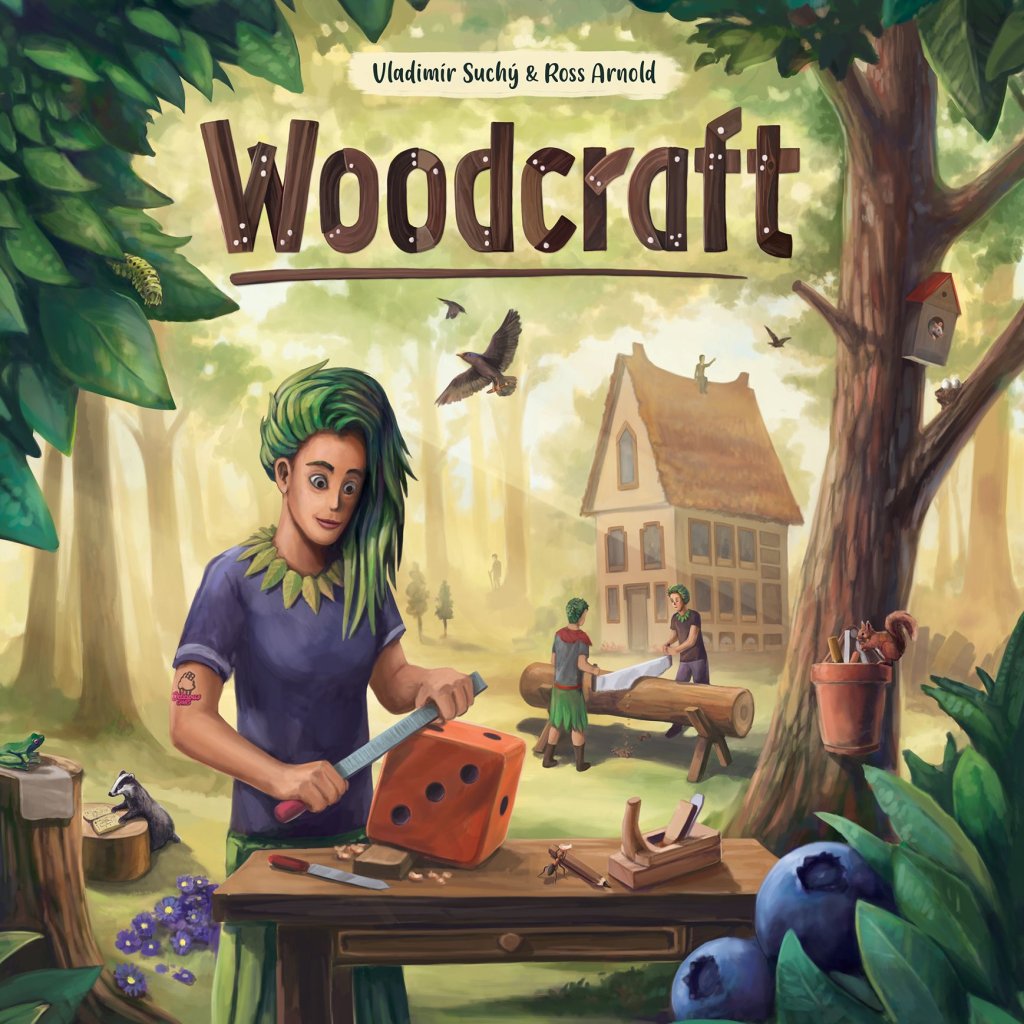
Woodcraft board game cover

About this board game

Woodcraft is a 2022 workshop-building board game for 1–4 players, with games lasting about 120 minutes. You play as forest people running competing workshops in the woods, gathering wood and crafting goods for customers.

To grow your workshop, you will need to manage resources and develop your operation. Hire helpers, improve your workshop, and buy different types of wood and other tools as you work toward building the best workshop possible.

A standout feature of Woodcraft is the way wood is represented by dice. These dice act as pieces of wood that can be cut down to size, glued back together, and adjusted through dice manipulation, giving you ways to use your resources as efficiently as possible.

  • Gather wood and craft goods for customers.
  • Complete projects using manipulable wood dice.
  • Hire helpers and improve your workshop.
  • Buy different types of wood and other tools.

Every project challenges you to make effective use of the materials available to you. By cutting, combining, and adjusting your wood, you can shape your resources to meet the needs of your projects while developing your workshop.

Woodcraft combines resource gathering, project completion, and workshop improvement in a contest between rival woodland businesses. Whoever builds the best and most successful workshop wins.

Board Game Rules for
Woodcraft

Download official rules (EN)

Woodcraft

Game Design: Vladimír Suchý & Ross Arnold

The delightful profession of woodcraft

Welcome to the Forest’s most satisfying and most productive cottage industry. Beginning with a few pieces of lumber, you will create furniture, musical instruments, and other household items as practical as they are beautiful.

Are there any limits to the wonders of wood? It can be cut to any shape. It can be stacked and glued to any thickness. It is satisfying to the touch, pleasing to the eye, and intriguing to the nose. You can find it readily available for barter or sale, and you can even grow your own. How lucky we are to work with a material so versatile!

And how lucky we are to live in a land where our labors are rewarded. As you progress in your craft, you will be able to improve your workshop, acquire new tools, and enlist the help of others. With diligence, patience, and attention to detail, your business will grow and prosper. Your many creations will be enjoyed by your delighted customers, and your reputation will grow as strong as the stoutest tree in the Forest.

Game overview

Players take turns choosing one of seven actions, which become more valuable the longer they remain unchosen. The actions, in combination with other workshop abilities, can be used to acquire and manipulate dice representing wood that can be cut, glued, purchased, or even grown. Specific combinations of dice and tokens are used to complete orders, which will eventually lead to the points that determine the winner of the game.

Game Components

  • 4 player boards
  • 1 action wheel board
  • 1 income board
  • 1 scoreboard
  • 12 sawing tiles
  • 1 arc tile
  • 8 flowerpot tiles (2 in each of 2 types)
  • 12 splicing tiles (4 in each of 3 types)
  • tool tokens
  • 3 reputation track tiles
  • 10 solo cards
  • 30 early-game helper cards
  • 22 late-game helper cards
  • 32 early-game order cards
  • 32 late-game order cards
  • 8 hazelnut order cards
  • 10 public contract cards
  • X tile reuse tokens
  • 7 action tiles
  • 4 gluing tiles
  • 1 1st player card
  • lantern tokens
  • 14 dice in each of three colors: green, yellow, and black
  • blueberry tokens in various denominations
  • 8 counters in each player color
  • 16 saw tokens
  • 16 scrapwood tokens
  • 1 round counter
  • 16 glue tokens
  • 1 score counter in each player color
Woodcraft game components overview
Woodcraft cards and tokens components

The woodcrafting industry lies at the heart of our thriving community.

Action Wheel Board

  1. Place the action wheel board in the center of the table.
  2. Take 2 dice of each color, roll them all, and place the resulting roll on the six spaces in the corner. This forms the public lumber yard.
  3. Place the 7 action tiles in one quadrant of the action wheel. For your first game, start in the quadrant shown. The order of the tiles is not important during setup.
  4. Lay the arc tile over the rewards icons in the starting quadrant.
  5. Set the circular saw so that the arrow points to the far end of the next quadrant. (This will become intuitive once you learn how the action wheel works.)

Income Board

  1. Place the income board beside the action wheel board.
  2. Place the round counter on space 1 of the track at the top of the board.
  3. Each player needs one counter on the hazelnut income track, the blueberry income track, and the reputation track. Counters start on the spaces shown.
  4. Place one reputation track tile on each of the two paler spaces of the reputation track.

Reputation track tiles

Reputation track tiles depend on the number of players:

  • 2- or 4-player game
  • 3-player game

Place the tiles in the order shown, so that the hazelnut rewards are first and the blueberry rewards are second.

Bank

Leftover blueberry tokens, dice, scrapwood tokens, glue tokens, saw tokens, and tile-reuse tokens are placed near the board, where they will be readily available during the game. Tokens in the bank are not intended to be limited – if the bank runs out of something, keep track of it on paper.

Cards and scoreboard

  1. Place the scoreboard beside the action wheel board.
  2. Shuffle each of the six decks.
  3. Deal three public contracts face up alongside the action wheel board. Return the remainder of the public contracts to the box.
  4. Set the late-season decks aside for now. The hazelnut orders deck is used in Player Setup, which will be explained next.
  5. Place the first helper deck and order deck beside the scoreboard.
  6. Deal 4 helpers and 4 orders face up along the scoreboard, beside the marked spaces.
  7. Each player places their scoring counter (the round one) on the starting space of the scoreboard.
Game setup layout diagram

Player Setup

Professional woodcrafting begins with a well-organized workshop.

  1. Take the board and the counters in your color.
  2. Place one counter on the starting space of your board’s market track.
  3. After placing your counters on the various central boards, you will have 4 left over.
  4. Take one die of each color. Set the black die to Black die 1 1, the yellow die to Yellow die 2 2, and the green die to Green die 3 3. Place them on three of the spaces in the upper left corner of your board. This is your lumber pile.
  5. Take 1 lantern.
  6. Take 1 scrapwood token.
  7. Take tokens representing 12 blueberries. Blueberries are currency in this game. You can make change at any time, as needed.
  8. Take 1 sawing tile and place it face up in the first sawing space.
  9. Take 1 splicing tile marked Splicing tile plus1 and place it face up in the top splicing space on the right side of your workshop.
  10. You can also take 1 yellow pot, 1 black pot, 2 more sawing tiles, 1 splicing tile marked Splicing tile 1 2, 1 splicing tile marked Splicing tile 1 4, and 1 gluing tile. These potential improvements to your workshop should be kept off to the side for now.

Starting Cards

  1. Each player draws 3 helper cards, chooses 1, and discards the others. Place your chosen helper in the upper left room of your workshop and pay the blueberry cost depicted on the card. (You are not allowed to start the game with no helper.)
  2. Each player draws 5 order cards, keeps 2, and discards the others. Helpers and orders are drawn from the two decks that were placed beside the scoreboard during setup. Each player also gets 2 hazelnut order cards. Once these are dealt, the remainder of the hazelnut order deck can be returned to the box. From your 4 order cards (2 from the current deck and 2 from the hazelnut deck) choose 1 and place it beside your board. Whenever you place an order, it goes in the row matching the icon in the card’s upper left corner.

Starting Player: Give the starting player card to a player chosen at random. This player will take the first turn of every round for the entire game. Players will always play in clockwise order.

Player board setup diagram

A good woodcrafter has the sensitivity of a gardener, the eye of an artist, the vitality of a smith, and the acumen of a merchant.

Flow of the Game

The game is played in rounds in which each player takes one turn, beginning with the starting player. On your turn:

  1. Your trees grow, if you have any planted. (You have no trees at the start of the game, so you skip this step on your first turn.)
  2. You choose one action from the action wheel and perform it. You also have the option to buy a bonus action and perform free actions. All these actions can be performed in any order.
  3. You may buy points.

Players have opportunities to gain blueberries and score points during their turns. Every four rounds or so, there is a special income phase during which players gain more blueberries and score points according to the income board.

At the end of the game, players will score points based on multiple factors, including public contracts, their reputation, and how many orders they have filled.

Action Wheel Overview

Work, when it is work of one’s own choosing, can seem like play.

When you choose an action tile, you advance it to the next quadrant of the action wheel, which will be explained in detail on the following pages.

Action tiles overview

You choose one action tile on each of your turns. Whenever you choose a tile, you advance it to the next quadrant. These examples will show you how:

The starting player will begin the game by choosing one of the 7 action tiles. The chosen tile is moved from the first quadrant and placed in the space farthest ahead in the next quadrant. Tiles will always be moved clockwise around the action wheel.

Action wheel movement example 1

The next player can choose any action tile, even the one chosen by the starting player, but for the sake of this example, let’s suppose players choose only tiles from the starting quadrant on the first 4 turns. In that case, the action wheel might look like this.

Action wheel movement example 2

All 7 tiles are still available to be chosen. Moreover, two of the actions now offer a bonus. If you choose an action tile from a space offering a bonus, gain the bonus immediately.

Note that the bonuses for spaces in the starting quadrant are covered by the arc tile. This is to remind you that they do not apply when the action tile is chosen for the first time. Once the starting quadrant is empty, remove the arc tile – the bonuses depicted along that arc will apply for the remainder of the game.

Let’s say you choose this tile. When you move it across the black arrow, you need to rotate the saw.

Action wheel movement example 3 - rotating saw
Action wheel movement example 3 – rotating saw
Action wheel movement example 4

The actions in the starting quadrant have now become more valuable. A player who takes one of those tiles will also get the bonus shown in the window.

Action wheel movement example 5

It is legal for the next player to choose this action tile, too. Now it is 2 quadrants ahead of any other action and the two oldest quadrants offer the bonuses shown in the windows.

When you move a tile into a quadrant that has gaps, your tile just slides along until it runs into a tile already there; it doesn’t fill in the gap.

Action wheel movement example 6

Summary

  • The tile always moves ahead one quadrant (never two).
  • If the next quadrant is empty, the tile is placed at the far end.
  • If the next quadrant has tiles, the tile is placed on the empty space to the left of the leftmost tile. (It doesn’t jump ahead to fill in gaps.)
  • If the tile moves across the black arrow, rotate the wheel to increase bonuses for older quadrants.

Choosing a Blocked Action

Action tiles are not allowed to enter a quadrant that is one lap behind. For example, in the illustration above, the tile that has already been moved three times cannot be moved again until the starting quadrant is empty. However, it is still possible to choose the action depicted on the tile.

To choose a blocked action, pay 1 lantern. Then you move any tile that is not currently blocked. You perform the blocked action that you chose. You do not perform the action on the tile you moved, however, you do gain its bonuses. (It is as though your chosen action were printed on the other tile.)

Bonus Action

You have the option to buy one bonus action on your turn. Pay three lanterns and choose an action depicted on any of the seven tiles. Your bonus action does not move any action tile, and so it does not trigger any of the bonuses depicted on the action wheel.

Bonus action cost icon

End of Turn

At the end of your turn, after you have completed all your actions, you can buy points. Then you must tidy up your lumber pile.

Marketing

At the end of your turn, you have the opportunity to advance one space on your board’s marketing track. To do so, pay the indicated number of blueberries and score the indicated number of points. Then move your marker ahead one space.

You are not required to advance on the marketing track every turn. Note, however, that the later advancements are worth a lot of points, so steady progress on this track will be rewarded.

If you are already on the final space, you do not advance any farther, but you may still buy 10 points for 12 blueberries at the end of each of your turns.

Marketing track on player board

Lumber Pile

You have six spaces for lumber on your board. During your turn, you may accumulate as many dice as you like, but at the end of your turn, you can keep only six – return excess dice to the bank. Trees in pots do not count toward this limit, but don’t forget that you must move a tree to your lumber pile when it reaches the value Die value 6.

Lumber pile on player board

The successful woodcrafter is always cheerfully busy.

Buy Lumber

The wood used to build your products is represented by dice. You begin with 3 dice, but you can buy more. When you choose this action, you may buy one or two dice from the lumber yard in the corner of the action wheel board.

The cost depends on the value and color of the die:

  • To buy a green die, pay blueberries equal to the number shown on the die.
  • A yellow die costs 1 additional blueberry.
  • A black die costs 2 additional blueberries.

For example, a black Black die 3 would cost 5 blueberries.

After you buy lumber, roll dice to replace those you took. Place these new values on the empty spaces of the corresponding colors.

Your Lumber Pile

Dice you acquire are placed on the spaces in your lumber pile. You have only six spaces. Any extra dice must be used up during your turn or discarded at the end of your turn.

Exchange Dice

In addition to the lumber yard, the Forest also has a thriving exchange market which allows you to sell a die from your workshop or buy a die, or both.

  1. Sell a die: First, you decide whether to sell a die. If you do, place it in the bank and gain blueberries equal to twice the amount shown on the die plus the additional value shown on the price list.
  2. Buy a die: Next, you decide whether to buy a die. If you sold a die in the first step, the die you buy must be a different color. You buy the die from the bank, not from the lumber yard, but the price is the same.

Example: Let’s say you have a Black die 3 you want to sell. You get 6 blueberries for the 3 plus 2 more because it’s black, for a total of 8. Now you can buy a yellow or green die. (You cannot buy a lesser value and you cannot buy black.) Let’s say you want yellow. Pay 7 blueberries, take a yellow die from the bank, set it to a Yellow die 6, and place it on your board.

Buy Materials

This action allows you to buy glue, saw, and scrapwood tokens, which can be used to modify your dice and are sometimes required to complete certain orders. The costs of these tokens are given by the price list printed on the action wheel board.

You can make one or two purchases. If you make two, the materials you purchase must be different. For example, you can buy 2 glue tokens and 3 scrapwood tokens for 4 blueberries, but you can’t buy 5 glue tokens for 4 blueberries.

Choose Orders

There are four order cards available alongside the scoreboard. This action allows you to take 1 or 2 of them. If you choose to take 2, you must also pay 3 blueberries. (If you take 1, you pay nothing.)

Slide remaining cards in the direction of the arrows so that the empty spaces are at the corner of the scoreboard, not the middle. Fill the empty spaces with new cards from the current deck.

Each order you take must be immediately placed beside your board in the row that matches the icon in the upper left corner of the card. Multiple orders can be placed in the same row.

Orders beside your board can be completed as a free action on any of your turns, even immediately, if you meet the order’s requirements. Orders still in your hand cannot be placed or completed at this time. (You will place them during income phases.) For details on completing orders, see page 14.

Choose a Helper

There are four helpers available alongside the scoreboard. This action allows you to take 1 of them. Slide the remaining helper cards in the direction of the arrows so that the empty space is at the corner of the scoreboard, not the middle. Fill the empty space with a new card from the deck.

You must immediately play your chosen helper by paying the blueberry cost depicted in the upper left corner. (If you can’t pay the cost, you can’t choose that helper. If you can’t afford any of the helpers, you can’t choose this action.)

Place the new helper on a space adjacent to a helper that has already been placed.

Your first new helper can be placed in either space adjacent to your starting helper.

When you place your helper, advance your counter on the blueberry income track or the hazelnut income track, depending on the icon in the upper right corner of the chosen space. This increases the amount you will receive in future income phases.

When you place a helper on one of these spaces, you gain production from the depicted number of helpers. For the space shown here, you gain production from up to 4 different helpers. A helper’s production is shown on the top of the card, beside the production icon.

Helper card anatomy diagram
Workshop helper placement diagram

Helper Abilities

Each helper has a special ability depicted along the left edge of the card.

  • Immediate abilities: Immediate abilities are used as soon as the helper has been placed. Thus, they are used only once per game.
  • Once-per-turn abilities: Once-per-turn abilities can be used once during each of your turns, including the turn on which the helper is played. Using the ability is a free action.
  • Permanent abilities: Permanent abilities are automatically triggered every time you perform an action of the depicted type. They modify the action, usually by giving you a discount to its cost or a bonus to its benefit.

Produce / Plant a Tree

With this action you choose one of the two options:

  • Either gain production from 2 different helpers in your workshop,
  • Or produce with only 1 helper and Plant a Tree.

Thanks to a little bit of Forest magic, you can grow trees from the lumber you already have on your board. Choose one of your dice to plant.

You can plant only a Die value 1 or a Die value 2. If your chosen die is larger, simply slice a piece off! For example, you could split a Die value 5 into Die value 2 + Die value 3, plant the Die value 2 (taken from the bank), and keep the Die value 3 (the original die) in your lumber pile. Or you could split the Die value 5 as Die value 4 + Die value 1, plant one in the pot and keep one in your lumber pile.

Note: Splitting dice this way normally requires the use of a sawing tile or a saw token, but during the Plant a Tree action, you can split off a piece to plant without using up a saw.

Improve Workshop

When you choose this action, add one of following to your board:

  • the next pot
  • the next sawing tile
  • the next splicing tile
  • the gluing tile
Workshop improvement options diagram

Pots

Pots are used to grow trees. You start with a green pot. You can add another pot with the Improve Workshop action. Pay the blueberry cost depicted on the pot’s space and place the pot there.

Pots are placed in order. You cannot add the black pot if you do not have the yellow pot yet.

Your new pot comes with a sapling! Take a die of that color from the bank, set it to Die value 1 and place it in the pot. You also advance your marker on the hazelnut income track.

Once you have your black pot, the Plant a Tree action is upgraded. Instead of planting one tree in one pot, you may use the action to plant two trees in two pots.

Sawing Tiles

Sawing tiles are used to cut lumber. You start the game with one, but it can be helpful to have more. You can add a sawing tile with the Improve Workshop action. Pay the blueberry cost depicted in the space and place the sawing tile there. You also advance your marker on the hazelnut income track.

The first time you buy a sawing tile, you must place it here. This unlocks the ability shown below the tile. From now on, whenever you buy a Die any with the Exchange Dice action, you have a discount of 2 blueberries. This applies even when the sawing tile is X side up.

The second saw you buy is placed here. In addition to the advancement on the hazelnut track, you also advance 2 spaces on the reputation track.

Splicing Tiles

Splicing tiles give you the ability to spend a scrapwood token to increase a die’s value, as will be explained on page 13. You start the game with one, and you can add a new one using the Improve Workshop action. Pay the blueberry cost, then advance on one income track, as indicated. Splicing tiles are added in order, top to bottom.

  • You start the game with this splicing tile. It goes on the uppermost space. It can be used to increase a die’s value by 1.
  • When you buy this tile, it goes on the middle space. It can increase a die’s value by 1 or 2.
  • If you already have the other two splicing tiles, you can buy this one. It can increase a die’s value by any amount from 1 to 4.

Gluing Tile

This tile gives you the ability to use glue tokens to glue dice together. You can add it to your board with the Improve Workshop action. (It is not a splicing tile, and you can add it even if you have not added a splicing tile yet.)

Pay 4 blueberries and advance one space on the blueberry income track or the hazelnut income track.


Cut to measure; made to order. Precision leads to quality.

In addition to the action you chose from the action wheel (and in addition to your bonus action, if you buy one) you may perform any number of free actions during your turn. Actions can be performed in any order. The free actions are:

Free actions summary
  • Use a helper’s once-per-turn ability
  • Saw lumber
  • Splice scrapwood
  • Glue lumber
  • Harvest a tree
  • Complete an order

Once-Per-Turn Abilities

A helper ability with this icon can be used once during your turn. Individual abilities are explained in detail on page 19.

Sawing Lumber

To saw lumber:

  1. Choose any of your dice that is not a Die value 1.
  2. Take a die of the same color from the bank.
  3. Set the two dice to values that add up to the value on the original die. For example, if you saw a Die value 5, you could end up with either Die value 1 + Die value 4 or Die value 2 + Die value 3.
  4. You have 2 ways to pay for this action: Either pay 1 saw token to the bank, or use a sawing tile.

If you saw with a sawing tile, flip the tile over to the X side; the tile cannot be used again until after the next income phase.

Splicing Scrapwood

To splice scrapwood:

  1. Return a scrapwood token to the bank.
  2. Choose one of your workshop’s available splicing tiles and flip it to the X side.
  3. Choose one of your dice and increase it by an amount depicted on the splicing tile. (You can’t increase a die above Die value 6.)
  • Pay 1 scrapwood to increase by 1.
  • Pay 1 scrapwood to increase by 1 or 2.
  • Pay 1 scrapwood to increase by 1, 2, 3, or 4.

The X reminds you that the tile has been used and will remain unavailable until the next income phase.

Gluing Lumber

To glue lumber:

  1. Return a glue token to the bank.
  2. Choose two of your dice that add up to Die value 6 or less.
  3. Set one die to the sum of the two values and return the other die to the bank.
  4. If the two dice were different colors, immediately score 4 points. (You advance on the scoreboard, not the hazelnut income track.)
  5. Flip your gluing tile to the X side.

The X reminds you that the tile has been used and will remain unavailable until the next income phase.

The Reuse token: Certain helpers and orders may give you a tile reuse token from the bank. As a free action, you can spend this token (return it to the bank) to use a sawing, splicing, or gluing tile that is currently face down (X side up).

Growing & Harvesting Trees

Tree Growth

At the start of each of your turns, before you take any actions, each of your trees grows by 2 pips (but not higher than Die value 6). Set the dice on the pots to their new values.

At any time during your turn, a die in a pot can be moved to your lumber pile. If a die reaches Die value 6 it must be moved to your lumber pile immediately.

Harvesting a Tree

As a free action, you can move a die from your pot to your lumber pile. If a die in a pot ever becomes a Die value 6, it is moved to the lumber pile immediately.

Trees and Lumber

Thematically, a die in a pot is a tree, whereas your other dice are lumber. Actions and abilities that allow you to change a die’s value usually apply only to your dice that are not in pots.

Exception: This helper’s ability can be applied only to a die in a pot. It adds 1, 2, or 3 to the die in your green pot.

Completing Orders

You place one order at the start of the game, one during each of the first three income phases, and you can acquire and immediately place other orders using the Choose Orders action. When an order is placed, it goes beside your board in a row that matches the icon in the upper left corner of the card. You are allowed to have multiple orders in the same row.

If you have the resources depicted on any order, you may complete it:

  1. Return the required dice and tokens to the bank.
  2. Gain the reward depicted on the order.
  3. Gain the reward or pay the penalty corresponding to the order’s current row.
  4. Keep the order face down near your board. (You may stack your completed orders to keep your play area tidy, but if someone asks how many you have, you must answer truthfully.)

Example: To complete this order, you need a Yellow die 1, Black die 5, and a scrapwood token. Return them to the bank, and gain 2 glue tokens and 4 blueberries. You also gain the reward or pay the penalty associated with order’s current row. Keep the completed order near your board. You will score points for it at the end of the game.

Order card anatomy and row example
Order completion and sliding rows diagram

Row rewards and penalties

During each income phase, uncompleted orders will move down one row. This reduces the reward you get for completing the order and may even lead to a penalty.

  • If you complete an order in one of the top three rows, you advance 1, 2, or 3 spaces on the reputation track, depending on the row. This can set you up to score a lot of points at the end of the game.
  • Completing an order in the blueberry row just gives you 1 blueberry.
  • If the order has fallen all the way to the bottom row, you are far behind schedule and you lose 1 point (on the scoreboard) when you complete it. But that’s still better than not completing the order at all.
  • Orders that move below the bottom row and orders that are not completed at the end of the game give you a severe penalty: Discard the order and move back 2 spaces on the reputation track.

Unpayable penalties: If a penalty causes you to move back farther than the starting space on the reputation track or the scoreboard, simply leave your counter on the starting space.

Hazelnut orders and public contracts

You are dealt 2 hazelnut orders at the beginning of the game. Like the other 2 order cards in your starting hand, they will eventually be placed beside your board – either as your first order at the start of the game or as your required order during an income phase.

Hazelnut orders have a special reward that is not found on the other orders cards – this icon represents the ability to claim a public contract.

Three public contracts were dealt beside the action wheel board at the start of the game. When you claim one, put one of your counters on it.

It is possible for two players to claim the same public contract in the same round. However, once that round is over, no one else may claim that public contract. A claimed contract should be removed from the row at the end of the round to remind other players that they can’t claim it. Keep it someplace where the claiming players will be able to see it and remember it at the end of the game; it will be scored during final scoring.

If you complete a hazelnut order but don’t want to (or can’t) claim a public contract, you gain the depicted blueberries and points instead.

Tools in the Attic

Tools are rectangular tokens that you can acquire by completing certain orders or by employing certain helpers.

Whenever you get a tool, you immediately place it on an empty space in your attic. At the beginning of the game, only the spaces in the bottom row are available. If you have filled 2 adjacent spaces in the bottom row, the space above them becomes available. Similarly, a space in the top row does not become available until the two middle-row spaces below it have been filled.

The practical exceptions to this pyramidlike building rule are the two spaces at the ends of the top row – the end space becomes available once the adjacent space is filled.

When you place a tool on a space, check each adjacent space. If that space has a tool of a different type, gain the reward depicted between the two spaces.

Example: Let’s say you have already placed a mallet and now you place a wrench, as shown. Because the two tools are different, you immediately gain the reward between them: advance 2 spaces on the blueberry income track.

Later in the game, you get another wrench. You must place it immediately. You could place it on any empty space in the bottom row. Instead, you choose to place it in the second row. Only one second-row space is available, so you place the wrench as shown. The wrench is different from the mallet below, so you get the reward shown between them – gain production from one of your helpers. You don’t get the reputation reward because the two tools on either side of that reward are the same.

Attic tool placement diagram 1
Attic tool placement diagram 2

For every thing, there is a season.

End of Round

The round ends after every player has taken one turn. Move the round counter to the next space. Usually, the next space is a new round, which begins with the starting player’s turn.

Round counter track
Round counter track

Income Phase

After rounds 4, 8, 11, and 14, there is an income phase. The steps are depicted on the action wheel board:

  1. Move orders down: Players move their orders down to the next row. If an order moves below the bottom row, discard it and pay the penalty.
  2. Place new order: Each player must place one new order from their hand. (In the fourth income phase, your hand will be empty, and you will skip this step.)
  3. Gain income: Every player gains blueberries equal to the amount shown by their counter on the blueberry income track. Every player gains points equal to the amount shown by their counter on the hazelnut income track.
  4. Reset tiles: Players reset their splicing, gluing, and sawing tiles so they can be used again.
  5. Refresh card offer: After rounds 4 and 12, discard the helper and the order from the middle of the column beside the scoreboard. Move the other cards one space toward the middle. Then deal a new helper and a new order on the ends.

After the income phase, the next round begins as normal, unless it is the end of the game.

Late game decks

In the income phase after round 8, instead of discarding one helper and one order, discard all the cards beside the scoreboard and both decks. Replace them with the late-game helper and order decks, and deal out four new cards from each. These decks will be used for the remainder of the game.

Income, Scoring, and Reputation Tracks

Successful woodcrafters welcome even the smallest tasks – they mend chairs, they carve spoons, they sand and polish broom handles – for these everyday tasks lead to steady income, which supports them through the weeks they spend producing more elaborate works.

The income board is divided into three tracks. Advancement on these tracks is earned in various ways during your turn. Some advancements may earn you an additional reward.

  • Whenever either of your income counters crosses this line (space 4), you gain one tool token of your choice. Add it to your attic immediately.
  • Whenever either of your income counters crosses this line (space 8), score 3 points.
Income board tracks diagram

Reputation Reward Tiles

At the beginning of the game, the reputation track gets 2 tiles, which depend on the number of players in the game. The hazelnut tile is placed on the first pale space and the blueberry tile is placed on the other pale space.

If you advance onto a space with a reward tile, take the tile and place your counter on the now-empty space. At the end of the round, you gain one of the rewards depicted on the tile.

In a 2- or 4-player game, three rewards are depicted, but only two apply to the game. A 4-player game uses the upper two rewards; a 2-player game uses the lower 2. For example, the middle reward on this tile (production from one helper and 2 points on the scoreboard) is the large reward in a 2-player game or the small reward in a 4-player game.

The tile for game of three players offers only two rewards – if no one else reaches that space during the same round, you gain the larger reward; otherwise, every player who reached that space in that round gets the smaller reward.

Example: Suppose you’re playing a four-player game and you reach this reputation reward tile first. You take the tile and put your counter there, but you get no immediate reward – you must wait until the end of the round to see if anyone else will reach that space. Let’s say the player after you reaches that space and she even goes one space farther, but no one else reaches the space during the round. At the end of the round, you and the other player who reached that space will each get the lesser reward – one advancement on the hazelnut income track and one blueberry from the bank. You can now return the tile to the box; the other players will get nothing from it.

If you had been the only player to reach the space, you would have gotten the greater reward – one advancement on the hazelnut income track and 3 blueberries from the bank. The lowest depicted reward – two blueberries from the bank – is the lesser reward in a two-player game, and it is not relevant to your four-player game.

End of the Track

Your income can go above 10. If you advance beyond the end of the blueberry income track or the hazelnut income track, leave your counter on the 10 space and add a new counter to the 1 space. From now on, this new counter will be the one that advances. It can earn the tool reward and the 3-point reward, just as the first counter did.

Similarly, your score can go above 50 on the scoreboard. When you reach 50 points, place one of your counters on the +50 space beside the scoring track and start your score counter at 0 again. There are also spaces to keep track of +100 and +150, if your score gets that high.

On the reputation track, if your counter would advance beyond the end, leave your counter on the final space and score 2 points. If you advance more than one space beyond the end, score 2 points for each advancement.


Trees fall; their wood decays. Truly it is said that nothing lasts forever. Yet even so, high quality woodcrafting can last for many generations.

Final Income Phase

Round 14 is the final round, and you end the game after the following income phase. All players will be out of cards in their hands, so you will skip the order-placing step.

Final Scoring

In addition to the points you earn during play, you will also earn points at the end of the game, after the last income phase.

  1. Public contracts: Score points as depicted on any public contracts you claimed. (Even if someone else claimed the same public contract in the same round, you still receive the full value of the contract.)
  2. Leftovers: Score points for leftovers: Sum the values of all your unused dice, your total remaining blueberries, and the number of your remaining scrapwood, glue, and saw tokens. For every 10, score 1 point.
  3. Uncompleted orders penalty: For each order still remaining beside your board, suffer the penalty shown below the bottom row: Move back 2 spaces on the reputation track.
  4. Reputation points for completed orders: For each order completed during the game, score the amount of points shown by your reputation counter.

Example of leftovers: Let’s say you have a Die value 3 in your lumber pile and a Die value 5 in a pot, 6 blueberries, 2 glue tokens, and 1 piece of scrapwood. That’s a total of 3 + 5 + 6 + 2 + 1 = 17. Dividing by 10 and rounding down, you see that your leftovers are worth 1 point.

Example of reputation score: If you end the game with your reputation counter on this space, you will score 5 points for each completed order. For example 4 completed orders would be worth 20 points. If you had advanced one more space, each of your completed orders would have been worth 6, which is the maximum possible.

Reputation track scoring end illustration

Winning

Professional woodcrafters take delight in their own accomplishments even as they admire the skill of others. Woodcrafting is a calling, not a competition.

However, Woodcraft the board game is a competition, and the player with the most points wins. If players are tied on points, the one who played later in every round wins the tiebreaker. (In particular, the starting player always loses tiebreakers.)


Notes on Selected Helper Effects

  • Gain a tool: When you play this helper, gain one of the depicted tools.
  • Advance income tracks: When you play this helper, immediately advance once on the blueberry income track and twice on the hazelnut income track.
  • Produce die: When you use this helper’s production, you gain a Die value 2 from the bank to your lumber pile. This helper has no other effect because its production effect is so strong.
  • Slice green die: Once per turn, you may slice 1 pip off a green die and plant it. (You take a Plant a Tree action to plant a green Green die 1.)
  • Sell tokens: Once per turn, you may sell up to 5 tokens. Gain the indicated number of blueberries for each token returned to the bank.
  • Reputation to blueberries: For each advance on the reputation track, you gain 1 blueberry. (But you don’t lose blueberries when a penalty moves you back.)
  • Upgrade workshop: After you play this helper, you may immediately perform the Upgrade Workshop action.
  • Take order card: After you play this helper, you may immediately take and play one of the available order cards. (You take a Choose Orders action, but without the option to choose 2.)
  • Decrease lumber die: Once per turn, you may decrease one die in your lumber pile by 1 (but not below Die value 1) and gain 1 blueberry.
  • Transform token: Once per turn, you may turn one of the depicted tokens into another; exchange your token with one from the bank.
  • Blueberry per order: Whenever you complete an order, gain 1 blueberry.
  • Gain die + reuse token: When you play this helper, immediately gain a Die value 1 or Die value 2 (your choice) from the bank and gain 1 tile-reuse token.
  • Take order or score: After you play this helper, you may immediately take and play one of the available order cards and score 1 point. If you choose not to, score 4 points instead.
  • Grow tree by 3: Once per turn, you may increase the die in your green pot by 3. If this results in a Die value 6 or more, set the die to Die value 6 and return it to your lumber pile.
  • Reputation points bonus: When you advance on the reputation track, score 3 points, but only once per turn. Note that this is different from the infinity effect below.
  • Buy die discount: Whenever you buy a die (from the lumber yard or from the bank) you have a discount of 1 blueberry.
  • Improve workshop discount: Whenever you take an Improve Workshop action, you have a discount of 2 blueberries.
  • Scrapwood score points: Whenever you spend scrapwood to increase the value of a die, score 1 point.
  • Die value 1 or 2 discount: Whenever you buy a die with value Yellow die 1 or Yellow die 2, you have a discount of 1 blueberry.
  • Helper placement discount: Whenever you place a helper in your workshop, you have a discount of 1 blueberry.
  • Lantern to reputation: Whenever you gain a lantern, advance 1 space on the reputation track.
  • Sell die bonus: Whenever you sell a die, you gain 1 blueberry more.
  • Marketing track discount: When buying points using your marketing track, you have a discount of 1 blueberry.
  • Glue lumber extra points: Whenever you use your gluing tile to glue two different pieces of lumber, gain 7 points instead of 4.

Rule Reminders

  • Actions can be performed in any order. You can even move an action tile, gain rewards from choosing it, and then perform a bonus action and free actions before performing the action depicted on your chosen tile.
  • You can buy only one bonus action per turn. It costs 3 lanterns. Your bonus action moves no action tile and gains no bonuses from the action wheel.
  • You are allowed to exceed your die limit during your turn; you don’t have to discard excess dice until your turn ends.
  • The Exchange Dice action uses dice in the bank, not the dice on the action wheel board.
  • When you use both halves of the Exchange Dice action, the die you buy must be a different color from the die you sold.
  • The icons with the hands represent an advancement on the depicted income track (not an immediate gain of points or blueberries).
  • If a helper gives you a permanent ability, it applies every time you take the depicted action, whether by choosing its tile, buying it as a bonus action, or by any other means.
  • You can saw lumber using either a saw token or a sawing tile.
  • When you splice lumber, you use a scrapwood token and a splicing tile. Similarly, when you glue lumber, you must use a glue token and the gluing tile.
  • This rectangular token is a tool token, not a saw token, not a sawing tile. It is used in the attic; it cannot be used to split a die.
  • Your income can go over 10, and your score can go over 50.

Game icons

  • Gain 3 blueberries Gain 3 blueberries.
  • Cost 2 blueberries A cost of 2 blueberries.
  • Discount 1 blueberry A discount of 1 blueberry.
  • Advance 2 blueberry income Advance 2 spaces on the blueberry income track.
  • Score 2 points Score 2 points.
  • Lose 1 point Lose 1 point (unless you are at 0).
  • Advance 2 hazelnut income Advance 2 spaces on the hazelnut income track.
  • Advance 1 reputation Advance 1 space on the reputation track.
  • Saw token 1 saw token.
  • Glue token 1 glue token.
  • Scrapwood token 1 scrapwood token.
  • Lantern token 1 lantern token.
  • Specific die A die with this particular color and value.
  • Either color die A die with this value of either depicted color.
  • Any color specific value A die of any color with this value.
  • Any color any value A die of any color with any value.
  • Tool indicated Gain a tool token of the indicated type.
  • Tool any Gain one tool token of any type.
  • Reuse token Gain 1 tile-reuse token. It can be spent to reuse a sawing, splicing, or gluing tile.
  • Gain production 4 Gain the production from up to 4 different helpers.
  • Immediate ability Immediate effect.
  • Once per turn Once-per-turn effect.
  • Permanent ability An effect that triggers every time a certain condition is met.

Credits

Authors: Ross Arnold, Vladimír Suchý
Graphic design, illustrations: Michal Peichl
Production: Kateřina Suchá
Rules: Jason Holt


Introduction & Components

Woodcraft

Game Design: Vladimír Suchý & Ross Arnold

The delightful profession of woodcraft

Welcome to the Forest’s most satisfying and most productive cottage industry. Beginning with a few pieces of lumber, you will create furniture, musical instruments, and other household items as practical as they are beautiful.

Are there any limits to the wonders of wood? It can be cut to any shape. It can be stacked and glued to any thickness. It is satisfying to the touch, pleasing to the eye, and intriguing to the nose. You can find it readily available for barter or sale, and you can even grow your own. How lucky we are to work with a material so versatile!

And how lucky we are to live in a land where our labors are rewarded. As you progress in your craft, you will be able to improve your workshop, acquire new tools, and enlist the help of others. With diligence, patience, and attention to detail, your business will grow and prosper. Your many creations will be enjoyed by your delighted customers, and your reputation will grow as strong as the stoutest tree in the Forest.

Game overview

Players take turns choosing one of seven actions, which become more valuable the longer they remain unchosen. The actions, in combination with other workshop abilities, can be used to acquire and manipulate dice representing wood that can be cut, glued, purchased, or even grown. Specific combinations of dice and tokens are used to complete orders, which will eventually lead to the points that determine the winner of the game.

Game Components

  • 4 player boards
  • 1 action wheel board
  • 1 income board
  • 1 scoreboard
  • 12 sawing tiles
  • 1 arc tile
  • 8 flowerpot tiles (2 in each of 2 types)
  • 12 splicing tiles (4 in each of 3 types)
  • tool tokens
  • 3 reputation track tiles
  • 10 solo cards
  • 30 early-game helper cards
  • 22 late-game helper cards
  • 32 early-game order cards
  • 32 late-game order cards
  • 8 hazelnut order cards
  • 10 public contract cards
  • X tile reuse tokens
  • 7 action tiles
  • 4 gluing tiles
  • 1 1st player card
  • lantern tokens
  • 14 dice in each of three colors: green, yellow, and black
  • blueberry tokens in various denominations
  • 8 counters in each player color
  • 16 saw tokens
  • 16 scrapwood tokens
  • 1 round counter
  • 16 glue tokens
  • 1 score counter in each player color
Woodcraft game components overview
Woodcraft cards and tokens components

Setup

The woodcrafting industry lies at the heart of our thriving community.

Action Wheel Board

  1. Place the action wheel board in the center of the table.
  2. Take 2 dice of each color, roll them all, and place the resulting roll on the six spaces in the corner. This forms the public lumber yard.
  3. Place the 7 action tiles in one quadrant of the action wheel. For your first game, start in the quadrant shown. The order of the tiles is not important during setup.
  4. Lay the arc tile over the rewards icons in the starting quadrant.
  5. Set the circular saw so that the arrow points to the far end of the next quadrant. (This will become intuitive once you learn how the action wheel works.)

Income Board

  1. Place the income board beside the action wheel board.
  2. Place the round counter on space 1 of the track at the top of the board.
  3. Each player needs one counter on the hazelnut income track, the blueberry income track, and the reputation track. Counters start on the spaces shown.
  4. Place one reputation track tile on each of the two paler spaces of the reputation track.

Reputation track tiles

Reputation track tiles depend on the number of players:

  • 2- or 4-player game
  • 3-player game

Place the tiles in the order shown, so that the hazelnut rewards are first and the blueberry rewards are second.

Bank

Leftover blueberry tokens, dice, scrapwood tokens, glue tokens, saw tokens, and tile-reuse tokens are placed near the board, where they will be readily available during the game. Tokens in the bank are not intended to be limited – if the bank runs out of something, keep track of it on paper.

Cards and scoreboard

  1. Place the scoreboard beside the action wheel board.
  2. Shuffle each of the six decks.
  3. Deal three public contracts face up alongside the action wheel board. Return the remainder of the public contracts to the box.
  4. Set the late-season decks aside for now. The hazelnut orders deck is used in Player Setup, which will be explained next.
  5. Place the first helper deck and order deck beside the scoreboard.
  6. Deal 4 helpers and 4 orders face up along the scoreboard, beside the marked spaces.
  7. Each player places their scoring counter (the round one) on the starting space of the scoreboard.
Game setup layout diagram

Player Setup

Professional woodcrafting begins with a well-organized workshop.

  1. Take the board and the counters in your color.
  2. Place one counter on the starting space of your board’s market track.
  3. After placing your counters on the various central boards, you will have 4 left over.
  4. Take one die of each color. Set the black die to Black die 1 1, the yellow die to Yellow die 2 2, and the green die to Green die 3 3. Place them on three of the spaces in the upper left corner of your board. This is your lumber pile.
  5. Take 1 lantern.
  6. Take 1 scrapwood token.
  7. Take tokens representing 12 blueberries. Blueberries are currency in this game. You can make change at any time, as needed.
  8. Take 1 sawing tile and place it face up in the first sawing space.
  9. Take 1 splicing tile marked Splicing tile plus1 and place it face up in the top splicing space on the right side of your workshop.
  10. You can also take 1 yellow pot, 1 black pot, 2 more sawing tiles, 1 splicing tile marked Splicing tile 1 2, 1 splicing tile marked Splicing tile 1 4, and 1 gluing tile. These potential improvements to your workshop should be kept off to the side for now.

Starting Cards

  1. Each player draws 3 helper cards, chooses 1, and discards the others. Place your chosen helper in the upper left room of your workshop and pay the blueberry cost depicted on the card. (You are not allowed to start the game with no helper.)
  2. Each player draws 5 order cards, keeps 2, and discards the others. Helpers and orders are drawn from the two decks that were placed beside the scoreboard during setup. Each player also gets 2 hazelnut order cards. Once these are dealt, the remainder of the hazelnut order deck can be returned to the box. From your 4 order cards (2 from the current deck and 2 from the hazelnut deck) choose 1 and place it beside your board. Whenever you place an order, it goes in the row matching the icon in the card’s upper left corner.

Starting Player: Give the starting player card to a player chosen at random. This player will take the first turn of every round for the entire game. Players will always play in clockwise order.

Player board setup diagram

Turn Structure & Action Wheel

A good woodcrafter has the sensitivity of a gardener, the eye of an artist, the vitality of a smith, and the acumen of a merchant.

Flow of the Game

The game is played in rounds in which each player takes one turn, beginning with the starting player. On your turn:

  1. Your trees grow, if you have any planted. (You have no trees at the start of the game, so you skip this step on your first turn.)
  2. You choose one action from the action wheel and perform it. You also have the option to buy a bonus action and perform free actions. All these actions can be performed in any order.
  3. You may buy points.

Players have opportunities to gain blueberries and score points during their turns. Every four rounds or so, there is a special income phase during which players gain more blueberries and score points according to the income board.

At the end of the game, players will score points based on multiple factors, including public contracts, their reputation, and how many orders they have filled.

Action Wheel Overview

Work, when it is work of one’s own choosing, can seem like play.

When you choose an action tile, you advance it to the next quadrant of the action wheel, which will be explained in detail on the following pages.

Action tiles overview

You choose one action tile on each of your turns. Whenever you choose a tile, you advance it to the next quadrant. These examples will show you how:

The starting player will begin the game by choosing one of the 7 action tiles. The chosen tile is moved from the first quadrant and placed in the space farthest ahead in the next quadrant. Tiles will always be moved clockwise around the action wheel.

Action wheel movement example 1

The next player can choose any action tile, even the one chosen by the starting player, but for the sake of this example, let’s suppose players choose only tiles from the starting quadrant on the first 4 turns. In that case, the action wheel might look like this.

Action wheel movement example 2

All 7 tiles are still available to be chosen. Moreover, two of the actions now offer a bonus. If you choose an action tile from a space offering a bonus, gain the bonus immediately.

Note that the bonuses for spaces in the starting quadrant are covered by the arc tile. This is to remind you that they do not apply when the action tile is chosen for the first time. Once the starting quadrant is empty, remove the arc tile – the bonuses depicted along that arc will apply for the remainder of the game.

Let’s say you choose this tile. When you move it across the black arrow, you need to rotate the saw.

Action wheel movement example 3 - rotating saw
Action wheel movement example 3 – rotating saw
Action wheel movement example 4

The actions in the starting quadrant have now become more valuable. A player who takes one of those tiles will also get the bonus shown in the window.

Action wheel movement example 5

It is legal for the next player to choose this action tile, too. Now it is 2 quadrants ahead of any other action and the two oldest quadrants offer the bonuses shown in the windows.

When you move a tile into a quadrant that has gaps, your tile just slides along until it runs into a tile already there; it doesn’t fill in the gap.

Action wheel movement example 6

Summary

  • The tile always moves ahead one quadrant (never two).
  • If the next quadrant is empty, the tile is placed at the far end.
  • If the next quadrant has tiles, the tile is placed on the empty space to the left of the leftmost tile. (It doesn’t jump ahead to fill in gaps.)
  • If the tile moves across the black arrow, rotate the wheel to increase bonuses for older quadrants.

Choosing a Blocked Action

Action tiles are not allowed to enter a quadrant that is one lap behind. For example, in the illustration above, the tile that has already been moved three times cannot be moved again until the starting quadrant is empty. However, it is still possible to choose the action depicted on the tile.

To choose a blocked action, pay 1 lantern. Then you move any tile that is not currently blocked. You perform the blocked action that you chose. You do not perform the action on the tile you moved, however, you do gain its bonuses. (It is as though your chosen action were printed on the other tile.)

Bonus Action

You have the option to buy one bonus action on your turn. Pay three lanterns and choose an action depicted on any of the seven tiles. Your bonus action does not move any action tile, and so it does not trigger any of the bonuses depicted on the action wheel.

Bonus action cost icon

End of Turn

At the end of your turn, after you have completed all your actions, you can buy points. Then you must tidy up your lumber pile.

Marketing

At the end of your turn, you have the opportunity to advance one space on your board’s marketing track. To do so, pay the indicated number of blueberries and score the indicated number of points. Then move your marker ahead one space.

You are not required to advance on the marketing track every turn. Note, however, that the later advancements are worth a lot of points, so steady progress on this track will be rewarded.

If you are already on the final space, you do not advance any farther, but you may still buy 10 points for 12 blueberries at the end of each of your turns.

Marketing track on player board

Lumber Pile

You have six spaces for lumber on your board. During your turn, you may accumulate as many dice as you like, but at the end of your turn, you can keep only six – return excess dice to the bank. Trees in pots do not count toward this limit, but don’t forget that you must move a tree to your lumber pile when it reaches the value Die value 6.

Lumber pile on player board

Main Actions

The successful woodcrafter is always cheerfully busy.

Buy Lumber

The wood used to build your products is represented by dice. You begin with 3 dice, but you can buy more. When you choose this action, you may buy one or two dice from the lumber yard in the corner of the action wheel board.

The cost depends on the value and color of the die:

  • To buy a green die, pay blueberries equal to the number shown on the die.
  • A yellow die costs 1 additional blueberry.
  • A black die costs 2 additional blueberries.

For example, a black Black die 3 would cost 5 blueberries.

After you buy lumber, roll dice to replace those you took. Place these new values on the empty spaces of the corresponding colors.

Your Lumber Pile

Dice you acquire are placed on the spaces in your lumber pile. You have only six spaces. Any extra dice must be used up during your turn or discarded at the end of your turn.

Exchange Dice

In addition to the lumber yard, the Forest also has a thriving exchange market which allows you to sell a die from your workshop or buy a die, or both.

  1. Sell a die: First, you decide whether to sell a die. If you do, place it in the bank and gain blueberries equal to twice the amount shown on the die plus the additional value shown on the price list.
  2. Buy a die: Next, you decide whether to buy a die. If you sold a die in the first step, the die you buy must be a different color. You buy the die from the bank, not from the lumber yard, but the price is the same.

Example: Let’s say you have a Black die 3 you want to sell. You get 6 blueberries for the 3 plus 2 more because it’s black, for a total of 8. Now you can buy a yellow or green die. (You cannot buy a lesser value and you cannot buy black.) Let’s say you want yellow. Pay 7 blueberries, take a yellow die from the bank, set it to a Yellow die 6, and place it on your board.

Buy Materials

This action allows you to buy glue, saw, and scrapwood tokens, which can be used to modify your dice and are sometimes required to complete certain orders. The costs of these tokens are given by the price list printed on the action wheel board.

You can make one or two purchases. If you make two, the materials you purchase must be different. For example, you can buy 2 glue tokens and 3 scrapwood tokens for 4 blueberries, but you can’t buy 5 glue tokens for 4 blueberries.

Choose Orders

There are four order cards available alongside the scoreboard. This action allows you to take 1 or 2 of them. If you choose to take 2, you must also pay 3 blueberries. (If you take 1, you pay nothing.)

Slide remaining cards in the direction of the arrows so that the empty spaces are at the corner of the scoreboard, not the middle. Fill the empty spaces with new cards from the current deck.

Each order you take must be immediately placed beside your board in the row that matches the icon in the upper left corner of the card. Multiple orders can be placed in the same row.

Orders beside your board can be completed as a free action on any of your turns, even immediately, if you meet the order’s requirements. Orders still in your hand cannot be placed or completed at this time. (You will place them during income phases.) For details on completing orders, see page 14.

Choose a Helper

There are four helpers available alongside the scoreboard. This action allows you to take 1 of them. Slide the remaining helper cards in the direction of the arrows so that the empty space is at the corner of the scoreboard, not the middle. Fill the empty space with a new card from the deck.

You must immediately play your chosen helper by paying the blueberry cost depicted in the upper left corner. (If you can’t pay the cost, you can’t choose that helper. If you can’t afford any of the helpers, you can’t choose this action.)

Place the new helper on a space adjacent to a helper that has already been placed.

Your first new helper can be placed in either space adjacent to your starting helper.

When you place your helper, advance your counter on the blueberry income track or the hazelnut income track, depending on the icon in the upper right corner of the chosen space. This increases the amount you will receive in future income phases.

When you place a helper on one of these spaces, you gain production from the depicted number of helpers. For the space shown here, you gain production from up to 4 different helpers. A helper’s production is shown on the top of the card, beside the production icon.

Helper card anatomy diagram
Workshop helper placement diagram

Helper Abilities

Each helper has a special ability depicted along the left edge of the card.

  • Immediate abilities: Immediate abilities are used as soon as the helper has been placed. Thus, they are used only once per game.
  • Once-per-turn abilities: Once-per-turn abilities can be used once during each of your turns, including the turn on which the helper is played. Using the ability is a free action.
  • Permanent abilities: Permanent abilities are automatically triggered every time you perform an action of the depicted type. They modify the action, usually by giving you a discount to its cost or a bonus to its benefit.

Produce / Plant a Tree

With this action you choose one of the two options:

  • Either gain production from 2 different helpers in your workshop,
  • Or produce with only 1 helper and Plant a Tree.

Thanks to a little bit of Forest magic, you can grow trees from the lumber you already have on your board. Choose one of your dice to plant.

You can plant only a Die value 1 or a Die value 2. If your chosen die is larger, simply slice a piece off! For example, you could split a Die value 5 into Die value 2 + Die value 3, plant the Die value 2 (taken from the bank), and keep the Die value 3 (the original die) in your lumber pile. Or you could split the Die value 5 as Die value 4 + Die value 1, plant one in the pot and keep one in your lumber pile.

Note: Splitting dice this way normally requires the use of a sawing tile or a saw token, but during the Plant a Tree action, you can split off a piece to plant without using up a saw.

Improve Workshop

When you choose this action, add one of following to your board:

  • the next pot
  • the next sawing tile
  • the next splicing tile
  • the gluing tile
Workshop improvement options diagram

Pots

Pots are used to grow trees. You start with a green pot. You can add another pot with the Improve Workshop action. Pay the blueberry cost depicted on the pot’s space and place the pot there.

Pots are placed in order. You cannot add the black pot if you do not have the yellow pot yet.

Your new pot comes with a sapling! Take a die of that color from the bank, set it to Die value 1 and place it in the pot. You also advance your marker on the hazelnut income track.

Once you have your black pot, the Plant a Tree action is upgraded. Instead of planting one tree in one pot, you may use the action to plant two trees in two pots.

Sawing Tiles

Sawing tiles are used to cut lumber. You start the game with one, but it can be helpful to have more. You can add a sawing tile with the Improve Workshop action. Pay the blueberry cost depicted in the space and place the sawing tile there. You also advance your marker on the hazelnut income track.

The first time you buy a sawing tile, you must place it here. This unlocks the ability shown below the tile. From now on, whenever you buy a Die any with the Exchange Dice action, you have a discount of 2 blueberries. This applies even when the sawing tile is X side up.

The second saw you buy is placed here. In addition to the advancement on the hazelnut track, you also advance 2 spaces on the reputation track.

Splicing Tiles

Splicing tiles give you the ability to spend a scrapwood token to increase a die’s value, as will be explained on page 13. You start the game with one, and you can add a new one using the Improve Workshop action. Pay the blueberry cost, then advance on one income track, as indicated. Splicing tiles are added in order, top to bottom.

  • You start the game with this splicing tile. It goes on the uppermost space. It can be used to increase a die’s value by 1.
  • When you buy this tile, it goes on the middle space. It can increase a die’s value by 1 or 2.
  • If you already have the other two splicing tiles, you can buy this one. It can increase a die’s value by any amount from 1 to 4.

Gluing Tile

This tile gives you the ability to use glue tokens to glue dice together. You can add it to your board with the Improve Workshop action. (It is not a splicing tile, and you can add it even if you have not added a splicing tile yet.)

Pay 4 blueberries and advance one space on the blueberry income track or the hazelnut income track.


Free Actions & Workshop Management

Cut to measure; made to order. Precision leads to quality.

In addition to the action you chose from the action wheel (and in addition to your bonus action, if you buy one) you may perform any number of free actions during your turn. Actions can be performed in any order. The free actions are:

Free actions summary
  • Use a helper’s once-per-turn ability
  • Saw lumber
  • Splice scrapwood
  • Glue lumber
  • Harvest a tree
  • Complete an order

Once-Per-Turn Abilities

A helper ability with this icon can be used once during your turn. Individual abilities are explained in detail on page 19.

Sawing Lumber

To saw lumber:

  1. Choose any of your dice that is not a Die value 1.
  2. Take a die of the same color from the bank.
  3. Set the two dice to values that add up to the value on the original die. For example, if you saw a Die value 5, you could end up with either Die value 1 + Die value 4 or Die value 2 + Die value 3.
  4. You have 2 ways to pay for this action: Either pay 1 saw token to the bank, or use a sawing tile.

If you saw with a sawing tile, flip the tile over to the X side; the tile cannot be used again until after the next income phase.

Splicing Scrapwood

To splice scrapwood:

  1. Return a scrapwood token to the bank.
  2. Choose one of your workshop’s available splicing tiles and flip it to the X side.
  3. Choose one of your dice and increase it by an amount depicted on the splicing tile. (You can’t increase a die above Die value 6.)
  • Pay 1 scrapwood to increase by 1.
  • Pay 1 scrapwood to increase by 1 or 2.
  • Pay 1 scrapwood to increase by 1, 2, 3, or 4.

The X reminds you that the tile has been used and will remain unavailable until the next income phase.

Gluing Lumber

To glue lumber:

  1. Return a glue token to the bank.
  2. Choose two of your dice that add up to Die value 6 or less.
  3. Set one die to the sum of the two values and return the other die to the bank.
  4. If the two dice were different colors, immediately score 4 points. (You advance on the scoreboard, not the hazelnut income track.)
  5. Flip your gluing tile to the X side.

The X reminds you that the tile has been used and will remain unavailable until the next income phase.

The Reuse token: Certain helpers and orders may give you a tile reuse token from the bank. As a free action, you can spend this token (return it to the bank) to use a sawing, splicing, or gluing tile that is currently face down (X side up).

Growing & Harvesting Trees

Tree Growth

At the start of each of your turns, before you take any actions, each of your trees grows by 2 pips (but not higher than Die value 6). Set the dice on the pots to their new values.

At any time during your turn, a die in a pot can be moved to your lumber pile. If a die reaches Die value 6 it must be moved to your lumber pile immediately.

Harvesting a Tree

As a free action, you can move a die from your pot to your lumber pile. If a die in a pot ever becomes a Die value 6, it is moved to the lumber pile immediately.

Trees and Lumber

Thematically, a die in a pot is a tree, whereas your other dice are lumber. Actions and abilities that allow you to change a die’s value usually apply only to your dice that are not in pots.

Exception: This helper’s ability can be applied only to a die in a pot. It adds 1, 2, or 3 to the die in your green pot.

Completing Orders

You place one order at the start of the game, one during each of the first three income phases, and you can acquire and immediately place other orders using the Choose Orders action. When an order is placed, it goes beside your board in a row that matches the icon in the upper left corner of the card. You are allowed to have multiple orders in the same row.

If you have the resources depicted on any order, you may complete it:

  1. Return the required dice and tokens to the bank.
  2. Gain the reward depicted on the order.
  3. Gain the reward or pay the penalty corresponding to the order’s current row.
  4. Keep the order face down near your board. (You may stack your completed orders to keep your play area tidy, but if someone asks how many you have, you must answer truthfully.)

Example: To complete this order, you need a Yellow die 1, Black die 5, and a scrapwood token. Return them to the bank, and gain 2 glue tokens and 4 blueberries. You also gain the reward or pay the penalty associated with order’s current row. Keep the completed order near your board. You will score points for it at the end of the game.

Order card anatomy and row example
Order completion and sliding rows diagram

Row rewards and penalties

During each income phase, uncompleted orders will move down one row. This reduces the reward you get for completing the order and may even lead to a penalty.

  • If you complete an order in one of the top three rows, you advance 1, 2, or 3 spaces on the reputation track, depending on the row. This can set you up to score a lot of points at the end of the game.
  • Completing an order in the blueberry row just gives you 1 blueberry.
  • If the order has fallen all the way to the bottom row, you are far behind schedule and you lose 1 point (on the scoreboard) when you complete it. But that’s still better than not completing the order at all.
  • Orders that move below the bottom row and orders that are not completed at the end of the game give you a severe penalty: Discard the order and move back 2 spaces on the reputation track.

Unpayable penalties: If a penalty causes you to move back farther than the starting space on the reputation track or the scoreboard, simply leave your counter on the starting space.

Hazelnut orders and public contracts

You are dealt 2 hazelnut orders at the beginning of the game. Like the other 2 order cards in your starting hand, they will eventually be placed beside your board – either as your first order at the start of the game or as your required order during an income phase.

Hazelnut orders have a special reward that is not found on the other orders cards – this icon represents the ability to claim a public contract.

Three public contracts were dealt beside the action wheel board at the start of the game. When you claim one, put one of your counters on it.

It is possible for two players to claim the same public contract in the same round. However, once that round is over, no one else may claim that public contract. A claimed contract should be removed from the row at the end of the round to remind other players that they can’t claim it. Keep it someplace where the claiming players will be able to see it and remember it at the end of the game; it will be scored during final scoring.

If you complete a hazelnut order but don’t want to (or can’t) claim a public contract, you gain the depicted blueberries and points instead.

Tools in the Attic

Tools are rectangular tokens that you can acquire by completing certain orders or by employing certain helpers.

Whenever you get a tool, you immediately place it on an empty space in your attic. At the beginning of the game, only the spaces in the bottom row are available. If you have filled 2 adjacent spaces in the bottom row, the space above them becomes available. Similarly, a space in the top row does not become available until the two middle-row spaces below it have been filled.

The practical exceptions to this pyramidlike building rule are the two spaces at the ends of the top row – the end space becomes available once the adjacent space is filled.

When you place a tool on a space, check each adjacent space. If that space has a tool of a different type, gain the reward depicted between the two spaces.

Example: Let’s say you have already placed a mallet and now you place a wrench, as shown. Because the two tools are different, you immediately gain the reward between them: advance 2 spaces on the blueberry income track.

Later in the game, you get another wrench. You must place it immediately. You could place it on any empty space in the bottom row. Instead, you choose to place it in the second row. Only one second-row space is available, so you place the wrench as shown. The wrench is different from the mallet below, so you get the reward shown between them – gain production from one of your helpers. You don’t get the reputation reward because the two tools on either side of that reward are the same.

Attic tool placement diagram 1
Attic tool placement diagram 2

Rounds, Income Phases & Tracks

For every thing, there is a season.

End of Round

The round ends after every player has taken one turn. Move the round counter to the next space. Usually, the next space is a new round, which begins with the starting player’s turn.

Round counter track
Round counter track

Income Phase

After rounds 4, 8, 11, and 14, there is an income phase. The steps are depicted on the action wheel board:

  1. Move orders down: Players move their orders down to the next row. If an order moves below the bottom row, discard it and pay the penalty.
  2. Place new order: Each player must place one new order from their hand. (In the fourth income phase, your hand will be empty, and you will skip this step.)
  3. Gain income: Every player gains blueberries equal to the amount shown by their counter on the blueberry income track. Every player gains points equal to the amount shown by their counter on the hazelnut income track.
  4. Reset tiles: Players reset their splicing, gluing, and sawing tiles so they can be used again.
  5. Refresh card offer: After rounds 4 and 12, discard the helper and the order from the middle of the column beside the scoreboard. Move the other cards one space toward the middle. Then deal a new helper and a new order on the ends.

After the income phase, the next round begins as normal, unless it is the end of the game.

Late game decks

In the income phase after round 8, instead of discarding one helper and one order, discard all the cards beside the scoreboard and both decks. Replace them with the late-game helper and order decks, and deal out four new cards from each. These decks will be used for the remainder of the game.

Income, Scoring, and Reputation Tracks

Successful woodcrafters welcome even the smallest tasks – they mend chairs, they carve spoons, they sand and polish broom handles – for these everyday tasks lead to steady income, which supports them through the weeks they spend producing more elaborate works.

The income board is divided into three tracks. Advancement on these tracks is earned in various ways during your turn. Some advancements may earn you an additional reward.

  • Whenever either of your income counters crosses this line (space 4), you gain one tool token of your choice. Add it to your attic immediately.
  • Whenever either of your income counters crosses this line (space 8), score 3 points.
Income board tracks diagram

Reputation Reward Tiles

At the beginning of the game, the reputation track gets 2 tiles, which depend on the number of players in the game. The hazelnut tile is placed on the first pale space and the blueberry tile is placed on the other pale space.

If you advance onto a space with a reward tile, take the tile and place your counter on the now-empty space. At the end of the round, you gain one of the rewards depicted on the tile.

In a 2- or 4-player game, three rewards are depicted, but only two apply to the game. A 4-player game uses the upper two rewards; a 2-player game uses the lower 2. For example, the middle reward on this tile (production from one helper and 2 points on the scoreboard) is the large reward in a 2-player game or the small reward in a 4-player game.

The tile for game of three players offers only two rewards – if no one else reaches that space during the same round, you gain the larger reward; otherwise, every player who reached that space in that round gets the smaller reward.

Example: Suppose you’re playing a four-player game and you reach this reputation reward tile first. You take the tile and put your counter there, but you get no immediate reward – you must wait until the end of the round to see if anyone else will reach that space. Let’s say the player after you reaches that space and she even goes one space farther, but no one else reaches the space during the round. At the end of the round, you and the other player who reached that space will each get the lesser reward – one advancement on the hazelnut income track and one blueberry from the bank. You can now return the tile to the box; the other players will get nothing from it.

If you had been the only player to reach the space, you would have gotten the greater reward – one advancement on the hazelnut income track and 3 blueberries from the bank. The lowest depicted reward – two blueberries from the bank – is the lesser reward in a two-player game, and it is not relevant to your four-player game.

End of the Track

Your income can go above 10. If you advance beyond the end of the blueberry income track or the hazelnut income track, leave your counter on the 10 space and add a new counter to the 1 space. From now on, this new counter will be the one that advances. It can earn the tool reward and the 3-point reward, just as the first counter did.

Similarly, your score can go above 50 on the scoreboard. When you reach 50 points, place one of your counters on the +50 space beside the scoring track and start your score counter at 0 again. There are also spaces to keep track of +100 and +150, if your score gets that high.

On the reputation track, if your counter would advance beyond the end, leave your counter on the final space and score 2 points. If you advance more than one space beyond the end, score 2 points for each advancement.


Game End & Final Scoring

Trees fall; their wood decays. Truly it is said that nothing lasts forever. Yet even so, high quality woodcrafting can last for many generations.

Final Income Phase

Round 14 is the final round, and you end the game after the following income phase. All players will be out of cards in their hands, so you will skip the order-placing step.

Final Scoring

In addition to the points you earn during play, you will also earn points at the end of the game, after the last income phase.

  1. Public contracts: Score points as depicted on any public contracts you claimed. (Even if someone else claimed the same public contract in the same round, you still receive the full value of the contract.)
  2. Leftovers: Score points for leftovers: Sum the values of all your unused dice, your total remaining blueberries, and the number of your remaining scrapwood, glue, and saw tokens. For every 10, score 1 point.
  3. Uncompleted orders penalty: For each order still remaining beside your board, suffer the penalty shown below the bottom row: Move back 2 spaces on the reputation track.
  4. Reputation points for completed orders: For each order completed during the game, score the amount of points shown by your reputation counter.

Example of leftovers: Let’s say you have a Die value 3 in your lumber pile and a Die value 5 in a pot, 6 blueberries, 2 glue tokens, and 1 piece of scrapwood. That’s a total of 3 + 5 + 6 + 2 + 1 = 17. Dividing by 10 and rounding down, you see that your leftovers are worth 1 point.

Example of reputation score: If you end the game with your reputation counter on this space, you will score 5 points for each completed order. For example 4 completed orders would be worth 20 points. If you had advanced one more space, each of your completed orders would have been worth 6, which is the maximum possible.

Reputation track scoring end illustration

Winning

Professional woodcrafters take delight in their own accomplishments even as they admire the skill of others. Woodcrafting is a calling, not a competition.

However, Woodcraft the board game is a competition, and the player with the most points wins. If players are tied on points, the one who played later in every round wins the tiebreaker. (In particular, the starting player always loses tiebreakers.)


Card Details, Icons & Appendices

Notes on Selected Helper Effects

  • Gain a tool: When you play this helper, gain one of the depicted tools.
  • Advance income tracks: When you play this helper, immediately advance once on the blueberry income track and twice on the hazelnut income track.
  • Produce die: When you use this helper’s production, you gain a Die value 2 from the bank to your lumber pile. This helper has no other effect because its production effect is so strong.
  • Slice green die: Once per turn, you may slice 1 pip off a green die and plant it. (You take a Plant a Tree action to plant a green Green die 1.)
  • Sell tokens: Once per turn, you may sell up to 5 tokens. Gain the indicated number of blueberries for each token returned to the bank.
  • Reputation to blueberries: For each advance on the reputation track, you gain 1 blueberry. (But you don’t lose blueberries when a penalty moves you back.)
  • Upgrade workshop: After you play this helper, you may immediately perform the Upgrade Workshop action.
  • Take order card: After you play this helper, you may immediately take and play one of the available order cards. (You take a Choose Orders action, but without the option to choose 2.)
  • Decrease lumber die: Once per turn, you may decrease one die in your lumber pile by 1 (but not below Die value 1) and gain 1 blueberry.
  • Transform token: Once per turn, you may turn one of the depicted tokens into another; exchange your token with one from the bank.
  • Blueberry per order: Whenever you complete an order, gain 1 blueberry.
  • Gain die + reuse token: When you play this helper, immediately gain a Die value 1 or Die value 2 (your choice) from the bank and gain 1 tile-reuse token.
  • Take order or score: After you play this helper, you may immediately take and play one of the available order cards and score 1 point. If you choose not to, score 4 points instead.
  • Grow tree by 3: Once per turn, you may increase the die in your green pot by 3. If this results in a Die value 6 or more, set the die to Die value 6 and return it to your lumber pile.
  • Reputation points bonus: When you advance on the reputation track, score 3 points, but only once per turn. Note that this is different from the infinity effect below.
  • Buy die discount: Whenever you buy a die (from the lumber yard or from the bank) you have a discount of 1 blueberry.
  • Improve workshop discount: Whenever you take an Improve Workshop action, you have a discount of 2 blueberries.
  • Scrapwood score points: Whenever you spend scrapwood to increase the value of a die, score 1 point.
  • Die value 1 or 2 discount: Whenever you buy a die with value Yellow die 1 or Yellow die 2, you have a discount of 1 blueberry.
  • Helper placement discount: Whenever you place a helper in your workshop, you have a discount of 1 blueberry.
  • Lantern to reputation: Whenever you gain a lantern, advance 1 space on the reputation track.
  • Sell die bonus: Whenever you sell a die, you gain 1 blueberry more.
  • Marketing track discount: When buying points using your marketing track, you have a discount of 1 blueberry.
  • Glue lumber extra points: Whenever you use your gluing tile to glue two different pieces of lumber, gain 7 points instead of 4.

Rule Reminders

  • Actions can be performed in any order. You can even move an action tile, gain rewards from choosing it, and then perform a bonus action and free actions before performing the action depicted on your chosen tile.
  • You can buy only one bonus action per turn. It costs 3 lanterns. Your bonus action moves no action tile and gains no bonuses from the action wheel.
  • You are allowed to exceed your die limit during your turn; you don’t have to discard excess dice until your turn ends.
  • The Exchange Dice action uses dice in the bank, not the dice on the action wheel board.
  • When you use both halves of the Exchange Dice action, the die you buy must be a different color from the die you sold.
  • The icons with the hands represent an advancement on the depicted income track (not an immediate gain of points or blueberries).
  • If a helper gives you a permanent ability, it applies every time you take the depicted action, whether by choosing its tile, buying it as a bonus action, or by any other means.
  • You can saw lumber using either a saw token or a sawing tile.
  • When you splice lumber, you use a scrapwood token and a splicing tile. Similarly, when you glue lumber, you must use a glue token and the gluing tile.
  • This rectangular token is a tool token, not a saw token, not a sawing tile. It is used in the attic; it cannot be used to split a die.
  • Your income can go over 10, and your score can go over 50.

Game icons

  • Gain 3 blueberries Gain 3 blueberries.
  • Cost 2 blueberries A cost of 2 blueberries.
  • Discount 1 blueberry A discount of 1 blueberry.
  • Advance 2 blueberry income Advance 2 spaces on the blueberry income track.
  • Score 2 points Score 2 points.
  • Lose 1 point Lose 1 point (unless you are at 0).
  • Advance 2 hazelnut income Advance 2 spaces on the hazelnut income track.
  • Advance 1 reputation Advance 1 space on the reputation track.
  • Saw token 1 saw token.
  • Glue token 1 glue token.
  • Scrapwood token 1 scrapwood token.
  • Lantern token 1 lantern token.
  • Specific die A die with this particular color and value.
  • Either color die A die with this value of either depicted color.
  • Any color specific value A die of any color with this value.
  • Any color any value A die of any color with any value.
  • Tool indicated Gain a tool token of the indicated type.
  • Tool any Gain one tool token of any type.
  • Reuse token Gain 1 tile-reuse token. It can be spent to reuse a sawing, splicing, or gluing tile.
  • Gain production 4 Gain the production from up to 4 different helpers.
  • Immediate ability Immediate effect.
  • Once per turn Once-per-turn effect.
  • Permanent ability An effect that triggers every time a certain condition is met.

Credits

Authors: Ross Arnold, Vladimír Suchý
Graphic design, illustrations: Michal Peichl
Production: Kateřina Suchá
Rules: Jason Holt