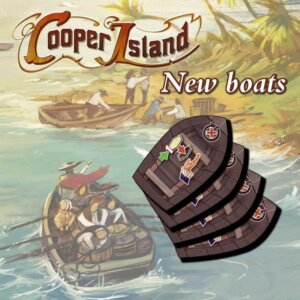
Cooper Island
2019
Explore Cooper Island, gather resources, build with special abilities, and sail your ships around the island to prove your progress.
120
minutes
1 - 4
player(s)
12+
Heavy

About this board game
Cooper Island is a 2019 board game for 1–4 players, with games lasting about 120 minutes. In the age of exploration, players settle a distant island, develop their own part of it, and compete to make the greatest progress over five rounds.
Players explore by placing landscape tiles. These tiles grant resources, which can be used to erect buildings with special abilities. As settlement continues, barriers must be removed to open the island and support further exploration.
- Place landscape tiles to explore your part of the island.
- Gather resources and erect buildings with special abilities.
- Remove barriers to reach more of the island.
- Build valuable statues and use supply ships to obtain supplies from the old world.
- Sail ships around the island to mark your victory points and discover benefits from smaller islands inshore.
The standout feature of Cooper Island is its way of tracking victory points. Rather than simply recording progress on a separate track, players sail with ships around the island. Along the route, these ships reach smaller inshore islands that grant valuable benefits, connecting the game’s scoring system with its exploration theme.
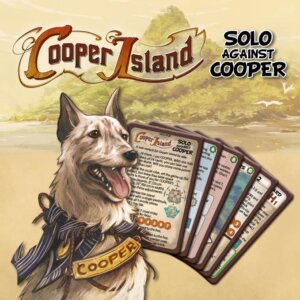
After five rounds, the game ends. The winner is the player who has developed the best and advanced furthest with their ships. The second printing of the German and English editions, as well as the Spanish edition, includes the Solo Against Cooper expansion, which was originally available separately as a bonus item.
Board Game Rules for
Cooper Island
a strategy game by ode.
for 2 to 4 players, aged 12 and up
May 18th, 1765
When I awoke in the early morning, I noticed that Cooper was gone from my cabin. I stepped out onto the weather deck and saw him standing on his hind paws, nervously peering over the railing. I scanned the distance but could not make anything out. To calm Cooper, I patted his head and told him that nothing was there. But for the rest of that day, Cooper remained at his post, yapping savagely whenever the helmsman would try to change course and only stopping when it changed back.
Then, shortly before sundown, something appeared in front of us: the most beautiful island I had ever seen. We landed on its shore and it instantly occurred to me that one day, we would return to this heavenly place and settle here forever. So I meticulously recorded the location of the island in the marine charts and named it after its discoverer: Cooper Island.
Components

- 1 central island board
- 5 puzzle pieces: A, B, C, D, E
- 4 bay tiles
- 4 peninsula boards (1 per player)
- 4 player boards (1 per player)
- 4 worker boards (1 per player)
- 24 islet tiles (6 per player)
- 24 income boat tokens (6 per player)
- 20 ruin/statue tokens (5 per player; front: ruin, back: statue)
- 16 milestone tokens (4 per player; front / back)
- 20 crate lid tokens (5 per player)
- 16 normal workers (4 per player)
- 8 special workers (2 per player)
- 8 small buildings (2 per player)
- 8 large buildings (2 per player)
- 4 fortresses (1 per player)
- 4 ships with one sail (1 per player)
- 4 ships with two sails (1 per player)
- 4 cartographer markers (1 per player)
August 6th, 1771
Finally, I have made it back to Cooper Island, with Cooper still at my side! I’ve brought two ships and many good workers with me. But our crew isn’t the only one. Others have joined me on this auspicious journey with their own ships and workers, all wanting their share of paradise. But we split up before reaching the island, and while my crew and I set up camp on the southern peninsula, who knows where the others have landed. In any case, it is time to explore our new home and turn it into the flourishing place I have dreamed of for so long. Let’s get to work…

- 60 double landscape tiles (double-sided)
- 56 single landscape tiles (double-sided)
- 30 log book tokens (front / back)
- 16 anchor tokens
- 5 cargo ship cards (front / back)
- 8 royal order cards (front / back)
- 15 small building cards (front / back)
- 15 large building cards (front / back)
- 1 final scoring overview card
- 1 harbormaster
- 1 Cooper token
- 1 bag
- 100 resource cubes (20x each: wood, stone, food, gold, cloth)
- 24 coins
- 1 final scoring pad
1. Island Board Assembly
Depending on the player count, start by assembling the island board:
In a 4-player game:
- Take:
- the central island board
- all 4 peninsula boards
- puzzle pieces A, B
- all 4 bay tiles
- Return puzzle pieces C, D and E to the box.
- Then carefully assemble the island board and place it in the center of the table so that each peninsula is pointing towards 1 player.

In a 3-player game:
- Take:
- the central island board
- 3 peninsula boards
- puzzle pieces A, B, C
- 3 bay tiles
- Return 1 peninsula board, puzzle pieces D and E, and 1 bay tile to the box.
- Then carefully assemble the island board. Depending on how you are seated, choose either Layout A or Layout B.
- Place the island board in the center of the table so that each peninsula is pointing towards 1 player.


In a 2-player game:
- Take:
- the central island board
- 2 peninsula boards
- puzzle pieces A, B, C, D
- 2 bay tiles
- Return 2 peninsula boards, puzzle piece E, and 2 bay tiles to the box.
- Then carefully assemble the island board. Depending on how you are seated, choose either Layout A, Layout B or Layout C.
- Place the island board in the center of the table so that each peninsula is pointing towards 1 player.

2. Cargo Ship Cards
Take the 5 cargo ship cards. Place them beside the island board face up in an ascending row (according to the number of dashes in their bottom right corners: | to |||||).
Then place the harbormaster upright onto the first card (with 1 dash).

3. Player Setup
Each player chooses a player color and does the following:
- Crate lids: Take the 5 crate lids of your color and place 1 onto each cargo ship card (onto the crossed out space of your color on its left side).
- Player board: Take 1 player board and place it in front of you. (The player boards are all the same.)
- Worker board: Take the worker board of your color and place it to the right of your player board.
- Buildings: Place the 5 buildings of your color (2 small, 2 large, 1 fortress) onto their designated spots on your player board.
- Cartographer marker: Place the cartographer marker of your color onto the 0 space of your cartographer track.
- Normal workers: Take the 4 round normal workers of your color and place 2 of them in the available workers area at the top of your worker board. Place the 2 remaining normal workers onto the 2 round spaces below that area.
- Special workers: Take the 2 square special workers of your color and place 1 onto each of the 2 square spaces below your available workers area.
- Milestones: Take your 4 milestone tokens (marked with your color on the back) and place 1 face up onto each of the 4 milestone spaces in the bottom left of your worker board (in any order).

- Ruins: Take 5 ruin/statue tokens and place 1 – with its ruin side up – onto each of the 5 ruin spaces of the peninsula which is pointing towards you. (From now on, this peninsula is referred to as “your peninsula”).
- Ships: Place the 2 ships of your color onto the harbor space of your peninsula:
- the ship with one sail must be on the left (as it will go clockwise around the island),
- the ship with two sails must be on the right (as it will go counter-clockwise around the island).
- Personal reserve: Form a personal reserve next to your player board and place the following items there face up:
- your 6 income boat tokens (marked with your color on the back),
- your 6 islet tiles (marked with your color on the back).
Return any components of unused player colors to the box.


4. Royal Order Cards
Take the 8 royal order cards.
- In a 4-player game: display all 8 royal order cards face up next to the island board (in any order).
- In a 3-player game: display 6 random cards. Return the other 2 cards to the box.
- In a 2-player game: remove royal order card (nr. 8) first and return it to the box. Then display 4 of the remaining 7 cards at random. Return the other 3 cards to the box.

5. Building Cards
Shuffle the 15 small building cards and place them as a face-down stack next to the island board.
Then shuffle the 15 large building cards and place them as a face-down stack beside the stack of small building cards.
6. Scoring Reference
Place the final scoring overview card and the final scoring pad for reference in easy reach of all players.

7. Double Landscape Tiles
Put the 60 double landscape tiles in the bag and mix them thoroughly.
8. Initial Tile Draw
Then each player draws 2 random double landscape tiles from the bag and places them in her personal reserve. Afterwards, place the bag close by.
9. General Supply
In easy reach of all players, form a general supply that includes:
- the single landscape tiles (with any side up)
- the coins
- the wooden cubes of the 5 resources: wood, stone, food, gold, cloth
- the anchor tokens
- the log book tokens (which must be shuffled and placed with the log book side face up)

10. Starting Peninsula Tile
Each player takes 1 single landscape tile of type meadow from the general supply and places it (with the meadow side face up) onto the start space of her peninsula.
Then she places 1 pink food cube from the general supply onto that meadow space.
In later games, once all players know the game well, you can alternatively determine a random landscape type to start with (forest, meadow, mountain or settlement). Each player then places 1 single landscape tile of that type onto her start space and puts 1 cube of the corresponding resource on top (wood on forest, food on meadow, stone on mountain, cloth on settlement). Or you can have each player individually choose which landscape type (with its corresponding resource cube) to start with.

11. Starting Coin
Each player takes 1 coin from the general supply and places it onto 1 of the storage spots on her player board.

12. Starting Player
Determine a starting player and to mark this, give her the Cooper token.
Then each player positions her cartographer marker on her cartographer track according to where she is sitting:
- The starting player and the player to her left put their markers on space 3 of their cartographer tracks.
- The third player (if any) and fourth player (if any) put their markers on space 4 of their cartographer tracks.

Overview of the Game
Welcome to Cooper Island, an oddly shaped island in the Atlantic with several peninsulas stretching out from its center. With a fleet of two sail ships, each of you has landed on the shore of a different peninsula and has built a small harbor. Starting from there, your goal is to gain the most points. To do that, you must explore and develop your peninsula as much as you can.
You will discover and cultivate 4 kinds of landscape to gain resources:
- FORESTS to cut WOOD

- MEADOWS to rear grazers for FOOD

- MOUNTAINS to quarry STONE
or mine GOLD 
- SETTLEMENTS to produce CLOTH

During the game, you will mainly explore and develop your peninsula by placing landscape tiles onto it. You can either place them:
- onto uncharted spaces to expand your discovered territory
- or on top of existing landscape spaces (of the same types) to increase their cultivation level
After placing a tile, you always put 1 cube of the corresponding resource onto each of its landscape spaces. However, the value of each cube depends on the cultivation level of the tile it is on:
- For example, a food cube on a tile of cultivation level 1 counts as 1 food.
- But on a tile of cultivation level 3 it counts as 3 food.

These resources (along with COINS
) will allow you to:
- build income boats
- erect buildings
- build statues
- supply cargo ships
From these you’ll earn helm points
, which you mark with your sail ships on a score track of water spaces that runs around the entire island. One of your sail ships moves clockwise around the island, while the other moves counter-clockwise, and eventually they will move through the waters and harbors of the other peninsulas…

How to Pay Costs
The action sections B, D, F, and H mainly provide actions that let you pay coin and/or resource costs to gain helm points.
Note: Costs always have a number in red.
- Coin costs: To pay a coin cost, return from your storage spots at least as many coins to the general supply as the number in the respective coin symbol shows.
- Resource costs: Each part of a resource cost shows a specific resource and a total value for that resource. To pay it, return to the general supply cubes from your storage spots and/or landscape spaces whose combined value meets or exceeds this total.
- The value of any cube on a storage spot is 1.
- The value of each cube on a landscape space depends on the cultivation level of that landscape space.
Attention: When you use a cube from a landscape space, you always use up its entire value, even if that means that you overpay. If there is any spare value, you forfeit it. You can never split the value of a cube.


Example of paying costs:
Eve has to pay the following cost: 5 gold, 2 cloth.
- To cover the 5 gold, she returns the following gold cubes to the general supply:
- 1 gold cube from her storage spots (value 1) and
- 1 gold cube from a mountain space of cultivation level 4 (value 4).
- To cover the 2 cloth, she returns:
- the cloth cube from a settlement space of cultivation level 4 to the general supply (value 4). Even though that means she overpays, she has no choice because she cannot split its value.
When You Gain Helm Points
Whenever you gain helm points
, choose 1 of your sail ships and move it that many steps forward.
Attention: The number of helm points that you gain from a single action can never be split between your ships. So, for example, if an action gives you 2 helm points, you must move one ship 2 steps forward.
- Moving forward means:
- If you choose the ship with one sail, move it clockwise around the island.
- If you choose the ship with two sails, move it counter-clockwise around the island.
- Moving a ship 1 step means: Move it from one sand bank to the next. (It does not matter if one half of the destination sand bank is covered with an islet tile. In that case, simply move the ship to the visible half of that sand bank. Any islets in between the 2 sand banks are passed over.)

Special spaces during movement:
- Passing over an islet: Whenever you pass over an islet (regardless of who placed it), perform its islet action immediately. (If you pass over 2 islets with 1 step, perform both their actions, in either order.) Islet actions that you cannot or do not want to perform are forfeited.
- Reaching a bay water space: If you reach a bay water space, immediately gain 1 log book token from the general supply. Flip it to its back and immediately perform the action shown on it. If you cannot or do not want to perform its action, forfeit it. Then flip the token again and place it with its front side up in front of you. (At the end of the game, this will help you to calculate your score.)
- Reaching a harbor: If you reach a harbor, immediately gain 1 log book token from the general supply as described above (including performing its action). Afterwards, you must pay a harbor fee of 1 coin or 1 resource cube (of your choice) taken from your storage spots or landscape spaces:
- If the harbor belongs to another player, pay it to that player by placing it onto her marketplace.
- If it is your own harbor, pay it to the general supply.
- If you cannot or do not want to pay the harbor fee, take 1 anchor token from the general supply instead and place it underneath the sail ship you just moved into that harbor. Then – if that harbor belongs to another player – that player takes 1 coin or 1 resource cube of her choice from the general supply and places it in her marketplace.
Anchor tokens:
As long as a sail ship has any anchor tokens under it, you cannot move it. To move it again, you must spend helm points on removing its anchors first: each point spent lets you return 1 of the ship’s anchor tokens to the general supply. (At the end of the game, for each anchor token under your sail ships, you will lose 1 point.)
Note that sail ships do not block water spaces. There is no limit to the number of sail ships (of the same or different players) that can be on the same water space.

Example of gaining helm points:
As the result of an action, Eve gains 3 helm points. She must use all 3 helm points on 1 of her sail ships.
- She chooses her ship with two sails. Since it has an anchor token under it, Eve spends 1 of her 3 helm points to remove that anchor token.
- Then she moves the ship 2 steps counter-clockwise. With the first step, she passes over 2 islets, whose actions she immediately performs.
- With the second step, she moves onto a bay water space, so she takes a log book token from the general supply, performs the action on its back and then places it with its front side up in front of her.
Round Overview
Cooper Island is played over 5 rounds. Each round comprises the following 3 phases:
- a. The income phase: Each player receives an income that lets her place 1 islet tile and 1 double landscape tile onto her peninsula. In addition, she may perform the income actions of any income boats she has.
- b. The worker phase: In player order, each player places 1 worker from her available workers area onto 1 of the worker spaces in the center of the island and performs the associated action(s). This continues in turn until no player has any available workers left.
- c. The clean-up phase: The clean up phase comprises 7 steps:
- Step 1: Feed workers
- Step 2: Reactivate assets
- Step 3: Gain statue bonus
- Step 4: Gain passage bonus
- Step 5: Return workers
- Step 6: Clear marketplace
- Step 7: Move harbormaster to the next cargo ship
Then a new round starts, and after the 5th round the game ends with a final scoring. Then, in addition to the helm points scored during the game, players may gain points for specific buildings, royal orders and leftover items. The player with the most points wins.
Income Phase Procedure
The income phase can be carried out simultaneously by all players.
To carry out the income phase, perform the income action of each of your income hands
once. In which order you perform them is up to you. Income actions that you cannot or do not want to perform are forfeited.
In the first round, you can only carry out the actions of the 2 income hands in the upper left corner of your player board. (In later rounds, you may have additional income hands if you have built income boats.)
ACTION: Place 1 islet tile AND perform its islet action
Choose 1 islet tile from your personal reserve and place it onto your peninsula.
Each islet tile consists of: an islet space and a landscape space.
To place your chosen islet tile, bear these rules in mind:
- The landscape space of that tile must be placed onto an uncharted space which is:
- adjacent to at least 1 existing landscape space (of any type or height) and
- not occupied by a ruin token
- The islet space of that tile must be placed onto a water space, covering half of that water space’s sand bank and leaving its other half visible. If the placement of your islet tile would make the sand bank entirely disappear (because its other half is already covered) then you are not allowed to place the islet tile that way.
- If there are any sail ships on the half where you place the islet, simply slide them over to that sand bank’s other half.
Attention: In the first income phase of the game, you must place the islet tile onto the water space to the right of your harbor.
In later income phases, you can place your islet tile onto any water space for which all placement rules are met. If you cannot place the islet tile in accordance with the rules, forfeit this action.


Right after you place the islet tile, you:
- must put 1 cube of the corresponding resource from the general supply onto its landscape space (wood on forest, food on meadow, stone on mountain), AND
- may perform that tile’s islet action once. If you cannot or do not want to perform that action now, forfeit it. (For an overview of the islet actions, see page 25.)
Note: When you gain helm points during the game and thereby move your ship over an islet, you will be able to perform that islet’s action again (see section “When you gain helm points” on page 16). This applies to the islets you’ve placed yourself as well as those of other players, which you might pass over later in the game.
ACTION: Place 1 double landscape tile
Choose 1 double landscape tile from your personal reserve and place it onto your peninsula. If you have none there, you cannot perform this action. (Attention: Islet tiles can never be placed through this action!)
Each double landscape tile features all 4 landscape types by having 2 landscape spaces on its front and 2 on its back, variously arranged.
To place the tile, choose 1 of its sides and place it in 1 of 3 ways:
1) Onto 2 uncharted spaces (to expand your discovered territory)
- at least 1 of these uncharted spaces must be adjacent to at least 1 existing landscape space (of any type or height) and
- neither of these uncharted spaces can be occupied by a ruin token
2) On top of 2 existing landscape spaces (to increase their cultivation level)
- both of these existing landscape spaces must have the same cultivation level (height) and
- each of these existing landscape spaces must match the type of landscape placed on top of it:
- Forest can only be placed onto forest, meadow only onto meadow, and mountain only onto mountain.
- The exception, however, is settlement, which can be placed onto any landscape type.
and
- neither of these existing landscape spaces can be occupied by any item (for example, a resource cube or a building). You are not allowed to simply get rid of resource cubes in order to clear landscape spaces. However, before placing a tile, you can use anytime actions such as “Storage”, which lets you move resources to the storage spots on your player board.
Note: If there is a height difference of only 1 level, you can even it out by using the cartographer’s anytime action before placing the tile (see “Anytime action: Cartographer” on page 21).
3) On top of 1 existing landscape space (of cultivation level 1) and 1 uncharted space
For this, all of the above rules apply. However, since there is a height difference of 1 level, you must use the cartographer’s anytime action to shim the double landscape tile with a single landscape tile from the general supply. (For details see “Anytime action: Cartographer” on page 21.)

After you place the tile, put 1 cube of the corresponding resource from the general supply onto each of its 2 landscape spaces:
- cloth on settlement,
- wood on forest,
- food on meadow,
- stone on mountain.
Important: On mountain spaces of cultivation level 3 or higher you can alternatively mine gold. So if the newly placed tile has a cultivation level of 3 or higher and includes a mountain space, you can either place 1 stone cube or 1 gold cube onto that mountain space.

Example of the Income Phase in the First Round

Eve and Mike perform the income phase simultaneously.
Eve’s turn:
- Eve chooses an islet tile from her personal reserve…
- and places it according to the placement rules onto the water space to the right of her harbor.
- Then she puts 1 food cube onto its meadow space…
- and performs the islet’s action by taking 1 coin from the general supply and placing it onto a free storage spot on her player board.
- Then she takes a double landscape tile from her personal reserve.
- Before placing it, she performs the anytime action “Storage” and moves her 2 food cubes from their landscape spaces to free storage spots on her player board (see “Anytime action: Storage” on page 20).
- Now that these landscape spaces are free, she places the double landscape tile on top of them…
- and adds to each space of the tile the corresponding cube (1 food cube and 1 cloth cube) from the general supply.
Mike’s turn:
- Mike starts his income phase by taking a double landscape tile from his personal reserve…
- and placing it onto 2 uncharted spaces of his peninsula.
- Then he puts the corresponding resource cubes onto the tile.
- Next, he chooses an islet tile…
- and places it according to the placement rules.
- He puts 1 stone cube onto its mountain space…
- and then performs the islet’s action by taking 1 wood cube and 1 food cube from the general supply and placing each onto a free storage spot on his player board (see “Overview of the islet actions” on page 25).
Worker Phase Rules
The player with the Cooper token is the starting player and takes the first turn of the worker phase. Then it is the player to her left’s turn, and so on.
On your turn, you must place 1 of your available workers onto the worker space of an action section and carry out its action(s). When you have no available workers left, your turn is skipped. When nobody has any workers left, the phase ends.
In detail, when it is your turn, do the following:
1. Choose 1 worker
Choose 1 of your workers in the available workers area of your worker board.
- You start the game with 2 normal workers in your available workers area.
- Over the course of the game, you can obtain additional normal workers as well as special workers by reaching the goals of your milestone tokens (see “How to gain new workers by fulfilling milestone tokens” on page 22).
2. Place the worker
Place the chosen worker onto 1 of the worker spaces which encircle the center of the island. Bear the following rules in mind:
- Worker type match:
- If it is a normal worker (round), you must place it onto a round worker space.
- If it is a special worker (square), you must place it onto a square worker space.
- Stacking and fees: You may place that worker either onto a free worker space or onto one that holds a stack of 1 or more workers of other players. (Attention: If the worker space already holds 1 of your workers, you are not allowed to place your worker there). However, if you place your worker onto other workers, you must immediately pay a fee to the owner of the topmost worker in that stack (so no matter how high the stack is, you only pay the fee to the owner of the worker directly beneath yours).
- To pay the fee, give that player either 1 coin or 1 resource cube of your choice from your storage spots or from your landscape spaces. That coin or resource cube is placed onto the marketplace on that player’s player board.
- If you cannot or do not want to pay the fee, that player instead takes 1 coin or 1 resource cube of her choice from the general supply and places it in her marketplace, while you must take 1 anchor token from the general supply and place it underneath 1 of your sail ships. (If your sail ships don’t have the same number of anchor tokens, place it under the one with fewer. Anchor tokens are in effect minus points. For details on how to remove them, see page 16.)
- If you place your worker onto a free worker space, you pay no fee.
- Symbols on worker spaces: All of the square worker spaces and 1 of the round worker spaces have symbols in them. These symbols are additional actions or action modifiers. When you place a worker onto a free worker space with such a symbol and thereby cover it up, you may use that additional action or action modifier as part of that section’s actions. Once the symbol is covered, other players can still go to that space but can not make use of its symbol.


Example of worker placement:
It is Eve’s turn and she chooses 1 of the workers in her available workers area.
- If she places her normal worker onto the round worker space of action section C, she pays a fee of 1 coin or 1 resource cube to Carl (as she places her worker on top of the yellow one).
- If she places her special worker onto the free square worker space of action section C, she pays no fee and can use the additional action printed within the space.
- She cannot place her normal worker onto the round worker space of action section D because she already has a normal worker there.
- If she places her special worker onto the square worker space of action section D, she must pay a fee of 1 coin or 1 resource cube to Mike and since Mike’s worker already covers the symbol, she cannot use it as part of her action.
Carrying Out Actions
After placing your worker onto the worker space, immediately perform that section’s action(s).
There are 8 action sections:
- Sections A, C, E and G let you gain and/or place landscape tiles in order to generate resources.
- Sections B, D, F and H let you spend those resources in order to gain helm points and other benefits.
Attention: If an action section features more than 1 action, you may perform these actions in any order. This includes any action that you gain by covering the symbol of that section’s free worker space.

Action Section A:
- Perform EITHER the action: Draw 1 double landscape tile OR the action: Place 1 double landscape tile
- AND Perform the action: Gain 1 step on your cartographer track
ACTION: Draw 1 double landscape tile
Draw 1 double landscape tile from the bag and place it in your personal reserve. (There is no limit to the number of double landscape tiles you may have in your personal reserve.)
ACTION: Gain 1 step on your cartographer track
Move your cartographer marker on your cartographer track 1 step forward (to the right). You cannot move your cartographer marker beyond space 6.
Worker space bonuses for Section A:
- Additional action (if you place a normal worker onto this free worker space): Take the Cooper token and place it in front of you. You will be the starting player in the next round. (If no one places a worker here, the current starting player remains in office.)
- Action modifier (if you place a special worker onto this free worker space): You can perform all 3 actions of this action section (in any order, as usual): Draw 1 tile + Place 1 tile + Gain 1 cartographer step.

Action Section B:
Perform the action: Build 1 income boat
ACTION: Build 1 income boat
To build an income boat, choose 1 of the income boat tokens in your personal reserve and place it face up onto any free landing space on your player board. For this, you must pay the coin and wood cost printed on that landing space.
After you pay the cost, gain the helm points printed next to it.
Then immediately perform that boat’s income action once. If you cannot or do not want to perform its action, forfeit it. (For an overview of the income actions, see page 25.)
If you have no free landing spaces left, you cannot perform this action.

Worker space bonus for Section B:
- Action modifier (if you place a special worker onto this free worker space): The cost for building the income boat is reduced by 2 (in any combination of coins and wood).

Action Section C:
- Perform the action: Draw 1 double landscape tile
- AND Perform the action: Place 1 double landscape tile
Worker space bonus for Section C:
- Additional action (if you place a special worker onto this free worker space): Perform the islet action of any 1 islet tile placed on a water space, no matter if it is one of your own islets or an opponent’s.

Action Section D:
Perform the action: Erect 1 building
ACTION: Erect 1 building
To erect a building, choose 1 of the buildings on your player board, pay its cost and place it onto your peninsula.
Placement rules for buildings:
- Highest cultivation level: You must place the building onto the most cultivated free landscape space you can. This means, if at your highest cultivation level there are 1 or more free landscape spaces, you must build on 1 of those (of your choice). Only if all landscape spaces of your highest level are occupied (for example, by other buildings, statues or resource cubes), may you place the building onto a free landscape space of the next highest cultivation level and so on. (As always, if you want to, you can use anytime actions to clear landscape spaces from their resource cubes beforehand.)
- Landscape type: You may place the building onto any type of landscape. However, if you place the building onto a settlement space, you gain 1 helm point in addition to that building’s regular helm points (which you mark by moving one sail ship as usual).
Building types and costs:
- Small building: Pay 1 coin, 2 wood and 2 stone to the general supply. Then take a small building from your player board and place it onto your peninsula according to the placement rules above. Gain 1 helm point, plus an additional 1 if it is placed on a settlement space. Afterwards, draw 4 cards from the stack of small building cards, look at them in secret and choose 1 to place face up in front of you. Return the other 3 in any order face down to the bottom of the stack. The chosen card will give you a permanent effect. By taking the small building from your player board, you uncover an additional storage spot which you can use for the rest of the game.
- Large building: Pay 2 coins, 4 wood and 4 stone to the general supply. Then take a large building from your player board and place it onto your peninsula according to the placement rules. Gain 2 helm points, plus an additional 1 if it is placed on a settlement space. Afterwards, draw 4 cards from the stack of large building cards, look at them in secret and choose 1 to place face up in front of you. Return the other 3 in any order face down to the bottom of the stack. The chosen card will give you a powerful anytime action that you can use by flipping the card face down. The card then remains face down for the rest of the game or until you reactivate it in step 2 of phase c. By taking a large building from your player board, you uncover an additional statue crafting spot which you can use for the rest of the game.
- Fortress: Pay 6 wood, 3 stone, 3 gold and 3 cloth to the general supply. Then take the fortress from your player board and place it onto your peninsula according to the placement rules. Gain 4 helm points, plus an additional 1 if it is placed on a settlement space. By taking the fortress from your player board, you uncover an improved version of the “Reactivate assets” step of phase c.
If you have no buildings left on your player board, you cannot perform this action.
Worker space bonus for Section D:
- Action modifier (if you place a special worker onto this free worker space): The cost for erecting the building is reduced by 2 (in any combination of coins and resources).

Example of erecting a building:
Eve performs the action “Erect 1 building” and chooses to erect a large building.
- First, she pays the cost: She removes 2 coins from her storage spots, 1 wood cube from a forest space of cultivation level 4, and 1 stone cube from a mountain space of cultivation level 4.
- Then she takes a large building from her player board, which she must place onto a landscape space at her highest free cultivation level. As she has 2 landscape spaces of cultivation level 4 (one forest and one mountain), she chooses to place it onto the mountain space from which she just removed the stone cube to pay the cost.
- Then she gains 2 helm points. (She would have gained 3 helm points if she had built on a settlement space.)
- Finally, she draws 4 cards from the stack of large building cards, chooses 1 to place face up in front of her and returns the other 3 to the bottom of the stack.

Action Section E:
- Gain up to 3 steps on your cartographer track by moving your cartographer marker 3 spaces forward. You cannot move it farther than space 6 (forfeit any excess steps).
- AND Gain 1 coin OR 1 resource cube of your choice from the general supply and place it onto 1 of your free storage spots. If you do not have any free storage spots, you gain nothing.
Worker space bonus for Section E:
- Additional action (if you place a special worker onto this free worker space): Perform the income action of any 1 built income boat, no matter if it is in a landing space on your player board or an opponent’s.

Action Section F:
Perform EITHER the action: Remove 1 ruin OR the action: Build 1 statue
ACTION: Remove 1 ruin
You can only perform this action if you have at least 1 free statue crafting spot and at least 1 accessible ruin token. If you do not, you are not allowed to perform this action!
To perform the action, remove from your peninsula 1 of the ruin tokens that is accessible to you. A ruin token is only accessible if the uncharted space it lies on is adjacent to at least 1 of your landscape spaces (of any type or height).
After removing the ruin token, immediately flip it to its statue side and place that statue token onto any of your free statue crafting spots. If that spot shows 1 helm point, gain that helm point immediately.

ACTION: Build 1 statue
You can only perform this action if at least 1 of your statue crafting spots holds a statue token. Otherwise, you are not allowed to perform this action.
To build a statue, first pay its building cost by:
- EITHER returning 3 wood and 3 stone
- OR returning 2 wood and 2 gold to the general supply.
Then take a statue token from its statue crafting spot (if you have more than 1, choose 1) and place it onto your peninsula following the same placement rules that apply to buildings. Finally, gain 1 helm point, plus an additional 1 if it is placed on a settlement space.
Worker space bonus for Section F:
- Action modifier (if you place a special worker onto this free worker space): You can perform BOTH actions of this action section (in any order, as usual): Remove 1 ruin + Build 1 statue.

Action Section G:
Perform EITHER of the following actions up to TWICE:
- Draw 1 double landscape tile
- OR Place 1 double landscape tile
Worker space bonus for Section G:
- Additional action (if you place a special worker onto this free worker space): Perform the action: Gain 1 step on your cartographer track.

Action Section H:
Perform the action: Supply 1 cargo ship
ACTION: Supply 1 cargo ship
Choose 1 of the cargo ship cards that still has a crate lid of your color on it. Pay the supply cost of that cargo ship to the general supply and gain the helm points printed next to it. Then take your crate lid from that cargo ship card and place it onto the area for unused crate lids on your player board. (For details on how to use crate lids see “Anytime actions: Using crate lids” on page 20.)
Attention: If the cargo ship you supply has the harbormaster standing upright on it, your supply cost for that cargo ship is reduced by 1 (1 gold or 1 cloth). Afterwards, lay the harbormaster down to indicate that the reduction has been used. (Each round, the reduction is only granted to the first player to supply the cargo ship with the harbormaster on it.)
If there are no cargo ships left with a crate lid of your color, you cannot perform this action.


Worker space bonus for Section H:
- Additional action (if you place a special worker onto this free worker space): Perform EITHER the action: Draw 1 double landscape tile OR the action: Place 1 double landscape tile.
Once you finish your turn by having performed all possible actions of your chosen action section (including anytime actions, gaining new workers, etc.), the player to your left takes her turn.
If, at the start of your next turn, you have no more available workers, your turn is skipped for the rest of the current worker phase.
When nobody has any available workers left, the worker phase ends. Then move to the clean-up phase.
How to Gain New Workers by Fulfilling Milestone Tokens
On the milestone spaces of your worker board, there are 4 milestone tokens. Each milestone token shows a goal that you may reach during your turn:
- Have 2 income boats on your landing spaces.
- Have 2 buildings (of any type) on your peninsula.
- Have 2 statue tokens on your peninsula.
- Have 2 crate lids acquired from cargo ships (regardless of whether you’ve used them or not).
When you reach the goal of a milestone token, flip it face down. From now on, either immediately or whenever you like during any of your turns, you may move that face-down milestone token from its milestone space to any free hire space and immediately gain the reward printed there. Once you move the token to a hire space, it remains there for the rest of the game.

Hire space rewards:
- Gain 2 helm points:

- Hire a worker: Choose any 1 of the workers below your available workers area and move it into your available workers area:
- If you choose a normal worker: you’ll have that worker in addition to your other workers for the rest of the game.
- If you choose a special worker: you must also immediately assign 1 available worker to a royal order card. To do this, take any worker from your available workers area and place it onto a free royal order card of your choice (each royal order card can only hold 1 worker). That worker is no longer available to you for the rest of the game but might give you additional points at game end, depending on how well you have fulfilled that royal order’s task. If you have no workers in your available workers area, but want to gain the special worker anyway, you may assign that special worker itself. Unavailable workers (including those on worker spaces) cannot be assigned.
Note: Since only 3 of the hire spaces show this reward, you cannot gain more than 3 new workers over the course of the game.

Feeding cost increase:
By getting new workers, you increase the feeding cost that you pay in phase c of each round:
- The base feeding cost is 2 food.
- Each of the next 2 workers increases the feeding cost by 1 food.
- Each of the final 2 workers increases the feeding cost by 2 food but also gives you 1 helm point – provided you can pay your feeding cost in full.

Anytime Actions
Anytime actions are depicted in various places on your player board and are marked with an hourglass
.
As their name suggests, you can use them at any time during your turn (or when you and the other players act simultaneously) in phases a, b and c (and at game end). You can use any number of them before, after or in between other actions or even interrupt single actions with them. The only major constraint is that whenever you pay costs, you must do so completely in one go. The payment process cannot be interrupted by anytime actions!
Anytime action: Storage
- Move a resource cube from a landscape space of your peninsula to any of your free storage spots. Note that a cube on a storage spot always has a value of 1. So whenever you use this action to move a cube to a storage spot from a landscape space of a level higher than 1, the value of this cube is reduced to 1.
- Move a coin or resource cube from your marketplace to any of your free storage spots. Coins and resource cubes on your marketplace are “dead stock” and cannot be used for any kind of action. They have to be moved to storage spots via this action before you are allowed to spend or use them.
Storage rules:
- Each storage spot can only hold 1 coin or 1 resource cube.
- You are not allowed to dispose of coins or resource cubes that are on your storage spots in order to clear them. They can only be removed by using them to pay costs or fees or for the anytime action “Market trade”.
Anytime action: Market trade
There are 3 market trade actions:
- Trade cloth for coins at a rate of 2 to 1: Return any number of cloth cubes from your storage spots and/or landscape spaces to the general supply. Calculate their total value by adding up their individual values and divide that total value by 2 (round down). Then take that many coins from the general supply and place them onto your marketplace. (If, for example, you return a total value of 5 cloth to the general supply, you gain 2 coins.)
- Trade gold for resource cubes at a rate of 2 to 1: Return any number of gold cubes from your storage spots and/or landscape spaces to the general supply. Calculate their total value by adding up their individual values and divide that total value by 2 (round down). Then take that many resource cubes (in any combination) from the general supply and place them onto your marketplace.
- Trade resources and/or coins for one another at a rate of 4 to 1: Return any number of coins and/or resource cubes from your storage spots and/or landscape spaces to the general supply. Calculate their total value by adding up their individual values and divide that total value by 4 (round down). Then take that many resource cubes/coins (in any combination) from the general supply and place them onto your marketplace.
Marketplace rules:
- Coins and resource cubes on your marketplace are “dead stock” and cannot be used for any kind of action.
- There is no limit to the number of coins and/or resource cubes allowed on your marketplace.
Anytime action: Using crate lids
Move a crate lid from your area for unused crate lids to 1 of your free crate spaces and immediately perform the action printed there:
- Draw 1 double landscape tile
- Place 1 double landscape tile
- Gain up to 2 steps on your cartographer track by moving your cartographer marker forward.
- Take 2 coins from the general supply and place them onto your marketplace.
- Take 2 resource cubes of your choice (same or different) from the general supply and place them onto your marketplace.
After performing the action, leave the lid covering the crate space for the rest of the game or until you reactivate it in “Step 2: Reactivate assets” of phase c.

Anytime action: Cartographer
Attention: The “Cartographer” action is limited. Each round, you may perform this action only:
- once during the entire income phase, and
- once during each turn you take in the worker phase, and
- once during the entire clean-up phase.
To perform this action, choose one of its 4 options and move your cartographer marker the corresponding number of steps backward (to the left). If you do not have enough cartographer steps, you cannot perform this action.
- Option 1 (Cost: 1 step): Perform this option as part of the action: Place 1 double landscape tile to shim 1 landscape space of that tile and thereby even out a height difference of 1 level. To do so, move your cartographer marker 1 step backward, take 1 single landscape tile from the general supply and place it directly underneath the landscape space that needs to be raised. To avoid any confusion, the single tile should be of the same type as the landscape that you place on top of it.
- Option 2 (Cost: 2 steps): Move your cartographer marker 2 steps backward, take 1 single landscape tile of your choice from the general supply and place it onto an uncharted space of your peninsula which is:
- adjacent to at least one existing landscape space (of any type or height) and
- not occupied by a ruin token.
Then place 1 cube of the corresponding resource from the general supply onto that tile.
- Option 3 (Cost: 3 steps): Move your cartographer marker 3 steps backward, take 1 single landscape tile of your choice from the general supply and place it on top of an existing landscape space:
- whose cultivation level is 3 or lower and
- that matches the landscape type of the tile you are placing on top of it (unless it is a settlement, which can be placed onto any type) and
- that is not occupied by any item (for example a resource cube or a building).
Then place 1 cube of the corresponding resource from the general supply onto that tile.
- Option 4 (Cost: 4 steps): Move your cartographer marker 4 steps backward, take 1 single landscape tile of your choice from the general supply and place it on top of an existing landscape space:
- whose cultivation level is 4 or higher and
- that matches the landscape type of the tile you are placing on top of it (unless it is a settlement, which can be placed onto any type) and
- that is not occupied by any item (for example a resource cube or a building).
Then place 1 cube of the corresponding resource from the general supply onto that tile.

Anytime actions of large building cards
Each large building card that you have face up in front of you gives you a powerful anytime action that you can perform whenever you like, following the usual rules for anytime actions. However, after performing its action, flip the card face down. The card remains face down for the rest of the game or until you flip it face up again in “Step 2: Reactivate assets” of phase c.
For an overview of the large building cards see pages 26/27.

In the clean-up phase, carry out the following 7 steps in order. Each of these steps can be performed by all players simultaneously. However, so as not to get tangled up, go from step to step together and wait for each other before moving on to the next step.
Step 1: Feed workers
Pay a feeding cost to the general supply. This feeding cost depends on how many and which additional workers you have gained. To calculate your feeding cost, look at the feeding row on your worker board and add up the uncovered feeding values. Then pay that feeding cost by spending food cubes that add up to at least that total value (taken from your storage spots and/or landscape spaces).
Shortfall: For each food that you fall short by, take 1 anchor token from the general supply and place it underneath one of your sail ships. Anchor tokens must always be distributed evenly between your 2 sail ships, so if one ship has more anchor tokens than the other, you must place the next anchor token beneath the one with fewer.
Attention: When you pay your feeding cost in full, each of the 2 rightmost feeding values grants you 1 helm point if it is uncovered. When you fall short they grant nothing.

Step 2: Reactivate assets
If you want, you can reactivate 1 asset now:
- EITHER pay 2 coins to flip 1 of your face-down large building cards face up
- OR pay 1 coin to move 1 of your used crate lids from its crate space back to your area for unused crate lids
If you have built your fortress and thus uncovered its space, you may instead perform either or both of these actions free of charge.
Step 3: Gain statue bonus
Gain 1 helm point for each statue on your peninsula.
Step 4: Gain passage bonus
If each of the 3 spaces at the top of your peninsula is covered with a landscape space (of any type or height), gain 1 helm point in total.
Step 5: Return workers
Return your workers from the central island board to your available workers area.
Step 6: Clear marketplace
If you have any coins or resource cubes left on your marketplace (and cannot or do not want to move them to your storage spots), return them to the general supply.
Step 7: Move harbormaster to the next cargo ship
Stand the harbormaster upright and move it forward to the next cargo ship card (with the next higher number of dashes).
When the harbormaster moves from the last cargo ship (with 5 dashes), you have played 5 rounds and the game ends. Otherwise continue with the income phase of the next round.
After the clean-up phase of the fifth round, the game ends.
Then, carry out the final scoring by going through the 5 steps of the final scoring overview card to calculate your score. To make tallying easier, use a sheet from the final scoring pad.
For the final scoring, the symbol for points are log book pages
.
1) Determine how many helm points you gained during the game
- Count your log book tokens: Each is worth 5 points. (Log book tokens are just a representation of the helm points you gained during the game: for every 5 helm points, you should have gained 1 log book token. So when in doubt, you can easily track how many log book tokens you should own by checking how far each of your sail ships has traveled.)
- Steps past last marker: To account for the helm points not covered by log book tokens, check how many steps each of your sail ships has moved past the last harbor space or bay water space. Each of these steps is worth 1 point.
2) Gain points from royal order cards
Check how well you’ve fulfilled the task of each royal order card holding one of your workers.
- Each task has 3 stages.
- Reaching the first stage usually gives you 3 points.
- Reaching the second stage usually gives you 5 points.
- Reaching the third stage usually gives you 8 points.
- These points are not cumulative.
- If you have not even reached the first stage, you gain no points.
3) Gain points for certain building cards
A few of the building cards (small and large) also have a task you can fulfill. These building cards are marked with a flag. Gain the points shown on each face up card of this type whose task you’ve fulfilled.
4) Gain points for leftovers
Gain 1 point for every 5 of the following leftover items (in any combination):
- coins and resource cubes on your storage spots (those on landscape spaces do not count, but as usual, you can use anytime actions beforehand)
- steps left on your cartographer track
- double landscape tiles in your personal reserve
5) Minus points for anchor tokens
Lose 1 point for each anchor token under your sail ships.
Winner
The player with the most points wins. In the case of a tie, the tied player who has fewer uncharted spaces on her peninsula (with and without ruins) wins. If that does not break the tie, the victory is shared.

General Notes and Special Cases
- Coins, resource cubes and anchor tokens are considered unlimited. If you run out, use something else as a replacement.
- If there are no more double landscape tiles in the bag, you cannot perform the action: Draw 1 landscape tile any more.
- When you are carrying out phases simultaneously, should anyone think that the order in which you act is important, do so in seating order, starting with the player with the Cooper token and going clockwise.
Important Notes About Storage Spots and Gaining Coins and Resources
- If an action lets you gain coins and/or resource cubes, take these from the general supply and place them onto any of your free storage spots (unless stated otherwise). If you have no free storage spots, you cannot gain them.
- Each storage spot can only hold 1 coin or 1 resource cube.
- If an action lets you gain several coins and/or resource cubes – but you cannot store all of them – choose which to gain. The others are forfeited.
- The single value of each coin and each resource cube on your storage spots (and on your marketplace) is always 1.
- You are not allowed to dispose of coins or resource cubes that are on your storage spots in order to clear them. They can only be removed by using them to pay costs or fees or for the anytime action “Market trade”.
Overview of the Income Actions on Income Boats

- Gain 1 coin.
- Gain 1 gold OR 1 cloth cube.
- Perform the action: Draw 1 double landscape tile.
- Perform the action: Gain 1 step on your cartographer track.
- Gain 1 wood OR 1 stone OR 1 food cube. Also, this boat provides an additional storage spot that you can use for the rest of the game.
- Copy the action of 1 other built income boat (in either a landing space on your player board or an opponent’s).
Overview of the Islet Actions

- Gain 1 coin.
- Gain 1 gold OR 1 cloth cube.
- Perform the action: Draw 1 double landscape tile.
- Perform the action: Gain 1 step on your cartographer track.
- Gain 1 wood OR 1 stone cube. Also gain 1 food cube.
- Perform the action: Remove 1 ruin.
Overview of the Log Book Actions

- Gain each item shown on the token.
- Gain 1 of the resource cubes shown on the token.
- Perform the action: Draw 1 double landscape tile.
- Perform the action: Gain 1 step on your cartographer track.
Overview of the Building Cards

Card Anatomy
- Name of the building
- Reference number of the building
- Flag icon: if the card shows a flag, the building includes a game end task
- Effect of the building:
- Permanent effect: small building
- Anytime action: large building
Small Buildings (Cards 1 to 15)
- 1. Storehouse: This counts as 2 extra storage spots for gold and/or cloth. If both storage spots are occupied at game end, gain 1 point.
- 2. Small Shipyard: Whenever you build an income boat, gain 1 step on your cartographer track.
- 3. Carpenter: Whenever you erect a building or build an income boat or a statue, its cost is reduced by 1 wood.
- 4. Customs House: Whenever you gain a log book token, also gain 1 coin from the general supply (if you can store it).
- 5. Sculptor’s Studio: This counts as an additional statue crafting spot. Whenever you remove a ruin and place it with its statue side up onto this free spot, gain 1 gold from the general supply (if you can store it) and 1 helm point.
- 6. Cartographer’s Office: Whenever you remove a ruin, gain 1 step on your cartographer track.
- 7. Demolition Firm: Whenever you remove a ruin, gain 1 coin from the general supply (if you can store it).
- 8. Harbormaster’s Office: Your supply cost for cargo ships is reduced by 1 gold or 1 cloth (your choice). This reduction can be used in addition to the harbormaster’s reduction.
- 9. Pawnbroker: Whenever you supply a cargo ship, gain 1 coin from the general supply (if you can store it).
- 10. Surveyor’s Office: Whenever you erect a building, draw 1 double landscape tile from the bag. This does not apply to the small building that gave you this card.
- 11. Farmstead: Whenever you feed your workers, you may pay 2 additional food to gain 1 additional helm point. (These cards can be used in “Step 1: Feed workers” of phase c and with the anytime action of the large building card number 10.)
- 12. Granary: The total feeding cost for your workers is reduced by 1 food.
- 13. Storehouse: This counts as 2 extra storage spots for gold and/or cloth. If both storage spots are occupied at game end, gain 1 point. (The items on these storage spots also count as leftover items in step 4 of the final scoring.)
- 14. Accounting Office: This counts as 2 extra storage spots for coins. If both storage spots are occupied at game end, gain 1 point.
- 15. Museum: Perform either the action: “Remove 1 ruin” OR the action: “Build 1 statue”.
Large Buildings (Cards 1 to 15)

- 1. Observatory: Place up to 2 double landscape tiles from your personal reserve onto your peninsula.
- 2. Warehouse: This counts as an extra crate space. To place a crate lid here, pay 1 coin or 1 resource cube of your choice. Then gain 1 helm point.
- 3. Port Authority: Whenever you supply a cargo ship, draw 1 double landscape tile from the bag.
- 4. General Store: Draw 1 double landscape tile from the bag. Also, take any 2 resource cubes from the general supply and place them onto your marketplace.
- 5. Observatory: Place up to 2 double landscape tiles from your personal reserve onto your peninsula.
- 6. Traders’ Guild: Perform the action: “Supply 1 cargo ship”.
- 7. Builders’ Guild: For each building on your peninsula, take 1 coin from the general supply and place it onto your marketplace.
- 8. Tower: Draw 2 double landscape tiles from the bag.
- 9. Bank: Take 3 coins from the general supply and place them onto your marketplace.
- 10. Tavern: Immediately feed your workers (as in phase c) to gain 1 helm point (in addition to any helm points from feeding). To perform this anytime action, pay your current feeding cost (as shown by the uncovered values of your feeding row) exactly as you would in “Step 1: Feed workers” of phase c. Then gain 1 additional helm point. Of course, in phase c, you will also have to feed your workers as usual.
- 11. Large Shipyard: Perform the action: “Build 1 income boat”.
- 12. Library: Gain up to 3 steps on your cartographer track.
- 13. Lighthouse: Perform up to 2 different islet actions (including those of opponents). It does not matter on which water spaces the 2 islet tiles are located (they can be at the same peninsula or different ones) but they may not show the same action.
- 14. Tax Office: Perform up to 2 different income boat actions (including those of opponents). It does not matter on which landing spaces the 2 income boats are located (they can be on the same player board or on different ones) but they may not show the same action. (You cannot use an income boat whose effect is to copy the action of another.)
- 15. Undertaker: Place 1 unused crate lid on a free landscape space of the highest cultivation level you can to gain 1 helm point. At game end, if this card is face up: for each crate lid on your peninsula, gain 1 point. You only get 1 helm point, regardless of the type of landscape you place the lid on (including settlement).
- 16. Scrapyard: Flip 1 of the income boats on your landing spaces face down to immediately perform its income action. At game end, if this card is face up: for each face-down income boat, gain 1 point. Flipped income boats do not give you their income in the income phase.
- 17. Transport Company: Move 1 building or statue from one of your landscape spaces to any free one. At game end, if this card is face up and you have erected at least 3 buildings and 2 statues, gain 3 points. To perform this anytime action, choose 1 building or statue on your peninsula and move it to any of your peninsula’s free landscape spaces. You do not gain helm points when moving it (even if you move it to a settlement space).
Overview of the Royal Order Cards

- Income Boats: How many income boats have you built? (3 / 4 / 5 → 3 / 5 / 8 points). All income boats on your landing spaces count (even the ones that are face down because of the large building card number 14).
- Buildings: How many buildings have you erected on your peninsula? (3 / 4 / 5 → 3 / 5 / 8 points).
- Crate Lids: How many crate lids have you acquired from cargo ships? (3 / 4 / 5 → 3 / 5 / 8 points). It does not matter where these crate lids are, as long as they have been removed from their cargo ship cards.
- Statues: How many statues have you built on your peninsula? (3 / 4 / 5 → 3 / 5 / 8 points). Statues on statue crafting spots do not count.
- High Cultivation: How many landscape spaces on your peninsula have a cultivation level of at least 5? (4 / 5 / 6+ → 3 / 5 / 8 points). Each top landscape space that lies on top of at least 4 landscape tiles (double or single) counts, irrespective of whether that space is free or occupied by an item.
- Uncharted Spaces: How many uncharted spaces does your peninsula have (with and without ruins)? (4/3 / 2/1 / 0 → 3 / 5 / 8 points). Count how many uncharted spaces you have left on your peninsula (any spaces that are not covered by landscape tiles), irrespective of whether there are ruins on them or not. Free water spaces do not count for this, of course.
- Largest Area: How many landscape spaces (of any cultivation level) make up your largest unbroken area of one landscape type (excluding settlements)? (5/6 / 7 / 8+ → 3 / 5 / 8 points). Count how many topmost landscape spaces of the same type form your largest unbroken area. This can be any meadow, forest or mountain area (but not settlement), irrespective of the cultivation level that any of its spaces has and whether they are free or occupied by any item.
- Card Copy (Card nr. 8): Copy 1 royal order card that is occupied by another player. When the royal order cards are scored, choose 1 royal order card which is occupied by a worker of another player (who scores that card as usual). You score that card also as if you had a worker on it but with a reduction of 1 point. If you have not even reached its first stage, you get 0 points.
Reference Overview: Player Board, Worker Board & Peninsula


- initial income actions
- storage spots
- statue crafting spots
- costs + rewards of statues/buildings
- round overview
- marketplace
- crate spaces
- area for unused crate lids
- cartographer track
- available workers area
- milestone spaces
- hire spaces
- feeding row
- landing spaces for income boats
The icons at the top of each peninsula serve as a reminder of which resources go onto which landscape types.
The icon in the center is a reminder of the fact that the value of a resource cube equals the cultivation level of its landscape space.
Credits
- Game design: Andreas “ode.” Odendahl
- Illustrations: Javier “Inkgolem” Gonzáles Cava
- Development, rulebook and rulebook layout: Viktor Kobilke
- Rulebook revision: Neil Crowley
- © 2019 Frosted Games, Matthias Nagy, Sieglindestr. 7, 12159 Berlin, Germany.
- © 2019 Capstone Games, 339 Smith Drive, Clayton, OH 45315. All rights reserved.
- For more information, visit us at: www.capstone-games.com
Notes from the designer
Cooper Island came into being after a play session of the outstanding game “Antics” by Gordon and Fraser Lamont (Fragor Games, 2010) and picks up on its “anthill” mechanism but in a very different manner. After years of resting in a drawer, it was the idea for a worker-placement-player-order-mechanism by my friend Julian Steindorfer that initiated further development. I want to thank him dearly for many inspiring discussions and this creative impetus. Finally I owe a big thank you to Alexandre Garcia. A play session of his magnificent “Dilluva Project” (Spielworxx, 2015) inspired me to outfit the special workers with an action-related ability.
Very special thanks go to my wife, Claudia, who supports me so much – and not only in countless play test sessions. A lot of the ideas in the game came from her!
From the bottom of my heart I want to thank these special friends and play testers: Dirk Schröder, Thorsten Hanson, Peter Raschdorf, Dirk and Dagmar Bock, Michael Keller, Sascha Klein, Rebecca and Julius Kündiger. Without their help I would never have been able to design this game.
Other play testers that were just as helpful are, in chronological order: Christian Wunsch, Martina Weidner, Elmar Grubert, Tobias Rieger, Steffen Rieger, Katharina Schulze, Ronald Mayer-Opificius, Frank Tietmeyer, Mario Prochnow, Christian Töörner, Volker Nattermann, Martina Lassmann, Andreas Peter, Burkhard Zimmermann, Götz Teich, Thyra Puls, Carsten Jonas, Inge Fromm, Rainer Stephan, Anett Schwarz, Wilko Hartz, Marcel Olkner, Carsten Lassmann, Anna Lassmann, Marcel Plum, Bernhard Büttgenbach, Joachim Zajusch, Marcus Krug, Nao Nakashima, Nico Berger, Immo Ingenpaß, Daniel Böhnk, Christian Zanders, Karina Weening, Vanessa und Christopher Cohrs, Thomas Berg, Stefan Trümpler, Katrin Daubitz, Guido Lauscher, Claudia Görldt, Patrick Enger, Markus Angenendt, Hamlet Abedian, Carsten Burak, Florian Schumacher, Daniel Müller, Franziska Metke, Mark Lambrecht, Manuela Abedian, Johanna and Henning Moratz, Thorsten Nordenbrock, Sophia Dinklage, Gerrit Prost, Alexander Drewitz, and Eva Hein.
About Cooper
Cooper was found as an 18-day-old puppy, on September 18, 2013, in a park in Segovia, Spain. He was taken in by the local animal shelter and named “Tenor”. The next day his brother “Tirolín” was found in another park, and the two Galgo-Malamute hybrids grew up in the shelter.
After living together for 15 months under the tender care of the animal welfarists, their ways parted: Tenor traveled to his new home in Germany where he would live as “Cooper” in our big pack. Shortly afterwards, Tirolín also found a new family.
Once in a while, the animal welfarists from Segovia travel through Europe to bring fosterlings into new homes and visit animals they adopted out. On one of their journeys, Ana and Arsenio stopped off in Tirolín’s home in the Netherlands. Cooper’s family from Germany joined them and the former animal shelter family was reunited. In 2018, Cooper received visitors from his old home in Spain again: this time, Eva and Miguel were on vacation in Germany and met “Coop” for a stroll.
Obviously, Cooper’s story is very personal for us, but it is only one of many stories in which animal welfarists are involved worldwide. Therefore, we want to shout out a big thank you to those caring people worldwide – and from our personal view to our friends in Segovia – for all the time and energy they put into animal welfare. Another big thank you goes to Frosted Games for turning Cooper Island into an exceptionally personal game.
If you like, you can visit www.perritosdesegovia.com for information about the animal shelter, the team, their work and their fosterlings.
ode., October 2019
If you enjoy playing games in solo mode, visit www.capstone-games.com to learn about the solo variant of the game.
Introduction & Components
a strategy game by ode.
for 2 to 4 players, aged 12 and up
May 18th, 1765
When I awoke in the early morning, I noticed that Cooper was gone from my cabin. I stepped out onto the weather deck and saw him standing on his hind paws, nervously peering over the railing. I scanned the distance but could not make anything out. To calm Cooper, I patted his head and told him that nothing was there. But for the rest of that day, Cooper remained at his post, yapping savagely whenever the helmsman would try to change course and only stopping when it changed back.
Then, shortly before sundown, something appeared in front of us: the most beautiful island I had ever seen. We landed on its shore and it instantly occurred to me that one day, we would return to this heavenly place and settle here forever. So I meticulously recorded the location of the island in the marine charts and named it after its discoverer: Cooper Island.
Components

- 1 central island board
- 5 puzzle pieces: A, B, C, D, E
- 4 bay tiles
- 4 peninsula boards (1 per player)
- 4 player boards (1 per player)
- 4 worker boards (1 per player)
- 24 islet tiles (6 per player)
- 24 income boat tokens (6 per player)
- 20 ruin/statue tokens (5 per player; front: ruin, back: statue)
- 16 milestone tokens (4 per player; front / back)
- 20 crate lid tokens (5 per player)
- 16 normal workers (4 per player)
- 8 special workers (2 per player)
- 8 small buildings (2 per player)
- 8 large buildings (2 per player)
- 4 fortresses (1 per player)
- 4 ships with one sail (1 per player)
- 4 ships with two sails (1 per player)
- 4 cartographer markers (1 per player)
August 6th, 1771
Finally, I have made it back to Cooper Island, with Cooper still at my side! I’ve brought two ships and many good workers with me. But our crew isn’t the only one. Others have joined me on this auspicious journey with their own ships and workers, all wanting their share of paradise. But we split up before reaching the island, and while my crew and I set up camp on the southern peninsula, who knows where the others have landed. In any case, it is time to explore our new home and turn it into the flourishing place I have dreamed of for so long. Let’s get to work…

- 60 double landscape tiles (double-sided)
- 56 single landscape tiles (double-sided)
- 30 log book tokens (front / back)
- 16 anchor tokens
- 5 cargo ship cards (front / back)
- 8 royal order cards (front / back)
- 15 small building cards (front / back)
- 15 large building cards (front / back)
- 1 final scoring overview card
- 1 harbormaster
- 1 Cooper token
- 1 bag
- 100 resource cubes (20x each: wood, stone, food, gold, cloth)
- 24 coins
- 1 final scoring pad
Setup
1. Island Board Assembly
Depending on the player count, start by assembling the island board:
In a 4-player game:
- Take:
- the central island board
- all 4 peninsula boards
- puzzle pieces A, B
- all 4 bay tiles
- Return puzzle pieces C, D and E to the box.
- Then carefully assemble the island board and place it in the center of the table so that each peninsula is pointing towards 1 player.

In a 3-player game:
- Take:
- the central island board
- 3 peninsula boards
- puzzle pieces A, B, C
- 3 bay tiles
- Return 1 peninsula board, puzzle pieces D and E, and 1 bay tile to the box.
- Then carefully assemble the island board. Depending on how you are seated, choose either Layout A or Layout B.
- Place the island board in the center of the table so that each peninsula is pointing towards 1 player.


In a 2-player game:
- Take:
- the central island board
- 2 peninsula boards
- puzzle pieces A, B, C, D
- 2 bay tiles
- Return 2 peninsula boards, puzzle piece E, and 2 bay tiles to the box.
- Then carefully assemble the island board. Depending on how you are seated, choose either Layout A, Layout B or Layout C.
- Place the island board in the center of the table so that each peninsula is pointing towards 1 player.

2. Cargo Ship Cards
Take the 5 cargo ship cards. Place them beside the island board face up in an ascending row (according to the number of dashes in their bottom right corners: | to |||||).
Then place the harbormaster upright onto the first card (with 1 dash).

3. Player Setup
Each player chooses a player color and does the following:
- Crate lids: Take the 5 crate lids of your color and place 1 onto each cargo ship card (onto the crossed out space of your color on its left side).
- Player board: Take 1 player board and place it in front of you. (The player boards are all the same.)
- Worker board: Take the worker board of your color and place it to the right of your player board.
- Buildings: Place the 5 buildings of your color (2 small, 2 large, 1 fortress) onto their designated spots on your player board.
- Cartographer marker: Place the cartographer marker of your color onto the 0 space of your cartographer track.
- Normal workers: Take the 4 round normal workers of your color and place 2 of them in the available workers area at the top of your worker board. Place the 2 remaining normal workers onto the 2 round spaces below that area.
- Special workers: Take the 2 square special workers of your color and place 1 onto each of the 2 square spaces below your available workers area.
- Milestones: Take your 4 milestone tokens (marked with your color on the back) and place 1 face up onto each of the 4 milestone spaces in the bottom left of your worker board (in any order).

- Ruins: Take 5 ruin/statue tokens and place 1 – with its ruin side up – onto each of the 5 ruin spaces of the peninsula which is pointing towards you. (From now on, this peninsula is referred to as “your peninsula”).
- Ships: Place the 2 ships of your color onto the harbor space of your peninsula:
- the ship with one sail must be on the left (as it will go clockwise around the island),
- the ship with two sails must be on the right (as it will go counter-clockwise around the island).
- Personal reserve: Form a personal reserve next to your player board and place the following items there face up:
- your 6 income boat tokens (marked with your color on the back),
- your 6 islet tiles (marked with your color on the back).
Return any components of unused player colors to the box.


4. Royal Order Cards
Take the 8 royal order cards.
- In a 4-player game: display all 8 royal order cards face up next to the island board (in any order).
- In a 3-player game: display 6 random cards. Return the other 2 cards to the box.
- In a 2-player game: remove royal order card (nr. 8) first and return it to the box. Then display 4 of the remaining 7 cards at random. Return the other 3 cards to the box.

5. Building Cards
Shuffle the 15 small building cards and place them as a face-down stack next to the island board.
Then shuffle the 15 large building cards and place them as a face-down stack beside the stack of small building cards.
6. Scoring Reference
Place the final scoring overview card and the final scoring pad for reference in easy reach of all players.

7. Double Landscape Tiles
Put the 60 double landscape tiles in the bag and mix them thoroughly.
8. Initial Tile Draw
Then each player draws 2 random double landscape tiles from the bag and places them in her personal reserve. Afterwards, place the bag close by.
9. General Supply
In easy reach of all players, form a general supply that includes:
- the single landscape tiles (with any side up)
- the coins
- the wooden cubes of the 5 resources: wood, stone, food, gold, cloth
- the anchor tokens
- the log book tokens (which must be shuffled and placed with the log book side face up)

10. Starting Peninsula Tile
Each player takes 1 single landscape tile of type meadow from the general supply and places it (with the meadow side face up) onto the start space of her peninsula.
Then she places 1 pink food cube from the general supply onto that meadow space.
In later games, once all players know the game well, you can alternatively determine a random landscape type to start with (forest, meadow, mountain or settlement). Each player then places 1 single landscape tile of that type onto her start space and puts 1 cube of the corresponding resource on top (wood on forest, food on meadow, stone on mountain, cloth on settlement). Or you can have each player individually choose which landscape type (with its corresponding resource cube) to start with.

11. Starting Coin
Each player takes 1 coin from the general supply and places it onto 1 of the storage spots on her player board.

12. Starting Player
Determine a starting player and to mark this, give her the Cooper token.
Then each player positions her cartographer marker on her cartographer track according to where she is sitting:
- The starting player and the player to her left put their markers on space 3 of their cartographer tracks.
- The third player (if any) and fourth player (if any) put their markers on space 4 of their cartographer tracks.

Game Concepts & General Rules
Overview of the Game
Welcome to Cooper Island, an oddly shaped island in the Atlantic with several peninsulas stretching out from its center. With a fleet of two sail ships, each of you has landed on the shore of a different peninsula and has built a small harbor. Starting from there, your goal is to gain the most points. To do that, you must explore and develop your peninsula as much as you can.
You will discover and cultivate 4 kinds of landscape to gain resources:
- FORESTS to cut WOOD

- MEADOWS to rear grazers for FOOD

- MOUNTAINS to quarry STONE
or mine GOLD 
- SETTLEMENTS to produce CLOTH

During the game, you will mainly explore and develop your peninsula by placing landscape tiles onto it. You can either place them:
- onto uncharted spaces to expand your discovered territory
- or on top of existing landscape spaces (of the same types) to increase their cultivation level
After placing a tile, you always put 1 cube of the corresponding resource onto each of its landscape spaces. However, the value of each cube depends on the cultivation level of the tile it is on:
- For example, a food cube on a tile of cultivation level 1 counts as 1 food.
- But on a tile of cultivation level 3 it counts as 3 food.

These resources (along with COINS
) will allow you to:
- build income boats
- erect buildings
- build statues
- supply cargo ships
From these you’ll earn helm points
, which you mark with your sail ships on a score track of water spaces that runs around the entire island. One of your sail ships moves clockwise around the island, while the other moves counter-clockwise, and eventually they will move through the waters and harbors of the other peninsulas…

How to Pay Costs
The action sections B, D, F, and H mainly provide actions that let you pay coin and/or resource costs to gain helm points.
Note: Costs always have a number in red.
- Coin costs: To pay a coin cost, return from your storage spots at least as many coins to the general supply as the number in the respective coin symbol shows.
- Resource costs: Each part of a resource cost shows a specific resource and a total value for that resource. To pay it, return to the general supply cubes from your storage spots and/or landscape spaces whose combined value meets or exceeds this total.
- The value of any cube on a storage spot is 1.
- The value of each cube on a landscape space depends on the cultivation level of that landscape space.
Attention: When you use a cube from a landscape space, you always use up its entire value, even if that means that you overpay. If there is any spare value, you forfeit it. You can never split the value of a cube.


Example of paying costs:
Eve has to pay the following cost: 5 gold, 2 cloth.
- To cover the 5 gold, she returns the following gold cubes to the general supply:
- 1 gold cube from her storage spots (value 1) and
- 1 gold cube from a mountain space of cultivation level 4 (value 4).
- To cover the 2 cloth, she returns:
- the cloth cube from a settlement space of cultivation level 4 to the general supply (value 4). Even though that means she overpays, she has no choice because she cannot split its value.
When You Gain Helm Points
Whenever you gain helm points
, choose 1 of your sail ships and move it that many steps forward.
Attention: The number of helm points that you gain from a single action can never be split between your ships. So, for example, if an action gives you 2 helm points, you must move one ship 2 steps forward.
- Moving forward means:
- If you choose the ship with one sail, move it clockwise around the island.
- If you choose the ship with two sails, move it counter-clockwise around the island.
- Moving a ship 1 step means: Move it from one sand bank to the next. (It does not matter if one half of the destination sand bank is covered with an islet tile. In that case, simply move the ship to the visible half of that sand bank. Any islets in between the 2 sand banks are passed over.)

Special spaces during movement:
- Passing over an islet: Whenever you pass over an islet (regardless of who placed it), perform its islet action immediately. (If you pass over 2 islets with 1 step, perform both their actions, in either order.) Islet actions that you cannot or do not want to perform are forfeited.
- Reaching a bay water space: If you reach a bay water space, immediately gain 1 log book token from the general supply. Flip it to its back and immediately perform the action shown on it. If you cannot or do not want to perform its action, forfeit it. Then flip the token again and place it with its front side up in front of you. (At the end of the game, this will help you to calculate your score.)
- Reaching a harbor: If you reach a harbor, immediately gain 1 log book token from the general supply as described above (including performing its action). Afterwards, you must pay a harbor fee of 1 coin or 1 resource cube (of your choice) taken from your storage spots or landscape spaces:
- If the harbor belongs to another player, pay it to that player by placing it onto her marketplace.
- If it is your own harbor, pay it to the general supply.
- If you cannot or do not want to pay the harbor fee, take 1 anchor token from the general supply instead and place it underneath the sail ship you just moved into that harbor. Then – if that harbor belongs to another player – that player takes 1 coin or 1 resource cube of her choice from the general supply and places it in her marketplace.
Anchor tokens:
As long as a sail ship has any anchor tokens under it, you cannot move it. To move it again, you must spend helm points on removing its anchors first: each point spent lets you return 1 of the ship’s anchor tokens to the general supply. (At the end of the game, for each anchor token under your sail ships, you will lose 1 point.)
Note that sail ships do not block water spaces. There is no limit to the number of sail ships (of the same or different players) that can be on the same water space.

Example of gaining helm points:
As the result of an action, Eve gains 3 helm points. She must use all 3 helm points on 1 of her sail ships.
- She chooses her ship with two sails. Since it has an anchor token under it, Eve spends 1 of her 3 helm points to remove that anchor token.
- Then she moves the ship 2 steps counter-clockwise. With the first step, she passes over 2 islets, whose actions she immediately performs.
- With the second step, she moves onto a bay water space, so she takes a log book token from the general supply, performs the action on its back and then places it with its front side up in front of her.
Phase A: The Income Phase
Round Overview
Cooper Island is played over 5 rounds. Each round comprises the following 3 phases:
- a. The income phase: Each player receives an income that lets her place 1 islet tile and 1 double landscape tile onto her peninsula. In addition, she may perform the income actions of any income boats she has.
- b. The worker phase: In player order, each player places 1 worker from her available workers area onto 1 of the worker spaces in the center of the island and performs the associated action(s). This continues in turn until no player has any available workers left.
- c. The clean-up phase: The clean up phase comprises 7 steps:
- Step 1: Feed workers
- Step 2: Reactivate assets
- Step 3: Gain statue bonus
- Step 4: Gain passage bonus
- Step 5: Return workers
- Step 6: Clear marketplace
- Step 7: Move harbormaster to the next cargo ship
Then a new round starts, and after the 5th round the game ends with a final scoring. Then, in addition to the helm points scored during the game, players may gain points for specific buildings, royal orders and leftover items. The player with the most points wins.
Income Phase Procedure
The income phase can be carried out simultaneously by all players.
To carry out the income phase, perform the income action of each of your income hands
once. In which order you perform them is up to you. Income actions that you cannot or do not want to perform are forfeited.
In the first round, you can only carry out the actions of the 2 income hands in the upper left corner of your player board. (In later rounds, you may have additional income hands if you have built income boats.)
ACTION: Place 1 islet tile AND perform its islet action
Choose 1 islet tile from your personal reserve and place it onto your peninsula.
Each islet tile consists of: an islet space and a landscape space.
To place your chosen islet tile, bear these rules in mind:
- The landscape space of that tile must be placed onto an uncharted space which is:
- adjacent to at least 1 existing landscape space (of any type or height) and
- not occupied by a ruin token
- The islet space of that tile must be placed onto a water space, covering half of that water space’s sand bank and leaving its other half visible. If the placement of your islet tile would make the sand bank entirely disappear (because its other half is already covered) then you are not allowed to place the islet tile that way.
- If there are any sail ships on the half where you place the islet, simply slide them over to that sand bank’s other half.
Attention: In the first income phase of the game, you must place the islet tile onto the water space to the right of your harbor.
In later income phases, you can place your islet tile onto any water space for which all placement rules are met. If you cannot place the islet tile in accordance with the rules, forfeit this action.


Right after you place the islet tile, you:
- must put 1 cube of the corresponding resource from the general supply onto its landscape space (wood on forest, food on meadow, stone on mountain), AND
- may perform that tile’s islet action once. If you cannot or do not want to perform that action now, forfeit it. (For an overview of the islet actions, see page 25.)
Note: When you gain helm points during the game and thereby move your ship over an islet, you will be able to perform that islet’s action again (see section “When you gain helm points” on page 16). This applies to the islets you’ve placed yourself as well as those of other players, which you might pass over later in the game.
ACTION: Place 1 double landscape tile
Choose 1 double landscape tile from your personal reserve and place it onto your peninsula. If you have none there, you cannot perform this action. (Attention: Islet tiles can never be placed through this action!)
Each double landscape tile features all 4 landscape types by having 2 landscape spaces on its front and 2 on its back, variously arranged.
To place the tile, choose 1 of its sides and place it in 1 of 3 ways:
1) Onto 2 uncharted spaces (to expand your discovered territory)
- at least 1 of these uncharted spaces must be adjacent to at least 1 existing landscape space (of any type or height) and
- neither of these uncharted spaces can be occupied by a ruin token
2) On top of 2 existing landscape spaces (to increase their cultivation level)
- both of these existing landscape spaces must have the same cultivation level (height) and
- each of these existing landscape spaces must match the type of landscape placed on top of it:
- Forest can only be placed onto forest, meadow only onto meadow, and mountain only onto mountain.
- The exception, however, is settlement, which can be placed onto any landscape type.
and
- neither of these existing landscape spaces can be occupied by any item (for example, a resource cube or a building). You are not allowed to simply get rid of resource cubes in order to clear landscape spaces. However, before placing a tile, you can use anytime actions such as “Storage”, which lets you move resources to the storage spots on your player board.
Note: If there is a height difference of only 1 level, you can even it out by using the cartographer’s anytime action before placing the tile (see “Anytime action: Cartographer” on page 21).
3) On top of 1 existing landscape space (of cultivation level 1) and 1 uncharted space
For this, all of the above rules apply. However, since there is a height difference of 1 level, you must use the cartographer’s anytime action to shim the double landscape tile with a single landscape tile from the general supply. (For details see “Anytime action: Cartographer” on page 21.)

After you place the tile, put 1 cube of the corresponding resource from the general supply onto each of its 2 landscape spaces:
- cloth on settlement,
- wood on forest,
- food on meadow,
- stone on mountain.
Important: On mountain spaces of cultivation level 3 or higher you can alternatively mine gold. So if the newly placed tile has a cultivation level of 3 or higher and includes a mountain space, you can either place 1 stone cube or 1 gold cube onto that mountain space.

Example of the Income Phase in the First Round

Eve and Mike perform the income phase simultaneously.
Eve’s turn:
- Eve chooses an islet tile from her personal reserve…
- and places it according to the placement rules onto the water space to the right of her harbor.
- Then she puts 1 food cube onto its meadow space…
- and performs the islet’s action by taking 1 coin from the general supply and placing it onto a free storage spot on her player board.
- Then she takes a double landscape tile from her personal reserve.
- Before placing it, she performs the anytime action “Storage” and moves her 2 food cubes from their landscape spaces to free storage spots on her player board (see “Anytime action: Storage” on page 20).
- Now that these landscape spaces are free, she places the double landscape tile on top of them…
- and adds to each space of the tile the corresponding cube (1 food cube and 1 cloth cube) from the general supply.
Mike’s turn:
- Mike starts his income phase by taking a double landscape tile from his personal reserve…
- and placing it onto 2 uncharted spaces of his peninsula.
- Then he puts the corresponding resource cubes onto the tile.
- Next, he chooses an islet tile…
- and places it according to the placement rules.
- He puts 1 stone cube onto its mountain space…
- and then performs the islet’s action by taking 1 wood cube and 1 food cube from the general supply and placing each onto a free storage spot on his player board (see “Overview of the islet actions” on page 25).
Phase B: The Worker Phase & Actions
Worker Phase Rules
The player with the Cooper token is the starting player and takes the first turn of the worker phase. Then it is the player to her left’s turn, and so on.
On your turn, you must place 1 of your available workers onto the worker space of an action section and carry out its action(s). When you have no available workers left, your turn is skipped. When nobody has any workers left, the phase ends.
In detail, when it is your turn, do the following:
1. Choose 1 worker
Choose 1 of your workers in the available workers area of your worker board.
- You start the game with 2 normal workers in your available workers area.
- Over the course of the game, you can obtain additional normal workers as well as special workers by reaching the goals of your milestone tokens (see “How to gain new workers by fulfilling milestone tokens” on page 22).
2. Place the worker
Place the chosen worker onto 1 of the worker spaces which encircle the center of the island. Bear the following rules in mind:
- Worker type match:
- If it is a normal worker (round), you must place it onto a round worker space.
- If it is a special worker (square), you must place it onto a square worker space.
- Stacking and fees: You may place that worker either onto a free worker space or onto one that holds a stack of 1 or more workers of other players. (Attention: If the worker space already holds 1 of your workers, you are not allowed to place your worker there). However, if you place your worker onto other workers, you must immediately pay a fee to the owner of the topmost worker in that stack (so no matter how high the stack is, you only pay the fee to the owner of the worker directly beneath yours).
- To pay the fee, give that player either 1 coin or 1 resource cube of your choice from your storage spots or from your landscape spaces. That coin or resource cube is placed onto the marketplace on that player’s player board.
- If you cannot or do not want to pay the fee, that player instead takes 1 coin or 1 resource cube of her choice from the general supply and places it in her marketplace, while you must take 1 anchor token from the general supply and place it underneath 1 of your sail ships. (If your sail ships don’t have the same number of anchor tokens, place it under the one with fewer. Anchor tokens are in effect minus points. For details on how to remove them, see page 16.)
- If you place your worker onto a free worker space, you pay no fee.
- Symbols on worker spaces: All of the square worker spaces and 1 of the round worker spaces have symbols in them. These symbols are additional actions or action modifiers. When you place a worker onto a free worker space with such a symbol and thereby cover it up, you may use that additional action or action modifier as part of that section’s actions. Once the symbol is covered, other players can still go to that space but can not make use of its symbol.


Example of worker placement:
It is Eve’s turn and she chooses 1 of the workers in her available workers area.
- If she places her normal worker onto the round worker space of action section C, she pays a fee of 1 coin or 1 resource cube to Carl (as she places her worker on top of the yellow one).
- If she places her special worker onto the free square worker space of action section C, she pays no fee and can use the additional action printed within the space.
- She cannot place her normal worker onto the round worker space of action section D because she already has a normal worker there.
- If she places her special worker onto the square worker space of action section D, she must pay a fee of 1 coin or 1 resource cube to Mike and since Mike’s worker already covers the symbol, she cannot use it as part of her action.
Carrying Out Actions
After placing your worker onto the worker space, immediately perform that section’s action(s).
There are 8 action sections:
- Sections A, C, E and G let you gain and/or place landscape tiles in order to generate resources.
- Sections B, D, F and H let you spend those resources in order to gain helm points and other benefits.
Attention: If an action section features more than 1 action, you may perform these actions in any order. This includes any action that you gain by covering the symbol of that section’s free worker space.

Action Section A:
- Perform EITHER the action: Draw 1 double landscape tile OR the action: Place 1 double landscape tile
- AND Perform the action: Gain 1 step on your cartographer track
ACTION: Draw 1 double landscape tile
Draw 1 double landscape tile from the bag and place it in your personal reserve. (There is no limit to the number of double landscape tiles you may have in your personal reserve.)
ACTION: Gain 1 step on your cartographer track
Move your cartographer marker on your cartographer track 1 step forward (to the right). You cannot move your cartographer marker beyond space 6.
Worker space bonuses for Section A:
- Additional action (if you place a normal worker onto this free worker space): Take the Cooper token and place it in front of you. You will be the starting player in the next round. (If no one places a worker here, the current starting player remains in office.)
- Action modifier (if you place a special worker onto this free worker space): You can perform all 3 actions of this action section (in any order, as usual): Draw 1 tile + Place 1 tile + Gain 1 cartographer step.

Action Section B:
Perform the action: Build 1 income boat
ACTION: Build 1 income boat
To build an income boat, choose 1 of the income boat tokens in your personal reserve and place it face up onto any free landing space on your player board. For this, you must pay the coin and wood cost printed on that landing space.
After you pay the cost, gain the helm points printed next to it.
Then immediately perform that boat’s income action once. If you cannot or do not want to perform its action, forfeit it. (For an overview of the income actions, see page 25.)
If you have no free landing spaces left, you cannot perform this action.

Worker space bonus for Section B:
- Action modifier (if you place a special worker onto this free worker space): The cost for building the income boat is reduced by 2 (in any combination of coins and wood).

Action Section C:
- Perform the action: Draw 1 double landscape tile
- AND Perform the action: Place 1 double landscape tile
Worker space bonus for Section C:
- Additional action (if you place a special worker onto this free worker space): Perform the islet action of any 1 islet tile placed on a water space, no matter if it is one of your own islets or an opponent’s.

Action Section D:
Perform the action: Erect 1 building
ACTION: Erect 1 building
To erect a building, choose 1 of the buildings on your player board, pay its cost and place it onto your peninsula.
Placement rules for buildings:
- Highest cultivation level: You must place the building onto the most cultivated free landscape space you can. This means, if at your highest cultivation level there are 1 or more free landscape spaces, you must build on 1 of those (of your choice). Only if all landscape spaces of your highest level are occupied (for example, by other buildings, statues or resource cubes), may you place the building onto a free landscape space of the next highest cultivation level and so on. (As always, if you want to, you can use anytime actions to clear landscape spaces from their resource cubes beforehand.)
- Landscape type: You may place the building onto any type of landscape. However, if you place the building onto a settlement space, you gain 1 helm point in addition to that building’s regular helm points (which you mark by moving one sail ship as usual).
Building types and costs:
- Small building: Pay 1 coin, 2 wood and 2 stone to the general supply. Then take a small building from your player board and place it onto your peninsula according to the placement rules above. Gain 1 helm point, plus an additional 1 if it is placed on a settlement space. Afterwards, draw 4 cards from the stack of small building cards, look at them in secret and choose 1 to place face up in front of you. Return the other 3 in any order face down to the bottom of the stack. The chosen card will give you a permanent effect. By taking the small building from your player board, you uncover an additional storage spot which you can use for the rest of the game.
- Large building: Pay 2 coins, 4 wood and 4 stone to the general supply. Then take a large building from your player board and place it onto your peninsula according to the placement rules. Gain 2 helm points, plus an additional 1 if it is placed on a settlement space. Afterwards, draw 4 cards from the stack of large building cards, look at them in secret and choose 1 to place face up in front of you. Return the other 3 in any order face down to the bottom of the stack. The chosen card will give you a powerful anytime action that you can use by flipping the card face down. The card then remains face down for the rest of the game or until you reactivate it in step 2 of phase c. By taking a large building from your player board, you uncover an additional statue crafting spot which you can use for the rest of the game.
- Fortress: Pay 6 wood, 3 stone, 3 gold and 3 cloth to the general supply. Then take the fortress from your player board and place it onto your peninsula according to the placement rules. Gain 4 helm points, plus an additional 1 if it is placed on a settlement space. By taking the fortress from your player board, you uncover an improved version of the “Reactivate assets” step of phase c.
If you have no buildings left on your player board, you cannot perform this action.
Worker space bonus for Section D:
- Action modifier (if you place a special worker onto this free worker space): The cost for erecting the building is reduced by 2 (in any combination of coins and resources).

Example of erecting a building:
Eve performs the action “Erect 1 building” and chooses to erect a large building.
- First, she pays the cost: She removes 2 coins from her storage spots, 1 wood cube from a forest space of cultivation level 4, and 1 stone cube from a mountain space of cultivation level 4.
- Then she takes a large building from her player board, which she must place onto a landscape space at her highest free cultivation level. As she has 2 landscape spaces of cultivation level 4 (one forest and one mountain), she chooses to place it onto the mountain space from which she just removed the stone cube to pay the cost.
- Then she gains 2 helm points. (She would have gained 3 helm points if she had built on a settlement space.)
- Finally, she draws 4 cards from the stack of large building cards, chooses 1 to place face up in front of her and returns the other 3 to the bottom of the stack.

Action Section E:
- Gain up to 3 steps on your cartographer track by moving your cartographer marker 3 spaces forward. You cannot move it farther than space 6 (forfeit any excess steps).
- AND Gain 1 coin OR 1 resource cube of your choice from the general supply and place it onto 1 of your free storage spots. If you do not have any free storage spots, you gain nothing.
Worker space bonus for Section E:
- Additional action (if you place a special worker onto this free worker space): Perform the income action of any 1 built income boat, no matter if it is in a landing space on your player board or an opponent’s.

Action Section F:
Perform EITHER the action: Remove 1 ruin OR the action: Build 1 statue
ACTION: Remove 1 ruin
You can only perform this action if you have at least 1 free statue crafting spot and at least 1 accessible ruin token. If you do not, you are not allowed to perform this action!
To perform the action, remove from your peninsula 1 of the ruin tokens that is accessible to you. A ruin token is only accessible if the uncharted space it lies on is adjacent to at least 1 of your landscape spaces (of any type or height).
After removing the ruin token, immediately flip it to its statue side and place that statue token onto any of your free statue crafting spots. If that spot shows 1 helm point, gain that helm point immediately.

ACTION: Build 1 statue
You can only perform this action if at least 1 of your statue crafting spots holds a statue token. Otherwise, you are not allowed to perform this action.
To build a statue, first pay its building cost by:
- EITHER returning 3 wood and 3 stone
- OR returning 2 wood and 2 gold to the general supply.
Then take a statue token from its statue crafting spot (if you have more than 1, choose 1) and place it onto your peninsula following the same placement rules that apply to buildings. Finally, gain 1 helm point, plus an additional 1 if it is placed on a settlement space.
Worker space bonus for Section F:
- Action modifier (if you place a special worker onto this free worker space): You can perform BOTH actions of this action section (in any order, as usual): Remove 1 ruin + Build 1 statue.

Action Section G:
Perform EITHER of the following actions up to TWICE:
- Draw 1 double landscape tile
- OR Place 1 double landscape tile
Worker space bonus for Section G:
- Additional action (if you place a special worker onto this free worker space): Perform the action: Gain 1 step on your cartographer track.

Action Section H:
Perform the action: Supply 1 cargo ship
ACTION: Supply 1 cargo ship
Choose 1 of the cargo ship cards that still has a crate lid of your color on it. Pay the supply cost of that cargo ship to the general supply and gain the helm points printed next to it. Then take your crate lid from that cargo ship card and place it onto the area for unused crate lids on your player board. (For details on how to use crate lids see “Anytime actions: Using crate lids” on page 20.)
Attention: If the cargo ship you supply has the harbormaster standing upright on it, your supply cost for that cargo ship is reduced by 1 (1 gold or 1 cloth). Afterwards, lay the harbormaster down to indicate that the reduction has been used. (Each round, the reduction is only granted to the first player to supply the cargo ship with the harbormaster on it.)
If there are no cargo ships left with a crate lid of your color, you cannot perform this action.


Worker space bonus for Section H:
- Additional action (if you place a special worker onto this free worker space): Perform EITHER the action: Draw 1 double landscape tile OR the action: Place 1 double landscape tile.
Once you finish your turn by having performed all possible actions of your chosen action section (including anytime actions, gaining new workers, etc.), the player to your left takes her turn.
If, at the start of your next turn, you have no more available workers, your turn is skipped for the rest of the current worker phase.
When nobody has any available workers left, the worker phase ends. Then move to the clean-up phase.
Milestones, Workers & Anytime Actions
How to Gain New Workers by Fulfilling Milestone Tokens
On the milestone spaces of your worker board, there are 4 milestone tokens. Each milestone token shows a goal that you may reach during your turn:
- Have 2 income boats on your landing spaces.
- Have 2 buildings (of any type) on your peninsula.
- Have 2 statue tokens on your peninsula.
- Have 2 crate lids acquired from cargo ships (regardless of whether you’ve used them or not).
When you reach the goal of a milestone token, flip it face down. From now on, either immediately or whenever you like during any of your turns, you may move that face-down milestone token from its milestone space to any free hire space and immediately gain the reward printed there. Once you move the token to a hire space, it remains there for the rest of the game.

Hire space rewards:
- Gain 2 helm points:

- Hire a worker: Choose any 1 of the workers below your available workers area and move it into your available workers area:
- If you choose a normal worker: you’ll have that worker in addition to your other workers for the rest of the game.
- If you choose a special worker: you must also immediately assign 1 available worker to a royal order card. To do this, take any worker from your available workers area and place it onto a free royal order card of your choice (each royal order card can only hold 1 worker). That worker is no longer available to you for the rest of the game but might give you additional points at game end, depending on how well you have fulfilled that royal order’s task. If you have no workers in your available workers area, but want to gain the special worker anyway, you may assign that special worker itself. Unavailable workers (including those on worker spaces) cannot be assigned.
Note: Since only 3 of the hire spaces show this reward, you cannot gain more than 3 new workers over the course of the game.

Feeding cost increase:
By getting new workers, you increase the feeding cost that you pay in phase c of each round:
- The base feeding cost is 2 food.
- Each of the next 2 workers increases the feeding cost by 1 food.
- Each of the final 2 workers increases the feeding cost by 2 food but also gives you 1 helm point – provided you can pay your feeding cost in full.

Anytime Actions
Anytime actions are depicted in various places on your player board and are marked with an hourglass
.
As their name suggests, you can use them at any time during your turn (or when you and the other players act simultaneously) in phases a, b and c (and at game end). You can use any number of them before, after or in between other actions or even interrupt single actions with them. The only major constraint is that whenever you pay costs, you must do so completely in one go. The payment process cannot be interrupted by anytime actions!
Anytime action: Storage
- Move a resource cube from a landscape space of your peninsula to any of your free storage spots. Note that a cube on a storage spot always has a value of 1. So whenever you use this action to move a cube to a storage spot from a landscape space of a level higher than 1, the value of this cube is reduced to 1.
- Move a coin or resource cube from your marketplace to any of your free storage spots. Coins and resource cubes on your marketplace are “dead stock” and cannot be used for any kind of action. They have to be moved to storage spots via this action before you are allowed to spend or use them.
Storage rules:
- Each storage spot can only hold 1 coin or 1 resource cube.
- You are not allowed to dispose of coins or resource cubes that are on your storage spots in order to clear them. They can only be removed by using them to pay costs or fees or for the anytime action “Market trade”.
Anytime action: Market trade
There are 3 market trade actions:
- Trade cloth for coins at a rate of 2 to 1: Return any number of cloth cubes from your storage spots and/or landscape spaces to the general supply. Calculate their total value by adding up their individual values and divide that total value by 2 (round down). Then take that many coins from the general supply and place them onto your marketplace. (If, for example, you return a total value of 5 cloth to the general supply, you gain 2 coins.)
- Trade gold for resource cubes at a rate of 2 to 1: Return any number of gold cubes from your storage spots and/or landscape spaces to the general supply. Calculate their total value by adding up their individual values and divide that total value by 2 (round down). Then take that many resource cubes (in any combination) from the general supply and place them onto your marketplace.
- Trade resources and/or coins for one another at a rate of 4 to 1: Return any number of coins and/or resource cubes from your storage spots and/or landscape spaces to the general supply. Calculate their total value by adding up their individual values and divide that total value by 4 (round down). Then take that many resource cubes/coins (in any combination) from the general supply and place them onto your marketplace.
Marketplace rules:
- Coins and resource cubes on your marketplace are “dead stock” and cannot be used for any kind of action.
- There is no limit to the number of coins and/or resource cubes allowed on your marketplace.
Anytime action: Using crate lids
Move a crate lid from your area for unused crate lids to 1 of your free crate spaces and immediately perform the action printed there:
- Draw 1 double landscape tile
- Place 1 double landscape tile
- Gain up to 2 steps on your cartographer track by moving your cartographer marker forward.
- Take 2 coins from the general supply and place them onto your marketplace.
- Take 2 resource cubes of your choice (same or different) from the general supply and place them onto your marketplace.
After performing the action, leave the lid covering the crate space for the rest of the game or until you reactivate it in “Step 2: Reactivate assets” of phase c.

Anytime action: Cartographer
Attention: The “Cartographer” action is limited. Each round, you may perform this action only:
- once during the entire income phase, and
- once during each turn you take in the worker phase, and
- once during the entire clean-up phase.
To perform this action, choose one of its 4 options and move your cartographer marker the corresponding number of steps backward (to the left). If you do not have enough cartographer steps, you cannot perform this action.
- Option 1 (Cost: 1 step): Perform this option as part of the action: Place 1 double landscape tile to shim 1 landscape space of that tile and thereby even out a height difference of 1 level. To do so, move your cartographer marker 1 step backward, take 1 single landscape tile from the general supply and place it directly underneath the landscape space that needs to be raised. To avoid any confusion, the single tile should be of the same type as the landscape that you place on top of it.
- Option 2 (Cost: 2 steps): Move your cartographer marker 2 steps backward, take 1 single landscape tile of your choice from the general supply and place it onto an uncharted space of your peninsula which is:
- adjacent to at least one existing landscape space (of any type or height) and
- not occupied by a ruin token.
Then place 1 cube of the corresponding resource from the general supply onto that tile.
- Option 3 (Cost: 3 steps): Move your cartographer marker 3 steps backward, take 1 single landscape tile of your choice from the general supply and place it on top of an existing landscape space:
- whose cultivation level is 3 or lower and
- that matches the landscape type of the tile you are placing on top of it (unless it is a settlement, which can be placed onto any type) and
- that is not occupied by any item (for example a resource cube or a building).
Then place 1 cube of the corresponding resource from the general supply onto that tile.
- Option 4 (Cost: 4 steps): Move your cartographer marker 4 steps backward, take 1 single landscape tile of your choice from the general supply and place it on top of an existing landscape space:
- whose cultivation level is 4 or higher and
- that matches the landscape type of the tile you are placing on top of it (unless it is a settlement, which can be placed onto any type) and
- that is not occupied by any item (for example a resource cube or a building).
Then place 1 cube of the corresponding resource from the general supply onto that tile.

Anytime actions of large building cards
Each large building card that you have face up in front of you gives you a powerful anytime action that you can perform whenever you like, following the usual rules for anytime actions. However, after performing its action, flip the card face down. The card remains face down for the rest of the game or until you flip it face up again in “Step 2: Reactivate assets” of phase c.
For an overview of the large building cards see pages 26/27.

Phase C: The Clean-Up Phase
In the clean-up phase, carry out the following 7 steps in order. Each of these steps can be performed by all players simultaneously. However, so as not to get tangled up, go from step to step together and wait for each other before moving on to the next step.
Step 1: Feed workers
Pay a feeding cost to the general supply. This feeding cost depends on how many and which additional workers you have gained. To calculate your feeding cost, look at the feeding row on your worker board and add up the uncovered feeding values. Then pay that feeding cost by spending food cubes that add up to at least that total value (taken from your storage spots and/or landscape spaces).
Shortfall: For each food that you fall short by, take 1 anchor token from the general supply and place it underneath one of your sail ships. Anchor tokens must always be distributed evenly between your 2 sail ships, so if one ship has more anchor tokens than the other, you must place the next anchor token beneath the one with fewer.
Attention: When you pay your feeding cost in full, each of the 2 rightmost feeding values grants you 1 helm point if it is uncovered. When you fall short they grant nothing.

Step 2: Reactivate assets
If you want, you can reactivate 1 asset now:
- EITHER pay 2 coins to flip 1 of your face-down large building cards face up
- OR pay 1 coin to move 1 of your used crate lids from its crate space back to your area for unused crate lids
If you have built your fortress and thus uncovered its space, you may instead perform either or both of these actions free of charge.
Step 3: Gain statue bonus
Gain 1 helm point for each statue on your peninsula.
Step 4: Gain passage bonus
If each of the 3 spaces at the top of your peninsula is covered with a landscape space (of any type or height), gain 1 helm point in total.
Step 5: Return workers
Return your workers from the central island board to your available workers area.
Step 6: Clear marketplace
If you have any coins or resource cubes left on your marketplace (and cannot or do not want to move them to your storage spots), return them to the general supply.
Step 7: Move harbormaster to the next cargo ship
Stand the harbormaster upright and move it forward to the next cargo ship card (with the next higher number of dashes).
When the harbormaster moves from the last cargo ship (with 5 dashes), you have played 5 rounds and the game ends. Otherwise continue with the income phase of the next round.
End of the Game & Final Scoring
After the clean-up phase of the fifth round, the game ends.
Then, carry out the final scoring by going through the 5 steps of the final scoring overview card to calculate your score. To make tallying easier, use a sheet from the final scoring pad.
For the final scoring, the symbol for points are log book pages
.
1) Determine how many helm points you gained during the game
- Count your log book tokens: Each is worth 5 points. (Log book tokens are just a representation of the helm points you gained during the game: for every 5 helm points, you should have gained 1 log book token. So when in doubt, you can easily track how many log book tokens you should own by checking how far each of your sail ships has traveled.)
- Steps past last marker: To account for the helm points not covered by log book tokens, check how many steps each of your sail ships has moved past the last harbor space or bay water space. Each of these steps is worth 1 point.
2) Gain points from royal order cards
Check how well you’ve fulfilled the task of each royal order card holding one of your workers.
- Each task has 3 stages.
- Reaching the first stage usually gives you 3 points.
- Reaching the second stage usually gives you 5 points.
- Reaching the third stage usually gives you 8 points.
- These points are not cumulative.
- If you have not even reached the first stage, you gain no points.
3) Gain points for certain building cards
A few of the building cards (small and large) also have a task you can fulfill. These building cards are marked with a flag. Gain the points shown on each face up card of this type whose task you’ve fulfilled.
4) Gain points for leftovers
Gain 1 point for every 5 of the following leftover items (in any combination):
- coins and resource cubes on your storage spots (those on landscape spaces do not count, but as usual, you can use anytime actions beforehand)
- steps left on your cartographer track
- double landscape tiles in your personal reserve
5) Minus points for anchor tokens
Lose 1 point for each anchor token under your sail ships.
Winner
The player with the most points wins. In the case of a tie, the tied player who has fewer uncharted spaces on her peninsula (with and without ruins) wins. If that does not break the tie, the victory is shared.

Reference & Card Indexes
General Notes and Special Cases
- Coins, resource cubes and anchor tokens are considered unlimited. If you run out, use something else as a replacement.
- If there are no more double landscape tiles in the bag, you cannot perform the action: Draw 1 landscape tile any more.
- When you are carrying out phases simultaneously, should anyone think that the order in which you act is important, do so in seating order, starting with the player with the Cooper token and going clockwise.
Important Notes About Storage Spots and Gaining Coins and Resources
- If an action lets you gain coins and/or resource cubes, take these from the general supply and place them onto any of your free storage spots (unless stated otherwise). If you have no free storage spots, you cannot gain them.
- Each storage spot can only hold 1 coin or 1 resource cube.
- If an action lets you gain several coins and/or resource cubes – but you cannot store all of them – choose which to gain. The others are forfeited.
- The single value of each coin and each resource cube on your storage spots (and on your marketplace) is always 1.
- You are not allowed to dispose of coins or resource cubes that are on your storage spots in order to clear them. They can only be removed by using them to pay costs or fees or for the anytime action “Market trade”.
Overview of the Income Actions on Income Boats

- Gain 1 coin.
- Gain 1 gold OR 1 cloth cube.
- Perform the action: Draw 1 double landscape tile.
- Perform the action: Gain 1 step on your cartographer track.
- Gain 1 wood OR 1 stone OR 1 food cube. Also, this boat provides an additional storage spot that you can use for the rest of the game.
- Copy the action of 1 other built income boat (in either a landing space on your player board or an opponent’s).
Overview of the Islet Actions

- Gain 1 coin.
- Gain 1 gold OR 1 cloth cube.
- Perform the action: Draw 1 double landscape tile.
- Perform the action: Gain 1 step on your cartographer track.
- Gain 1 wood OR 1 stone cube. Also gain 1 food cube.
- Perform the action: Remove 1 ruin.
Overview of the Log Book Actions

- Gain each item shown on the token.
- Gain 1 of the resource cubes shown on the token.
- Perform the action: Draw 1 double landscape tile.
- Perform the action: Gain 1 step on your cartographer track.
Overview of the Building Cards

Card Anatomy
- Name of the building
- Reference number of the building
- Flag icon: if the card shows a flag, the building includes a game end task
- Effect of the building:
- Permanent effect: small building
- Anytime action: large building
Small Buildings (Cards 1 to 15)
- 1. Storehouse: This counts as 2 extra storage spots for gold and/or cloth. If both storage spots are occupied at game end, gain 1 point.
- 2. Small Shipyard: Whenever you build an income boat, gain 1 step on your cartographer track.
- 3. Carpenter: Whenever you erect a building or build an income boat or a statue, its cost is reduced by 1 wood.
- 4. Customs House: Whenever you gain a log book token, also gain 1 coin from the general supply (if you can store it).
- 5. Sculptor’s Studio: This counts as an additional statue crafting spot. Whenever you remove a ruin and place it with its statue side up onto this free spot, gain 1 gold from the general supply (if you can store it) and 1 helm point.
- 6. Cartographer’s Office: Whenever you remove a ruin, gain 1 step on your cartographer track.
- 7. Demolition Firm: Whenever you remove a ruin, gain 1 coin from the general supply (if you can store it).
- 8. Harbormaster’s Office: Your supply cost for cargo ships is reduced by 1 gold or 1 cloth (your choice). This reduction can be used in addition to the harbormaster’s reduction.
- 9. Pawnbroker: Whenever you supply a cargo ship, gain 1 coin from the general supply (if you can store it).
- 10. Surveyor’s Office: Whenever you erect a building, draw 1 double landscape tile from the bag. This does not apply to the small building that gave you this card.
- 11. Farmstead: Whenever you feed your workers, you may pay 2 additional food to gain 1 additional helm point. (These cards can be used in “Step 1: Feed workers” of phase c and with the anytime action of the large building card number 10.)
- 12. Granary: The total feeding cost for your workers is reduced by 1 food.
- 13. Storehouse: This counts as 2 extra storage spots for gold and/or cloth. If both storage spots are occupied at game end, gain 1 point. (The items on these storage spots also count as leftover items in step 4 of the final scoring.)
- 14. Accounting Office: This counts as 2 extra storage spots for coins. If both storage spots are occupied at game end, gain 1 point.
- 15. Museum: Perform either the action: “Remove 1 ruin” OR the action: “Build 1 statue”.
Large Buildings (Cards 1 to 15)

- 1. Observatory: Place up to 2 double landscape tiles from your personal reserve onto your peninsula.
- 2. Warehouse: This counts as an extra crate space. To place a crate lid here, pay 1 coin or 1 resource cube of your choice. Then gain 1 helm point.
- 3. Port Authority: Whenever you supply a cargo ship, draw 1 double landscape tile from the bag.
- 4. General Store: Draw 1 double landscape tile from the bag. Also, take any 2 resource cubes from the general supply and place them onto your marketplace.
- 5. Observatory: Place up to 2 double landscape tiles from your personal reserve onto your peninsula.
- 6. Traders’ Guild: Perform the action: “Supply 1 cargo ship”.
- 7. Builders’ Guild: For each building on your peninsula, take 1 coin from the general supply and place it onto your marketplace.
- 8. Tower: Draw 2 double landscape tiles from the bag.
- 9. Bank: Take 3 coins from the general supply and place them onto your marketplace.
- 10. Tavern: Immediately feed your workers (as in phase c) to gain 1 helm point (in addition to any helm points from feeding). To perform this anytime action, pay your current feeding cost (as shown by the uncovered values of your feeding row) exactly as you would in “Step 1: Feed workers” of phase c. Then gain 1 additional helm point. Of course, in phase c, you will also have to feed your workers as usual.
- 11. Large Shipyard: Perform the action: “Build 1 income boat”.
- 12. Library: Gain up to 3 steps on your cartographer track.
- 13. Lighthouse: Perform up to 2 different islet actions (including those of opponents). It does not matter on which water spaces the 2 islet tiles are located (they can be at the same peninsula or different ones) but they may not show the same action.
- 14. Tax Office: Perform up to 2 different income boat actions (including those of opponents). It does not matter on which landing spaces the 2 income boats are located (they can be on the same player board or on different ones) but they may not show the same action. (You cannot use an income boat whose effect is to copy the action of another.)
- 15. Undertaker: Place 1 unused crate lid on a free landscape space of the highest cultivation level you can to gain 1 helm point. At game end, if this card is face up: for each crate lid on your peninsula, gain 1 point. You only get 1 helm point, regardless of the type of landscape you place the lid on (including settlement).
- 16. Scrapyard: Flip 1 of the income boats on your landing spaces face down to immediately perform its income action. At game end, if this card is face up: for each face-down income boat, gain 1 point. Flipped income boats do not give you their income in the income phase.
- 17. Transport Company: Move 1 building or statue from one of your landscape spaces to any free one. At game end, if this card is face up and you have erected at least 3 buildings and 2 statues, gain 3 points. To perform this anytime action, choose 1 building or statue on your peninsula and move it to any of your peninsula’s free landscape spaces. You do not gain helm points when moving it (even if you move it to a settlement space).
Overview of the Royal Order Cards

- Income Boats: How many income boats have you built? (3 / 4 / 5 → 3 / 5 / 8 points). All income boats on your landing spaces count (even the ones that are face down because of the large building card number 14).
- Buildings: How many buildings have you erected on your peninsula? (3 / 4 / 5 → 3 / 5 / 8 points).
- Crate Lids: How many crate lids have you acquired from cargo ships? (3 / 4 / 5 → 3 / 5 / 8 points). It does not matter where these crate lids are, as long as they have been removed from their cargo ship cards.
- Statues: How many statues have you built on your peninsula? (3 / 4 / 5 → 3 / 5 / 8 points). Statues on statue crafting spots do not count.
- High Cultivation: How many landscape spaces on your peninsula have a cultivation level of at least 5? (4 / 5 / 6+ → 3 / 5 / 8 points). Each top landscape space that lies on top of at least 4 landscape tiles (double or single) counts, irrespective of whether that space is free or occupied by an item.
- Uncharted Spaces: How many uncharted spaces does your peninsula have (with and without ruins)? (4/3 / 2/1 / 0 → 3 / 5 / 8 points). Count how many uncharted spaces you have left on your peninsula (any spaces that are not covered by landscape tiles), irrespective of whether there are ruins on them or not. Free water spaces do not count for this, of course.
- Largest Area: How many landscape spaces (of any cultivation level) make up your largest unbroken area of one landscape type (excluding settlements)? (5/6 / 7 / 8+ → 3 / 5 / 8 points). Count how many topmost landscape spaces of the same type form your largest unbroken area. This can be any meadow, forest or mountain area (but not settlement), irrespective of the cultivation level that any of its spaces has and whether they are free or occupied by any item.
- Card Copy (Card nr. 8): Copy 1 royal order card that is occupied by another player. When the royal order cards are scored, choose 1 royal order card which is occupied by a worker of another player (who scores that card as usual). You score that card also as if you had a worker on it but with a reduction of 1 point. If you have not even reached its first stage, you get 0 points.
Reference Overview: Player Board, Worker Board & Peninsula


- initial income actions
- storage spots
- statue crafting spots
- costs + rewards of statues/buildings
- round overview
- marketplace
- crate spaces
- area for unused crate lids
- cartographer track
- available workers area
- milestone spaces
- hire spaces
- feeding row
- landing spaces for income boats
The icons at the top of each peninsula serve as a reminder of which resources go onto which landscape types.
The icon in the center is a reminder of the fact that the value of a resource cube equals the cultivation level of its landscape space.
Credits & Designer Notes
Credits
- Game design: Andreas “ode.” Odendahl
- Illustrations: Javier “Inkgolem” Gonzáles Cava
- Development, rulebook and rulebook layout: Viktor Kobilke
- Rulebook revision: Neil Crowley
- © 2019 Frosted Games, Matthias Nagy, Sieglindestr. 7, 12159 Berlin, Germany.
- © 2019 Capstone Games, 339 Smith Drive, Clayton, OH 45315. All rights reserved.
- For more information, visit us at: www.capstone-games.com
Notes from the designer
Cooper Island came into being after a play session of the outstanding game “Antics” by Gordon and Fraser Lamont (Fragor Games, 2010) and picks up on its “anthill” mechanism but in a very different manner. After years of resting in a drawer, it was the idea for a worker-placement-player-order-mechanism by my friend Julian Steindorfer that initiated further development. I want to thank him dearly for many inspiring discussions and this creative impetus. Finally I owe a big thank you to Alexandre Garcia. A play session of his magnificent “Dilluva Project” (Spielworxx, 2015) inspired me to outfit the special workers with an action-related ability.
Very special thanks go to my wife, Claudia, who supports me so much – and not only in countless play test sessions. A lot of the ideas in the game came from her!
From the bottom of my heart I want to thank these special friends and play testers: Dirk Schröder, Thorsten Hanson, Peter Raschdorf, Dirk and Dagmar Bock, Michael Keller, Sascha Klein, Rebecca and Julius Kündiger. Without their help I would never have been able to design this game.
Other play testers that were just as helpful are, in chronological order: Christian Wunsch, Martina Weidner, Elmar Grubert, Tobias Rieger, Steffen Rieger, Katharina Schulze, Ronald Mayer-Opificius, Frank Tietmeyer, Mario Prochnow, Christian Töörner, Volker Nattermann, Martina Lassmann, Andreas Peter, Burkhard Zimmermann, Götz Teich, Thyra Puls, Carsten Jonas, Inge Fromm, Rainer Stephan, Anett Schwarz, Wilko Hartz, Marcel Olkner, Carsten Lassmann, Anna Lassmann, Marcel Plum, Bernhard Büttgenbach, Joachim Zajusch, Marcus Krug, Nao Nakashima, Nico Berger, Immo Ingenpaß, Daniel Böhnk, Christian Zanders, Karina Weening, Vanessa und Christopher Cohrs, Thomas Berg, Stefan Trümpler, Katrin Daubitz, Guido Lauscher, Claudia Görldt, Patrick Enger, Markus Angenendt, Hamlet Abedian, Carsten Burak, Florian Schumacher, Daniel Müller, Franziska Metke, Mark Lambrecht, Manuela Abedian, Johanna and Henning Moratz, Thorsten Nordenbrock, Sophia Dinklage, Gerrit Prost, Alexander Drewitz, and Eva Hein.
About Cooper
Cooper was found as an 18-day-old puppy, on September 18, 2013, in a park in Segovia, Spain. He was taken in by the local animal shelter and named “Tenor”. The next day his brother “Tirolín” was found in another park, and the two Galgo-Malamute hybrids grew up in the shelter.
After living together for 15 months under the tender care of the animal welfarists, their ways parted: Tenor traveled to his new home in Germany where he would live as “Cooper” in our big pack. Shortly afterwards, Tirolín also found a new family.
Once in a while, the animal welfarists from Segovia travel through Europe to bring fosterlings into new homes and visit animals they adopted out. On one of their journeys, Ana and Arsenio stopped off in Tirolín’s home in the Netherlands. Cooper’s family from Germany joined them and the former animal shelter family was reunited. In 2018, Cooper received visitors from his old home in Spain again: this time, Eva and Miguel were on vacation in Germany and met “Coop” for a stroll.
Obviously, Cooper’s story is very personal for us, but it is only one of many stories in which animal welfarists are involved worldwide. Therefore, we want to shout out a big thank you to those caring people worldwide – and from our personal view to our friends in Segovia – for all the time and energy they put into animal welfare. Another big thank you goes to Frosted Games for turning Cooper Island into an exceptionally personal game.
If you like, you can visit www.perritosdesegovia.com for information about the animal shelter, the team, their work and their fosterlings.
ode., October 2019
If you enjoy playing games in solo mode, visit www.capstone-games.com to learn about the solo variant of the game.
Expansions for
Cooper Island
Cooper Island: The Skilled Workers
2021
Add variety with six individual worker tableau postcards
Medium Heavy
View expansion
Cooper Island: New boats
2019
Expand your island game with four boats offering distinct income effects.
120
minutes
Medium
View expansion
Cooper Island: Solo Against Cooper
2019
Face Cooper himself in a strategic solo challenge
90
minutes
Medium Heavy
View expansion