Boardgames

Tinners’ Trail (Second Edition)

Auction Cornish land, manage work points, develop mines, time the market, and invest your profits for victory in a 1–5 player game.

90
minutes

1 - 5
player(s)

Medium

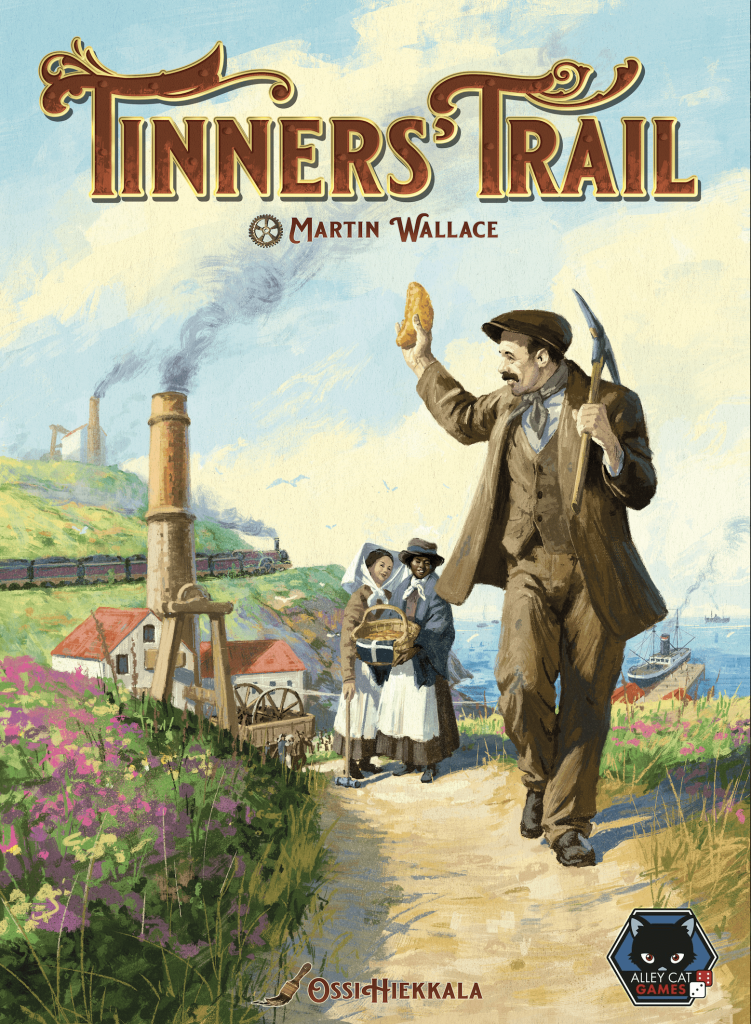
Tinners’ Trail (Second Edition) board game cover

About this board game

Tinners’ Trail (Second Edition) is a 1–5 player board game with a playing time of about 90 minutes, set in 19th-century Cornwall during the height of the tin and copper mining industry.

Represent a mining conglomerate competing for valuable land across Cornwall. Buy plots in auctions, survey them for tin and copper, and manage your work points and money carefully. Once you establish a mine, extract the ore and aim to make a profit—but remember that deeper mines become increasingly expensive to operate.

Developments can help reduce the costs of mining. Ports, train stations, and adits provide useful improvements, but there are only so many available, making their use an important part of your planning.

  • Auction plots of land across Cornwall.
  • Survey land for tin and copper, then extract the ore.
  • Use developments to reduce mining costs.
  • Time your sales to take advantage of high market prices.
  • Invest money in industries outside Cornwall to gain victory points.

After making money from your mines, invest it in industries beyond Cornwall. The earlier you invest, the better the return, so choosing when to sell and when to commit your funds can shape your path to victory.

This edition of Tinners’ Trail expands the original 2008 design with support for 1–5 players. Resources are set up with tiles rather than die rolls, maintaining variability while reducing randomness, and dual-use cards provide information before an auction or an extra boost afterward. With lead development and expansion designs by David Digby, it challenges you to build an efficient mining operation and avoid being left without two shillings to rub together.

Board Game Rules for
Tinners’ Trail (Second Edition)

Download official rules (EN)

Introduction

Tinners’ Trail is set in Cornwall during the early 19th century, and focuses on the tin and copper mining industries that made the county famous. It was during this century that Cornwall became one of the most important mining areas in the world.

It produced the tin that was used in many alloys, and the copper that was used to clad the ships of the Royal Navy. It was the demand for more efficient water pumps in the mines that led to the development of the steam engine, which in turn led to the first steam trains. Arsenic was a valuable by-product widely used in a variety of other industries, especially the emerging cotton industry in Lancashire. When Cornish mining went into decline, Cornishmen moved around the world, taking their valuable skills with them and helping to shape the modern world of mining.

The name of the game refers to the long walks that the miners had to make from their homes to the mines. The path to the mine would be known locally as the ‘Tinners’ Trail’.

About This Edition

In collaboration with Martin Wallace, Tinners’ Trail has been substantially re-developed to create this new, remastered edition. The game now accommodates a wider range of players, and three entirely new modules have been created: the Arsenic and Emigration expansions, and the Lord Wallace solo game.

Aim of the Game

Each player represents a growing mining operation in 19th-century Cornwall, seeking to profit from the rich tin and copper deposits of the region. Over the course of 4 rounds, players will build mines, acquire developments, extract ore, sell their tin and copper, and invest the proceeds to earn points. The player with the most points at the end of the game is the winner.

Components

Components Overview
Components Overview
  • 1 Main Board
  • 4 Development Boards
  • 32 Area Tiles
  • 1 Auction Marker
  • 45 Survey Cards
  • 14 Drainage Tokens
  • 10 £100 Tokens
  • 9 Setup Cards (7 Area Setup Cards & 2 Double-sided Map Cards)
  • 3 Custom Dice
  • 46 Developments:
    • 14 Miners
    • 11 Ports
    • 5 Trains
    • 6 Adits
    • 10 Steam Pumps
  • 150 Resource Cubes:
    • 50 Tin Cubes
    • 50 Copper Cubes
    • 50 Water Cubes
  • 65 Player Pieces:
    • 30 Mines (6 per player)
    • 10 Extra Score Tokens (2 per player)
    • 10 Peek Tokens (2 per player)
    • 5 Work Markers (1 per player)
    • 5 Money Markers (1 per player)
    • 5 Score Markers (1 per player)

* For Arsenic Expansion rules and components see page 12
For Emigration Expansion rules and components see page 14
For Kickstarter pack rules and components see page 15
For Solo rules and components see page 16


Board & Supply Setup

  1. Lay the main board in the middle of the play area.
  2. Put the dice and auction marker beside the board.
  3. Find the development board that corresponds to the number of players and place it face-up in the space on the main board.
  4. Take from the supply a number of ports, trains, adits and miners, that match the number of icons shown on the development board, and place them into the correct columns of the board. There will be multiple pieces in each box, one for each icon.
  5. Take steam pumps from the supply to make a number of groups of steam pumps shown on the development board. The number of pieces in each group is shown in the top right of the steam pump box for each round.
  6. Put all the tin cubes, copper cubes, water cubes, drainage tokens, and £100 tokens beside the board in a common supply. The supplies of cubes and tokens are not intended to be limited. If you run out, use suitable replacements.
  7. Give each player all of the player pieces of one colour.

Player Pieces

  1. Take the score marker belonging to each player and stack them on the ‘0’ space of the outer track.
  2. Take the money marker belonging to each player and stack them on the ’20’ space of the outer track.
  3. Take the work marker disc belonging to each player and place them randomly into the ‘0’ column of the work track, starting at the top and placing each disc in a separate space.
Game Setup Diagram
Game Setup Diagram

Area Tiles

  1. Sort the area tiles into 4 region stacks (A, B, C, D) and shuffle each stack separately.
  2. Place the area tiles face down onto the board to match the arrangement on the map card for the number of players. Put any unused area tiles back in the box unseen.
  3. Use the area setup cards to randomly select area tiles to reveal. Start with region A. For each region, shuffle the 7 cards, and then deal them one by one. Flip the tile in the first numbered position in region A that matches a dealt card.
  4. Repeat this process to select the necessary number of tiles, then put the area setup cards back in the box:
    • With 2 or 3 players, reveal 1 random tile per region.
    • With 1, 4, or 5 players, reveal 2 random tiles per region.

Survey Cards

  1. Sort the survey cards into 5 decks; 4 decks by region (A, B, C, D), plus 1 wild deck (★). Shuffle each deck separately. In a 2- or 3-player game, the region D deck is not used.
  2. Each player draws 2 cards from each region deck, plus 1 card from the wild deck. Look at your cards and choose to discard 1 card of each region (A, B, C, D). Return all unused and discarded cards to the box unseen. Keep your survey cards hidden from the other players.
  3. In a 2-player game, the wild deck is not used, and the discarded cards from decks A, B, and C should be shuffled back into their respective face-down decks beside the board. They will be used during the game.

Round Structure

The game has 4 rounds, and each round has 4 phases:

  1. Set Ore prices: Roll the dice to determine the prices of tin and copper.
  2. Actions: Players will take actions by spending work points. The active player is determined by the position of the work markers on the work track.
  3. Sell & invest: Players sell all of their tin and copper, and invest their money to earn points.
  4. End of round

The Outer Track

The outer track is used to show both the money and points each player has accumulated. As you spend and earn money, or score points during the game, move the matching marker on the track to record the change.

Money

You start the game with £20, which is shown by the position of your money marker placed in setup. You cannot have less than £0, and you cannot borrow money. If you ever have more than £99, take a £100 token from the supply and use your marker to record the remainder.

Points

You may gain points during each ‘Sell & invest’ phase. For each point scored move you score marker one space around the outer track. If you ever have more than 99 points, take your 100/200 extra score token and place it onto the board by the 0 space, with the 100 side face up, use your score marker to record the remainder. As you earn more points, you may need to flip your token to the 200 side or place your 300/400 extra score token on the board instead.


The price of copper fluctuated unpredictably, depending on the discovery of cheap deposits elsewhere. Drops in the price would cause great suffering in Cornwall as mines closed down. Some mines would switch to mining tin, since the price was more stable.

To set the price for tin, roll all 3 dice and add up the results. Place a tin cube from the supply in the appropriate column to indicate the price for tin (£4, £5, £6, or £7). Then roll again and repeat the process to set the price for copper (£2, £4, £8, or £10).

In later rounds, the old price of an ore may affect the new price:

  • If the old price was in the lowest column, add one to the dice total (for example: if the old price for tin was £4, add one to the new dice total when setting the new price for tin).
  • If the old price was in the highest column, subtract one from the new dice total (for example: if the old price for copper was £10, subtract one from the dice total when setting the new price for copper).
Setting Ore Prices Example

The active player is always the player who has spent the least amount of work points, and whose work marker is therefore in the leftmost column of the work track. If two or more players’ work markers are in the leftmost column (as they will be at the beginning of each round), the player whose work marker is uppermost in the column is the active player.

On your turn, you must perform one of the following actions. Each action costs 0, 1, 2, or 3 work points (Work point).

Actions are explained in detail on pages 6 – 10.

Actions Overview Panel

After you take an action, move your work marker that many columns to the right, then place your work marker in the uppermost empty space of that column. Your work marker goes below any other markers already in that column. If you do not have enough remaining work points, you cannot take the action.

In the following pages of the rulebook we will use the watch graphic to determine how many work points are required to take the relevant action:

  • 0 work points = No work points
  • 1 work point = 1 work point
  • 2 work points = 2 work points
  • 3 work points = 3 work points
Work Track Movement Example

If your work marker is in the final column of the work track at the start of your turn, you must take the pass action. Players may choose to pass earlier to gain a more advantageous position on the investment track. When you do pass, place your work marker in the uppermost empty space by the investment board. When you pass, you cannot perform any more actions or participate in auctions during this phase. This phase ends when all players have passed.


Build Mine (2 work points)

Place the auction marker in any area with an area tile. Doing this initiates an auction for the right to build a mine in this area. Only the winner of the auction will spend 2 work points and build a mine in the area.

If the area tile is face up, everyone knows the amount of tin, copper, and water that will be placed in the area. If the tile is face down, the players may be bidding without this knowledge.

A player can only initiate, participate, or continue to participate in an auction if:

  • they have at least 2 available work points
  • they have at least 1 unbuilt mine
  • they have enough money to pay for any bid they make

Before the Auction

As the active player, you may play a survey card before you make your opening bid, but only if all of the following are true:

  • the area tile is face down
  • the card matches the tile’s region or is a wild card
  • at least one other player can participate in the auction

There is no additional cost if you play a card before an auction begins. Ignore the monetary value on the card.

The survey card will improve the mine, but also grants you, the active player, two bonuses:

  • Investigation: You may secretly look at the area tile before making your opening bid, and at any time during the auction.
  • Insurance: If you lose the auction, you receive half the winning bid (rounded up).

Bidding

As the active player, you must make an opening bid. The minimum bid is £1 plus £1 for each player who has already taken the pass action this round (and so has moved their disc to the investment panel). Your opening bid must equal or exceed this minimum.

Bidding proceeds clockwise. If bidding passes to you, you must either make a higher bid or drop out. Once you’ve dropped out, you cannot re-enter the auction. Bidding continues until all but one player has dropped out. The remaining player wins the auction.

Survey Card Anatomy
Survey Card Anatomy
Auction Example
Auction Example

After the Auction

If you are the winning player, you must pay the cost of your bid and spend 2 work points. If the area tile was face down, reveal it.

Before building your mine, you may play one of your survey cards to gain the benefit shown on the card, provided the player who initiated the auction did not play a survey card before the auction. If you do, you can guarantee gaining the benefit on the card rather than risk losing it to another player. The card must match the tile’s region or be a wild card. To play the card, you must pay a cost equal to the card’s value.

Now place one of your mines in the area. Once built, a mine cannot be moved or rebuilt elsewhere.

Area Tile

Take from the supply a number of tin, copper, and water cubes equal to the number shown on the area tile and place them in the area. Then discard the area tile.

Drainage Tokens

For each drainage token in the area, remove one water cube, if possible. Then discard the drainage tokens.
Note: Drainage tokens may be present on the tile due to Development Actions, which are explained on pages 8 and 9.

Survey Card

If a survey card was played, apply the benefit of the card to the mine area, then discard the survey card.

  • If the benefit is extra tin or copper, or a reduction in water, add or remove cubes as necessary. Water cannot be reduced below 0 by a Survey card.
  • If the benefit is a miner or port, take the piece from the supply beside the board (not from the development board) and place it in the area. Place the piece and gain its benefits exactly as explained in the rules for the regular development actions.
  • If the benefit is a steam pump, take a steam pump from the supply beside the board (not from the development board) and place it in the area. Unlike regular steam pumps, this steam pump remains in the area where it is played. Immediately remove 1 water cube from the area, and remove 1 water cube at the beginning of each following round.
Mine Building Resolution Example

Changes in a 2-Player Game

When the active player initiates an auction, they must either play one of their own survey cards as normal regardless of whether the auction is contested or not, or draw and play a survey card from the top of the region’s deck of survey cards. The minimum opening bid for the auction is always set by the value shown on this survey card. If playing a card from your hand and the tile is face down, you may choose to peek at the tile, but you must still bid. This means that a survey card can never be played after an auction.

  • If the active player plays a card from their hand, they must be able to afford the minimum bid, and must bid.
  • If a card is drawn from the deck and the player cannot afford the minimum opening bid, they must pass. The other player then has the option to bid or pass.
  • If both players pass and the tile is face up it remains in place.
  • If the tile was face down, it is removed and no mine is built on the area.
  • If the active player plays one of their own survey cards and loses the auction, they still receive insurance equal to half the winning bid (rounded up).
Two-Player Auction Example

Extract Ore (1 work point)

As you dig the mine a little deeper, so extracting ore becomes more expensive.

Choose one of your mines, and take from it a number of tin and copper cubes (in any combination) up to the mine’s extraction capacity.

  • Each mine has a base extraction capacity of 2. Each miner, port, or train in the area adds 1 to this capacity.
  • Each cube of tin or copper you extract costs an amount of money equal to the number of water cubes currently in the mine. If there are no water cubes in the mine, there is no cost.

Keep all the cubes you extract in front of you. You cannot sell them now, but you will sell them all during the next phase (Phase 3: Sell & invest).

Regardless of the number of cubes you extracted, add exactly 1 water cube to the area.

Extract Ore Example
Extract Ore Example

Development Actions

As miners had to dig deeper to reach the lodes they developed new techniques and technologies to help remove water and increase their capacity to get the ore out.

When you take a development action, take the appropriate piece from development board, based on the current round number, and place it on the main board.

You may place developments in any area on the board, regardless of whether anyone has built a mine in that area or not.

The number of developments is strictly limited. Apart from steam pumps, you may only take a development action if the appropriate piece is available in the column for current round.

  • Each area can only have a maximum of one miner, one port, and one train.
  • Each border between two adjacent areas can only have a maximum of one adit.
  • Developments cannot be moved or removed later in the game.

Miner (1 work point)

The history of tin mining in Cornwall goes back millennia, to the time of the Phoenicians. Copper mining was a more recent development, driven by the demand of the Royal Navy for sheathing for their ships. As copper and tin mining expanded in the 19th century, so in turn the demand for labour increased.

Take an available miner from the development board and place it in any area.

  • The miner adds 1 to the area’s extraction capacity.

Port (2 work points)

Many of the coves around Cornwall’s craggy coast contain the remnants of old mining ports. Ports were built to bring coal in to feed the energy hungry steam pumps and ship ore out to the smelting plants in South Wales. Although Cornwall was blessed with a cornucopia of metals she had no coal at all, which meant that it all had to be imported.

Take an available port from the development board and place it in any area that borders the sea.

  • Remove 1 water cube from the area. If the area does not yet have a mine, place 1 drainage token instead.
  • The port adds 1 to a mine’s extraction capacity.
Miner and Port Development Illustrations
Port Placement Illustration

Train (2 work points)

Probably Cornwall’s most famous son is Richard Trevithick who built the first steam train. Once again the driving force was to be able to bring more coal to the mines to power the steam pumps.

Take an available train from the development board and place it in any area.

  • Remove 2 water cubes from the area. If the area does not yet have a mine, place 2 drainage tokens instead.
  • Remove 1 water cube from each adjacent area. If an area does not yet have a mine, place 1 drainage token instead.
  • The train adds 1 to a mine’s extraction capacity. (It has no effect on the extraction capacity of adjacent areas.)
Train Placement Example

Adit (3 work points)

The biggest problem facing the Cornish miner was pumping water out of the mines. One solution was to dig a tunnel into the side of a hill to meet the mine shaft. The water raised could be dumped into this tunnel, known as an ‘adit’, rather than be pumped all the way up to the surface. In the course of building an adit it was quite common to come across new lodes of copper and tin.

Take an available adit from the development board and place it so that it connects two adjacent areas.

  • Remove 1 water cube from each of these areas. If an area does not yet have a mine, place 1 drainage token instead.
  • Add 1 tin and 1 copper cube to each of these areas.

Reminder: Each border between two areas can only have a maximum of one adit.

Adit Placement Example

Steam Pumps (1 work point)

Steam power was primarily developed to pump water out of mines. Using it to power other machinery was a later advance. Engineers were continually making improvements to steam pumps, although they had to be careful not to infringe James Watt’s patents.

Steam pumps are unlike the other developments in three ways:

  • Steam pumps are available in groups of between 1 and 3 pieces. When you take this action you take all the pieces of the rightmost available group.
  • Steam pumps are refilled at the end of each round. The available steam pumps are considered to be those in the column relating to the current round and those returned to any column to the left of that.
  • Steam pumps are not placed directly into an area, instead they are returned to the supply.

When you take this action take the rightmost available group of steam pumps. For each piece taken as part of one group, you may remove 1 water cube from any area, anywhere on the board. When you receive 2 or more pieces this can be multiple water cubes from one area or split between different areas. You may choose not to use all of the steam pumps to remove water cubes, but the excess is lost and cannot be saved for a later turn.

Note: In 5-player game there are two groups of 1 pump each available in the round 1 column of the developments board.

Steam Pump Action Example

Tip: The developments are colour coded to help remind you of the work point cost:

  • White = 1 work point
  • Grey = 2 work points
  • Dark Grey / Brown = 3 work points

Ancillary Actions

Sell Pasties (0 work points)

The region’s most famous delicacy is the Cornish pasty. It was the miners’ lunch: a mixture of meat and vegetables in a pastry case with a thick crust along one edge to allow the miner to hold it in his dirty hands (the crust was not usually eaten). Pasties were usually homemade by miners’ wives, but in this game you can sell pasties to raise money.

When you take the sell pasties action, earn £1.

Pass (0 work points)

Place your work marker in the uppermost empty space in the column next to the investment panel. Once you pass, you cannot perform any more actions or participate in auctions. If your work marker is in the final column at the start of your turn, you must take the pass action. You may choose to take the pass action earlier if you wish.

The Action phase ends when all players have passed.

Passing onto Investment Track Example

Remember: Passing increases the minimum bid in any auction for the remaining player


Once you have earned your money from selling ore you now have the opportunity to invest it in ventures outside of Cornwall. A lot of Cornish mine owners invested in Welsh copper smelting in an attempt to control the entire industry.

Selling Ore

All players now sell all of the tin and copper they extracted during the round. Sell each cube for the price determined at the start of the round, and then return all your cubes to the supply. You cannot keep cubes between rounds.

Selling Ore Example
Selling Ore Example

Investments

Players now take turns to make investments, from top to bottom, until all players do not wish to make any further investments.

When it is your turn to invest you may spend any amount of money in increments of £10 and £5, or pass.

Each investment of £10 earns you the number of points shown to the left of the diagonal line in the box that corresponds to both the round number and your position in the column. Each investment of £5 earns you the number of points to the right of the diagonal line in the same box.

For each point earned, move your score marker 1 space around the outer track. If you choose to pass you may not invest again in this phase.

This continues, in order, until all players have passed.

In round 4 all players will invest as much as possible and may do so simultaneously. There is no need to complete phase 4 in the final round.

Investment Examples
Investment Examples

Phase 4: End of Round

  1. At the end of the round, any development pieces that were not used are removed from the development column for this round and returned to the box.
  2. Refill all of the steam pump spaces at the bottom of the development board from the supply.
  3. All player discs are moved from the column by the investment board to the ‘0’ column of the work track, staying in the same order that they were at the end of Phase 2.
  4. The two players at the top of the ‘0’ column of the work track may each, in turn, look at one face-down area tile of their choice and replace it face down. In a 2-player game, only the player in first place may look at a tile.

If you look at a tile, place a peek token of your colour on the tile to remind everyone that you have seen it. You may look at the tile again at any time. When the tile is revealed, take the peek token back.

Peek Token Illustration

End of the Game

The game ends at the end of round 4 (skip the ‘End of round’ phase). The player with the most points wins. Unbuilt mines, remaining money, and unmined tin and copper cubes on the board are not worth additional points.

Tiebreakers

In the case of a tie, the tied player who had the most money remaining is the winner. If still tied, the tied player with most tin and copper cubes still in their mines is the winner. And, if still tied, the tied player whose disc is uppermost in the ‘0’ column of the work track wins.


Arsenic was a valuable by-product of mining tin and copper. Its principal market was the cotton industry in Lancashire, where it was used in dyes. Arsenic was also used by other industries such as leather tanning and the manufacture of lead-shot, wallpaper pharmaceuticals and sheep dips.

Calcination ovens were used to purify the arsenic by roasting. Arsenic’s highly toxic nature made this work very hazardous and it was often done by women and children above ground alongside mines. In the late 19th century the West Country produced over half the world’s arsenic, making it a very lucrative industry.

This expansion adds arsenic to the game, and gives the players a more risky way to earn significant amounts of money.

Components

  • 25 Arsenic Cubes
  • 5 Calciners (1 per player)
  • 1 Market Board
  • 5 Work Track Limiter Tokens (1 per player)
Arsenic Expansion Components and Setup

Setup

  1. Give each player the calciner and work track limiter marker in their player colour.
  2. Add the arsenic cubes to the supply. The supply of arsenic cubes is not intended to be limited. If you run out, use suitable replacements.
  3. Place the market board beside the main board.
Arsenic Expansion Setup Diagram

How to Play

When you build a mine, you have the opportunity to also build your calciner. Once you have built your calciner, there are two new actions you can take: process arsenic and sell arsenic.

Each time you process arsenic you will permanently lose one work point, effectively reducing the length of your work track. Unlike ore, arsenic can be sold during a round to earn instant money. The more arsenic players sell the more the price drops, and it also drops over time.

Build Calciner

When you win an auction to build a mine, you may also build your calciner at the same time. This is a free action that does not cost additional work points or money. When you build your calciner, do as follows:

  • Place your calciner in the same space as your newly built mine. Once built, your calciner cannot be removed or rebuilt elsewhere.
  • Add 1 arsenic cube to the area with your calciner.
  • Add 1 arsenic cube to each area adjacent to the area containing your calciner. An area can contain any number of arsenic cubes.
Build Calciner Diagram

Process Arsenic

Note: Until you build your calciner, you cannot take this action.

Take exactly 1 arsenic cube from one of your mines, and keep it in front of you. This action does not cost any money, as the number of water cubes is irrelevant.

Do not move your work marker on the work track. Instead, the first time you take this action, place your work track limiter marker below the ’10’ column of the work track (you cannot take this action if your disc is in column ’10’). This means that for you the ‘final column’ of the work track is column 9.

Each additional time you take this action, move your marker one column to the left. You cannot take this action if this would move your work track limiter marker to the column in which your work marker is currently positioned.

In this and all later rounds, you cannot move your work marker into or beyond the column of the work track above which your marker is positioned. This means that every time you process arsenic, you are permanently reducing the number of work points you have available for the rest of the game. Where the base game rules refer to the ‘final column’ of the work track, this is the column to the left of your work track limiter marker.

Process Arsenic Example

Note: Since this is a free action, you can theoretically process multiple arsenic cubes from areas you control. However, you would still move your work limiter token to the left for each arsenic processed.

Sell Arsenic (1 work point)

Note: Until you build your calciner, you cannot take this action.

Sell all of the arsenic cubes in front of you. This action costs 1 work point, regardless of the number of cubes sold. This is the only way to sell arsenic, it is not sold alongside ore cubes at the end of each round.

Place each cube onto the highest-valued empty space on the market board. Each space can only contain one cube, except the final £6 space which may hold any number of cubes. You may only place a cube in a section that is available for the round you are in.

After the end of each round, the highest available section becomes unavailable. For example, all spaces are available during round 1, but the top section becomes unavailable starting in round 2. During the final round, only the bottom section will be available. If all the spaces in the current section are full, you may continue to place them in the next section. Earn money equal to the total value of all the spaces you filled.

Sell Arsenic Example

Note: Unlike tin and copper, arsenic can be kept between rounds if players so choose.


Cornish miners were highly skilled and those skills were sought after in emerging mining regions around the globe. As the Cornish mines closed the miners often emigrated to set up new lives in foreign countries.

This expansion gives players their own miners, and the chance to send these miners away from Cornwall to start new lives overseas.

Components

  • 1 Emigration Board
  • 20 Miners (4 per player)
  • 8 Emigration Tokens
Emigration Expansion Components

Setup

  1. Give each player 4 miners in their player colour.
  2. Place the emigration board beside the main board.
  3. Place the emigration tokens on the matching spaces in Kimberly and Adelaide.
Emigration Expansion Setup Diagram

How to Play

When you take the miner development action, you may exchange the miner for one of your own. There is also one new action you can take: Emigrate.

Claiming Miners

When you take a miner from the development board, you may choose to return that miner to the supply beside the board, then place one of your own player-coloured miners in an area with one of your own mines. Player-coloured miners still add to the extraction capacity of your mine.

Claiming Miners Illustration

Emigrate (1 work point)

Move one of your own player-coloured miners from an area on the board to an empty space on the emigration board that corresponds to the current round number to gain the bonus action of that location, as described below. Once a space has been claimed, no other player can claim it.

Emigrate Action Example

Note: When you Emigrate action the mining capacity is reduced by one for that region, however you are now able to add a miner here in future rounds as if it never had one before.

Emigration Locations

Michigan, USA

When you place your miner in Michigan, take the development shown above the round number from the supply, not the development board. The development can be placed on the board as a free action, either now or on any of your future turns.

  • Round 1: 1 adit
  • Round 2: 1 train
  • Round 3: 1 port
  • Round 4: 2 miners, which may each be placed anywhere on the board, including in the same area as other miners (take these from the common supply; you cannot exchange them for your own miners). Each miner adds 1 to your extraction capacity.
Sierra Madre, Mexico

If you place a miner in Sierra Madre, immediately gain the points shown for the round in which you placed the miner.

Kimberly, South Africa

If you place a miner in Kimberly, immediately earn the amount of money shown. Take the token for the round in which you placed the miner. During ‘Phase 1: Setup’ of each remaining round, earn that amount of money again.

  • Round 1: £5
  • Round 2: £5
  • Round 3: £6
  • Round 4: £10

These amounts are shown on the token as a reminder.

Adelaide, Australia

If you place a miner in Adelaide, take the bonus token for the round in which you placed your worker.

This token must be spent during phase 3: Sell & invest in the current round to increase the price of some or all of your sold ore cubes by the amount shown.

  • Round 1: the price of one type of cube is increased by £3 per cube
  • Round 2: the price of one type of cube is increased by £2 per cube, the other is increased by £1 per cube
  • Round 3: the price of one type of cube is increased by £2 per cube
  • Round 4: all of your cubes are increased by £1 per cube

Components

The Kickstarter pack contains six cards and 8 area tiles that were given free to Kickstarter backers of Tinners’ Trail but can be purchased separately from the Alley Cat Games website.

  • 8 Area Tiles
  • 6 Survey Cards
  • 1 Reference Card
Kickstarter Pack Components

How to Use the Survey Cards

These survey cards replace the wild cards. Instead of being able to be used for all regions, they can only be used in the specific two regions shown on the card. In step 16 of the setup, instead of dealing one wild card to each player, shuffle the Kickstarter pack Survey cards together and deal one to each player. Return the remaining cards unseen to the box.

How to Use the Area Tiles

The Kickstarter pack area tiles offer bonuses of money or a work point refund when bought.

They should be shuffled into the stacks of area tiles in step 11 of the setup.

Kickstarter Area Tile Examples

The solo mode is played against Lord Wallace, a wealthy Cornish landowner who wishes to make even more money from the boom in Cornish mining. His vast personal fortune means he has certain advantages over you when it comes to managing money.

Components

  • 10 Tarot-sized Action Cards
Solo Action Cards
Solo Action Cards

Setup

Set up as per a 2 player game with the following changes:

  1. Lord Wallace does not track money during a round, instead he uses his money marker to record money spent. This is explained under the Mine action.
  2. Place Lord Wallace’s work marker in the uppermost space and place yours below it. Lord Wallace will take the first action of the game.
  1. Reveal 2 area tiles face up within each region.
  1. Instead of selecting survey cards, Lord Wallace will keep all 6 cards. Shuffle them to form a face-down deck. Should this deck ever run out, he instead draws cards from the top of the chosen region’s deck.
  1. Shuffle Lord Wallace’s action cards and place them face down to form his action deck.
Solo Game Setup Diagram

How to Play

Your turns are played as normal. Whenever you would peek at a tile, reveal it face-up instead.

On Lord Wallace’s turn:

  1. Reveal the top card of the action deck for the current round.
  2. Check to see where Lord Wallace’s work marker is on the work track. This, alongside the round number and the copper price, will determine which of the actions he will take.
  3. If the copper price is £8 or £10, and the card row and column shows an orange highlighted action, carry out that action. If copper price is lower or the only action is not highlighted, carry out that action. All actions are described below.
  4. After taking an action move Lord Wallace’s work marker the usual amount of spaces along the work track.

If any action is ever impossible, draw a new card and use that instead*. It is possible to cycle through a number of cards in this way but a viable action will always be shown on at least 1 card. Should the action card deck ever become empty, shuffle all the action cards to form a new deck.

Lord Wallace’s actions will refer to compass directions east and west. The main board has north at the top, so east refers to the right side and west the left side.

*During round 4, if Lord Wallace’s work marker is on spaces 7-9 on the work track and he has no ore (or arsenic, if playing with that expansion) to mine, he passes.

Solo Action Selection Example

Solo Actions

Build

Draw the top card from Lord Wallace’s survey card deck. Lord Wallace will start an auction in the region shown on the card. If he has no survey cards remaining, choose the most preferred tile of all the regions, then draw the top card from the matching survey card deck. The card is used for the auction as per a 2-player game. Lord Wallace does not pay £ when winning an auction, nor receive money if you win the auction.

Lord Wallace chooses an area in the region using these priorities:

  • A face-up area with net worth of 2 or more:
    • The highest net worth, then
    • Adjacent to his existing mines, then
    • Coastal, then
    • The area further east
  • A face-down area:
    • Adjacent to his existing mines, then
    • With the most drainage tokens, then
    • Coastal then,
    • The area furthest east

Net worth is the sum of copper and tin on the tile minus the number of water cubes. For example a tile with 2 copper, 2 tin, and 3 water has a net worth of 1. Any benefits from survey cards are also applied to this, with a port being worth +2 and a miner being worth +1

Face down tiles are not revealed when Lord Wallace starts the auction.

If Lord Wallace has already spent 9 WP and draws a Build action, he will still attempt to build a mine, but will only spend 1 WP. If Lord Wallace has spent 9 WP and you start an auction, he cannot bid against you and the auction is uncontested.

An auction then starts as explained below.

Solo Auctions

If you are the active player and begin an auction, you use survey cards as you would in a 2-player game. Remember face-down tiles are turned face up if you peek at them. There is no hiding information from Lord Wallace!

Both you and Lord Wallace will have only 1 bid each. The active player bids first, then the other player chooses to outbid them or pass. If there is ever a tied bid, the active player wins the auction.

Lord Wallace will bid based on the net worth, calculated from the area tile (if face up) and survey card in combination. He will roll dice as shown below and add that die value to the value shown on the card. He will pass on any auction that would result in him being more than 4 spaces ahead of you on the work track.

If you are the active player and Lord Wallace outbids you, he will do so only by the minimum amount necessary. If you played a Survey card from your hand, you still receive half this amount in compensation, rounded up.

Lord Wallace Auction Bidding Table
Solo Auction Example

Mine

Lord Wallace does not pay to mine ore in the standard way. Instead of moving his money marker down the outer track, if his mining action would normally cost an amount of £, move his marker up that many spaces to show the money he owes. This will be deducted from his earnings at the end of the round.

Lord Wallace Mining Debt Example

When mining, Lord Wallace will always attempt to remove a number of cubes equal to his extraction capacity, providing enough cubes remain, as detailed below.

If the copper price is £8 or £10: remove as many copper cubes as possible from one mine. Lord Wallace prefers an area using these priorities:

  • Where he can remove the most copper cubes, then
  • The one with the least water, then
  • The one that would leave the fewest remaining ore cubes, then
  • The area furthest east.

If there is less copper than Lord Wallace’s extraction capacity, he will also remove tin cubes up to the extraction capacity.

Lord Wallace High Copper Mining Example

If the copper price is £2 or £4: remove as many tin cubes as possible from one mine.

Lord Wallace prefers an area using these priorities:

  • Where he can remove the most tin cubes, then
  • The one with the least water, then
  • The one that would leave the fewest remaining ore cubes, then
  • The area furthest east.

Do not remove any copper cubes, except in round 4. In round 4, if there is less tin than Lord Wallace’s extraction capacity, he will also remove copper cubes up to the extraction capacity.

Lord Wallace Low Copper Mining Example

Steam Pumps

Take the rightmost group of steam pumps available. Remove water cubes from his mines equal to the number of steam pumps taken, provided that the mines have a number of ore cubes at least equal to the mining capacity. Remove each water cube in turn from his area with:

  • The most ore, then
  • The highest mining capacity, then
  • The least water, then
  • Inland, then
  • The furthest west.

Adit

Place the adit between 2 of his adjacent areas. The areas must both have at least 1 water. If no Adit can be placed as above, instead take the steam pumps action.

If Lord Wallace chooses to place an adit, he prefers areas using these priorities:

  • The areas with the fewest cubes, then
  • The areas with the least copper, then
  • The areas furthest west.

Port

Place the port in his coastal area containing the most ore cubes and at least 1 water, providing the current extraction capacity is not already equal to or greater than the number of cubes present.

Lord Wallace prefers an area using these priorities:

  • The area with the most ore, then
  • The area with the most water, then
  • The area with the most copper, then
  • The area furthest west.
Lord Wallace Port Placement Example

Train

Place the train in an area with at least 2 water that is adjacent to at least 1 other area containing his mines, provided the current extraction capacity is not already equal to or greater than the number of ore cubes present.

If tied, choose the placement that:

  • Removes the most water from the Lord Wallace’s mines, then
  • The area with the most ore, then
  • The area furthest east.

Miner

Place the miner in his area containing the most ore cubes, providing the current mining capacity is not already equal to or greater than the number of cubes present.

If there are two areas with the same number of ore cubes, Lord Wallace places the miner using these priorities:

  • the area with the least water, then
  • the area with the most copper, then
  • the area inland
  • the area furthest west

Developments

Lord Wallace will take a development action, preferring:

  1. Train, then
  2. Adit, then
  3. Port, then
  4. Steam pumps, then
  5. Miner.

Following all of the rules explained under the action headings above. If he cannot take a certain development action for any reason he moves onto the next one. If he cannot place a train, he instead places an adit. If he cannot place an adit, he instead places a port (not steam pumps as described in the adit action) and so on until he takes 1 development action. If he cannot place a miner, draw a new action card as normal.

Pass

Lord Wallace passes, move his work marker to the uppermost empty space on the investment panel. This increases any auction minimum price by £1, as normal.

Phase 2: Investments (Solo)

At the start of phase 3, calculate Lord Wallace’s revenue from selling ore cubes using the market prices as normal. Deduct any money he owes from taking mining actions during the round from this amount.

What remains is his profit. He will spend as much of his profit as possible, scoring points based on his marker’s position on the investment panel.

Move his score marker the required number of spaces. Any leftover money (£4 or less) is lost, reset his money marker to the zero space on the outer track.

Solo Investment Resolution Example

End of the Game (Solo)

If you beat Lord Wallace’s score at the end of the game, then you have won!

Difficulty Options

The solo game as described above is the standard difficulty setting. For a more challenging game you may select any number and combination of the increased difficulty options shown below. We suggest starting with better mines and then adding any other options you like to that to tailor the game however you wish.

  1. Better mines: Lord Wallace’s mines start with a mining capacity of 3.
  2. Cheap labour: Halve the amount of money Lord Wallace owes each round (rounded up).
  3. More mines: Give Lord Wallace 1 or 2 extra mines for his supply, using the pieces of another player colour.
  4. Deep pockets: All of Lord Wallace’s auction bids are increased by £2.
  5. Friends in high places: Lord Wallace uses a higher row of investments each round.
  6. Financial sabotage: You use a lower row of investments each round.
  7. Bailing out: Remove 1/2/3 water cubes from Lord Wallace’s mines at the start of rounds 2/3/4 as if he had developed a steam pump.
  8. Shady land purchases: Lord Wallace places mines for free at the start of rounds 3 and 4 using normal selection rules.

Solo: Playing with Arsenic Expansion

We suggest playing with a higher difficulty setting than with the base game. As a minimum we would recommend ‘better mines’ and ‘deep pockets’. The game plays as above with the following changes:

Build

Lord Wallace will place his Calciner in the first area possible when it results in adding 4 or more arsenic cubes to the map.

When auctioning areas, each arsenic cube adds +2 to the area’s net value.

Mine

When taking a mining action, if the extraction of 1 arsenic cube is more profitable than the current mining action and Lord Wallace owns a mine with at least 1 arsenic present, extract 1 arsenic instead. Use the work track limiter marker token to reduce his work track as you would with a player. Place the arsenic cube on the first available market immediately. The sale of the cube does NOT result in Lord Wallace having to move his work marker along the work track. The only cost of this action is the permanent loss work points. This concludes the action, but Lord Wallace will still be the active player, so draw another action card.

Profitable – The profit of an area is defined as the current market value of ore cubes that can be extracted in a single action minus the cost of any water cubes present. This calculation remains the same with all difficulty options.

Solo Arsenic Mining Example

Add the total money Lord Wallace would have made from selling arsenic to his money at the end of the round. You may want to use an additional player money marker to keep track of this. Each round there is a limit to how far left Lord Wallace will move his work track limiter marker token:

  • Round 1: 8
  • Round 2: 8
  • Round 3: 7
  • Round 4: 5

If Lord Wallace reaches this limit, he will not mine arsenic.

Solo: Playing with Emigration Expansion

We suggest playing with a higher difficulty setting than with the base game. As a minimum we would recommend ‘better mines’ and ‘more mines’. The game plays as above with the following changes:

When Lord Wallace places miners with the Emigration Expansion in play, he will always exchange the miner with a miner in his player colour if he can. These are the only miners he will use to take the Emigrate action.

Developments

If Lord Wallace has a player coloured miner in an area with fewer ore cubes than its extraction capacity, he takes an Emigrate action instead of Develop. Remove the selected miner from the map and place it in Michigan, claiming the development piece as normal. Place any developments taken as soon as a legal placement is available using the usual rules on pages 18 & 19.

If not, Lord Wallace will place a development, preferring to place a:

  1. Miner, then
  2. Train, then
  3. Adit, then
  4. Port, then
  5. Steam pumps.
Solo Emigration Development Example

Mine

If Lord Wallace has a player coloured miner in an area with fewer ore cubes than its extraction capacity, he takes an Emigrate action instead of Mine. Remove the selected miner from the map and place it in Sierra Madre if possible, if that space is taken, instead place it in Kimberly.

Sierra Madre adds points to Lord Wallace’s score as it would a player.

The total money made by the Kimberly miner is always taken at the start of phase 3: Sell & invest in its entirety and added to Lord Wallace’s money total before investing. The bonus from Kimberly is only gained once by Lord Wallace, not every round.

Solo Emigration Mine Example

Build

If Lord Wallace has a player coloured miner in an area with fewer ore cubes than its extraction capacity, he takes an Emigrate action instead of Build. Remove the selected miner from the map and place it in Adelaide. The price increase will be applied to all of his ore cubes sold this round, regardless of the normal restrictions.

Adelaide Bonus Tokens

Round Summary

Phase 1: Set ore prices

  • Roll all 3 dice to set price for tin then again for copper.

Phase 2: Actions

  • Players spend work points to take any one of the available actions (see table below).
  • The active player is the player who’s Work marker is leftmost and uppermost on the Work track.

Phase 3: Sell & Invest

  • Players sell all ore cubes mined this round at the current market prices.
  • In turn order players may invest increments of £10 or £5 to earn points.
  • Each player may invest any amount, this continues until all players decline.

Phase 4: End of round

  • After 4 rounds, the game ends here.
  • Discard any remaining developments from this round.
  • Return all steam pumps to the Development panel.
  • 1st and 2nd players in turn order may peek at a face-down tile (1st only in 2p).

Card Summary

3-5 Players:

Face-down area tile and contested auction:

The active player may play a matching survey card to peek at face-down area tile:

  • If the active player wins auction, modifier is applied.
  • If the active player loses the auction, the modifier is applied for the auction winner but the active player earns ½ the winning bid (rounded up)
  • If no card is played before the auction, auction winner may play a matching card after by paying the cost.

Face-up area tile and/or only active player able to bid:

  • Survey card must not be played before the auction
  • Active player cannot peek at the tile
  • Auction winner may play matching card after paying cost.

1-2 Players

1 Survey card must be played before every auction

  • The active player may play a matching Survey card from their hand, if they do they may peek at the tile if face down
  • If active player does not play a Survey card from hand, draw the top card of the matching Survey deck
  • Modifier is always applied and minimum starting bid for auction is price shown on card.
  • After use all Survey cards are discarded, there is no way to get more Survey cards after initial setup.
Action Summary Reference Table

Credits

Design

  • Game designer: Martin Wallace
  • Expansions and solo game design: David Digby
  • Expansions and solo game development: Martin Wallace

Development

  • Lead developer: David Digby
  • Co-developers: Caezar Al-Jassar and Simon Milburn

Production

  • Editors: Caezar Al-Jassar and Simon Milburn
  • Artists: Ossi Hiekkala and Javier ‘Inkgolem’ González
  • Graphic designer: Javier ‘Inkgolem’ González
  • Additional graphic design: Florentyna Butler
  • Wooden component design: Sebastián Koziner
  • Rulebook editor: Brett J. Gilbert, with David Digby and Simon Milburn
  • Proofreading: Chris Backe, David Ellis, Chris Dearlove, David Sammels, Ben Bateson and Lars Toft

Playtesting

Lead playtesting by David Ellis, Olly Pilsworth, Mike Nudd, Ian Brocklebank, Ben Kranz, Tom Fox and Paul Luxton, with additional playtesting by Katie Bain, Scott Hill, Chris Winterburn, Darren Tanner, Keith and Sarah Crothers, Julián Pombo, Scott Snowden James, Bevan Clatworthy, members of the Virtual Playtesting group, Gaming Rules! Slack channel and Alley Cat Games friends community.

Original Acknowledgements

Martin Wallace would like to thank: Julia Bryan, Richard Dewsbery, Jerry Elsmore, David Norman and Peggy Hollis (for the title). Playtesting by the ‘usual crowd’, including Simon Bracegirdle, Andy Ogden, Geoff Brown, Don Oddy, Martin Burroughs, Paul Oakes & friends, Lance Robertson, Chris Payne, Paul Moulden, Chris Dearlove, Phil Honeybone, Richard Dewsbery, lots of people at Baycon, Stabcon, Midcon and SORCon.

Alley Cat Games Acknowledgements

Alley Cat Games would like to personally thank Martin for taking a chance on a smaller publisher like ourselves and we look forward to working with you on future projects.

We would also like to wholeheartedly thank our Kickstarter backers for backing the campaign. Each pledge helps us to survive as a fledgling company which allows us to continue making excellent games for our beautiful community.

Designer Notes

Martin Wallace

This game only exists because my partner’s parents lived down the road from the old Cambourne School of Mines in Cornwall. If you have ever been to Cornwall it’s hard to ignore the fact that mining was once the principal activity in the county (replaced today by clotted cream and traffic jams). After visiting a couple of old mines it occurred to me to do a game on the subject.

At about the same time I had some ideas whizzing about my head for a new line of games that would only use wooden pieces. The original ‘Tinners’ Trail’ was the result of the combination of these ideas.

First I researched as much as I could about the subject until I got a ‘picture’ of what was going on. Then I sat down to design a game that included as much ‘history’ as possible. In the case of Tinners’ Trail the big reality is the issue of pumping water out of a deep mine. This meant I added the important developments, steam pumps, ports, steam trains, and adits. It is unlikely that anybody outside of Cornwall has heard of the adit. However, large parts of the county are honeycombed with these underground drainage tunnels, with the odd house falling into one.

In the attempt to follow ‘reality’ you can end up with rules that could be viewed as ‘sub-optimal’. The best example of this in Tinners’ Trail is the Ore Price mechanism. It’s random, which will upset some players. It would be perfectly possible to reduce the degree of randomness. However, in reality the price of copper and tin was random. The discovery of a massive lode of copper in a hill in Anglesey that could be drift mined caused the price to tumble, resulting in the closure of hundreds of Cornish mines. However, once the hill had been mined out the price rose again and mines opened up again. That is a random event.

I was very pleased when Caezar at Alley Cat Games expressed an interest in republishing Tinners Trail. Since the second edition in 2007 the game has remained fairly popular but there was an opportunity to make a new version with much improved gameplay suitable for a modern market. With the freedom offered by introducing non-wooden components such as cards and tiles we had the chance to add hidden information and further player interaction in the form of the survey cards. ACG wanted to reduce the randomness and increase the player count, both of which will greatly improve the appeal of the game to a new audience. The development team, led by David, did a great job of following my design ethos and came up with not only the improved gameplay I had outlined but also added 2 new expansions and a solo mode. ACG have done an amazing job with updating the production as well so I really hope we have brought you a great new version whether you enjoyed the original or not.

David Digby

I was very excited to be brought on board by Alley Cat Games to work on the new version of Tinners Trail with Martin. It was a game I owned and enjoyed but saw potential in how it could be further developed. Taking inspiration from Martin’s design methods and his vision of partially hidden information and card play I spent time researching the history and the original game. I set out a framework for the new tile and card systems that allowed a wider player count (including the variant that makes 2 and 1 player work), reduced randomness and added the value of hidden information.

My historical research inspired the two expansions: Arsenic was a by-product of the metal ore mining in the West Country. It was very versatile and was in particular demand in the textiles industry in Lancashire (a nice tip of the hat to Brass), but its highly toxic nature had a huge impact on the workforce. This is represented by the permanent loss of work points, but the mid-round financial gains make it a great decision point for players. The real strength behind the Cornish mining industry was the workforce, who as the mines closed down, emigrated around the world to establish new mining communities. Adding value to the miners and adding a representation of this gave us the emigration expansion.

Part of the expanded player count demanded a variant to make auctions a strong experience at 2 players. We achieved this using a slight variation in rules using the same cards. With the 2-player game being a success in testing it gave me a strong base to design a solo mode. This was not an easy process as the game is so deep and can be very situational. I got there in the end and hope that in this new edition we bring you great gameplay at all player counts. I’m excited to see Martin Wallace and Tinners Trail fans enjoy the changes we’ve made and introduce a whole new audience to this true classic.


Introduction & Components

Introduction

Tinners’ Trail is set in Cornwall during the early 19th century, and focuses on the tin and copper mining industries that made the county famous. It was during this century that Cornwall became one of the most important mining areas in the world.

It produced the tin that was used in many alloys, and the copper that was used to clad the ships of the Royal Navy. It was the demand for more efficient water pumps in the mines that led to the development of the steam engine, which in turn led to the first steam trains. Arsenic was a valuable by-product widely used in a variety of other industries, especially the emerging cotton industry in Lancashire. When Cornish mining went into decline, Cornishmen moved around the world, taking their valuable skills with them and helping to shape the modern world of mining.

The name of the game refers to the long walks that the miners had to make from their homes to the mines. The path to the mine would be known locally as the ‘Tinners’ Trail’.

About This Edition

In collaboration with Martin Wallace, Tinners’ Trail has been substantially re-developed to create this new, remastered edition. The game now accommodates a wider range of players, and three entirely new modules have been created: the Arsenic and Emigration expansions, and the Lord Wallace solo game.

Aim of the Game

Each player represents a growing mining operation in 19th-century Cornwall, seeking to profit from the rich tin and copper deposits of the region. Over the course of 4 rounds, players will build mines, acquire developments, extract ore, sell their tin and copper, and invest the proceeds to earn points. The player with the most points at the end of the game is the winner.

Components

Components Overview
Components Overview
  • 1 Main Board
  • 4 Development Boards
  • 32 Area Tiles
  • 1 Auction Marker
  • 45 Survey Cards
  • 14 Drainage Tokens
  • 10 £100 Tokens
  • 9 Setup Cards (7 Area Setup Cards & 2 Double-sided Map Cards)
  • 3 Custom Dice
  • 46 Developments:
    • 14 Miners
    • 11 Ports
    • 5 Trains
    • 6 Adits
    • 10 Steam Pumps
  • 150 Resource Cubes:
    • 50 Tin Cubes
    • 50 Copper Cubes
    • 50 Water Cubes
  • 65 Player Pieces:
    • 30 Mines (6 per player)
    • 10 Extra Score Tokens (2 per player)
    • 10 Peek Tokens (2 per player)
    • 5 Work Markers (1 per player)
    • 5 Money Markers (1 per player)
    • 5 Score Markers (1 per player)

* For Arsenic Expansion rules and components see page 12
For Emigration Expansion rules and components see page 14
For Kickstarter pack rules and components see page 15
For Solo rules and components see page 16


Setup

Board & Supply Setup

  1. Lay the main board in the middle of the play area.
  2. Put the dice and auction marker beside the board.
  3. Find the development board that corresponds to the number of players and place it face-up in the space on the main board.
  4. Take from the supply a number of ports, trains, adits and miners, that match the number of icons shown on the development board, and place them into the correct columns of the board. There will be multiple pieces in each box, one for each icon.
  5. Take steam pumps from the supply to make a number of groups of steam pumps shown on the development board. The number of pieces in each group is shown in the top right of the steam pump box for each round.
  6. Put all the tin cubes, copper cubes, water cubes, drainage tokens, and £100 tokens beside the board in a common supply. The supplies of cubes and tokens are not intended to be limited. If you run out, use suitable replacements.
  7. Give each player all of the player pieces of one colour.

Player Pieces

  1. Take the score marker belonging to each player and stack them on the ‘0’ space of the outer track.
  2. Take the money marker belonging to each player and stack them on the ’20’ space of the outer track.
  3. Take the work marker disc belonging to each player and place them randomly into the ‘0’ column of the work track, starting at the top and placing each disc in a separate space.
Game Setup Diagram
Game Setup Diagram

Area Tiles

  1. Sort the area tiles into 4 region stacks (A, B, C, D) and shuffle each stack separately.
  2. Place the area tiles face down onto the board to match the arrangement on the map card for the number of players. Put any unused area tiles back in the box unseen.
  3. Use the area setup cards to randomly select area tiles to reveal. Start with region A. For each region, shuffle the 7 cards, and then deal them one by one. Flip the tile in the first numbered position in region A that matches a dealt card.
  4. Repeat this process to select the necessary number of tiles, then put the area setup cards back in the box:
    • With 2 or 3 players, reveal 1 random tile per region.
    • With 1, 4, or 5 players, reveal 2 random tiles per region.

Survey Cards

  1. Sort the survey cards into 5 decks; 4 decks by region (A, B, C, D), plus 1 wild deck (★). Shuffle each deck separately. In a 2- or 3-player game, the region D deck is not used.
  2. Each player draws 2 cards from each region deck, plus 1 card from the wild deck. Look at your cards and choose to discard 1 card of each region (A, B, C, D). Return all unused and discarded cards to the box unseen. Keep your survey cards hidden from the other players.
  3. In a 2-player game, the wild deck is not used, and the discarded cards from decks A, B, and C should be shuffled back into their respective face-down decks beside the board. They will be used during the game.

How to Play & Core Concepts

Round Structure

The game has 4 rounds, and each round has 4 phases:

  1. Set Ore prices: Roll the dice to determine the prices of tin and copper.
  2. Actions: Players will take actions by spending work points. The active player is determined by the position of the work markers on the work track.
  3. Sell & invest: Players sell all of their tin and copper, and invest their money to earn points.
  4. End of round

The Outer Track

The outer track is used to show both the money and points each player has accumulated. As you spend and earn money, or score points during the game, move the matching marker on the track to record the change.

Money

You start the game with £20, which is shown by the position of your money marker placed in setup. You cannot have less than £0, and you cannot borrow money. If you ever have more than £99, take a £100 token from the supply and use your marker to record the remainder.

Points

You may gain points during each ‘Sell & invest’ phase. For each point scored move you score marker one space around the outer track. If you ever have more than 99 points, take your 100/200 extra score token and place it onto the board by the 0 space, with the 100 side face up, use your score marker to record the remainder. As you earn more points, you may need to flip your token to the 200 side or place your 300/400 extra score token on the board instead.


Phase 1: Set Ore Prices

The price of copper fluctuated unpredictably, depending on the discovery of cheap deposits elsewhere. Drops in the price would cause great suffering in Cornwall as mines closed down. Some mines would switch to mining tin, since the price was more stable.

To set the price for tin, roll all 3 dice and add up the results. Place a tin cube from the supply in the appropriate column to indicate the price for tin (£4, £5, £6, or £7). Then roll again and repeat the process to set the price for copper (£2, £4, £8, or £10).

In later rounds, the old price of an ore may affect the new price:

  • If the old price was in the lowest column, add one to the dice total (for example: if the old price for tin was £4, add one to the new dice total when setting the new price for tin).
  • If the old price was in the highest column, subtract one from the new dice total (for example: if the old price for copper was £10, subtract one from the dice total when setting the new price for copper).
Setting Ore Prices Example

Phase 2: Actions - Overview & Turn Order

The active player is always the player who has spent the least amount of work points, and whose work marker is therefore in the leftmost column of the work track. If two or more players’ work markers are in the leftmost column (as they will be at the beginning of each round), the player whose work marker is uppermost in the column is the active player.

On your turn, you must perform one of the following actions. Each action costs 0, 1, 2, or 3 work points (Work point).

Actions are explained in detail on pages 6 – 10.

Actions Overview Panel

After you take an action, move your work marker that many columns to the right, then place your work marker in the uppermost empty space of that column. Your work marker goes below any other markers already in that column. If you do not have enough remaining work points, you cannot take the action.

In the following pages of the rulebook we will use the watch graphic to determine how many work points are required to take the relevant action:

  • 0 work points = No work points
  • 1 work point = 1 work point
  • 2 work points = 2 work points
  • 3 work points = 3 work points
Work Track Movement Example

If your work marker is in the final column of the work track at the start of your turn, you must take the pass action. Players may choose to pass earlier to gain a more advantageous position on the investment track. When you do pass, place your work marker in the uppermost empty space by the investment board. When you pass, you cannot perform any more actions or participate in auctions during this phase. This phase ends when all players have passed.


Mining Actions

Build Mine (2 work points)

Place the auction marker in any area with an area tile. Doing this initiates an auction for the right to build a mine in this area. Only the winner of the auction will spend 2 work points and build a mine in the area.

If the area tile is face up, everyone knows the amount of tin, copper, and water that will be placed in the area. If the tile is face down, the players may be bidding without this knowledge.

A player can only initiate, participate, or continue to participate in an auction if:

  • they have at least 2 available work points
  • they have at least 1 unbuilt mine
  • they have enough money to pay for any bid they make

Before the Auction

As the active player, you may play a survey card before you make your opening bid, but only if all of the following are true:

  • the area tile is face down
  • the card matches the tile’s region or is a wild card
  • at least one other player can participate in the auction

There is no additional cost if you play a card before an auction begins. Ignore the monetary value on the card.

The survey card will improve the mine, but also grants you, the active player, two bonuses:

  • Investigation: You may secretly look at the area tile before making your opening bid, and at any time during the auction.
  • Insurance: If you lose the auction, you receive half the winning bid (rounded up).

Bidding

As the active player, you must make an opening bid. The minimum bid is £1 plus £1 for each player who has already taken the pass action this round (and so has moved their disc to the investment panel). Your opening bid must equal or exceed this minimum.

Bidding proceeds clockwise. If bidding passes to you, you must either make a higher bid or drop out. Once you’ve dropped out, you cannot re-enter the auction. Bidding continues until all but one player has dropped out. The remaining player wins the auction.

Survey Card Anatomy
Survey Card Anatomy
Auction Example
Auction Example

After the Auction

If you are the winning player, you must pay the cost of your bid and spend 2 work points. If the area tile was face down, reveal it.

Before building your mine, you may play one of your survey cards to gain the benefit shown on the card, provided the player who initiated the auction did not play a survey card before the auction. If you do, you can guarantee gaining the benefit on the card rather than risk losing it to another player. The card must match the tile’s region or be a wild card. To play the card, you must pay a cost equal to the card’s value.

Now place one of your mines in the area. Once built, a mine cannot be moved or rebuilt elsewhere.

Area Tile

Take from the supply a number of tin, copper, and water cubes equal to the number shown on the area tile and place them in the area. Then discard the area tile.

Drainage Tokens

For each drainage token in the area, remove one water cube, if possible. Then discard the drainage tokens.
Note: Drainage tokens may be present on the tile due to Development Actions, which are explained on pages 8 and 9.

Survey Card

If a survey card was played, apply the benefit of the card to the mine area, then discard the survey card.

  • If the benefit is extra tin or copper, or a reduction in water, add or remove cubes as necessary. Water cannot be reduced below 0 by a Survey card.
  • If the benefit is a miner or port, take the piece from the supply beside the board (not from the development board) and place it in the area. Place the piece and gain its benefits exactly as explained in the rules for the regular development actions.
  • If the benefit is a steam pump, take a steam pump from the supply beside the board (not from the development board) and place it in the area. Unlike regular steam pumps, this steam pump remains in the area where it is played. Immediately remove 1 water cube from the area, and remove 1 water cube at the beginning of each following round.
Mine Building Resolution Example

Changes in a 2-Player Game

When the active player initiates an auction, they must either play one of their own survey cards as normal regardless of whether the auction is contested or not, or draw and play a survey card from the top of the region’s deck of survey cards. The minimum opening bid for the auction is always set by the value shown on this survey card. If playing a card from your hand and the tile is face down, you may choose to peek at the tile, but you must still bid. This means that a survey card can never be played after an auction.

  • If the active player plays a card from their hand, they must be able to afford the minimum bid, and must bid.
  • If a card is drawn from the deck and the player cannot afford the minimum opening bid, they must pass. The other player then has the option to bid or pass.
  • If both players pass and the tile is face up it remains in place.
  • If the tile was face down, it is removed and no mine is built on the area.
  • If the active player plays one of their own survey cards and loses the auction, they still receive insurance equal to half the winning bid (rounded up).
Two-Player Auction Example

Extract Ore (1 work point)

As you dig the mine a little deeper, so extracting ore becomes more expensive.

Choose one of your mines, and take from it a number of tin and copper cubes (in any combination) up to the mine’s extraction capacity.

  • Each mine has a base extraction capacity of 2. Each miner, port, or train in the area adds 1 to this capacity.
  • Each cube of tin or copper you extract costs an amount of money equal to the number of water cubes currently in the mine. If there are no water cubes in the mine, there is no cost.

Keep all the cubes you extract in front of you. You cannot sell them now, but you will sell them all during the next phase (Phase 3: Sell & invest).

Regardless of the number of cubes you extracted, add exactly 1 water cube to the area.

Extract Ore Example
Extract Ore Example

Development & Ancillary Actions

Development Actions

As miners had to dig deeper to reach the lodes they developed new techniques and technologies to help remove water and increase their capacity to get the ore out.

When you take a development action, take the appropriate piece from development board, based on the current round number, and place it on the main board.

You may place developments in any area on the board, regardless of whether anyone has built a mine in that area or not.

The number of developments is strictly limited. Apart from steam pumps, you may only take a development action if the appropriate piece is available in the column for current round.

  • Each area can only have a maximum of one miner, one port, and one train.
  • Each border between two adjacent areas can only have a maximum of one adit.
  • Developments cannot be moved or removed later in the game.

Miner (1 work point)

The history of tin mining in Cornwall goes back millennia, to the time of the Phoenicians. Copper mining was a more recent development, driven by the demand of the Royal Navy for sheathing for their ships. As copper and tin mining expanded in the 19th century, so in turn the demand for labour increased.

Take an available miner from the development board and place it in any area.

  • The miner adds 1 to the area’s extraction capacity.

Port (2 work points)

Many of the coves around Cornwall’s craggy coast contain the remnants of old mining ports. Ports were built to bring coal in to feed the energy hungry steam pumps and ship ore out to the smelting plants in South Wales. Although Cornwall was blessed with a cornucopia of metals she had no coal at all, which meant that it all had to be imported.

Take an available port from the development board and place it in any area that borders the sea.

  • Remove 1 water cube from the area. If the area does not yet have a mine, place 1 drainage token instead.
  • The port adds 1 to a mine’s extraction capacity.
Miner and Port Development Illustrations
Port Placement Illustration

Train (2 work points)

Probably Cornwall’s most famous son is Richard Trevithick who built the first steam train. Once again the driving force was to be able to bring more coal to the mines to power the steam pumps.

Take an available train from the development board and place it in any area.

  • Remove 2 water cubes from the area. If the area does not yet have a mine, place 2 drainage tokens instead.
  • Remove 1 water cube from each adjacent area. If an area does not yet have a mine, place 1 drainage token instead.
  • The train adds 1 to a mine’s extraction capacity. (It has no effect on the extraction capacity of adjacent areas.)
Train Placement Example

Adit (3 work points)

The biggest problem facing the Cornish miner was pumping water out of the mines. One solution was to dig a tunnel into the side of a hill to meet the mine shaft. The water raised could be dumped into this tunnel, known as an ‘adit’, rather than be pumped all the way up to the surface. In the course of building an adit it was quite common to come across new lodes of copper and tin.

Take an available adit from the development board and place it so that it connects two adjacent areas.

  • Remove 1 water cube from each of these areas. If an area does not yet have a mine, place 1 drainage token instead.
  • Add 1 tin and 1 copper cube to each of these areas.

Reminder: Each border between two areas can only have a maximum of one adit.

Adit Placement Example

Steam Pumps (1 work point)

Steam power was primarily developed to pump water out of mines. Using it to power other machinery was a later advance. Engineers were continually making improvements to steam pumps, although they had to be careful not to infringe James Watt’s patents.

Steam pumps are unlike the other developments in three ways:

  • Steam pumps are available in groups of between 1 and 3 pieces. When you take this action you take all the pieces of the rightmost available group.
  • Steam pumps are refilled at the end of each round. The available steam pumps are considered to be those in the column relating to the current round and those returned to any column to the left of that.
  • Steam pumps are not placed directly into an area, instead they are returned to the supply.

When you take this action take the rightmost available group of steam pumps. For each piece taken as part of one group, you may remove 1 water cube from any area, anywhere on the board. When you receive 2 or more pieces this can be multiple water cubes from one area or split between different areas. You may choose not to use all of the steam pumps to remove water cubes, but the excess is lost and cannot be saved for a later turn.

Note: In 5-player game there are two groups of 1 pump each available in the round 1 column of the developments board.

Steam Pump Action Example

Tip: The developments are colour coded to help remind you of the work point cost:

  • White = 1 work point
  • Grey = 2 work points
  • Dark Grey / Brown = 3 work points

Ancillary Actions

Sell Pasties (0 work points)

The region’s most famous delicacy is the Cornish pasty. It was the miners’ lunch: a mixture of meat and vegetables in a pastry case with a thick crust along one edge to allow the miner to hold it in his dirty hands (the crust was not usually eaten). Pasties were usually homemade by miners’ wives, but in this game you can sell pasties to raise money.

When you take the sell pasties action, earn £1.

Pass (0 work points)

Place your work marker in the uppermost empty space in the column next to the investment panel. Once you pass, you cannot perform any more actions or participate in auctions. If your work marker is in the final column at the start of your turn, you must take the pass action. You may choose to take the pass action earlier if you wish.

The Action phase ends when all players have passed.

Passing onto Investment Track Example

Remember: Passing increases the minimum bid in any auction for the remaining player


Phase 3: Sell & Invest

Once you have earned your money from selling ore you now have the opportunity to invest it in ventures outside of Cornwall. A lot of Cornish mine owners invested in Welsh copper smelting in an attempt to control the entire industry.

Selling Ore

All players now sell all of the tin and copper they extracted during the round. Sell each cube for the price determined at the start of the round, and then return all your cubes to the supply. You cannot keep cubes between rounds.

Selling Ore Example
Selling Ore Example

Investments

Players now take turns to make investments, from top to bottom, until all players do not wish to make any further investments.

When it is your turn to invest you may spend any amount of money in increments of £10 and £5, or pass.

Each investment of £10 earns you the number of points shown to the left of the diagonal line in the box that corresponds to both the round number and your position in the column. Each investment of £5 earns you the number of points to the right of the diagonal line in the same box.

For each point earned, move your score marker 1 space around the outer track. If you choose to pass you may not invest again in this phase.

This continues, in order, until all players have passed.

In round 4 all players will invest as much as possible and may do so simultaneously. There is no need to complete phase 4 in the final round.

Investment Examples
Investment Examples

Phase 4: End of Round & Game End

Phase 4: End of Round

  1. At the end of the round, any development pieces that were not used are removed from the development column for this round and returned to the box.
  2. Refill all of the steam pump spaces at the bottom of the development board from the supply.
  3. All player discs are moved from the column by the investment board to the ‘0’ column of the work track, staying in the same order that they were at the end of Phase 2.
  4. The two players at the top of the ‘0’ column of the work track may each, in turn, look at one face-down area tile of their choice and replace it face down. In a 2-player game, only the player in first place may look at a tile.

If you look at a tile, place a peek token of your colour on the tile to remind everyone that you have seen it. You may look at the tile again at any time. When the tile is revealed, take the peek token back.

Peek Token Illustration

End of the Game

The game ends at the end of round 4 (skip the ‘End of round’ phase). The player with the most points wins. Unbuilt mines, remaining money, and unmined tin and copper cubes on the board are not worth additional points.

Tiebreakers

In the case of a tie, the tied player who had the most money remaining is the winner. If still tied, the tied player with most tin and copper cubes still in their mines is the winner. And, if still tied, the tied player whose disc is uppermost in the ‘0’ column of the work track wins.


Arsenic Expansion

Arsenic was a valuable by-product of mining tin and copper. Its principal market was the cotton industry in Lancashire, where it was used in dyes. Arsenic was also used by other industries such as leather tanning and the manufacture of lead-shot, wallpaper pharmaceuticals and sheep dips.

Calcination ovens were used to purify the arsenic by roasting. Arsenic’s highly toxic nature made this work very hazardous and it was often done by women and children above ground alongside mines. In the late 19th century the West Country produced over half the world’s arsenic, making it a very lucrative industry.

This expansion adds arsenic to the game, and gives the players a more risky way to earn significant amounts of money.

Components

  • 25 Arsenic Cubes
  • 5 Calciners (1 per player)
  • 1 Market Board
  • 5 Work Track Limiter Tokens (1 per player)
Arsenic Expansion Components and Setup

Setup

  1. Give each player the calciner and work track limiter marker in their player colour.
  2. Add the arsenic cubes to the supply. The supply of arsenic cubes is not intended to be limited. If you run out, use suitable replacements.
  3. Place the market board beside the main board.
Arsenic Expansion Setup Diagram

How to Play

When you build a mine, you have the opportunity to also build your calciner. Once you have built your calciner, there are two new actions you can take: process arsenic and sell arsenic.

Each time you process arsenic you will permanently lose one work point, effectively reducing the length of your work track. Unlike ore, arsenic can be sold during a round to earn instant money. The more arsenic players sell the more the price drops, and it also drops over time.

Build Calciner

When you win an auction to build a mine, you may also build your calciner at the same time. This is a free action that does not cost additional work points or money. When you build your calciner, do as follows:

  • Place your calciner in the same space as your newly built mine. Once built, your calciner cannot be removed or rebuilt elsewhere.
  • Add 1 arsenic cube to the area with your calciner.
  • Add 1 arsenic cube to each area adjacent to the area containing your calciner. An area can contain any number of arsenic cubes.
Build Calciner Diagram

Process Arsenic

Note: Until you build your calciner, you cannot take this action.

Take exactly 1 arsenic cube from one of your mines, and keep it in front of you. This action does not cost any money, as the number of water cubes is irrelevant.

Do not move your work marker on the work track. Instead, the first time you take this action, place your work track limiter marker below the ’10’ column of the work track (you cannot take this action if your disc is in column ’10’). This means that for you the ‘final column’ of the work track is column 9.

Each additional time you take this action, move your marker one column to the left. You cannot take this action if this would move your work track limiter marker to the column in which your work marker is currently positioned.

In this and all later rounds, you cannot move your work marker into or beyond the column of the work track above which your marker is positioned. This means that every time you process arsenic, you are permanently reducing the number of work points you have available for the rest of the game. Where the base game rules refer to the ‘final column’ of the work track, this is the column to the left of your work track limiter marker.

Process Arsenic Example

Note: Since this is a free action, you can theoretically process multiple arsenic cubes from areas you control. However, you would still move your work limiter token to the left for each arsenic processed.

Sell Arsenic (1 work point)

Note: Until you build your calciner, you cannot take this action.

Sell all of the arsenic cubes in front of you. This action costs 1 work point, regardless of the number of cubes sold. This is the only way to sell arsenic, it is not sold alongside ore cubes at the end of each round.

Place each cube onto the highest-valued empty space on the market board. Each space can only contain one cube, except the final £6 space which may hold any number of cubes. You may only place a cube in a section that is available for the round you are in.

After the end of each round, the highest available section becomes unavailable. For example, all spaces are available during round 1, but the top section becomes unavailable starting in round 2. During the final round, only the bottom section will be available. If all the spaces in the current section are full, you may continue to place them in the next section. Earn money equal to the total value of all the spaces you filled.

Sell Arsenic Example

Note: Unlike tin and copper, arsenic can be kept between rounds if players so choose.


Emigration Expansion

Cornish miners were highly skilled and those skills were sought after in emerging mining regions around the globe. As the Cornish mines closed the miners often emigrated to set up new lives in foreign countries.

This expansion gives players their own miners, and the chance to send these miners away from Cornwall to start new lives overseas.

Components

  • 1 Emigration Board
  • 20 Miners (4 per player)
  • 8 Emigration Tokens
Emigration Expansion Components

Setup

  1. Give each player 4 miners in their player colour.
  2. Place the emigration board beside the main board.
  3. Place the emigration tokens on the matching spaces in Kimberly and Adelaide.
Emigration Expansion Setup Diagram

How to Play

When you take the miner development action, you may exchange the miner for one of your own. There is also one new action you can take: Emigrate.

Claiming Miners

When you take a miner from the development board, you may choose to return that miner to the supply beside the board, then place one of your own player-coloured miners in an area with one of your own mines. Player-coloured miners still add to the extraction capacity of your mine.

Claiming Miners Illustration

Emigrate (1 work point)

Move one of your own player-coloured miners from an area on the board to an empty space on the emigration board that corresponds to the current round number to gain the bonus action of that location, as described below. Once a space has been claimed, no other player can claim it.

Emigrate Action Example

Note: When you Emigrate action the mining capacity is reduced by one for that region, however you are now able to add a miner here in future rounds as if it never had one before.

Emigration Locations

Michigan, USA

When you place your miner in Michigan, take the development shown above the round number from the supply, not the development board. The development can be placed on the board as a free action, either now or on any of your future turns.

  • Round 1: 1 adit
  • Round 2: 1 train
  • Round 3: 1 port
  • Round 4: 2 miners, which may each be placed anywhere on the board, including in the same area as other miners (take these from the common supply; you cannot exchange them for your own miners). Each miner adds 1 to your extraction capacity.
Sierra Madre, Mexico

If you place a miner in Sierra Madre, immediately gain the points shown for the round in which you placed the miner.

Kimberly, South Africa

If you place a miner in Kimberly, immediately earn the amount of money shown. Take the token for the round in which you placed the miner. During ‘Phase 1: Setup’ of each remaining round, earn that amount of money again.

  • Round 1: £5
  • Round 2: £5
  • Round 3: £6
  • Round 4: £10

These amounts are shown on the token as a reminder.

Adelaide, Australia

If you place a miner in Adelaide, take the bonus token for the round in which you placed your worker.

This token must be spent during phase 3: Sell & invest in the current round to increase the price of some or all of your sold ore cubes by the amount shown.

  • Round 1: the price of one type of cube is increased by £3 per cube
  • Round 2: the price of one type of cube is increased by £2 per cube, the other is increased by £1 per cube
  • Round 3: the price of one type of cube is increased by £2 per cube
  • Round 4: all of your cubes are increased by £1 per cube

Kickstarter Pack

Components

The Kickstarter pack contains six cards and 8 area tiles that were given free to Kickstarter backers of Tinners’ Trail but can be purchased separately from the Alley Cat Games website.

  • 8 Area Tiles
  • 6 Survey Cards
  • 1 Reference Card
Kickstarter Pack Components

How to Use the Survey Cards

These survey cards replace the wild cards. Instead of being able to be used for all regions, they can only be used in the specific two regions shown on the card. In step 16 of the setup, instead of dealing one wild card to each player, shuffle the Kickstarter pack Survey cards together and deal one to each player. Return the remaining cards unseen to the box.

How to Use the Area Tiles

The Kickstarter pack area tiles offer bonuses of money or a work point refund when bought.

They should be shuffled into the stacks of area tiles in step 11 of the setup.

Kickstarter Area Tile Examples

Lord Wallace Solo Game

The solo mode is played against Lord Wallace, a wealthy Cornish landowner who wishes to make even more money from the boom in Cornish mining. His vast personal fortune means he has certain advantages over you when it comes to managing money.

Components

  • 10 Tarot-sized Action Cards
Solo Action Cards
Solo Action Cards

Setup

Set up as per a 2 player game with the following changes:

  1. Lord Wallace does not track money during a round, instead he uses his money marker to record money spent. This is explained under the Mine action.
  2. Place Lord Wallace’s work marker in the uppermost space and place yours below it. Lord Wallace will take the first action of the game.
  1. Reveal 2 area tiles face up within each region.
  1. Instead of selecting survey cards, Lord Wallace will keep all 6 cards. Shuffle them to form a face-down deck. Should this deck ever run out, he instead draws cards from the top of the chosen region’s deck.
  1. Shuffle Lord Wallace’s action cards and place them face down to form his action deck.
Solo Game Setup Diagram

How to Play

Your turns are played as normal. Whenever you would peek at a tile, reveal it face-up instead.

On Lord Wallace’s turn:

  1. Reveal the top card of the action deck for the current round.
  2. Check to see where Lord Wallace’s work marker is on the work track. This, alongside the round number and the copper price, will determine which of the actions he will take.
  3. If the copper price is £8 or £10, and the card row and column shows an orange highlighted action, carry out that action. If copper price is lower or the only action is not highlighted, carry out that action. All actions are described below.
  4. After taking an action move Lord Wallace’s work marker the usual amount of spaces along the work track.

If any action is ever impossible, draw a new card and use that instead*. It is possible to cycle through a number of cards in this way but a viable action will always be shown on at least 1 card. Should the action card deck ever become empty, shuffle all the action cards to form a new deck.

Lord Wallace’s actions will refer to compass directions east and west. The main board has north at the top, so east refers to the right side and west the left side.

*During round 4, if Lord Wallace’s work marker is on spaces 7-9 on the work track and he has no ore (or arsenic, if playing with that expansion) to mine, he passes.

Solo Action Selection Example

Solo Actions

Build

Draw the top card from Lord Wallace’s survey card deck. Lord Wallace will start an auction in the region shown on the card. If he has no survey cards remaining, choose the most preferred tile of all the regions, then draw the top card from the matching survey card deck. The card is used for the auction as per a 2-player game. Lord Wallace does not pay £ when winning an auction, nor receive money if you win the auction.

Lord Wallace chooses an area in the region using these priorities:

  • A face-up area with net worth of 2 or more:
    • The highest net worth, then
    • Adjacent to his existing mines, then
    • Coastal, then
    • The area further east
  • A face-down area:
    • Adjacent to his existing mines, then
    • With the most drainage tokens, then
    • Coastal then,
    • The area furthest east

Net worth is the sum of copper and tin on the tile minus the number of water cubes. For example a tile with 2 copper, 2 tin, and 3 water has a net worth of 1. Any benefits from survey cards are also applied to this, with a port being worth +2 and a miner being worth +1

Face down tiles are not revealed when Lord Wallace starts the auction.

If Lord Wallace has already spent 9 WP and draws a Build action, he will still attempt to build a mine, but will only spend 1 WP. If Lord Wallace has spent 9 WP and you start an auction, he cannot bid against you and the auction is uncontested.

An auction then starts as explained below.

Solo Auctions

If you are the active player and begin an auction, you use survey cards as you would in a 2-player game. Remember face-down tiles are turned face up if you peek at them. There is no hiding information from Lord Wallace!

Both you and Lord Wallace will have only 1 bid each. The active player bids first, then the other player chooses to outbid them or pass. If there is ever a tied bid, the active player wins the auction.

Lord Wallace will bid based on the net worth, calculated from the area tile (if face up) and survey card in combination. He will roll dice as shown below and add that die value to the value shown on the card. He will pass on any auction that would result in him being more than 4 spaces ahead of you on the work track.

If you are the active player and Lord Wallace outbids you, he will do so only by the minimum amount necessary. If you played a Survey card from your hand, you still receive half this amount in compensation, rounded up.

Lord Wallace Auction Bidding Table
Solo Auction Example

Mine

Lord Wallace does not pay to mine ore in the standard way. Instead of moving his money marker down the outer track, if his mining action would normally cost an amount of £, move his marker up that many spaces to show the money he owes. This will be deducted from his earnings at the end of the round.

Lord Wallace Mining Debt Example

When mining, Lord Wallace will always attempt to remove a number of cubes equal to his extraction capacity, providing enough cubes remain, as detailed below.

If the copper price is £8 or £10: remove as many copper cubes as possible from one mine. Lord Wallace prefers an area using these priorities:

  • Where he can remove the most copper cubes, then
  • The one with the least water, then
  • The one that would leave the fewest remaining ore cubes, then
  • The area furthest east.

If there is less copper than Lord Wallace’s extraction capacity, he will also remove tin cubes up to the extraction capacity.

Lord Wallace High Copper Mining Example

If the copper price is £2 or £4: remove as many tin cubes as possible from one mine.

Lord Wallace prefers an area using these priorities:

  • Where he can remove the most tin cubes, then
  • The one with the least water, then
  • The one that would leave the fewest remaining ore cubes, then
  • The area furthest east.

Do not remove any copper cubes, except in round 4. In round 4, if there is less tin than Lord Wallace’s extraction capacity, he will also remove copper cubes up to the extraction capacity.

Lord Wallace Low Copper Mining Example

Steam Pumps

Take the rightmost group of steam pumps available. Remove water cubes from his mines equal to the number of steam pumps taken, provided that the mines have a number of ore cubes at least equal to the mining capacity. Remove each water cube in turn from his area with:

  • The most ore, then
  • The highest mining capacity, then
  • The least water, then
  • Inland, then
  • The furthest west.

Adit

Place the adit between 2 of his adjacent areas. The areas must both have at least 1 water. If no Adit can be placed as above, instead take the steam pumps action.

If Lord Wallace chooses to place an adit, he prefers areas using these priorities:

  • The areas with the fewest cubes, then
  • The areas with the least copper, then
  • The areas furthest west.

Port

Place the port in his coastal area containing the most ore cubes and at least 1 water, providing the current extraction capacity is not already equal to or greater than the number of cubes present.

Lord Wallace prefers an area using these priorities:

  • The area with the most ore, then
  • The area with the most water, then
  • The area with the most copper, then
  • The area furthest west.
Lord Wallace Port Placement Example

Train

Place the train in an area with at least 2 water that is adjacent to at least 1 other area containing his mines, provided the current extraction capacity is not already equal to or greater than the number of ore cubes present.

If tied, choose the placement that:

  • Removes the most water from the Lord Wallace’s mines, then
  • The area with the most ore, then
  • The area furthest east.

Miner

Place the miner in his area containing the most ore cubes, providing the current mining capacity is not already equal to or greater than the number of cubes present.

If there are two areas with the same number of ore cubes, Lord Wallace places the miner using these priorities:

  • the area with the least water, then
  • the area with the most copper, then
  • the area inland
  • the area furthest west

Developments

Lord Wallace will take a development action, preferring:

  1. Train, then
  2. Adit, then
  3. Port, then
  4. Steam pumps, then
  5. Miner.

Following all of the rules explained under the action headings above. If he cannot take a certain development action for any reason he moves onto the next one. If he cannot place a train, he instead places an adit. If he cannot place an adit, he instead places a port (not steam pumps as described in the adit action) and so on until he takes 1 development action. If he cannot place a miner, draw a new action card as normal.

Pass

Lord Wallace passes, move his work marker to the uppermost empty space on the investment panel. This increases any auction minimum price by £1, as normal.

Phase 2: Investments (Solo)

At the start of phase 3, calculate Lord Wallace’s revenue from selling ore cubes using the market prices as normal. Deduct any money he owes from taking mining actions during the round from this amount.

What remains is his profit. He will spend as much of his profit as possible, scoring points based on his marker’s position on the investment panel.

Move his score marker the required number of spaces. Any leftover money (£4 or less) is lost, reset his money marker to the zero space on the outer track.

Solo Investment Resolution Example

End of the Game (Solo)

If you beat Lord Wallace’s score at the end of the game, then you have won!

Difficulty Options

The solo game as described above is the standard difficulty setting. For a more challenging game you may select any number and combination of the increased difficulty options shown below. We suggest starting with better mines and then adding any other options you like to that to tailor the game however you wish.

  1. Better mines: Lord Wallace’s mines start with a mining capacity of 3.
  2. Cheap labour: Halve the amount of money Lord Wallace owes each round (rounded up).
  3. More mines: Give Lord Wallace 1 or 2 extra mines for his supply, using the pieces of another player colour.
  4. Deep pockets: All of Lord Wallace’s auction bids are increased by £2.
  5. Friends in high places: Lord Wallace uses a higher row of investments each round.
  6. Financial sabotage: You use a lower row of investments each round.
  7. Bailing out: Remove 1/2/3 water cubes from Lord Wallace’s mines at the start of rounds 2/3/4 as if he had developed a steam pump.
  8. Shady land purchases: Lord Wallace places mines for free at the start of rounds 3 and 4 using normal selection rules.

Solo: Playing with Arsenic Expansion

We suggest playing with a higher difficulty setting than with the base game. As a minimum we would recommend ‘better mines’ and ‘deep pockets’. The game plays as above with the following changes:

Build

Lord Wallace will place his Calciner in the first area possible when it results in adding 4 or more arsenic cubes to the map.

When auctioning areas, each arsenic cube adds +2 to the area’s net value.

Mine

When taking a mining action, if the extraction of 1 arsenic cube is more profitable than the current mining action and Lord Wallace owns a mine with at least 1 arsenic present, extract 1 arsenic instead. Use the work track limiter marker token to reduce his work track as you would with a player. Place the arsenic cube on the first available market immediately. The sale of the cube does NOT result in Lord Wallace having to move his work marker along the work track. The only cost of this action is the permanent loss work points. This concludes the action, but Lord Wallace will still be the active player, so draw another action card.

Profitable – The profit of an area is defined as the current market value of ore cubes that can be extracted in a single action minus the cost of any water cubes present. This calculation remains the same with all difficulty options.

Solo Arsenic Mining Example

Add the total money Lord Wallace would have made from selling arsenic to his money at the end of the round. You may want to use an additional player money marker to keep track of this. Each round there is a limit to how far left Lord Wallace will move his work track limiter marker token:

  • Round 1: 8
  • Round 2: 8
  • Round 3: 7
  • Round 4: 5

If Lord Wallace reaches this limit, he will not mine arsenic.

Solo: Playing with Emigration Expansion

We suggest playing with a higher difficulty setting than with the base game. As a minimum we would recommend ‘better mines’ and ‘more mines’. The game plays as above with the following changes:

When Lord Wallace places miners with the Emigration Expansion in play, he will always exchange the miner with a miner in his player colour if he can. These are the only miners he will use to take the Emigrate action.

Developments

If Lord Wallace has a player coloured miner in an area with fewer ore cubes than its extraction capacity, he takes an Emigrate action instead of Develop. Remove the selected miner from the map and place it in Michigan, claiming the development piece as normal. Place any developments taken as soon as a legal placement is available using the usual rules on pages 18 & 19.

If not, Lord Wallace will place a development, preferring to place a:

  1. Miner, then
  2. Train, then
  3. Adit, then
  4. Port, then
  5. Steam pumps.
Solo Emigration Development Example

Mine

If Lord Wallace has a player coloured miner in an area with fewer ore cubes than its extraction capacity, he takes an Emigrate action instead of Mine. Remove the selected miner from the map and place it in Sierra Madre if possible, if that space is taken, instead place it in Kimberly.

Sierra Madre adds points to Lord Wallace’s score as it would a player.

The total money made by the Kimberly miner is always taken at the start of phase 3: Sell & invest in its entirety and added to Lord Wallace’s money total before investing. The bonus from Kimberly is only gained once by Lord Wallace, not every round.

Solo Emigration Mine Example

Build

If Lord Wallace has a player coloured miner in an area with fewer ore cubes than its extraction capacity, he takes an Emigrate action instead of Build. Remove the selected miner from the map and place it in Adelaide. The price increase will be applied to all of his ore cubes sold this round, regardless of the normal restrictions.

Adelaide Bonus Tokens

Rules Reference & Summaries

Round Summary

Phase 1: Set ore prices

  • Roll all 3 dice to set price for tin then again for copper.

Phase 2: Actions

  • Players spend work points to take any one of the available actions (see table below).
  • The active player is the player who’s Work marker is leftmost and uppermost on the Work track.

Phase 3: Sell & Invest

  • Players sell all ore cubes mined this round at the current market prices.
  • In turn order players may invest increments of £10 or £5 to earn points.
  • Each player may invest any amount, this continues until all players decline.

Phase 4: End of round

  • After 4 rounds, the game ends here.
  • Discard any remaining developments from this round.
  • Return all steam pumps to the Development panel.
  • 1st and 2nd players in turn order may peek at a face-down tile (1st only in 2p).

Card Summary

3-5 Players:

Face-down area tile and contested auction:

The active player may play a matching survey card to peek at face-down area tile:

  • If the active player wins auction, modifier is applied.
  • If the active player loses the auction, the modifier is applied for the auction winner but the active player earns ½ the winning bid (rounded up)
  • If no card is played before the auction, auction winner may play a matching card after by paying the cost.

Face-up area tile and/or only active player able to bid:

  • Survey card must not be played before the auction
  • Active player cannot peek at the tile
  • Auction winner may play matching card after paying cost.

1-2 Players

1 Survey card must be played before every auction

  • The active player may play a matching Survey card from their hand, if they do they may peek at the tile if face down
  • If active player does not play a Survey card from hand, draw the top card of the matching Survey deck
  • Modifier is always applied and minimum starting bid for auction is price shown on card.
  • After use all Survey cards are discarded, there is no way to get more Survey cards after initial setup.
Action Summary Reference Table

Credits & Designer Notes

Credits

Design

  • Game designer: Martin Wallace
  • Expansions and solo game design: David Digby
  • Expansions and solo game development: Martin Wallace

Development

  • Lead developer: David Digby
  • Co-developers: Caezar Al-Jassar and Simon Milburn

Production

  • Editors: Caezar Al-Jassar and Simon Milburn
  • Artists: Ossi Hiekkala and Javier ‘Inkgolem’ González
  • Graphic designer: Javier ‘Inkgolem’ González
  • Additional graphic design: Florentyna Butler
  • Wooden component design: Sebastián Koziner
  • Rulebook editor: Brett J. Gilbert, with David Digby and Simon Milburn
  • Proofreading: Chris Backe, David Ellis, Chris Dearlove, David Sammels, Ben Bateson and Lars Toft

Playtesting

Lead playtesting by David Ellis, Olly Pilsworth, Mike Nudd, Ian Brocklebank, Ben Kranz, Tom Fox and Paul Luxton, with additional playtesting by Katie Bain, Scott Hill, Chris Winterburn, Darren Tanner, Keith and Sarah Crothers, Julián Pombo, Scott Snowden James, Bevan Clatworthy, members of the Virtual Playtesting group, Gaming Rules! Slack channel and Alley Cat Games friends community.

Original Acknowledgements

Martin Wallace would like to thank: Julia Bryan, Richard Dewsbery, Jerry Elsmore, David Norman and Peggy Hollis (for the title). Playtesting by the ‘usual crowd’, including Simon Bracegirdle, Andy Ogden, Geoff Brown, Don Oddy, Martin Burroughs, Paul Oakes & friends, Lance Robertson, Chris Payne, Paul Moulden, Chris Dearlove, Phil Honeybone, Richard Dewsbery, lots of people at Baycon, Stabcon, Midcon and SORCon.

Alley Cat Games Acknowledgements

Alley Cat Games would like to personally thank Martin for taking a chance on a smaller publisher like ourselves and we look forward to working with you on future projects.

We would also like to wholeheartedly thank our Kickstarter backers for backing the campaign. Each pledge helps us to survive as a fledgling company which allows us to continue making excellent games for our beautiful community.

Designer Notes

Martin Wallace

This game only exists because my partner’s parents lived down the road from the old Cambourne School of Mines in Cornwall. If you have ever been to Cornwall it’s hard to ignore the fact that mining was once the principal activity in the county (replaced today by clotted cream and traffic jams). After visiting a couple of old mines it occurred to me to do a game on the subject.

At about the same time I had some ideas whizzing about my head for a new line of games that would only use wooden pieces. The original ‘Tinners’ Trail’ was the result of the combination of these ideas.

First I researched as much as I could about the subject until I got a ‘picture’ of what was going on. Then I sat down to design a game that included as much ‘history’ as possible. In the case of Tinners’ Trail the big reality is the issue of pumping water out of a deep mine. This meant I added the important developments, steam pumps, ports, steam trains, and adits. It is unlikely that anybody outside of Cornwall has heard of the adit. However, large parts of the county are honeycombed with these underground drainage tunnels, with the odd house falling into one.

In the attempt to follow ‘reality’ you can end up with rules that could be viewed as ‘sub-optimal’. The best example of this in Tinners’ Trail is the Ore Price mechanism. It’s random, which will upset some players. It would be perfectly possible to reduce the degree of randomness. However, in reality the price of copper and tin was random. The discovery of a massive lode of copper in a hill in Anglesey that could be drift mined caused the price to tumble, resulting in the closure of hundreds of Cornish mines. However, once the hill had been mined out the price rose again and mines opened up again. That is a random event.

I was very pleased when Caezar at Alley Cat Games expressed an interest in republishing Tinners Trail. Since the second edition in 2007 the game has remained fairly popular but there was an opportunity to make a new version with much improved gameplay suitable for a modern market. With the freedom offered by introducing non-wooden components such as cards and tiles we had the chance to add hidden information and further player interaction in the form of the survey cards. ACG wanted to reduce the randomness and increase the player count, both of which will greatly improve the appeal of the game to a new audience. The development team, led by David, did a great job of following my design ethos and came up with not only the improved gameplay I had outlined but also added 2 new expansions and a solo mode. ACG have done an amazing job with updating the production as well so I really hope we have brought you a great new version whether you enjoyed the original or not.

David Digby

I was very excited to be brought on board by Alley Cat Games to work on the new version of Tinners Trail with Martin. It was a game I owned and enjoyed but saw potential in how it could be further developed. Taking inspiration from Martin’s design methods and his vision of partially hidden information and card play I spent time researching the history and the original game. I set out a framework for the new tile and card systems that allowed a wider player count (including the variant that makes 2 and 1 player work), reduced randomness and added the value of hidden information.

My historical research inspired the two expansions: Arsenic was a by-product of the metal ore mining in the West Country. It was very versatile and was in particular demand in the textiles industry in Lancashire (a nice tip of the hat to Brass), but its highly toxic nature had a huge impact on the workforce. This is represented by the permanent loss of work points, but the mid-round financial gains make it a great decision point for players. The real strength behind the Cornish mining industry was the workforce, who as the mines closed down, emigrated around the world to establish new mining communities. Adding value to the miners and adding a representation of this gave us the emigration expansion.

Part of the expanded player count demanded a variant to make auctions a strong experience at 2 players. We achieved this using a slight variation in rules using the same cards. With the 2-player game being a success in testing it gave me a strong base to design a solo mode. This was not an easy process as the game is so deep and can be very situational. I got there in the end and hope that in this new edition we bring you great gameplay at all player counts. I’m excited to see Martin Wallace and Tinners Trail fans enjoy the changes we’ve made and introduce a whole new audience to this true classic.