Boardgames

Key Flow

Draft village cards, deploy keyples, develop your economy, and score through buildings, animals, resources, and gold.

75
minutes

2 - 6
player(s)

Medium

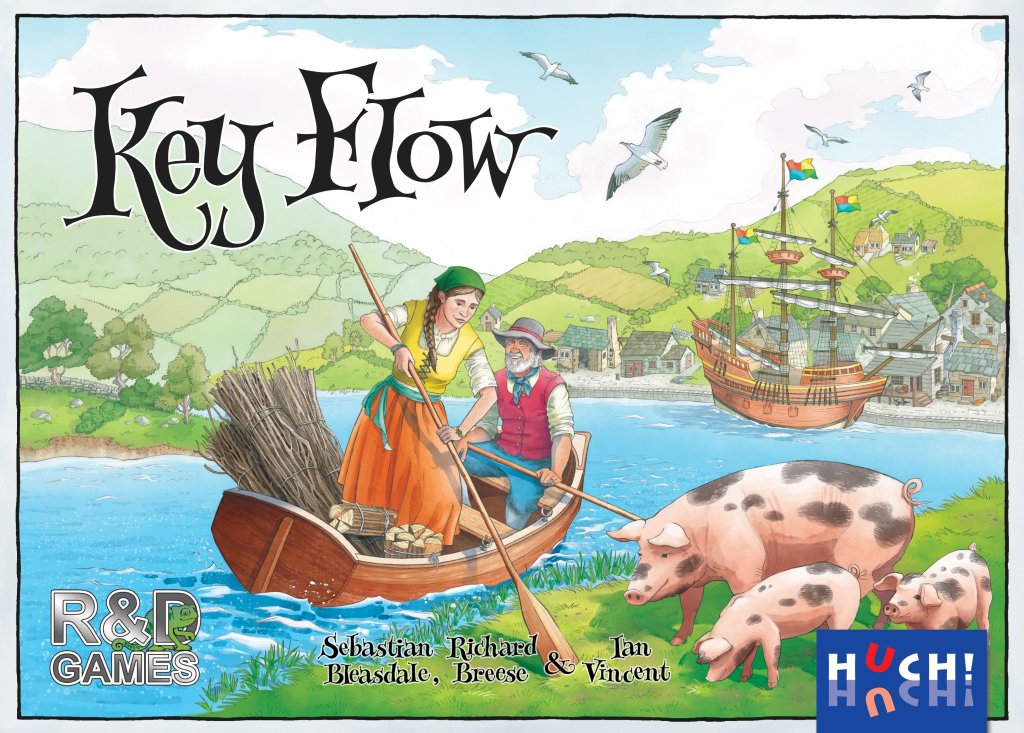
Key Flow board game cover

About this board game

Key Flow is a card-driven strategy game for 2–6 players, lasting approximately 75 minutes, in which players build communities along the great river Key Flow.

The river carries ships laden with resources for building and trade. Along its banks, players develop unique villages with buildings, boats in docks, and animals in fields. Workers called keyples can be sent to work in businesses in your own village or in those of your neighbors, helping economies develop and flourish.

Over four rounds, representing spring, summer, autumn, and winter, players are dealt cards and choose which ones to keep. The remaining cards are passed to the player on the left or right, depending on the season, creating a flowing card-selection system in which every choice shapes your community and the opportunities available to others.

  • Build and develop your own riverside village.
  • Use keyples in your businesses and neighboring communities.
  • Manage buildings, boats, animals, resources, and other items.
  • Upgrade buildings and gather gold to increase your final score.

Key Flow draws on many ideas from the award-winning game Keyflower while offering a quick flow through its four seasonal rounds. Each village can develop in a different way, with several paths toward points and economic growth.

All scoring takes place at the end of winter. Points are earned in various ways through village cards, building upgrades, and gathered gold, as well as for animals, keyples, resources, and other items. The player with the most points wins.

Board Game Rules for
Key Flow

Download official rules (EN)

Game Overview

The game Key Flow is played over four seasons (rounds): spring, summer, autumn and winter.

At the start of the game, a player’s village consists of just their home card. Each player is then dealt a number of winter cards (which they keep until winter) and a hand of spring cards. Players then choose one of their spring cards and pass the remaining cards to the player on their left. This process is repeated until all spring cards have been chosen.

There are two main types of cards, village cards and keyple cards.

Village cards feature either a road or a river. If the card features a road it is placed in the top row of cards alongside the player’s home card. If the cards features a river it is placed in a row below (offset by half a card’s width).

Keyple cards are played above the top row of village cards in the player’s own village or in their neighbours’ villages, in order to generate resources or actions. The buildings on the top row of cards may produce gold, iron, stone, wood, skill tiles, keyple tokens, transportation and/or building upgrade opportunities.

Village cards on the bottom row cannot be used by keyples, but give their owner resources, skill tiles and animals.

Players are dealt and choose further cards in summer and autumn. In summer, cards may also include boats, which give special unique abilities to their owner. In autumn, village cards may include storage buildings, which require resources to be transported onto that card.

At the end of autumn each player will choose and play one of the winter cards they received at the beginning of the game. The other cards will be included in the cards dealt out and chosen in winter. All the winter village cards give different point scoring opportunities.

Throughout the game players may transport goods in order to upgrade buildings to make them more productive or to generate additional points. Keyple tokens can be obtained and used to supplement the number of keyples shown on the keyple cards or to generate extra turns at the end of a season.

All of the scoring in the Key Flow game takes place at the end of winter. Points are scored from the village cards in various ways, through upgrading buildings and from gathering gold. The player who scores the most points wins the game.

Illustration of a player's village layout in summer

Components

Cards

  • 6 home cards.
  • 6 store cards.
  • 186 season cards (36 spring, 42 summer, 48 autumn and 60 winter cards).
Card backs for home, store, and the four seasons

Resources counters

180 octagonal wooden resource counters:

  • 40 iron Iron counter
  • 40 wood Wood counter
  • 40 stone Stone counter
  • 60 gold Gold counter, which can be used in place of any of the above types of resource and is worth 1 point at the end of the game.

Note: a white resource icon Wild resource means any type of resource of the player’s choice.

Tiles and tokens

  • 12 resource-multiplier tiles – exchange these for 6 resource counters if there are insufficient resource counters available.
  • 51 keyple tokens
  • 45 upgrade tiles
  • 45 single sided skill tiles: 15 anvils, 15 pick axes and 15 saws.
  • 9 double-sided skill tiles: 3 anvils, 3 pick axes and 3 saws. (Take these when a specific type of skill tile is obtained from a village card.)

Note: a white skill tile icon means any type of skill tile of the player’s choice. A white ‘=’ skill tile icon means skill tiles of the same type. A white ‘?’ skill tile icon means a skill tile taken at random.

Resource-multiplier tiles, keyple tokens, upgrade tiles, and skill tiles

General Setup

Place the following in easy reach of all players (for example in the middle of the table):

  • Resources counters
  • Keyple tokens
  • Upgrade tiles
  • Single-sided skill tiles (face down and well mixed)
  • Double-sided skill tiles

Based on the icons on the back of the cards, separate the cards into 6 piles: home, store and the four seasons: spring, summer, autumn and winter.

Sorting the Season Cards

The season cards have either the letter K or a player number indicator from ‘2+’ to ‘6+’ on the back of the card. Separate the K cards and the numbered cards for each season.

Card back indicators: K card and player number indicator

Then for each season’s cards:

K cards

Shuffle the K cards. For spring, summer and autumn, return a number of the K cards unseen back in the game box as follows:

  • 2 or 3 players: 6 cards
  • 4 players: 4 cards
  • 5 players: 2 cards
  • 6 players: 0 cards

All cards returned to the game box are not used in this game.

Numbered cards

Return to the game box the cards showing a higher player count, if any, than the number of players in the game. E.g. in a 4 player game, return the cards marked 5+ and 6+ to the game box.

Preparing the 5 Decks

  • Shuffle the remaining spring K and spring numbered cards together to create a spring deck.
  • Repeat the process with the remaining summer and autumn cards to create the summer deck and autumn deck.
  • Shuffle the winter K cards and place in a deck.
  • Place the numbered winter cards in a separate deck.

There should now be 5 separate decks, one each for: spring, summer, autumn, the winter K cards and the winter numbered cards.

The five decks prepared for gameplay

Dealing the Cards

Deal each player the following:

  • 1 home card, which they place face up in front of themselves. Return any unused home cards to the box.
  • 1 store card. This is placed to the side. Used cards are placed underneath the store card later in the game.
  • 6 spring cards (or 8 in a two-player game). These are all of the cards not already returned to the game box and form the players’ starting hands. Players may look at their cards. Note: it does not matter that the backs of the cards give some identification as to the mix of cards each player has been dealt.
  • 5 winter K cards (or 7 cards in a two-player game). Return any unused winter K cards unseen to the game box. Players may look at their winter cards at any time in order to help them decide their strategy. The winter K cards are kept face down next to the player’s store card.

Place the stacks of summer, autumn and winter cards to one side. These will be used later in the game.

The game can now begin.


Overview of Rounds

The game takes place over four seasons (rounds): spring, summer, autumn and then winter, with the following phases:

  1. Dealing the cards.
  2. Drafting and playing the cards.
  3. Use keyple tokens.
  4. Remove keyple cards and tokens.
  5. At the end of autumn, winter is coming, prepare.
  6. At the end of winter, perform final scoring.

Phase 1: Dealing the Cards

The spring cards were dealt out in the Set Up. At the beginning of summer, autumn and winter, deal the deck of cards for that season face down to the players.

  • In a 3 to 6 player game players will receive 7 cards in summer, 8 cards in autumn and 9 cards in winter.
  • In the 2 player game each player will receive 9 cards in summer, 10 cards in autumn and 12 cards in winter.

Phase 2: Drafting and Playing the Cards

Each player looks at their hand of cards and removes one card that they wish to retain and play, keeping this card in hand, secret from the other players.

The remaining cards are placed next to one of their neighbours:

  • In spring and autumn: to the player on their left.
  • In summer and winter: to the player on their right.

The direction is indicated by the arrows on the back of cards.

Passing direction arrows shown on season card backs

All players then simultaneously reveal the card they have chosen and then play the card.

Competition rules (not recommended for regular play): All players declare a card. The cards are revealed. First the Keyple cards are played in numerical order. Then the village cards are played. This sequence does not prevent a player playing a card onto the location they chose, however it provides a method to formalise a situation where one player’s choice may surreptitiously influence another player’s choice.

Players then pick up the cards that were placed next to them and the process is repeated until all cards have been played.

After all the season’s cards have been played, players may play keyple tokens as additional actions.

Discarding for a Keyple Token

A player may discard any card they have chosen and take a keyple token instead. The discarded card is returned unseen to the box.

Discarding a card to receive a keyple token

Phase 3: Keyple Tokens

In addition to supplementing the number of keyples on a keyple card, keyple tokens can be used to take additional actions in the player’s own village, after all the cards for a season have been played.

Explanation:

  1. It takes one keyple token to take an action on a village card that has not been previously used, or only used once previously (by either a card or keyple token).
  2. It takes two keyple tokens to take an action on a village card that has already been used twice (by either cards and/or keyple tokens).
  3. If a card has already been activated three or more times it cannot be used again.
  4. This means that if a player has an empty building, the player can use it up to three times; the first two uses cost one keyple token each, and the third use costs two keyple tokens.
Activation costs using keyple tokens on buildings

Phase 4: Remove Keyple Cards and Tokens

After players have played all the keyple tokens they wish to play, all used keyple tokens are removed and placed back into the supply.

All the keyple cards for the season just ended are also removed and are placed under the player’s store card for use in the end of the game scoring.

Players may look at the cards under their store cards at the end of each season (after all cards and keyple tokens have been played), but not during a season.

Transition: End of Autumn

At the end of autumn, winter is coming. All players look at their winter village cards and choose one. Players then simultaneously reveal their chosen card and place it into their village.

Shuffle the winter village cards that were not chosen with the numbered winter cards to form the winter deck.


Village Cards

The village cards show a segment of landscape with buildings, animals or boats. These cards are played by the player placing the card upright into their village.

A player’s village consists of two rows of cards, with the bottom row offset by half a card’s width from the top row (as indicated by the positioning of the vertical roads at the top and bottom of the cards, which must join):

  • If the card shows a horizontal road running through the card it is placed in the top row.
  • If the card shows a river at the bottom of the card it is placed in the bottom row.

When a player adds a card to their village it must connect to at least one existing card, however gaps can be left in the rows.

Village layout diagram showing top road row and offset bottom river row

Receiving Resources & Skills from Village Cards

If the village card contains a round ended panel at the bottom (above the river), the player immediately receives the skill tiles and/or resources shown. (If the skill tile is a specific type, then take one of the double sided skill tiles of that type. This is the only occasion the double-sided skill tiles are taken. On all other occasions when taking a skill tile the tile taken should be from the face down pile.)

Resources are placed onto the village card that generated the resource. Skill tiles are kept in front of the player. Single sided skill tiles may be kept face down.

Receiving resources and skill tiles from bottom row village cards

Keyple Cards

Keyples on the Keyple cards are sent to work in the player’s village or an immediate neighbour’s village. Note that in Key Flow players will only interact with their immediate neighbours. This means that with four or more players there will be villages that a player cannot play in.

Each keyple card has a number of features:

  • Coloured keyples: The colour of the keyple depends on the season: green in spring, yellow in summer, red in autumn and blue in winter.
  • The number of keyples: Shows whether keyples can work in a location:
    • Single keyple cards can only work in empty buildings.
    • Two keyple cards can work in empty buildings and buildings where one card has already been placed.
    • Three keyple cards can work where up to two cards have been previously been placed.
Colours of keyples by season

Placing Keyple Cards

When played, a keyple card is placed above a card in the top row of the player’s village and on top of any keyple card(s) already played, so as to leave visible the small keyple icon at the bottom of the overlaid keyple cards. Note that it is the number of cards that have previously been played that is counted. The number of keyples on those cards is irrelevant.

Note also that the number of keyples on a keyple card can be increased (to a maximum of three keyples) by placing a keyple token onto the card being played.

Overlaying keyple cards above village buildings
Adding a keyple token to increase keyples on a card

Direction Arrows

Direction arrows indicate in which villages the keyples can work:

  • A down arrow indicates that the keyple(s) can work in the player’s own village.
  • In a 3 to 6 player game:
    • An arrow pointing left indicates that the keyple(s) can work in the village owned by the player to the player’s left.
    • An arrow pointing right indicates that the keyple(s) can work in the village owned by the player to the player’s right.
Keyple direction arrows: down, left, right
Keyple cards with left and right direction arrows

Direction Arrows in a 2-Player Game

In a 2-player game:

  • The arrows pointing left allow the player to play on their opponent’s home card and any cards to the left side of that card (from the view point of the player playing the card).
  • The right arrows allow the player to play on their opponent’s home card and any cards to the right side of that card.
Direction arrows in a 2-player game

Additional Card Features & Rules

Animals

Animals have no effect when the card is played, but may be scored at the end of the game by the player in whose village the card was placed.

Examples of keyple cards showing animals

Keyple Token Icons & Card Numbers

Keyple token icons indicate that the player who played the keyple card can take a keyple token (irrespective of which village the card was played into).

Keyple token icon and card number anatomy

A player may play a keyple token received immediately onto the keyple card from which they have just gained the token, if applicable, in order to increase the number of keyples on that card to a maximum of three.

The light grey keyple card number is only relevant for the competition rules.

Available Action

A keyple card is placed above a village card that the player wants to use in the top row of a village. The action available is shown in the top most panel on the card that is not covered by an upgrade token.

Available action determined by upgrade token position

Simultaneous Play Timing

Players play their cards simultaneously. Note that when a keyple card is played the actions available are based on the state of the game before the card was played. This means that:

  • A player cannot use a village card that was placed this turn.
  • A player cannot take advantage of any upgrades that were built this turn.
  • When checking as to whether a player can place a keyple card above a building, only consider the keyple cards that were played in a previous turn. (This may occasionally result in buildings receiving more than three keyple cards.)

Home and Spring Village Cards

The home and spring village cards can all be activated using a keyple card.

Transport and Upgrades

The home 1 to 6, builder and stable cards allow a player to transport resources and upgrade buildings in their own village.

A player may transport up to the number of resources indicated by the number on the cart Transport cart and upgrade up to the number of buildings indicated by the number of upgrade icons Upgrade building (one or two).

Each unit of transport shown on the cart Transport cart allows one resource to be transported (along the roads or the river) to an adjacent card. This transport allowance can be allocated between one or more resources. For example: two points of transport could move one resource two cards, or could move two resources (which could be on the same or different cards) one card each.

Home card showing transport cart and upgrade icons

Upgrade Mechanics

Each upgrade icon Upgrade building allows a player to choose to upgrade a building with multiple uncovered panels. The player pays the cost of the upgrade as shown on the upgrade arrow between the panels. An upgrade tile (showing the side of the tile without a point icon) is placed on the upper uncovered panel.

Any resources required for the upgrade must be on the village card when the upgrade is performed. Remember that gold can be used in place of any of the above types of resource and a white resources icon can be satisfied by any type of resource. The used resources are placed back in the supplies.

Any skill tiles required for the upgrade are taken from the tiles in front of the player. Remember that a white skill tile icon can be satisfied by any type of skill tile. Used single sided skill tiles are shuffled back into the pile of face down skill tiles. Used double sided skill tiles are kept separately as per the Set up.

Upgrading a building (Quarryman) with resources and upgrade tile

The upgrade icon Upgrade building action alternatively allows a player to flip, at no further cost, an upgrade tile to the side showing a point icon. These points are scored at the end of the game.

Flipping an upgrade tile to the 1 point side

Resource Generating Cards

Gold mine, Key mine, Keystone quarry, Keywood, miner, quarryman, woodcutter and workshop.

These cards generate the type of resource(s) shown on the card. Resources are placed on the card generating the resource if the card it is in the player’s own village. Resources are placed on the player’s home card if the card generating the resources is in a neighbour’s village.

Examples:

  • The woodcutter: generates 2 wood resources, or 1 wood resource and 1 gold resource if it has been upgraded.
  • The workshop: generates an iron, a stone or a wood. If the workshop has been upgraded then it generates an iron, a stone and a wood.
Resource generating cards: Woodcutter and Workshop

Skill Tile and Keyple Token Generating Cards

These cards generate skill tiles and keyple tokens as shown on the tile. Skill tiles and keyple tokens are kept in front of the player, not on the cards generating them. Single sided skill tiles may be kept face down.

Explanations:

  • The alehouse: generates a keyple token or a skill tile (drawn at random from the face down pile) or a keyple token and a skill tile if the card has been upgraded.
  • The apprentice hall: generates a skill tile (drawn at random from the face down pile) or 2 skill tiles if the card has been upgraded.
Skill tile and keyple token generating cards: Alehouse and Apprentice Hall

Summer Village Cards

Transport and Upgrade Cards

See Transport and upgrades under spring cards for an explanation of the artisan and the farrier cards.

Resource Conversion Cards

The brewer, carpenter, hiring fair, mason and smelter cards can be activated using a keyple card in order to convert a skill tile into other types of resources. The resources generated are placed on the card generating the resource if the card it is in the player’s own village. Resources are placed on the player’s home card if the card generating the resources is in a neighbour’s village. The skill tile gets shuffled back into the pile of face down skill tiles. Used double sided skill tiles are kept separately as per the Set up.

Examples:

  • The brewer: converts 1 skill tile of any type into 1 gold and a keyple token or into 2 gold and a keyple token if the card has been upgraded.
  • The carpenter: converts 1 saw skill tile into 4 wood or into 3 gold if the card has been upgraded.
  • The hiring fair: converts 1 skill tile of any type into 2 skill tiles (drawn at random from the face down pile) or into 3 skill tiles (drawn at random from the face down pile) if the card has been upgraded.
Resource conversion cards: Brewer, Carpenter, Hiring Fair

Summer Boat Cards

The Brainwave, Flipper, Keyflower, Keymelequin and Mansfield Ark boat cards cannot be activated by a keyple card as they are placed in the lower row of cards. However each summer boat card gives the player owning the boat a unique skill after it has been played.

Explanations:

  • The Brainwave boat: allows the owner to play any keyple card that depicts 1 keyple and a keyple token or depicts 2 keyples as if it had three direction arrows. This allows these keyple cards to be played in the player’s own village or either of their neighbour’s villages. (Note that all the single keyple only cards already have all 3 direction arrows).
  • The Flipper boat: allows its owner to gain a gold each time they flip an upgrade tile to the 1 point icon side. The gold is immediately placed on the card on which the upgrade tile was flipped.
  • The Keyflower boat: allows the owner to use any type of resource in substitution for gold, iron, stone or wood when upgrading.
  • The Keymelequin boat: allows green keyples to be scored as a yellow keyples or vice versa.
  • The Mansfield Ark boat: allows each pig to be scored as two sheep or vice versa.
Summer boat cards: Brainwave, Flipper, Keyflower, Keymelequin, Mansfield Ark

Autumn Village Cards

Skill Tile and Keyple Token Generating Card

The Inn: generates a keyple token and a skill tile (drawn at random from the face down pile). If the card has been upgraded it additionally scores 5 points at the end of the game.

The Inn village card

Transport and Upgrade Cards

See Transport and upgrade tiles under Spring cards for an explanation of the wainwright card.

The peddler: card allows the player to transport up to 2 resources or up to 4 resources if the card has been upgraded. Additionally the card generates a keyple token.

The Peddler village card

Autumn Storage Cards

The barn, blacksmith, stone yard and timber yard cards cannot be activated by a keyple card as they are placed in the lower row of cards. However each card generates points if the resources depicted have been transported to the card before the end of the game.

Examples:

  • The barn: scores 1 point for each resource (including gold which is already worth 1 point) of any type that has been transported onto the card before the end of the game. If the card has been upgraded then each resource that has been transported onto the card scores 2 points.
  • The blacksmith: scores 5 points for each pair of iron and gold resources that have been transported onto the card before the end of the game. If the card has been upgraded then each pair of iron and wood resources that have been transported onto the card scores 5 points. Remember that gold can always be used in place of any of the other types of resource so upgrading the card does not prevent existing pairs of resources being scored.
Autumn storage cards: Barn and Blacksmith

Double Upgrade Cards

The forge, goldsmith, sawmill, sculptor and well cards cannot be activated by a keyple card. However each card generates points if they have been upgraded and additional points if they are upgraded for a second time.

Examples:

  • The forge: scores 3 points, or 10 points if it has been upgraded once or 20 points if it has been upgraded for a second time.
  • The goldsmith: scores 7 points if it has been upgraded once or 15 points if it has been upgraded for a second time.
  • The well: scores 3 points, or 10 points if it has been upgraded once or 20 points if it has been upgraded for a second time.
Double upgrade cards: Forge, Goldsmith, Well

Scoring Overview

At the end of winter each player counts how many points they have. Points are scored from the village cards in various ways, through upgrading buildings and from gathering gold.

Scoring Categories

Autumn Location Cards

The 4 autumn location cards: barn, blacksmith, stone yard and timber yard, score points for resources which have been transported onto those cards during the game. Resources which are scored in this way cannot be scored by any other card.

Autumn location scoring card example

Panels and Upgrades

Score the points shown on the highest panel not covered by an upgrade tile. For example, if the Keythedral has been upgraded once it scores 12 points. Neither the 5 nor the 20 points apply.

Panel upgrade scoring example

Double-Upgrades

Each double-upgrade scores 1 point.

Upgrade tile flipped to 1 point side

Winter Cards Allocation

Some cards score points for animals, boats, keyples, resources, tiles, tokens and transport the player has gained during the game. A player can allocate items to these cards regardless of their location. However each card with printed items on can only be allocated to one scoring card.

Example: A player scores the keyple card showing 2 red keyples and a cow at the harvest festival (the red keyple scoring card). The player also scores the red keyple scoring card in the farmyard (for its pig). The player cannot score the cow from the 2 red keyple and cow card in the farmyard, because the card has already been allocated to the harvest festival (for the red keyples).

Winter scoring cards and item allocation example

Gold

Each gold not scored elsewhere scores 1 point.

Gold resource counters worth 1 point

Winter Village Cards Reference

The winter cards all give rise to different ways to score points. This is achieved in most cases by allocating resources, skill tiles, keyple tokens, keyple cards and/or village cards to them.

A player can allocate items regardless of their location, however each item can only be allocated to one scoring card. Notably, keyple cards which show animals can only be scored for either their keyples or their animals. It is not possible to score a keyple card for both its keyples and its animals. A gold resource can be treated as an iron, stone or wood resource when allocating. Each unallocated gold resource scores 1 point.

None of the winter cards can be activated by keyple cards.

Double Upgrade Card

The Keythedral: scores 5 points, or 12 points if it has been upgraded once or 20 points if it has been upgraded for a second time.

The Keythedral double upgrade card

Winter Boat Cards

  • The Sea Breese: boat gives points for the number of boat cards the player allocates to the Sea Breese. For example, if the player allocates 4 boat cards, including the Sea Breese card, the player scores 16 points.
  • The Carried Away, Ianvincible and Sea Bastion boats: give points for the number of the type of animal shown on the card that the player allocates to these cards.
    • Example: The Carried Away boat scores 10 points if the player has allocated 3 or 4 cows from their other cards, or 20 points if they have allocated 5 or more cows. Note that the cow icon in the Carried Away boat cannot be allocated for scoring purposes.
Winter boat cards: Sea Breese and Carried Away

Animal Scoring Cards

The dairy, farmyard, ranch, storm shelter, truffle orchard and weaver cards score points for animals or animals with other resources, tiles or tokens.

Only animals ‘icons’ count for scoring. Animals in the information panels and in the background do not count for scoring purposes.

Examples:

  • The dairy: scores 5 points for each pair of a cow and a keyple token which the player has allocated to the dairy. (This may include the cow on the dairy card. The keyple token must be unused, as used keyple tokens are returned to the stock.)
  • The farmyard: scores 1 point for each sheep, pig and cow that the player has allocated to the farmyard.
  • The storm shelter: scores 3 points for each pair of a pig and a sheep that the player has allocated to the storm shelter.
Animal scoring cards: Dairy, Farmyard, Storm Shelter

Transport and Boat Scoring Card

The traveller’s lodge: card scores 1 point for each of the player’s transport capacity allocated to the traveller’s lodge. For example, if the player has upgraded their home card, that would be worth 3 points. The card also scores 2 points for each boat the player has allocated. Note that the player cannot score the same boats with both the Sea Breese and the traveller’s lodge.

Traveller's Lodge scoring card

Keyple Scoring Cards

The craftsmen’s guild, emporium, harvest festival, Key market, summer fete, village hall and winter fair cards all give points for the keyples allocated to them from the player’s keyple cards.

Examples:

  • The craftsmen’s guild: card gives 3 points for each set of red, yellow and blue keyples the player has allocated to the craftsmen’s guild.
  • The emporium: scores 4 points for each pair of a green keyple and a gold resource which the player has allocated to the emporium.
  • The village hall: card scores 1 point for each keyple of one colour chosen by the player which they have allocated to the village hall.
Keyple scoring cards: Craftsmen's Guild, Emporium, Village Hall and scoring example

Keyple Card and Token Scoring Cards

The apothecary, healer and Key guild cards give points for keyple cards and tokens.

Examples:

  • The healer: gives 2 points for each keyple card that the player has allocated to the healer which features 2 keyples. Note that the keyples cannot also be allocated to another card, for example a card that scores points for a particular colour of keyple.
  • The Key guild: scores 5 points for each pair of a keyple token, and a keyple card depicting a keyple token which the player has allocated to the Key guild. (The keyple token must be unused, as used keyple tokens are returned to the stock.)
Keyple card and token scoring cards: Healer and Key Guild

Resource Scoring Cards

The jeweller, mercer’s guild and windmill cards score points for resources anywhere in the player’s village. The resources do not need to be transported onto the card. Note that resources scored on these cards cannot also be allocated to other cards for scoring purposes (e.g. the autumn location cards).

Explanations:

  • The jeweller: card scores 2 points for each gold resource allocated to the jeweller (instead of the 1 point that gold is worth without this card).
  • The mercer’s guild: card scores 5 points for each set of iron, stone and wood resources a player has allocated to the mercer’s guild. Remember that gold can always be used in place of any of the other types of resource.
  • The windmill: scores 5 points for 5 resources of any type that the player allocates to the windmill, or 7 points for 5 resources of any type allocated if the card has been upgraded.
Resource scoring cards: Jeweller, Mercer's Guild, Windmill

Resource and Skill Tile Scoring Cards

The merchant, store and trader cards score points both for one type of resource and for one type of skill tile.

Example:

  • The merchant: scores 3 points for every pair of wood resources allocated to the merchant plus 3 points for every saw skill tile a player has allocated to the merchant.
Resource and skill tile scoring card: Merchant

Skill Tile Scoring Cards

Explanations:

  • The scholar: scores 3 points for every skill tile the player has allocated to the scholar of one type of tile as chosen by the player.
  • The scribe: scores 7 points for each set of anvil, pick axe and saw skill tiles that the player has allocated to the scribe.
Skill tile scoring cards: Scholar and Scribe

The Winner

The player with most points wins. In the case of a tie, the tied player with the most sheep wins. If there is still a tie then the tied player with the most pigs wins and if still a tie then the tied player with the most cows wins.


Acknowledgements

  • Game design: Sebastian Bleasdale, Richard Breese and Ian Vincent.
  • Lead illustrator: Vicki Dalton.
  • Keyflower legacy illustrations and logo design: Juliet Breese.
  • Graphics: Sebastian Bleasdale and Richard Breese.
  • Realisation: Richard Breese.
  • German translation: Ferdinand Köther.

The designers would like to thank the following playtesters and contributors for their assistance: Mark Adams, Ralph Anderson, Josh Baldwin, Lynwen Barkham, Michael Baskal, Ben Bateson, Jon Benjamin, Caroline Bleasdale, Tony Boydell, Jenny Bradbury, David Brain, Jonathan Breese, Mark Breese, Stuart Breese, Paul Bryant, Robert Canner, Dominic Capuchettes, Mark Chessher, Vicki Dalton, Tom DeMarco, Will DeMorris, Jeroen Douen, Exeter Board Games Club, Martha Garaan-Murillo, Penny Gray, Paul Grogan, Andrew Harding, Peter Hazlewood, Mikko Heikelä, Alan How, Anthony Howgego, Joe Huber, Tanya Ironmonger, Paul Jefferies, Andrew Kerrison, Ron Krantz, Wendy Lefevre, Paul Mansfield, Ian Markey, Paul Marsh, John Mitchell, Kris Moulton, Simon Neale, Alan Paull, Charlie Paull, Nikolay Pegasov, Benjamin Pfob, John Plant, Tony Ross, Frank Sandstom, Jennifer Schlickbernd, Fran Snook, Graham Staplehurst, Jago Staplehurst, Tom Staplehurst, Britta Stöckmann, Swiggers Games Club (London), Bianca van Duyl, Rick van Horn, Simon Weisberg, Janet Welch, Craig Wheatley, Ian Wilson and Stephen Wright.

Special thanks to Hans im Glück who again kindly gave their permission to use their popular Carcassonne meeple shape to represent their distant descendants, the keyples, in the series of Key games.

Game manufactured and collated by Ludo Fact GmbH.

Missing Pieces

Whilst the manufacturers make every effort to ensure that your copy of Key Flow is complete and in good condition, the large volume of units and components means that occasionally errors will arise. In these circumstances please contact:

Publishing Information

  • Published in 2018 by: R&D Games, 6 Denne Close, Stratford upon Avon, CV37 6XL, UK. ([email protected])
  • North American distribution: Game Salute LLC, 34 Londonderry Road, Londonderry, NH 03053, USA (www.GameSalute.com)
  • Co-publisher: Hutter Trade GmbH + Co KG, Bgm.-Landmann-Platz 1-5, 89312 Günzburg, GERMANY (www.hutter-trade.com)

1. Game Overview & Components

Game Overview

The game Key Flow is played over four seasons (rounds): spring, summer, autumn and winter.

At the start of the game, a player’s village consists of just their home card. Each player is then dealt a number of winter cards (which they keep until winter) and a hand of spring cards. Players then choose one of their spring cards and pass the remaining cards to the player on their left. This process is repeated until all spring cards have been chosen.

There are two main types of cards, village cards and keyple cards.

Village cards feature either a road or a river. If the card features a road it is placed in the top row of cards alongside the player’s home card. If the cards features a river it is placed in a row below (offset by half a card’s width).

Keyple cards are played above the top row of village cards in the player’s own village or in their neighbours’ villages, in order to generate resources or actions. The buildings on the top row of cards may produce gold, iron, stone, wood, skill tiles, keyple tokens, transportation and/or building upgrade opportunities.

Village cards on the bottom row cannot be used by keyples, but give their owner resources, skill tiles and animals.

Players are dealt and choose further cards in summer and autumn. In summer, cards may also include boats, which give special unique abilities to their owner. In autumn, village cards may include storage buildings, which require resources to be transported onto that card.

At the end of autumn each player will choose and play one of the winter cards they received at the beginning of the game. The other cards will be included in the cards dealt out and chosen in winter. All the winter village cards give different point scoring opportunities.

Throughout the game players may transport goods in order to upgrade buildings to make them more productive or to generate additional points. Keyple tokens can be obtained and used to supplement the number of keyples shown on the keyple cards or to generate extra turns at the end of a season.

All of the scoring in the Key Flow game takes place at the end of winter. Points are scored from the village cards in various ways, through upgrading buildings and from gathering gold. The player who scores the most points wins the game.

Illustration of a player's village layout in summer

Components

Cards

  • 6 home cards.
  • 6 store cards.
  • 186 season cards (36 spring, 42 summer, 48 autumn and 60 winter cards).
Card backs for home, store, and the four seasons

Resources counters

180 octagonal wooden resource counters:

  • 40 iron Iron counter
  • 40 wood Wood counter
  • 40 stone Stone counter
  • 60 gold Gold counter, which can be used in place of any of the above types of resource and is worth 1 point at the end of the game.

Note: a white resource icon Wild resource means any type of resource of the player’s choice.

Tiles and tokens

  • 12 resource-multiplier tiles – exchange these for 6 resource counters if there are insufficient resource counters available.
  • 51 keyple tokens
  • 45 upgrade tiles
  • 45 single sided skill tiles: 15 anvils, 15 pick axes and 15 saws.
  • 9 double-sided skill tiles: 3 anvils, 3 pick axes and 3 saws. (Take these when a specific type of skill tile is obtained from a village card.)

Note: a white skill tile icon means any type of skill tile of the player’s choice. A white ‘=’ skill tile icon means skill tiles of the same type. A white ‘?’ skill tile icon means a skill tile taken at random.

Resource-multiplier tiles, keyple tokens, upgrade tiles, and skill tiles

2. Setup

General Setup

Place the following in easy reach of all players (for example in the middle of the table):

  • Resources counters
  • Keyple tokens
  • Upgrade tiles
  • Single-sided skill tiles (face down and well mixed)
  • Double-sided skill tiles

Based on the icons on the back of the cards, separate the cards into 6 piles: home, store and the four seasons: spring, summer, autumn and winter.

Sorting the Season Cards

The season cards have either the letter K or a player number indicator from ‘2+’ to ‘6+’ on the back of the card. Separate the K cards and the numbered cards for each season.

Card back indicators: K card and player number indicator

Then for each season’s cards:

K cards

Shuffle the K cards. For spring, summer and autumn, return a number of the K cards unseen back in the game box as follows:

  • 2 or 3 players: 6 cards
  • 4 players: 4 cards
  • 5 players: 2 cards
  • 6 players: 0 cards

All cards returned to the game box are not used in this game.

Numbered cards

Return to the game box the cards showing a higher player count, if any, than the number of players in the game. E.g. in a 4 player game, return the cards marked 5+ and 6+ to the game box.

Preparing the 5 Decks

  • Shuffle the remaining spring K and spring numbered cards together to create a spring deck.
  • Repeat the process with the remaining summer and autumn cards to create the summer deck and autumn deck.
  • Shuffle the winter K cards and place in a deck.
  • Place the numbered winter cards in a separate deck.

There should now be 5 separate decks, one each for: spring, summer, autumn, the winter K cards and the winter numbered cards.

The five decks prepared for gameplay

Dealing the Cards

Deal each player the following:

  • 1 home card, which they place face up in front of themselves. Return any unused home cards to the box.
  • 1 store card. This is placed to the side. Used cards are placed underneath the store card later in the game.
  • 6 spring cards (or 8 in a two-player game). These are all of the cards not already returned to the game box and form the players’ starting hands. Players may look at their cards. Note: it does not matter that the backs of the cards give some identification as to the mix of cards each player has been dealt.
  • 5 winter K cards (or 7 cards in a two-player game). Return any unused winter K cards unseen to the game box. Players may look at their winter cards at any time in order to help them decide their strategy. The winter K cards are kept face down next to the player’s store card.

Place the stacks of summer, autumn and winter cards to one side. These will be used later in the game.

The game can now begin.


3. Structure of a Season & Drafting

Overview of Rounds

The game takes place over four seasons (rounds): spring, summer, autumn and then winter, with the following phases:

  1. Dealing the cards.
  2. Drafting and playing the cards.
  3. Use keyple tokens.
  4. Remove keyple cards and tokens.
  5. At the end of autumn, winter is coming, prepare.
  6. At the end of winter, perform final scoring.

Phase 1: Dealing the Cards

The spring cards were dealt out in the Set Up. At the beginning of summer, autumn and winter, deal the deck of cards for that season face down to the players.

  • In a 3 to 6 player game players will receive 7 cards in summer, 8 cards in autumn and 9 cards in winter.
  • In the 2 player game each player will receive 9 cards in summer, 10 cards in autumn and 12 cards in winter.

Phase 2: Drafting and Playing the Cards

Each player looks at their hand of cards and removes one card that they wish to retain and play, keeping this card in hand, secret from the other players.

The remaining cards are placed next to one of their neighbours:

  • In spring and autumn: to the player on their left.
  • In summer and winter: to the player on their right.

The direction is indicated by the arrows on the back of cards.

Passing direction arrows shown on season card backs

All players then simultaneously reveal the card they have chosen and then play the card.

Competition rules (not recommended for regular play): All players declare a card. The cards are revealed. First the Keyple cards are played in numerical order. Then the village cards are played. This sequence does not prevent a player playing a card onto the location they chose, however it provides a method to formalise a situation where one player’s choice may surreptitiously influence another player’s choice.

Players then pick up the cards that were placed next to them and the process is repeated until all cards have been played.

After all the season’s cards have been played, players may play keyple tokens as additional actions.

Discarding for a Keyple Token

A player may discard any card they have chosen and take a keyple token instead. The discarded card is returned unseen to the box.

Discarding a card to receive a keyple token

Phase 3: Keyple Tokens

In addition to supplementing the number of keyples on a keyple card, keyple tokens can be used to take additional actions in the player’s own village, after all the cards for a season have been played.

Explanation:

  1. It takes one keyple token to take an action on a village card that has not been previously used, or only used once previously (by either a card or keyple token).
  2. It takes two keyple tokens to take an action on a village card that has already been used twice (by either cards and/or keyple tokens).
  3. If a card has already been activated three or more times it cannot be used again.
  4. This means that if a player has an empty building, the player can use it up to three times; the first two uses cost one keyple token each, and the third use costs two keyple tokens.
Activation costs using keyple tokens on buildings

Phase 4: Remove Keyple Cards and Tokens

After players have played all the keyple tokens they wish to play, all used keyple tokens are removed and placed back into the supply.

All the keyple cards for the season just ended are also removed and are placed under the player’s store card for use in the end of the game scoring.

Players may look at the cards under their store cards at the end of each season (after all cards and keyple tokens have been played), but not during a season.

Transition: End of Autumn

At the end of autumn, winter is coming. All players look at their winter village cards and choose one. Players then simultaneously reveal their chosen card and place it into their village.

Shuffle the winter village cards that were not chosen with the numbered winter cards to form the winter deck.


4. Rules for Playing Cards

Village Cards

The village cards show a segment of landscape with buildings, animals or boats. These cards are played by the player placing the card upright into their village.

A player’s village consists of two rows of cards, with the bottom row offset by half a card’s width from the top row (as indicated by the positioning of the vertical roads at the top and bottom of the cards, which must join):

  • If the card shows a horizontal road running through the card it is placed in the top row.
  • If the card shows a river at the bottom of the card it is placed in the bottom row.

When a player adds a card to their village it must connect to at least one existing card, however gaps can be left in the rows.

Village layout diagram showing top road row and offset bottom river row

Receiving Resources & Skills from Village Cards

If the village card contains a round ended panel at the bottom (above the river), the player immediately receives the skill tiles and/or resources shown. (If the skill tile is a specific type, then take one of the double sided skill tiles of that type. This is the only occasion the double-sided skill tiles are taken. On all other occasions when taking a skill tile the tile taken should be from the face down pile.)

Resources are placed onto the village card that generated the resource. Skill tiles are kept in front of the player. Single sided skill tiles may be kept face down.

Receiving resources and skill tiles from bottom row village cards

Keyple Cards

Keyples on the Keyple cards are sent to work in the player’s village or an immediate neighbour’s village. Note that in Key Flow players will only interact with their immediate neighbours. This means that with four or more players there will be villages that a player cannot play in.

Each keyple card has a number of features:

  • Coloured keyples: The colour of the keyple depends on the season: green in spring, yellow in summer, red in autumn and blue in winter.
  • The number of keyples: Shows whether keyples can work in a location:
    • Single keyple cards can only work in empty buildings.
    • Two keyple cards can work in empty buildings and buildings where one card has already been placed.
    • Three keyple cards can work where up to two cards have been previously been placed.
Colours of keyples by season

Placing Keyple Cards

When played, a keyple card is placed above a card in the top row of the player’s village and on top of any keyple card(s) already played, so as to leave visible the small keyple icon at the bottom of the overlaid keyple cards. Note that it is the number of cards that have previously been played that is counted. The number of keyples on those cards is irrelevant.

Note also that the number of keyples on a keyple card can be increased (to a maximum of three keyples) by placing a keyple token onto the card being played.

Overlaying keyple cards above village buildings
Adding a keyple token to increase keyples on a card

Direction Arrows

Direction arrows indicate in which villages the keyples can work:

  • A down arrow indicates that the keyple(s) can work in the player’s own village.
  • In a 3 to 6 player game:
    • An arrow pointing left indicates that the keyple(s) can work in the village owned by the player to the player’s left.
    • An arrow pointing right indicates that the keyple(s) can work in the village owned by the player to the player’s right.
Keyple direction arrows: down, left, right
Keyple cards with left and right direction arrows

Direction Arrows in a 2-Player Game

In a 2-player game:

  • The arrows pointing left allow the player to play on their opponent’s home card and any cards to the left side of that card (from the view point of the player playing the card).
  • The right arrows allow the player to play on their opponent’s home card and any cards to the right side of that card.
Direction arrows in a 2-player game

Additional Card Features & Rules

Animals

Animals have no effect when the card is played, but may be scored at the end of the game by the player in whose village the card was placed.

Examples of keyple cards showing animals

Keyple Token Icons & Card Numbers

Keyple token icons indicate that the player who played the keyple card can take a keyple token (irrespective of which village the card was played into).

Keyple token icon and card number anatomy

A player may play a keyple token received immediately onto the keyple card from which they have just gained the token, if applicable, in order to increase the number of keyples on that card to a maximum of three.

The light grey keyple card number is only relevant for the competition rules.

Available Action

A keyple card is placed above a village card that the player wants to use in the top row of a village. The action available is shown in the top most panel on the card that is not covered by an upgrade token.

Available action determined by upgrade token position

Simultaneous Play Timing

Players play their cards simultaneously. Note that when a keyple card is played the actions available are based on the state of the game before the card was played. This means that:

  • A player cannot use a village card that was placed this turn.
  • A player cannot take advantage of any upgrades that were built this turn.
  • When checking as to whether a player can place a keyple card above a building, only consider the keyple cards that were played in a previous turn. (This may occasionally result in buildings receiving more than three keyple cards.)

5. Village Cards Reference: Spring, Summer & Autumn

Home and Spring Village Cards

The home and spring village cards can all be activated using a keyple card.

Transport and Upgrades

The home 1 to 6, builder and stable cards allow a player to transport resources and upgrade buildings in their own village.

A player may transport up to the number of resources indicated by the number on the cart Transport cart and upgrade up to the number of buildings indicated by the number of upgrade icons Upgrade building (one or two).

Each unit of transport shown on the cart Transport cart allows one resource to be transported (along the roads or the river) to an adjacent card. This transport allowance can be allocated between one or more resources. For example: two points of transport could move one resource two cards, or could move two resources (which could be on the same or different cards) one card each.

Home card showing transport cart and upgrade icons

Upgrade Mechanics

Each upgrade icon Upgrade building allows a player to choose to upgrade a building with multiple uncovered panels. The player pays the cost of the upgrade as shown on the upgrade arrow between the panels. An upgrade tile (showing the side of the tile without a point icon) is placed on the upper uncovered panel.

Any resources required for the upgrade must be on the village card when the upgrade is performed. Remember that gold can be used in place of any of the above types of resource and a white resources icon can be satisfied by any type of resource. The used resources are placed back in the supplies.

Any skill tiles required for the upgrade are taken from the tiles in front of the player. Remember that a white skill tile icon can be satisfied by any type of skill tile. Used single sided skill tiles are shuffled back into the pile of face down skill tiles. Used double sided skill tiles are kept separately as per the Set up.

Upgrading a building (Quarryman) with resources and upgrade tile

The upgrade icon Upgrade building action alternatively allows a player to flip, at no further cost, an upgrade tile to the side showing a point icon. These points are scored at the end of the game.

Flipping an upgrade tile to the 1 point side

Resource Generating Cards

Gold mine, Key mine, Keystone quarry, Keywood, miner, quarryman, woodcutter and workshop.

These cards generate the type of resource(s) shown on the card. Resources are placed on the card generating the resource if the card it is in the player’s own village. Resources are placed on the player’s home card if the card generating the resources is in a neighbour’s village.

Examples:

  • The woodcutter: generates 2 wood resources, or 1 wood resource and 1 gold resource if it has been upgraded.
  • The workshop: generates an iron, a stone or a wood. If the workshop has been upgraded then it generates an iron, a stone and a wood.
Resource generating cards: Woodcutter and Workshop

Skill Tile and Keyple Token Generating Cards

These cards generate skill tiles and keyple tokens as shown on the tile. Skill tiles and keyple tokens are kept in front of the player, not on the cards generating them. Single sided skill tiles may be kept face down.

Explanations:

  • The alehouse: generates a keyple token or a skill tile (drawn at random from the face down pile) or a keyple token and a skill tile if the card has been upgraded.
  • The apprentice hall: generates a skill tile (drawn at random from the face down pile) or 2 skill tiles if the card has been upgraded.
Skill tile and keyple token generating cards: Alehouse and Apprentice Hall

Summer Village Cards

Transport and Upgrade Cards

See Transport and upgrades under spring cards for an explanation of the artisan and the farrier cards.

Resource Conversion Cards

The brewer, carpenter, hiring fair, mason and smelter cards can be activated using a keyple card in order to convert a skill tile into other types of resources. The resources generated are placed on the card generating the resource if the card it is in the player’s own village. Resources are placed on the player’s home card if the card generating the resources is in a neighbour’s village. The skill tile gets shuffled back into the pile of face down skill tiles. Used double sided skill tiles are kept separately as per the Set up.

Examples:

  • The brewer: converts 1 skill tile of any type into 1 gold and a keyple token or into 2 gold and a keyple token if the card has been upgraded.
  • The carpenter: converts 1 saw skill tile into 4 wood or into 3 gold if the card has been upgraded.
  • The hiring fair: converts 1 skill tile of any type into 2 skill tiles (drawn at random from the face down pile) or into 3 skill tiles (drawn at random from the face down pile) if the card has been upgraded.
Resource conversion cards: Brewer, Carpenter, Hiring Fair

Summer Boat Cards

The Brainwave, Flipper, Keyflower, Keymelequin and Mansfield Ark boat cards cannot be activated by a keyple card as they are placed in the lower row of cards. However each summer boat card gives the player owning the boat a unique skill after it has been played.

Explanations:

  • The Brainwave boat: allows the owner to play any keyple card that depicts 1 keyple and a keyple token or depicts 2 keyples as if it had three direction arrows. This allows these keyple cards to be played in the player’s own village or either of their neighbour’s villages. (Note that all the single keyple only cards already have all 3 direction arrows).
  • The Flipper boat: allows its owner to gain a gold each time they flip an upgrade tile to the 1 point icon side. The gold is immediately placed on the card on which the upgrade tile was flipped.
  • The Keyflower boat: allows the owner to use any type of resource in substitution for gold, iron, stone or wood when upgrading.
  • The Keymelequin boat: allows green keyples to be scored as a yellow keyples or vice versa.
  • The Mansfield Ark boat: allows each pig to be scored as two sheep or vice versa.
Summer boat cards: Brainwave, Flipper, Keyflower, Keymelequin, Mansfield Ark

Autumn Village Cards

Skill Tile and Keyple Token Generating Card

The Inn: generates a keyple token and a skill tile (drawn at random from the face down pile). If the card has been upgraded it additionally scores 5 points at the end of the game.

The Inn village card

Transport and Upgrade Cards

See Transport and upgrade tiles under Spring cards for an explanation of the wainwright card.

The peddler: card allows the player to transport up to 2 resources or up to 4 resources if the card has been upgraded. Additionally the card generates a keyple token.

The Peddler village card

Autumn Storage Cards

The barn, blacksmith, stone yard and timber yard cards cannot be activated by a keyple card as they are placed in the lower row of cards. However each card generates points if the resources depicted have been transported to the card before the end of the game.

Examples:

  • The barn: scores 1 point for each resource (including gold which is already worth 1 point) of any type that has been transported onto the card before the end of the game. If the card has been upgraded then each resource that has been transported onto the card scores 2 points.
  • The blacksmith: scores 5 points for each pair of iron and gold resources that have been transported onto the card before the end of the game. If the card has been upgraded then each pair of iron and wood resources that have been transported onto the card scores 5 points. Remember that gold can always be used in place of any of the other types of resource so upgrading the card does not prevent existing pairs of resources being scored.
Autumn storage cards: Barn and Blacksmith

Double Upgrade Cards

The forge, goldsmith, sawmill, sculptor and well cards cannot be activated by a keyple card. However each card generates points if they have been upgraded and additional points if they are upgraded for a second time.

Examples:

  • The forge: scores 3 points, or 10 points if it has been upgraded once or 20 points if it has been upgraded for a second time.
  • The goldsmith: scores 7 points if it has been upgraded once or 15 points if it has been upgraded for a second time.
  • The well: scores 3 points, or 10 points if it has been upgraded once or 20 points if it has been upgraded for a second time.
Double upgrade cards: Forge, Goldsmith, Well

6. End of Game Scoring & Winter Cards Reference

Scoring Overview

At the end of winter each player counts how many points they have. Points are scored from the village cards in various ways, through upgrading buildings and from gathering gold.

Scoring Categories

Autumn Location Cards

The 4 autumn location cards: barn, blacksmith, stone yard and timber yard, score points for resources which have been transported onto those cards during the game. Resources which are scored in this way cannot be scored by any other card.

Autumn location scoring card example

Panels and Upgrades

Score the points shown on the highest panel not covered by an upgrade tile. For example, if the Keythedral has been upgraded once it scores 12 points. Neither the 5 nor the 20 points apply.

Panel upgrade scoring example

Double-Upgrades

Each double-upgrade scores 1 point.

Upgrade tile flipped to 1 point side

Winter Cards Allocation

Some cards score points for animals, boats, keyples, resources, tiles, tokens and transport the player has gained during the game. A player can allocate items to these cards regardless of their location. However each card with printed items on can only be allocated to one scoring card.

Example: A player scores the keyple card showing 2 red keyples and a cow at the harvest festival (the red keyple scoring card). The player also scores the red keyple scoring card in the farmyard (for its pig). The player cannot score the cow from the 2 red keyple and cow card in the farmyard, because the card has already been allocated to the harvest festival (for the red keyples).

Winter scoring cards and item allocation example

Gold

Each gold not scored elsewhere scores 1 point.

Gold resource counters worth 1 point

Winter Village Cards Reference

The winter cards all give rise to different ways to score points. This is achieved in most cases by allocating resources, skill tiles, keyple tokens, keyple cards and/or village cards to them.

A player can allocate items regardless of their location, however each item can only be allocated to one scoring card. Notably, keyple cards which show animals can only be scored for either their keyples or their animals. It is not possible to score a keyple card for both its keyples and its animals. A gold resource can be treated as an iron, stone or wood resource when allocating. Each unallocated gold resource scores 1 point.

None of the winter cards can be activated by keyple cards.

Double Upgrade Card

The Keythedral: scores 5 points, or 12 points if it has been upgraded once or 20 points if it has been upgraded for a second time.

The Keythedral double upgrade card

Winter Boat Cards

  • The Sea Breese: boat gives points for the number of boat cards the player allocates to the Sea Breese. For example, if the player allocates 4 boat cards, including the Sea Breese card, the player scores 16 points.
  • The Carried Away, Ianvincible and Sea Bastion boats: give points for the number of the type of animal shown on the card that the player allocates to these cards.
    • Example: The Carried Away boat scores 10 points if the player has allocated 3 or 4 cows from their other cards, or 20 points if they have allocated 5 or more cows. Note that the cow icon in the Carried Away boat cannot be allocated for scoring purposes.
Winter boat cards: Sea Breese and Carried Away

Animal Scoring Cards

The dairy, farmyard, ranch, storm shelter, truffle orchard and weaver cards score points for animals or animals with other resources, tiles or tokens.

Only animals ‘icons’ count for scoring. Animals in the information panels and in the background do not count for scoring purposes.

Examples:

  • The dairy: scores 5 points for each pair of a cow and a keyple token which the player has allocated to the dairy. (This may include the cow on the dairy card. The keyple token must be unused, as used keyple tokens are returned to the stock.)
  • The farmyard: scores 1 point for each sheep, pig and cow that the player has allocated to the farmyard.
  • The storm shelter: scores 3 points for each pair of a pig and a sheep that the player has allocated to the storm shelter.
Animal scoring cards: Dairy, Farmyard, Storm Shelter

Transport and Boat Scoring Card

The traveller’s lodge: card scores 1 point for each of the player’s transport capacity allocated to the traveller’s lodge. For example, if the player has upgraded their home card, that would be worth 3 points. The card also scores 2 points for each boat the player has allocated. Note that the player cannot score the same boats with both the Sea Breese and the traveller’s lodge.

Traveller's Lodge scoring card

Keyple Scoring Cards

The craftsmen’s guild, emporium, harvest festival, Key market, summer fete, village hall and winter fair cards all give points for the keyples allocated to them from the player’s keyple cards.

Examples:

  • The craftsmen’s guild: card gives 3 points for each set of red, yellow and blue keyples the player has allocated to the craftsmen’s guild.
  • The emporium: scores 4 points for each pair of a green keyple and a gold resource which the player has allocated to the emporium.
  • The village hall: card scores 1 point for each keyple of one colour chosen by the player which they have allocated to the village hall.
Keyple scoring cards: Craftsmen's Guild, Emporium, Village Hall and scoring example

Keyple Card and Token Scoring Cards

The apothecary, healer and Key guild cards give points for keyple cards and tokens.

Examples:

  • The healer: gives 2 points for each keyple card that the player has allocated to the healer which features 2 keyples. Note that the keyples cannot also be allocated to another card, for example a card that scores points for a particular colour of keyple.
  • The Key guild: scores 5 points for each pair of a keyple token, and a keyple card depicting a keyple token which the player has allocated to the Key guild. (The keyple token must be unused, as used keyple tokens are returned to the stock.)
Keyple card and token scoring cards: Healer and Key Guild

Resource Scoring Cards

The jeweller, mercer’s guild and windmill cards score points for resources anywhere in the player’s village. The resources do not need to be transported onto the card. Note that resources scored on these cards cannot also be allocated to other cards for scoring purposes (e.g. the autumn location cards).

Explanations:

  • The jeweller: card scores 2 points for each gold resource allocated to the jeweller (instead of the 1 point that gold is worth without this card).
  • The mercer’s guild: card scores 5 points for each set of iron, stone and wood resources a player has allocated to the mercer’s guild. Remember that gold can always be used in place of any of the other types of resource.
  • The windmill: scores 5 points for 5 resources of any type that the player allocates to the windmill, or 7 points for 5 resources of any type allocated if the card has been upgraded.
Resource scoring cards: Jeweller, Mercer's Guild, Windmill

Resource and Skill Tile Scoring Cards

The merchant, store and trader cards score points both for one type of resource and for one type of skill tile.

Example:

  • The merchant: scores 3 points for every pair of wood resources allocated to the merchant plus 3 points for every saw skill tile a player has allocated to the merchant.
Resource and skill tile scoring card: Merchant

Skill Tile Scoring Cards

Explanations:

  • The scholar: scores 3 points for every skill tile the player has allocated to the scholar of one type of tile as chosen by the player.
  • The scribe: scores 7 points for each set of anvil, pick axe and saw skill tiles that the player has allocated to the scribe.
Skill tile scoring cards: Scholar and Scribe

The Winner

The player with most points wins. In the case of a tie, the tied player with the most sheep wins. If there is still a tie then the tied player with the most pigs wins and if still a tie then the tied player with the most cows wins.


7. Acknowledgements & Publishing Information

Acknowledgements

  • Game design: Sebastian Bleasdale, Richard Breese and Ian Vincent.
  • Lead illustrator: Vicki Dalton.
  • Keyflower legacy illustrations and logo design: Juliet Breese.
  • Graphics: Sebastian Bleasdale and Richard Breese.
  • Realisation: Richard Breese.
  • German translation: Ferdinand Köther.

The designers would like to thank the following playtesters and contributors for their assistance: Mark Adams, Ralph Anderson, Josh Baldwin, Lynwen Barkham, Michael Baskal, Ben Bateson, Jon Benjamin, Caroline Bleasdale, Tony Boydell, Jenny Bradbury, David Brain, Jonathan Breese, Mark Breese, Stuart Breese, Paul Bryant, Robert Canner, Dominic Capuchettes, Mark Chessher, Vicki Dalton, Tom DeMarco, Will DeMorris, Jeroen Douen, Exeter Board Games Club, Martha Garaan-Murillo, Penny Gray, Paul Grogan, Andrew Harding, Peter Hazlewood, Mikko Heikelä, Alan How, Anthony Howgego, Joe Huber, Tanya Ironmonger, Paul Jefferies, Andrew Kerrison, Ron Krantz, Wendy Lefevre, Paul Mansfield, Ian Markey, Paul Marsh, John Mitchell, Kris Moulton, Simon Neale, Alan Paull, Charlie Paull, Nikolay Pegasov, Benjamin Pfob, John Plant, Tony Ross, Frank Sandstom, Jennifer Schlickbernd, Fran Snook, Graham Staplehurst, Jago Staplehurst, Tom Staplehurst, Britta Stöckmann, Swiggers Games Club (London), Bianca van Duyl, Rick van Horn, Simon Weisberg, Janet Welch, Craig Wheatley, Ian Wilson and Stephen Wright.

Special thanks to Hans im Glück who again kindly gave their permission to use their popular Carcassonne meeple shape to represent their distant descendants, the keyples, in the series of Key games.

Game manufactured and collated by Ludo Fact GmbH.

Missing Pieces

Whilst the manufacturers make every effort to ensure that your copy of Key Flow is complete and in good condition, the large volume of units and components means that occasionally errors will arise. In these circumstances please contact:

Publishing Information

  • Published in 2018 by: R&D Games, 6 Denne Close, Stratford upon Avon, CV37 6XL, UK. ([email protected])
  • North American distribution: Game Salute LLC, 34 Londonderry Road, Londonderry, NH 03053, USA (www.GameSalute.com)
  • Co-publisher: Hutter Trade GmbH + Co KG, Bgm.-Landmann-Platz 1-5, 89312 Günzburg, GERMANY (www.hutter-trade.com)